Best Field Service Management Software in 2026: A Contractor’s Buying Guide
If you’re still running your service business out of a paper calendar, a shared spreadsheet, and a group text with your techs, you already know where this breaks down. A job gets double-booked. An invoice goes out three weeks late, if it goes out at all. A technician shows up to the wrong address because the notes never made it out of your head and onto paper.
Field service management (FSM) software exists to fix that specific problem: getting the right technician to the right job, with the right information, and getting paid for it without chasing anyone down.
This guide compares the platforms that actually show up in day-to-day conversations among HVAC, plumbing, electrical, roofing, landscaping, and pest control business owners — not the enterprise asset-management platforms built for utility companies and Fortune 500 field teams. If you run a business with 1 to 25 trucks, this is written for you.
Quick Answer
For most small to mid-sized trade businesses, Jobber offers the best balance of price and functionality for teams of 5–20 technicians, Housecall Pro is the simplest option for solo operators and very small teams under $500K in revenue, and ServiceTitan is worth its higher cost only once a business clears roughly $2 million in annual revenue with complex, multi-crew operations. Workiz and FieldPulse are strong middle-tier alternatives worth comparing directly against Jobber and Housecall Pro before you commit.
Key Takeaways
- Team size and revenue, not feature count, should drive your decision. The platform with the most features isn’t automatically the right one for a 3-person crew.
- Published “starting at” pricing rarely reflects your real monthly bill. Per-user fees, payment processing, SMS credits, and GPS tracking are commonly billed as add-ons.
- ServiceTitan’s power comes with real costs — implementation can take 60–90 days, and some contractors report per-technician pricing plus setup fees running into the thousands.
- Jobber and Housecall Pro cover 80% of what most residential trade businesses need at a fraction of ServiceTitan’s cost.
- Switching software later is possible but disruptive. Choosing based on where your business will be in 2–3 years, not just today, reduces the odds of a costly mid-year switch.
- The software itself doesn’t create profit. It only pays off if you also track job costs and pricing correctly — otherwise you’re just automating a business that’s still losing money on every third job.
What Is Field Service Management Software?
Field service management software is a platform that helps a service business schedule jobs, dispatch technicians, track work orders, communicate with customers, and collect payment — replacing the combination of paper calendars, spreadsheets, and phone calls that most growing trade businesses start out using.
At its core, FSM software handles four jobs:
- Scheduling and dispatch — assigning jobs to technicians and routing them efficiently
- Customer and job records — tracking service history, quotes, and communication per customer
- Estimating, invoicing, and payments — turning a completed job into a paid invoice
- Reporting — showing which jobs, technicians, and services are actually making money
Some platforms add marketing tools, inventory tracking, and AI-assisted dispatching on top of that core. Whether you need those extras — or whether they’re just added cost — depends entirely on the size and complexity of your operation.
How Contractors Should Evaluate These Platforms
Before comparing individual tools, it helps to be honest about what’s actually being purchased. Every platform on this list handles the same core workflow: book a job, schedule a tech, do the work, invoice the customer, get paid. The differences that matter are:
- Cost at your actual team size, not the lowest advertised tier
- How much manual work the software removes versus how much it adds during setup
- Whether support and training match your team’s tech comfort level
- What it costs — in money and time — to leave the platform later
With that lens, here’s how the major players stack up.
Comparing the Top Field Service Management Platforms
| Platform | Best For | Typical Monthly Cost (2026) | Standout Strength | Main Limitation |
|---|---|---|---|---|
| Jobber | Growing teams, 5–20 techs, $100K–$1M revenue | ~$25–$249/mo (base tiers) | Strong balance of automation and price; clean scheduling and client records | Advanced reporting still lags ServiceTitan |
| Housecall Pro | Solo operators and very small teams under $500K revenue | ~$49–$300+/mo depending on tier | Fast setup, easy-to-use drag-and-drop calendar, quick payment collection | Fewer workflow customization options as you scale |
| ServiceTitan | Larger operations, $2M+ revenue, multi-crew | Custom quote, often $300–$500+ per technician/month plus setup fees | Deepest reporting, marketing, and dispatch tools available | High cost, long implementation (60–90 days), reported termination fees |
| Workiz | Teams wanting stronger built-in phone/communication tools | ~$225–$325/mo | AI-assisted scheduling and integrated call handling | Add-on pricing for booking, call tracking, and automation adds up quickly |
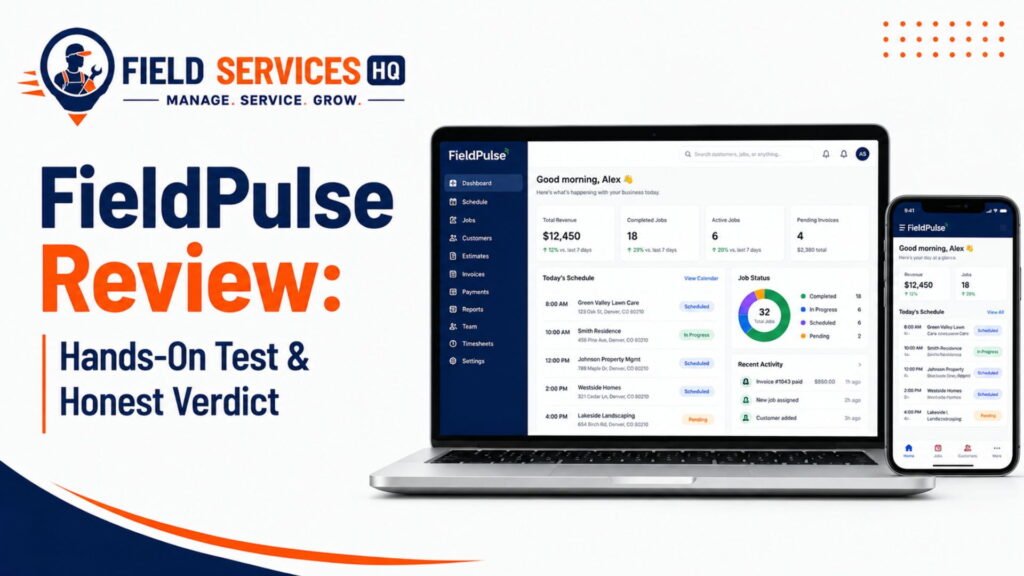
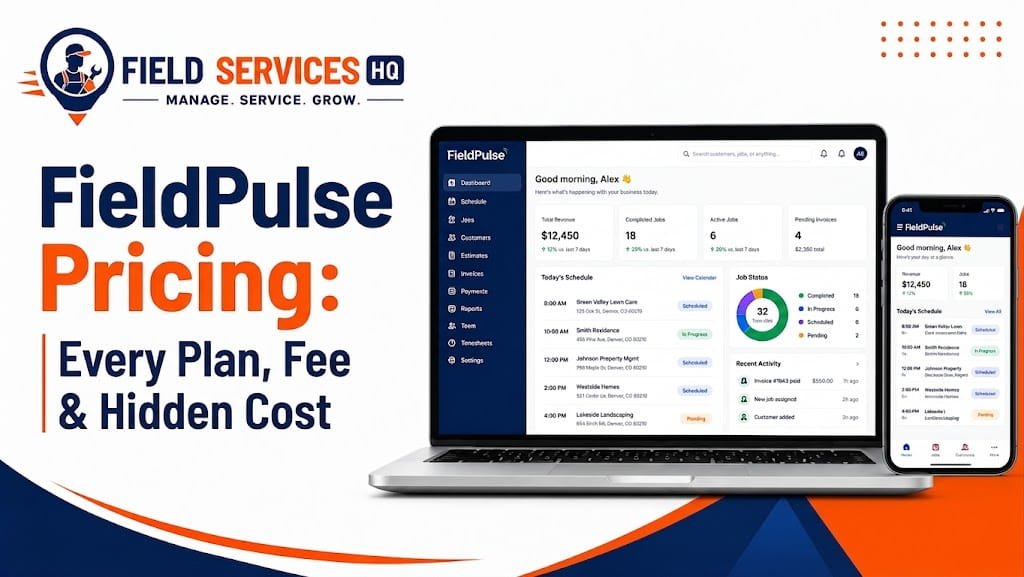
| FieldPulse | Small-to-mid teams (1–20 techs) wanting more customization than Jobber/Housecall Pro at a comparable price | ~$99–$399/mo, often quoted per user | Strong customization, pricebook and quoting tools, good for growing multi-service businesses | Pricing isn’t fully published; add-ons like VoIP and AI dispatch cost extra |
Pricing changes frequently and varies by plan tier, user count, and region. Always confirm current pricing directly on the provider’s website before signing a contract.
Jobber
Jobber is built for service businesses that have outgrown a spreadsheet but don’t need — or want to pay for — an enterprise platform. It covers scheduling, client management, quoting, invoicing, and payment collection, with automation for reminders and follow-ups built into the mid-tier plans.
Choose Jobber if you’re running a team of roughly 5–20 technicians, want dependable core functionality without a steep learning curve, and your annual revenue is somewhere between $100,000 and $1 million.
Housecall Pro
Housecall Pro’s biggest strength is how fast a new user can get functional in it. The scheduling calendar is genuinely simple, and same-day payment collection is a common reason solo operators and two-person crews choose it over anything more complex.
Choose Housecall Pro if you’re a solo operator or very small team, you’ve outgrown paper but don’t need deep reporting or custom workflows yet, and speed of setup matters more than long-term customization.
ServiceTitan
ServiceTitan is in a category by itself. It’s built for home service companies running complex, multi-crew operations with dedicated dispatchers, call centers, and marketing teams. The reporting depth and dispatch intelligence outclass everything else on this list — but so does the price and the onboarding effort.
Choose ServiceTitan if your business is past $2 million in annual revenue, you’re running multiple crews or locations, and you have the staff bandwidth to handle a 60–90 day implementation.
Workiz
Workiz leans into built-in communication tools — phone system integration and AI-assisted scheduling — which makes it attractive to businesses that handle a high volume of inbound calls, like locksmiths, appliance repair, and on-demand service companies.
Choose Workiz if call handling and scheduling flexibility are your biggest pain points, and you’re comfortable evaluating add-on costs carefully before signing.
FieldPulse
FieldPulse positions itself between Jobber/Housecall Pro and the enterprise tier — more customizable workflows and a stronger pricebook tool, at a price that’s often competitive with Jobber once you factor in team size. It’s seen meaningful traction with HVAC, plumbing, and electrical contractors specifically.
Choose FieldPulse if you want more workflow customization than Jobber or Housecall Pro offer, and you’re prepared to get a custom quote rather than rely on published self-serve pricing.
A Decision Framework: Match the Software to Your Business Stage
Instead of picking based on brand recognition, work through this in order:
Choose a simple, low-cost platform (Housecall Pro or Jobber’s entry tier) if:
- You have 1–4 technicians
- Your annual revenue is under $500,000
- You mainly need scheduling, invoicing, and basic customer records
- You don’t have a dedicated office manager or dispatcher
Choose a mid-tier platform (Jobber, FieldPulse, or Workiz) if:
- You have 5–20 technicians
- Your annual revenue is roughly $500,000–$2 million
- You need automation for reminders, follow-ups, and multi-technician dispatch
- You’re starting to track job profitability, not just job completion
Choose an enterprise platform (ServiceTitan or similar) if:
- You have 20+ technicians or multiple locations
- Your annual revenue exceeds $2 million
- You run dedicated call center or marketing operations
- You have staff who can manage a multi-month implementation
Must-Have Features Checklist
Regardless of which platform you’re considering, confirm it covers these before signing anything:
- Scheduling and dispatch with a visual calendar
- Mobile app for technicians in the field
- Digital estimates and invoicing
- Online or card-on-file payment collection
- Customer and job history records
- Basic reporting (revenue by tech, by service type, by job)
- QuickBooks or accounting software integration
Anything beyond this list — AI dispatching, marketing automation, inventory management, GPS fleet tracking — is a “nice to have” that should be evaluated against its actual cost, not assumed to be worth paying for.
The Real Cost: What “Starting At” Pricing Doesn’t Show You
Published pricing almost always understates the real monthly bill. Before comparing platforms on price alone, check for these common add-ons:
- Per-user or per-technician fees on top of the base plan
- Payment processing fees (typically 2.5%–3.5% per transaction)
- SMS or communication credits billed separately once you exceed a monthly allowance
- GPS or fleet tracking, often priced per vehicle per month
- Onboarding or implementation fees, particularly common with enterprise platforms
- Contract length and termination fees — some platforms lock you into annual terms with cancellation costs
A simple way to compare platforms apples-to-apples:
True Monthly Cost = Base Plan + (Per-User Fee × Number of Users) + Add-Ons You’ll Actually Use
Run that math for your actual team size before comparing sticker prices. A platform that looks cheaper at the “starting at” price can easily end up more expensive once you add five technicians and a GPS tracking add-on.
If you want to see how software cost affects your actual job profitability, run it through the Field Service HQ job costing calculator alongside your labor and material numbers — software is an overhead cost, and it should be priced into your job rates the same way insurance or fuel is.
Common Mistakes Contractors Make When Choosing FSM Software
- Buying for the business you hope to have, not the one you have today. Paying for enterprise features you won’t use for two years wastes cash flow you need now.
- Ignoring the switching cost. Contractors sometimes churn between platforms every year chasing a cheaper monthly rate, losing customer history and momentum each time.
- Skipping the trial or demo. A platform that looks great in a sales demo can still be a poor fit for how your specific crew actually works a job.
- Not training the whole team. Software adoption fails most often when only the owner learns it and technicians keep working off habit and paper.
- Confusing “more features” with “better fit.” A locksmith and a landscaping company have almost nothing in common operationally — the best platform for one is often the wrong one for the other.
Trade-Specific Notes
HVAC and plumbing businesses typically need strong service-agreement and maintenance-plan tracking, since recurring revenue is a bigger part of the business model.
Electrical contractors doing both service calls and larger installation projects often need more flexible job types than a platform built purely around quick service visits.
Roofing businesses benefit from strong photo documentation and measurement tools, since insurance claims and material estimates depend heavily on accurate visual records.
Landscaping companies with recurring maintenance routes need software that handles repeating schedules well, not just one-off job booking.
Pest control operators typically need built-in recurring service scheduling plus documentation for treatment records and compliance.
Switching Field Service Software Without Losing Your Business Data
If you’re moving off a current platform, don’t just sign up for a new one and start entering jobs. Follow this order:
- Export your full customer list and job history from your current platform before canceling anything
- Confirm your new platform can import that data in a format it supports — ask before you buy, not after
- Run both platforms in parallel for one billing cycle so nothing falls through the cracks mid-switch
- Train your team on the new system before go-live, not during it
- Cancel the old platform only after your first full invoicing cycle runs cleanly on the new one
Frequently Asked Questions
What is the best field service management software for a small business?
For most small trade businesses under $500,000 in annual revenue, Housecall Pro or Jobber’s entry-level plan is the best starting point. Both cover scheduling, invoicing, and payment collection without the cost or complexity of an enterprise platform.
How much does field service management software cost?
Most small-to-mid-size platforms range from roughly $25 to $400 per month depending on team size and plan tier, while enterprise platforms like ServiceTitan can run several hundred dollars per technician per month plus setup fees. Always confirm current pricing directly with the provider, since it changes frequently.
Is field service management software worth it for a one-person operation?
It can be, mainly for the invoicing, payment collection, and customer record-keeping — even a solo operator benefits from not losing track of who owes what. A simple, low-cost plan is usually sufficient at that scale.
What’s the difference between Jobber and Housecall Pro?
Jobber generally offers more structured workflows and reporting flexibility, while Housecall Pro is often considered faster to set up and simpler for very small teams. Both cover the same core functions — scheduling, invoicing, and payments — so the better fit depends on team size and how much customization you need.
When does ServiceTitan make sense over Jobber or Housecall Pro?
ServiceTitan tends to make sense once a business passes roughly $2 million in annual revenue, runs multiple crews or locations, and has staff who can manage a multi-month implementation. Below that scale, its cost and complexity usually outweigh the benefit.
Can field service management software help me get more customers?
Some platforms include marketing features like automated review requests or online booking, which can support customer acquisition — but the software itself doesn’t generate leads. It manages the jobs you already have more efficiently.
How long does it take to implement field service management software?
Simpler platforms like Jobber or Housecall Pro can often be set up in days. Enterprise platforms like ServiceTitan commonly take 60–90 days to fully implement, including data migration and staff training.
Do I need field service software if I already use QuickBooks?
QuickBooks handles accounting, not job scheduling, dispatch, or field technician communication. Most FSM platforms integrate with QuickBooks so the two work together rather than replacing each other.
What happens to my customer data if I switch platforms later?
Reputable platforms allow you to export your customer and job history, though the process and supported formats vary. Confirm export and import capability before signing up for a new platform, and always keep a backup of your data.
Which field service software is easiest for technicians to use in the field?
Housecall Pro is frequently cited as one of the easier mobile apps for technicians with limited tech experience, though most major platforms — including Jobber and Workiz — offer straightforward mobile apps as a core feature.
Final Thoughts
There’s no single “best” field service management software — there’s only the one that matches your team size, your revenue, and how your crew actually works a job. A five-truck HVAC company and a two-person landscaping crew are solving completely different problems, even though the software categories look the same on paper.
Start with where your business actually is today, not where you hope it’ll be in three years. Run the real cost math — base plan plus per-user fees plus the add-ons you’ll actually use — before comparing sticker prices. And remember that the software only pays for itself if you’re also pricing your jobs correctly underneath it.
Need to figure out what your jobs actually cost before adding a new software line item to your overhead? Use the Field Service HQ job costing calculator to see where your numbers stand first.