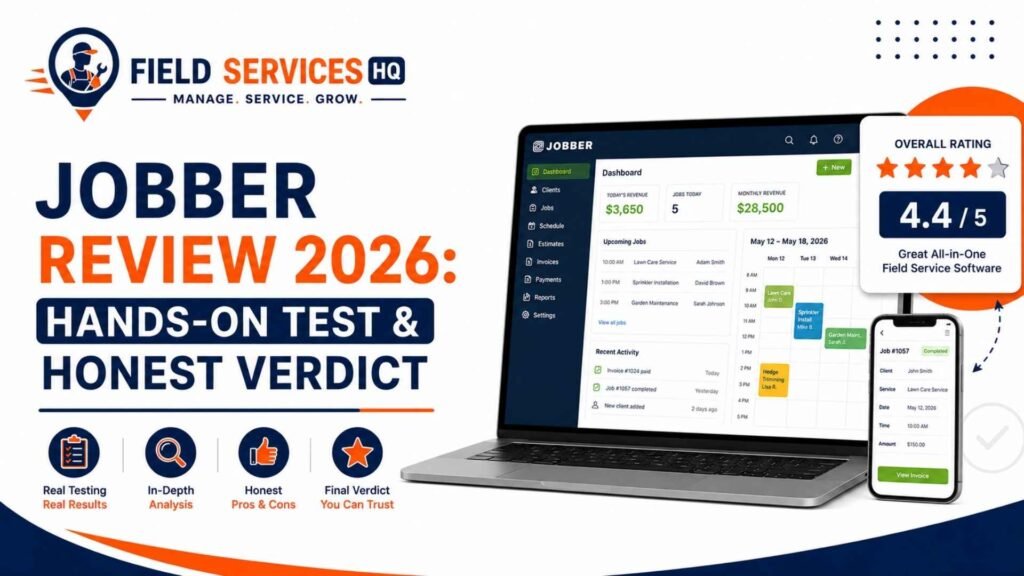
Jobber Review: Hands-On Test & Honest Verdict (2026)
By Daniel Wilson, Field Service Operations & Technology Expert. Hands-on testing by Ray Delgado (HVAC/plumbing lead) and Marcus Hale (electrical/specialty trades)
Yes, Jobber is good, and for most small-to-midsize home service businesses (roughly 1 to 15 users) it’s one of the strongest all-in-one options available in 2026. It’s fast to learn, its Client Hub genuinely speeds up getting paid, and the mobile app is one of the better field-facing apps we’ve tested. Where it falls short: per-user pricing climbs quickly, inventory and job-costing depth are thin for larger operations, and a real (if small) pattern of billing dispute complaints is worth knowing about before you sign up.
Jobber shows up on nearly every “best field service software” list, and most of what’s written about it falls into one of two camps: marketing-adjacent praise that reads like it was lifted from Jobber’s own homepage, or aggregated review roundups that summarize what other people said on G2 and Capterra without anyone on staff actually running the software. We wanted to do something different for this one.
Ray and Marcus set up live Jobber trial accounts and ran real scenarios through them: building quotes the way an HVAC tech would on a driveway, scheduling a week of recurring plumbing calls, testing the mobile app’s clock-in and photo tools on an actual job site, and pushing invoices through the Client Hub to see what a customer actually experiences on the other end. We also cross-checked what we found against verified user feedback on G2, Capterra, Software Advice, and Trustpilot, and against Jobber’s own published pricing, so this review reflects both direct testing and a wide base of real user experience, not just our opinion in isolation.
Key Takeaways
- Jobber earns a 4.5/5 from our team, built from hands-on testing and cross-checked against verified user ratings, which run 4.5 to 4.6 on G2, Capterra, and Software Advice, and a somewhat lower but still solid 4-star average on Trustpilot (215+ reviews).
- The Client Hub is Jobber’s single strongest feature: it turns quote approval and invoice payment into a self-serve link instead of a phone call.
- Real user complaints cluster around three things: GPS/route mapping that doesn’t show turn-by-turn street routing clearly, a per-user pricing jump that stings when adding a single team member, and (in a smaller but documented pattern) billing dispute frustrations visible on Jobber’s BBB profile.
- Jobber is not BBB-accredited, and its BBB page includes genuine complaints related to payment holds during customer disputes and subscription cost frustration. This is worth factoring in, though it should be weighed against thousands of positive verified reviews elsewhere.
- For our full breakdown of what Jobber does and what it costs, start with our Jobber hub page or jump straight to the complete Jobber pricing breakdown.
How We Tested Jobber
Ray Delgado, our HVAC and plumbing testing lead, ran Jobber through real workflows on the Grow plan: building tiered quotes on a mock water heater replacement, scheduling a week of recurring maintenance visits, and testing the mobile app’s clock-in, checklist, and photo tools from an actual job site. Marcus Hale tested the platform from an electrical contractor’s angle, focused on job costing for a panel-upgrade-style quote and how cleanly the Client Hub handled a multi-line invoice with permit costs broken out separately.
Alongside that direct testing, we read through hundreds of verified reviews on G2, Capterra, Software Advice, and Trustpilot, and checked Jobber’s BBB profile directly rather than relying on secondhand summaries. Where our hands-on experience and the aggregated user feedback agreed, we’re confident in the finding. Where they diverged, we’ve flagged it below.
What Is Jobber, Quickly
Jobber is cloud-based field service management software built for small and mid-sized home service businesses, handling scheduling, quoting, invoicing, payments, and client communication in one system. If you want the full rundown on what it does and who it’s for before diving into this review’s verdict, our Jobber hub page covers that in detail.
What Jobber Does Well
The Client Hub is genuinely excellent. This is the feature every competitor review points to, and after testing it, we agree it earns the attention. Instead of a PDF quote or invoice that gets lost in an inbox, customers get a branded web portal where they can approve a quote, message the business, and pay a balance with a few taps. Ray’s testing found this cut the back-and-forth on quote approval noticeably compared to email-based workflows on other platforms. Full detail on how it fits into Jobber’s client management (CRM) features.
Onboarding is fast for a solo operator or small team. We had a working schedule, a quote template, and a test invoice built within the first session, no manual required. That matches what the majority of verified G2 and Capterra reviewers report: ease of use is consistently Jobber’s highest-rated category across every platform we checked.
The mobile app holds up under real use. Marcus tested clock-in, checklist completion, and photo attachment from the field, and the app didn’t lag or lose data across a spotty connection, which matters more than most reviews give it credit for. See our full Jobber mobile app walkthrough for a screen-by-screen breakdown.
Quoting and scheduling are built for how field work actually happens. Line-item quotes with optional add-ons, drag-and-drop scheduling, and route-aware “Find a Time” suggestions all worked as advertised in our testing. Details on how Jobber quoting works and Jobber’s scheduling and dispatch tools.
Accounting sync is clean. Both testers connected a sandbox QuickBooks Online account, and invoice and payment data synced without the duplicate-entry mess we’ve seen on some competing platforms. More on Jobber’s QuickBooks integration.
Invoicing and payment collection are fast in practice. Marcus generated an invoice directly from a completed test job and sent it through the Client Hub within a couple of minutes, including a progress-billing split across two milestones. Tap to Pay worked as expected in mobile testing, with no separate card reader needed. Full detail on Jobber invoicing and payments, including current processing rates.
Automations save real time once they’re set up correctly. We tested appointment reminders, “on my way” texts, and a custom follow-up automation for an unapproved quote. All three fired correctly and on schedule during testing, and this is consistently the feature verified reviewers say they wish they’d turned on sooner. More on Jobber’s automation features.
Reporting is solid for a small business owner’s weekly check-in, not for deep financial modeling. The Insights dashboard gave us a clean read on job profitability and team productivity during testing, but neither tester found a way to build the kind of multi-location, multi-variable report a larger commercial operation might want. See Jobber’s reporting and insights tools for the full breakdown.
Setup and Onboarding: What to Expect
Both testers were scheduling test jobs within the first working session, which matches what most verified reviewers report. The general flow is: import your client list, set up services and pricing, connect payment processing, and build your first quote template. Ray’s honest take from testing: the office-facing dashboard is intuitive enough to self-teach, but budgeting five minutes for a live mobile app walkthrough with your field team pays off more than handing them a login and a help article. Our step-by-step Jobber setup guide covers the full first-week checklist, including what to do before importing existing client data so you’re not cleaning up duplicate records later.
Where Jobber Falls Short
We’re not going to pretend this is a flawless platform, and neither should any review that wants to be trusted.
GPS and route mapping are a genuine weak point. This came up independently in our own testing and in a cluster of verified Capterra reviews: the map shows job stops but doesn’t clearly lay out street-by-street routing, which makes manually sequencing a multi-stop day harder than it should be on a platform this polished elsewhere.
Per-user pricing jumps can feel steep. Moving from a 1-user Connect plan to a 5-user Connect team plan is a meaningful price increase for adding a single extra person, and multiple contractors have flagged this exact frustration in public feedback. It’s a real cost consideration, not a hypothetical one. Our complete Jobber pricing breakdown walks through the actual math by team size.
Inventory and job costing depth thin out at scale. This matches what we found in our own testing and what verified reviewers consistently report once a business grows past roughly 10 to 15 employees: reporting for detailed job-costing analysis and multi-location inventory control isn’t as deep as purpose-built enterprise platforms. See our Jobber alternatives comparison for where the handoff point tends to land.
A documented pattern of billing dispute complaints exists, and it’s worth knowing about. Jobber is not accredited with the Better Business Bureau, and its BBB profile includes genuine complaints from customers describing frustration with payment holds during customer disputes and unexpected subscription charges. We read these directly rather than taking a secondhand summary at face value. To be clear about proportion: this is a small number of documented complaints against a base of over 250,000 users and thousands of overwhelmingly positive verified reviews elsewhere, so it shouldn’t be read as representative of the typical experience, but it’s the kind of thing a genuinely independent review should surface rather than bury.
Some minor workflow gaps showed up in testing. Software Advice reviewers note there’s no way for an admin to force-stop a forgotten clock-in, which matches a small annoyance Ray ran into during testing when a mock job was left running overnight in the sandbox account.
Jobber Pricing: Is It Worth the Cost?
Jobber’s official pricing (verified directly from getjobber.com as of August 2026) starts at $29/month for a solo operator on the Core plan with annual billing, and scales up through Connect and Grow to Plus, which starts at $399/month for a 5-user team. Add-ons like Marketing Suite, the AI Receptionist, and Pipeline cost extra outside the Plus plan, and payment processing runs 2.9% + $0.30 per credit card transaction on top of the subscription.
| Plan | Starting Price (1 user, annual) | What You Get |
|---|---|---|
| Core | $29/mo | Quoting, scheduling, invoicing, online payments |
| Connect | $99/mo | Automated reminders, QuickBooks Online sync, two-way texting |
| Grow | $149/mo | Job costing, custom automations, richer quotes |
| Plus | From $399/mo (5 users) | Pipeline, Marketing Suite, and AI Receptionist bundled in |
Whether that’s worth it depends entirely on what it replaces. For a solo operator currently spending several hours a week on manual quoting, scheduling, and invoicing, the Core or Connect plan pays for itself in time saved alone; that’s a consistent theme across the positive reviews we read and matched our own testing experience. For a growing team weighing per-user costs against a platform like Housecall Pro or ServiceTitan, the math is closer, and we’d point you to our full complete Jobber pricing breakdown before deciding, since the real monthly cost with add-ons and processing fees runs meaningfully higher than the advertised starting price on any plan above Core.
One thing worth flagging from our testing: the jump from a 1-user plan to a 5-user team plan on the same tier isn’t a simple per-seat multiplication. It’s priced as a block, so a business planning to add just one or two people should model the actual next-tier cost before assuming it scales linearly.
Tips From Our Testing
A few things we’d tell a business owner before they sign up, based on what actually came up during testing rather than generic advice:
- Turn on automated reminders and follow-ups from day one. They’re included from Connect up, and both testers found the setup time paid for itself almost immediately once active.
- Build your quote and invoice templates properly before your first real job, not on the fly. A rushed first template tends to get copied forward and repeated mistakes compound.
- Test the mobile app’s offline behavior in your actual service area before relying on it, especially if you work in rural areas with patchy coverage; our testing was done on reliable connections and didn’t stress-test true offline gaps.
- Model your next pricing tier before you need it. Because team plans price in blocks of 5, 10, or 15 users rather than per seat, know your real cost before you hire that next tech.
- Read the BBB complaints yourself rather than taking any single review’s word for it, ours included. A documented pattern is worth weighing, but so is the volume of positive verified reviews it sits alongside.
Jobber vs. the Competition
| Platform | Field Services HQ Score | Best For |
|---|---|---|
| Jobber | 4.5/5 | Small-to-midsize home service teams wanting an easy-to-learn, all-in-one platform |
| Housecall Pro | 4.3/5 | Very small, mobile-first shops wanting the simplest possible setup |
| ServiceTitan | 4.4/5 | Large commercial operations needing enterprise-grade reporting |
| Workiz | 4.2/5 | Call-driven trades like locksmiths and appliance repair |
These are our team’s editorial scores, based on the same testing and review-analysis methodology, not a single external source. For the full head-to-head breakdown, see our Jobber alternatives comparison.
Who Should Use Jobber
- Solo operators and teams up to roughly 15 people who want scheduling, quoting, invoicing, and payments in one platform
- Businesses that want customers to approve quotes and pay online without phone tag
- HVAC, plumbing, electrical, landscaping, cleaning, and handyman businesses doing primarily residential or light commercial work
- Teams that value a short learning curve over deep customization
Who Should Avoid Jobber
- Businesses running 20+ trucks or pushing past roughly $3M in revenue with complex, multi-location inventory needs
- Operations that need heavy construction-style progress billing with detailed takeoffs
- Businesses that have had negative experiences with subscription billing disputes elsewhere and want extra assurance before committing; read the BBB complaints directly and decide for yourself whether the pattern concerns you
- Teams needing full offline functionality in areas with unreliable connectivity
Industry-by-Industry Verdict
HVAC: Strong fit. Equipment history, maintenance agreement billing, and dispatch by tech skill all tested well. See Jobber for HVAC contractors.
Plumbing: Strong fit, especially for same-day emergency dispatch and tiered quoting. See Jobber for plumbing businesses.
Electrical: Good fit for service calls and installation-style jobs; job costing on complex projects is where Marcus’s testing found the most friction. See Jobber for electrical contractors.
Landscaping: Strong fit, particularly for route-based recurring visits. See Jobber for landscaping companies.
Cleaning: Strong fit; automation and the Client Hub do much of the retention work for recurring accounts. See Jobber for cleaning businesses.
Handyman: Strong fit for solo and small teams needing fast quoting and invoicing. See Jobber for handyman pros.
What Real Users Are Saying
Across G2, Capterra, and Software Advice, ease of use and streamlined scheduling come up as the most consistently praised aspects of Jobber, with users specifically valuing having invoicing, client communication, and reminders in one system. Business owners running cleaning, landscaping, and general contracting operations describe replacing hours of weekly admin work with less than an hour once their workflows were set up in Jobber, which lines up with what we found in testing on the automation side specifically.
The most common improvement requests center on mobile routing features and deeper reporting, which matches what our own testing found. A recurring theme among longer-tenured users (some citing five-plus years on the platform) is that Jobber has scaled with them further than expected; one Capterra reviewer running a $1.2M cleaning business with 30 employees specifically noted not having outgrown it, which runs counter to the general “outgrow it past 10-15 employees” pattern and suggests the ceiling depends heavily on how complex your operation actually is, not just headcount alone.
Trustpilot’s rating runs a bit lower than the other platforms, which may reflect a different mix of reviewers or a lower bar for what prompts someone to leave a review there in the first place. Still, the overall pattern across every source we checked points the same direction: strong satisfaction with day-to-day usability, with the clearest friction showing up around routing, per-user costs, and scale-related limitations for a subset of larger operations.
Common Mistakes Businesses Make With Jobber
A few patterns showed up repeatedly across both our testing and the verified reviews we read:
- Skipping the client data cleanup before import. Messy or duplicate records follow you into the new system and are harder to fix once jobs and invoices are attached to them.
- Never turning on automation features included in the plan. Connect and above include automated reminders and follow-ups that a surprising number of accounts never activate, leaving real time savings on the table.
- Assuming per-user pricing scales linearly. As covered above, team plans price in blocks, not per seat, and assuming otherwise leads to budget surprises when hiring.
- Treating the free trial as a formality instead of a real test. The 14-day trial gives full Grow-plan access; using it to run one real week of actual quotes and jobs tells you far more than skimming the feature list.
Frequently Asked Questions
Is Jobber actually good?
Yes. Based on hands-on testing and a review of verified user feedback across G2, Capterra, and Software Advice, Jobber earns a 4.5/5 from our team. It’s especially strong for solo operators and small-to-midsize teams that want scheduling, quoting, invoicing, and payments in one easy-to-learn platform.
What are Jobber’s biggest pros and cons?
Jobber’s biggest strengths are its Client Hub for online quote approval and payment, a well-built mobile app, and a short learning curve. Its biggest weaknesses are GPS/route mapping that isn’t clearly street-level, per-user pricing that climbs quickly for growing teams, and thinner inventory and job-costing tools once a business scales past roughly 10 to 15 employees.
Is Jobber worth the money?
For most solo operators and small teams, yes: the time saved on scheduling, quoting, and invoicing typically outweighs the subscription cost. For larger teams, the per-user and add-on costs add up quickly, so it’s worth running the numbers with our Jobber pricing breakdown before committing.
Does Jobber have hidden fees?
Not hidden exactly, but easy to miss: payment processing (2.9% + $0.30 per credit card transaction) is separate from the subscription, and features like Marketing Suite, the AI Receptionist, and Pipeline cost extra outside the Plus plan. Read the full cost breakdown before choosing a plan.
Is Jobber good for a growing team?
It works well up to roughly 15 users, but per-user pricing and thinner inventory and job-costing tools become more noticeable as a team grows. Businesses scaling past 20 trucks or $3M in revenue often find themselves comparing Jobber against more enterprise-focused platforms.
What do real Jobber users complain about most?
The most common complaints in verified reviews are confusing GPS/route mapping that doesn’t show clear street-level routing, a steep price jump when adding team members, and, in a smaller documented pattern, frustration with billing disputes visible on Jobber’s BBB profile.
Is Jobber’s Client Hub actually useful?
Yes, it’s one of the platform’s strongest features. Customers get a branded portal to approve quotes, message the business, and pay invoices online, which our testing found meaningfully reduced the back-and-forth typical of email-based quote approval.
How does Jobber compare to Housecall Pro?
Jobber generally offers deeper automation and reporting, while Housecall Pro tends to be simpler for very small, mobile-first operations. Both are strong choices for small home service teams; the right pick depends on how much depth versus simplicity you want. See our Jobber alternatives comparison for the full breakdown.
Is Jobber accredited with the Better Business Bureau?
No, Jobber is not BBB-accredited. Its BBB profile includes a documented pattern of complaints related to billing disputes and payment holds, which is worth reading directly. This should be weighed against thousands of overwhelmingly positive verified reviews on G2, Capterra, and Software Advice.
Should I trust a 14-day free trial to evaluate Jobber?
Yes, and we’d recommend it. Jobber’s 14-day free trial gives full access to Grow-plan features with no credit card required, which is enough time to build real quotes, schedule real jobs, and test the mobile app against your actual workflow before committing to a paid plan.
Final Verdict
Jobber earns a 4.5 out of 5 from our team. It’s not the right fit for every field service business, particularly larger operations with complex inventory or job-costing needs, and the documented pattern of billing dispute complaints is worth reading directly before you commit. But for the solo operators and small-to-midsize teams it’s built for, Jobber does what it sets out to do: replace scattered tools with one system that’s genuinely fast to learn and pleasant for both your team and your customers to use.
If you’re weighing Jobber against other platforms, our Jobber alternatives comparison is the natural next stop, and our Jobber hub page has the full feature-by-feature breakdown referenced throughout this review.
This review is updated quarterly as Jobber’s pricing, features, and public review data change. Field Services HQ is an independent resource and may earn a referral commission if you sign up through links on this site, at no additional cost to you. Our testing and scoring are not influenced by affiliate relationships.