Service Autopilot Review: Hands-On Test & Honest Verdict
Quick Answer
Service Autopilot is a field service management platform built for high-volume, route-based service businesses, most notably lawn care, landscaping, snow removal, irrigation, and pest control. It is genuinely strong on automation, route scheduling, and recurring billing, but it comes with a steep learning curve, mixed customer support reviews, and pricing that climbs quickly once you add users and premium tiers. It’s a good fit for established operations running 150 or more recurring accounts. It’s usually overkill, and overpriced, for a one or two truck startup.
Choosing the right field service software is one of those decisions that a service business owner usually makes on their own, and the consequences of being wrong can be severe. Scheduling, dispatching, invoicing, and communication software, if chosen unwisely, will take months to migrate data into and will leave an owner with a tool their employees can barely tolerate using.
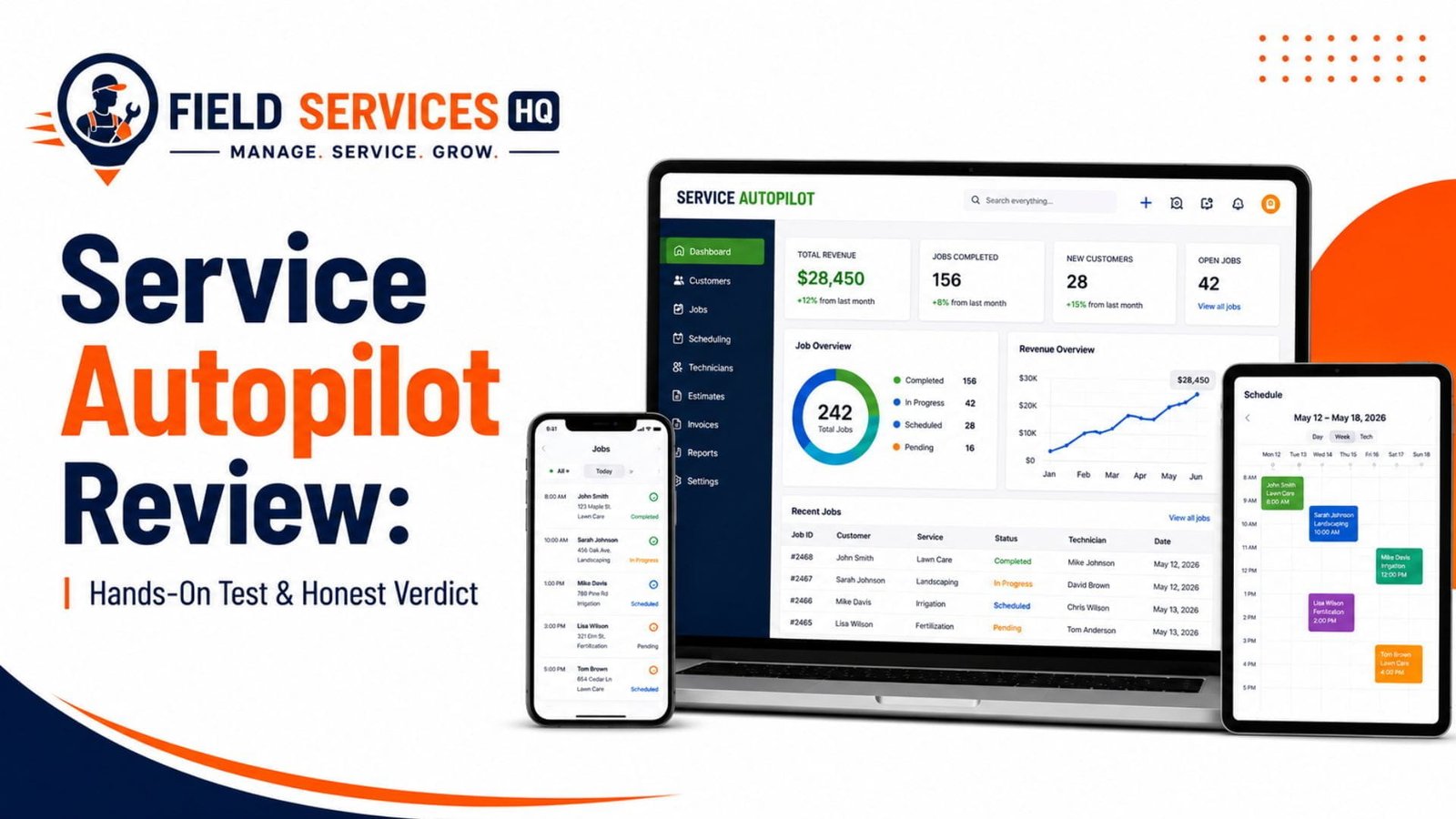
In the last 11+ years of working with businesses in the field service space to help them optimize their scheduling, dispatching, CRM, and technology stack, Service Autopilot is one of the tools that people ask me about most often for lawn care, landscaping, and pest control providers. The purpose of this post is to explain what Service Autopilot does well, what it does badly, how much it costs to set up and use (beyond the initial acquisition), and who should look elsewhere for their scheduling and CRM software.
Key Takeaways
- Service Autopilot is best for high-volume, route-based businesses with 150+ recurring accounts.
- Route optimization and recurring billing automation are its strongest features.
- Pricing starts at $49/month but rises fast with sign-up fees and add-ons.
- The learning curve is steep; expect real setup and training time.
- Mobile app syncing and customer support are the most common complaints.
- Support quality has reportedly declined since the Xplor acquisition.
- Small or one-off-job businesses are usually better off with Jobber or Housecall Pro.
- Large commercial landscaping operations should compare Service Autopilot against Aspire.
Table of Contents
- Service Autopilot in 60 Seconds
- Service Autopilot at a Glance
- Who Should Use Service Autopilot?
- Who Should NOT Use Service Autopilot?
- Service Autopilot Decision Matrix
- Bottom Line: Is Service Autopilot Right for You?
- Service Autopilot Pricing: What You’ll Actually Pay
- How We Tested Service Autopilot
- Service Autopilot Core Features
- Industry-Specific Fit
- Service Autopilot Pros & Cons
- Overall Scorecard
- Service Autopilot Alternatives
- Final Verdict
- Frequently Asked Questions
Service Autopilot in 60 Seconds
Service Autopilot is field service management software initially developed for lawn care and landscaping companies and subsequently adapted to cleaning, snow removal, irrigation, and pest control industries. It is an integrated solution that combines job scheduling and route optimization, CRM, estimating, invoicing, and payment processing, marketing automation, and reporting.
Xplor Technologies owns the company behind Service Autopilot, which acquired the platform along with several other vertical software providers. This information is crucial in understanding the company’s approach to its customers, as several long-standing Service Autopilot users report that the product has suffered significantly in terms of support and innovation after the acquisition.
Service Autopilot at a Glance
| Category | Details |
|---|---|
| Best for | High-volume, route-based service businesses (lawn care, landscaping, snow removal, pest control, irrigation) |
| Starting price | $49/month (Startup plan), plus a required sign-up fee |
| Higher tiers | Pro ($199/month), Pro Plus ($499/month), Elite (custom pricing) |
| Free trial | Not consistently available; demo-based sales process |
| Mobile app | iOS and Android, with some reported syncing issues |
| Key integrations | QuickBooks, FleetSharp, SendJim, open API |
| Support channels | Email, phone, chat, knowledge base |
| Learning curve | Steep, commonly cited as the software’s biggest drawback |
| Contract terms | Vendor-dependent; confirm cancellation terms before signing |
Who Should Use Service Autopilot?
Service Autopilot works best for
- established lawn care, landscaping, or pest control companies with 150+ recurring turf customers, i.e., route density is their primary asset,
- multi-crew operations that have to manage, dispatch, and optimize several routes,
- businesses that are built around recurring services (not project-based or one-time jobs), as the platform is heavily biased toward automated recurring billing and invoicing,
- those who are willing to spend the time to set up the software properly (it has a very steep learning curve),
- lawncare companies that have outgrown simple Excel templates or job scheduling software and need a full-fledged solution,
Who Shouldn’t Use Service Autopilot?
Service Autopilot is not a good fit for
- one or two-truck operations that barely transitioned from using handwritten tickets or Excel,
- companies that need an immediate solution and don’t want to waste time on onboarding,
- organizations that provide emergency services (plumbing, electricians, or 24/7 HVAC contractors), as there are more feature-rich and less expensive trade software options,
- budget-conscious businesses that want to minimize software costs, as there are no transparent billing plans, and the total cost depends on many variables (setup, dispatching, customer portal, reports, and more),
- and customers that require exceptional human support. Multiple reviews across different platforms indicate that Service Autopilot’s response time could be much better.
Service Autopilot Decision Matrix
| Your Situation | Recommended Path |
|---|---|
| 200+ recurring accounts, multiple crews, lawn/landscape/pest focus | Service Autopilot is worth a serious demo |
| Under 50 accounts, solo or small crew, mixed trade | Start with a simpler platform like Jobber and revisit later |
| Budget-focused landscaping business wanting job costing depth | Compare against LMN before deciding |
| Commercial landscaping over $1M in annual revenue | Compare against Aspire, which is built for that scale |
| General trade business (HVAC, plumbing, electrical) | Look at trade-specific or general field service software instead; Service Autopilot’s automation is optimized for green industry routing, not one-off dispatch work |
Bottom Line: Is Service Autopilot Right for You?
Service Autopilot is one of the most automated software designed for businesses that provide route-based services to clients. If your company is already well-established and utilizes recurring accounts for the majority of your services, this tool can help you minimize the number of tasks you process manually. The only way to fully benefit from all features is to invest time and money in learning how the system works. If you are a small-time entrepreneur with limited resources or run an organization that employs one-time services instead of the recurring route, Service Autopilot is not the right choice for you.
Service Autopilot Pricing: What You Will Pay
Service Autopilot has a tiered pricing model, and the figures gathered from third-party sources are rather similar:
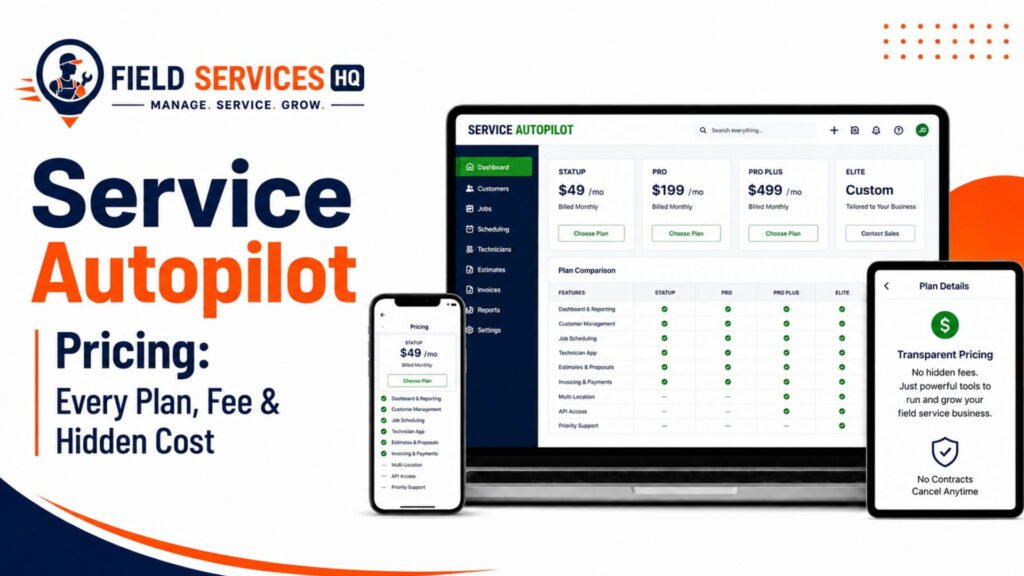
| Plan | Starting Price | Best For |
|---|---|---|
| Startup | $49/month + sign-up fee | Very small operations testing the platform |
| Pro | $199/month | Growing businesses needing fuller automation |
| Pro Plus | $499/month | Established, multi-crew operations |
| Elite | Custom pricing | Large, high-volume operations with complex needs |
A few pricing realities to plan around
- Sign-up fees are common: several sources note an onboarding or setup fee outside of the monthly subscription, and one third party pricing analysis notes paid setup packages ranging from a few hundred dollars for a screen-share session to several thousand dollars for a multi-day implementation deep dive.
- Per-user and per-feature costs can add up: Capterra lists Service Autopilot’s pricing structure as feature-based, which means the number you see advertised is rarely the number you pay when you add technicians and modules.
- Price increases over time are a recurring complaint: Independent reviewers on multiple platforms specifically note rising costs without a corresponding increase in value, particularly since the Xplor acquisition.
- Compare against the field before committing: Jobber starts lower (around $39 to $49/month), Housecall Pro starts around $79 to $149/month depending on billing terms, and LMN starts higher (around $297/month) but is more focused on budgeting and job costing than automation.
If you’re building out a technology budget for the year, it’s worth running the numbers through a field service management resource hub before signing, since total cost of ownership almost always exceeds the advertised starting price.
How We Tested Service Autopilot
This review is based on a structured evaluation of Service Autopilot’s documented feature set, its official product materials, and a cross-section of verified user feedback available across independent software review platforms (Capterra, Software Advice, SelectHub, and Research.com) and trade-forum discussions from working lawn care and landscaping business owners. We evaluated vendor claims against what actual users report experiencing day to day, and we focused on patterns that repeated across multiple independent sources rather than isolated complaints or praise.
Our Evaluation Criteria
We evaluated Service Autopilot against the criteria that matter most for a field service business making a real purchase decision:
- Scheduling, dispatching, and route optimization depth
- Mobile app reliability for field technicians
- CRM and customer communication tools
- Estimating and proposal generation
- Invoicing, payment processing, and accounting integration
- Marketing automation capabilities
- Reporting and job costing
- Integration ecosystem and API availability
- Setup complexity and learning curve
- Customer support quality and responsiveness
- Total cost of ownership relative to the market
Service Autopilot Core Features
Scheduling & Dispatch
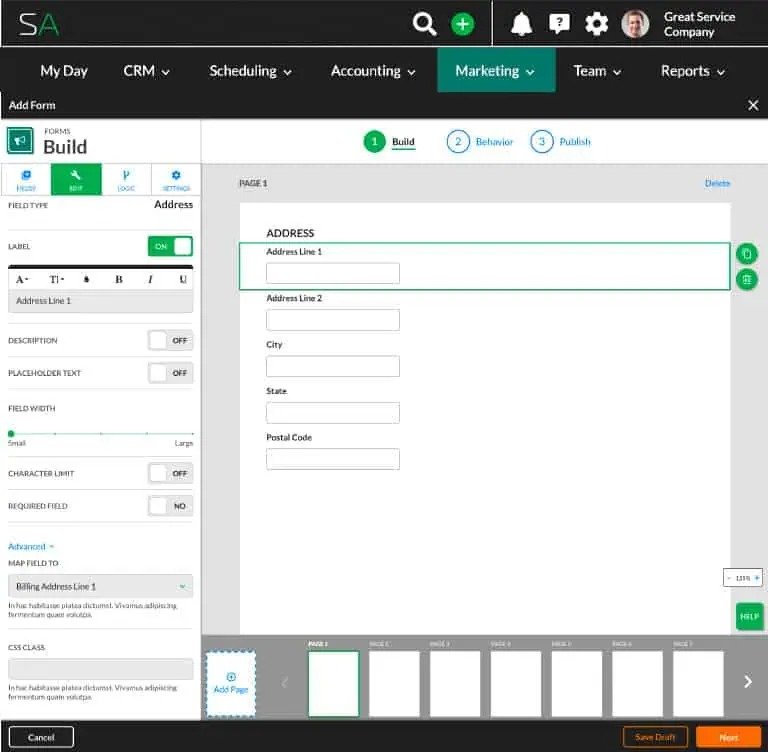
Scheduling is Service Autopilot’s founding feature, and it’s engineered to support both recurring service calendars and the day-to-day rescheduling that come with running a route based team.
- Recurring job templates: set a frequency (weekly, biweekly, monthly, seasonally) and you’re done. The future visits will be created for you, not your office clerks.
- Crew-based assignment: jobs can be assigned to crews or individual technicians, and you can see who is booked, who is available, and where you might need to plug someone in.
- Drag and drop rescheduling: weather cancellations, add-ons, and last minute reschedules can be moved around on the calendar, rather than rebuilding the job.
- Multi-day and multi-crew views: see your whole week, or whole month if you need to, across all your crews. This is critical when you’re running more than two or three trucks.
- Automated dispatch notifications: your crews get alerted to their changes in the Service Autopilot app, rather than having to call or text the office.
If you’re running dozens of recurring jobs week after week, this is the kind of automation that makes managing your service reps much easier over what you might do in a shared spreadsheet or calendar tool. If you’re smaller, and just getting to the point where you’re building your first repeatable weekly schedule, a more basic scheduling tool could get you 80% of the value with much less overhead.
Route Scheduling & Optimization
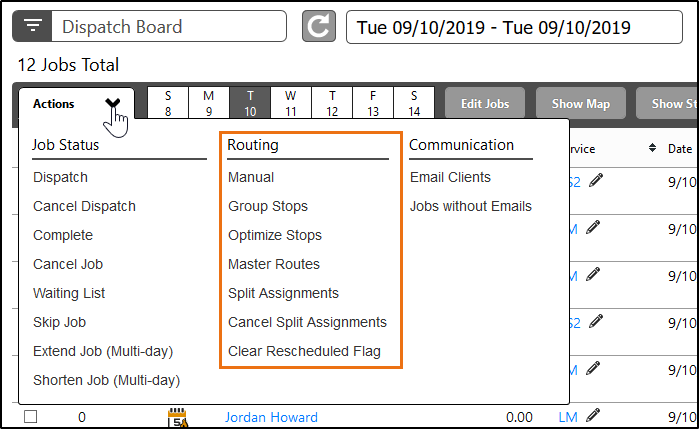
Route optimization is one of Service Autopilot’s most frequently cited strengths, and particularly for lawn care and landscaping companies with drive time between stops as the limiting factor on daily job capacity.
In particular, many are asking us about it, because the drive time between jobs is a critical factor for lawn care companies, determining how much work a crew can get done in a single day.
- The automatic stop sequencing helps deliver the best possible itineraries, grouping nearby jobs into clusters and reducing backtracking whenever possible.
- Another helpful feature is the ability to organize your customers into territories or zones, enabling you to define daily areas of operations and limiting the distance a crew has to drive between jobs.
- You can also see the drive time between jobs in order to plan your day/week most efficiently.
- And finally, if there are jobs that need to be prioritized but the algorithm is not aware of that, you can always reorder the optimized route.
I would say that it is even more important for the lawn care and landscape maintenance industry, as their jobs are usually local and involve numerous stops. A plumbing company that services jobs all over the city cannot plan their day in the same way as a lawn care company with 40 regular customers within a 5-mile radius can.
Mobile App
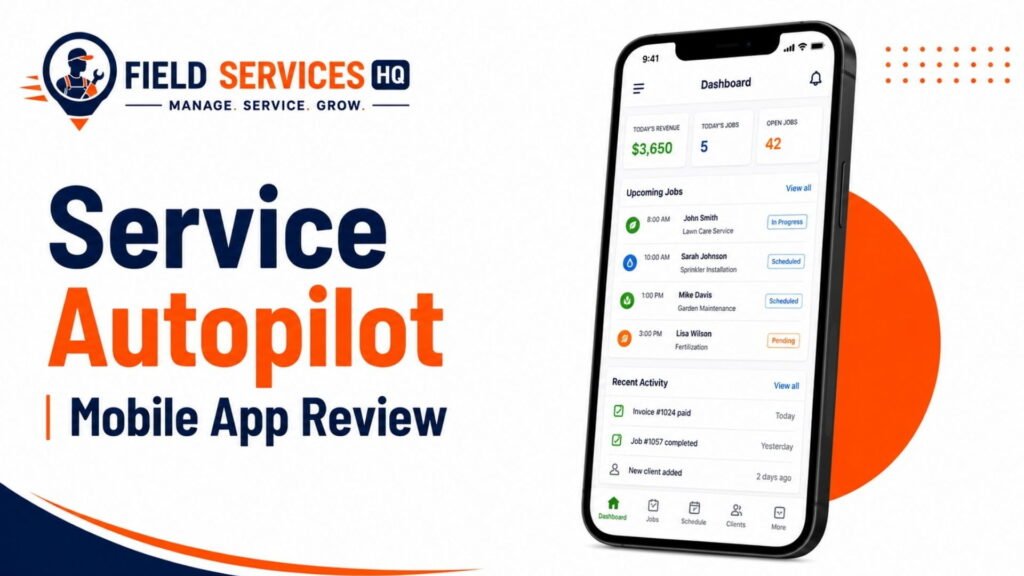
The mobile app gives field technicians access to schedules, customer details, job notes, and the ability to mark work complete from the field. This is a baseline requirement for any modern FSM platform, and Service Autopilot includes it. However, this is also the area with the most consistent complaints: users on multiple review platforms describe syncing delays and occasional reliability issues, particularly in areas with inconsistent cell coverage.
The mobile application comprises the user-facing side of the platform; its main purpose is to reduce the need for crews to call the office for basic information about their jobs.
- Job details in the field: The user can access the information about their shifts, customers’ addresses and specific notes, and additional instructions concerning the jobs.
- Check-off jobs and update status: Completing a job and marking it as done in the application syncs the information back to the office (if the syncing feature is used).
- Photo upload: The app allows users to upload photos and documents about the jobs, such as “before and after” pictures, to mark the quality control stages as done.
- GPS and time clock: The application has a feature that allows the office to know the crew’s position and the time spent on the job, which can be used for payroll or customer update purposes.
- Collecting payments: Some plans allow the users to collect money from customers directly through the application.
This sector of the business has the largest amount of complaints on the review sites. People report issues with syncing the application and having problems using it due to poor connection, which is a known issue in areas without sufficient cellular coverage. If the company’s crews operate in rural areas with poor connection on a regular basis, it would be wise to test the application’s offline functionality before launching it nationwide.
Estimates & Proposals
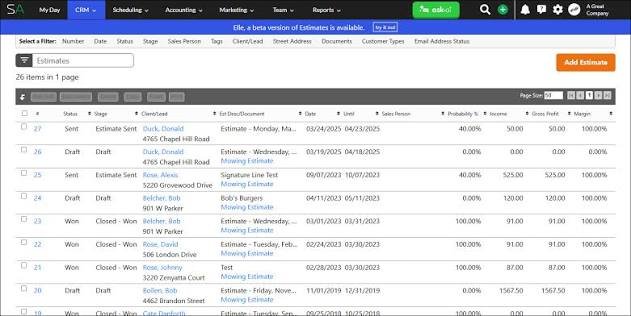
Service Autopilot offers features and capabilities for building and sending estimates/proposals to prospects and existing customers with aiming to streamline the process from sales conversation to scheduled job.
- Templated Estimates : Frequently requested services can be saved as templates to avoid repeating the same estimates.
- Digital Approval : Customers are able to digitally approve estimates instead of having to call or return a signed copy.
- Estimate-to-Job Conversion : An estimate that has been approved can be converted to a job without having to re-enter customer and service information to avoid duplication of effort between the sales and operations team.
- Add-ons and Upsells : Additional services can be added to an estimate when a technician encounters the need onsite.
CRM & Customer Management
The CRM stores customer contact information, service history, billing records, and communication logs in one place. It also supports a customer self-service portal where clients can view upcoming visits and pay invoices online, reducing inbound phone calls for straightforward requests.
- Centralized Records : Contact and account information, notes, history, and communications are stored in one place instead of being siloed across different spreadsheets, email clients, and accounting software.
- Communication History : All communications including phone calls, emails, and texts are attached to a customer’s job history for reference, particularly when different team members are handling the same client.
- Self-Service Portals : Customers are able to access their own portal to check service dates, pay invoices online, and update information, reducing the number of customer support requests about service reminders, among similar inquiries.
- Service Agreements : Recurring agreements can be digitally tracked against a customer’s account, including any relevant terms, which is helpful for companies that offer seasonal or annual services.
Invoicing & Payments
Automated invoicing generates bills based on completed work and supports multiple payment methods, including online payment collection. For businesses running recurring billing cycles, this is one of the platform’s clearer time-savers compared to manually generating and emailing invoices.
- Automatic Invoicing : Invoices can be sent automatically when services have been performed and are ready for payment instead of manually creating and sending them.
- Bulk Invoicing : Businesses that invoice a large volume of customers on a recurring basis are able to send out invoices in bulk instead of individually.
- Online Payments : Online payments can be collected via SMS or email for card payments, or, depending on a business’s plan and processor, ACH or bank transfers.
- Automated Payment Reminders : Lateinvoices can remind customers automatically without having to manually follow up on delinquent payments.
- Invoicing Reports : An overview of a company’s invoicing activity, along with information about past due and payments received, helps owners track collections and cash flow.
Marketing Automation
Service Autopilot includes built-in marketing automation tools for follow-up campaigns, referral requests, and customer retention messaging. This is a differentiator compared to more stripped-down scheduling tools, since most FSM platforms in this price range require a separate marketing tool to accomplish the same thing.
- Automated Outreach : Email and SMS marketing sequences can be created to follow up on service requests and completed jobs, as well as retain customers.
- Referral Reminders : Referrals and reviews can be requested automatically once a job has been completed to reduce the chances of forgetting to ask.
- Direct Mail Integration : SMS and email marketing can be extended to direct mail using SendJim’s integration, which is particularly helpful in local and recurring service industries like lawn care.
- Lead Tracking : Leads can be tracked from initial contact through to an appointment, which helps owners see which marketing efforts are paying off.
Reporting & Job Costing
Customizable reporting and dashboards give owners visibility into revenue, job profitability, and technician productivity. One caveat worth flagging directly: several long-time users report that reports which worked reliably for years occasionally break after platform updates, with slow resolution from support. If reporting accuracy is mission-critical for your business, verify current report reliability during your demo rather than assuming based on marketing materials.
- Pre-Built Reporting Library : There is a variety of pre-built reports that focus on jobs, revenue, and customer activity, with an emphasis on actionable insights rather than vanity metrics.
- Custom Reporting : Reports can be built from scratch by selecting the necessary parameters to analyze the information that matters most to the business.
- Job-Cost Visibility : Jobs can be analyzed to see which ones and who are profitable based on the labor and material costs compared to the revenue.
- Time-Clock Reporting : Time-clock data can be used to see which jobs are costing too much in labor, which helps with scheduling and route optimization at a granular level.
It is worth noting that several long-standing users report that reports that used to work fine stop working unexpectedly upon updates with little to no explanation from the support team. If reporting is a critical function for your organization, make sure to ask for references or test the software during your trial period rather than relying on the ones published on the company’s website.
Integrations
Service Autopilot offers native syncs with QuickBooks for accounting and FleetSharp for GPS tracking, as well as SendJim for direct mail marketing. An open API is available for other third-party applications.
- QuickBooks Sync : Invoicing and payment reminders sync with QuickBooks rather than having to manually enter payments into another software.
- FleetSharp GPS : GPS tracking for vehicles can be synced with the core platform for businesses that want to track both vehicles and jobs separately.
- SendJim Direct Mail : Direct mail capabilities can be added using SendJim’s integration, which extends beyond the core marketing automation capabilities of the platform.
- Open API : Custom applications can be built using the platform’s API to add additional functionality at the enterprise level.
QuickBooks syncs are some of the most common issues raised by users in the forums, so make sure to test this functionality during your trial if you rely on a sync with your accounting software.
Setup & Learning Curve
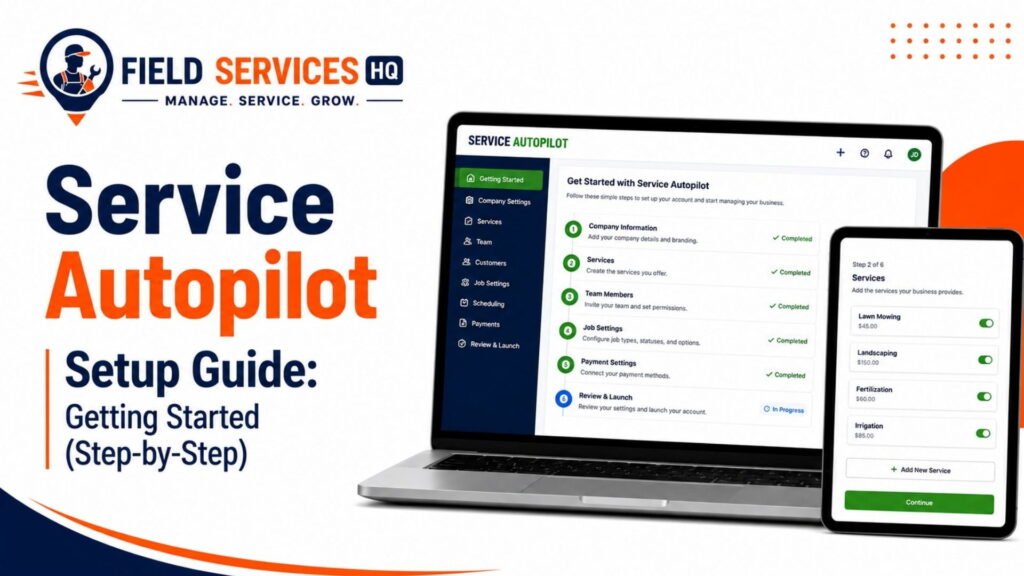
This is the area where Service Autopilot draws its most consistent criticism. The platform is deep, which means it is not intuitive to configure out of the box. Business owners and trade-forum users repeatedly describe a steep learning curve, and some report that the automation features, the platform’s core selling point, require significant manual customization before it actually reduces workload rather than adding to it. Read here for the full step-by-step service autopilot setup process.
This feature is where Service Autopilot receives the majority of its criticism and deserves special attention.
- Personal Launch Advisor : A Personal Launch Advisor is assigned to every new customer to help setup the account and migrate data from another solution, if applicable.
- Configuration-Heavy Setup : Most features require configuration before they can begin providing value.
- Paid Implementation Tiers : Most customers pay for implementations separately, ranging from a single desktop support session to several days of detailed configuration, particularly for larger organizations that need to migrate complex service catalogs.
- Training Opportunities : The company offers regular training opportunities, both virtual and in-person, to help organizations learn the software.
Business owners and users on the forum consistently report that the learning curve is steep – there is an overwhelming amount of information to process before the software can be used effectively. Many users report that the features that were supposed to save them time either required extensive configuration before they became useful or were counterintuitive and ended up creating extra work. Plan on dedicating an appreciable amount of time to learning the software in addition to the onboarding process before relying on it heavily.
Customer Support & Onboarding Assessment
Phone, email, chat, and a knowledge base are available as support options. Your milage may vary depending on the reviews you read, as users report mixed experiences with the support team.
- Varying Degrees of Responsiveness : Some users report very positive experiences, with others noting that phone support can be difficult to reach or provides limited support overall.
- Email Preferences for Certain Support Inquiries : Several users report that their issues were best resolved through email correspondence rather than phone support, although some felt disappointed that an initial inquiry did not receive a thorough response.
- Knowledge Base for General Configuration Issues : A knowledge base is available for common setup questions, which reduces the number of support requests about general configuration.
- Post-acquisition shift : Several long-standing users link their negative support experiences to the Xplor acquisition, noting that support used to be more responsive before the acquisition than it is now.
If you are in a position where you cannot afford slow or unresponsive support during your busy season, be sure to inquire about this during your sales demo.
Industry-Specific Fit
Service Autopilot for Lawn Care
Lawn Care is Service Autopilot’s original core market, and it shows. Recurring mowing schedules, route density, seasonal service pauses, and per-visit billing are all well supported.
Service Autopilot for Landscape Maintenance
For maintenance contracts with defined service frequencies, the recurring scheduling and automated invoicing tools reduce a real amount of manual coordination. Larger landscape construction or design-build work is less of a natural fit; a platform like LMN or Aspire is built more specifically around estimating and job costing for project-based work.
Service Autopilot for Snow Removal
Snow removal’s on-demand, weather-triggered dispatch model is supported through the platform’s scheduling flexibility, though businesses running snow alongside a primary lawn care book of business tends to get the most value, since the same customer and route data carries across seasons.
Service Autopilot for Irrigation Services
Irrigation procedures including start up and shut down, and seasonal service checks are well-suited for utilization of the recurring schedules and service history tracking features of the service CRM.
Service Autopilot for Pest Control
Similarly, the routine nature of pest control treatments fits well within the framework of Service Autopilot, however, companies with extensive documentation and reporting requirements for regulatory compliance should inquire if the software supports the required state-specific documentation prior to adoption.
Service Autopilot Pros and Cons
Pros:
Advanced routing technology, which is good for companies with complex delivery and installation schemes.
- High level of automation suitable for regular payments and scheduling.
- Has marketing automation which is rare for such a price range.
- The software provides a customer portal to let clients manage their own requests decreasing the volume of inbound calls.
- The application has an open API and can be integrated with external programs like QuickBooks, FleetSharp, SendJim, etc.
- It is tailored for the green industry and not for universal use.
Cons:
Requires a steeper learning curve, and you need to invest more time and effort into learning how to use the software to get the most out of it.
- Mobile synchronization is inconsistent according to multiple independent reviews.
- The support team is unreliable as customers report varying levels of responsiveness.
- The software’s costs increase exponentially depending on the number of users, additional features, and payment options.
- Some users report deterioration of support and development quality after the acquisition by Xplor.
- Not suitable for industries with irregular job occurrences or sporadic service delivery.
- The free trial is not always available to prospective customers as some users reported being unable to sign up for a demo account.
Overall Scorecard
| Category | Rating (out of 5) |
|---|---|
| Scheduling & Dispatch | 4.3 |
| Route Optimization | 4.5 |
| Mobile App | 3.2 |
| CRM & Customer Management | 4.0 |
| Invoicing & Payments | 4.0 |
| Marketing Automation | 4.2 |
| Reporting | 3.5 |
| Ease of Setup | 2.8 |
| Customer Support | 3.0 |
| Value for Money | 3.3 |
These ratings are based on aggregate analysis of published functionality and user sentiment across third-party reviews, not an average of a single review in one environment. Take them as directional guidance relative to your own demo process.
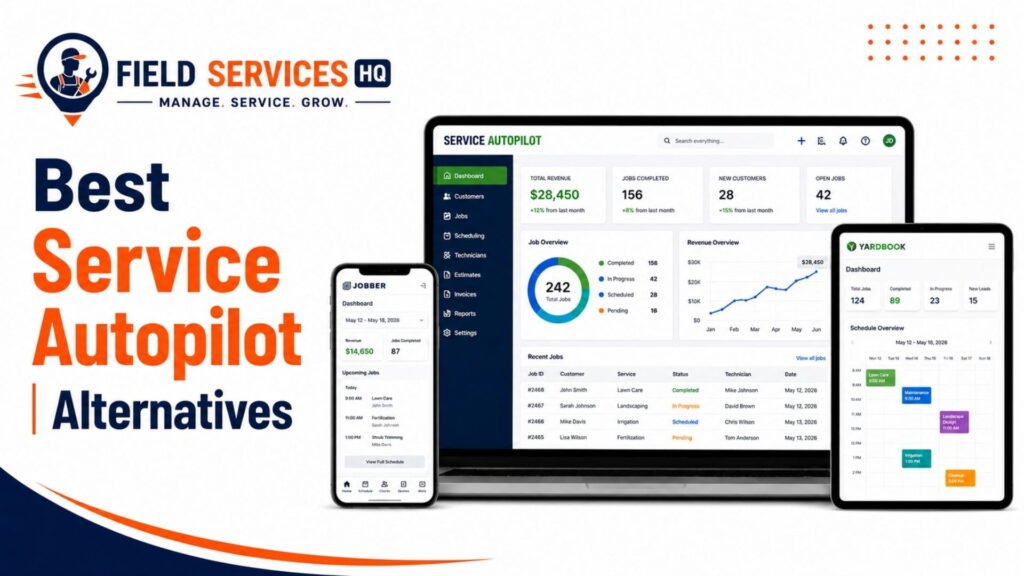
Service Autopilot Alternatives
Jobber
A more general purpose field service solution with a lower entry-level price and steeper learning curve that better suits smaller crews or mixed one-off and recurring service businesses.
Housecall Pro
An alternative for residential home service trades with robust dispatching and invoicing but less robust route planning automation for lawn care and landscaping specific needs.
LMN
A solution with stronger budgeting and job costing focus for landscaping businesses with a higher entry-level price and steeper learning curve.
Aspire
A field service management solution better suited to larger commercial landscaping contractors typically with revenues over $1M.
RealGreen
A lawn application specific software alternative for contractors focused on lawn fertilization, with less general applicability to other landscaping service types.
Service Autopilot vs. Alternatives: Who Should Choose What?
Who Should Buy Service Autopilot?
Established companies with at least 150 billable accounts, multiple crews and the internal resources to implement a truly comprehensive software package with significant implementation and training time required.
Who Should Choose an Alternative?
Smaller contractors looking to move beyond spreadsheets, companies with primarily one-off or urgent service requests, cash strapped teams that need more predictable costs and commercial landscapers who need the detailed job costing of Aspire’s enterprise-level job costing features.
Final Verdict
Service Autopilot is a capable, specialized platform that generates value through its automation focus and route optimization for recurring or high-volume lawn care and landscaping jobs as well as snow and irrigation contractors. It is not ideal for every business due to the implementation complexity, poor customer support and overall higher costs to the user than the entry-level price suggests when factoring in setup and add-on costs.
If you are a large national or regional landscaping company, with the staffing resources to dedicate to implementation, it should be on your short list next to Jobber, LMN and Aspire. If you are a smaller business or have unique service needs it is better to start with a lower complexity solution and potentially move up to Service Autopilot or one of its competitors later as you grow. For a deeper dive into field service management software options beyond the high-level overview provided by this article, Field Services HQ’s field service management guides can help you sort through the same decision criteria applied in this review across additional software options.
Frequently Asked Questions
Is Service Autopilot good for a small lawn care business?
Service Autopilot can work for a small lawn care business, but it’s generally better suited to established operations with 150 or more recurring accounts. Smaller businesses often find the learning curve and pricing harder to justify compared to simpler platforms like Jobber, and may be better served starting with a lighter-weight tool before graduating to Service Autopilot as their account volume grows.
What are the main alternatives to Service Autopilot?
The most commonly compared alternatives are Jobber, Housecall Pro, LMN, Aspire, and RealGreen. Jobber and Housecall Pro are generally easier to learn and better suited to smaller or mixed-trade operations, LMN focuses more heavily on budgeting and job costing, Aspire targets larger commercial landscaping companies, and RealGreen specializes in lawn application and chemical treatment businesses. The right alternative depends on your account volume, service model, and budget.
What are the biggest pros and cons of Service Autopilot?
The biggest pros are strong route optimization, deep scheduling automation, and built-in marketing tools. The biggest cons are a steep learning curve, inconsistent mobile app syncing, variable customer support response times, and pricing that increases quickly with added users and tiers. Businesses should weigh these tradeoffs against their specific operational needs before committing.
Does Service Autopilot integrate with QuickBooks?
Yes, Service Autopilot integrates with QuickBooks for accounting and invoicing synchronization. However, multiple independent user reviews report intermittent syncing issues between the two platforms, so businesses that rely heavily on real-time accounting accuracy should test this integration directly during a trial or demo before fully committing.
Is Service Autopilot better than Jobber?
Neither platform is universally better; the right choice depends on your business model. Service Autopilot tends to be a stronger fit for high-volume, route-based lawn care and landscaping operations because of its deeper automation and route optimization. Jobber is generally easier to learn, has a lower starting price, and works well for smaller crews or businesses handling a mix of recurring and one-off jobs across multiple trades.
What industries is Service Autopilot best suited for?
Service Autopilot was originally built for the lawn care and landscaping industry and remains strongest there, with solid extensions into snow removal, irrigation, and pest control. It is less well suited to trades built around one-off or emergency service calls, such as HVAC repair, plumbing emergencies, or electrical service work, where a general-purpose or trade-specific field service platform is usually a better match.
How much does Service Autopilot cost per month?
Service Autopilot’s published pricing starts at $49 per month for the Startup plan, with a Pro plan at $199 per month and a Pro Plus plan at $499 per month. An Elite tier is available at custom pricing for larger operations. Most plans also carry a separate sign-up or onboarding fee, and per-user or per-feature costs can raise the effective monthly total well above the advertised starting price. Get a current quote directly from the vendor before budgeting, since add-ons and user counts change the real number quickly.
Is Service Autopilot a CRM?
Service Autopilot includes CRM functionality, but it is not a standalone CRM; it’s a full field service management platform with CRM built in as one of several core modules. The CRM component stores customer contact information, service history, billing records, and communication logs, and it supports a customer self-service portal for viewing upcoming visits and paying invoices online. If you need only a CRM without scheduling, dispatch, and invoicing tools attached, a dedicated CRM platform will likely be a better and less expensive fit.
How do I track my team with Service Autopilot?
Service Autopilot tracks technicians and crews through its scheduling and dispatch module, which shows assigned routes, job status, and completion updates in real time as technicians work through the mobile app. Vehicle-level tracking is handled through the platform’s integration with FleetSharp rather than as a native built-in feature, so businesses that want GPS fleet tracking alongside job-level tracking should confirm that integration is set up during onboarding.
How do I cancel a Service Autopilot subscription?
To cancel Service Autopilot, first review your service agreement for the required notice period and any early-termination terms, then contact your Service Autopilot account representative to submit the cancellation request. Before cancelling, confirm the final billing date, cancellation fees, data-export process, and how long your account data will remain accessible. Get the cancellation terms and confirmation in writing.
Affiliate Disclosure: Field Services HQ may earn a commission if you purchase software through links on this page, at no additional cost to you. This does not influence our evaluation criteria, testing, ratings, or conclusions. We only recommend tools we believe can genuinely benefit field service businesses.