Service Autopilot for Snow Removal: Is It the Right Fit? (2026 Review)
Quick Answer
Service Autopilot is a strong fit for snow removal businesses that run 10 or more crews, manage seasonal contracts alongside per-push billing, and already run (or plan to run) lawn care or landscaping alongside snow. It is a weaker fit for solo operators or businesses that plow fewer than roughly 30 to 50 properties, since the setup time and $49 to $499 per month pricing structure outweigh the benefit at that scale.
| BEST FOR | Multi-crew snow and ice operations, snow plus lawn care hybrids, growing contractors with 3+ crews |
| MAIN STRENGTH | Deep automation for snow events, routing, billing models, and client communication built specifically for snow and ice |
| MAIN CONCERN | Dated interface, real learning curve, and a total cost of ownership that runs well above the advertised base price once implementation and add-ons are included |
| BOTTOM LINE | Right tool for operators who need enterprise-grade automation and are willing to invest the onboarding time to get it configured correctly |
The short version: Service Autopilot for snow removal makes a compelling case as an all-in-one powerful but time-consuming system for growing businesses that outgrow spreadsheets and basic project management tools. But power and ease are two very different things, and this review has plenty to say about the former.
Every snow contractor I’ve ever spoken with about their workflows has a story about a nightmare scenario: a storm came through at 2 a.m. with forty properties to plow before 7 a.m. and the office scrambles to figure out who is where with a group text and a whiteboard. That is the situation Service Autopilot was created to handle, and it is also the place where the fit becomes complicated depending on the size and shape of your operation.

Service Autopilot has been around since 2004, and it has carved out a niche as one of the few field service management (FSM) platforms designed with a specific set of verticals in mind — lawn care, cleaning, and snow and ice management — as opposed to a more general FSM platform that added “snow” as a checkbox later. The product has an identity that reflects the industry it serves, but some of that DNA also makes it a more complicated purchase than a general FSM dispatch tool with add-ons.
The choice is an important one, as snow removal software is a growing part of the overall FSM market. According to Aspire’s 2026 snow removal industry trends report , the global snow removal services market is estimated to be worth $16.31 billion in 2026 and is projected to reach $25.51 billion by 2033, and North America claimed 40.2 percent of that market. (The U.S. snow removal market alone was valued at $8.4 billion in 2024 and is projected to reach $12.0 billion by 2033, according to Verified Market Reports.) As the overall market grows, so will the importance of differentiating factors such as your software selection.
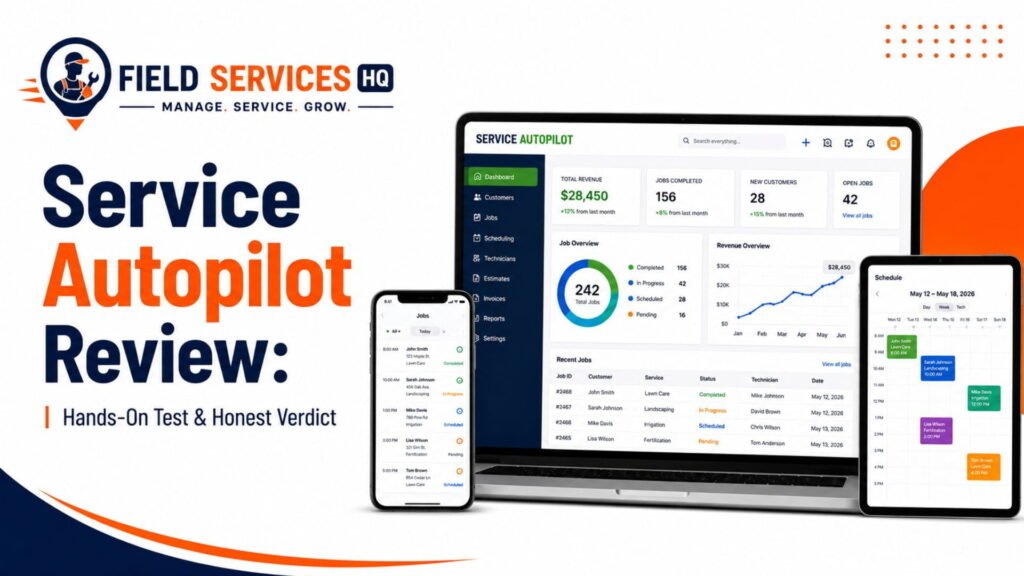
This guide examines what Service Autopilot does well for snow removal contractors, who benefits from its use, the limitations, and the overall value. I’ve also linked out to our Service Autopilots review, our Service Autopilot pricing analysis, and our Service Autopilot alternatives comparison throughout the guide for more information.
Who Is Service Autopilot Best For?
Best fit
- Snow and ice management companies with three-plus crews
- Landscaping/lawn care businesses that use snow removal as a winter income stream
- Operators with a broad portfolio of mixed-use contracts, per-push billing, and commercial accounts with sophisticated expectations
I think it is safe to say that the companies in the first category will likely get the most out of this particular software. Their staff probably spends hours and hours working on route building and collections – time that could be better spent elsewhere. The return on investment for such companies will likely be the highest.
I believe the second category could experience similar results depending on the opportunity cost of their crews. Here are a few numbers to help put that into perspective:
- Landscapers and groundskeepers made a national median salary of $38,090 as of May 2024, per the U.S. Bureau of Labor Statistics’ Occupational Employment and Wage Statistics
- There are nearly a million people employed in this field nationwide (943,430, to be precise)
- That means there is quite a bit of room for waste in the sector
Potential fit
- Smaller firms with two or three trucks that are looking to increase production
- Organizations that need to track chemical applications for regulatory reasons in addition to ice and snow management
The members of both these user groups should be prepared to put in the time and effort to make the software work for them. In my experience, representatives from the first tend to get the most out of the Service Autopilot mobile application review process since they often encounter specific challenges related to their crew structures and methods.
Probably not a fit
- Owner-operators and plow-driving contractors
- Companies with fewer than 30-50 residential clients
At this level, a cheaper and simpler scheduling software will likely serve these organizations better. The upfront cost and monthly subscription for Service Autopilot simply aren’t justified at this stage. If that sounds like you, we have an entire page dedicated to field service management software alternatives.
What Does Service Autopilot Do For Snow Removal?
Service Autopilot is a field service management software for lawn care, cleaning, and snow removal organizations, according to the company’s description on Software Advice. In addition to general client and lead management, scheduling and dispatching, route optimization, field technician mobile access, billing, and reporting tools, the software offers snow-specific event triggers, master route planning, and client communication features for snow and ice management companies.
| Problem | Service Autopilot Capability | Outcome |
|---|---|---|
| Manually calling or texting every crew when a storm starts | Snow Events and automated dispatch triggers | Crews get routes and instructions the moment a storm is declared |
| Rebuilding routes every time a client is added or dropped | Master Routes with route optimization | Routes update automatically as the client list changes |
| Chasing payment after every push | Tag-based billing automation and same-day SA Payments processing | Batch charges can be sent with one click instead of manual invoicing |
| Confusing residential and commercial service rules | Conditional logic on service forms | Residential and commercial workflows stay separated automatically |
| No visibility into which crews finished which routes | Mobile field app with GPS and job status updates | Office staff sees real-time completion status during a storm |
Understanding the field service problems these features solve matters more than memorizing a feature list. A practical approach is to map your own storm-day bottlenecks first, then evaluate whether Service Autopilot’s automation actually removes them, rather than buying the platform because it has the most checkboxes on a comparison chart.
How Service Autopilot Fits Into a Snowstorm
Before the Storm
Seasonal contracts are created upfront with service areas, master routes are built out for every crew, and pre-season auto-renewal and marketing sequences can be sent to lapsed or prospective clients. The biggest pitfall I’ve seen for snow contractors using automation tools is getting into the weeds trying to configure every route for the first big storm of the season instead of preparing the foundation to let things largely take care of themselves in the fall.
During the Storm
When a snowfall warrants a declared snow event, dispatch notifications and routing instructions can be sent out to crews automatically, and the mobile app can display a route, allow status updates, and proof-of-service photos. Automated client touchpoints such as “on our way” and “job complete” announcements can also be sent out without requiring office staff to do any of that work.
After the Storm
Jobs completed during a storm feed directly into billing, whether it’s per-push, per-event, seasonal, or some combination, and automated invoicing and collections save office hours of work of chasing payments down after every snowstorm. Finally, reporting analyzes job costs, technician performance, and route profitability so owners can tweak pricing or routing for the next round of storms.
Key Service Autopilot Features for Snow Removal
Snow Events & Snow Dispatch
Events act as a trigger to send out work orders and routing instructions to your entire client base based on a set of plans you’ve built as templates, instead of having to enter them all manually on the fly during a big snowstorm.
Master Routes & Routing
Create a route that applies to a group of properties you select and use in-place route optimization to determine the order of stops based on your client list for the day of the snowstorm. The Service Autopilot product tour makes this one of their flagship features for snow removal.
Scheduling & Crew Management
Assign jobs to individual crews or to entire routes, and have dispatchers swap jobs from one technician to another if a truck is out of commission or a crew member calls in sick (a more common occurence than most owners would like to admit in the winter).
Recurring Snow Services
Create seasonal contracts, retainers, or recurring per-push charges as recurring services so the work doesn’t have to be done over and over every year.
Snow Billing & Job Costing
Flat-fee, hourly, per-push, and per-event billing styles are all available in Service Autopilot, representing the reality of how contractors charge for snow removal services (unlike some competitors who center their product around a flat recurring billing style).
Mobile Field Operations
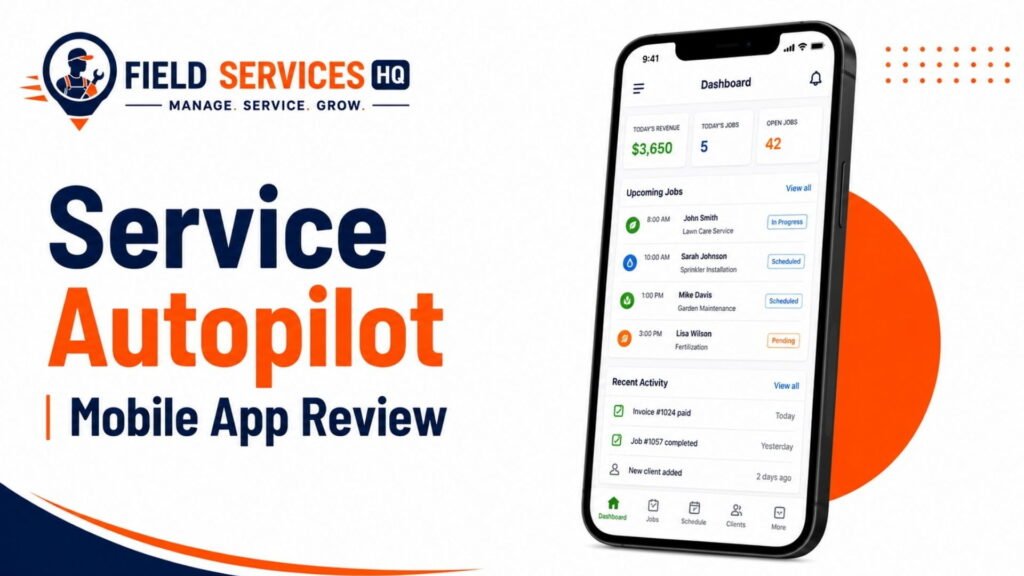
Field technicians get access to their assigned routes, jobs, and the ability to update job status and include photos as proof of service from their mobile devices (and if mobile device reliability is a concern, our Service Autopilot mobile app review goes far deeper than we can here).
Customer & Property Management
Client information includes property-specific notes about gate codes, special instructions, and contracts along with general contact information, reducing the “knowledge silo” issues when different staff members don’t share the same understanding of how a particular client operates.
Invoicing & Payments
Automated invoicing can be triggered when a job is completed, and SA Payments can handle same-day payment processing to reduce the amount of cash sitting in accounts receivable, waiting to be deposited.
Reporting & Automation
Reports break down job costs, technician performance, and automations such as payment reminders that make your life easier by reducing manual administrative work.
Where Service Autopilot May Fall Short for Snow Removal
| Limitation | Why It Matters for Snow Removal |
|---|---|
| Dated interface | Reviewers consistently note the interface feels older than newer competitors, which can slow down training for seasonal or part-time dispatch staff |
| Steep learning curve | Full configuration of routes, services, and automations takes real time, and storm season is not when you want to discover a setup gap |
| Total cost of ownership | Independent pricing analysis suggests hidden costs such as implementation, per-user training fees, and premium support can add roughly 30 to 60 percent beyond the advertised base subscription |
| Quote-based pricing above entry tier | Higher tiers require a sales conversation rather than transparent published pricing, which slows down budget planning for smaller operators |
| Overkill for small operations | Businesses plowing a limited number of driveways may pay for automation depth they will never use |
I want to be direct about something here: no field service platform is free of tradeoffs, and any vendor or reviewer claiming otherwise is not being straight with you. Service Autopilot’s tradeoffs are real, and they show up most clearly during the first season of use, not after you have been running on the platform for a few years.
Is Service Autopilot Right for Your Business Size?
| Business Size | Fit Assessment | Reasoning |
|---|---|---|
| Solo operator (1 truck) | Poor fit | Setup time and cost exceed the operational benefit at this scale |
| Small company (2-4 trucks) | Conditional fit | Works if actively growing and willing to invest onboarding time |
| Mid-size contractor (5-15 crews) | Strong fit | Automation and route management deliver clear time savings |
| Multi-service operator (lawn + snow) | Strong fit | Single platform manages both service lines and seasonal transitions |
| Large commercial contractor (15+ crews) | Strong fit, evaluate Elite tier | Enterprise-level routing and reporting needs typically require the top tier |
According to Aspire’s 2026 industry trends report, average annual snow and ice revenue for dedicated operators is on the order of $152,000, while multi-line operators that combine snow with landscaping average closer to $435,000 in total revenue, with snow making up roughly one-third of that income. This revenue range can be used to cross-reference against potential software costs: a business generating $150,000 in snow revenue needs to weigh a $49 to $499 per month platform very differently than a $435,000 multi-service operation where the same subscription makes up a much smaller percentage of revenue.
How Well Does Service Autopilot Fit Common Snow Workflows?
Seasonal Contracts
Seasonal, flat-rate contracts can be set up as recurring services assigned to specific service periods, allowing for the creation of winter-long agreements that many residential and light commercial clients prefer to budget for in this manner.
Per-Event / Per-Push Work
Per-push and per-event billing options are available, which is important considering the number of commercial accounts that bill per-event rather than pay a flat fee for the winter season.
Commercial Properties
Commercial properties with service level agreements, frequent visits per storm, and documentation needs will appreciate the option to take photos as proof-of-service and the job cost tracking options. The residential snow removal service market is predicted to reach $3.48 billion in 2025 and is projected to grow to $6.20 billion by 2032, according to 360iResearch’s Residential Snow Removal Service Market, growing at a compound annual growth rate (CAGR) of 8.59 percent through the forecast period.
This suggests that commercial contractors entering the residential market should expect to encounter the same increased documentation and billing needs from their new clients as they prepare to serve a larger customer base.
Residential Routes
Residential routes can be organized using Master Routes and optimized, although smaller residential-only operations may find the process of organizing their routes this way to be more complex than necessary for their smaller scale.
Plowing + Salting / De-Icing
Services that include both plowing and salting / de-icing can be combined into a single service or set of services to avoid having to track crews for two separate jobs when they’re working on the same street or driveway.
Lawn + Snow Operations
This is likely the use case that Service Autopilot is best suited for. Contractors that provide lawn and landscaping services for three seasons of the year, switching to snow services in the winter, can use the software to track both sides of their business. This is preferable to tracking them in two completely separate software solutions, especially for smaller contractors that might have trouble supporting two separate customer databases.
What Should Snow Removal Software Handle?
| Requirement | Why It Matters | Does Service Autopilot Cover It |
|---|---|---|
| Storm-triggered dispatch | Crews need instructions fast when weather changes | Yes |
| Multiple billing models | Snow contracts mix flat, per-push, and per-event pricing | Yes |
| Route optimization | Efficient routing reduces fuel cost and late services | Yes |
| Mobile proof of service | Documentation protects against disputes and liability claims | Yes |
| GPS crew tracking | Office needs real-time visibility during active storms | Yes |
| Seasonal contract renewal automation | Reduces manual outreach before each winter | Yes |
| Transparent entry-level pricing | Helps smaller operators budget accurately | Partial (entry tier published, higher tiers quote-based) |
| Fast onboarding | Minimizes downtime before storm season | Limited (steeper learning curve reported) |
According to TrueContext’s Field Service Solutions Buyer’s Guide, 68 percent of field service leaders agree that available technology makes it easier to get work done, but only 45 percent agree that data entry has become less time-consuming as a result. While buying software that checks every feature box doesn’t necessarily solve the administrative burden it was supposed to alleviate, it is important that this requirements matrix be built around your bottlenecks rather than a generic feature checklist.
A requirements matrix such as the one above is useful to build, for your own business, before demoing any particular platform, snow-specific or otherwise. One approach is to score each requirement based on how much it would impact your storm-day operations, rather than simply whether the feature exists at all within the vendor’s marketing materials.
Service Autopilot vs. Alternatives
The choice between Service Autopilot, a simpler general-purpose FSM tool, and specialized snow-removal only software depends on how much of your business is snow versus other services, and how much automation complexity you need.
Choose Service Autopilot if:
- You run snow removal alongside lawn care or landscaping services
- You have multiple crews to manage
- You need automation depth beyond general FSM billing, routing, or client communication
Choose a simpler general FSM platform if:
- You need solid scheduling, invoicing, and mobile access without the snow-specific automation depth
- Your operation is small enough that installation speed outweighs the value of additional features
Choose a specialized snow-only software if:
Snow removal is your sole service and you want a platform focused exclusively on the needs of storm-day dispatch and per-push billing, without the lawn care or cleaning-industry features you will never use
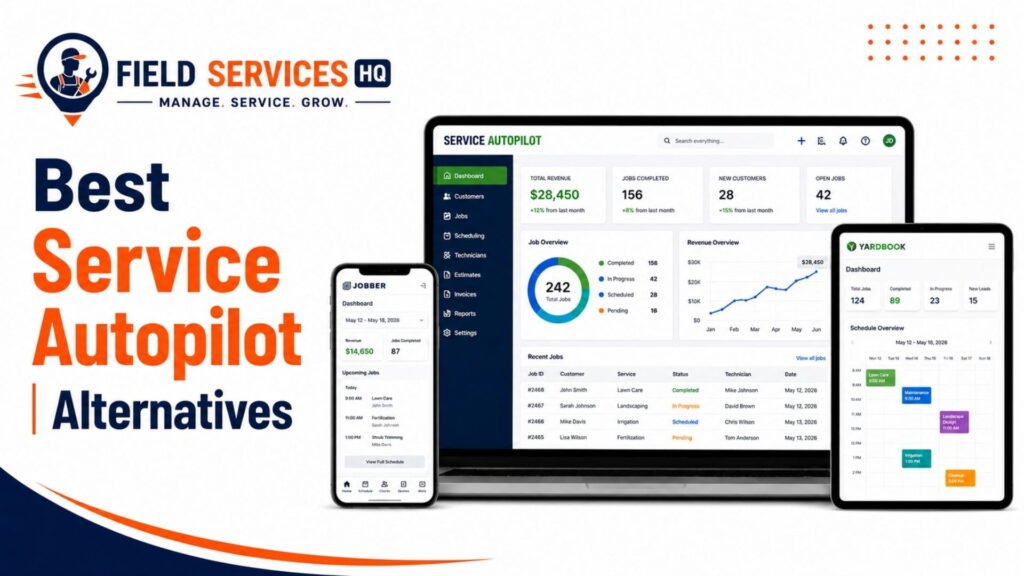
Our full Service Autopilot alternatives comparison lays out specific vendors and their offerings in relation to these categories, including which publish transparent pricing and which require a sales rep call.
Service Autopilot Pricing vs. Value
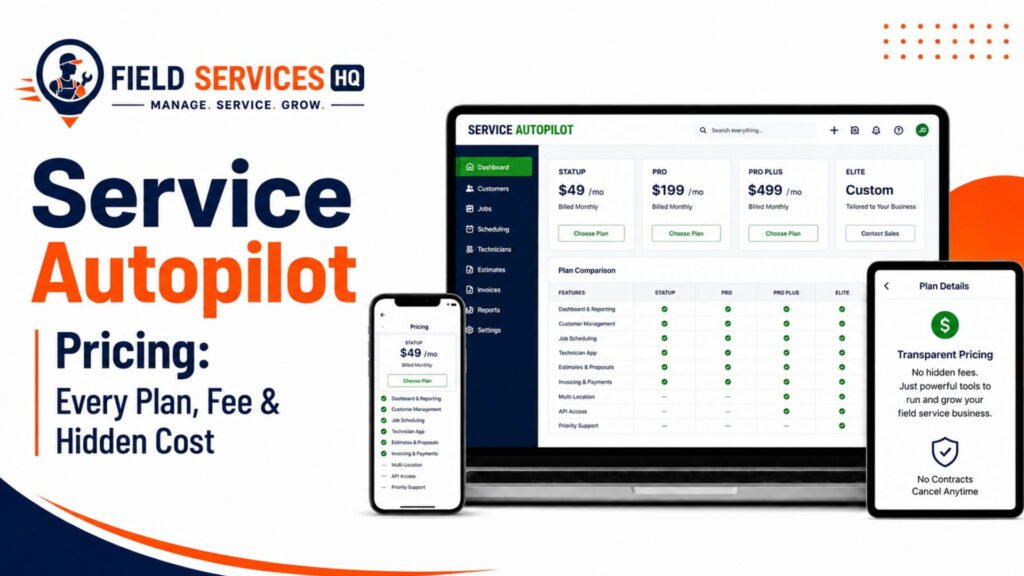
Depending on the official pricing page of Service Autopilot, Service Autopilot’s published pricing generally begins in the range of approximately $49 per month for its entry-level Startup tier, rising through mid-tier plans before reaching a custom-quoted Elite tier for larger operations.
The value proposition of Service Autopilot depends on your particular requirements. According to independent pricing analysis, implementation, per-user training, and enhanced support can add significantly to the first-year cost of the software beyond the per-month subscription fee. This isn’t necessarily a mark against the product, but it is a factor to consider when determining whether the software fits your budget.
For a detailed plan breakdown, including what is included at each level and how Service Autopilot compares to alternatives on cost, see our Service Autopilot pricing guide.
The bottom line is that the value of the software likely lies in time saved. If automated dispatch, billing, and renewal reminders save your office staff even a few hours per storm throughout the winter, the subscription cost is easily justified for a mid-sized or larger operation. For a two-truck solo operation, it becomes considerably harder to justify.
Real-World Snow Removal Scenarios
Solo Operator
A single truck plowing 25 driveways in a suburban setting probably doesn’t need the full breadth of Service Autopilot’s capabilities. A simpler scheduling tool or even a spreadsheet in conjunction with a group messaging app will suffice for this scale of operation.
Small Snow Company
A two-truck operation with 60-80 residential accounts falls into a gray area, but if the owner intends to add crews or commercial accounts within a year or two, starting with Service Autopilot’s entry tier will avoid the disruption of migrating to a new platform.
Multi-Crew Contractor
Five plow trucks and salt spreaders servicing a mixture of residential and small commercial clients is a good fit. Master Routes, automated dispatch, and consolidated billing across per-push and seasonal clients directly address the needs of this scale of operation.
Commercial Contractor
Large commercial lots, medical facilities, or retail spaces with strict SLAs benefit from the proof-of-service documentation and reporting features to satisfy contracts and cover liability.
Lawn + Snow Business
A landscaping company that mows in the summer and plows driveways in the winter gets the most out of Service Autopilot, since client records, billing history, and automation carry over between service lines rather than starting fresh every season.
Service Autopilot Pros & Cons
Pros
- Purpose-built automation for snow events, routing, and billing rather than generic scheduling
- Features flat, hourly, per-push, and per-event billing models seen in real-world snow contracts
- Combines lawn care, cleaning, and snow removal management in a single platform
- Nearly two decades of development based on lawn and snow operator feedback
- Mobile app supports field-level job status and proof of service
Cons
- UI feels dated compared to more modern, mobile-first competitors
- Initial setup and configuration has a significant learning curve
- Total cost of ownership can be substantially higher than the base subscription price
- Higher tiers require a sales rep call rather than publishing transparent pricing
- More tool than needed for very small or solo snow operations
Service Autopilot Snow Removal Buyer Checklist
- Confirm how many crews and trucks you need to support today and in 12-24 months
- List every billing model your contracts use (flat, hourly, per-push, per-event, or a mix)
- Decide whether you need combined lawn care and snow management in one system
- Request a demo focused on the snow event dispatch features, not general scheduling
- Test the mobile application from a technician’s perspective
- Ask for a cost breakdown, including implementation and training
- Compare the quoted Elite-tier price to at least one alternative platform
- Build a realistic onboarding timeline that finishes before your storm season begins
- Confirm proof-of-service and documentation features align with your commercial contracts
- Review your current storm-day bottlenecks and compare them to this platform’s features
Final Verdict: Should You Choose Service Autopilot?
Choose it if:
- You have multiple crews and use a variety of billing types
- You manage a mix of snow removal and landscaping services
- You expect to grow your operation to the point of needing multiple crews in the next 12-24 months
Consider carefully if:
You are a small but growing operation. While Service Autopilot can be justified for a small team, it tends to be worth the investment only if the office is prepared to dedicate serious time to setup ahead of the storm season and take total cost of ownership into account, rather than looking just at the per-operator subscription price.
Look elsewhere if:
You are a solo operator or have a small residential route list with no intention of growing your business in the near term. A simpler and less expensive tool will likely suffice for your needs, and you can always migrate to a more comprehensive platform as you grow. Our Service Autopilot alternatives guide is a good place to start.
In terms of implementation, the businesses that get the most value out of Service Autopilot are those that treat the pre-season setup as seriously as they do their equipment maintenance. Storm season is no time to be learning a new software platform.
Confused About Service Autopilot ? Go Through Our Service Autopilot Hub.
Frequently Asked Questions
Is Service Autopilot good for snow removal businesses?
Service Autopilot is a good fit for snow removal businesses running multiple crews or combining snow with lawn care and landscaping, since it offers purpose-built automation for storm dispatch, routing, and mixed billing models. It is generally not the most efficient choice for solo operators or very small residential-only operations, where a simpler and less expensive tool covers the same volume of work.
How much does Service Autopilot cost for snow removal companies?
Published pricing generally starts around $49 per month for the entry-level tier, with mid-tier and higher plans scaling based on features and business size, and the top Elite tier requiring a custom quote. Independent pricing analysis suggests total first-year costs can run meaningfully higher than the advertised subscription once implementation, training, and support fees are included, so request a full cost breakdown before signing. See our full Service Autopilot pricing guide for tier-by-tier detail.
Does Service Autopilot support per-push and per-event snow billing?
Yes. Service Autopilot supports flat-fee, hourly, per-push, and per-event billing models, which aligns with how snow and ice contracts are commonly structured across residential and commercial accounts.
Can Service Autopilot handle both lawn care and snow removal in one system?
Yes, and this is one of the platform’s core strengths. Service Autopilot is built specifically for lawn care, cleaning, and snow removal businesses, allowing client records, billing history, and automation to carry over between summer landscaping work and winter snow operations without maintaining two separate systems.
What is the biggest downside of Service Autopilot for snow removal?
The most commonly cited downsides are a dated user interface and a real learning curve during initial setup, along with a total cost of ownership that can exceed the advertised base subscription once implementation and training fees are factored in. Businesses should plan onboarding time well before storm season to avoid configuration gaps during active winter weather.
Is Service Autopilot better than Jobber for snow removal?
Jobber offers a more modern interface and broader general field service functionality, while Service Autopilot offers deeper snow-and-lawn-specific automation, including snow event triggers and master routing built specifically for weather-driven dispatch. The better choice depends on whether you prioritize ease of use and general FSM features or industry-specific automation depth. Our Service Autopilot alternatives guide covers this comparison in more detail.
Does Service Autopilot have a mobile app for snow plow crews?
Yes. Service Autopilot’s mobile app allows field crews to view assigned routes, update job status, and capture photos for proof of service directly from the truck. For a full breakdown of mobile performance and usability, see our dedicated Service Autopilot mobile app review.
How long does it take to set up Service Autopilot before snow season?
There is no fixed timeline published by the vendor, but based on the platform’s reported learning curve and configuration depth, most multi-crew businesses should plan for several weeks of setup time, including building master routes, configuring service plans, and training office and field staff, ideally finishing well before the first expected storm of the season.
Is Service Autopilot worth it for a small, two-truck snow removal business?
It can be worth it if the business is actively planning to grow within the next year or two, since starting on the platform’s entry-level tier avoids a disruptive migration later. For a small operation with no near-term growth plans, the setup time and monthly cost often outweigh the benefit compared to a simpler scheduling tool.
What size snow removal business benefits most from Service Autopilot?
Mid-size to large snow and ice management operations running three or more crews, along with businesses that combine snow removal with lawn care or landscaping, see the strongest return on investment, since the platform’s automation for routing, dispatch, and mixed billing models addresses coordination challenges that become significant at that scale.