Service Autopilot App Review 2026: iOS, Android & Field Test
Quick Answer
Service Autopilot Mobile App: 60-Second Verdict
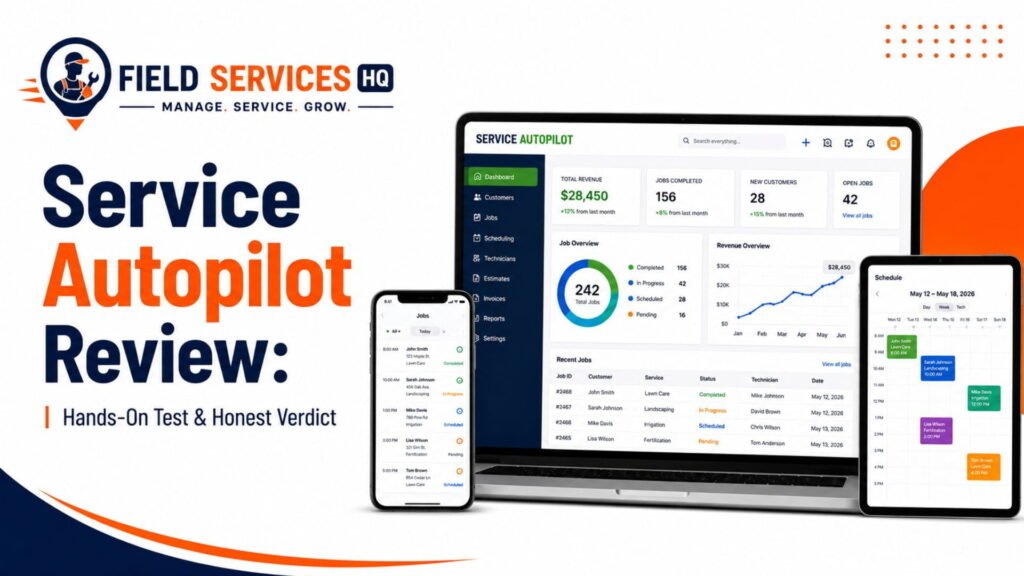
The Service Autopilot mobile app (available as the Legacy App and the newer Team App) gives crews scheduling, GPS routing, time tracking, photos, and job documentation on iOS and Android. It works well for straightforward recurring routes but has a documented history of connectivity issues, slow loading, and gaps in offline reliability that show up repeatedly in independent App Store and Google Play reviews.
Overall Rating
3.2 / 5
Best For
Recurring lawn & landscape routes
Biggest Strength
Deep scheduling & GPS data
Biggest Weakness
Connectivity & load-time complaints
Our verdict: Service Autopilot’s mobile app is a great mix of functionality and features. However, there are enough pain points reported by field crews about the speed of the application and dependence on internet connection that we would recommend testing the product with an actual team and route before making a final decision. If your team operates in regions with a poor cell phone signal make sure to ask Service Autopilot for details on how the application behaves under such conditions.
If you run a lawn care, landscaping, cleaning, pest control or snow removal company, the desktop software that your office staff uses to manage and analyze the data from your field service is rarely as important as what your technicians use on their smartphone while in their truck at 7am. And that’s why the mobile application for Service Autopilot either makes the software valuable to your field crews or another annoyance to deal with.
Having spent over a decade analyzing field service management platforms from an operational as well as a technological perspective, I’ve seen this scenario unfold over and over again: The back office staff loves the dashboard, but the field staff fights with the application on a daily basis. In this review, I’ll be focusing on the mobile application rather than the overall platform.
Service Autopilot App at a Glance
Before going deeper, here’s the capability snapshot most owners want first.
| Capability | Available? | Notes |
|---|---|---|
| Scheduling | Yes | Daily schedule, job details, recurring routes |
| GPS / Routing | Yes | Location tracking, mapping; AI-optimized routing is a paid add-on (Smart Maps) |
| Time Tracking | Yes | Clock in/out, drive time, breaks, bulk clock-in for teams |
| Photos | Yes | Before/after photos, some plans can require them |
| Signatures | Partial | Available in workflows tied to estimates/invoices in the Legacy App |
| Notes | Yes | Job notes, required acknowledgment settings |
| Communication | Yes | Push notifications, contact-client calling/texting |
| Invoicing / Payments | Partial | Full invoicing and card charging in the Legacy App; more limited in the Team App |
| Offline Functionality | Limited | Team App advertises Offline Mode; user reviews report inconsistent offline behavior |
| Ease of Use | Mixed | Interface functions well when features work; user reviews cite loading delays |
Which Service Autopilot App Are We Reviewing?
Quick answer: Service Autopilot has two separate mobile apps, the Legacy App and the SA Team App, and confusing the two is the single biggest mistake made by owners while researching Service Autopilot. The Legacy App is the more robust application intended for office staff, supervisors, and team lead roles who need access to estimates and invoicing features while out in the field. The Team App is a pared-back alternative focused on delivering simple task tracking to field technicians, with a GPS, clock, and photos as the primary functions.
We cover both applications in this review, as many owners will choose to deploy one to their office/lead staff and the other to their rank-and-file crews.
The Legacy Mobile App is the more comprehensive of the two, as the name implies. Field technicians are suggested to use the Team App for light duties, while managers and administrators are advised to use the Legacy App, which has greater capabilities for creating estimates and other invoicing functions. Technicians using the Legacy App with proper permissions can even add charges directly to a client’s credit card, assuming their company has a compatible payment processor.
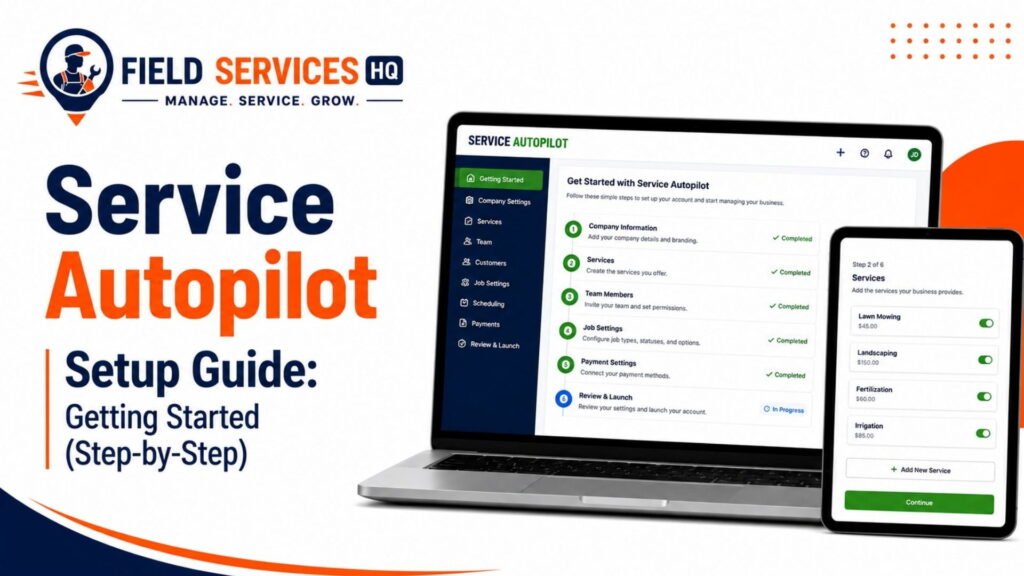
The SA Team App is simpler, as advertised. Its App Store description promises “quick access to key tools,” including viewing jobs and routing, GPS navigation, clocking in and out, taking photos, and receiving push notifications. An Offline Mode is included, which is supposed to keep field crews productive with little or no connectivity.
Differences relevant to owners: If the owner’s business model includes only recurring jobs, such as mowing or snow plowing or some extended pest control visits, the Team App may fulfill the crew’s needs. If the technicians need to provide estimates or complete signed invoices, the Legacy App version will be necessary for those technicians, at minimum.
How We Tested the Service Autopilot App
To ensure this review is accurate and up-to-date, we document the specific methods that contributed to our final evaluation.
What we verified through official channels: Feature descriptions from Service Autopilot’s App Store and Google Play listings, Service Autopilot’s documentation and setup guides for the Legacy App and Team App, third-party software review sites including Capterra, Software Advice, and Research.com.
What we found through user reports: Patterns emerging from dozens of individual reviews on the App Store and Google Play, examined for reliability rather than used as statements of absolute fact. If we find the same limitation reported by different users, multiple times, and over the course of different years, we take that as a sign the issue is worth mentioning.
What needs to be verified by owners: Connectivity and performance characteristics can vary based on device, carrier, and individual account settings. Owners considering this application for field crews should test it with their people in the relevant conditions before committing to an upgrade or switch.
What Crews Can Do With the App
Rather than list features, let’s look at a hypothetical day in the life of a technician and see what the application can do.
- Receive the job: The crew member opens the app to review the day’s work, either through the simplified interface of the Team App or the more detailed job list in the Legacy App.
- Travel: The GPS and map features will show the crew where to go; supervisors with location permissions will be able to see where the crew is at any given time.
- Arrive: Notes about the property and any access requirements are available from the app, and sometimes require the technician to acknowledge the note before proceeding.
- Work: Technicians will clock in to begin work; jobs with multiple services or visits can be handled through bulk clock-in features for crews.
- Document: Photographs, notes, and (on the Legacy App) forms and chemical usage reports can be added as documentation for the job.
- Complete: The technician indicates that the job is finished, which may notify the office to send over an invoice, depending on how the account is configured.
- Communicate with the office: Push notifications will notify the crew of any relevant changes, and the Contact Client permission, when activated, means the technician can call or text the customer directly from the application.
Scheduling & Job Information
Quick answer: The mobile application displays each technician’s schedule for the day, along with the relevant details for each job and customer or property contact, and both apps can display notes about a job and have special instructions set as a requirement to acknowledge before proceeding.
In practice: This is one of the strong points of the application, as Service Autopilot’s desktop software has one of the most advanced scheduling systems in the industry. The mobile application is able to keep in sync with the desktop software, meaning changes made on one platform will appear on the other. This is useful for both the office and the field: Technicians can see what jobs they have for the day, and supervisors can make changes to schedules as needed.
However, there are limits to what can be accomplished. It is possible to edit a date on a scheduled job for users with the necessary permissions, but more involved scheduling such as swapping a whole day’s worth of jobs between technicians is better accomplished through the desktop dispatch board.
Verdict: Technicians can view schedules and job details effectively. Minor changes are possible, but major rescheduling is not recommended from the field.
GPS, Maps & Routing
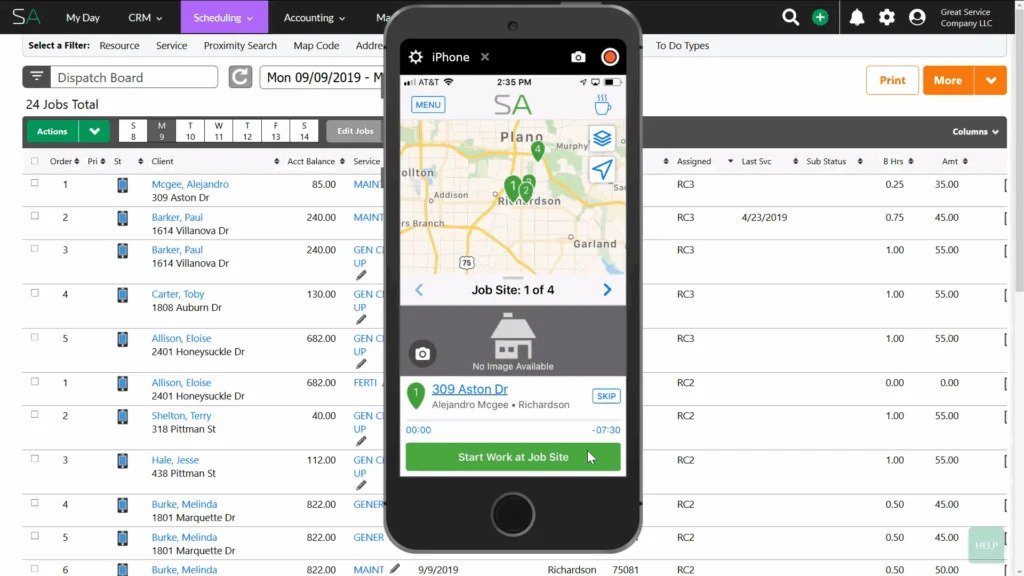
Quick answer: The GPS and mapping features allow a technician to see where they are and where they need to go and let supervisors see where their technicians are and how long they’ve been there, but the Smart Maps feature that allows the application to recommend the best route is a separate add-on that must be purchased.
In practice: Service Autopilot promotes GPS Tracking as a feature, letting owners know exactly where their technicians are and how long they’ve been at a particular stop. The GPS tracking is sufficient for general purposes, such as confirming that a technician is following the correct route and providing data for payroll. For companies that want the software to plan the most efficient route, particularly for recurring jobs involving multiple stops each day (as with landscaping and snow removal), the Smart Maps add-on ($47 per month, as reported by multiple reviewers) provides AI-assisted routing that takes into account more variables than simple distance.
One of the strongest complaints from technicians in App Store reviews involves navigating to a client’s address. Navigating to a stop or “To Do” is possible, but reviewers claim that there is no means to get turn-by-turn directions unless the destination is already programmed into the application.
Verdict: Navigating stops is possible, but many reviewers complain that getting directions to an unscheduled stop is not available, only feasible on stops already in the “To Do” list. Technicians should test this function before relying on it. Smart Maps is a separate purchase but offers important time-saving benefits.
Time Tracking & Job Execution
Quick answer: The application allows clocking in and out, tracking driving time, breaks, and the duration of a job, and bulk clocking in for crews.
In practice: This is another major strength of the application, as crews using it are able to track precisely how much time is spent on a particular job, and this data is available to the office as well. A Capterra review from a technician claims, “I really like this application. It allows me to keep track of time spent on jobs, which helps determine profitability. Jobs I spend less time on, are usually the jobs I make the most profit on.” Software Advice review mentions the application as, “very helpful as real-time field labor tracking,” and that it is, “very useful for my location and time clock.”
The problems involve reliability and speed. Several Google Play reviews mention the application being slow and unresponsive, and describe having to enter the same information repeatedly on a single job or day due to the application’s failure to retain entered data. One Google Play review specifically mentions the lack of an in-app means to compare hours worked to hours paid.
Another issue involves technicians being unable to request time off through the mobile application, and having to use the desktop version instead.
Verdict: Time tracking is accurate, and the ability to track driving time, breaks, and on-the-job hours is useful. Crews report the application to be slow and non-responsive, with excessive data entry involved for a single job or day.
Photos, Notes & Signatures
Quick answer: Both applications allow technicians to take and upload photos relating to a particular job, and the Legacy App has features for managing notes, forms, and signatures.
In practice: Taking photos before and after a service is useful for many lawn care and landscaping businesses, as it creates a verifiable record that services were performed as agreed. Photos are also helpful for pest control, due to the increased regulation of the industry. Service Autopilot’s recent update to the Team App now allows owners to require that photos be taken both before and after a service is performed, a feature which previously was only available on the Legacy App, and was a significant factor influencing some owners to select that application over the Team App. Notes allow a technician to record information pertinent to a particular job, and the “Require View Job Notes” permission allows an office to set up a note about a job, or special instructions, so that the technician must acknowledge the note before arriving at the job site.
Verdict: Photos and notes are reliable and useful applications. The ability to require technicians to view notes is a good security measure for instructions or warnings that are easy to forget.
Invoicing, Payments & Communication
Quick answer: Completion of a job, and invoicing and payment collection, are handled primarily through the Legacy App, as users with the correct permissions can view invoicing information and charge a client’s credit card directly.
In practice: One of the most positively reviewed aspects of the software involves invoicing. Jobs can be invoiced automatically when completed, so that a simple button push will send an invoice to the client, according to one long review from a technician on the Google Play Store: “It allows me to invoice the job. And it does it literally with a touch of a button. No more chasing who did the job, and who owes us what.”
The payment collection feature relies on the invoicing feature, and requires both the technician and the client to have access to the Legacy App. Another feature, the Contact Client permission, allows the technician to call or text a client directly from the app, during an open scheduled visit.
The communications features are dependent on cellular connectivity, and that is where the problems begin. Multiple reviewers across both stores describe the application as being slow, or failing to load entirely. One reviewer described issues with logging into the application, specifically that it would time out. Another issue involves the application claiming to have no connectivity, even on a cellular connection with strong signal strength.
Service Autopilot’s documentation page says, “If your connection is lost, updates to your field records will be stored temporarily until your connection is restored,” implying that the application is not designed to operate in complete isolation, and that editing information while offline will result in those changes being applied once the device reconnects to the internet. Documentation states that the Team App includes an Offline Mode, which is meant to allow the crew to continue working with little or no connectivity. However, several reviewers describe the application as not working reliably while offline.
According to Software Advice, the ability to operate on mobile devices is tested specifically for industries where remote access to scheduling information, customer contacts, and job details is necessary or beneficial. Our researchers found similar concerns raised by independent reviewers across the industry. Vendors in the field service management industry do not have strong solutions for crews operating in the field with intermittent or spotty connectivity.
Verdict: Invoicing is convenient, and the automatic invoicing feature is a strong point. Paying directly through the Legacy App is available but must be set up on the back end. Communication features are not reliable and require cellular connectivity. Offline capabilities are available but should be tested before relying on them.
Reliability & Performance
This is a section that other competitor reviews tend to skip over despite its importance for a mobile app used in places with spotty signals such as trucks, yards or basements
There are some common complaints from independent, verified reviews that are worth highlighting:
- Issues with the speed of the application as reported by multiple reviewers on both the app stores
- Complaints about logging in or the system crashing when attempting to access the application as reported by one reviewer
- The application tended to require a data connection more than expected as reported by another reviewer who mentioned losing connection despite having a 5G connection
- Not being able to access the software without an internet connection as reported by Service Autopilot’s own documentation. The documentation states that if there is no connection, the system will save changes until there is internet available. This implies that while you can access the software without an internet connection, you cannot enter information offline. The Team App’s description on the Apple Store even mentions an Offline Mode that allows crews to continue working with no connection. There is a clear disconnect between the documented and reported behaviors.
- Software Advice’s review process is designed to identify if the application performs well on mobile devices since mobile access is often vital for organizations that need to access the system outside the office.
Our recommendation is to be wary of any FSM software vendor that mentions an offline mode, not just Service Autopilot. If you are considering such a vendor, it is best to test their application in the conditions that your crews will face on a daily basis before committing to switch. You may want to ask for a two-week trial on a smaller scale before making the switch.
Ease of Use for Field Crews
| Workflow | Ease of Use | Friction | Score |
|---|---|---|---|
| Find today’s jobs | Good | Minimal once logged in | 7/10 |
| Start job | Good | Occasional load delays | 7/10 |
| Navigate | Fair | No easy nav to non-scheduled addresses | 6/10 |
| Track time | Good | Strong data, some load-time complaints | 7/10 |
| Add notes | Good | Straightforward | 8/10 |
| Upload photos | Good | Reliable core function | 8/10 |
| Complete job | Fair | Depends on connectivity at close-out | 6/10 |
Office-to-Field Communication
Quick answer: Schedule changes, job updates, and crew comments sync between the office dashboard and the mobile app via push notifications dependent on connection stability, which is the largest reported pain point.
The two-way office-to-field message synchronization only occurs when the application has active and stable connectivity, meaning that technicians may continue working on outdated information until the next sync
Although not the most critical feature, the ability to update the job on the go via push notifications should be evaluated based on the company’s standard operating procedures and potential instability in the work zone.
The Service Autopilot Mobile App for Lawn Care
Quick answer: The software is suitable for lawn care due to the nature of recurring service calls and the use of mowing and fertilizing schedules that benefit from GPS navigation, time tracking, and photo documentation, although the route optimization feature requires a separate purchase to utilize on residential streets.
Lawn care companies that operate recurring calls on a weekly or biweekly schedule will find the GPS navigation and smart routing most useful, especially if they operate large-scale multi-technician teams. However, the ability to sync photos to indicate the completion of mowing and the use of fertilizer is beneficial to almost all lawn care businesses, as it helps to prevent customer disputes. Similarly, the time-tracking function will allow the owner to analyze the productivity of each route and technician and determine which ones to keep and which to eliminate.
The Service Autopilot Mobile App for Landscaping
Quick answer: Landscaping companies benefit most from bulk clock-in options and photo requirements, as the work usually involves larger teams of technicians and higher expectations from customers regarding the completed services, although desktop software handles more significant call volumes better.
The mobile app is useful to landscaping businesses primarily because it allows technicians to clock in and out in bulk, which is faster than asking each team member to power up their device and click the same button. Similarly, the requirement to take photos of the work zone before and after the service helps to prevent customer disputes, as both sides have documentary evidence of what the technicians did and did not do. Furthermore, the time-tracking functionality helps landscaping owners optimize the team’s schedule and utilize their technicians’ time more efficiently.
The Service Autopilot Mobile App for Snow Removal
Quick answer: Snow removal is the most challenging type of field service due to its urgency, and this application is the best option for snowplow drivers due to its speed, although some users report issues with connectivity and time spent in the app.
Snow removal service owners and drivers alike report that this software is the best in terms of speed and responsiveness. However, the application may have problems with synchronization due to unstable connectivity, which can be a major inconvenience for snow plow drivers who operate during severe winter weather. Moreover, the software appears to prioritize the quickness of the process over the security of the data, which snow removal companies should consider during the off-season when they have more free time.
Service Autopilot Mobile App: Strengths
| Strength | Why It Matters to Crews | Evidence |
|---|---|---|
| Deep scheduling and job data | Crews always know what’s next and what’s expected | Confirmed via official documentation and verified user reviews |
| Automatic invoicing on job completion | Reduces office administrative burden and speeds up billing | Directly praised in a verified Capterra review |
| Granular time tracking | Supports accurate job costing and payroll | Confirmed via budgeted vs. actual hours feature |
| Before/after photo requirements | Protects against service disputes | Confirmed across both Team App and Legacy App documentation |
| Two-app model for different roles | Field techs get a simpler interface than office/lead staff | Confirmed via official app descriptions and setup guides |
Service Autopilot Mobile App: Weaknesses
Independently observed limitations:
- Two separate apps (Legacy and Team) which cause confusion during setup and training
- Navigation to unscheduled addresses is not intuitive
- Time-off requests are unavailable in the mobile app
User-reported limitations:
- Frequent complaints about slow performance and login freezes
- Reports of needing to be connected to the internet despite the product being designed for offline use
- The lack of autofill for repetitive data entry within a single shift
Potential limitations requiring vendor confirmation:
- The specifics of current offline sync capabilities, as some users reported varying results depending on the app version and account type
- Whether the recent V3 update addressed any of the performance-related issues reported by users
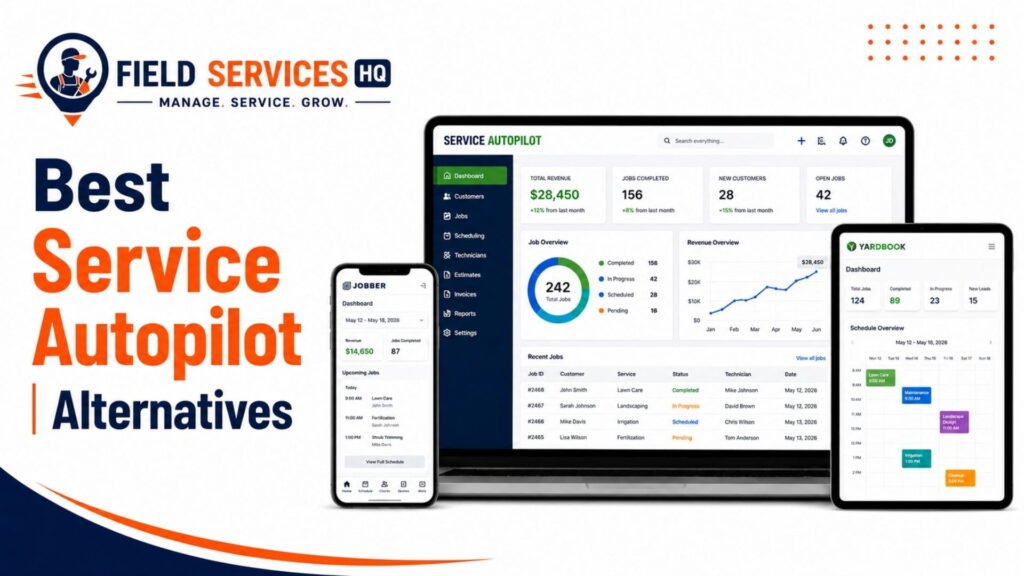
- Should you be evaluating Service Autopilot against its competitors, our comprehensive Service Autopilot alternatives guide dissects the differences between FSM platforms, highlighting options that provide a more intuitive mobile experience for certain trades.
Service Autopilot Mobile App vs. Alternatives
This comparison focuses only on the mobile app experience, not the full software platforms.
| Capability | Service Autopilot | Jobber | Housecall Pro | ServiceTitan |
|---|---|---|---|---|
| Scheduling | Yes | Yes | Yes | Yes |
| GPS | Yes (routing add-on for optimization) | Yes | Yes | Yes |
| Time Tracking | Yes | Yes | Yes | Yes |
| Photos | Yes | Yes | Yes | Yes |
| Signatures | Yes (Legacy App) | Yes | Yes | Yes |
| Offline Mode | Limited, mixed user reports | Limited | Limited | Limited |
| Crew Communication | Yes, connectivity-dependent | Yes | Yes | Yes |
Offline reliability is a known challenge across the field service software category generally, not just for Service Autopilot, so this isn’t a case of one vendor falling drastically short of an industry standard. It’s a category-wide limitation worth testing regardless of which platform you choose.
Who Is the Service Autopilot Mobile App Best For?
Best for:
- Lawn care, landscaping, cleaning, pool service, and pest control companies already using the Service Autopilot desktop software for scheduling and billing
- Operations focused on recurring, pre-scheduled routes over same-day, ad-hoc dispatching
- Owners seeking detailed labor cost tracking through time and drive-time tracking
Less suitable for:
- Businesses operating in rural or low-cell-coverage service areas without direct testing with Service Autopilot support
- Jobs with frequent unscheduled, turn-by-turn navigation stops
- Teams needing to handle time-off requests or other administrative tasks directly from their mobile devices
Consider an alternative if:
- Your crews regularly report poor connectivity with other apps within the same coverage areas, suggesting a network issue rather than a software incompatibility
- You seek a unified app experience rather than maintaining both a Legacy App for field workers and a Team App for admins
Is the Service Autopilot Mobile App Right for Your Business?
Good news if… your operation focuses on scheduled rather than same-day routes, you already use or are considering Service Autopilot for desktop dispatching, and you’re open to a pilot program with a small team before full deployment.
Consider alternatives if… your operation involves frequent same-day ad-hoc jobs, or your crews operate in areas with spotty cellular coverage without direct consultation with Service Autopilot’s support team regarding offline capabilities.
Definitely consider alternatives if... mobile app reliability during time-critical, weather-dependent operations (snow removal, etc.) is a deal-breaker without extensive pilot-testing in your specific coverage area.
Our Recommendation
Best for: Recurring-route field service industries (lawn care, landscaping, pest control, pool service) seeking to streamline invoicing through automated, job-completion-based billing.
Primary benefits: The combination of enhanced time-tracking and photo-documentation features with automatic invoicing upon job-completion genuinely reduce back-office administrative workload.
Primary drawbacks: A clear pattern of user-reported connectivity and performance issues that require direct consultation with Service Autopilot support regarding offline capabilities in specific service areas
Best value for: Landscaping and lawn care businesses in particular, given the industry’s emphasis on recurring routes and the added value of photographic job documentation as evidence in disputes
Who should buy it: Operations already using the Service Autopilot desktop software that want mobile access to scheduling, time-tracking, and invoicing features.
Who shouldn’t buy it: Businesses for which mobile app reliability in weather-dependent, time-critical field service dispatch is a deal-breaker without extensive pilot-program testing
For a full overview of plans and total cost of ownership, please see our Service Autopilot pricing guide, and for a direct comparison of features across field service scheduling platforms, consult our Service Autopilot alternatives guide.
Final Verdict
The Service Autopilot mobile application offers meaningful value to recurring-route field service businesses through its time-tracking, photographic documentation, and automated invoicing features.
That said, the app is not without its drawbacks. A pattern of user-reported connectivity and performance issues suggests potential reliability concerns that should be investigated through direct consultation with Service Autopilot support and pilot-program implementation before full-scale deployment. Overall, the Service Autopilot mobile application is a valuable extension of the desktop platform for qualified users, but mobile application reliability should be weighted as heavily as feature-set differences in the field service software selection process.
Confused About Service Autopilot ? Go Through Our Service Autopilot Hub.
Is Service Autopilot available on iPhone?
Yes. Service Autopilot offers both the Legacy Mobile App and the SA Team App on the Apple App Store, and both are free to download for users with an active Service Autopilot account.
Is Service Autopilot available on Android?
Yes. Both the Legacy App and the SA Team App are available on Google Play, with the same core functionality as their iOS counterparts, including scheduling, GPS tracking, and time tracking.
What can the Service Autopilot mobile app do?
The mobile app supports scheduling and job details, GPS location tracking, time tracking with clock-in and clock-out, before-and-after photo capture, job notes, and (in the Legacy App) estimates, invoicing, and credit card payment collection. The Team App offers a streamlined version of these tools built specifically for field technicians.
Does the Service Autopilot app have GPS tracking?
Yes. GPS tracking is a core feature in both apps, letting managers see crew location and how long technicians spend at each stop. AI-powered route optimization beyond basic GPS mapping is available through the separate Smart Maps add-on.
Does the Service Autopilot app track employee time?
Yes. The app supports clock-in and clock-out, drive time tracking, break logging, and bulk clock-in for team leaders managing multiple crew members or jobs at once, which supports accurate job costing and payroll.
Can crews take photos in the Service Autopilot app?
Yes. Both the Team App and Legacy App support before-and-after photo capture, and account settings can require technicians to add photos before marking a job complete.
Does the Service Autopilot app work offline?
Partially. The SA Team App advertises an Offline Mode intended to let crews keep working with limited connectivity, and Service Autopilot’s support documentation states that updates are saved locally and synced once a connection returns. However, independent user reviews describe inconsistent offline behavior, so businesses in low-connectivity areas should test this directly before relying on it.
How expensive is the Service Autopilot app?
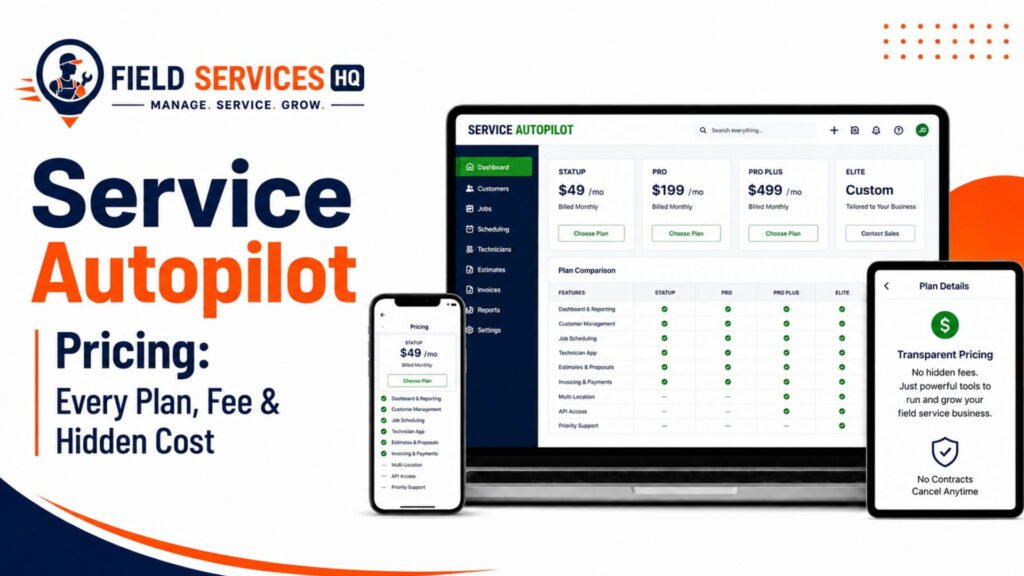
The mobile app itself is free to download on both the App Store and Google Play, but it only works with an active Service Autopilot subscription. Service Autopilot’s platform pricing is reported to start around $49 per month on its Startup plan, with higher tiers such as Pro reaching roughly $499 per month depending on features and account size, plus a separate sign-up fee. Add-ons like Smart Maps for AI-powered route optimization carry an additional monthly cost, reported at around $47 per month. Because pricing and plan structures can change, check our Service Autopilot pricing guide for the most current breakdown before budgeting.
What are the cons of the Service Autopilot app?
The most commonly reported cons are slow loading times, occasional login timeouts, and connectivity requirements that are stricter than expected given the app’s offline mode claims. Users also point to a lack of autofill for repeated data entry, no way to request time off from the mobile app, and limited turn-by-turn navigation to addresses that aren’t already scheduled jobs. None of these are dealbreakers on their own, but together they explain why field crews sometimes describe the app as feature-rich but occasionally frustrating to use day to day.
Is the Service Autopilot app good for lawn care and landscaping?
Yes, with some caveats. It fits recurring lawn care and landscaping routes well, particularly for time tracking, photo documentation, and property notes. Businesses running dense residential routes may need the paid Smart Maps add-on to get true route optimization rather than basic GPS mapping.
Affiliate Disclosure: Field Services HQ may earn a commission if you purchase software through links on this page, at no additional cost to you. This does not influence our evaluation criteria, testing, ratings, or conclusions. We only recommend tools we believe can genuinely benefit field service businesses.