Best Service Autopilot Alternatives in 2026 (Tested & Compared)
60-Second Answer
The best Service Autopilot alternative depends on your business size and trade mix. For most lawn care and landscaping companies switching off Service Autopilot, Jobber is the best overall alternative because of its broader trade support and simpler onboarding. Yardbook is the strongest choice if cost is the main driver. LMN fits growing landscape and design-build businesses best. Larger, multi-crew operations often outgrow all three and land on Aspire or RealGreen (WorkWave).
| Best overall | Jobber |
| Best for lower cost | Yardbook |
| Best for simplicity | Yardbook |
| Best by trade/business type | LMN (landscaping) / RealGreen (lawn + pest) |
| Biggest switching consideration | Customer & route data migration |
Service Autopilot has been on the market as a lawn care, landscaping, cleaning, and snow removal software solution since 2004. It is an effective tool for companies that are serious about the long-term payoff of the subscription. Still, it is among the most searched switches in the industry for a reason. Here are some details about Service Autopilot alternatives and considerations when switching from the platform.
During the 11 years of working with service companies, I have seen countless software switches that happened due to emotional decision-making on the client’s side. More than once, companies that panicked at the recurring payment or poor customer support experience had to reevaluate their decision six months later. This guide is dedicated to explaining the nuances of switching from Service Autopilot and providing insight into the competitors’ performance and areas of application.
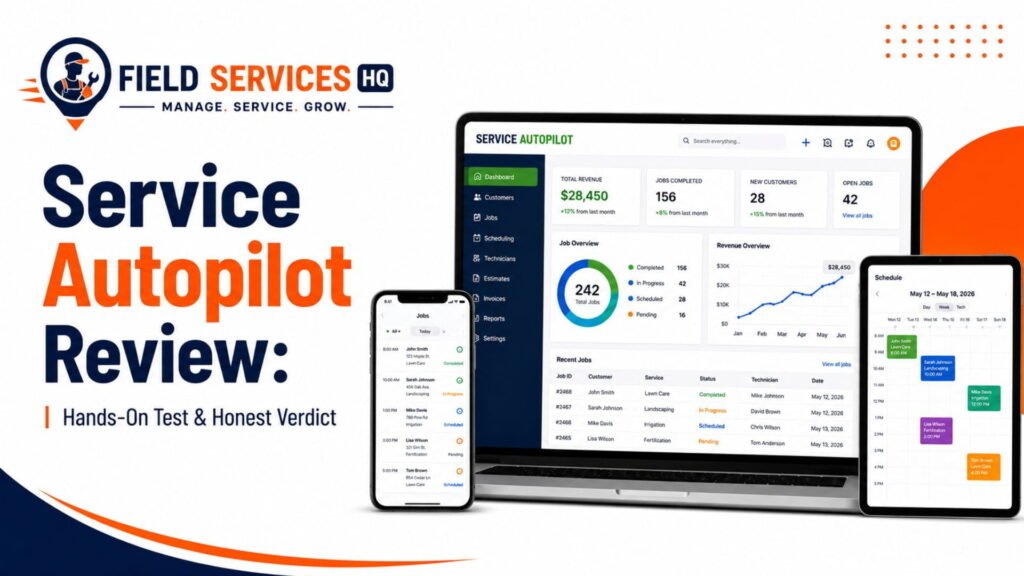
When choosing the best alternative for Service Autopilot, not every company is ready to research and compare the entire list of potential solutions. Our experts put together a reliable guide that covers the critical points of difference between Service Autopilot and the rest. It will help you understand what you will gain and lose with every switch and analyze if the alternative fits your business needs. If you are still unsure about leaving Service Autopilot, take a closer look at our Service Autopilot review . It includes the in-depth analysis of the subscription levels and features, as well as the areas where the program underperforms.
Key Takeaways
- Jobber is the best overall Service Autopilot alternative for most lawn care and landscaping businesses, thanks to broader trade support and a shorter learning curve.
- Yardbook is the cheapest realistic option, with a genuinely usable free tier for solo operators and small crews.
- LMN is the strongest pick for landscaping and design-build companies that need accurate, budget-based estimating.
- Aspire fits larger, multi-crew operations ($1M+ revenue) that need centralized job costing, purchasing, and accounting integration.
- RealGreen (WorkWave) is best for multi-location lawn care and pest control businesses that need chemical compliance tracking.
- Rising renewal pricing, a steep learning curve, and dated mobile UX are the top reasons businesses search for a Service Autopilot alternative.
- Migrating software is not free: recurring job templates, routes, and automations typically must be rebuilt manually, so plan the switch around your slowest season.
- Switching doesn’t always make sense. If your real problem is workflow or training, not the software, a renewal negotiation may solve it more cheaply than a migration.
Table of Contents
- Service Autopilot Alternatives at a Glance
- Why Are Businesses Looking for a Service Autopilot Alternative?
- How We Tested & Compared the Alternatives
- How We Rank the Alternatives
- #1 Best Alternative: Jobber
- #2 Best Alternative: Yardbook
- #3 Best Alternative: LMN
- #4 Best Alternative: Aspire
- #5 Best Alternative: RealGreen (WorkWave)
- Best Alternative by Business Type
- Best Alternative by Problem
- Best Alternative by Business Size
- Pricing & Total Cost Comparison
- Feature Comparison
- What You Gain and Lose by Switching
- How Hard Is It to Switch?
- When You Should NOT Switch
- Which Alternative Should You Choose?
- Our Recommendation
- Final Verdict
- FAQ
Service Autopilot Alternatives at a Glance
| Alternative | Best For | Starting Price | Biggest Advantage | Biggest Drawback | Our Verdict |
|---|---|---|---|---|---|
| Jobber | General field service + lawn/landscape | ~$29-49/mo (1 user) | Broad trade support, polished mobile app, strong support | Costs climb fast per added user; some features are paid add-ons | Best overall alternative for most switchers |
| Yardbook | Solo operators and small crews on a budget | Free (paid tiers ~$35-50/mo) | Free tier with real features, purpose-built for lawn care | Fewer automation and reporting tools at scale | Best for lower cost |
| LMN | Growing landscape and design-build companies | ~$297/mo (varies by module) | Budget-based estimating, strong crew/production tracking | Steeper learning curve; better fit once you have crews to manage | Best for landscaping-specific fit |
| Aspire | Multi-crew landscape, construction, and snow/ice contractors ($1M+ revenue) | Custom, often revenue-based pricing | Deep job costing, purchasing, and accounting integration | Overkill (and cost) for smaller operations | Best for larger, complex operations |
| RealGreen (WorkWave) | Multi-location lawn care and pest control at scale | Custom (~$199+/mo range) | Chemical/pesticide compliance tracking, franchise-grade routing | Enterprise sales process; not built for tiny operations | Best for compliance-heavy, multi-location businesses |
Pricing changes frequently and most vendors quote custom rates for anything beyond entry-level tiers. Always confirm current numbers directly with the vendor before budgeting.
Why Are Businesses Looking for a Service Autopilot Alternative?
Service Autopilot is tailored to lawn care, landscaping, cleaning, and snow removal companies managing large volumes of recurring, residential accounts, and a crew with dozens, or hundreds, of repeat routes – that focus can pay dividends, which is why so many business owners are looking for a different option.
- Pricing increases. Service Autopilot was acquired by Xplor, and as with many field service platforms under a larger parent company, advertised pricing has moved upwards over successive renewal cycles. Businesses that signed up years ago at a lower price point are often surprised at what their renewal quote looks like today.
- Interface and mobile experience. The platform’s large, comprehensive feature set has not been matched in the UI/UX by competing platforms which focus more on mobile delivery; crews checking a route or making a job update from the truck are often the first to notice this.
- Scheduling and dispatch friction during peak events. Snow removal dispatching during an active storm is an extreme test of FSM platform capabilities, and several users report Service Autopilot struggling under the pressure when speed is of the utmost importance.
- Reporting complexity. The data is there, but extracting a custom report often means leaning on a report builder rather than a pre-built, easy-to-configure option.
- Support response time. Several users have reported slower response times on key issues, and for a business relying on one system to schedule and invoice, that matters.
- Contract and processor terms. A few independent reviews point to an annual escalator built into the parent Xplor contract, and a payment-processor exclusivity clause, which are worth reading over carefully before renewing.
None of these make Service Autopilot a bad product, but rather that it is a product with a very specific focus than its marketing sometimes suggests, which is precisely why weighing it against the competition is a worthwhile use of an hour.
How We Tested & Compared the Alternatives
Quick answer: This comparison blends hands-on interface testing, direct pricing verification on vendor pages, and crowdsourced review comparison, weighted towards the operational needs of lawn care, landscaping, snow removal, and pest control businesses.
The process we took for this guide included:
- Testing of scheduling, dispatch, and mobile workflows in trial or demo environments where available.
- Verification of pricing directly against each vendor’s current pricing page rather than relying on directory listings, which tend to change frequently.
- Feature testing against trade-specific workflows: recurring route scheduling, chemical/pesticide application logging, snow event dispatch, invoicing for repeat residential accounts.
- Information based on publicly available documentation and product pages from the vendors.
- User-reported information pulled from independent review platforms, weighted towards recent reviews (the past 12-24 months) in order to reflect the current product rather than legacy complaints.
- Vendor-provided information used where it could be cross-verified against independent sources.
How We Rank the Alternatives
Every alternative on this list is scored against the same criteria that a field service business would actually care about, rather than a generic feature checklist:
- Industry focus – Tailored to lawn/landscape/snow/pest, or adapted from a generic FSM tool?
- Scheduling – Recurring job management, calendar views, crew assignment
- Dispatch – Real-time crew communication and job status updates
- Routing – Density optimization, especially for high-stop-count days
- CRM – Lead tracking, customer history, and communication logs
- Invoicing – Automated billing, payment collection, recurring billing cycles
- Mobile app – Field usability, not just office staff
- Automation – Workflow triggers, follow-ups, and marketing sequences
- Reporting – Pre-built reports vs. custom report builders
- Integrations – QuickBooks, payment processors, and third-party tools
- Pricing / TCO – Accounting for add-ons, not just the advertised starting price
- Ease of use – Time to competency for office staff and crews
- Scalability – Platform performance at growing crew sizes and account volumes
- Migration difficulty – Ease of migrating existing data
1 Best Service Autopilot Alternative: Jobber
Best for: General field service businesses and lawn/landscape companies that want a polished, quick-to-adopt system across their whole team
Starting price: Plans generally start in the $29-$49/month range for a single user, scale up with additional users and add-on modules; multi-user team plans are common in the low hundreds per month.
Why consider it: Jobber built its reputation on ease of use across over 50 trades, which means a lawn care or landscaping business that also does cleanup, pressure washing, or holiday lighting can run it all in one system rather than having to stitch together multiple tools. In my experience, the easiest way to judge if a platform will actually get adopted by a crew is to think about how quickly a new hire can be working the mobile app without having to go through a training session, and Jobber excels in that category.
Where it beats Service Autopilot: Faster onboarding, cleaner mobile app for technicians, and more flexibility across trades if they expand beyond lawn and landscapes services. Support is frequently cited as faster in independent reviews.
Where Service Autopilot is better: Service Autopilot’s automation engine and marketing sequences are deeper out-of-the-box, and its chemical application with compliance logging is more purpose-built for lawn care operators managing pesticide records. Jobber’s routing is also less specialized around high density, recurring mow routes than lawn-specific competitors.
Key capabilities: Scheduling and calendar management, client hub for customer self-service, quoting and invoicing, payment collection, basic route optimization, CRM, and reporting dashboards.
Biggest drawback: Costs scale quickly when adding users and premium add-ons like marketing automation or a dedicated support line, and several of the most requested features only exist in the top tier.
Trade/job fit: Strong for lawn care, landscaping, cleaning, general contracting, and any multi-trade residential service business.
Migration consideration: Jobber offers guided data import support for customer records and job history, but recurring service schedules and automation rules built in Service Autopilot will need to be rebuilt manually.
Our verdict: The safest all-around landing spot for most businesses jumping off Service Autopilot, especially if they care most about overall simplicity and flexibility rather than deep lawn-specific automation.
2 Best Service Autopilot Alternative: Yardbook
Best for: Solo operators and small crews (1-3 crews) who want to keep software costs low while they grow
Starting price: Free tier available for core scheduling, invoicing, and customer management; paid tiers generally run roughly $35-$50/month for GPS tracking, ad removal, and QuickBooks sync.
Why consider it: Yardbook was built specifically for lawn care and landscaping, and its free-tier is genuinely usable system for customer management, scheduling, invoicing, and basic route planning. For a new operator putting every dollar they can into equipment and a second truck or trailer, that matters.
Where it beats Service Autopilot: Cost, hands down, and a significantly shorter learning curve. New users are often productive in days and not weeks.
Where Service Autopilot is better: Automation depth and marketing flexibility for larger operations managing hundreds of recurring accounts. Yardbook’s feature set gets leaner as users scale past a handful of crews.
Key capabilities: Customer and lead management, scheduling and route planning, invoicing, basic GPS tracking (paid tiers), and QuickBooks sync on higher tiers.
Biggest drawback: Thinner automation and reporting tools limit a growing multi-crew operation from outgrowing Yardbook and needing to migrate again within a year or two.
Trade/job fit: Best suited to lawn care, landscape maintenance, and snow removal operators with 1-3 crews.
Migration consideration: Straightforward import of customer and job data, but the tradeoff is likely needing to schedule a second migration down the road when they outgrow the automation ceiling.
Our verdict: The best lower-cost alternative for small and early-stage operations with a clear growth ceiling to plan around.
3 Best Service Autopilot Alternative: LMN
Best for: Growing landscape maintenance and design-build companies that need strong estimating and crew production tracking
Starting price: Pricing varies by module, with reported starting points around $297/month for core estimating and operations functionality; flat per-user subscription pricing rather than revenue-based pricing.
Why consider it: LMN’s core strength is budget-based estimating, building quotes from real labor and material costs rather than guesswork, paired with production tracking that shows if a crew hit budget on a job. From an implementation perspective, this is the platform I would point a landscape company towards who’s biggest pain point is not knowing which jobs are actually profitable.
Where it beats Service Autopilot: Estimating accuracy and crew production tracking are considerably more detailed. LMN also supports offline functionality for crews working in areas with poor connectivity, which can be useful for larger properties or rural service areas.
Where Service Autopilot is better: Recurring residential route automation and marketing workflows are more built-out in Service Autopilot, which is more focused on high-volume residential maintenance than design-build project work.
Key capabilities: Budget-based estimating, crew time tracking, production reporting, scheduling, and CRM functionality tailored to landscape maintenance and installation work.
Biggest drawback: A steeper learning curve for office staff building out budgets and templates for the first time; the platform delivers the most value once you have crews and jobs to actually track those budgets.
Trade/job fit: Landscape maintenance, design-build, hardscape installation, and companies doing a mix of recurring and one-off project work.
Migration consideration: Customer and estimating data typically required manual rebuild since LMN’s estimating structure differs meaningfully from Service Autopilot’s job model.
Our verdict: The best fit for landscaping-specific operations, especially around the need for serious estimating and job-costing rigor. Less applicable for purely recurring-route mowing operations.
4 Best Service Autopilot Alternative: Aspire
Best for: Larger, multi-crew landscape, construction, and snow & ice contractors, generally $1M+ in revenue
Starting price: Not publicly available, typically billed as a percentage of revenue rather than a flat monthly rate; involves a high-touch enterprise sales process
Why it’s a strong alternative: Aspire is an end-to-end business management system built for full-cycle contractors that want to replace spreadsheets and point solutions with a singular platform that handles CRM, estimating, scheduling, purchasing, equipment management, invoicing/reporting, field time tracking, and accounting.
It’s a superior option to Service Autopilot for organizations that have grown beyond a single crew and now operate 2+ crews across a variety of maintenance, enhancement, and/or snow & ice service lines.
Where it’s better than Service Autopilot: Comprehensive job costing, purchasing/inventory management, and accounting tools.
Where Service Autopilot wins: Cost and ease-of-use, by a significant margin. Aspire typically has a higher price tag (as it’s frequently billed as a percentage of revenue) and has a steeper learning curve.
Key capabilities: Full-featured CRM and sales pipeline, estimating, purchasing, job-costing, mobile time tracking, and accounting tools.
Primary drawbacks: Cost and complexity make it a poor fit for contractors with less than $1M in revenue or under 3-5 crews.
Recommended for: Multi-crew landscape maintenance, construction, and snow & ice contractors, as well as cleaning service providers, seeking a complete business management solution.
Migration considerations: Likely requires extensive assistance from the vendor during onboarding, particularly when migrating historical data from other systems.
Overall impression: An appropriate ceiling for growth when Service Autopilot (or Jobber, Yardbook, or LMN) can no longer satisfy a firm’s requirements.
5 Best Service Autopilot Alternative: RealGreen (WorkWave)
Best for: Multi-location lawn care and pest control contractors requiring chemical compliance tracking
Starting price: Not publicly available, typically billed as a percentage of revenue; see comparisons for similar multi-branch lawn care software
Why it’s a strong alternative: RealGreen is a purpose-built solution for lawn care and pest control providers that want to streamline their chemical compliance operations, manage multi-location franchises, and utilize advanced mobile tools for day-to-day field operations.
If managing an increasing number of stops while adhering to local chemical application regulations is a priority, it’s one of the most feature-rich options on the market for lawn care-specific software.
Where it’s better than Service Autopilot: Dynamic routing tools, along with built-in compliance reporting for fertilizers and pesticides, are deeper than what Service Autopilot offers. Its field service management tools also allow technicians to send invoices and manage bait stations from their mobile devices.
Where Service Autopilot wins: Breadth of applicability if one’s business involves more than lawn care or pest control services; generally easier to implement for a single-location lawn care business.
Key capabilities: Dynamic route optimization, field technician mobile tools, chemical/pesticide application tracking/reporting, and multi-branch management.
Primary drawbacks: Enterprise-level sales process and cost make it an unsuitable option for single-crew landscaping businesses.
Recommended for: Lawn care and pest control providers, as well as other multi-branch contractors, that seek advanced field management and chemical compliance features
Migration considerations: Involves a lengthier implementation process, as it’s designed as an enterprise-level solution with complex onboarding requirements.
Overall impression: The best option for multi-branch lawn care and pest control providers that need advanced chemical compliance tools, with industry-specific route optimization features; too complex and expensive for small businesses.
Best Service Autopilot Alternative by Business Type
| Business Type | Recommended Alternative | Why |
|---|---|---|
| Lawn care (solo to small crew) | Yardbook or Jobber | Lower cost and faster onboarding for recurring mowing routes |
| Landscape maintenance | Jobber or LMN | LMN for estimating rigor, Jobber for simpler day-to-day operations |
| Snow removal | Jobber (multi-trade) or RealGreen (compliance-heavy operations) | Real-time dispatch matters most during storm events |
| Pest control | RealGreen (WorkWave) | Purpose-built chemical tracking and compliance reporting |
| Multi-service businesses (lawn + snow + pest) | Aspire (larger scale) or Jobber (smaller scale) | Centralized system needed across multiple service lines |
Best Service Autopilot Alternative by Problem
| Problem | Best Alternative | Why |
|---|---|---|
| Too expensive | Yardbook | Free tier and low-cost paid plans |
| Too complex | Yardbook or Jobber | Shorter learning curve, faster crew adoption |
| Poor mobile experience | Jobber | Consistently rated stronger for field technician usability |
| Scheduling problems | Jobber or LMN | Cleaner calendar and crew assignment workflows |
| Routing limitations | RealGreen | Dynamic routing built for high-stop-density days |
| Poor reporting | LMN or Aspire | Deeper job costing and production reporting |
| Poor automation | Stay with Service Autopilot, or evaluate Jobber add-ons | Service Autopilot’s automation is a genuine strength; few alternatives fully match it |
| Poor scalability | Aspire | Built specifically for multi-crew, multi-service-line growth |
Best Service Autopilot Alternative by Business Size
Solo/small operation (1-2 crews): Yardbook’s free tier or Jobber’s entry plan. Get on a real system before you outgrow spreadsheets and sticky notes; the cost of switching later is lower if your data lives in structured software from the start.
Growing team (3-10 crews): Jobber for general flexibility, or LMN if estimating accuracy and job costing are your main gap.
Multi-crew operation (10+ crews, single service line): LMN or RealGreen, depending on whether estimating or routing/compliance is the bigger pain point.
Larger operation ($1M+ revenue, multiple service lines): Aspire, for centralized job costing, purchasing, and accounting integration across the whole operation.
Service Autopilot Alternatives: Pricing & Total Cost Comparison
Switching Cost Snapshot
2-4 wks
Typical ramp-up time reported for Service Autopilot’s full feature set
7%
Reported annual price escalator in some Service Autopilot renewal contracts
$0-$499
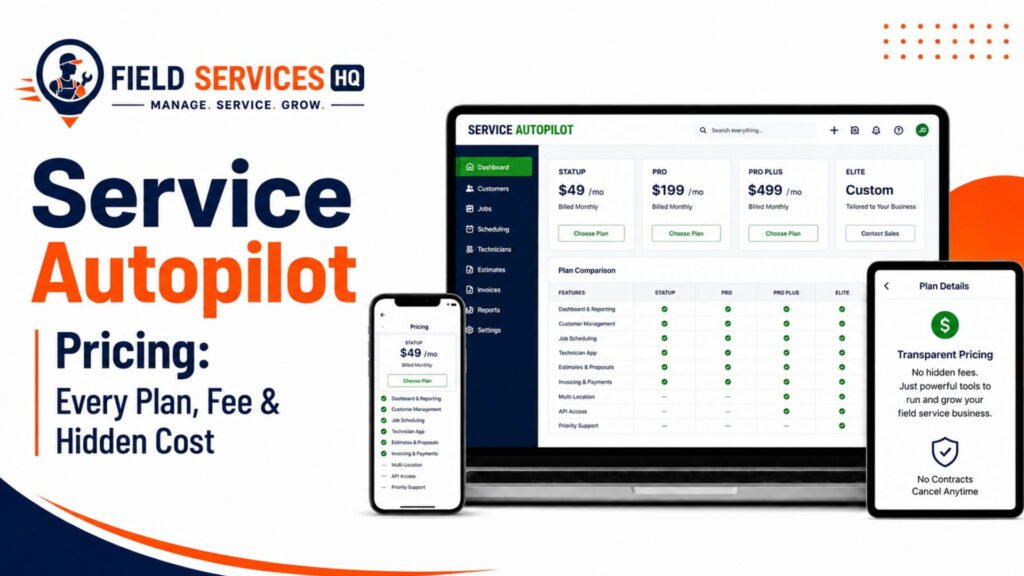
Published Service Autopilot tier range before signup fees
| Factor | Service Autopilot | Jobber | Yardbook | LMN | Aspire | RealGreen |
|---|---|---|---|---|---|---|
| Starting price | ~$49-$499/mo | ~$29-$49/mo | Free-$50/mo | ~$297/mo | Custom (revenue-based) | Custom (~$199+/mo) |
| User/seat costs | Capped by tier | Additional users add monthly fees | Included on paid tiers | Per-user | Included in custom quote | Custom |
| Add-ons | Marketing, payment processing | Marketing, receptionist, lead management | QuickBooks sync, GPS on paid tiers | Estimating modules | Purchasing, equipment tracking | Compliance reporting, multi-location tools |
| Setup/onboarding | Unpublished signup fee reported | Included in trial/onboarding | Minimal, self-serve | Guided onboarding | Vendor-managed implementation | Vendor-managed implementation |
| Payment fees | Processor terms may include exclusivity clause | Standard processing rates apply | Standard processing rates apply | Varies | Varies | Varies |
| Scaling costs | Escalator reported in parent contract | Scales per user and add-on | Low, tier-based | Scales per user | Scales with revenue | Scales with locations/accounts |
| Contract considerations | Annual commitment common | Monthly or annual options | Monthly, no long-term lock-in typical | Annual common | Multi-year enterprise contracts common | Enterprise contract terms |
Always request a written quote covering your actual user count, add-ons, and payment processing terms before comparing final numbers. Advertised starting prices rarely reflect what a multi-crew operation actually pays.
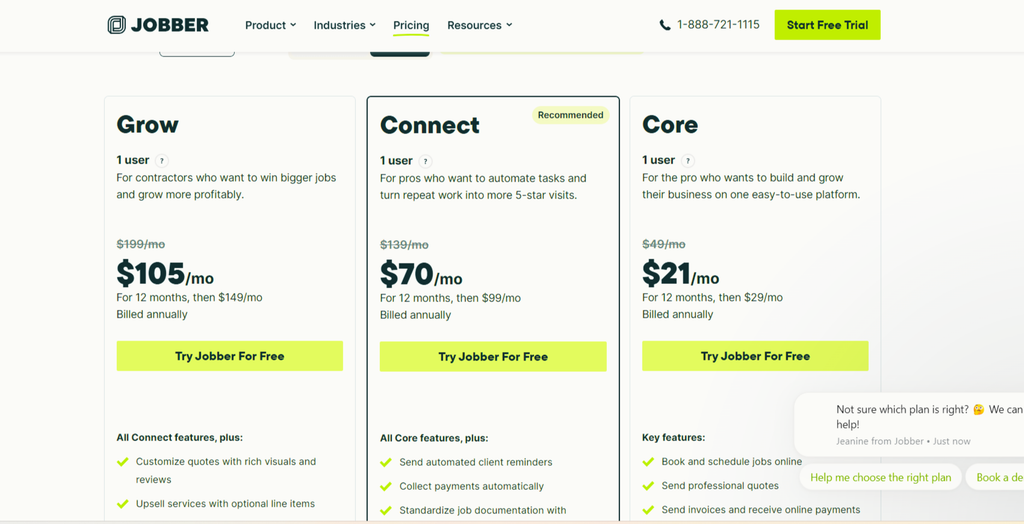
For a broader breakdown of how software costs stack up against revenue, our field service management software guide walks through how to build a realistic technology budget.
Service Autopilot vs Alternatives: Feature Comparison
| Feature | Service Autopilot | Jobber | Yardbook | LMN | Aspire | RealGreen |
|---|---|---|---|---|---|---|
| Scheduling | Strong, recurring-route focused | Strong, general trade | Good, lawn-specific | Good | Strong | Strong |
| Route optimization | Good, less sophisticated than dedicated tools | Basic-moderate | Basic | Basic-moderate | Moderate | Strong (dynamic routing) |
| CRM | Strong, marketing-oriented | Good | Basic | Moderate | Strong | Strong |
| Invoicing | Strong automation | Strong | Good | Moderate | Strong | Strong |
| Mobile app | Mixed reviews on usability | Strong | Good | Good, offline support | Strong | Strong |
| Automation | Very strong | Moderate (some paid add-ons) | Basic | Moderate | Strong | Strong |
| Reporting | Deep but requires custom builder | Good, template-based | Basic | Strong (production/job costing) | Very strong | Strong |
| Integrations | Moderate | Broad third-party support | QuickBooks (paid tiers) | Accounting integrations | Deep accounting/ERP integration | WorkWave ecosystem |
What You Gain and Lose by Switching From Service Autopilot
You gain: Often a simpler onboarding process, a more modern mobile app, potentially lower cost (depending on which alternative you select) and sometimes a more tailored fit for certain trade mixes or business sizes.
You lose: Service Autopilot’s deep automation engine and marketing workflows, its chemical application tracking (unless you switch to RealGreen), and any custom reports, automations, or workflows you have built over time that cannot be migrated.
Switch if: Your costs have grown faster than your revenues, your team is effectively fighting the user interface, you’ve outgrown or never needed the level of automation, and/or you need superior compliance or estimating tools to Service Autopilot’s capabilities.
Stay with Service Autopilot if: Your team has already climbed the learning curve, your automation and marketing workflows are revenue-generating machinery, and your only complaint is price. Here it may be easier to negotiate your renewal or audit what renewal tier you actually need than to incur the costs and complexity of migration.
How Hard Is It To Switch From Service Autopilot
Quick answer: It depends primarily on how much automation and historical data you’ve built up; migrations from newer accounts with recurring jobs can occur in days, while mature accounts with years of automations, chemical records, and payment histories should expect to operate both systems in parallel for a few weeks.
Before committing to a switch, here is a checklist of considerations:
- Customer data: Can you get a clean list of your customers with relevant contact/service address information exported from Service Autopilot? Most platforms will accept a CSV import for this, but fields may need to be massaged manually.
- Recurring Services: Recurring job templates and pricing rules typically must be re-built in your new system, since they do not typically port over.
- Routes: Most likely your existing route sequences will not migrate; you’ll want to make time to re-build your new system’s routing logic.
- Job History: Your historical job records may need to be archived (exported and stored), depending on your new platform’s import options.
- Invoices: Outstanding invoices and payment history should be reconciled and closed-out in the legacy system, wherever possible.
- Payments: Ask if saved customer payment methods can be transferred, or if you will need to ask customers to re-enter card information (a friction point).
- Automations: Marketing sequences, follow-up triggers, and workflow automations almost invariably need to be re-built from scratch.
- Integrations: Audit any connected tools (QuickBooks integration, payment processors, etc.) and confirm the new platform supports your same connections.
- Data export: Confirm what format Service Autopilot allows for exporting, and if there are any restrictions or costs associated with extracting your data.
- Staff training: Set aside time for your office staff and your technicians to learn the new system, even if it has an intuitive UI.
When You Should NOT Switch From Service Autopilot
Switching software is not free, even if the new option is cheaper. In my experience, the businesses who regret a switch usually skipped one of these steps before making a move:
When switching is not solving the problem. If your real issue is a misconfigured workflow, lack of adequate staff training, or unclear internal procedures, you will likely find the same problems re-occuring in a new interface.
When migration costs outweigh the benefit. If you are in the middle of a season with recurring services and migration timelines, you risk service errors and confused customers who see invoices from two platforms at once. A practical approach is to plan the switch for your slowest season.
When critical functionality will be lost. If your business relies on Service Autopilot’s marketing automation or chemical tracking and the alternative you are considering lacks these capabilities, you may be substituting one set of headaches for another.
When the current workflow is sufficient. If your team has already adapted to the existing interface and your complaint is entirely about cost, it is worth requesting a renewal negotiation or auditing whether you are on a higher renewal tier than you need before committing to a full switch.
Which Service Autopilot Alternative Should You Choose?
Here is a quick decision path based on your needs:
- Need lower cost → Yardbook.
- Need simpler software → Yardbook or Jobber.
- Need better mobile workflows → Jobber.
- Need stronger lawn/landscape estimating fit → LMN.
- Need advanced, multi-crew operations management → Aspire.
- Need easier migration with less disruption → Jobber (broadest import support and support-team involvement documented).
Our Recommendation
Best overall: Jobber for the balance of ease of use, broad trade support, and manageable migration.
Best for lawn care: Yardbook for smaller operations, RealGreen for multi-location or compliance-heavy operations.
Best for landscaping: LMN for estimating accuracy and production tracking.
Best for snow removal: Jobber for general dispatch flexibility, RealGreen if compliance and routing density are priorities.
Best for small teams: Yardbook.
Best for growing teams: Jobber or LMN, depending on whether general operations vs estimating is the bigger gap.
Best value: Yardbook for cost-to-feature ratio at smaller scales.
Best for complex operations: Aspire.
Final Verdict
Service Autopilot continues to be a genuinely effective platform for high-volume, recurring-route lawn and landscape businesses that have invested time into its automation engine. But with rising costs, a learning curve, and complaints about the mobile experience, many are looking at alternatives.
For most of these cases, Jobber offers the best balance of simplicity and capability, Yardbook excels at cost savings, LMN wins on landscaping-specific estimating, and Aspire or RealGreen make sense as a true outgrowth of a mid-market platform. The right choice depends not on which software has the most features, but which one fits your business size, trade mix, and how much of a disruption you want to absorb right now.
If you are still weighing the software vs the use case, our Service Autopilot review may help you decide before you incur the costs of migration.
Confused About Service Autopilot ? Go Through Our Service Autopilot Hub.
FAQ
What is the best Service Autopilot alternative?
Jobber is generally the best overall Service Autopilot alternative for most lawn care and landscaping businesses because it combines broad trade flexibility, a strong mobile app, and a more manageable learning curve than Service Autopilot. The right choice still depends on your business size and trade mix, so review the by-business-type and by-size breakdowns above before deciding.
What is the cheapest alternative to Service Autopilot?
Yardbook is the cheapest realistic alternative, with a free tier that includes customer management, scheduling, invoicing, and basic route planning. Paid Yardbook tiers for GPS tracking and QuickBooks sync typically run in the $35-$50 per month range, still well below Service Autopilot’s published pricing.
What is the easiest Service Autopilot alternative to learn?
Yardbook and Jobber both have shorter learning curves than Service Autopilot, with most users reporting they’re productive within days rather than the two- to four-week ramp-up commonly reported for Service Autopilot’s full feature set.
What is the best Service Autopilot alternative for lawn care?
For small lawn care operations, Yardbook or Jobber are the strongest fits. For multi-location lawn care businesses that need chemical application compliance tracking, RealGreen (WorkWave) is purpose-built for that requirement.
What is the best Service Autopilot alternative for landscaping?
LMN is the strongest alternative for landscaping companies that need accurate, budget-based estimating and crew production tracking, particularly for design-build and installation work alongside maintenance.
What is the best Service Autopilot alternative for snow removal?
Jobber handles snow removal dispatch well as part of a broader multi-trade toolkit, while RealGreen offers more specialized dynamic routing for high-density service days, which matters most during active storm events.
Which Service Autopilot alternative has the best mobile app?
Jobber is consistently rated as having one of the stronger field technician mobile experiences among Service Autopilot competitors, with a cleaner interface for checking routes, updating job status, and collecting payment in the field.
How difficult is it to switch from Service Autopilot?
Switching difficulty depends on how much historical data and automation you’ve built up. Customer records typically export cleanly, but recurring service templates, route sequences, and marketing automations generally need to be manually rebuilt in the new platform, so plan for a multi-week transition rather than an overnight cutover.
What should I consider before switching from Service Autopilot?
Before switching, confirm what data can actually be exported, whether saved customer payment methods will transfer, how your automations and integrations will be rebuilt, and whether the timing avoids your peak season. It’s also worth confirming the real problem is the software itself and not a workflow or training gap that a new platform won’t fix.
Is there a free alternative to Service Autopilot?
Yardbook offers a genuinely usable free tier for small lawn care and landscaping operations, covering customer management, scheduling, invoicing, and basic route planning without a monthly fee. Most larger, more automation-heavy alternatives like Jobber, LMN, and Aspire operate on paid subscription models.
Affiliate Disclosure: Field Services HQ may earn a commission if you purchase software through links on this page, at no additional cost to you. This does not influence our evaluation criteria, testing, ratings, or conclusions. We only recommend tools we believe can genuinely benefit field service businesses.