Service Autopilot for Pest Control: Is It the Right Fit?
Quick Answer
Service Autopilot works reasonably well for pest control companies that already run lawn care, cleaning, or landscaping alongside pest services and want one system for everything. For a pure-play pest control business, especially one doing termite work, WDO inspections, or heavy commercial compliance reporting, purpose-built pest control software (like PestPac, Briostack, or FieldRoutes) usually fits the day-to-day workflow more precisely.
Pest control companies grow in different ways than most other field service trades. A residential lawn care company sells the same visit over and over again. A pest company sells that same base service, but also offers termite contracts, wildlife exclusion, occasional emergency service calls, commercial accounts with required compliance documentation, and technicians who need to report chemical usage by EPA registration number. This is why “is this software built for pest control, or just close enough” is the question worth asking when looking at field service software options.

Service Autopilot started as a lawn care and cleaning software and expanded into pest control as a cross-sell vertical rather than building something from the ground up. This is not a criticism, but it does have an impact on how this particular software fits into a pest control company’s operations.
Service Autopilot for Pest Control at a Glance
Service Autopilot is a field service management (FSM) software initially developed for lawn care companies, which Xplor Technologies owns. The company added pest control services among other verticals (cleaning, snow removal, tree care, and irrigation). Service Autopilot is a general FSM software with integrated pest control modules as an upsell to its core audience (lawn care).
This distinction informs this review. My experience assessing various FSM software solutions informs this evaluation. Software developed with a specific industry in mind generally performs its edge cases more impressively than products at which the developers only aimed to increase the total addressable market. This is not to say Service Autopilot would not work for a pest control company but understand what operations it could manage natively and what would require workarounds.
Best for: Multi-service companies offering pest control alongside lawn care, cleaning, or landscaping, and residential pest control companies not focused on chemical application tracking.
Not ideal for: Termite-heavy companies, firms with significant commercial/compliance reporting needs, and businesses seeking robust, pest-control-specific reporting out of the box.
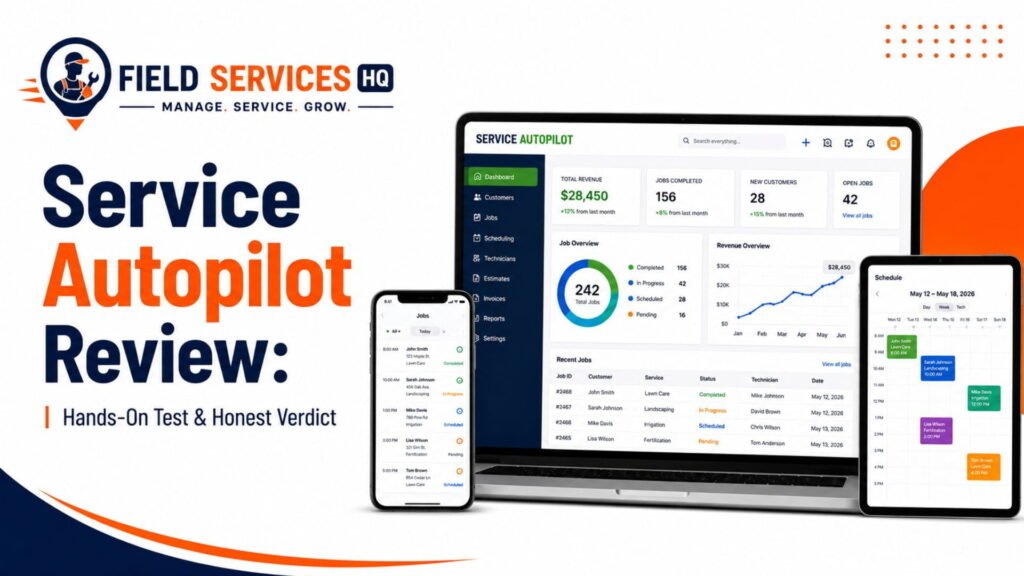
If you haven’t already, you may want to read our Service Autopilot review to gain a more comprehensive understanding of how the product functions beyond pest control.
How Service Autopilot Fits a Pest-Control Business
To evaluate how well a given FSM software solution would suit a pest control company, I consider how it would handle the most critical business processes. Below, I’ve included the workflows a pest control business would use in Service Autopilot.
Lead → Estimate → Customer. Service Autopilot has a built-in CRM function to capture leads via web form, phone, or referrals and convert them into estimates. It would work for a general pest control company, as the estimate wizard is intuitive enough to build a quote for monthly or quarterly recurring treatments. However, customizing estimates for termite or wildlife control (square footage, linear footage of foundation, or inspection results) may be more challenging than on some pest control–specific software.
Recurring Treatment Scheduling. Scheduling recurring treatments (quarterly, bi-annual, monthly, etc.) is one of the strong points of Service Autopilot. The platform is built to handle lawn care companies that often use this billing method. Therefore, setting up a pest control plan with quarterly or monthly treatments is seamless to configure.
Scheduling → Technician Dispatch. Drag-and-drop scheduling and a dispatch board allow you to assign jobs to your technicians, who receive directions, customer notes, and required materials via the mobile application.
Route Optimization. Route optimization is one of Service Autopilot’s selling points, and I think it applies equally to pest control as to lawn care. Optimized routes let you visit several customers per day in one go, reducing drive time between appointments.
Billing and Payments. Automatically sending invoices to clients and receiving payments on the same platform is a substantial productivity boost, especially for smaller pest control companies. Two-way QuickBooks sync (Desktop and Online) eliminates double-bookkeeping for most small firms that use QuickBooks for their accounting needs.
Follow-Up and Retention. Email and SMS marketing automation, including follow-up messages to new customers and win-back campaigns for those who haven’t renewed, are genuinely one of Service Autopilot’s differentiators. Many field service management solutions lack the marketing automation tools to nurture leads or rebuild relationships with past clients.
Which Pest-Control Workflows Does Service Autopilot Handle Well?
Given the company’s offerings and the features it has, these are the pest control–specific workflows that Service Autopilot handles the best.
- Recurring residential pest control plans (monthly, bi-monthly, quarterly billing)
- Route optimization for technicians with several stops per day
- Automated customer communication (reminder emails, follow-up texts, and reviews)
- Online payment collection and automatic invoicing on a consistent schedule
- QuickBooks two-way sync to simplify accounting
- Customer history (invoices, quotes, jobs, and notes) in one place
- Marketing automation (follow-ups, win-back campaigns, and lead nurturing)
- Custom online forms to collect lead information and submit service requests
- Mobile app for field technicians to view job details, customer notes, and photos
As you can see, these are all appropriate uses of Service Autopilot for pest control that align with the company’s core competencies.
Where Service Autopilot May Fall Short
In my experience, the truth about any software solution, including Service Autopilot, is that the deal-breakers tend to be the workflows not covered in the marketing materials. These are the pain points that the developers either didn’t consider or that the resellers don’t want you to think about before purchasing. Here are the areas where Service Autopilot may require more configuration or process changes for pest control companies.
Chemical usage and compliance tracking. Pest control is a highly regulated industry, and depending on your location and the services you offer, you may have to keep track of chemical application, EPA ID, and target pests per service to stay compliant and avoid litigation. Most pest control–specific software solutions dedicate significant time and resources to ensuring their application is compatible with your compliance and reporting needs. I couldn’t find native support for this in Service Autopilot, where you would likely have to use custom fields or create a separate database for this critical information.
Termite and WDO inspection workflow. There isn’t a built-in form or workflow in Service Autopilot for handling termite or wood-destroying organism (WDO) inspections and subsequent treatments. These are typically handled through the NPMA-33 form, which most pest control–specific software solutions have as a built-in feature. This is a significant oversight, as termite treatments constitute a considerable portion of the revenue for many pest control companies.
Treatment history by target pest. Being able to generate a report of all the accounts you’ve treated for a specific pest type within a given period is a pest control–specific reporting need. General FSM software solutions tend to miss this requirement, and Service Autopilot is no exception. Although I see some value in having a centralized location for this information, it would require additional configuration to get this data to appear somewhere accessible and organized.
Commercial account complexity. If you cater to commercial clients, there is a learning curve and additional administrative overhead involved in setting up your Service Autopilot account to handle these clients’ needs. This is a known issue with general FSM software solutions, as pest control–specific applications would have the required templates and reporting to handle commercial accounts from the beginning of the sales process.
Learning curve and setup. Service Autopilot is a feature-rich application focused on general field service needs. Pest control companies using this software may have to reconfigure some workflows and take more time to learn the product.
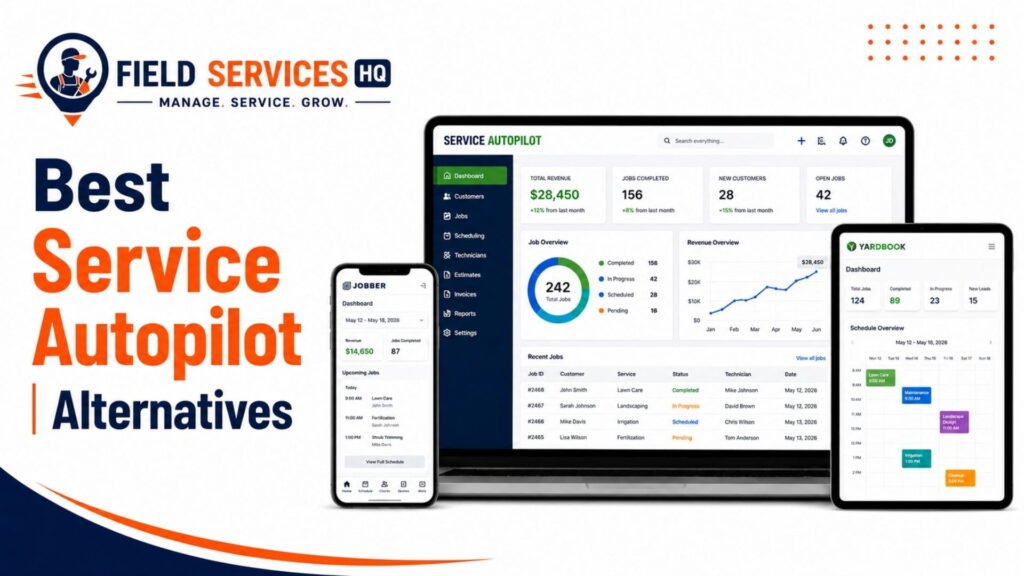
If any of these considerations are deal-breakers, it may be worth looking at some of the alternatives we’ve covered in our Service Autopilot alternatives guide.
Service Autopilot by Pest-Control Business Model
Not all pest control companies are created equal, and a software solution that serves one type of business will likely fall short for another. Below, I’ll briefly discuss how Service Autopilot would work for the most common pest control business models.
Residential general pest control. Service Autopilot is ideal for residential pest control companies because it covers all the essential workflows for a business that offers recurring treatments (quarterly or bi-monthly plans) and has a significant number of residential clients.
Commercial pest control. Service Autopilot can handle the needs of a commercial pest control company, albeit with some limitations and potential workarounds.
Termite-focused businesses. This type of pest control company is probably not a good fit for Service Autopilot, as it lacks native support for some of the essential operations, such as termite inspection forms.
One-time and emergency service companies. These businesses may find the conversion from estimate to invoice useful, as it streamlines the sales process for one-time treatments. However, the remainder of the application is geared toward automating and streamlining processes for recurring treatments, which makes it a less compelling option for companies that only offer occasional services.
Multi-location or multi-service operators. This is precisely the space where Service Autopilot shines. If your business provides more than one type of service (pest control and lawn care, or mosquito control and cleaning, for example) or has multiple locations, the ability to manage everything in one place while giving your technicians access to all the relevant customer information will be worth the investment.
Features That Matter Most for Pest Control
When considering a field service management software solution for your pest control company, you should identify the features that you need the most and what you’d be willing to forgo. Furthermore, you should ensure that any essential features are available in the software and that the vendor can support your workflow. I’ve categorized the features below by necessity.
Must-have:
- Recurring service scheduling with flexible billing intervals
- Route optimization across technician territories
- Mobile application for field technicians (job details, customer history, and photos)
- Online and automated payment collection
- Customer communication automation (reminders, follow-ups)
Important:
- QuickBooks or accounting software integration
- Custom forms for service documentation
- Revenue and technician-specific reports
- Marketing automation for customer retention and win-back
Verify directly with the vendor before buying:
- Chemical/product usage tracking fields and whether they map to your state’s compliance requirements
- Termite/WDO inspection form support (native or custom-built)
- Commercial account reporting capabilities for larger contracts
- Data migration support if you’re switching from pest-control-specific software
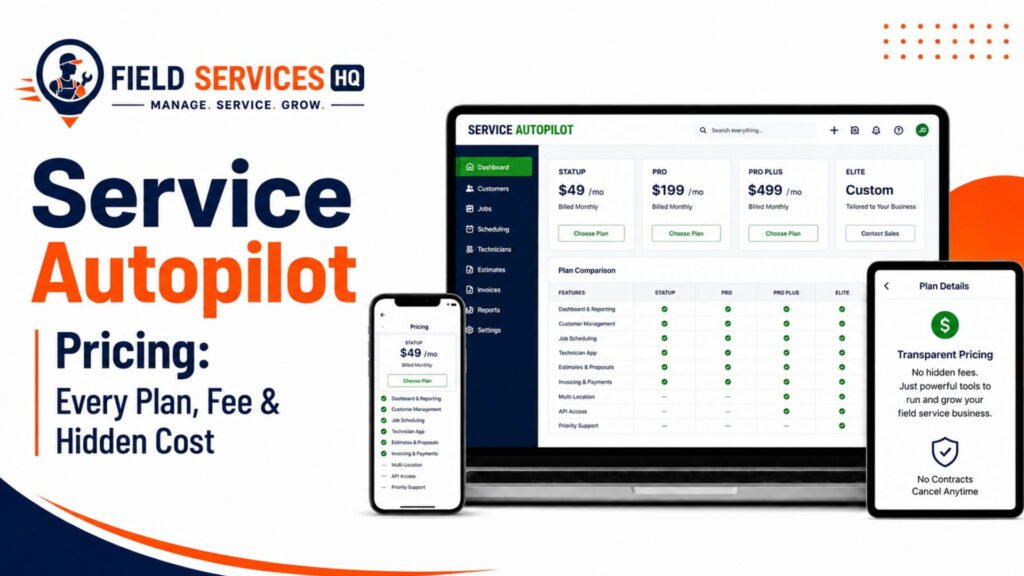
Actual current pricing tiers, as published pricing on third-party comparison sites is frequently outdated; the Service Autopilot pricing breakdown covers what to expect and how the plans are structured
| Consideration | Service Autopilot | Pest‑Control‑Specific Software |
|---|---|---|
| Built for pest control from the ground up | No — pest control added later as a vertical | Yes — designed specifically for pest workflows |
| Recurring residential billing | Strong (quarterly/bi‑monthly cycles align with lawn care DNA) | Strong |
| Route optimization | Strong (multi‑stop routing engine) | Strong |
| Chemical/compliance tracking | Limited; requires custom fields or workarounds | Native fields for EPA reg #, application rates, target pests |
| Termite/WDO workflows | Limited; no NPMA‑33 or termite bond logic out of the box | Native termite/WDO inspection forms and workflows |
| Multi‑service business support | Strong; lawn, cleaning, pest, irrigation, snow all in one | Weak to none; focused on pest only |
| Pricing model | Flat tiered pricing, unlimited users on most plans | Often per‑user or per‑technician pricing |
| Best suited for | Multi‑service operators, general residential pest control | Pure‑play pest control, especially termite‑heavy or compliance‑heavy |
The bottom line is that if pest control is only one or two of the three or four service lines your company provides, Service Autopilot’s broad scope advantage over pest-control-specific software is valuable; otherwise, you would be better off using a platform that was developed specifically for pest control.
Pest-Control-Specific Software Use Cases
- You provide lawn care for 800 residential customers and have decided to begin providing general pest control as a cross-sell to these customers. In this scenario, Service Autopilot is a good choice because it provides a centralized database of customer information, including accounts receivable and technician routing. Adding pest control as an additional service line within Service Autopilot is a more efficient option than buying a second software platform.
- Your pest control company has 1,200 recurring residential customers and provides no other type of service. Service Autopilot could manage this business, but it is likely that a pest-control-specific application would provide more detailed reporting and recordkeeping capabilities out-of-the-box, requiring less configuration.
- 40% of your revenue is generated from termite work and WDO (wood destroying organism) inspections. This is a clear example of a business for which Service Autopilot is a poor fit. Because the industry-specific nuances of termite management and WDO reporting have not been incorporated into Service Autopilot’s logic, it is likely that you would need to dedicate significant resources to developing and implementing workarounds for these specialized requirements, or alternatively, purchase a termite-and-WDO-specific application.
- Your company provides pest control exclusively to restaurant and light manufacturing accounts, and you are required to keep highly detailed service histories for these accounts to satisfy health inspector requirements. Generalized field service reporting capabilities could be configured to meet these needs, but it will likely require more upfront configuration than a pest-control-specific application that has built-in support for commercial pest account reporting.
Service Autopilot Cost and Pricing
Service Autopilot uses a tiered, per-venue pricing model. Most plans include all users, which is a significant departure from the per-technician software pricing model used by pest-control-specific applications. Service Autopilot tends to be less expensive per-technician as team sizes grow, due to the flat-rate nature of its pricing.
The going rate for Service Autopilot appears to change frequently, and varies between resellers. As such, any published price for Service Autopilot should be treated as an estimate, and should be confirmed with your reseller. Our Service Autopilot pricing page provides a detailed review of the current plan structure, and the types of businesses that would be a good fit for each plan. Because implementation and training costs are not standardized, they are frequently omitted from published pricing, but are discussed in more detail in our Service Autopilot implementation and training guide.
Software ROI Considerations
When analyzing the return-on-investment for a software purchase, the key metrics to consider are:
- Overall implementation and training time required. A broad-based application that is primarily focused on a different industry (in this case, lawn care) tends to require more configuration and training time to implement correctly for pest control than a narrowly focused, pest-control-specific application.
- Scope of historical data migration. When migrating from a pest-control-specific application to Service Autopilot, it is important to understand what types of data can be migrated.
- Workarounds and compensatory processes. If you decide to use Service Autopilot for your pest control accounts, but continue to use a pest-control-specific application for chemical usage tracking and compliance, make sure to analyze the time_costs involved in maintaining two nearly identical sets of customer and service records. If you find that you need to implement significant compensatory processes in order to make Service Autopilot work for your pest control accounts, this adds significantly to the overall cost of the software.
- Consolidation opportunity. If you have already been using Service Autopilot to manage lawn care or other recurring service accounts, switching to Service Autopilot for pest control allows you to consolidate your recurring service management processes, reducing overall software costs, implementation and training time, customer management overhead and customer-facing touchpoints.
According to the U.S. Small Business Administration, an understanding of how technology acquisition fits into the overall strategic plan is one of the few durable differentiators between successful and unsuccessful technology acquisition decisions in small business. The implications of this research for the current discussion are that there is no single “best” software for pest control; instead you should acquire the technology that best meets the needs of your business.
Pros & Cons of Service Autopilot for a Pest Control Business
The pros and cons of Service Autopilot, as they relate to pest control, are discussed below.
Pros
- Excellent recurring service scheduling and billing functionality, ideal for general pest control plans
- One-click route optimization for technicians
- Flat-rate, unlimited user licensing that becomes less expensive as your team grows
- Powerful marketing automation tools to manage lead nurturing and win-back campaigns
- Two-way QuickBooks integration
- Single-platform solution if you also provide lawn care, cleaning or other types of recurring service
- Large customer base and stable parent company (Xplor Technologies) with extensive experience in the pest control and related industries
Cons
- Pest control is a minor, cross-sell service line in a broader set of services; Service Autopilot is not focused on the nuances of pest control management
- No built-in capabilities to manage chemical usage compliance tracking
- No built-in termite/WDO inspection process
- Commercial account reporting may require additional configuration
- A steeper learning curve than some pest-control-specific applications
- Pricing information is not standardized; software costs are notoriously difficult to compare across vendors
Decision Matrix: Should You Choose Service Autopilot?
Pre-Purchase Checklist
Before purchasing Service Autopilot (or similar FSM platforms) for your pest control business, make sure to:
- Request a demo focused on pest control and not the general lawn care industry
- Ask about chemical/product tracking and if it meets your state’s record keeping regulations
- Inquire if termite/WDO forms are available natively or have to be built
- Request a live pricing sheet for your plan tier and user count (not a third-party review site)
- Confirm if they support migration from your current pest control software
- Test the mobile app with your technicians before large-scale rollout
- Ask about average implementation/project timelines from comparable businesses
- Confirm the difference between out-of-box reporting and custom report creation
- See if they have integration partners beyond QuickBooks for your accounting software
- Review contract language for termination clauses and annual commitments
Final Verdict
Service Autopilot is a sophisticated field service management platform that can handle a pest control business quite well, particularly if it’s already using the tool for lawn care or other home service niches that involve regular customer visits. The built-in recurring billing, route planner, and marketing automation tools all have direct applications for most pest control companies.
Where I’d advise more caution is if pest control is your only service line and you perform any termite inspections, WDO treatments, or commercial/residential compliance work. In these cases, a purpose-built pest control software may save you time by reducing the need to customize reports, invoices, job forms, and other documentation. From a project-readiness perspective, I’d advise asking not what Service Autopilot can do for your pest control business, but if your pest control business can operate within the constraints of a field service management platform designed for lawn care, cleaning, and other residential home services.
If you’re still evaluating your options, our Service Autopilot review and Service Autopilot alternatives guide are good starting points for learning more before scheduling a product demo.
FAQ
Is Service Autopilot good for pest control businesses?
Service Autopilot works well for pest control businesses that also run lawn care, cleaning, or landscaping services, since it consolidates multiple service lines into one system. For pure-play pest control companies, especially those with significant termite or commercial compliance work, purpose-built pest control software typically fits day-to-day operations more precisely.
Was Service Autopilot originally built for pest control?
No. Service Autopilot was originally built for lawn care and outdoor maintenance businesses. Pest control was added later as one of several supported service verticals, alongside cleaning, snow removal, tree care, and irrigation, which is why some pest-control-specific workflows aren’t natively built in.
Does Service Autopilot handle termite and WDO inspections?
Service Autopilot does not have native termite or wood-destroying organism (WDO) inspection forms built into its core workflow the way pest-control-specific platforms do. Companies with significant termite work typically need custom forms or a supplemental tool to manage this documentation properly.
Can Service Autopilot track chemical usage for compliance purposes?
Service Autopilot doesn’t include dedicated, native fields for chemical application compliance tracking (such as EPA registration numbers or state-specific application logs) the way pest-control-specific software does. Businesses with strict state reporting requirements often need to build custom fields or maintain a separate compliance log.
How much does Service Autopilot cost for a pest control business?
Service Autopilot uses flat, tiered pricing with multiple plan levels, and most tiers include unlimited users, unlike per-technician pricing common in pest-control-specific software. Exact current pricing should always be confirmed directly with the vendor, since published third-party figures vary; see our Service Autopilot pricing breakdown for a detailed look at how the tiers are typically structured.
What’s the difference between Service Autopilot and pest-control-specific software like PestPac?
The core difference is that Service Autopilot is a general recurring-service FSM platform with pest control as a supported vertical, while platforms like PestPac are built exclusively for pest control from the ground up. Pest-control-specific software typically offers deeper compliance tracking, termite workflows, and pest-specific reporting, while Service Autopilot offers broader multi-service flexibility and flat, unlimited-user pricing.
Is Service Autopilot better for residential or commercial pest control?
Service Autopilot is generally a better fit for residential pest control, particularly recurring general pest service plans, than for commercial accounts. Larger commercial contracts often require compliance-focused reporting and documentation that Service Autopilot doesn’t build in natively.
Does Service Autopilot have a mobile app for pest control technicians?
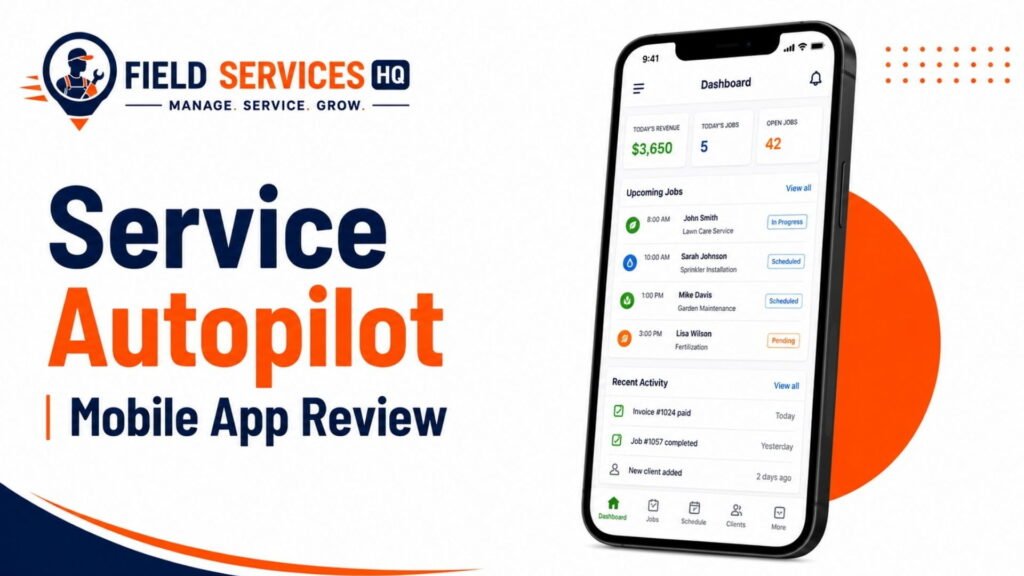
Yes. Service Autopilot includes a mobile app that gives field technicians access to job details, customer history, route information, and the ability to collect signatures and payments in the field. Our Service Autopilot mobile app review covers the app’s functionality and limitations in more depth.
Should a multi-service company (lawn care and pest control) use Service Autopilot?
Yes, this is one of Service Autopilot’s strongest use cases. Companies running pest control alongside lawn care, cleaning, or landscaping can manage all service lines, customer records, billing, and technician scheduling in a single platform, which reduces the administrative overhead of running separate software per division.
What should I ask a Service Autopilot sales rep if I run a pest control business?
Ask specifically how chemical usage and compliance tracking work, whether termite and WDO inspection forms are available natively or require custom building, how commercial account reporting is handled, and for current written pricing based on your actual technician count and plan tier rather than a general quote.