Simpro Software: The Complete 2026 Guide for Field Service Contractors
Choosing field service management software is one of the most consequential decisions a trade business owner makes. Get it right and you cut admin hours, protect margins, and give technicians the information they need in the field. Get it wrong and you end up paying for a platform your team resists using.
Simpro Software comes up constantly in these conversations, especially among electrical, plumbing, HVAC, security, and fire protection contractors who run complex, multi-phase jobs alongside day-to-day service work. I’ve worked with enough field service teams evaluating Simpro against platforms like Jobber and ServiceTitan to know that the “best” answer depends entirely on the shape of your business, not on which platform has the longest feature list.
This guide breaks down what Simpro actually does, what it costs, who it fits, and where it falls short, so you can make an informed decision rather than relying on a sales pitch. For a closer look at real-world user feedback, our Simpro review digs deeper into how contractors rate the platform after implementation.
Quick Answer
For businesses looking for simple field service management, Simpro is field service management (FSM) software built for trade and service business particularly electrical, plumbing, HVAC, security, and fire protection contractors, that need to manage quoting, scheduling, inventory, job costing, and invoicing in one connected system.
It’s best suited to established trade businesses running complex or multi-phase commercial projects alongside recurring maintenance work. Simpro does not publish public pricing; third-party pricing trackers and reseller data commonly cite a range from roughly $30 to $300 per user, per month, depending on the plan, add-ons, and deployment size, with implementation typically running $3,000 to $20,000+.Key Takeaways
- Simpro is Australian-founded (2002, Brisbane) field service and project management software now serving trade businesses across the US, Canada, UK, Australia, and New Zealand.
- Core strengths are job costing, quoting-to-invoice workflow, inventory management, asset maintenance, and reporting for businesses that run both service calls and larger projects.
- Simpro does not publish pricing publicly. You’ll need a custom quote, and third-party research puts per-user monthly costs anywhere from the $30s at the low end to $150 to $300 at the higher end, depending on modules.
- Reported downsides include a steep learning curve, an implementation process that commonly runs 2 to 3 months, and a mobile app that reviewers describe as functional but not best-in-class.
- For simpler service businesses that mostly run one-call jobs, platforms like Jobber are often faster to deploy and cheaper to own. For large, multi-crew residential service operations, ServiceTitan is Simpro’s most common alternative.
- The right choice depends on job complexity, company size, and whether you need deep asset and inventory management or straightforward scheduling and invoicing.
What Is Simpro? A Straight Answer
Simpro FSM is a cloud-based field service and project management platform designed for trade and service businesses, most commonly electrical, plumbing, HVAC, security, and fire protection contractors. It connects the full job lifecycle, lead capture, quoting, scheduling, dispatching, inventory, job costing, invoicing, and reporting, in a single system so office staff and field technicians work from the same data.
The software facilitates scheduling, dispatching, job management, project management, quoting, invoicing, and asset maintenance operations, and it allows users to track job progress, manage documentation, and record field data in real time. Simpro was formed in 2002 by a professional from the electrical industry, and that trade background still shows up in how the platform handles multi-phase commercial work and compliance-heavy jobs.
Simpro is part of a broader software group that also owns AroFlo, BigChange, and ClockShark, and more than 250,000 users worldwide rely on Simpro, supported by offices in the U.S., Australia, and the UK.

Who Simpro Is Built For
Simpro is most used by business owners, directors, and executives who need visibility into job profitability, scheduling, and operational performance, while office managers, operations leaders, estimators, and accounts staff rely on it to coordinate quoting, invoicing, and resource allocation. By trade, construction leads the reviewer base at 35%, with additional use among security and investigations firms at 17%. The platform is built primarily for small businesses in the trades, with 95% of reviewers coming from small companies, though it also serves mid-market and larger commercial operations. A solid share of reviewers, 56%, come from organizations with between 11 and 200 employees, which tells you where Simpro fits most comfortably: established, growing trade businesses, not solo operators.
If you run a one- or two-truck operation doing straightforward residential service calls, Simpro is probably more platform than you need. If you’re running electrical, HVAC, or fire protection crews across service work, planned maintenance, and larger installation projects, it’s worth a serious look.
Simpro’s Core Features
In my experience evaluating FSM platforms, the feature list matters less than how well the pieces connect. Here’s what Simpro covers and how the pieces actually work together.
Quoting and Estimating
Simpro lets you calculate labor, material, travel, and other overhead costs involved in a job so you can create professional quotes and estimates, and you can sync vendor catalogs from the Simpro Premium database to find current material pricing. Approved quotes can be emailed with an online signature option, so customers can accept a quote without a phone call or a site visit. For contractors doing takeoffs, a Takeoffs add-on is available to produce fast, accurate material takeoffs from anywhere.
Scheduling and Dispatching
The platform gives you visibility into team availability so you can make efficient scheduling and dispatch decisions, and it supports bulk-scheduling multiple field staff and equipment while flagging schedule conflicts. A location-tracking feature called Simtrac helps assign the nearest, most qualified technician to the next job, which matters if you’re trying to cut drive time across a large service area.
Mobile Field App
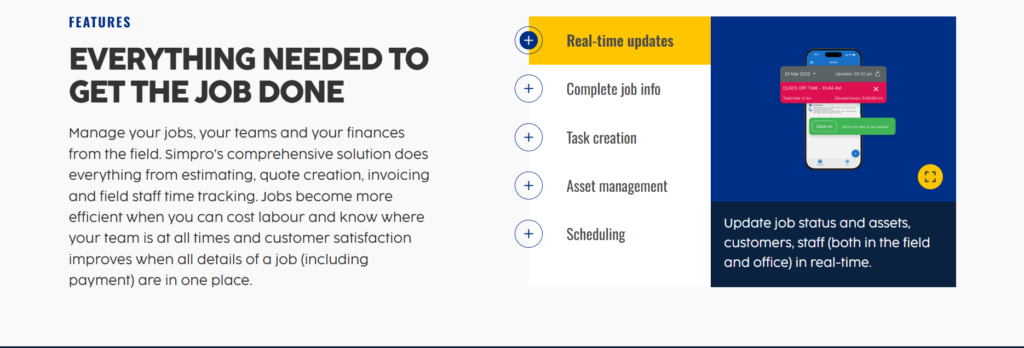
Simpro Mobile allows field staff to clock in and out, view scheduling, estimates, budgets, and quotes, look at job details, and communicate with customers, with information syncing to the office in real time. Technicians can create, manage, and test assets from the field, using in-app QR code and barcode scanning to search and test assets in sequence. Invoicing can also happen on-site: field staff can send invoices and get paid without returning to the office, and Simpro integrates with several accounting platforms so payments record automatically.
One honest caveat here: some users report issues with service ticket creation and reporting limitations, particularly in areas with poor cell service, and one field-tested review notes the mobile app handles job management, time tracking, and basic invoicing on the go, though some features still require the desktop version. If your crews work in rural or low-signal areas often, test offline functionality specifically before you commit. Our breakdown of the Simpro mobile app covers what technicians can and can’t do from the field in more detail.
Inventory and Purchasing
You can manage inventory in real time from anywhere, giving stock visibility to both the office and the field, and see what you have, where it’s located, and when it’s running low. This matters most for electrical and HVAC contractors carrying significant material stock across multiple vehicles or warehouse locations.
Asset and Maintenance Management
This is one of Simpro’s stronger differentiators against simpler scheduling tools. The platform tracks recurring jobs, manages work orders, captures asset test readings, and generates reports to help meet service level agreements. A Maintenance Planner add-on lets you assign multiple service levels and testing frequencies for assets, and sends alerts when an asset is due for maintenance or fails testing. For fire protection, security, and compliance-driven electrical work, this asset-history and SLA tracking is often the deciding feature CRM and Customer Communication
Customers can view quotes, jobs, invoices, and assets in one place, with detailed communication and job history attached to every project, and notes or photos are accessible to the whole team in the office or field. A customer portal option lets clients pay invoices anytime, view quote updates as they come through, and update their own contact and site information without calling the office.
Reporting and AI Tools
Simpro has leaned into AI features in recent product cycles. Simpro Lightning is described as an AI layer built into the FSM platform that manages reporting, technician training, job prep, documentation, and customer communication, built around a natural-language assistant called Cooper. A feature called JustAsk connects to your Simpro data and answers business questions in natural language, aimed at cutting the 5 to 10 hours a week trade owners commonly spend on manual reporting. Simpro’s Q1 2026 release added Fast Cash, an accounts receivable automation agent that analyzes customer payment history and relationships to time follow-ups. Independent analysts have also noted the platform’s reporting depth: SelectHub research analysts have evaluated Simpro and concluded it earns best-in-class honors for billing and invoicing, mobile capabilities, and reporting and dashboards.
Integrations
Simpro has over 100 integrations with other software platforms and suppliers, which helps keep field service workflows connected without costly custom development or heavy IT involvement. Accounting sync (QuickBooks Online being the most common in the US market) is one of the most frequently used integrations, though it’s worth noting in the FAQ section below where users have flagged sync issues.
Simpro Pricing: What It Actually Costs
This is where a lot of research falls short, so let’s be direct about it. Simpro Pricing does not publish pricing on its website. Pricing is tailored to your team size, whether staff are office-based or in the field, and which add-ons you need, and you can choose monthly or annual billing. You’ll need to request a custom quote to get an exact number. For a fuller breakdown of what shapes that quote, see our Simpro pricing guide.
That said, third-party pricing research gives a reasonable range to plan around:
| Source estimate | Reported price range |
|---|---|
| Software Advice / SelectHub | Starting around $30 per user, per month |
| ITQlick market analysis | Roughly $70 per user, per month at entry, scaling with team size |
| Field Service Guide (2026 review) | $150 to $300 per user, per month, with enterprise pricing custom-quoted |
| BlueSuite pricing comparison | Roughly $70 or more per user, per month, with implementation for small businesses reported at $3,000 to $10,000 or higher |
A few things to keep in mind when budgeting:
- Implementation and training are separate line items. For small and mid-sized businesses, implementation, customization, training, and data migration can add $3,000 to $10,000, while larger enterprise deployments can exceed $20,000 depending on complexity.
- Larger deployments scale differently than you’d expect. One market estimate put a 10-user deployment at roughly $700 to $1,200 per month, and a 100-user deployment at $7,000 to $10,000 per month.
- Contract escalators are worth asking about up front. At least one user reported being locked into a contract with an expected annual price increase in the high single digits, or a potential increase as high as 12%. Ask your sales rep directly whether your contract includes an automatic renewal escalator, and get the percentage in writing.
- Add-ons change the total fast. Digital Forms, Data Feeds, Maintenance Planner, Takeoffs, and mobile licensing are commonly sold as separate modules on top of the core Premium plan.
If you want to sanity-check any quote you receive against your current admin costs, run the numbers through our field service software cost calculator before you sign anything.
Simpro Pros and Cons
No platform is a perfect fit for every trade business, and I’d be doing you a disservice if I only listed the good parts.
What Users Consistently Like
- Deep job costing and financial visibility. Users describe the workflow as comprehensive yet logical, with the ability to turn a lead into a quote, track it into a job, and carry it through to an invoice and payment.
- Strong asset and compliance tracking. The ability to easily add photos and attachments to jobs, along with tracking asset information and test readings, is frequently called out as a standout feature.
- Field-to-office connection. One user described the shift from an old server-based system to Simpro’s cloud-based platform as transforming how end-to-end work, from lead to invoicing, streamlined their business processes.
- Solid reporting. Reviewers point to strong reporting and analytics, enhanced by predictive AI insights, as delivering actionable data rather than raw numbers.
- What Users Consistently Flag as Limitations
- Learning curve. The extensive feature set can be overwhelming for new users, requiring a real time investment to master the platform effectively.
- Implementation length. Based on 440-plus verified reviews across G2 and Capterra, implementation is commonly reported as complex, with a typical timeline of 2 to 3 months.
- Interface friction for new users. One accounts manager in construction described the interface as feeling a bit clunky and unintuitive, especially for staff new to the platform.
- Mobile app is functional, not exceptional. The mobile app covers the basics well enough for most technicians but is considered weaker than some competitors, with certain functions still requiring the desktop version.
- Setup and support experiences vary. Some reviewers describe onboarding and data migration hiccups, particularly around accounting sync accuracy. Ask for references from businesses similar in size and trade to yours before signing.
From an implementation perspective, I’d treat the 2 to 3 month onboarding window as a planning input, not a worst-case scenario. Budget the staff time for it, and don’t run a parallel manual system longer than necessary once you go live, since that’s usually where adoption stalls.
Simpro vs. Jobber vs. ServiceTitan
This is the comparison contractors ask about most, so let’s lay it out plainly. If you want a wider field, our full list of Simpro alternatives covers additional platforms beyond just these two.
| Simpro | Jobber | ServiceTitan | |
|---|---|---|---|
| Best for | Trade businesses with complex, multi-phase projects and heavy asset/inventory needs | Small to mid-sized service businesses wanting fast setup | Larger, multi-crew residential and commercial service operations |
| Published pricing | No, quote-based | Yes, plans commonly range $39 to $449+/month | No, quote-based, per technician |
| Typical setup time | 2-3 months | Days | Weeks |
| Standout strength | Job costing, asset management, project tracking | Ease of use, client communication tools | Advanced dispatch, reporting, marketing automation |
Jobber fits small field service operations that want fast setup and strong client communication tools, while Simpro fits trade businesses that need deeper project management, inventory control, and financial visibility. Jobber’s core strength is simplicity: features like automated follow-ups, on-my-way texts, and online booking help keep clients informed without extra administrative effort.
Against ServiceTitan, the split is less about simplicity and more about workflow depth for different job types. Simpro covers the full project lifecycle from quoting through invoicing, with multi-stage project tracking that many field service platforms skip, and its roots in Australia show up in a stronger focus on compliance and regulatory tooling, which is useful in regulated trades. ServiceTitan, on the other hand, is generally regarded as the stronger fit for high-volume residential dispatch and marketing-driven growth. Housecall Pro fits small teams needing quick deployment, Jobber offers the best value for growing mid-sized businesses, and ServiceTitan suits larger enterprises with complex, multi-crew operations.
If you’re comparing platforms side by side, our FSM software comparison guide walks through the evaluation criteria that actually predict a good fit, rather than just a feature checklist.
How to Evaluate Simpro for Your Business
Before you sit through a sales demo, get clear on your own requirements. Here’s the practical framework I use with contractors evaluating any FSM platform, applied specifically to Simpro.
- Map your job types. If most of your revenue comes from single-visit service calls, Simpro’s project management depth may be more than you need. If you regularly run multi-phase commercial installs alongside maintenance contracts, that depth becomes the reason to choose it.
- Count your compliance and asset-tracking requirements. Fire protection, security, and regulated electrical work benefit most from Simpro’s asset history and SLA management. If you don’t test or service physical assets on a recurring schedule, this advantage matters less.
- Price out the full stack, not just the license. Ask for the per-user cost across both office and field roles, every add-on you’ll actually need (Digital Forms, Maintenance Planner, mobile licensing), implementation, training, and the renewal escalator percentage.
- Pressure-test the mobile experience with your own crew. Have two or three technicians run a live demo in the field, including in an area with weak signal, before you commit.
- Talk to a reference customer in your trade and your size range. A 15-person electrical contractor and a 150-person commercial HVAC operation will have very different onboarding experiences.
- Confirm your accounting integration works the way you need it to. QuickBooks Online sync is the most common pain point cited in user reviews. Test it with real invoice and supplier data before go-live, not after.
Common Mistakes Contractors Make When Switching to Simpro (or Any FSM Platform)
- Underestimating the onboarding timeline. Trying to compress a 2 to 3 month implementation into a few weeks usually results in incomplete data migration and frustrated staff.
- Not budgeting for add-ons up front. Digital Forms, Maintenance Planner, and Takeoffs are often necessary, not optional, once you see how your team actually works. Price them in before you decide, not after.
- Skipping a real field test of the mobile app. A demo on office WiFi tells you nothing about performance in a basement mechanical room or a rural service area.
- Not assigning an internal champion. Platforms with this much depth need someone on your team who owns the rollout, answers questions, and enforces adoption in the first 90 days.
- Ignoring the renewal terms. A quote that looks competitive in year one can look very different in year three if there’s a built-in annual increase.
Best Practices for Getting Value From Simpro
- Start with the workflows that hurt the most today (usually quoting speed or invoicing delays) and configure those first instead of trying to launch every module simultaneously.
- Use the asset and maintenance planner modules from day one if you do recurring service work. Retrofitting asset history later is far more labor-intensive than capturing it at setup.
- Set a hard cutover date from your old system. Running two systems in parallel for months is one of the most common reasons adoption stalls.
- Review your Simpro reporting monthly against your job costing goals, not just at year-end. The reporting is only valuable if someone is actually using it to make decisions.
Industry-Specific Considerations
- Electrical contractors: Panel upgrades, inspections, and installation jobs benefit from Simpro’s takeoff and estimating tools, while service call dispatch and technician scheduling handle the reactive side of the business.
- HVAC: Preventive maintenance agreements and equipment history are where Simpro’s asset tracking earns its keep, particularly for commercial accounts with service contracts spanning multiple pieces of equipment.
- Plumbing: Emergency calls need fast technician availability lookups, while larger installation and remodel jobs benefit from the same job-costing tools used on commercial electrical work.
- Fire protection and security: This is arguably where Simpro’s asset and compliance tooling is most valuable, given the recurring inspection and test-reading requirements built into the regulatory environment.
FAQ
What is Simpro used for?
Simpro is field service management software used by trade and service businesses to manage quoting, scheduling, dispatching, inventory, job costing, invoicing, and asset maintenance in one connected system. It’s designed to support field service management for businesses in electrical, plumbing, HVAC, and other trade industries, tracking job progress, documentation, and field data in real time.
How much does Simpro cost per month?
Simpro does not publish official pricing, so the exact cost depends on your quote. Third-party estimates place per-user monthly pricing anywhere from around $30 at the low end to $150 to $300 per user, per month at the higher end, depending on plan tier and add-ons, plus implementation costs that commonly run $3,000 to $10,000 for smaller businesses.
Is Simpro good for small businesses?
It can be, but it’s built with more depth than many small operations need. Simpro is used primarily by small businesses in the trades, with 95% of reviewers coming from small companies, but the learning curve and implementation timeline mean it fits best for growing businesses ready to invest in a more structured system, not brand-new solo operators.
What is the difference between Simpro and Jobber?
Jobber fits small field service operations that want fast setup and strong client communication tools, while Simpro fits trade businesses that need deeper project management, inventory control, and financial visibility. Jobber also publishes its pricing publicly, while Simpro requires a custom quote.
What is the difference between Simpro and ServiceTitan?
Both serve larger, more complex service operations, but they emphasize different strengths. Simpro leans into multi-phase project management, asset tracking, and inventory, while ServiceTitan emphasizes real-time job costing, a larger pre-built integration library, and advanced marketing and dispatch tooling built for high-volume residential service.
How long does it take to implement Simpro?
Implementation is commonly reported as complex, with a typical timeline of 2 to 3 months, which is longer than simpler platforms like Jobber that can be operational within days.
Does Simpro integrate with QuickBooks?
Yes. QuickBooks integration is available and works best with QuickBooks Online, though some users report added complexity on larger accounts, so it’s worth testing your specific invoice and supplier data before fully switching over.
Who founded Simpro and where is it based?
Simpro is an Australian-founded company, established in 2002 in Brisbane, created by trade contractor Stephen Bradshaw together with software developer Dale Seymour, with the goal of solving real-world challenges faced by field service and project-based companies.
Does Simpro have a mobile app?
Yes. Simpro Mobile lets field staff clock in and out, view schedules, estimates, budgets, and job details, manage assets, and send invoices from the field, with data syncing to the office in real time. Reviewers note it handles core tasks well but some functions still require the desktop version.
Is Simpro worth the cost compared to cheaper alternatives?
That depends entirely on job complexity. If your business runs straightforward, single-visit service calls, a lower-cost platform will likely deliver comparable value at a fraction of the price. If you manage multi-phase commercial projects, recurring maintenance contracts, and asset-heavy compliance work, Simpro’s depth in those areas can justify the higher total cost of ownership. There is no universal answer here, and no software vendor can promise guaranteed ROI. Run the numbers for your specific job mix before deciding.
Final Thoughts
Simpro is a genuinely capable platform for trade businesses that have outgrown basic scheduling tools and need real job costing, asset tracking, and project management depth. It is not the fastest platform to implement, and it is not the cheapest, but for electrical, HVAC, plumbing, fire protection, and security contractors running complex commercial work, that depth is often exactly what’s missing from simpler tools.
The mistake I see most often isn’t choosing the wrong software category. It’s skipping the requirements-mapping step and picking a platform based on a demo instead of on how your actual jobs, crews, and cash flow work. Whatever you choose, price the full stack, test the mobile app in the field, and talk to a reference customer who looks like your business before you sign.
If you’re still narrowing down your options, our field service management software guide breaks down the full evaluation process, and our scheduling and dispatch software resources can help you compare that specific piece of the workflow across platforms.
This article was researched using publicly available product documentation, verified user reviews on Capterra, G2, Software Advice, and Gartner Peer Insights, and third-party pricing analysis current as of 2026. Simpro does not publish official pricing; contact the vendor directly for a current quote specific to your business.