Best FieldPulse Alternatives: 7 Field Service Software Options Compared (2026)
Quick Answer
The best FieldPulse alternatives in 2026 are Jobber (simplest setup), Housecall Pro (booking and marketing), ServiceTitan (large HVAC, plumbing, and electrical teams), Service Fusion (unlimited users at a flat rate), Workiz (call-heavy trades), Kickserv (budget-friendly QuickBooks shops), and Service Autopilot (landscaping and pest control routes). Most contractors switch because FieldPulse does not publish pricing, charges per seat, and locks AI features like Operator AI behind paid add-ons.
If you’ve been quoted a changing price for FieldPulse by the company’s sales team, you’re not crazy – they do have a custom-quote, tiered-pricing model. There’s a base subscription cost plus a per-seat fee, and “full access” seats are consistently more expensive than “field only” seats. According to the 2026 FieldPulse pricing research conducted by ServiceAgent, larger crews reported costs of at least $99 per month for a small team up to $399+ per month before add-ons.
I’ve spent over a decade helping field-service companies select, implement, and sometimes abandon software solutions that fail to meet their needs. While I believe FieldPulse is a great solution for many contractors, it is rarely the right choice – and difficult to justify on price alone.
In this guide, I’ll discuss seven competitors to FieldPulse and explain who should continue using the software.
Here is the short version before you read the details below.
| Software | Starting Price | Pricing Model | Best For | Free Trial |
|---|---|---|---|---|
| Jobber | $39/mo (Core) | Per plan, tiered | Solo operators and small crews wanting simplicity | 14 days |
| Housecall Pro | $59/mo (Basic) | Per plan + per user on top tier | Marketing, booking, and customer communication | 14 days (MAX plan) |
| ServiceTitan | ~$245/tech/mo | Per technician | Large HVAC, plumbing, electrical operations | No |
| Service Fusion | $208–245/mo | Flat rate, unlimited users | Teams of 8+ techs who hate per-seat pricing | No |
| Workiz | Free (Lite) to ~$350/mo | Tiered + free entry tier | Appliance repair, locksmith, call-heavy trades | Free Lite plan |
| Kickserv | Free (2 users) to $239/mo | Tiered by user count | Small QuickBooks-based shops on a budget | 30 days |
| Service Autopilot | $49–$499/mo | Flat, tiered by feature | Lawn care, landscaping, pest control routes | No |
Every price above reflects current vendor pricing pages, Capterra, G2, or 2026 independent pricing reviews cited throughout this article. Vendors update their pricing plans frequently and independently, so be sure to double-check with your selected vendor about the specific rate.
Which FieldPulse Alternative Should You Choose?
Jump ahead to your scenario
Looking for simpler software? Choose Jobber. It has the simplest interface of any tool in this list, and most solo contractors are already up and running with a new job within 24 hours
Prioritizing price? Choose Kickserv or Service Fusion. Both have compelling free tiers, but Kickserv’s plan allows two users for free, whereas Service Fusion bills one flat rate regardless of users.
Needing better scheduling and dispatching features? Choose ServiceTitan. It has the best-in-class dispatch board and job costing tools available, but it’s only recommended for HVAC, plumbing, or electrical contractors with 10 or more technicians.
Want more marketing and customer tools? Choose Housecall Pro. It has the most robust marketing automation tools, but you’ll need to upgrade to the Essentials plan to get request reviews, financing, and other important tools.
Have a smaller crew? Choose Jobber Core or Kickserv’s free or Start plan. Both are significantly pricier once you get past a single user, or past five in the case of Kickserv.
Looking to scale past 10 technicians? Choose Service Fusion or ServiceTitan based on your industry. Service Fusion has a flat monthly rate, and is ideal for residential HVAC, plumbing, and electrical contractors. ServiceTitan has more in-depth financial reporting, and is recommended if you have more than 10 techs and want to grow further.
In the HVAC, plumbing, or electrical industries? Choose ServiceTitan or Service Fusion. They’re both designed specifically for licensed contractors and include tools for service agreements and parts inventory.
Working in landscaping, pest control, or other recurring verticals? Choose Service Autopilot. Recurring service contractors should read our Service Autopilot review to learn more about its powerful route optimization and invoicing automation before making a decision.
Why Are Businesses Looking for FieldPulse Alternatives?
Based on conversations I have had with contractors about their field service software options, there are several issues that tend to come up often, and none are specific to FieldPulse. Yet, taken together, they form what appears to be the biggest complaints motivating people to search “fieldpulse alternatives.” These include
- Pricing: FieldPulse does not give exact figures on their website; you’ll have to arrange a call to discuss your options, which makes budgeting difficult. According to FieldPulse reviews on ServiceAgent, it utilizes a revenue model that combines a subscription plan and additional fees for popular add-ons (Engage VoIP phone system, Operator AI dispatching, and GPS tracking). The latter tends to be one of the biggest expenses, with a suggested price of $30 per vehicle per month.
- Features: As mentioned in the FieldPulse 2026 review by FieldCamp , it does not utilize the latest technologies in intelligent dispatching and workflow management, requiring teams to take over and control the process.
- Limits: The program’s scheduling and dispatching tools do not support advanced automations and lack conflict resolution mechanisms, and reporting and invoicing tools do not provide sufficient customization options, according to research.com’s FieldPulse review
- Mobile: Options are limited and the interface awkward, notes the same FieldCamp survey, an important consideration given that mobile workers will handle the majority of your field service operations.
- Marketing: Tools are available, but the suite does not specialize in them the way some competitors do. Thus, marketing automation options are found in more comprehensive solutions like Housecall Pro , which also include referral programs, reviews, and email marketing.
- Integrations: Fewer third-party applications are integrated into FieldPulse, including accounting software (QuickBooks Online, Zapier, Xero), time tracking (NiceJob, CompanyCam), email marketing (Mailchimp), and Google Calendar, compared to some competitors. This is not a deal-breaker category because FieldPulse offers excellent integration with QuickBooks Desktop.
- Plan cost: For small businesses, these costs can add up quickly – particularly when budgets are tight. For example, a five-technician team’s annual budget would need to accommodate approximately $17,000 for FieldPulse subscriptions and add-ons, based on figures from FieldCamp’s study. This may prove a significant expense for contractors who intend to scale their operations and purchase additional vehicles within the next 12 months.
That last stat is key. There are 36.2 million small businesses operating in the United States as of 2025, according to the SBA Office of Advocacy’s 2025 Small Business Profile, and the field service software market has room for those who can offer the platform their industry needs, whether it be for a crew of 2, 10, or 50, not a generic quote for everyone.
7 FieldPulse Alternatives
I tested each alternative on scheduling capabilities, mobile accessibility, pricing transparency, integrations, and general fit compared to FieldPulse’s feature set. Here are my findings.
1. Jobber

Best for: Solo operators and small teams (1 to 10 people) that want minimal setup and learning
Why it’s a good fit: Jobber has one of the fastest onboarding processes in the industry. Time saved on administrative tasks is reported by many reviewers to be evident within the first month of use.
Key capabilities include:
- Online booking and job scheduling
- Professional quoting and invoicing
- Online payments
- Client hub for customer self-service
- Marketing Suite add-on (review requests, email marketing, referrals)
FieldPulse comparison: Jobber lists all of its pricing on the website while Fieldpulse does not.
What you get: Transparent pricing, simple mobile interface, and wide variety of integrations
What you miss: Two-way text messaging and job costing are only available on the Grow plan. Marketing Suite add-on, Receptionist, and Pipeline are not included on any plan except for Plus.
Pricing: Starting at $39 per month billed monthly, or as low as $28/month billed annually (Capterra’s Jobber pricing page). Connect is $119 to $169/month and Grow is $199 to $349/month depending on the team size – with a Plus plan at $599/month for larger operations (Tekpon’s 2026 Jobber pricing breakdown). Saving up to 40% can be achieved by billing annually.
Who it’s a good fit for: New businesses and solo operators in landscaping, cleaning, or other home services needing basic scheduling and invoicing tools.
Who it isn’t a good fit for: Larger HVAC or plumbing companies with more complex maintenance agreements, try ServiceTitan or Service Fusion instead.
2. Housecall Pro
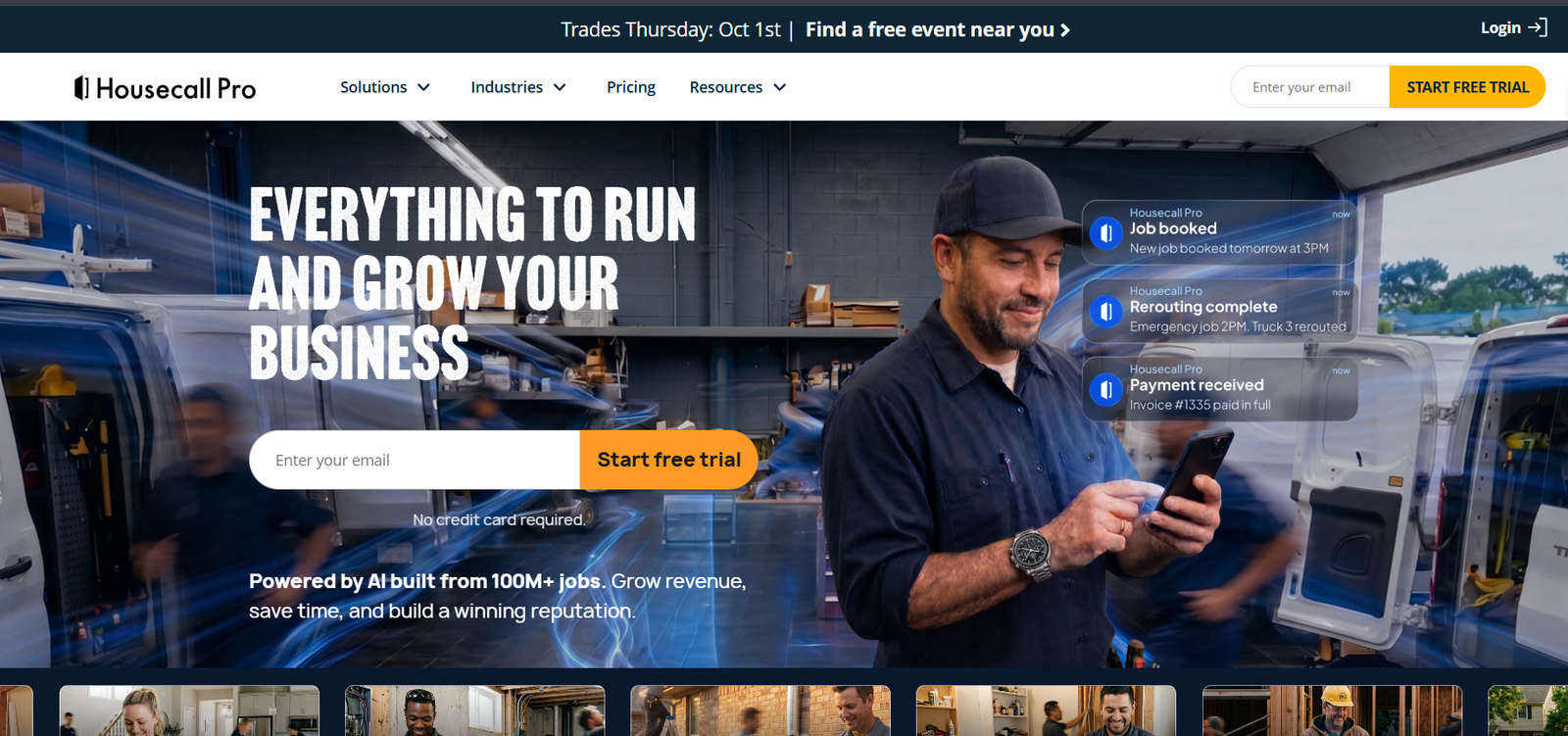
Best for: Home service companies for which marketing and customer relations are key growth drivers
Why it’s a good fit: Housecall Pro puts booking and invoicing tools alongside marketing automation in a single interface. The platform also offers integrated consumer financing to help close larger jobs.
Key capabilities include:
- Online booking widget and automated reminders
- Consumer financing at checkout
- QuickBooks integration (on Essentials plan and above)
- GPS and time tracking
- Referral and review automation
FieldPulse comparison: Both platforms have comparable scheduling and invoicing features. Housecall Pro has more baked-in marketing automation, while FieldPulse emphasizes its Pricebook and Dynamic Proposals for sales presentations.
What you get: More out-of-the-box marketing tools and a transparent pricing page
What you miss: QuickBooks and GPS are not available on the entry-level plan, per FieldCamp’s Housecall Pro review.
Pricing: Basic starts at $59 per month billed annually or $79/month, Essentials is $149 annually or $189/month for up to 5 users, and MAX is $299 annually or $329/month, with additional users at $35/month each (Projul’s 2026 Housecall Pro pricing analysis).
Who it’s a good fit for: HVAC, plumbing, cleaning, or pest control companies looking to integrate customer communications and marketing tools with invoicing and job scheduling.
Who it isn’t a good fit for: Home service solo operators on a budget, since add-ons like Sales Proposals and Price Book can drive the monthly cost well above the Base Plan price.
3. ServiceTitan

Best for: HVAC, plumbing, and electrical companies with 10+ technicians and significant revenue
Why it’s a good fit: ServiceTitan is an enterprise-grade solution in a licensed trade industry, offering advanced analytics, marketing attribution, and dispatching features.
Key capabilities include:
- Dispatch board for technicians with GPS tracking
- Business analysis and marketing reporting
- Maintenance agreement and membership management
- Inspection forms and MapMeasure Pro for property measurement
- Payroll and job costing features (on enterprise tier)
FieldPulse comparison: ServiceTitan is built for larger operations of 20+ technicians, where Fieldpulse would be a good fit for smaller companies of 3 technicians.
What you get: Comprehensive reporting, marketing analytics, and dispatching features for large-scale operations.
What you miss: Significant upfront and ongoing costs. The platform is not as transparent about its pricing, and some users report difficulties switching from ServiceTitan to another EMS, particularly with regard to data migration.
Pricing: Third-party estimates put ServiceTitan at $245 to $500 per technician per month across its Starter, Essentials, and The Works tiers, with implementation costs ranging from $5,000 to $50,000 or more, depending on the scope of work (ITQlick’s 2026 ServiceTitan pricing breakdown). A 10-technician company should expect to spend $51,000 to $63,000 during the first year, including implementation costs, per FieldCamp’s ServiceTitan review.
Who it’s a good fit for: Mid-sized to large HVAC, plumbing, or electrical companies with 10+ technicians, sufficient administrative capacity to manage the implementation process.
Who it isn’t a good fit for: Solo operators and small teams of 5 or fewer people, due to the complexity and cost of the per-technician billing model.
4. Service Fusion

Best for: Teams of 8+ technicians looking for non-per-technician billing
Why it’s a good fit: Service Fusion uses an alternative billing model, where all plans have an unlimited number of office users, field workers, customers, and jobs.
Key capabilities include:
- Unlimited users on every plan
- Drag-and-drop dispatch board
- QuickBooks Online, Desktop, and Enterprise integration
- VoIP phone system
- GPS fleet tracking (add-on)
FieldPulse comparison: This is the most direct comparison between two platforms in terms of billing. While FieldPulse charges extra for every additional user, Service Fusion keeps the price the same regardless of the number of technicians.
What you get: Predictable, scalable pricing, and a strong QuickBooks integration that many users praise.
What you miss: A free trial, a modern interface compared to alternatives, and nine features available only after a sales meeting, per FieldCamp’s Service Fusion review.
Pricing: Starter is $208 to $245/month, Plus is $119 to $0__382/month, and Pro is $119 to $1__627/month (Capterra’s Service Fusion pricing page).
Who it’s a good fit for: HVAC, plumbing, electrical, or appliance repair companies with 10-30 technicians, where per-technician billing would become prohibitively expensive.
Who it isn’t a good fit for: Teams of fewer than 8 people, where the minimum plan would be more expensive than a comparable plan from a competitor.
5. Workiz

Best for: Appliance repair, locksmith, garage door, and other call-volume-intensive specialties
Why it’s a good fit: Unlike most field service management solutions, Workiz is organized around call reception and processing to capitalize on the high call volumes characteristic of certain specialties.
Key capabilities include:
- Built-in business phone system with call tracking
- Job alerts, review requests, and payment reminders
- Genius AI for call analysis and response generation
- Real-time job tracking and assignment
- Free Lite plan for low-volume operations
FieldPulse comparison: Workiz is much more oriented toward call processing than FieldPulse, whose Operator AI voice receptionist is a separate, paid module.
What you get: Powerful built-in call processing and lead management capabilities.
What you miss: The base subscription plan is only a starting point, with phone minutes, SMS credits, additional users, and Genius AI add-ons available for a substantial extra cost, per ServiceAgent’s Workiz pricing breakdown.
Pricing: The free Lite plan allows up to 20 jobs, invoices, or estimates per month. Paid plans vary between approximately $119 to $2__350/month depending on the team size and add-ons (Select Hub’s Workiz pricing analysis; ServiceAgent’s 2026 Workiz pricing guide).
Who it’s a good fit for: Appliance repair, HVAC service call, locksmith, or garage door companies with a high volume of incoming phone leads.
Who it isn’t a good fit for: Operations that rely more on maintenance agreements than on processing individual job requests.
6. Kickserv

Best for: Small QuickBooks-based shops that need to keep software costs below $100/month
Why it’s a good fit: Kickserv is one of the few field service management solutions that has a truly free plan and transparent, published pricing for all plans.
Key capabilities include:
- Free plan for 2 users
- Scheduling, dispatching, invoicing, and estimating
- QuickBooks Online, Desktop, and Xero integration
- GPS tracking and customer portal
- Electronic signatures and online payments
FieldPulse comparison: Kickserv is generally more affordable than FieldPulse, with a free plan and a 30-day free trial, versus a demo-only version of FieldPulse.
What you get: The most affordable entry-level plans and transparent pricing structure.
What you miss: Inventory management, advanced multi-crew routing algorithms, and enterprise-level reporting capabilities, per Field Service Guide’s 2026 Kickserv review.
Pricing: The free plan covers 2 users. Paid plans start at approximately $119 to $3__75/month for 5 users, $119 to $4__149/month for 10 users, and go up to $119 to $5__249/month for 20 users or an unlimited number of users on the Premium plan (SoftwareFinder’s 2026 Kickserv pricing analysis; ITQlick’s Kickserv cost breakdown).
Who it’s a good fit for: HVAC, plumbing, electrical, landscaping, or cleaning businesses with 1-20 employees that use QuickBooks for accounting purposes.
Who it isn’t a good fit for: Growing operations that require additional capabilities such as advanced routing or job costing, where Service Fusion or ServiceTitan would be more appropriate.
7. Service Autopilot

Best for: Lawn care, landscaping, pest control, or cleaning companies with dense recurring residential routes
Why it’s a good fit: Service Autopilot is engineered to handle the peculiarities of recurring residential service routes, which is a substantial advantage over FieldPulse, which is geared toward one-time service calls.
Key capabilities include:
- Route optimization for recurring jobs
- Rules-based automation for follow-up tasks
- CRM and lead management
- QuickBooks two-way sync (Elite plan)
- Client and crew mobile access
FieldPulse comparison: Service Autopilot is a niche product compared to FieldPulse, which covers a wider range of industries. If your company’s operations involve regularly serviced residential routes, the value of Service Autopilot’s automation engine far outweighs the generalist approach of FieldPulse. For a more detailed look at Service Autopilot’s capabilities and limitations, please see our full Service Autopilot review .
What you get: The most comprehensive route automation engine for recurring residential jobs among the reviewed FSM platforms, once it has been properly configured.
What you miss: A free trial, significant learning investment to configure the rules engine, and the most sophisticated tools only available on the $499/month Pro Plus plan, per FSM Advisor’s 2026 Service Autopilot review.
Pricing: Plans start at $119 to $6__499/month (Pro Plus), with an additional $119 to $7__97 one-time setup fee (FSM Advisor’s Service Autopilot pricing breakdown).
Who it’s a good fit for: Lawn care or landscape maintenance companies with 3-25 employees that service the same clients on a regular schedule.
Who it isn’t a good fit for: Solo operators, design/build landscaping companies that perform mostly one-off projects, and anyone who needs to start using the software this week rather than next month.
FieldPulse Alternatives by Trade
The software requirements vary depending on the contractor’s specialization. Below are the Field Pulse alternatives by trade
HVAC:
ServiceTitan for large-scale maintenance and recurring revenue operations with technicians in teams of 10+ and equipment history tracking
Service Fusion for mid-size HVAC companies looking for a flat-rate billing system with an emphasis on unlimited users
Jobber for small-scale installation and service needs
Plumbing:
ServiceTitan for large-scale plumbing operations with emergency service dispatch
Housecall Pro for residential plumbing with financing options for water heater replacement and repiping
Kickserv for small-scale plumbing and affordable software
Electrical:
ServiceTitan or Service Fusion for electrical panel upgrades and inspections at scale
Jobber for electrical contractors focused on service and estimates
Landscaping:
Service Autopilot for landscaping businesses focused on recurring maintenance and mowing (See our Service Autopilot review )
Jobber for landscaping companies with mixed-use needs (design and installations)
Pest Control:
Service Autopilot for recurring service scheduling and history (See our Service Autopilot review )
Kickserv for small-scale pest control contractors
Roofing:
Jobber for roofing contractors focused on estimates and job costing
ServiceTitan for large-scale roofing contractors with a servicing and repair division
Painting and Fencing:
Jobber or Kickserv for small-scale painting or fencing contractors
FieldPulse Alternatives by Team Size
Team of 1-2: Kickserv (free version) or Jobber Core – affordable and intuitive options for small-scale needs
Team of 3-10: Jobber Connect or Grow, Housecall Pro Essentials, or Kickserv Standard — the sweet spot for contractors looking to automate their marketing
Team of 11-30: Service Fusion (flat-rate billing is more cost-effective than ever increasing per-seat pricing) or ServiceTitan Essentials (for plumbing, HVAC, or electrical needs with a higher level of reporting)
Team of 30+: Service Titan The Works (an end-to-end solution for field service needs) or Service Fusion Pro (flat-rate billing at scale)
FieldPulse Alternatives Pricing Comparison
Here is a side-by-side for a mid-size team, using published starting prices and third-party 2026 estimates. Actual costs depend on team size, add-ons, and billing term.
| Software | Entry Price/Mo | Mid-Tier Price/Mo | Pricing Structure | Setup/Implementation Fee |
|---|---|---|---|---|
| FieldPulse | ~$89–99 (unpublished) | ~$399+ | Base + per-seat | Not published |
| Jobber | $39 | $119–199 | Tiered plans | None |
| Housecall Pro | $59 | $149–189 | Tiered + per-user on top tier | None |
| ServiceTitan | ~$245/tech | ~$300–400/tech | Per technician | $5,000–$50,000+ |
| Service Fusion | $208–245 | $324–382 | Flat, unlimited users | None published |
| Workiz | Free (Lite) | $198–350 | Tiered + add-ons | None |
| Kickserv | Free (2 users) | $95–159 | Tiered by user count | None |
| Service Autopilot | $49 | $199–499 | Flat, tiered by feature | ~$93–97 signup fee |
FieldPulse Alternatives Feature Comparison
| Feature | FieldPulse | Jobber | Housecall Pro | ServiceTitan | Service Fusion | Workiz | Service Autopilot |
|---|---|---|---|---|---|---|---|
| Published pricing | No | Yes | Yes | No | Partial | Partial | Yes |
| Unlimited users | No | On some plans | No | No | Yes | No | No |
| Free trial | No (demo only) | 14 days | 14 days (MAX) | No | No | Free Lite plan | No |
| Built-in phone/VoIP | Add-on | Add-on | No | Yes (higher tiers) | Yes | Yes | No |
| Route automation | Basic | Basic | Basic | Advanced | Moderate | Basic | Advanced |
| QuickBooks integration | Yes | Yes | Essentials+ | Yes | Yes | Yes | Elite plan |
| Best team size | 2–20 | 1–15 | 1–20 | 10+ | 8–30 | 2–20 | 3–25 |
What to Test Before Switching From FieldPulse
Do not migrate on a feature list. Test a real-world workflow.
- Book a demo and open up a real job. Test creating a work order the way you would in the course of business, from lead to invoice.
- Test the mobile app in-the-field, not at the office. Have your technician test it on an actual job site with ordinary cellular reception, not the office’s WiFi.
- Send a real customer communication. Confirm that estimates, reminder, and invoices send in a way that your customer actually receives and understands them.
- Run a payment through the system. Confirm that your processing fees and payout schedule actually matches what you were quoted.
- Test the reporting you actually use. If you run a weekly report on revenue by technician in FieldPulse, run the same report on the alternative you’re considering.
- Ask a pointed question about data export. Write to the vendor and ask them to describe in detail how you would export your customer and job data if you ever wanted to leave them.
How We Evaluated These Alternatives
Every price, feature, and statistic in this article is pulled from vendor pricing pages, Capterra, G2, SelectHub, and third-party field service software reviews published or updated in 2026 with sources cited throughout the article.
Field service software pricing and feature sets change rapidly and frequently without warning, so treat all numbers in this article as general planning guidances and always confirm final pricing with your chosen vendor before signing any contracts. Field Services HQ does not accept payment from software vendors for inclusion or favorable mention in this article.
How to Switch From FieldPulse
The process of switching field service management software can be stressful if you do not plan ahead. One helpful methodology is to approach the transition like any other operational change: plan it, test it, and execute it during a period of low overall pressure for your business.
- Export your data before ending your subscription. Customer information, job history, and invoicing data should all be extracted from FieldPulse before you cancel your account.
- Choose your new software from the options above, based on your business needs rather than price alone
- Run both systems in parallel for one to two weeks before committing to a switch. Allow your team to grow accustomed to the new system on less stressful jobs before cancelling your old subscription.
- Batch customer and pricing data migrations rather than migrating them mid-season. Migrate during a slow period rather than during your busiest time of year.
- Make sure to train your technicians on the mobile app, as they tend to require more hands-on training. Office workers tend to pick up new software faster than field technicians.
- Cancel your FieldPulse subscription only after a trouble-free billing cycle on your new software.
If your business also uses a larger enterprise system for financials or inventory, it may be worth test-driving your new FSM platform’s ability to integrate with your existing systems, as issues with data synchronization tend to arise more frequently than most companies plan for.
Who Should Stay With FieldPulse?
There is no shame in staying put. Based on our review, FieldPulse is a good fit for companies that
- Already use Operator AI or Fleet Tracking and find them to be generally useful tools.
- Have a small enough team that the per-seat cost of FieldPulse has not become unbearable.
- Find FieldPulse’s customer support to be responsive and helpful, as many reviewers do.
- Have significantly invested time and effort into customizing FieldPulse’s pricebooks and proposal templates.
If none of the above describe you, and you find yourself actively troubled by FieldPulse’s lack of transparency around pricing, limitations on scheduling options, or poor mobile responsiveness, one of the seven platforms above is likely worth a test drive.
Final Decision Framework
Evaluate these four questions in this specific order.
What is the current size of your team, and what will it look like in 12 months? If your team has fewer than 10 people, choose Jobber, Housecall Pro, or Kickserv. If you have more than 10 people on your team, choose Service Fusion or ServiceTitan.
What is your trade? If you perform recurring-route services (landscaping, pest control), use Service Autopilot. If you have to license your trade or include maintenance agreements (HVAC, plumbing, electrical), use ServiceTitan or Service Fusion.
Does your company prioritize low monthly costs, or does it favor the deep feature sets of more expensive systems? If your company has limited budget, consider a free trial of Kickserv or Jobber Core. If your company wanted to maximize its options but couldn’t justify the expense, consider a free trial of ServiceTitan or Housecall Pro MAX.
Can you afford the disruption right now? If your busy season will begin in 60 days or less, delay software replacement until after your slowest time of year and follow the parallel test advice from earlier in this guide. If you have 90 days or more before your busy season begins, you have enough time to trial the software.
There is no field service management system that fits every contractor’s needs, but there are options best suited for team size, trade, and budgets. The suggestions provided above should help any contractor reach a conclusion without scheduling seven different sales calls.
Confused About Fieldpulse ? Go Through Our Fieldpulse Hub.
FAQs
What is the best free alternative to FieldPulse?
Kickserv offers the most functional free plan among FieldPulse alternatives, supporting 2 users with scheduling, invoicing, and basic customer management. Workiz also offers a free Lite plan, though it caps usage at 20 jobs, invoices, and estimates per month. Neither free tier matches FieldPulse’s full feature set, but both are viable for a solo operator or a two-person crew getting started.
Is Jobber cheaper than FieldPulse?
Yes, for most small teams. Jobber’s Core plan starts at $39 per month with published pricing, according to Capterra. FieldPulse does not publish pricing, but third-party estimates place its cost between $99 and $399 or more per month before add-ons, according to ServiceAgent’s 2026 research. Jobber also avoids FieldPulse’s per-seat cost structure at its lower tiers.
Which FieldPulse alternative is best for a small HVAC company?
Service Fusion or Jobber, depending on team size. Service Fusion’s flat, unlimited-user pricing suits HVAC shops with 8 or more technicians who want predictable monthly costs. Jobber fits smaller HVAC service-call businesses (1 to 10 people) that need simple scheduling and invoicing without enterprise complexity.
How much does ServiceTitan cost compared to FieldPulse?
ServiceTitan costs significantly more. Third-party estimates place ServiceTitan at $245 to $500 per technician per month plus $5,000 to $50,000 or more in implementation fees, according to ITQlick’s 2026 pricing breakdown. FieldPulse’s reported costs of $99 to $399 per month total (not per technician) make it far less expensive for small teams, though ServiceTitan’s reporting depth may justify the cost for operations with 10 or more technicians.
Does FieldPulse have a free trial?
No. FieldPulse offers a free personalized demo rather than a self-serve free trial, according to ServiceAgent’s 2026 pricing research, meaning you cannot test the platform without a sales conversation. This is a key difference from Jobber, Housecall Pro, and Kickserv, all of which offer free trial periods you can start on your own.
What software do landscaping and lawn care companies use instead of FieldPulse?
Service Autopilot is the most common recurring-route specialist for landscaping and lawn care businesses. Its automation engine is built specifically around dense, repeating residential routes rather than one-off service calls. Read our full Service Autopilot review for pricing details and who it fits best.
Can I export my data if I switch away from FieldPulse?
FieldPulse does not publish specific data export policies on its public pricing pages, so confirm this directly with their support team in writing before switching. As a general best practice, export customer records, job history, and invoices to a spreadsheet or CSV file before canceling any field service software subscription, regardless of vendor.
Which FieldPulse alternative has the most transparent pricing?
Jobber, Kickserv, and Service Autopilot all publish specific dollar figures for every plan on their websites. Housecall Pro and Service Fusion publish pricing for most tiers but require a custom quote for their highest tier. ServiceTitan and FieldPulse do not publish pricing at all, requiring a sales demo for any cost information.
Is switching field service software worth the disruption?
It depends on what the current software is costing you in time and money. According to industry research compiled by FieldServicesSoftware.io, businesses implementing field service management solutions report average cost reductions of 14 to 18 percent in service operations, along with a 22 percent average increase in first-time fix rates.
If your current platform’s pricing, scheduling limits, or mobile app are measurably slowing your team down, a planned two-week parallel migration (as outlined above) usually pays for itself within a quarter.
How many technicians do I need before ServiceTitan makes financial sense?
Most cost analyses place the break-even point around 10 technicians. Below that, ServiceTitan’s per-technician pricing model and implementation fees outweigh its reporting and marketing benefits for most shops, according to FieldCamp’s 2026 ServiceTitan review.
Above 10 to 15 technicians, the deeper reporting, dispatch automation, and marketing attribution tools start to justify the cost for many HVAC, plumbing, and electrical operations.