FieldPulse Hub: Pricing, Features, Reviews and Alternatives

What Is FieldPulse?
Definition: FieldPulse targets contractors, delivering field service management software that unifies scheduling, dispatching, customer records, estimates, invoices, and payments into a cloud-based and mobile application.
FieldPulse bills itself as field service management software for residential and commercial service professionals that replaces whiteboards, spreadsheets, and text.
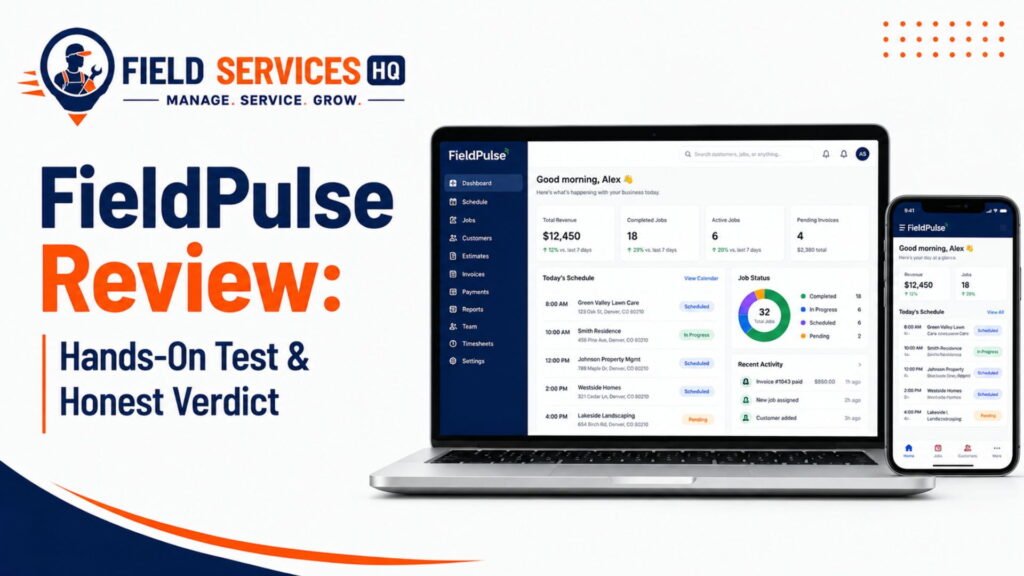
Read Our Full Fieldpulse Review here.
What Type of Software It Is
- Cloud-based FSM software
- Web app plus iOS and Android apps
- Designed for businesses with office and field staff
Problems It Is Designed to Solve
- Overbooked or double-booked jobs
- Double estimates and invoices
- Technicians contacting the office for job details
- Delayed payments
- Lack of insight into profitability per job
Modules at a Glance
- Scheduling and dispatching, work orders, job/project management
- Estimates, invoices, pricebook, FieldPulse Payments
- Customer management, customer portal, booking portal
- Maintenance agreements, asset management, inventory
- Dashboards and reporting
- ClearPath custom workflows
- Add-ons: Engage (phone system), fleet tracking, Operator AI
Who Makes It
- FieldPulse is headquartered in Dallas, Texas, and was founded in 2015.
- Gabriel Pinchev is the founder and CEO.
- It raised $50M in a Series C financing led by Fulcrum Equity Partners with participation from Catalyst Investors on August 11, 2025, and is ranked #534 on the 2026 Inc. 5000 list, according to the company.
The company’s website promotes the product as easier to adopt than enterprise FSM software, a vendor-driven claim that I take with a grain of salt.
How We Tested FieldPulse
Every tool is run like a real service business. No vendor demos. No sandbox data. We pay for the trial or lowest paid plan ourselves.
- We sign up as a real business. Real company details. A paid trial or lowest paid plan. No guided demos or special access.
- We run the full workflow. Create a job, dispatch a tech, complete it in the mobile app, invoice from the job, and take payment.
- We score eight criteria. Scheduling and dispatch, mobile app quality, invoicing and payments, reporting and visibility, integrations, support and onboarding, pricing honesty, and setup effort.
- We publish who should not buy. Clear best-for and not-for profiles, plus deal-breakers.
Where this FieldPulse review stands
- Directly tested by us: not yet completed in this review. No live job lifecycle has been run on a paid FieldPulse account for this article.
- Verified from official documents: pricing page, AI info page, partners page, payment agreement, and help center articles on QuickBooks, payments, offline mode, and imports.
- Verified from review platforms: G2 (375 reviews at last check), Capterra (498 reviews), Apple App Store, and Google Play.
- Independent sites read: several third-party review sites. Some are run by competing vendors, so I cross-checked them against official sources.
- Pricing step: FieldPulse offers no free trial. Step 1 means buying seats under a contract. That is a pricing honesty point in itself.
- Testing limits: the scorecard is a research read, not a live-test score.
Who Is FieldPulse For?
FieldPulse targets organizations that have staff in the office and in the field simultaneously, and the AI information page lists HVAC, plumbing, electrical, septic, garage door, and locksmith as industries that use its software.
Ideal Business Types
- Residential service companies
- Commercial service and equipment repair
- Franchise and multi-unit operators
- Installation plus service
Industries It Covers (FieldPulse Solutions Page)
- HVAC-R, electrical, plumbing
- Garage door, locksmith, septic
- Appliance repair, commercial equipment, fire and security
- Property management, A/V installation, glass repair, general contractors
Ideal Team Sizes
FieldPulse’s dispatch documentation states it is for “5 to 100 person teams or franchise locations.” On Capterra, 97% of reviewers are small businesses.
When It Makes Sense
- You are already running jobs on paper, spreadsheets, or texts
- Your technicians and office staff are not collaborative but competitive
- You want to design the workflow to fit how you work
- You want office, technicians, and customer communication in one place
Who Is FieldPulse Not For?
Nothing is for everyone. Here’s where I’d hesitate.
You may not need FieldPulse if
- You work by yourself or have a handful of jobs per week
- A calendar, QuickBooks, and texting app are enough
Where Fit May Vary
- Solo professionals: The FAQ addresses solo professionals, but seats are purchased upfront for a contract term. Confirm the minimum.
- Large enterprises: For extensive ERP software needs, FieldPulse likely needs to integrate with other systems. See our guide on FSM and ERP software.
Capabilities to Ask About Before Buying
- Advanced project scheduling: G2 reviewer mentioned that Gantt charts and dependencies are either absent or manual.
- Prebuilt flat-rate pricing: A G2 reviewer mentioned that the flat-rate pricebook needs to be purchased and is manual.
- Published pricing: FieldPulse is quote-only.
- Canadian payments, financing: The documentation specifies US businesses (see section 5).
Another Category May Be a Better Fit If
- You primarily need time tracking and GPS but not necessarily job management
- You need to manage recurring services by routes at scale
- You want to start with a free or monthly plan
How Does FieldPulse Help Field Service Businesses?
The actual workflow, as the documentation presents it:
- Scheduling and dispatching: Drag-and-drop calendar and map view, “On My Way” notifications, and auto-assignments
- Estimates and proposals: Good, better, best, templates, and e-signature
- Invoices and payments: Convert work into invoice, accept card, ACH, or link
- Customer management: Unified view of the job, invoices, attached files, photos, and notes
- Technician workflow: Job details, forms, photos, timesheets, and offline mode on mobile
- Job/project management: Work orders, projects, visits, job cost
- Reporting: Dashboards and custom dashboards under the reporting tab
- Communication and automation: Texts, email, customer portal, and phone system (optional add-on)
- Admin productivity: Custom workflows, templates, and QuickBooks sync
FieldPulse cites customer testimonials and case studies that show up to 40% reduction in scheduling time, 25% reduction in no-shows, and 10+ hours of administrative task saved per week. I present these as vendor-reported facts.
FieldPulse Pricing
FieldPulse does not publish pricing. It is seat-based and quoted per team. It does not have a free trial.
What FieldPulse Says About Pricing
- Seats are purchased per contract term in advance
- Full access seats are for the office; lower seats are for technicians
- Add-ons vary between flat-rate, consumption-based, and seat-based
- The December 2025 FieldPulse blog mentions three plans (Essential, Professional, Enterprise), which the current pricing page does not show, so inquire about which plan you qualify for.
| Item | Public or quote-based? |
|---|---|
| Base platform | Quote-based |
| Seat prices (full-access vs field) | Quote-based |
| Free trial | None, per FieldPulse |
| Engage phone system | Line and license-based, ask for details |
| Operator AI, Chat AI, fleet tracking | Add-ons, ask for details |
| ClearPath | Included at no extra cost, per FieldPulse |
| Payment processing fees | Listed in the payment agreement |
Do not trust third-party price tables
FieldPulse says that pricing on review sites is not verified by the company. The spread backs that up:
| Third-party site | Price it reports (unverified) |
|---|---|
| Softabase | $65 to $115 per user per month |
| Field Service Software IO | $70 to $130 per user per month |
| SoftwareSuggest | $99 and $149 per user per month |
| Research.com | $29 and $49 per user per month |
Those cannot all be right. Get a written quote.
Payment processing fees
FieldPulse’s Payment Processing Agreement listed these fees when I checked. FieldPulse can update them.
| Fee | Amount |
|---|---|
| Card transactions | 3.00% |
| ACH transactions | 1.00% |
| Per-item fee (card and ACH) | $0.25 |
| Refund per item | $0.25 |
| Chargeback, ACH return, or dispute | $25.00 |
| Account updater (per card) | $0.50 |
| Deposit fee | $0.50 |
| Monthly access fee | $9.00 |
| Next-day funding | 0.50% volume fee |
The standard fund time is 2 business days for cards and 4 for ACH, whereas the next-day funding is 1 business day for cards and validated ACH, respectively. According to the help center, FieldPulse Payments is available for businesses based in the United States.
Confirm before purchase
- The exact pricing for enterprise seats and per field seat
- Contract duration, renewals, and cancellation
- All add-ons with a written description
- Onboarding and data migration costs
- Payment processing and monthly access fee
- Outcomes if an add-on misses expectation
Reviewers on Capterra and G2 note the concerns about the contract lock-in and extra cost with add-ons: get the promises of AI in writing.
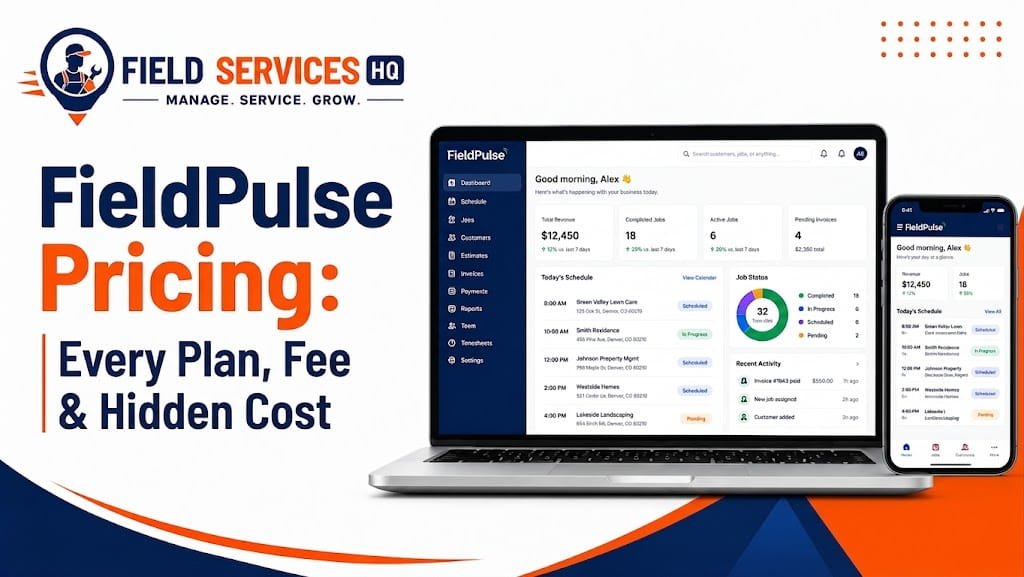
For the mathematical background, you can find more details in our FieldPulse pricing guide.
FieldPulse Features
Scheduling and Dispatch

- Drag-and-drop calendar with filters for technicians, location, and status
- Map view and GPS tracking in the description of FieldPulse’s dispatch
- Google calendar sync
- Recurring jobs and automatic reminders for customers
Read Our Full Fieldpulse Scheduling & Dispatch Review here.
CRM and Customer Management
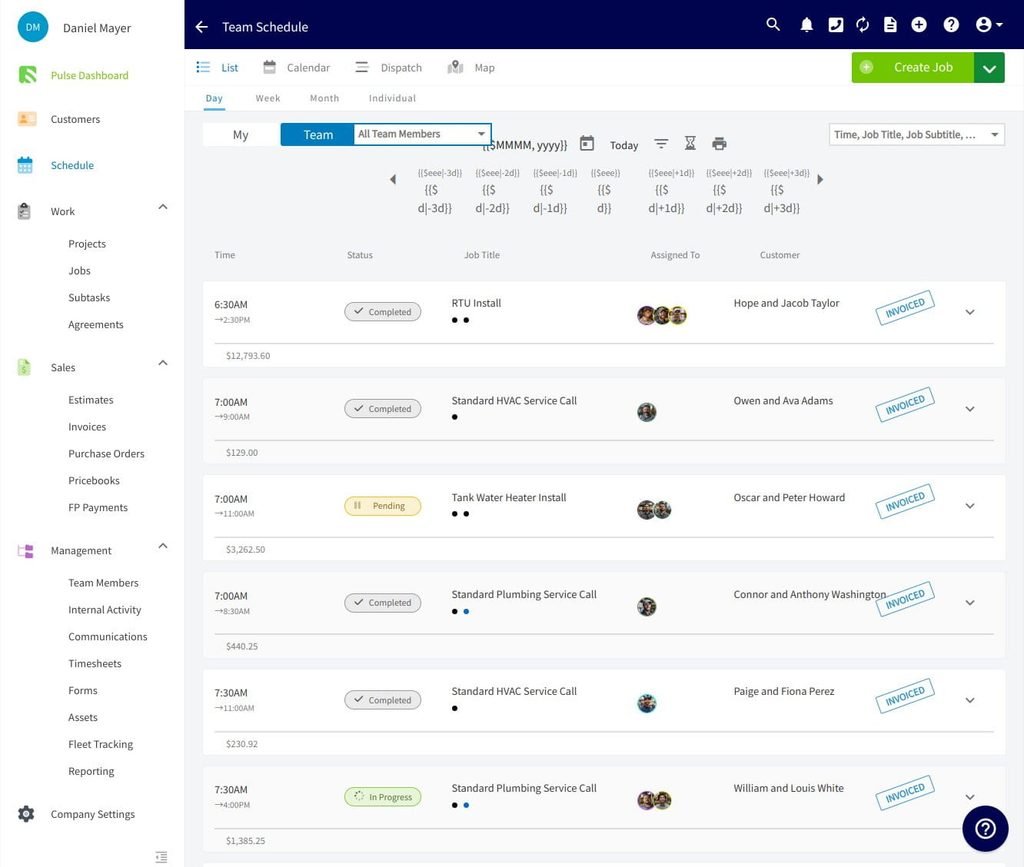
- Profiles with contacts, location, jobs, invoices, photos, and files
- Related customers and multiple locations
- All-in-one customer service history
Read Our Full Fieldpulse CRM Review here.
Estimates
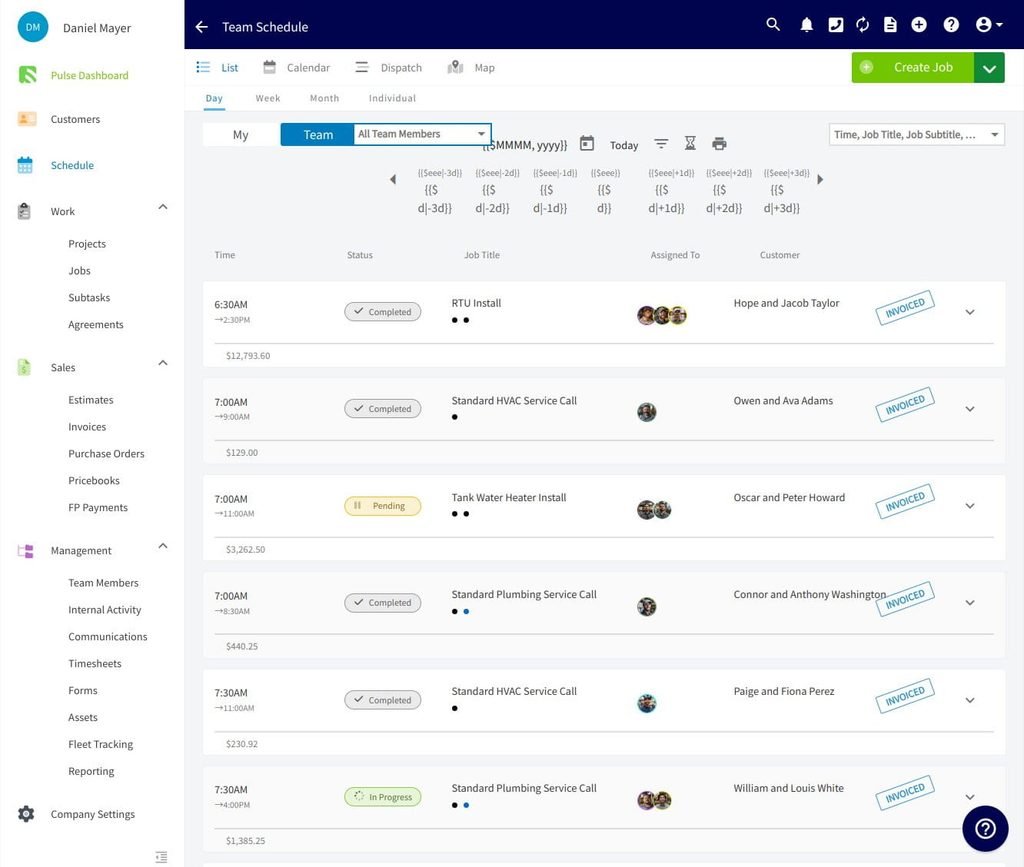
- Good, better, and best estimates
- Templates and electronic signature
- Pricebook with line items
Read Our Full Fieldpulse Estimates Review here.
Invoicing
- Creation from jobs or estimates
- Email or text with a pay button
- Two-way QuickBooks sync for most objects
Read Our Full Fieldpulse Invoicing Review.
Payments
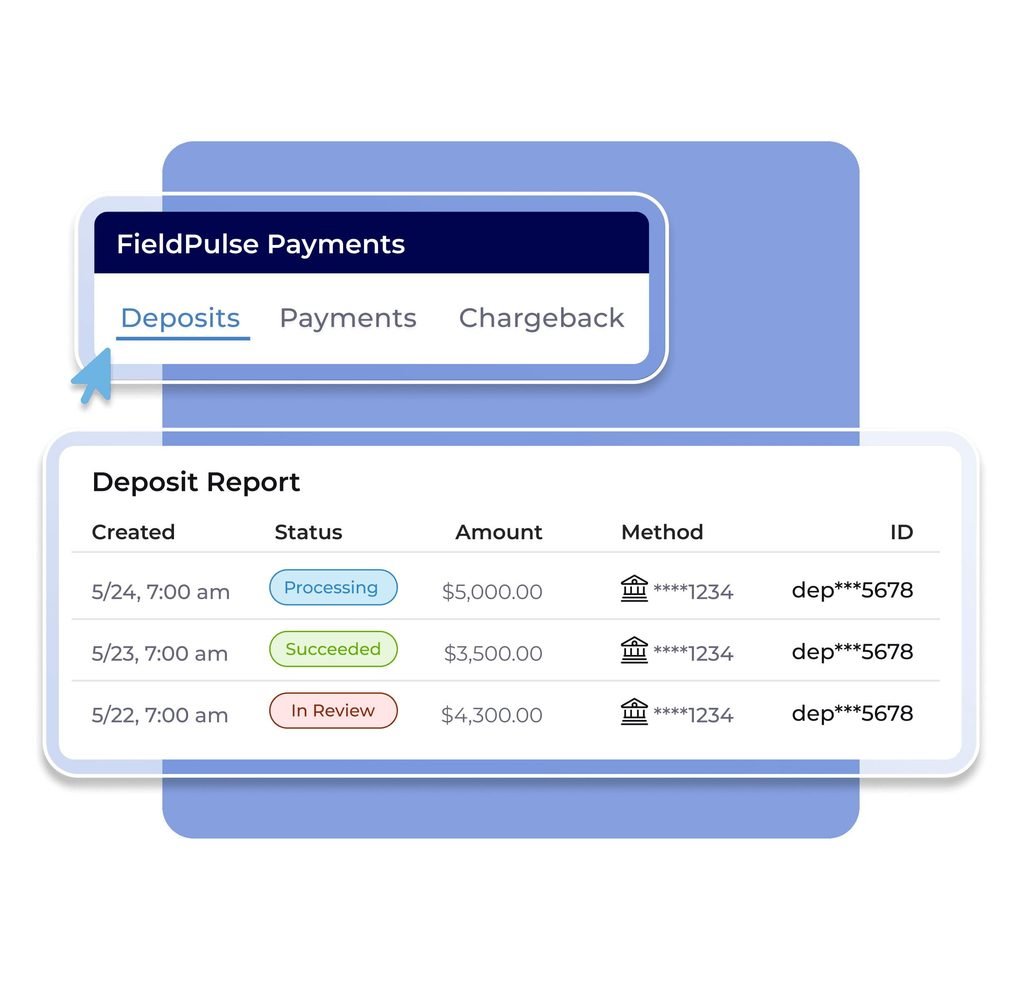
- Cards, ACH, and payment link
- Tap to pay on iPhone, as mentioned in the help center
- Cards or ACH on file
- Card Fee Recovery option
Job Management
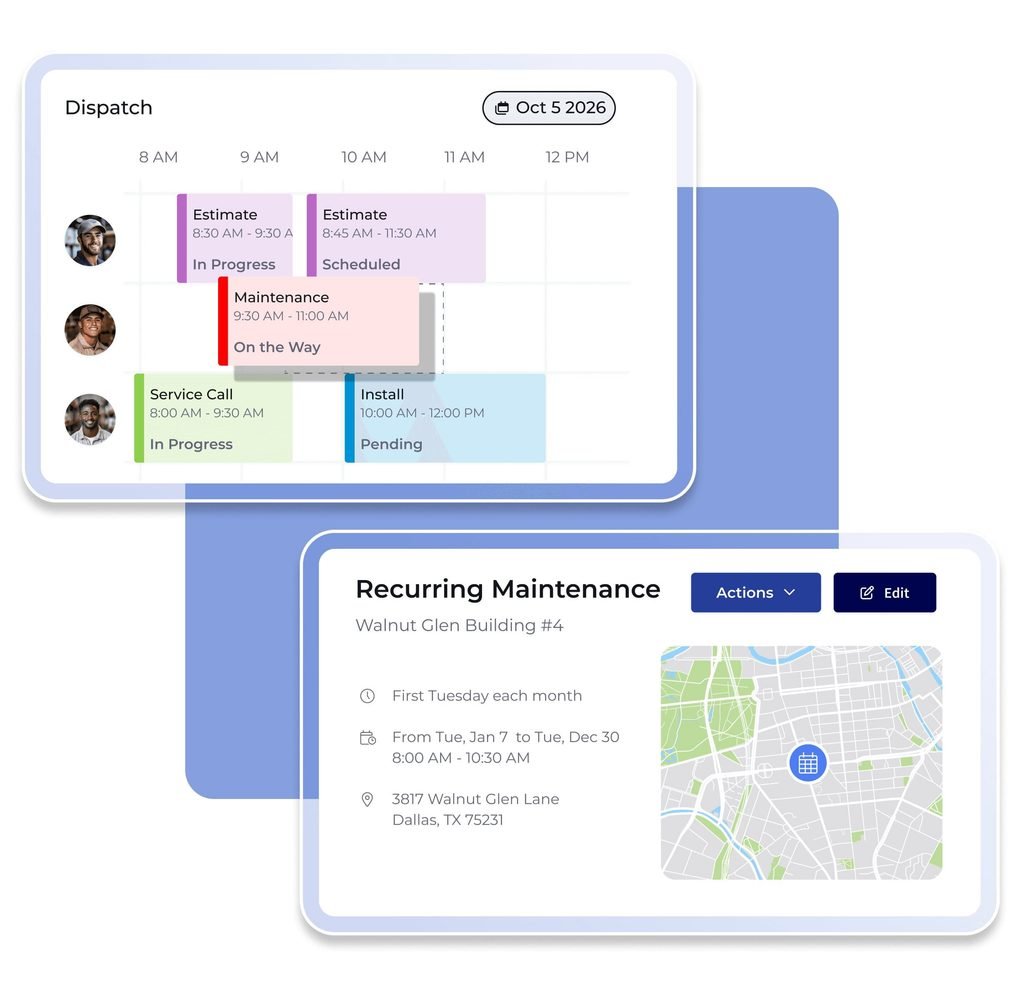
- Work orders, site visits, and projects
- Job cost and time-tracking
- Custom forms and checklists
Mobile App
- iOS and Android
- Offline mode with restrictions
- Photos, forms, signatures, and payments
Read Our Fieldpulse Mobile App Review.
Reporting

- Reporting dashboards
- Custom dashboards in the reporting tab
- Job profit and revenue per job: FieldPulse
Read Our Fieldpulse Reporting Review.
Communication
- Customer texts and emails
- Customer portal and booking portal
- Engage: internal phone system with business numbers, call and text logs, SIP/PBX
Marketing and Automation
- Request reviews through NiceJob
- Marketing tools: Marketing 360, HiLevel, and Chiirp
- Zapier for connection to other tools
- One reviewer notes the absence of a built-in email campaign tool
Other Capabilities
- ClearPath: status workflows, action steps, and Focus View for technicians
- Maintenance agreements and assets: recurring service attached to equipment
- Inventory: stock, purchase orders, and barcode scanning
- Tracking of fleet: partner application with Azuga
- Operator AI and Chat AI: 24/7 AI answering of calls and website chats that book jobs
FieldPulse Migration Guideline
When migration makes sense
- Current tool makes scheduling or invoicing hard
- Extra money for rarely-used add-ons
- Current contract is up for renewal
- Data is clean and ready to move
- If your current tool works relatively well, consider the opportunity cost of switching: would you benefit from the switch more than the hassle of migration?
Data to transfer
- Contact list (additional contacts and locations)
- Jobs
- Pricebook and items
- Custom fields
- Bookkeeping history through QuickBooks
Self-import or Pay-to-Migrate
As per FieldPulse’s import guide, there are two options:
- Self-Import: free, template-driven, and executed through the web application
- Data Migration: extra cost, execution by FieldPulse Data Engineer, usually as part of the onboarding process
Getting ready checklist
- Merge duplicate customers
- Update missing phone numbers and addresses
- Standardize job type and status
- Delete unused customers
- Simplify items and prices
- Export your old system as a backup file
An action plan
- Preparation: Export customer, items, and jobs from the old system.
- Setting up the account: users, roles, and permissions.
- Customer import: Template download, filling, and verification (red marks indicate errors).
- Item and pricebook import: the latter needs to be enabled for the account.
- Account setup: connection to accounting software: QuickBooks Online will be available on request.
- Workflow setup: statuses, ClearPath, templates, and forms.
- Technician training: pilot day ahead of going live
- Testing: one job from scheduling through to payment.
- Review: comparison of counts (customers, invoices) and sync status.
Possible pain points during migration
- Incorrect template formatting leads to failed imports
- Duplicates after QuickBooks sync
- Technicians are not familiar with the mobile app
- Legacy statuses do not match new options
FieldPulse has a Housecall Pro migration guide : it notes that there is no connection between the two applications, and therefore export/import is needed.
Read Our Full Fieldpulse Migration Guide.
FieldPulse Integrations
Start with the partners page , where FieldPulse lists its integrations, suppliers, financing, and marketing.
Accounting
- QuickBooks Online: requires a separate subscription to QuickBooks Online (Essentials, Plus, or Advanced): available in the US, Canada, and Australia, and available upon request
- QuickBooks Desktop: version 2023 and newer: refunds do not sync and need to be reconciled
- QuickBooks Time: one-way sync of timesheets from FieldPulse
- Xero: available in the help center
Per the QuickBooks Online overview guide, most objects sync in both directions, and payments collected in FieldPulse go to the Undeposited Funds account until the bank deposit is recorded.
Note for Canadian taxes
FieldPulse does not calculate taxes itself: for Canadian dual-tax rates, it takes the information from QuickBooks Online: see the Canadian dual tax article .
Zapier
FieldPulse works with Zapier, the automation tool that links apps without code. You can start a Zap when a new customer is added or a contact is updated, then send that data to another app. You can also go the other way, for example creating a lead or job in FieldPulse from a new Google Sheets row, as FieldPulse’s Zapier walkthrough shows.
What to know
- Zapier is the bridge for apps FieldPulse has no direct connection to.
- Zapier plans are priced by Zapier, not FieldPulse. Check its pricing for your task volume.
- Build and test each Zap with dummy data first.
Read Our Full Fieldpulse & Zapier integration Guide.
Square
FieldPulse’s Help Center has a Square Payments guide. You connect with a simple login and authorization. From a FieldPulse invoice, you can open the Square Register mobile app with the invoice total filled in. After a successful payment, FieldPulse marks the invoice payment record with the Square transaction ID.
What to know
- Square is separate from FieldPulse Payments. It suits shops that already run Square.
- Square is not among the logos on FieldPulse’s current partners page. Ask support to confirm it is available on your plan and in your country.
- Check Square’s own processing fees. FieldPulse’s fee table covers FieldPulse Payments only.
Read Our Full Fieldpulse & Square integration Guide.
Payments and financing
FieldPulse Payments, CardConnect, Clover Connect, Payrix
Wisetack and Acorn Finance for customer financing
Communication, marketing, and other
- Google Calendar, CompanyCam, Zapier
- NiceJob, Marketing 360, HiLevel, Chiirp
- Angi and Thumbtack for leads
- Azuga for fleet tracking
- Trane, Reece HVAC, and Granite Group for suppliers
Direct or other methods
- Partners: those on the partners page have a direct connection
- Zapier: thousands of other tools, per FieldPulse
- Technology partners build on FieldPulse’s open API
Limitations to consider
- QuickBooks reviewers report sync issues, notably with Desktop.
- Supplier connections are regional: Reece is noted for Australia.
- Certain features vary by region, per the help center.
Our FieldPulse Review
Overall assessment
FieldPulse seems like a good fit for smaller and mid-size service teams that want to build their own processes around the software. The support gets consistently praised across different platforms, and the compromises involve quoting-only pricing, a learning curve, extra costs for add-ons, and mixed opinions about bugs and syncing capabilities.
What we liked
- Support and onboarding get consistently praised on G2 and Capterra
- High degree of customization and ClearPath
- Estimates, invoices, and payments in one place
- Two-way QuickBooks sync for most objects
- Offline mode covered on the help center
What we found limiting
- No published pricing and no free trial
- Contractual terms and extra cost for add-ons
- Reports received mixed reviews from users
- Bugs and syncing issues reported by multiple reviewers
- Payments option only for businesses based in the United States
Scorecard by our eight criteria
This table uses evidence from official documents and reviews. It is not a live-test score.
| Criterion | Research read | Evidence |
|---|---|---|
| Scheduling and dispatch | Strong | Capterra scheduling rated 4.6; G2 users praise scheduling |
| Mobile app quality | Mixed | Docs show offline mode; store ratings are 4.0 (iOS) and 3.3 (Google Play) |
| Invoicing and payments | Good, with limits | Estimate-to-invoice flow praised; payments US-only; sync complaints |
| Reporting and visibility | Mixed | Dashboards exist; several users call reports confusing |
| Integrations | Good | QuickBooks, Xero, Zapier, partners; Desktop sync complaints |
| Support and onboarding | Very strong | Capterra customer service 4.7; G2 praise |
| Pricing honesty | Weak | Quote-only; add-ons vary; contract complaints |
| Setup effort | Moderate to heavy | Reviewers cite a learning curve from customization |
What Other Field Service Users Say About FieldPulse
FieldPulse by Trade
HVAC
- Key Workflows: service calls, installs, maintenance agreements, equipment history
- How FieldPulse Helps: good, better, best proposals, assets tied to agreements, service reminders
- Limitations: a hand-built flat-rate pricebook, per reviewers
- Best Fits: HVAC Shops Growing a Maintenance Agreement Business
Read Our Guide on Fieldpulse for HVAC.
Plumbing
- Key Workflows: emergency calls, fast quotes, dispatch
- How FieldPulse Helps: preset service offerings, quick dispatch, invoicing and payment on site
- Limitations: after-hours coverage depends on add-ons like Operator AI, which has mixed reviews
- Best Fits: Plumbing Teams with Several Techs and an Office Dispatcher
Read Our Guide on Fieldpulse for Plumbing.
Electrical
- Key Workflows: service calls, installs, checklists
- How FieldPulse Helps: structured steps through ClearPath and custom forms
- Limitations: confirm how you will handle permits and inspections in your forms
- Best Fits: Electrical Contractors Who Want Consistent Job Steps
Read Our Guide on Fieldpulse for Electrical.
Handyman
- Official status: in the sales form and covered by its general contractor page
- Key workflows: quick quotes, varied jobs, simple invoicing
- How FieldPulse Helps: flexible job types and mobile invoicing
- Limitations: may be heavy for a one-person shop
- Best Fits: Handyman Businesses with a Few Techs
Read Our Guide on Fieldpulse for handyman.
Appliance Repair
- Official status: has a dedicated solutions page
- Key workflows: service calls, parts, warranty, invoices
- How FieldPulse Helps: work orders, invoicing, inventory, customer history
- Limitations: check parts tracking depth with your volume
- Best Fits: Appliance Repair Teams with Several Techs
Read Our Guide on Fieldpulse for Appliance Repair.
FieldPulse by Team Size
Solo / Very small teams
When it might make sense
Wish you had an all-in-one solution for getting quotes and invoices to customers and tracking history
Plan to hire new people soon
When it might not make sense
- Jobs are straightforward
- Lower cost tools exist
- Don’t want a contract
One solo reviewer on Capterra noted the value of the chat support, but make sure to confirm the seat minimum and contract requirements.
Small teams
- Scheduling: one calendar for every technician
- Office and field: share job notes and photos
- Customer and job management: easy access to job history
This category covers most of the reviewers. On Capterra, 97% of the reviewers represent small businesses.
Growing teams
- Multi-technician processes: use ClearPath to standardize processes
- Reporting: set up dashboards early in the process
- Process standardization: consider templates and forms
- Administrative scalability: roles, access controls, and QuickBooks integration
Larger teams
- Scoping: multiple crews and locations add complexity
- Access controls: one Canadian reviewer on Capterra noted that permissions were too restrictive
- Reporting and integrations: make sure to pilot your accounting and reporting requirements
- Before jumping in: consider a pilot with one crew and inquire about the open API
If you need to integrate FieldPulse into your ERP systems, think through how FieldPulse can connect to your accounting and inventory systems.
Do You Actually Need FieldPulse? A Self-Assessment Decision Table
| If your business… | FieldPulse may be relevant | What to consider |
|---|---|---|
| Still manages jobs with spreadsheets or whiteboards | Yes | Evaluate scheduling and job-management needs |
| Has multiple technicians | Potentially | Dispatch and technician coordination |
| Needs estimates and invoicing in one workflow | Potentially | Compare required financial workflows |
| Needs customer and job history | Potentially | Evaluate CRM capabilities |
| Has very simple operations | Maybe not | A simpler tool may be sufficient |
| Already has an FSM that works well | Not necessarily | Compare switching costs vs. benefits |
| Needs a specific integration | Depends | Verify the exact integration and limitations |
| Has complex enterprise requirements | Depends | Validate scalability and required capabilities |
FieldPulse Alternatives
| Alternative | Consider it when | G2 rating (Oct 2026) |
|---|---|---|
| Jobber | You want simpler software with published plans | 4.6 (520 reviews) |
| Housecall Pro | You want a simpler tool for small teams | 4.3 (202 reviews) |
| ServiceTitan | You are larger and want deep enterprise tools | 4.4 (369 reviews) |
| FieldEdge | You are a service contractor who wants a QuickBooks connection | 4.0 (87 reviews) |
| Service Fusion | You are comparing mid-market FSM options | 4.1(124 reviews) |
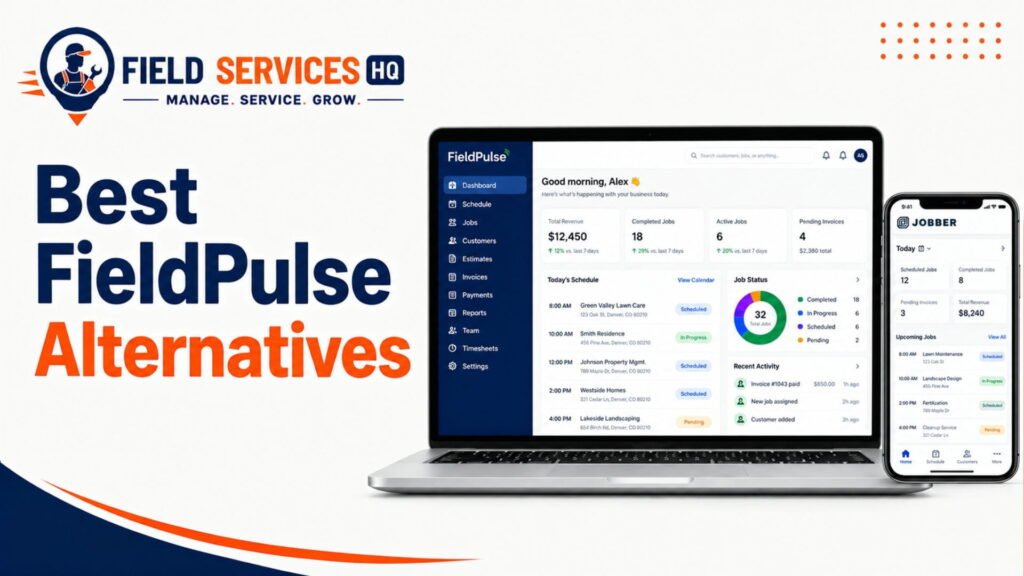
Read Our Full Fieldpulse Alternative Guide.
Frequently Asked Questions
What is FieldPulse?
FieldPulse is cloud-based field service management software for contractors. It combines scheduling, dispatch, customer records, estimates, invoices, and payments in one system with a mobile app.
What is FieldPulse used for?
Service businesses use it to schedule jobs, dispatch techs, send estimates and invoices, track customer history, and collect payments. Optional add-ons cover a phone system, fleet tracking, and AI call answering.
Who is FieldPulse best for?
FieldPulse names HVAC, plumbing, electrical, septic, garage door, and locksmith businesses with office and field staff. Its own dispatch guide says it is designed for 5 to 100 person teams or franchise locations.
Is FieldPulse good for small businesses?
It can be. Most Capterra reviewers are small businesses. But pricing is quote-only and seats are bought for a contract term, so confirm costs and terms first.
How much does FieldPulse cost?
FieldPulse does not publish prices. It is seat-based and quoted per team, with full-access seats for the office and lighter field seats for techs. Third-party sites report widely different numbers, so get a written quote.
What features does FieldPulse have?
Scheduling and dispatch, work orders, estimates, invoices, payments, CRM, customer and booking portals, maintenance agreements, assets, inventory, reporting, ClearPath workflows, and a mobile app. Engage, fleet tracking, and Operator AI are add-ons.
Does FieldPulse have a mobile app?
Yes. It has iOS and Android apps with an offline mode. Offline mode is mobile-only, and payment collection is not available offline. App store ratings are 4.0 on iOS and 3.3 on Google Play.
Does FieldPulse integrate with accounting software?
Yes. It integrates with QuickBooks Online, QuickBooks Desktop (2023 and newer), and QuickBooks Time. Xero is also listed. QuickBooks Online is available in the US, Canada, and Australia.
Can you migrate to FieldPulse?
Yes. You can self-import customers, jobs, and items with free templates. FieldPulse also offers a paid Data Migration service from its Data Engineering team, usually during onboarding.
What industries does FieldPulse support?
Its solutions pages list HVAC-R, electrical, plumbing, garage door, locksmith, septic, appliance repair, commercial equipment, fire and security, property management, A/V installation, glass repair, and general contractors.