Best Inventory Management Software for Small Service Businesses (2026)
Choose inventory software based on how your service business tracks parts and supplies. If you want inventory management connected to jobs and field operations, compare FieldPulse, Service Fusion, and Workiz Ultimate to confirm which features are included in their current plans. If you use Jobber or Housecall Pro, check whether Ply supports your workflow and required integrations. For inventory tracking alongside accounting, compare QuickBooks Online Plus and Zoho Inventory based on your stock-management needs.
PRICES IN USD. VERIFY CURRENT PLAN FEATURES AND PRICING DIRECTLY WITH EACH VENDOR BEFORE PURCHASING.
Best For
Using inventory management software can help small businesses keep track of the parts in their inventory, the location of those parts, and how those parts are being used. It can also help service businesses manage their inventory across multiple locations, including in their vehicles and across different jobs.
This guide is designed for:
- HVAC, plumbing, and electrical contractors that keep parts in their service vans
- Roofing, fencing, and painting contractors that buy materials for individual jobs
- Landscaping and pest control contractors that use up supplies and materials on a regular basis
- Contractors that want to have a better understanding of what materials and equipment they have in their inventory and fewer surprises when they think they have materials and parts on hand
- Contractors in the U.S. and Canada looking for inventory software options and pricing
It focuses on the inventory management software needs of field service businesses, including those that need to track materials and parts in their inventory or across jobs.
How We Tested
We use every tool as a service, not as a vendor demo. This means paying for the trial or lowest‑paid plan ourselves and performing an end‑to‑end field‑service job flow in each tool. The evaluation criteria are based on daily operations, and each review contains a “don’t buy” summary to avoid wastes of time and money.
Eight operational criteria are applied to every field-service software
We operate every tool as a real business would, meaning we sign up as an actual company and pay for the trial or low-end plan. We do not use vendor-added demos, preloaded data, or any other shortcuts.
- We create a trial account in the tool with our company data
- We purchase the trial or cheapest plan as real customers would
- We perform a sample complete-field-service-job workflow in each tool, in this order:
- Create a field-service job (customer, service, and cost data)
- Dispatch a technician (assignment and notification)
- Do the job (inspect, take photos, notes, and sign in the app)
- Invoice the job (generate and send an invoice)
- Receive payment (card on file, link, or in-app payment)
- Every evaluation ends with a “don’t buy” summary.
What Small Service Businesses Need From Inventory Management Software
Most lists of inventory software for best inventory software target online merchant needs. Field service businesses have different inventory requirements.
You load up a van in the morning, and the part that you need to have in that van, the shop, or someplace else you can get to matters later in the day.
Truck Stocks, Not Just a Warehouse
Your stock may be distributed across multiple locations, including your service vans, the shop shelves, and supplier pickup locations.
Look for:
- Multiple inventory locations you can label, like Van 3, Shop, and Storage Unit
- Transfers between locations that generate a transaction
- Inventory counts per location
Parts Used on Jobs
Beyond how many of a given part you have, knowing which job used the parts helps track materials and costs.
Look for:
- Parts that can be added to a work order or invoice from a field technician’s mobile device
- Inventory reductions that are associated with a truck or another location, if available
- Usage reports by job, technician, and item, if available
Reorder Points and Purchase Orders
A reorder point is a level of inventory of a particular item at which you might want to restock that item. Reorder point features can vary by item and location.
Look for:
- Alerts or reorder suggestions
- Purchase orders that can be sent to a supplier
- Receipt functions that update inventory quantities
Review the features available to the plan you’re considering.
Price Book and Invoice Connection
Having inventory items connect to your price book and invoicing process makes it easier to keep product names and records straight. The extent of the connection depends on the software.
Serial Numbers and Warranty Records
If your business installs or sells equipment, tracking serial numbers can help you identify which unit went where.
Some examples include:
- HVAC: condensers, furnaces, air handlers
- Plumbing: water heaters
- Electrical: panels, generators
Serial number tracking can support equipment identification and warranty work, but not all software includes serial number tracking and customer equipment records. Review the features available to the plan you’re considering.
Permissions and Accountability
Inventory records suffer when too many people can change inventory quantities without documenting why.
Look for permission settings that limit who can add or subtract from your inventory and an audit trail, if available.
Accounting Sync
If you’d like inventory and accounting records to speak to each other, review the accounting software integration features for the inventory software you’re considering. Be sure to understand what information passes to which application and how that sync works on the plan you’re considering. Inventory valuation and job material costs likely matter for your business, so make sure those features are available and behave as you expect. If you’re not sure how inventory records should affect your tax records in the U.S. or Canada, speak with an accountant. Inventory tax rules depend on jurisdiction and circumstance in both countries.
Do You Even Need Software Yet?
Some small service businesses do not need dedicated inventory software for a while. A spreadsheet can be an effective tool, if you:
- Carry only a few stocked parts
- Buy most materials for a given job
- Maintain inventory in only one or two vehicles
Dedicated inventory software becomes more valuable as you carry more parts, more vehicles, and more technicians, especially as spreadsheets and similar manual processes create more out-of-stock situations and duplicate purchases.
A Back-of-the-Napkin Cost Check
Use this formula to understand the labor cost of those extra parts runs.
Annual labor cost = parts runs per technician per week × (minutes per run ÷ 60) × loaded hourly labor rate × number of technicians × working weeks per year
An example using made-up values: 2 runs × 0.75 hours × $60 × 4 technicians × 50 weeks = $18,000 per year.
This is an example only; it is not meant as an industry standard. Use your actual values in place of the example numbers. It reflects labor only; other cost factors, like vehicle use, overtime, and jobs not completed add complexity.
What Changes by Trade
HVAC. Capacitors, contactors, filters, refrigeration parts, and replacement equipment are common HVAC inventory items. Review truck stock, material use, and equipment ID options.
Plumbing. Fittings, valves, and water heaters, along with the need for emergency parts, can make a strong case for a van stock of plumbing parts.
Electrical. Breakers, wire, panels, and boxes can vary widely in type and size. Look at the range of items and quantities your service uses in your estimating and inventory tracking processes.
Roofing, fencing, painting. Materials vary by the project, but some painting, roofing, and fencing companies purchase materials for a given job.
Landscaping and pest control. Landscaping and pest control companies may carry more consumables and products for treating insects than other industries.
10 Best Inventory Management Software for Small Service Businesses
1. FieldPulse
Best For
Best for small and growing trade businesses that want inventory, purchasing, and job workflows in one system.
Why We Chose It
FieldPulse’s field service management help page shows that inventory is located at hubs, which can be trucks, trucks, workshops, offices, or warehouses.
The inventory feature page shows serialized-item tracking, low stocks alerts, inventory-usage reports, and purchase-order automation. Confirm the offered features against the configuration options in your proposed plan.
How It Helps Small Service Businesses
Track inventory at hubs or stock locations, update inventory quantities as you use parts, generate purchase orders using supported purchasing workflows, and track serialized equipment by job and technician, plus review inventory usage and low-stock alerts.
Pros
- Tracks inventory at trucks and other locations
- Includes purchasing and replenishment workflows
- Supports serialized equipment tracking
- Links inventory to jobs and invoicing
Cons
- No public pricing information is readily available
- Confirm the plan inclusions and onboarding costs for the required inventory and purchase-order features
- A field service platform may involve more setup and learning than a standalone inventory application
Pricing
Contact FieldPulse for a quote. Confirm the plan inclusions, onboarding costs, additional-user costs, and payment-processing expenses, if applicable.
Quick Overview
- Type: Field service management software
- Truck stock: Yes
- Serial tracking: Yes
- Purchase orders: Yes
Read Our Fieldpulse Guide.
2. Service Fusion
Best For
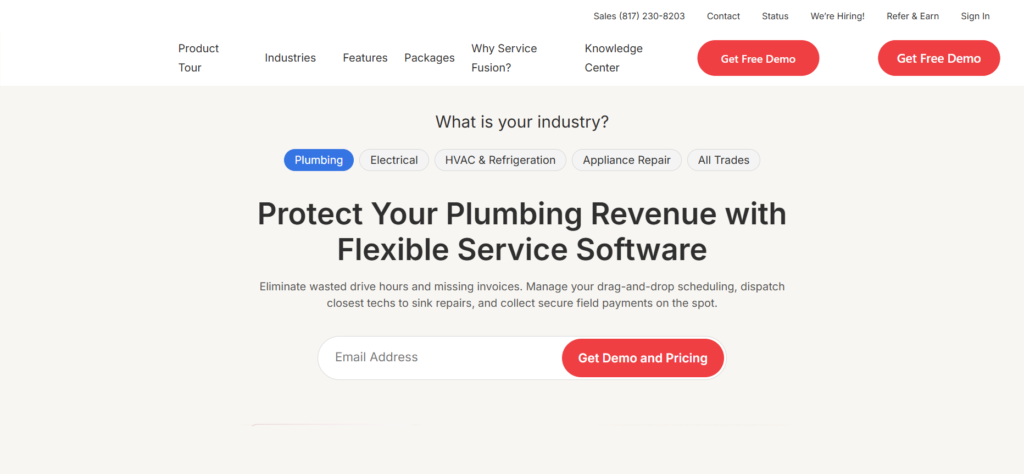
Best for service businesses with multiple technicians that want a field service platform without per-user subscription pricing.
Why We Chose It
The pricing page notes that Service Fusion plans “include unlimited users.” Inventory management and job costing are included with Plus and higher, but appear as add-ons at the lower end.
The page displays varying pricing values in different areas, so confirm the figures and billing terms before quoting a particular price.
How It Helps Small Service Businesses
Manage inventory in the same application as your jobs and field service workflows, connect inventory with job costing, and handle scheduling, dispatch, invoicing, and your QuickBooks connection in one platform.
To confirm if the application supports truck-level inventory, request a product demo from the vendor and ask how they assign inventory to vehicles and move it between locations. A competitor’s review is not a substitute for an on-site inspection.
Pros
- Unlimited users on published plans
- Inventory management and job costing in Plus
- Scheduling, dispatch, invoicing, and accounting in one platform
Cons
- Inventory is not included in the standard Starter package, unless you buy it as an add-on
- Confirm the level of detail available for tracking truck and warehouse inventory
- Additional features may increase the subscription cost
Pricing
The page currently shows the following annual-billing figures: Starter: $208/month, Plus: $325/month, Pro: $533/month. Monthly billing and other displayed offers may vary; confirm the current price on the official pricing page.
Quick Overview
- Type: Field service management software
- Users: Unlimited on published plans
- Inventory plan: Plus or Starter add-on
- Best fit: Businesses that want inventory and service workflows together
3. Workiz
Best For
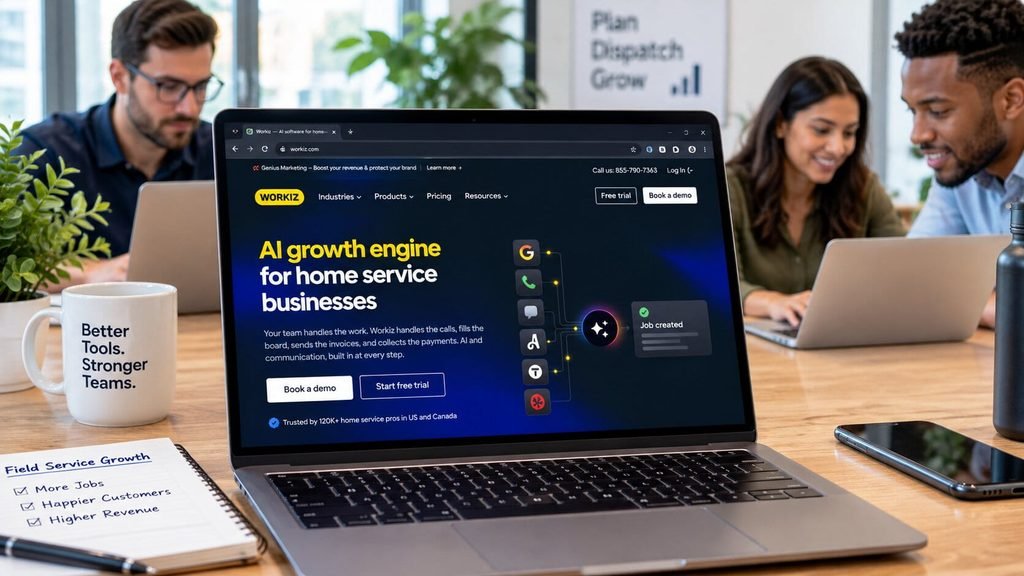
Best for service businesses that want inventory management alongside scheduling, dispatching, jobs, and invoicing.
Why We Chose It
The help center shows how to create inventory items and set stock quantities and reorder thresholds. The documentation also covers inventory locations and how to move items between locations.
Inventory appears as an add-on; ask Workiz which subscription or add-on combination is available to your business before making assumptions about your plan’s inclusions.
How It Helps Small Service Businesses
Create your office, warehouse, or vehicle locations, set reorder thresholds for inventory items, add inventory items to your jobs and invoices, and view inventory usage and stock changes through reports. Ask if purchase orders, equipment tracking, and other advanced inventory features are included in your offer.
Pros
- Inventory items can be linked to jobs and invoices
- Stock movements and returns can be recorded
- Multiple inventory locations are supported
- Inventory usage reports are available
Cons
- Inventory availability and pricing must be confirmed with the vendor
- An additional inventory fee may apply
- Businesses should review contract terms and cancellation policy before signing
Pricing
Contact Workiz to discuss current pricing and inventory fees. Confirm which plan or add-on includes the features you need. Ask if phone, answering, marketing, and other services are billed separately.
Quick Overview
- Type: Field service management software
- Inventory: Available through its inventory functions
- Locations: Yes
- Pricing: Confirm with Workiz
4. Ply
Best For
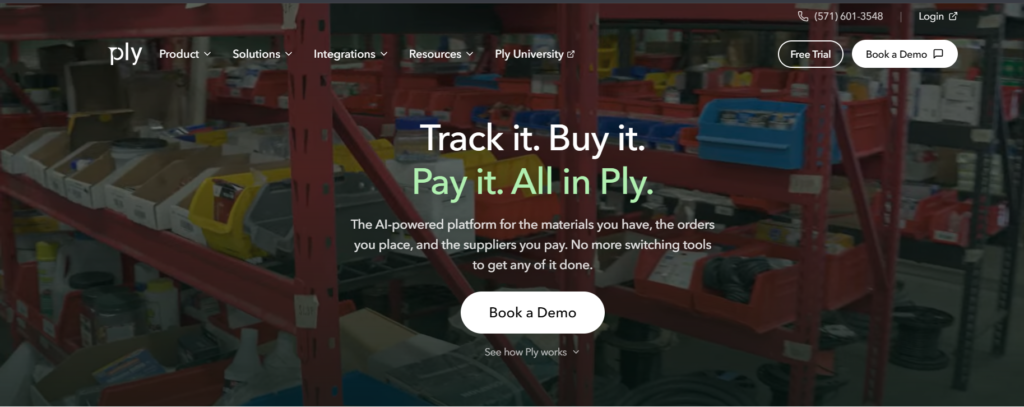
Best for contractors using Jobber, Housecall Pro, ServiceTitan, or another supported field service platform, who need dedicated inventory and purchasing workflows.
Why We Chose It
Ply is an inventory and sourcing platform for the trades, rather than a field service management system. The official pricing page states that the cost is based on the number of stock locations, including trucks and warehouses. The page also lists supported integrations, including ServiceTitan, Jobber, Housecall Pro, FieldEdge, and ServiceM8.
How It Helps Small Service Businesses
Track stock at your trucks and warehouses, manage purchase orders, use barcode scanning and inventory reports, connect your inventory to a supported field service platform, and use supplier catalogs and other advanced purchasing features on particular plans.
Pros
- Inventory and purchasing software for trade businesses
- Unlimited users on published plans
- Includes supported field service integrations across plans
- Onboarding assistance for inventory imports and team setup
Cons
- Another application is needed alongside your field service platform
- Pricing is based on the number of stock locations and requires a quote
- Accounting integrations and advanced purchasing features vary by plan
- API access is an add-on, rather than an automatic inclusion in Plus and Enterprise
Pricing
Contact Ply for a quote based on your number of stock locations. Starter includes inventory tracking and basic purchasing, while Plus adds advanced features such as supplier pricing, advanced purchasing, and the listed accounting integrations. Enterprise is designed for more complex multi-location needs. View the current plan comparison to confirm the exact integration and API terms.
Quick Overview
- Type: Inventory and purchasing software
- Works with: Supported platforms, including ServiceTitan, Jobber, and Housecall Pro
- Truck stock: Yes
- Users: Unlimited on published plans
5. Zoho Inventory
Best For
Best for budget-conscious service businesses that need inventory records, purchasing, and multi-location stock management, but do not want a field-service platform.
Why We Chose It
Zoho Inventory has published plan limits and prices on its official pricing page. It has a free plan and paid plans with increasing order, user, and location limits.
Zoho Inventory is primarily an inventory and order-management application. Service businesses can use it to model their vehicles as locations, but should confirm whether this fits their technicians’ workflows.
How It Helps Small Service Businesses
Track stock across supported locations, manage suppliers and purchase orders, use barcode generation and stock-counting features, access serial-number and batch-tracking features, where available, and connect to Zoho’s accounting products and supported third-party applications.
Pros
- Free plan is available
- Pricing in multiple currencies is published
- Organization-based pricing, rather than a basic per-user subscription
- Paid plans have a 14-day trial, subject to current terms
Cons
- Not a complete scheduling, dispatch, and work-order platform
- Inventory features focus on items and orders, rather than field jobs
- Technicians may need a separate process or integration
- User, order, and location limits depend on the plan
Pricing
The official U.S. pricing page lists the following annual-billing prices: Free: $0/month, 50 orders, 1 user, 1 location; Standard: $29/month, 500 orders, 3 users, 2 locations; Premium: $79/month, 3,000 orders, 5 users, 4 locations; Plus: $129/month, 7,500 orders, 10 users, 6 locations; Enterprise: $249/month, 15,000 orders, 10 users, 10 locations. Additional users and locations may be available for an extra fee. Confirm the current feature limits and terms on the official page.
Quick Overview
- Type: Standalone inventory software
- Truck stock: Configured as locations
- Mobile app: Yes
- Best fit: Back-office inventory and purchasing
6. QuickBooks Online Plus
Best For
Best for small service businesses that already use QuickBooks and want to track inventory against their accounting records.
Why We Chose It
QuickBooks Online has inventory tracking on Plus and Advanced, according to Intuit’s official inventory page. It can work for businesses where the priority is to keep accounting and basic inventory records together. It is an accounting application, rather than a field service inventory system. Confirm that its location-tracking capabilities meet your needs before using it for truck stock.
How It Helps Small Service Businesses
Maintain item records and quantities on hand, connect inventory transactions to sales and purchasing, track inventory-related costs and accounting records, and keep inventory and financial reporting in one system.
Pros
- Familiar to many accountants and bookkeepers
- Accounts and inventory records can be connected
- Inventory tracking is available on Plus and Advanced
- Broad application ecosystem
Cons
- Inventory features are less specialized than field service inventory applications
- Confirm that the required truck-level or multi-location workflow is available
- Subscription prices can change
- Payroll and payment-processing services may involve separate fees
Pricing
Intuit’s U.S. pricing page currently lists the following standard monthly subscription prices: Simple Start: $38/month, without inventory tracking; Essentials: $85/month, without inventory tracking; Plus: $140/month, inventory tracking included, up to 5 users; Advanced: $340/month, inventory tracking included, up to 25 users. Promotional offers may reduce the initial cost. Canadian pricing differs. Confirm the applicable Intuit pricing page before publishing prices or purchasing a plan.
Quick Overview
- Type: Accounting software with inventory
- Inventory plan: Plus or Advanced
- Best fit: Businesses that prioritize accounting and basic inventory
- Watch: Whether its location and stock features meet your field needs
7. Sortly
Best For
Best for small teams that want to track tools, supplies, equipment, and consumables in a visual inventory app.
Why We Chose It
Sortly uses item records, photos, folders, and barcode or QR code scanning to organize inventory. The official pricing page shows item and user limits for each plan, along with job-management features on particular plans.
It can be useful for tracking supplies, but businesses should confirm whether its job features meet their needs before using it as a field service inventory replacement.
How It Helps Small Service Businesses
Organize inventory by truck, shelf, or another storage method, use photos and barcode or QR code labels, track quantities and set low-stock alerts, where available, and connect inventory items to jobs, where available.
Pros
- Visual interface for inventory items
- Tools, equipment, and consumables tracking
- Published plan limits
- Job-related inventory features on eligible plans
Cons
- Advanced field service scheduling and dispatch are not its primary purpose
- Item, user, and active job limits vary by plan
- Purchase orders and integrations are plan-dependent
- Annual discounts and renewal pricing can differ from first-year offers
Pricing
Sortly’s pricing page lists promotional annual offers, which may change. At the time of research, its plans included the following: Free: 100 unique items, 1 user; Advanced: 500 unique items, 2 users; Ultra: 2,000 unique items, 5 users; Premium: 5,000 unique items, 8 users; and Enterprise: 10,000+ unique items, custom quote. The page currently advertises an annual offer of $288/year for Advanced, $888/year for Ultra, and $1,788/year for Premium. These are promotional figures; the page notes that discounts change after the first year. Confirm the current offer and renewal price before publishing.
Quick Overview
- Type: Visual inventory management app
- Best fit: Tools, supplies, and equipment tracking
- Job link: On eligible plans
- Watch: Item, user, and active job limits
8. inFlow Inventory
Best For
Best for parts-heavy service businesses that need structured purchasing, receiving, and inventory control, especially if they already use a supported integration.
Why We Chose It
inFlow is an inventory application focused on products, purchasing, and stock management. The documentation shows a Jobber integration, but the current status and availability should be confirmed before making assumptions about its usefulness to your business.
The integration documentation describes how products used on Jobber visits can be matched to inFlow products. Confirm the current documentation to see what actions are automated and what requires manual entry.
How It Helps Small Service Businesses
Manage inventory and purchasing workflows, create and receive purchase orders, connect supported job-related workflows to inventory, configure stock locations and track quantities, and separate stock items from service lines, such as labor and call-out fees.
Pros
- Inventory and purchasing software for trade businesses
- Includes integrations for supported workflows
- Purchasing and receiving features are available
- Structured inventory system for parts-heavy businesses
Cons
- Not a complete field service scheduling and dispatch platform
- Integration availability and capabilities can change
- Additional users, integrations, serial tracking, and API access may incur extra costs, depending on the plan
- Can cost more than entry-level inventory tools
Pricing
inFlow’s current 2026 pricing page lists the following: Lite: $99/month when billed annually; Core: $299/month when billed annually; Pro: $499/month when billed annually. The page also lists varying team and location limits by plan. These prices supercede older plan names and figures from third-party comparison sites. Confirm the current pricing page for monthly billing, add-ons, and integration costs.
Quick Overview
- Type: Standalone inventory software
- Integration: Jobber integration documented; confirm current status
- Best fit: Businesses with substantial purchasing and inventory needs
- Watch: Integration limitations and add-on costs
9. ERPNext
Best For
Best for technically capable service businesses that want an open-source ERP system to manage inventory, purchasing, accounting, and other workflows.
Why We Chose It
ERPNext is free and open-source enterprise resource planning (ERP) software. Its features include stock management, purchasing, accounting, invoicing, and project-related workflows. While the software license is free, businesses should budget for hosting, implementation, configuration, maintenance, and training, which vary depending on the deployment method.
How It Helps Small Service Businesses
Manage stock in warehouses and other locations, maintain supplier and purchasing records, connect stock transactions to accounting records, customize workflows to meet business requirements, and avoid per-user software licensing costs for the open-source application.
Pros
- Open-source software
- Inventory, purchasing, and accounting in one system
- Configuration and customization options
- Self-hosted or managed-hosting options
Cons
- Configuration and training are required
- Field service scheduling and dispatch may require additional configuration or integrations
- Implementation and maintenance take time and resources
- Deployment method affects overall cost
Pricing
Software: Free and open source; Managed hosting: Frappe Cloud has shared hosting starting at approximately $5/month; Self-hosting: Server costs vary by your requirements; Implementation: If you hire a consultant or implementation partner, additional costs may apply. The entry-level hosting price is not a complete estimate for a production system. View the official ERPNext pricing page for current hosting options.
Quick Overview
- Type: Open-source ERP
- Best fit: Businesses with technical support or implementation capacity
- Watch: Setup, maintenance, and customization requirements
10. Odoo
Best For
Best for growing service businesses that want modular business software and may eventually need inventory, purchasing, accounting, and field service applications in one system.
Why We Chose It
Odoo’s official pricing page lists a One App Free option with unlimited users, alongside paid plans that include additional applications. You can try the free option for a limited use case, but confirm that application dependencies and your required inventory workflow will affect the final plan choice. Businesses that expect to need multiple applications may find that a paid plan is a better option.
How It Helps Small Service Businesses
Manage stock in warehouses and other locations, use barcode-related features where available, connect inventory with purchasing and accounting applications, and add additional business applications as requirements change. Evaluate Odoo’s Field Service application in conjunction with its inventory features.
Pros
- Free option for one application, with unlimited users
- Inventory and purchasing applications
- Modular platform with growth options
- Partner ecosystem for implementation and customization
Cons
- Paid plans use a per-user pricing model
- Pricing and features vary by plan
- Configuration can be complex as additional applications are added
- Field service workflows should be trialed against your trade’s requirements
Pricing
Odoo’s current U.S. pricing page lists the following: One App Free: $0, one application, unlimited users; Standard: $24.90 per user/month when billed annually; Custom: $49 per user/month when billed annually. The page may show different monthly billing prices or promotional offers. The Custom plan includes additional capabilities, such as API access and Odoo Studio. View the official pricing page for current terms.
Quick Overview
- Type: Modular ERP and business software
- Free option: One application
- Best fit: Businesses that plan to combine inventory with other business applications
- Watch: Per-user pricing, application requirements, and setup complexity
What Are Users Saying About These Inventory Management Software Tools?
The ratings below reflect the figures recorded during research in October 2026, rounded to one decimal place. Ratings and review counts may change over time.
| Software | G2 Rating | Capterra Rating |
|---|---|---|
| FieldPulse | 4.7/5 | 4.6/5 |
| Service Fusion | 4.1/5 | 4.3/5 |
| Workiz | 4.5/5 | 4.4/5 |
| Zoho Inventory | 4.4/5 | 4.5/5 |
| QuickBooks Online | 4.0/5 | 4.3/5 |
| Sortly | 4.4/5 | 4.5/5 |
| inFlow Inventory | 4.4/5 | 4.6/5 |
| ERPNext | 4.3/5 | 4.5/5 |
| Odoo | 4.2/5 | 4.2/5 |
Note: Ratings are attributed to G2 and Capterra, respectively. Figures may change, so check each platform’s current listing before making a purchasing decision.
How to Choose the Right Inventory Management Software for Your Service Business
Take Our Self-Assessment Test
Score each question 0, 1, or 2. Add it up.
- How many stocked vehicles or locations do you have?
- 1 = 0 points
- 2 to 3 = 1 point
- 4 or more = 2 points
- How often do techs make unplanned supply runs?
- Rarely = 0
- Sometimes = 1
- Often = 2
- How many jobs bill parts from your price book?
- Few = 0
- Some = 1
- Most = 2
- Do you install equipment that needs serial or warranty tracking?
- No = 0
- A little = 1
- Yes = 2
- How do you reorder today?
- Ad hoc = 0
- From a spreadsheet = 1
- Need POs and approvals = 2
- How many people touch stock?
- 1 to 2 = 0
- 3 to 5 = 1
- 6 or more = 2
- How much stock sits on trucks and shelves?
- A small amount = 0
- A meaningful amount = 1
- A lot of cash is tied up = 2
- Does your accountant need item-level cost tied to your books?
- No = 0
- Sometimes = 1
- Yes = 2
Frequently Asked Questions
What is the best inventory management software for small service businesses?
There is no single best tool. It depends on where your parts live.
Inside your field service software: FieldPulse, Service Fusion (Plus), or Workiz (Ultimate)
On top of Jobber or Housecall Pro: Ply
Simple or books-first: Zoho Inventory, QuickBooks Online Plus, or Sortly
Do small service businesses need dedicated inventory management software?
Not always. If you carry few parts and buy per job, a spreadsheet and a price book can work.
Software helps once you have:
Stocked trucks
Repeat parts you reorder
Techs making unplanned supply runs
A need to cost parts to jobs
What inventory management features should service businesses look for?
Start with these:
Stock by truck and location
Parts added to jobs from a phone
Low-stock alerts and reorder points
Purchase orders and receiving
Barcode scanning
Serial numbers for installed equipment
User permissions
QuickBooks or accounting sync
Can inventory management software track parts used on service jobs?
Yes, when inventory connects to your jobs and invoices.
FieldPulse lets you choose when stock is deducted from a hub
Workiz adds inventory items to jobs and invoices (Ultimate plan)
Ply logs per-job use and syncs with Jobber, Housecall Pro, and ServiceTitan
Zoho and QuickBooks track stock at the order or invoice level, not job by job, unless connected to your FSM
What is the difference between inventory management software and field service management software?
Inventory software tracks stock: quantities, locations, and purchasing. Field service management (FSM) software runs jobs: scheduling, dispatch, work orders, and invoices.
Some FSM tools include inventory. Many don’t, or they gate it behind higher plans.
Is free inventory management software suitable for a small service business?
Sometimes, for a solo operator or a tiny team. Free plans have limits.
Zoho Inventory: 50 orders, 1 user, 1 location
Odoo: one free app with unlimited users
Sortly: a free plan aimed at personal use
ERPNext: free software, but hosting and setup cost money
If techs need to log parts on jobs, free tools usually fall short.
How much does inventory management software cost for a small business?
Expect anywhere from free to a few hundred dollars a month.
Zoho Inventory: $29 to $129/mo on annual billing (paid plans, per organization)
Sortly: $49/mo on the Advanced plan
QuickBooks Online Plus: about $140/mo
Service Fusion Plus: about $325/mo billed annually
FieldPulse, Workiz, and Ply: quote only
Does Jobber track inventory?
Jobber is built around a products and services catalog for quoting and invoicing. Its community team points users who need stock levels to integrations such as Ply and Arka.
inFlow’s docs also note that Jobber doesn’t track locations. Check Jobber’s current plans for newer features.
Does Housecall Pro have inventory management?
Housecall Pro’s help center says many pros use QuickBooks Online Plus for inventory tracking. You can also connect Ply from the Housecall Pro app store.
Housecall Pro does let you track materials through its price book and a material usage report.
How do I set reorder points for service truck stock?
Use this formula: reorder point = average daily use × resupply days + safety stock. When a part drops to that number, you reorder or restock the truck.
Example with made-up numbers:
You use 10 capacitors a month, about 0.5 per working day
Resupply takes 2 working days
You want a cushion of 3
0.5 × 2 + 3 = a reorder point of 4.
Start with your top 50 parts, then adjust after a month of real usage. Most tools in this guide let you enter these numbers:
FieldPulse: a reorder level and a replenishment level
Workiz: “reorder at” and “minimum at location”
Ply: par levels per truck