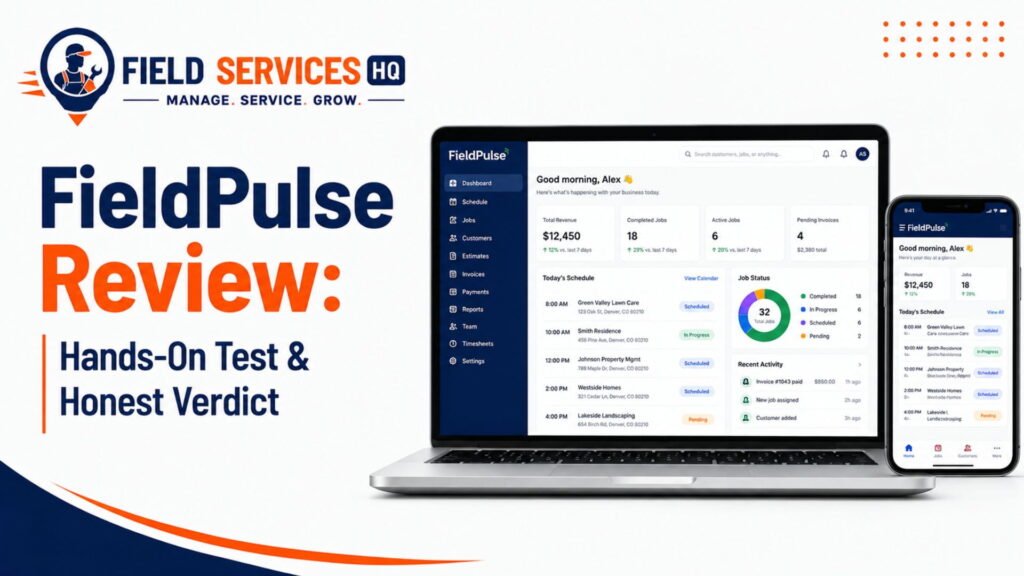
FieldPulse Mobile App Review: Hands-On Look at the iOS and Android Experience
60-Second Answer
- Rating: 4.6/5 on Capterra (431+ reviews) and 4.7/5 on G2 (370+ reviews), per each platform’s public review pages.
- Pricing: Seat-based, custom quote. Contractors report totals from roughly $99/month for small teams to $399+/month for larger crews, before add-ons.
- Best fit: Solo operators and 2 to 20 tech teams in HVAC, plumbing, electrical, and similar trades.
- Top strength: Full job-to-payment workflow in one mobile app, including offline mode.
- Top limitation: Payments and new customer creation are not available offline, and pricing transparency is weak.
- One-line verdict: A genuinely capable mobile-first FSM app for small crews, if you’re comfortable getting a custom quote instead of a published price list.
If you’re one of the people reading this blog post on your phone between jobs, the question you really want answered is likely not whether FieldPulse has an application for mobile devices. The question you want answered is whether your technology can do the things you need it to do from your phone without having to call the office three times.
My experience reviewing field service software for contractors who don’t have time to test-drive a dozen different solutions informs this FieldPulse mobile app review.
I’ll discuss what a technician can do with the FieldPulse mobile application, what it does well, and what it doesn’t do.
For the FieldPulse desktop application review, including what FieldPulse is actually capable of, visit our FieldPulse Review 2026. For a detailed look at FieldPulse pricing, including what it actually costs to use the solution, check out our FieldPulse Pricing 2026 page.
Decision Snapshot
| Category | FieldPulse Mobile App |
|---|---|
| Platforms | iOS and Android (native apps), plus web browser access |
| Pricing model | Seat-based, custom quote (full-access and field-only seats priced differently) |
| Free trial | 14-day trial reported by several review sites; some sources report demo-only access |
| Offline mode | Yes, auto-switches on signal loss, 1-week job/customer cache |
| Photos offline | Up to 50 per session, synced once back online |
| Payments offline | Not supported, must be online to collect payment |
| Best-fit team size | 1 to 20 technicians |
| Best-fit trades | HVAC, plumbing, electrical, garage door, locksmith, general contracting |
| Core integrations | QuickBooks Online, Zapier, Google Calendar, Stripe |
| Countries served | United States, Canada, Australia, New Zealand |
| Company | FieldPulse Inc., founded 2015, headquartered in Dallas, Texas |
Who Should Consider It?
- Solo contractors and small teams (1-20 techs) who want a single pane of glass for scheduling, quoting, and invoicing
- Trades that quote on-site first (HVAC, plumbing, electrical, garage door) and need a mobile quoting to invoice workflow
- Operations that have outgrown paper or spreadsheet invoicing and need a barebones field service management software to start
- Owner-operators who value support quality, as FieldPulse’s recurring praise in reviews focuses on their responsive customer service
Who Should Look Elsewhere
- Enterprise or multi-location operations that need business intelligence reporting capabilities. FieldPulse’s G2 reviews repeatedly note that their reporting and analytics capabilities don’t compare to the big players in the space.
- Businesses that need transparent, published pricing to streamline budgeting that doesn’t require a discovery call. Fieldpulse favors custom quotes over set price lists.
- Crews that regularly work in absolute dead zones with no connectivity. The software’s offline access capabilities have meaningful limitations, discussed below.
- Operations that need sophisticated inventory management or multiple warehouses, a pain point noted by several reviewers
If you’re finding fewer overlaps with the criteria above, our FieldPulse Alternatives guide provides more nuance on how different software stacks up against particular criteria.
What Is the FieldPulse Mobile App About?
One of the features offered by the FieldPulse solution to its clients is a mobile application that is available for iOS and Android systems. The tool allows field technicians to track schedules, manage and create estimates, as well as collect payments from customers and receive signatures over a mobile device.
Some of the main points that distinguish this application are given below:
- It is a mobile application for iOS and Android operating systems;
- The tool is synced in real-time with the web interface that is used by office managers;
- It is primarily used for field service and home service management, and not for other industries;
- The tool has been provided by FieldPulse company for more than 5 years, and it is used by more than 10,000 businesses that provide different types of services for their clients (based on the information from the company’s website).
Sometimes it can be challenging for a contractor to understand how the tool works and whether it fits their field service management needs. There are usually two ways to find out information about the tool – to rely on the marketing brochure and the actual experience. As an experienced contractor, I rely on the latter, and I want to share my experience of using this tool in the following paragraphs.
What Field Service Technicians Can Do With It?
A field technician that uses the FieldPulse mobile application can perform a variety of tasks ranging from tracking schedules to collecting payments from customers.
Below are the main functions that field technicians can rely on while using the tool:
- The app allows to view and track the personal schedule and the list of jobs to be done during the day;
- View the information about customers and jobs;
- Get directions to the customer’s address;
- Track working hours by applying time-tracking functions;
- Take photos and notes about the job to be done;
- Create and send an estimate to the customer;
- Update the estimate form into an invoice form;
- Collect the customer’s signature;
- Receive payments from the customer (if the tool is integrated with a payment gateway).
Each step in the process above is performed in real time and without the need to switch between different applications. The FieldPulse application streamlines the overall process of field service management and eliminates the need to use multiple tools throughout the day.
Mobile FieldPulse Application Deep Dive
To obtain real-time insight into the application’s performance, I used the tool as a field technician would do on a daily basis. The process involves several steps, starting from managing the day’s work and finishing with updating the status of a job as completed. The detailed description of these steps is presented below.
- First, the technician opens the FieldPulse application and views the list of scheduled jobs.
- Then, they select the job that they are going to handle first.
- On the job card, they get the basic information about the task, the customer’s name and address, and the equipment details.
- The technician gets directions to the customer’s address and goes there to fulfill the service order.
- While completing the service order, the technician collects relevant notes about the task and fills in an electronic form if necessary.
- The technician takes pictures of the existing conditions before and after the service is performed.
- In case additional service is needed, the technician creates an estimate form based on the items listed in the system or adds a new position to the estimate.
- The technician sends the estimate to the customer and collects their signature.
- After the estimate is approved, the technician updates the estimate into an invoice and collects the payment from the customer (if the device is connected to the Internet).
- Finally, the technician updates the status of the job as completed, and the office manager receives a real-time update about the job’s status.
Mobile App Features
Below you can find the list of features our technicians and dispatchers work with on a daily basis.
Scheduling
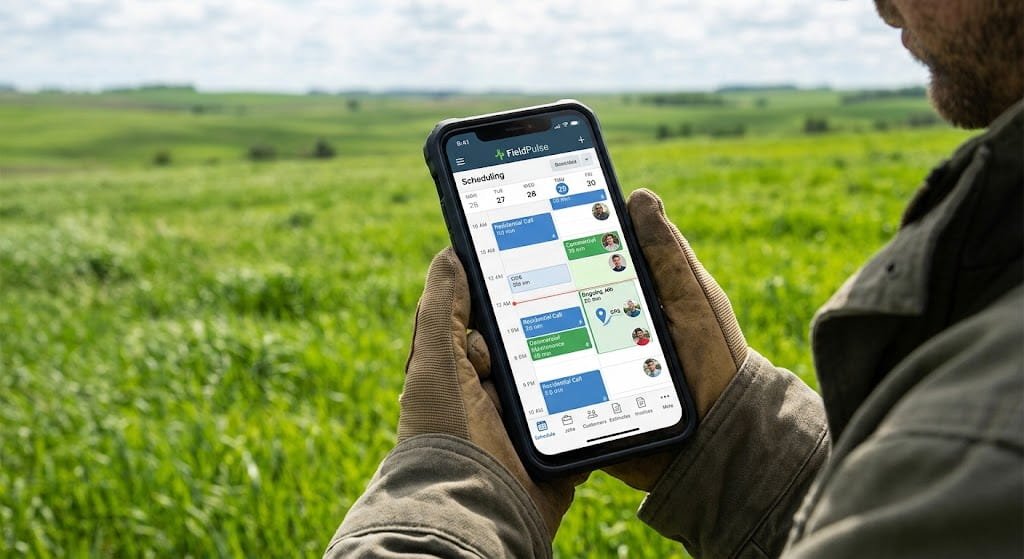
- Drag and drop calendar with the ability to sync with mobile devices in real-time.
- Color coding of the job status allows for a quick overview of the dashboard.
- GPS location tracking feature for technicians to help the dispatcher keep track of their whereabouts.
Job Management
- Keep track of all job history with specific equipment for each customer.
- Customizable forms and checklists (if the feature is enabled).
- Status changes in the job are made in real-time and reflected on the office dashboard.
Customer Records
- All necessary information about the customer is centralized in one place.
- Notes and tags keep track of vital info and are synced across all visits.
- Messages regarding the customer are kept in one place and synced with the office.
Photos and Notes
- Attach an unlimited number of photos while being online.
- Up to 50 photos can be saved for later use when the device is offline.
- Make internal notes and separate them from client-facing notes.
Estimates
- Create estimates by selecting line items from a predefined catalog.
- The option to group line items into bundles and mark up the bundles is available.
- The user can send and receive estimates digitally and ask for a client’s signature electronically.
Invoices and Payments
- Invoices have an option to be created from estimates with a click of a button.
- Enable card processing inside the app if the business has a card reader.
- Track and remind clients about the outstanding balance from the office side.
Communication
- Communicate via text with clients directly from the mobile app.
- Automated two-way texting can be used for reminders and informing clients about an on-the-way message.
- Team members can communicate with each other about a particular job.
Time Tracking
- Time tracking is possible for groups of jobs or separately for each job.
- Track time spent on a particular task even when the application is offline.
- Time data is used to track labor costs and profit for the particular job.
GPS/location
- The location tracking can be used for two-way dispatching of the technician.
- Navigating to the destination is possible directly from the job card.
- The location feature can be used for fleet management with driver scores.
According to GetApp’s review data, FieldPulse maintains a 100% score among the users who reported on the importance of the FieldPulse mobile app for their operations.
How a Technician Uses FieldPulse From Start to Finish
Back up and take a look at the entire workday for a technician who uses the app as their primary tool for managing their tasks:
- Morning: Review the day’s job and route within the application.
- Drive time: Use the navigation tools integrated into each job card, eliminating the need for a separate mapping application.
- Onsite: Reference customer history prior to the arrival conversation.
- Mid-job: Capture notes and photos related to the ongoing work, not as a memory jogger for later in the day.
- Change order: Create a same-visit estimate to change the scope of work, eliminating the need for a separate callback visit for approval.
- Job close: Collect signature and send invoice for payment before departure.
- End of day: Clock out and the office has visibility to every job status without needing to call.
Implementation-wise, this is the sort of reduction in back-and-forth with the office that keeps billable hours on the books.
Ease of Use / Field Usability
FieldPulse has a strong reputation for its user-friendly design, according to independent review sites. Per Capterra’s FieldPulse reviews, the software maintains a 4.5/5 ease-of-use score based on user feedback, with a 90% likelihood to recommend.
That being said, “ease of use overall” and “ease of use in every screen” are two different things – and there are some notable trends in the feedback that mention the learning curve for specific users:
- New users mention a significant learning curve for the software’s more sophisticated tools, despite an intuitive approach to the daily job flow.
- Several reviewers note that the mobile interface feels excessively “tapped” for some actions.
- Photo uploads occasionally freeze on slower connections, per several third-party review aggregators.
- The company’s customer support is consistently named as a positive factor across multiple review platforms. Per G2’s FieldPulse reviews, FieldPulse’s support appears at least 21 times across different mentions as “exceptional customer support,” according to their FieldPulse review summary.
In my experience, this particular combination (high ease of use despite a learning curve, strong customer support) is common for FSM platforms that prioritize configurability over a one-size-fits-all approach.
Offline Mode / Connectivity
This is the part that most FieldPulse reviews tend to skip, but it’s one of the most important aspects of the application: its behavior in the absence of a stable cellular connection.
TL;DR: When the app detects that a device has entered Airplane Mode or suffered a connectivity loss, it will switch to an offline mode that caches approximately one week of jobs and related customer data for reference and editing.
The contents of this cache are as follows, per FieldPulse’s help documentation:
- Jobs and Projects: Current week of jobs and projects are cached for offline viewing and editing.
- Customers: Customers attached to cached jobs will appear in the customer list; new customers cannot be created while offline.
- Photos: 50 photos per offline session can be uploaded or viewed while offline.
- Timesheets: Clock-in and clock-out functionality is available, but only for the current user’s timesheets.
- Materials Lists: 300 materials lists and 10,000 line items can be viewed or edited while offline.
- Estimates and Invoices: Estimates and invoices can be created and edited while offline.
- Payments: Payments cannot be collected or processed while offline – a stable connection is required to initiate or receive a card payment.
Depending on the circumstances of an outage or marginal connection, this could potentially be an issue for a technician who operates in an environment that doesn’t have regular cellular coverage.
Several independent review sites, including RFP.wiki’s FieldPulse benchmark report mention that while the existence of an offline mode is well-documented and functional, users have expressed frustration at the software’s inability to properly sync in low-coverage situations.
User Thoughts on the Mobile Application
Instead of recycling the marketing fluff, let’s take a look at what actual users are saying about their experience with the FieldPulse mobile application.
The pros, according to FieldPulse reviews:
- Ability to update jobs in real-time for easier collaboration between field and office.
- End-to-end solution for managing scheduling, invoicing, and payments.
- Responsive and accessible customer support.
- Straightforward invoicing tools that reduce clerical workload.
The cons, according to FieldPulse reviews:
- Interruptions in the synchronization with QuickBooks Desktop (Online synchronization appears to be generally well-regarded).
- Mobile application has fewer tools and is more difficult to use than the desktop version.
- Higher end cost with the inclusion of extra modules and additional users.
- The tools require a learning curve to configure more advanced automation and reporting functions.
According to Capterra’s FieldPulse reviews, the platform maintains an overall score of 4.6/5, based on the opinions of 431+ reviewers. Customer support maintains the highest score at 4.7/5, with Features at 4.4/5 (the lowest-scoring category).
Mobile Application – By Role
Technicians
- Primary Use Cases: Scheduling, job details, notes, photos, timesheets
- Values: Less time spent driving back to the shop for information
- Friction Points: Extra taps for multi-step actions
Dispatchers
- Primary Use Cases: GPS location tracking, updates, and schedule changes
- Values: Easier repurposing of field resources without a phone tree
- Friction Points: Dispatch remains a manual rather than AI-assisted function, per review site benchmarks
Office managers
- Primary Use Cases: General visibility into job progress, invoicing, and payments
- Values: Fewer “Are you done yet?” questions from the field
- Friction Points: Less sophisticated reporting tools than enterprise-level FSM suites
Owners
- Primary Use Cases: General overview of revenue, job status, and workforce availability
- Values: General awareness of the business without daily reports from the field
- Friction Points: Cost becomes significantly more variable with the addition of new users or modules
Mobile App by Trade
HVAC The ability to tie equipment data from previous visits to a current service call reduces the time spent on diagnosis.
Plumbing The faster the response to an emergency call, the better. Dispatchers may send an estimator to confirm the scope of the job before the technician leaves the office.
Electrical Estimators must provide accurate bids for electrical panel replacements and other nonstandard procedures. Technicians may deal with changing requirements during the repair process.
Garage door and locksmith A high volume of jobs requires quick invoicing and completion. FieldPulse’s mobile-centric approach to field service management handles the pace well.
General contracting and home services Long-term projects often involve estimates, proposals, and multiple invoices. The software’s association of contracts with a single job is ideal for multi-stage works.
Pros and Cons
Pros
- End-to-end process for field service management within a single platform.
- An offline mode that the company documents as fully operational.
- Relatively quick and helpful customer support.
- Integrations with QuickBooks Online, Zapier, and Google Calendar.
- An overall solution for multiple fields of work, with minimal learning investment.
Cons
- The lack of publicly available pricing information; a custom quote is necessary to identify the expected cost.
- Invoicing and payments are only available online, which may be inconvenient for some customers.
- Smaller selection of reporting and analytical tools than mainstream solutions.
- A steeper learning curve than many competitors at the entry-level plans.
- Additional costs for advanced features such as fleet management, intelligent dispatching, and telecom solutions.
Integrations
FieldPulse’s mobile and web platform connects with a working set of common small-business tools, rather than an enormous marketplace.
| Integration | Purpose | Reported user sentiment |
|---|---|---|
| QuickBooks Online | Accounting sync | Rated 4.2/5 by reviewers, per GetApp |
| QuickBooks Desktop | Accounting sync | More sync issues reported than Online |
| Zapier | Connect to hundreds of other apps | Generally positive, used for workflow automation |
| Google Calendar | Schedule visibility | Praised for keeping teams informed without extra steps |
| Stripe | Payment processing | Standard card processing support |
If your business already runs on a broader ERP or CRM stack, it’s worth reviewing how a platform like this fits alongside systems such as ERPNext or your existing CRM before committing, since data synchronization between customer records, invoicing, and inventory is where integration friction usually shows up first.
Mobile Pricing
Short answer: They don’t have a publicly available price list. It’s seat-based pricing with full access and field-only seats, and contractors report costs of FieldPulse ranging from approximately $99/month for a one-to-three person team up to $399/month or more for larger crews before add-ons.
Few notes to keep in mind before your sales conversation:
- Different seats have different prices (full access office seats are usually higher than field-only technician seats)
- Add-ons are not included in the base price. The fleet tracking, AI dispatch features, and built-in phone system all require additional monthly payments (typically around $30 per vehicle per month for the fleet tracking add-on).
- There is no trial in some circumstances. Multiple review sites mention a 14-day free trial, while FieldPulse itself seems to favor a demo-sales representative driven approach over self-service trials. Verify the terms directly before making any assumptions.
- You will always need a written quote. Due to the nature of their sales approach, always ask for a written quote for your specific team size and desired features.
To explore the cost of FieldPulse in more detail, including a detailed break-down of add-ons, see FieldPulse Pricing 2026 page. If you’d like to experiment with numbers first, our field service software ROI calculator can help you estimate the costs and weigh them against the productivity improvements offered by the platform.
FieldPulse Mobile App vs Alternatives
Mobile App Ratings at a Glance
4.6/5
Capterra (431+ reviews)
4.7/5
G2 (370+ reviews)
4.6/5
Software Advice (468+ reviews)
90%
Would recommend, per Capterra
FieldPulse isn’t the only mobile-first FSM option, and it isn’t automatically the right one for every trade or team size. Here’s how it stacks up on the dimensions contractors actually ask about.
| Factor | FieldPulse | Typical mid-market alternative |
|---|---|---|
| Pricing transparency | Custom quote only | Some competitors publish tiered pricing |
| Offline mode | Documented, 1-week cache, no offline payments | Varies widely by platform |
| Best team size | 1 to 20 techs | Ranges from solo to enterprise depending on platform |
| Reporting depth | Moderate | Some competitors offer deeper BI dashboards |
| Support quality | Consistently high in reviews | Varies significantly by vendor |
For a side-by-side against Service Autopilot, particularly relevant if you run recurring service routes like landscaping or pest control, see our Service Autopilot review. For a broader comparison across seven platforms, our Best FieldPulse Alternatives guide covers where FieldPulse wins and where it doesn’t.
Pre-Purchase Testing Checklist
Before buying a field service management app for your technicians, you should test-drive it. Here are the criteria that we recommend you use:
- Ensure that the application works properly in the “offline” mode by switching the cell phone to Airplane Mode and creating an estimate, not just viewing an existing one
- Test the time it takes to finish a job, including invoicing, counting how many actions it takes and how long it takes in minutes.
- How long does it take to upload photos with this application? Test it on a weak connection, not your office’s internet.
- Check if their QuickBooks syncs correctly with your chosen version of QuickBooks, preferably Online rather than Desktop.
- Rather than assuming an estimate, request a quote for your plan based on the number of seats and add-ons that you need.
- Ask them for the trial or demo process because the experience seems to be changing, and you don’t want to assume one works based on someone else’s word.
- Your best technician should test-drive it rather than your office administrator. It’s one thing to sound good and another to be intuitive and work on the frontline.
Final Decision
FieldPulse’s mobile application goes beyond most of its competitors by being able to manage the entire work-life cycle in one application that can be used by a technician in a single workday.
The application has an offline mode that has been proven effective, leaving payment processing to be handled at the point of sale in the event of unreliable connectivity.
The only significant downside to the application is its lack of transparency regarding the expected monthly costs. A potential customer would have to request a quote to understand the expected costs and the available add-ons that could increase the overall price. For a small company (one to twenty technicians) working in a particular niche (plumbing, HVAC, or electrical), the risks appear to outweigh the benefits, but it likely depends on the individual situation.
Confused About Fieldpulse ? Go Through Our Fieldpulse Hub.
Frequently Asked Questions
Is the FieldPulse mobile app free?
The FieldPulse mobile app itself is included with a FieldPulse subscription, but there is no free standalone version. You need an active FieldPulse account, priced on a custom seat-based quote, to use the mobile app’s job, invoicing, and payment features.
What is the FieldPulse app rating on the App Store and Google Play?
Third-party review roundups report FieldPulse’s iOS app rating around 4.6/5 and its Android app rating around 4.5/5, though app store ratings can shift over time. For the most current figures, check the live listings directly on the Apple App Store and Google Play, since these numbers update continuously and independently of software review sites like Capterra and G2.
Does the FieldPulse app work offline?
Yes. FieldPulse’s mobile app automatically switches to offline mode when it loses signal, caching about one week of jobs, related customer records, and up to 50 photos per session. Estimates, invoices, timesheets, and material lists can be created or edited offline, but payments require an active connection to process.
How much does the FieldPulse mobile app cost per user?
FieldPulse uses seat-based custom pricing rather than a published per-user rate. Contractor-reported figures place full-access seats and field-only technician seats at different price points, with total team costs commonly ranging from about $99 to $399+ per month depending on team size and add-ons, according to aggregated review and pricing data from multiple independent sources.
Can technicians collect payment through the FieldPulse app?
Yes, when the device has an internet connection. Technicians can build an estimate, convert it to an invoice, and collect a card payment on-site through the app. Payment processing is one of the few functions not available in offline mode, so a live connection is required to close out payment at the time of service.
What integrations does the FieldPulse mobile app support?
FieldPulse integrates with QuickBooks Online, QuickBooks Desktop, Zapier, Google Calendar, and Stripe for payment processing. QuickBooks Online integration is generally rated more reliable by users than the Desktop version, based on aggregated review feedback across major software review platforms.
Is FieldPulse good for a solo contractor or a one-person business?
Yes. FieldPulse’s pricing and feature set are built to accommodate very small teams, including solo operators, and several independent reviews specifically note it as accessible for companies with one to twenty technicians. Larger, enterprise-scale field service operations may find its reporting depth more limiting.
How does FieldPulse’s mobile app compare to Jobber’s mobile app?
Both apps cover scheduling, estimates, invoicing, and payments from a phone, and both maintain strong user ratings on Capterra and G2. The practical differences tend to show up in pricing structure (FieldPulse uses custom quotes; Jobber publishes tiered pricing) and in specific workflow customization, which varies by trade and team preference. Testing both with your actual job workflow is the most reliable way to decide.
Does the FieldPulse app support GPS tracking for technicians?
Yes. The mobile app shares technician location data with dispatchers for real-time visibility and route decisions. A separate, paid Fleet Tracking add-on extends this with driver behavior scoring, geofencing alerts, and vehicle maintenance reminders, available in the United States, Canada, and Australia.
What are the most common complaints about the FieldPulse mobile app?
Based on aggregated third-party review data, the most frequently repeated complaints include unclear or non-public pricing, occasional QuickBooks sync issues, sync glitches in low-signal areas despite documented offline support, and a mobile interface that some users describe as more limited than the full web dashboard.