Work Order Management in Field Service: How It Works (2026)

Quick Answer
What Is Work Order Management in Field Service?
Work order management in field service allows you to create, assign, monitor, record, complete and invoice for every job that your team completes. This gives both your office and technicians a central source of information detailing what needs to be done, by whom, what has been used and what the customer owes.
To put simply,
A work order is a record of work that needs to be carried out. Work order management enables you to control this.
Industry vendors will describe it in a similar way. Salesforce state it as “creating, assigning, tracking and completing field service requests.” PTC also have an overview stating that work order management “enables the creation, assignment, scheduling, and documentation of field service requests.”
How Work Order Management Works: 6 Stages
Best Work Order Management Software: 7 Products Ranked
ServiceTitan

Best For
Established contractors who need an all-in-one work order solution.
Why We Chose It
This software offers a range of features to manage work orders, track equipment history, assign service tasks, create digital forms, time tracking, job costing, purchase orders and manage inventory. It is ideal for businesses with complex commercial service work orders.
Pros
- Advanced controls for finances and job costing
- Good equipment and inventory integration
- Can handle residential and commercial vocabulary
Cons
- More involved to set up
- Quote based pricing, so ensure you know what your budget will be
- Not ideal for small shops
Find out more in our ServiceTitan review.
Zuper
Best For
Businesses who need to create custom work orders.
Why We Chose It
This software can be used to create work orders, templates, custom workflows, update from technicians, add photos, materials, asset tracking, mobile inventory and update status and notes offline.
Pros
- Easy to customise without coding
- Can be used offline
- Work orders linked to customers, assets, estimates and invoices
Cons
- Need to spend time customising
- Ensure you know what you can do offline
- Ensure you know if you can create work orders for jobs or sub-contractors in the demo.
FieldEdge
Best For
HVAC, plumbing and electrical contractors.
Why We Chose It
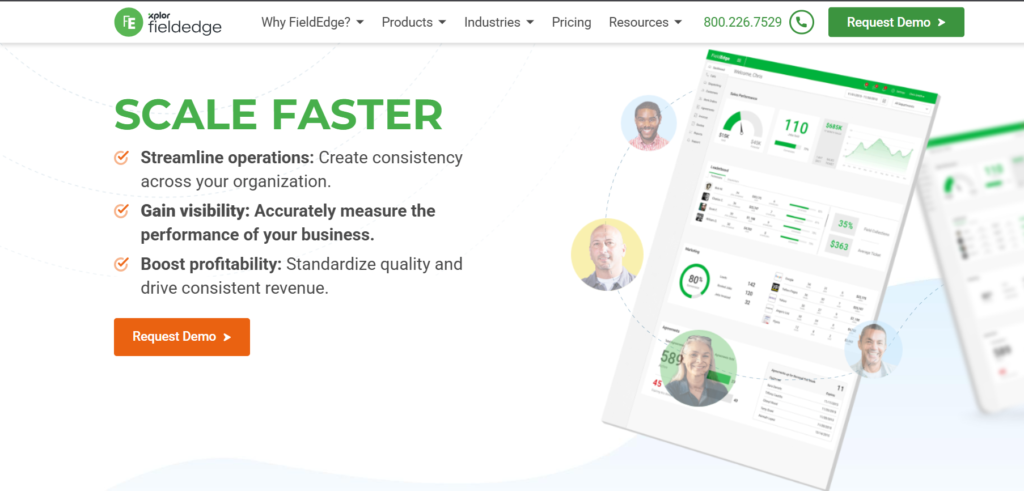
This software helps manage work orders and jobs. Technicians can be managed with scheduling, dispatch and time tracking. It also tracks customer service history.
Pros
- Designed for trade contractors
- Tracks service history for customers
- Technicians can create work orders
Cons
- Ensure it integrates with your accounting software
- Ask about the pricing and contract.
FieldPulse
Best For
Small and medium-sized contractors looking for structured work orders.
Why We Chose It
This software can be used to create work orders from calls, online and mobile. It also has templates that can be reused, assign to technicians, update job status, notes, photos and service history.
Pros
- Multiple ways to create work orders
- Templates can be reused to speed up the process
- Ideal for expanding teams
Cons
- Ensure there is enough depth for inventory and costing
- Ensure there are no limitations to the features at your plan level.
Service Fusion

Best For
Expanding service companies looking for an integrated work order and invoicing solution.
Why We Chose It
Technicians can create and close work orders. They can also view service history, create estimates, invoices and receive payments via the mobile app.
Pros
- Integrated from work order to invoicing
- Service history can be viewed in the field
- The vendor have announced they have an offline option where technicians can view details of their jobs, add notes and upload photos.
Cons
- Details of the offline features are provided by the vendor. Ensure they work on your devices.
- Ensure there is enough depth to the reporting.
Jobber
Best For
Small service businesses looking for an easy-to-use work order solution.
Why We Chose It
This has a good work order solution with the ability to add job details, checklists, photos, scheduling, track visits, time tracking and invoicing for one-off and recurring visits.
Pros
- Easy to use
- Can handle one-off and recurring visits
- Easy to get up and running for small teams
Cons
- Not a dedicated work order solution, more of a job management solution.
- There are varying reports on how this works offline. Ensure you check.
- May not be suitable for complex work orders or those with lots of equipment.
Find out more in our Jobber review.
Housecall Pro
Best For
Residential service businesses looking to manage their jobs from booking to payment.
Why We Chose It
This has a more comprehensive field service job management solution. It can be used to schedule, manage technicians, track customer information and invoicing. It is a good general job management solution rather than a dedicated solution for complex work orders.
Pros
- Easy to use on mobile
- From booking to payment
- Good for residential teams
Cons
- Not much offline capability. Whilst you can view previously loaded job details whilst offline, you cannot edit. (Source: Help Centre)
- You cannot complete jobs whilst offline.
- Not as in-depth for complex work orders.
Find out more in our Housecall Pro review.
Quick Comparison Table
| Software | Best Fit | Work Order Depth | Standout Strength | Verify Before Buying |
|---|---|---|---|---|
| ServiceTitan | Established, complex operations | Deep | Costing, inventory, equipment history | Cost, implementation scope |
| Zuper | Teams needing custom workflows | Deep, configurable | No-code workflows, offline job updates | Plan limits, offline feature coverage, WO terminology |
| FieldEdge | HVAC, plumbing, electrical | Strong | Trade-focused service history and equipment records | Integrations, pricing |
| FieldPulse | Small to midsize contractors | Solid | Templates and multi-source work-order creation | Inventory and costing depth |
| Service Fusion | Growing service companies | Solid | Work order to payment flow, offline job updates | Offline limitations, reporting |
| Jobber | Small, simple operations | Basic to moderate | Ease of use, job-linked documentation | Offline behavior, work-order depth |
| Housecall Pro | Residential teams | Basic to moderate | Booking to payment | Offline editing limits |
What to Look For in Work Order Management Software
Can They Complete Work Without Signal?
Basements, country roads and metal buildings can be dead zones.
Can they:
- View jobs offline
- Update notes and photos
- Capture signatures
- Seamlessly sync
View only vs full offline.
Can They Have Multiple Visits on One Job?
A lot of big jobs can’t be completed in one go.
Look for:
- Multiple appointments
- Multiple Technicians
- Running labour and parts costs.
This is useful for roofing, installations and commercial repairs.
Are Parts Tracked?
Parts can be a silent margin loss.
Look for:
- Parts used per job
- Parts in truck
- Purchase orders
- Stock alerts
This is a big factor for HVAC and Plumbing.
Does It Track Equipment?
Having good equipment history will help reduce repeat visits.
Look for:
- Equipment make, model, serial
- Previous repairs
- Warranty info
- Previous photos
Can They Capture Customer Approval?
Protecting yourself.
Look for:
- Digital signatures
- Change order approvals
- Written approvals
- Timestamped
Is There an Integration With Your Accounting?
Double entry can be a time waster.
Ask about:
- QuickBooks or other accountings
- One way or two way sync
- How customers and invoices match up
- Tax handling
Also for Canadian businesses ensure that they handle GST, HST, PST, QST and invoicing in CAD.
Can It Scale With You?
Two years down the line.
Ask about:
- Cost per user based on future headcount
- API and integration options
- Reporting options
Frequently Asked Questions
What is work order management in field service?
Work order management in field service is the process of creating, assigning, tracking, completing, and billing service jobs. It gives the office and technicians one shared record for each job, including details, parts, labor, notes, photos, and customer approval.
It helps reduce missed details, repeat visits, and late invoices.
How does work order management work?
It follows a flow: request, creation, assignment, job execution, customer approval, and closeout with invoicing. Each stage updates the same record.
Software makes this faster by sharing the record live between the office and the field.
What is the difference between a work order and a job?
A work order is the formal record of work to be done. A job is often the same thing in plain language.
Some software uses the terms differently. ServiceTitan, for example, uses “job” for residential workflows and “work order” in commercial workflows. Always ask vendors how they define each term.
What is the difference between a work order and an invoice?
A work order describes the work to be done and records what happened. An invoice is the bill for completed work.
In good systems, the work order feeds the invoice with labor, parts, and pricing, so you don’t enter anything twice.
What should a work order include?
A work order should include the customer, site address, job description, priority, assigned tech, needed parts, and equipment history.
After the job, it should also record labor hours, parts used, photos, notes, and customer sign-off.
What is the best work order management software for small contractors?
It depends on your trade and workflow. Jobber, Housecall Pro, FieldPulse, and Service Fusion are common options for smaller teams.
Pick based on how complex your jobs are, how much offline access you need, and your accounting setup. Verify current pricing directly.
What is the best work order software for HVAC, plumbing, and electrical businesses?
FieldEdge is built with these trades in mind. ServiceTitan suits larger or more complex operations. Zuper fits teams that want configurable workflows.
Look for equipment history, parts tracking, and maintenance agreements.
Does work order software work offline?
Some does, but offline features vary a lot. Some tools only let you view saved jobs. Others let techs add notes, photos, and updates offline.
Housecall Pro, for example, allows viewing previously loaded jobs offline but not editing. Always test offline mode in your own service area.
How much does work order management software cost?
Costs vary by vendor, plan, user count, and add-ons. Many charge per user per month, and some quote pricing on request.
Include setup, training, payment fees, and add-on modules in your total cost. Confirm current pricing with each vendor.
How do I choose the right work order management software?
Start with your workflow. List must-have features like templates, offline mode, inventory, and accounting sync. Shortlist two or three tools, then test each with a real job.