Simpro Mobile App Review: Features, Ratings, Pros, Cons, and Whether Your Techs Will Actually Use It
If you are evaluating Simpro for your HVAC, electrical, plumbing, or other field service business, the mobile app is where the decision usually gets made or unmade. Office staff can love a platform’s quoting and job costing tools, but if technicians hate opening the app in the field, adoption stalls and your data quality suffers with it.
I have spent years helping service businesses implement and troubleshoot field service management platforms, and Simpro Mobile is one of the more polarizing apps I get asked about. In this review, I will walk through what the app actually does, what real users say about it on the App Store and Google Play, where it falls short, and how to get the most out of it if you are already committed to the Simpro ecosystem.
Quick Answer: Is the Simpro Mobile App Good?
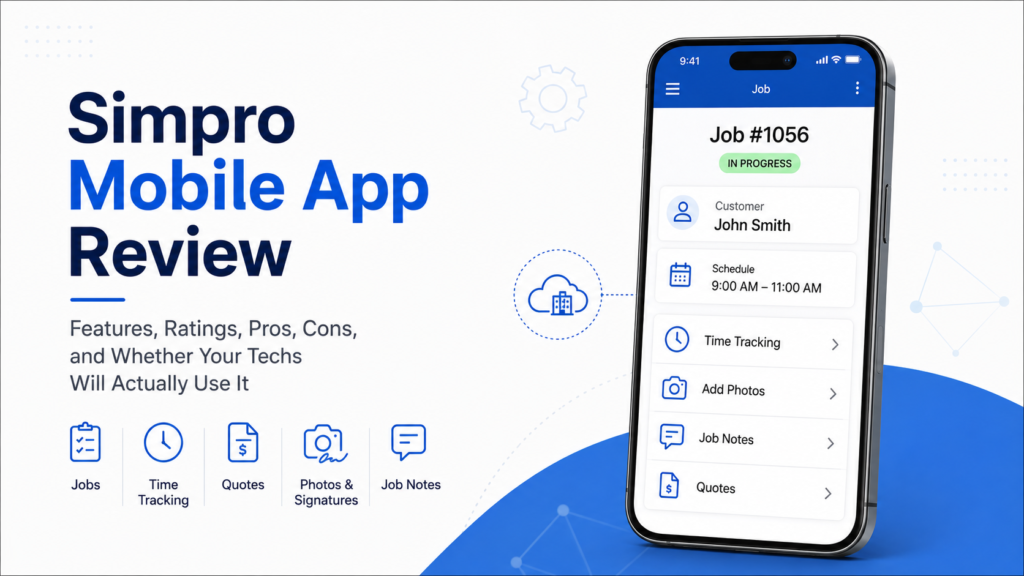
Simpro Mobile lets field technicians view job details, log time, update job status, capture photos and signatures, and create quotes on-site, syncing data back to the office in real time. It works on iOS and Android with limited offline support. Ratings sit in the 3.7 to 4.0 range, and the most common complaints involve time entry, sync reliability, and occasional crashes rather than missing functionality.
Key Takeaways
- Simpro Mobile is available on both iOS and Android, giving field teams flexibility across different devices.
- Google Play currently shows a 3.7/5 rating for the phone version and a 3.9/5 rating for the tablet version.
- The most persistent user complaints center on the time entry interface, occasional crashes, and data sync delays, not a lack of features.
- Some functionality, particularly around complex reporting and detailed job costing, is deeper on the desktop platform than on mobile.
- The app works best for businesses that invest in proper technician training and standardized field workflows during setup.
What Is the Simpro Mobile App?
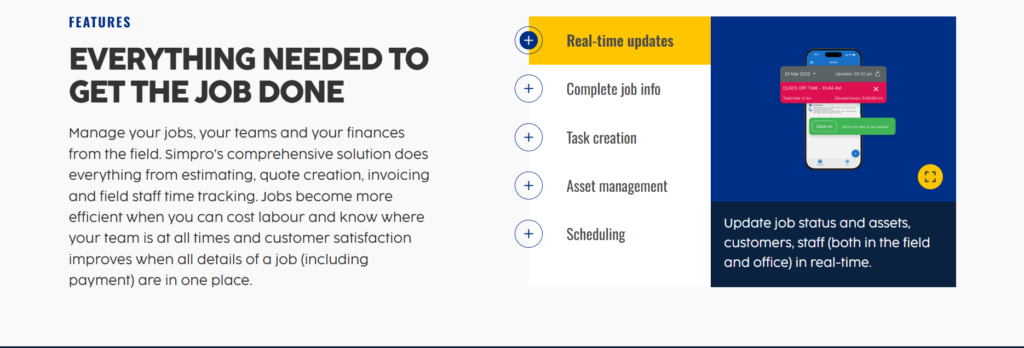
Simpro Mobile is the field-facing companion app for Simpro. According to Simpro’s official product information, field staff can access assigned jobs, site history, customer details, and job notes from the field, while also handling functions such as time tracking, scheduling, quoting, invoicing, and asset management. Simpro also states that information from the mobile app is communicated with the office in real time.
You cannot use Simpro Mobile on its own. It requires an active Simpro account, and depending on your subscription tier, some mobile features may be limited. The app is designed for technicians and field crews, while office staff, dispatchers, and managers typically work from the full web-based platform.
In my experience, this office-to-field split is fairly standard across FSM platforms, but how well the mobile app mirrors the office experience varies a lot between vendors. That gap is really the story of this review.
Simpro Mobile App Features
Job Management and Scheduling in the Field
According to Simpro’s official product information, field staff can access assigned jobs, customer details, site history, and job notes from the mobile app. The app also supports scheduling updates and communicates information with the office in real time, helping technicians and office staff stay aligned on job progress.
Quoting and Selling On-Site
According to Simpro’s official product information, technicians can create quotes in the field, add images or supporting documents, apply service fees, discounts, or add-on pricing, and email quotes directly to customers. Approved quotes can also be converted into jobs, which can help move the sales process forward without requiring technicians to return to the office.
Timesheets and Time Tracking
Recent Google Play reviews show mixed feedback on time tracking and data entry. Some reviewers have reported that clocking in and out is not very user-friendly, while other reviews describe the app as easy and quick to use. This suggests that the time-tracking experience can vary by user and workflow, rather than being a consistent strength or weakness for everyone.
Job Costing on Mobile
Simpro’s mobile workflow feeds field information such as labor hours, materials, and job notes into the wider Simpro system. This can help office teams keep job information up to date while technicians are in the field. However, Simpro’s mobile app is designed primarily for field tasks, while more detailed job costing and reporting are handled through the broader Simpro platform.
Customer Communication and Site History
According to Simpro’s official product information, field staff can access customer details, site history, and job notes from the mobile app. This gives technicians access to relevant information while they are on-site and can be particularly useful when returning to an existing customer or service location.
Offline Access and Sync
Simpro Mobile supports offline functionality for certain tasks, but recent user feedback suggests that the experience is not always consistent. Some Capterra and Google Play reviewers have reported issues such as delayed syncing, difficulty refreshing data, or problems with notes after connectivity interruptions. For field teams working in areas with unreliable connections, it is therefore worth testing the offline workflow before relying on it for critical job updates.
Simpro Mobile App Ratings: What Users Actually Say
Store ratings and independent review sites are a reasonably good proxy for real-world satisfaction, and Simpro Mobile’s numbers tell a consistent story: the app is usable, but it is not a strength of the platform.
| Source | Rating | Notes |
|---|---|---|
| Apple App Store | Ratings recently reset | Apple currently states that the app’s overall rating was recently reset, so there is no reliable current numerical rating to report. |
| Google Play | 3.7/5 (phone) 3.9/5 (Tablet) | Recent reviews show mixed feedback, with some users mentioning usability, time entry, notes, loading, and reliability issues. The tablet version currently shows a slightly higher rating than the phone version. |
| G2 | 4.2/5 | Reviews of the broader Simpro platform praise integrations and functionality, while some users mention setup, training, and support challenges. |
| Capterra | 4.0 (148 Reviews) | Recent reviews are mixed: users praise job management and field workflows, while some report a learning curve, complex navigation, and mobile syncing or support issues. |
Recent Google Play reviews show mixed experiences with Simpro Mobile. Some users describe the app as easy to use and professional, while others report frustrations with time entry, notes, loading speed, and reliability. This mixed feedback suggests that the app’s day-to-day experience can depend heavily on the user’s workflow and how the mobile features are configured and used.
Simpro Mobile App Pros and Cons
Pros:
- Real-time communication: Simpro states that field information such as job details, notes, and updates is communicated to the office in real time.
- On-site quoting: Technicians can create quotes in the field, add images or supporting documents, and email quotes directly to customers.
- Customer and site history: Field staff can access customer details, site history, and job notes while working on-site.
- iOS and Android availability: Simpro Mobile is available for both iOS and Android devices, giving field teams flexibility in their choice of device.
- Wide range of field functions: The app supports functions such as time tracking, scheduling, invoicing, and asset management, alongside core job-management features.
Cons
- Offline mode is inconsistent, with reports of lost notes or failed syncs after connectivity gaps.
- Some recent user reviews mention slow loading, glitches, or reliability issues, although the feedback is mixed and other users report a positive experience.
- The mobile app is focused on field work, so detailed reporting and advanced job costing remain more limited on mobile than on the full Simpro desktop platform.
- Simpro Mobile requires an active Simpro account, so it is not a standalone field service app that businesses can use independently.
- Some recent Google Play and Capterra reviews report syncing or data-refresh issues, particularly after connectivity interruptions. This suggests businesses should test the app’s offline workflow before relying on it for critical field updates.
Common Complaints About the Simpro Mobile App (and How to Work Around Them)
I do not think it is useful to pretend these issues do not exist. What I have found more useful is understanding how to reduce their impact.
Time entry problems.Recent Google Play reviews mention frustrations with clocking in and out and time entry usability. A practical workaround is to have technicians review their recorded hours before closing a job, particularly during the initial rollout.
Sync and connectivity issues. Some recent Google Play and Capterra reviews mention syncing or data-refresh problems. For businesses working in areas with unreliable connectivity, it is worth testing the app’s offline workflow during implementation and asking technicians to confirm that important updates have synced before leaving a site.
App reliability issues.Some recent Google Play reviews mention glitches, slow loading, or other reliability problems. Keeping the app updated and testing the latest version across the devices used by field staff can help businesses identify whether these issues affect their specific workflow.
Inconsistent onboarding. Capterra reviews of Simpro mention a learning curve and challenges around training and support. A structured rollout can help technicians become familiar with the mobile workflow before they begin using it for day-to-day field work.
How the Simpro Mobile App Fits Into Setup and Onboarding
Getting the mobile app right starts before technicians begin using it. Capterra reviews of Simpro highlight a learning curve and some training challenges, while Simpro’s mobile app is designed around field workflows connected to the wider platform. A structured setup should therefore include clear mobile permissions, job workflows, and hands-on technician training before rollout. For more detail on configuring the platform, see our Simpro setup guide.
Switching to Simpro? What the Mobile App Means for Your Technicians
If you are migrating from another platform, technician training becomes an important part of the transition. Capterra reviews of Simpro mention a learning curve and training challenges, so field teams should have time to learn the mobile workflow before the new system becomes part of their daily routine. A gradual rollout can also help identify workflow or usability issues before they affect the entire team. For more guidance, see our Simpro switching guide.
Simpro Mobile App vs Desktop: What You Can and Can’t Do in the Field
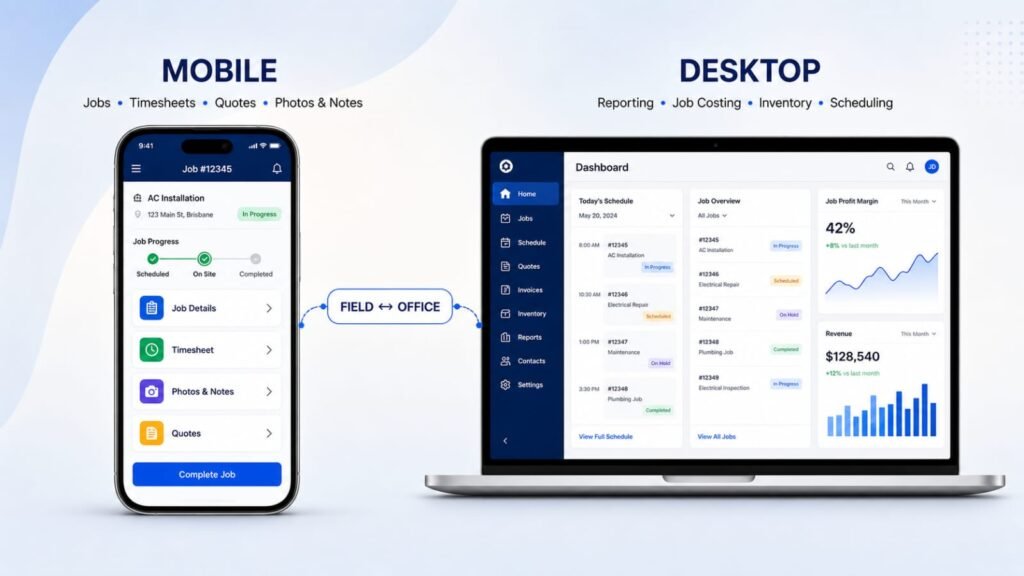
| Task | Mobile App | Desktop/Web |
|---|---|---|
| View assigned jobs and schedule | Yes | Yes |
| Update job status in real time | Yes | Yes |
| Create and send quotes | Yes | Yes |
| Log timesheets | Yes (interface limitations reported) | Yes |
| Capture photos, signatures, notes | Yes | Yes |
| Access customer and site history | Yes | Yes |
| Advanced reporting and analytics | Limited | Yes |
| Detailed job costing breakdowns | Limited | Yes |
| Inventory and purchasing management | Limited | Yes |
| Bulk scheduling and dispatch optimization | No | Yes |
Simpro Mobile is primarily designed for field execution, while the broader Simpro platform provides more advanced planning, reporting, and administrative functions. The feature split shown above reflects the different roles of mobile and desktop workflows. Businesses that rely heavily on mobile work should confirm which functions their technicians actually need before rollout.
Is the Simpro Mobile App Right for Your Trade?
HVAC: Simpro’s HVAC-specific information highlights mobile access to job and asset history, time tracking, notes and photos, on-site quoting, and asset management. Its mobile asset tools also let technicians view service history and test information while working in the field, making these features relevant for HVAC businesses that manage recurring maintenance and equipment service.
Plumbing: Simpro’s mobile workflow gives field technicians access to job details, customer and site information, notes, photos, time tracking, and on-site quoting. Simpro also highlights asset management and service history, which can be useful for plumbing businesses handling recurring maintenance and service work.
Electrical: Simpro’s mobile workflow gives field technicians access to job details, customer and site information, notes, photos, time tracking, and on-site quoting. Simpro also highlights asset management and service history, which can be useful for plumbing businesses handling recurring maintenance and service work.
Roofing and landscaping: Simpro Mobile supports field teams with job details, time tracking, notes, photos, quotes, and other job updates from a mobile device. Simpro also states that the app can continue displaying the last data received when connectivity is lost and can sync information with the office once the connection is restored. For teams working in areas with unreliable connectivity, testing the offline workflow during implementation is still a sensible step.
Best Practices for Getting the Most Out of Simpro Mobile
- Standardize how technicians confirm and close out job status before leaving a site.
- Train technicians on the mobile workflows they will use most often, including time tracking, job updates, notes, and job completion. Simpro provides training resources and a Learning Toolbox for users, so teams can use these materials alongside hands-on practice before rollout.
- Set clear expectations around offline use. Simpro states that the mobile app can continue working with the last data received when connectivity is lost and can sync with the office once the connection is restored. However, some functions may require an active connection, so businesses should test the workflows their technicians rely on most before rollout.
- Keep Simpro Mobile updated on field devices and test new versions with the devices and workflows your technicians actually use. This helps your team identify any version-specific workflow issues before they affect the wider field operation.
- Review mobile permissions and field workflows during setup so technicians have access to the jobs, information, and functions they need. Simpro’s mobile app includes permissions and real-time access to job information, so configuring these settings before rollout can help keep the field workflow aligned with each technician’s role.
- Revisit your field workflows a few months after go-live, since real usage patterns often expose gaps that initial training missed.
Frequently Asked Questions
Is Simpro Mobile free to use?
Simpro Mobile itself is free to download, but it requires an active Simpro subscription to log in and function. There is no standalone free version of the app.
Does Simpro Mobile work offline?
Yes. Simpro states that its Mobile app can continue working when connectivity is lost by displaying the last data received, and it can sync information with the office once the connection is restored. Simpro also documents offline functionality for field workflows, although businesses should test the specific workflows their technicians rely on before rollout.
What devices support the Simpro Mobile app?
Simpro Mobile works on both Apple and Android devices. Simpro’s current website confirms compatibility with both platforms, while the exact operating-system requirements can change as new app versions are released. For the latest requirements, businesses should check the current app-store listing before deploying the app across field devices.
Can technicians create quotes from the Simpro Mobile app?
Yes. Simpro Mobile supports creating and managing quotes in the field. Simpro states that technicians can access estimates and quotes from mobile, while its mobile quoting tools also support adding relevant information and sending quotes to customers from the field.
Why do users complain about time tracking in Simpro Mobile?
Recent Google Play reviews show mixed feedback about time tracking. Some users report that clocking in and out is not very user-friendly, while other reviewers describe the app as easy and quick to use. This suggests that the time-tracking experience can vary depending on the user’s workflow rather than being a consistent issue for every user.
Is the Simpro Mobile app better on iOS or Android?
Simpro Mobile is available on both iOS and Android. Current app-store ratings vary by platform and region, so they should not be used on their own to conclude that one version is better. Businesses should test the app on the specific devices their field technicians will use and compare the workflows that matter most to them.
Does Simpro Mobile support job costing?
Yes. Simpro Mobile lets field staff record time and job details that contribute to job costing. Simpro also states that technicians can record labour and materials in the field, while Simpro Premium provides the broader job-costing and reporting capabilities used by office teams.
How is Simpro Mobile different from the full Simpro platform?
Simpro Mobile is focused on field work, giving technicians access to assigned jobs, schedules, job details, notes, photos, time tracking, quotes, invoices, and asset information. The wider Simpro platform provides broader office and management capabilities, including detailed job costing, reporting, scheduling, and business-level financial information. Simpro therefore uses mobile and desktop workflows together rather than treating the mobile app as a complete replacement for the full platform.
Can I use Simpro Mobile without training my team?
Simpro Mobile can be used without formal training, but Simpro recommends training and structured onboarding as part of implementation. Simpro provides a Learning Toolbox, Help Guide, and training support for customers, and its implementation process includes setting up Simpro Mobile and training teams on workflows. For businesses adopting the app, giving technicians time to learn the mobile workflows before go-live is a practical approach.
Is Simpro Mobile a good fit for small field service businesses?
Yes. Simpro states that its platform is designed to support businesses ranging from small teams to larger operations. Its current pricing information specifically says that businesses with five to 200 staff can use the platform, while Simpro also promotes the software for small teams with 20 or fewer employees. Because pricing and implementation are tailored to factors such as team size, workflows, and add-ons, smaller businesses should evaluate whether the platform’s features and implementation requirements match their needs and budget.
Final Thoughts
Simpro Mobile covers the core field-service workflows technicians need, including access to job information, time tracking, quoting, invoicing, asset management, and communication with the office. Simpro states that information from the mobile app is communicated with the office in real time. At the same time, recent Google Play reviews show mixed experiences, with some users praising ease of use while others report frustrations with time entry, notes, loading, and reliability.
None of that makes the app a dealbreaker on its own. It makes technician training, clear field workflows, and realistic expectations about offline use far more important than they would be with a more polished mobile experience. If you are already committed to Simpro or seriously evaluating it, plan your rollout with that reality in mind rather than assuming the app will run itself.
If you are still working through implementation, our Simpro mobile app resource hub brings together our setup, scheduling, and job costing guides in one place, which is a practical starting point before you put the app in front of your field team.