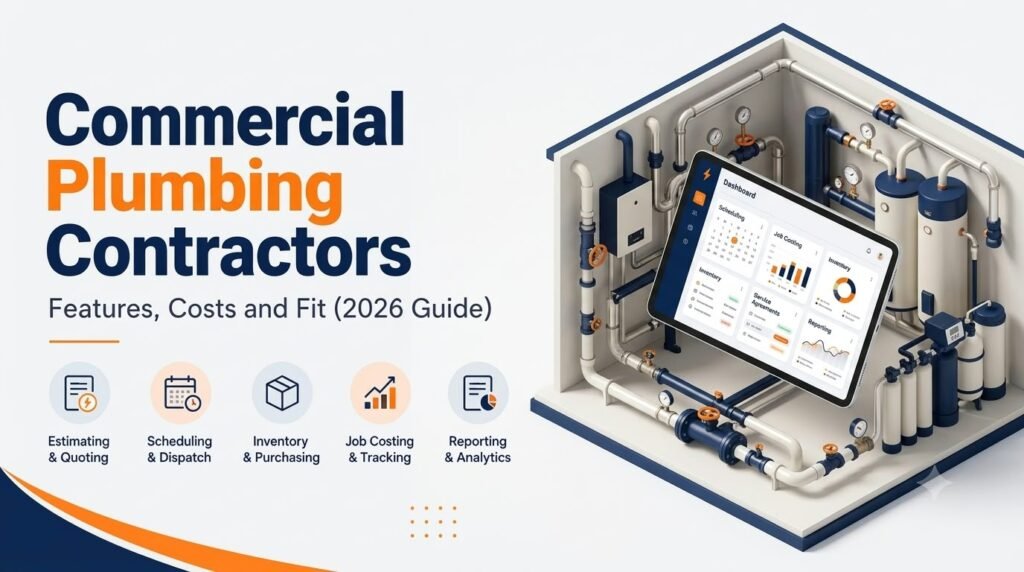
Simpro for Commercial Plumbing Contractors: Features, Costs and Fit (2026 Guide)
Commercial plumbing companies rarely fail because the plumbers are not good. They struggle because the business runs on too many disconnected pieces: an estimator working from PDFs, a dispatcher juggling emergency calls on a whiteboard, a project manager guessing at labor burn, and a bookkeeper re-entering invoices at month end. Simpro commercial plumbing setups are one popular way to pull those pieces into a single system, but it is not the right tool for every plumbing contractor.
This guide covers what Simpro does for commercial plumbing, where it is strong, where it can frustrate you, what it costs (and why the answer is not a single number), how it connects to accounting, and how to decide if it belongs on your shortlist. If you want the short overview first, start with our page on Simpro for commercial plumbing.

Quick Answer: Is Simpro Right for Commercial Plumbing Contractors?
Short answer: Simpro is a strong fit for mid-sized commercial plumbing contractors that mix service calls, maintenance contracts and multi-phase project work and need job costing, inventory control and reporting in one platform. It is usually more than a small residential plumbing shop needs, and it takes real setup effort.
Best for: Plumbing contractors with several technicians or crews, commercial accounts, recurring maintenance and project work, plus an office team that can own the system.
Look elsewhere if: You are a small residential operation that wants published pricing, a fast start and a simple interface.
Key Takeaways
- Simpro is a field service management (FSM) platform that connects estimating, quoting, scheduling, dispatch, mobile field updates, inventory, job costing, invoicing and reporting.
- Its strongest fit is commercial and mixed work: service calls, maintenance contracts and multi-phase projects on one platform.
- Simpro does not publish standard pricing. Capterra lists its plans as “contact vendor,” so plan on a written quote rather than a public rate card.
- Plan for implementation. Independent reviewers report a learning curve and a rollout that can take a couple of months.
- Accounting sync deserves its own evaluation. Review how the platform connects to QuickBooks or Xero before signing.
- Test Simpro against three of your own real jobs, and compare it with at least one alternative.
What Is Simpro?
Definition: Simpro is a cloud-based field service management and job management platform built for trade and commercial contractors, including plumbing, electrical, HVAC, security and fire protection businesses.
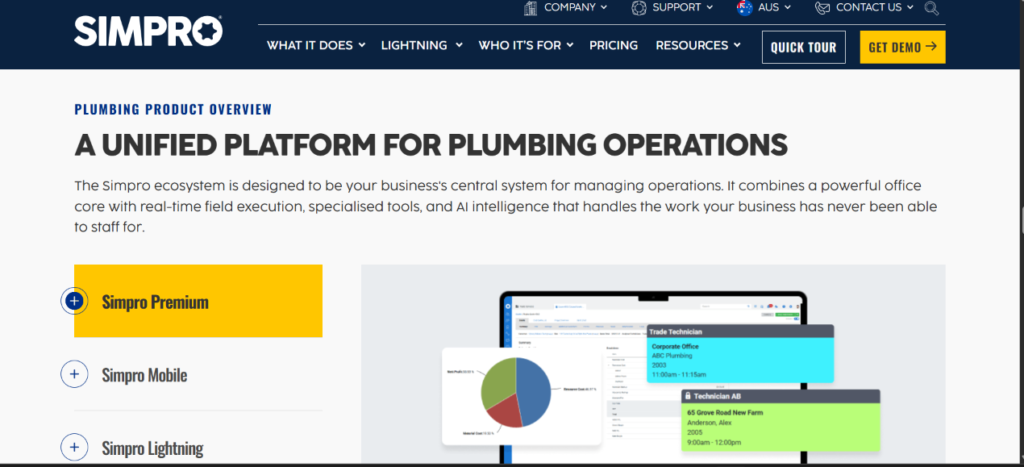
Simpro describes its plumbing product as a connected system for managing service jobs, projects, plumbers, customers, materials and cash flow, bringing scheduling, estimating, quoting, dispatch, mobile updates, invoicing, reporting and maintenance workflows together. You can read the vendor’s own description on the Simpro plumbing software page. The company also states that it serves more than 24,000 businesses across the trades. That figure comes from Simpro itself, so treat it as a vendor-reported number.
For a commercial plumbing contractor, the important question is not whether software can put a job on a calendar. It is whether one system can carry a job from bid to final invoice, including materials, labor, change orders and retention, without your team rebuilding the story in three places.
Why Commercial Plumbing Is Different From Residential Service
Commercial plumbing has different pressure points than a residential service van business. From an implementation perspective, this is where a lot of software mismatches start.
- Longer job lifecycles. Rough-in, trim-out and closeout can span months, with different crews and inspections at each stage.
- Bigger material exposure. Pipe, fittings, fixtures and specialty equipment add up fast, and unlogged material quietly eats margin.
- Formal approvals and billing. Progress invoicing, retention, change orders and purchase orders are normal.
- Recurring obligations. Backflow testing, water heater maintenance and scheduled inspections come with service agreements and documentation.
- Emergency work on top of planned work. A burst line at a commercial tenant does not wait for your project schedule.
- Code and inspection requirements. Plumbing work follows model codes such as the International Plumbing Code or the Uniform Plumbing Code, adopted and amended by local jurisdictions. Software does not make you compliant, but good records of inspections, test results and completed work make compliance easier to prove.
Labor is also a genuine constraint. The U.S. Bureau of Labor Statistics reports that the median annual wage for plumbers, pipefitters and steamfitters was $63,800 in May 2025, and it projects about 42,000 openings each year, on average, over the decade. When skilled technicians are that hard to hire and keep, wasting their time on rework, double entry and poor scheduling is expensive.
What Commercial Plumbing Contractors Need From Software
When evaluating field service software, I look at operational problems first and features second. For commercial plumbing, the recurring problem areas usually include:
- Estimating from plans: Counting fixtures and pipe runs, then pricing labor, materials and margin.
- Project cost control: Comparing actual labor and materials against budget while the job is still open.
- Service and maintenance: Managing reactive calls, planned maintenance and service agreements together.
- Inventory and purchasing: Tracking truck stock, purchase orders and job-level material use.
- Field documentation: Photos, signatures, test results and site data captured on the job.
- Billing: Progress invoices, retention, change orders and recurring maintenance invoicing.
- Reporting: Backlog, margin signals and billing readiness without manual spreadsheets.
Simpro Features That Matter for Commercial Plumbing
Estimating, Takeoffs and Quoting
Simpro’s estimating tools connect labor, materials, supplier pricing and approval workflows in one quoting process, aimed at commercial plumbing projects and maintenance contracts. For plan-based work, Simpro offers a Takeoffs add-on that lets estimators upload digital plans and count fixtures and pipe runs using symbol recognition, according to the vendor. Simpro’s own content also notes that commercial contractors doing complex piping work often use a dedicated takeoff tool alongside an FSM platform, so ask how Takeoffs compares to specialist estimating tools for your typical project size.
Scheduling and Dispatch
Scheduling covers service calls, project labor and maintenance visits. Dispatch can be planned by technician availability, location and priority, and customers can receive automated updates. For emergency calls, the practical value is seeing who is closest and qualified without calling around. The results depend heavily on how well job types, skills and zones are configured during setup.
Job Costing and Project Tracking
This is the reason many commercial contractors look at Simpro in the first place. Independent reviewers highlight strong project management and job costing, and multi-phase commercial work handling as its core strengths. If you currently learn a project lost money only after the final invoice goes out, live visibility into labor and materials against budget is the biggest value.
Digital Forms and Mobile Field Tools
Simpro’s digital forms let technicians capture site data, signatures and photos on a mobile device that sync back to the job. For plumbing, that can mean test readings, backflow paperwork, pre-job checklists and customer sign-off. One independent review rates the mobile app as weaker than some competitors, so test it with your own technicians, including basements and mechanical rooms with poor signal.
Inventory and Purchasing
Materials are among the largest costs for plumbing contractors, second only to labor, according to Simpro’s own inventory guidance. Tying purchase orders, truck stock and job material use together is where a platform like this can protect margin. The catch is that it only works if your team actually logs materials consistently.
Service Agreements and Maintenance
Recurring maintenance, service level agreements and asset history are supported. For commercial plumbing, that includes scheduled inspections, water heater servicing and backflow testing programs, where the record of what was done, when and by whom matters as much as the work itself.
AI and Reporting
Simpro now markets an AI layer called Simpro Lightning, along with reporting tools for spotting jobs that are trending over budget. Treat AI features as a bonus to verify in a demo, not the reason to buy.
How Much Does Simpro Cost?
Simpro does not publish pricing. Capterra lists its plans as “contact vendor,” with per-user, per-month pricing, no free version and no free trial. Final cost depends on your number of users, the modules you add and your implementation scope.
Third-party estimates exist, but they disagree with each other. Some review sites report anywhere from about $70 up to $200 to $300 per user per month depending on edition and add-ons. I would treat those as rough context, not a budget. Use them only to prepare questions for a formal quote.
| Cost Factor | What It Depends On | What to Ask Simpro |
|---|---|---|
| Monthly licenses | Number of office and field users, edition | Are office and field users priced differently? |
| Add-on modules | Takeoffs, digital forms, project tools | Which add-ons do we need for commercial plan work? |
| Implementation and setup | Data volume, complexity, training needs | Is setup a fixed fee or scoped by hours? |
| Data migration | Customers, sites, price book, assets | Who cleans and imports our data? |
| Accounting integration | QuickBooks, Xero or other | Is setup included, and who supports it? |
| Contract term | Monthly, annual, multi-year | What are the minimum users and renewal increases? |
| Training and support | Onboarding depth, support tier | What is included, and what costs extra? |
The main pricing takeaway is that total cost of ownership matters more than the per-user number. Implementation, training, internal staff time and contract terms can outweigh the license fee. Get everything in writing, including renewal terms, before comparing against a competitor with published pricing.
ROI: What the Evidence Does and Does Not Show
Vendors publish customer results, and they can be useful, but they are not independent proof. For example, Simpro reports that Kiely Plumbing saw estimate creation time drop 10 times, admin work fall 63% and revenue rise 35% without adding headcount, and that Zebra Plumbing increased average job value from $800 to $1,500 after speeding up quoting. Those numbers come from the vendor’s own case content, and your results will depend on your starting point, data quality, adoption and market.
A practical approach is to build your own before-and-after baseline instead of assuming similar gains. Measure these before you buy:
- Hours spent building an average estimate
- Days from job completion to invoice sent
- Percentage of jobs with missing or late materials on the invoice
- Callback and warranty rework rate
- Office hours spent on double entry each week
If you cannot show a measurable target for at least two of those, you will struggle to judge whether the software paid for itself.
The Case for Simpro: Where It Fits Best
Simpro fits best when several of these describe your business:
- You run commercial and multi-phase projects alongside service calls.
- You need job costing you can trust while projects are active.
- You manage maintenance contracts and service agreements.
- You have enough staff to justify a proper system and someone to own it internally.
- You want one platform in place of a scheduling app, an estimating tool and spreadsheets.
- You operate more than one trade line. Contractors who also do electrical, fire or refrigeration work often benefit from a shared system. See how the same platform applies to fire and security and refrigeration operations.
Simpro’s own comparison content positions it for plumbing businesses with roughly 5 to 200 plus employees that handle a mix of service calls, maintenance contracts and commercial project work, and independent reviewers describe it as suited to mid-market commercial contractors with about 10 to 500 technicians. Those are consistent signals about who it is built for.
The Case Against: Where Simpro May Not Fit
Balanced advice means naming the friction points. Based on third-party reviews and typical FSM rollouts, watch for:
- Learning curve and setup time. Independent reviewers report a steep learning curve and a multi-month implementation.
- Opaque pricing. There is no rate card and no self-serve trial, which makes early comparison harder.
- Contract terms. Some reviewers describe multi-year commitments and annual increases. Confirm this in your own agreement.
- Mobile app experience. Test it hands-on before assuming it meets your technicians’ needs.
- Overkill for small shops. A residential plumbing business with a few vans may pay for depth it never uses. Simpro’s own content acknowledges that small residential teams may prefer simpler tools such as Jobber.
- Needs an internal owner. Without someone accountable for configuration and training, adoption stalls.
- Specialist estimating gaps. Very large or industrial takeoffs may still call for a dedicated estimating tool.
Simpro vs Other Options: Quick Comparison
The best software for commercial plumbing depends on your size, work mix and appetite for implementation work.
| Business Profile | Likely Best Direction | Why |
|---|---|---|
| Small residential plumber, 1 to 15 techs | Lightweight FSM such as Jobber or Housecall Pro | Faster setup, published pricing, simpler workflows |
| Service-focused growing company | Mid-tier FSM such as FieldEdge or Simpro | Balance of quoting, service agreements and dispatch |
| Mixed service, maintenance and commercial projects | Simpro or a comparable project-capable FSM | Job costing, inventory, multi-phase work |
| Commercial-first, multisite clients | Commercial-focused platforms such as BuildOps, or Simpro | Depends on project complexity and integrations |
| Heavy plan-based estimating | Specialist takeoff tools alongside an FSM | Deeper takeoff and mechanical estimating |
Ask each vendor the same questions and run the same three real jobs through each demo. Feature grids alone will not separate them.
Simpro and Accounting: What to Check
Accounting sync is one of the highest-impact decisions in any FSM rollout. Simpro connects to both QuickBooks and Xero, but “integrated” can mean very different things in practice.
Simpro and Xero
According to Simpro’s help documentation, the Xero accounting link transfers invoices, customers, suppliers and contractors from Simpro Premium to Xero, and payments can move in both directions. A few details are worth knowing before you commit:
- You need administrator access to Xero to set up the link.
- Payments that cover multiple invoices in Simpro are sent to Xero as individual payments against each invoice, so Simpro recommends entering payments in Xero and transferring them into Simpro to simplify reconciliation.
- Simpro and Xero apply different rounding conventions, which can create small differences.
- When supplier invoices are posted through the link, each line item is created with a quantity of one regardless of the quantity in Simpro.
- Timesheet syncing to Xero is listed for Australia, New Zealand, the United Kingdom and Ireland, so US and Canadian contractors should confirm what payroll features apply to them.
Some user reviews on the Xero App Store describe supplier invoice mapping problems, which is a reminder to test your real chart of accounts before go-live. For a deeper walkthrough, see our guide to Simpro and Xero.
Simpro and QuickBooks
Capterra lists Simpro integrations with QuickBooks Online and QuickBooks Desktop. Key questions are which system creates customer records, how progress billing and retention carry across, and how job cost codes map to your accounts. Our breakdown of how Simpro works with QuickBooks covers the setup considerations in more detail.
Questions to Ask Before You Sign
- Do customers and sites sync one way or both ways?
- How do progress invoices, retention and credits transfer?
- Where are purchase orders and supplier bills entered first?
- How do job cost codes map to our chart of accounts?
- Who supports the integration if it breaks?
I’ve found that most integration frustration comes from unclear ownership, not the connector itself. Decide which system creates each record, then document it.
Commercial Plumbing Scenarios: How Simpro Would Be Used
These are illustrative workflows, not client case studies.
Emergency service call. A property manager reports a failed water heater. The office creates the job, dispatches the closest qualified plumber, and sends an arrival update. The technician logs time, parts and photos on the mobile app, and the job moves to invoicing without retyping.
Tenant fit-out project. The estimator builds a quote from plan takeoffs, labor and supplier pricing. After approval, the job is broken into phases with budgets. The project manager tracks actual labor and materials against those budgets and issues progress invoices.
Maintenance and backflow program. Recurring visits are scheduled from service agreements. Technicians complete digital forms with test results, and the office pulls the history when a customer or inspector asks.
Multi-trade contractor. A company with plumbing, electrical and refrigeration work keeps customers, sites and assets in one record instead of three.
How to Evaluate Simpro: A Step-by-Step Approach
- Map your current workflow. Trace a job from enquiry to payment and mark every place information is retyped or lost.
- List true requirements. Separate must-haves such as progress billing and accounting sync from nice-to-haves.
- Pick three real jobs. Use one emergency call, one project and one maintenance contract, and ask the vendor to run them in the demo.
- Test the mobile app in the field. Put it in a technician’s hands on a real site.
- Request a written quote. Include licenses, add-ons, implementation, training, migration and contract terms.
- Talk to references. Ask for a plumbing contractor of similar size and work mix.
- Compare at least one alternative. Even if Simpro wins, it sharpens your negotiation.
- Plan the rollout. Assign an owner, a training schedule and a data cleanup timeline before signing.
Simpro Decision Checklist for Commercial Plumbing Contractors
Use this as a quick filter. The more boxes you can check, the stronger the fit.
- We run multi-phase commercial projects, not only service calls.
- We need live job costing and budget tracking.
- We manage maintenance contracts, service agreements or backflow programs.
- We have office staff able to own configuration and training.
- We can budget for implementation, not only licenses.
- Our accounting integration requirements are clearly defined.
- Our technicians will use a mobile app daily.
- We are comfortable with a quote-based, possibly term-based contract.
If you checked fewer than four, look hard at lighter alternatives first.
Common Mistakes When Choosing FSM Software for Plumbing
- Buying on the feature list. Choose by operating model, not by the longest set of features.
- Skipping data cleanup. Migrating messy customer records and price books guarantees a messy start.
- No internal owner. Someone must be accountable for setup and adoption.
- Ignoring technician feedback. If the app is frustrating, data quality drops quickly.
- Underestimating training. Office and field users learn at different speeds.
- Not reading contract terms. Minimum users, renewal increases and term length matter.
- Expecting instant ROI. Benefits come after adoption, and results vary by business.
Best Practices for a Successful Rollout
- Start with core workflows (quoting, scheduling, invoicing) and add advanced features later.
- Standardize job types, cost codes and price book items before importing anything.
- Train in small groups by role: dispatchers, estimators, project managers and plumbers.
- Run old and new processes side by side briefly on a limited set of jobs.
- Review reports at 30, 60 and 90 days and adjust configuration.
- Write down simple rules for what gets entered where, and by whom.
Industry-Specific Recommendations for Plumbing Contractors
- Emergency calls: Create priority job types and after-hours dispatch rules so urgent work is never lost in the queue.
- Drain cleaning: Use job templates and standard pricing so repeat work is quoted consistently.
- Water heater jobs: Keep a price book with common models, sizes and installation add-ons for fast, accurate estimates.
- Estimates: Compare estimated and actual hours after each job to improve future bids.
- Dispatching and technician availability: Track skills and licensing so the right plumber goes to the right job.
- Materials: Log material use to the job, and reconcile truck stock on a regular schedule.
- Change orders and callbacks: Record them as separate line items so warranty and rework costs stay visible.
Final Thoughts
Simpro is a serious platform for plumbing contractors with serious operational complexity. If you mix service, maintenance and multi-phase commercial work, it can replace a patchwork of tools with a single system built around the full job lifecycle. If you are a small residential shop, it may be more than you need.
The best decision process is straightforward: define your workflow, test the software against real jobs, get total costs in writing and be honest about how much implementation your team can handle. If Simpro passes those tests, it earns its place. If not, a lighter tool may serve you better today, and you can revisit Simpro as you grow.
Explore More Field Services HQ Resources
If you are comparing platforms or planning a rollout, browse the FSM guides, comparisons and contractor resources at Field Services HQ. A good next step is our overview of Simpro for commercial plumbing, followed by the related guides above on accounting and other trades.
Frequently Asked Questions About Simpro for Commercial Plumbing
What is Simpro used for in commercial plumbing?
Simpro is used to manage the full job lifecycle for plumbing contractors: estimating, scheduling, dispatch, field updates, inventory, job costing, invoicing and reporting. Commercial plumbers use it to run service calls, maintenance contracts and multi-phase projects in one system.
Is Simpro good for commercial plumbing contractors?
Yes, for mid-sized contractors with a mix of service, maintenance and project work. Reviewers highlight job costing, reporting and inventory strengths. It is less suited to small residential shops that want fast setup and published pricing.
How much does Simpro cost for plumbers?
Simpro does not publish pricing. Cost is quote-based and depends on user count, modules and implementation scope. Third-party estimates vary widely, so request a written quote covering licenses, setup, training and contract terms.
Does Simpro offer a free trial?
Based on current Capterra listings, Simpro does not offer a free trial or free version. Ask for a guided demo using your own jobs, and confirm whether the vendor’s policy has changed.
Does Simpro integrate with Xero?
Yes. Simpro’s Xero accounting link transfers invoices, customers, suppliers and contractors, and payments can move both ways. Timesheet syncing is listed for select regions, so confirm what applies in the US or Canada. See our guide to Simpro and Xero for more.
Does Simpro integrate with QuickBooks?
Yes. Capterra lists integrations with QuickBooks Online and QuickBooks Desktop. Confirm which version and features apply to your plan and how invoices and job costs sync. Our page on Simpro and QuickBooks explains what to check.
Can Simpro handle plan-based takeoffs for commercial plumbing?
Simpro offers a Takeoffs add-on that lets estimators upload plans and count fixtures and pipe runs using symbol recognition. Very complex or industrial projects may still benefit from a specialist estimating tool, so test it on a real set of plans.
How long does Simpro take to implement?
It varies. Independent reviewers commonly report a rollout of a couple of months or more, depending on data volume, configuration and training. Your timeline depends on how clean your data is and how much internal time you can dedicate.
Is Simpro better than Jobber or Housecall Pro for plumbers?
It depends on your size. Jobber and Housecall Pro are generally simpler and better for small, residential-focused teams. Simpro offers deeper project management and job costing for commercial contractors, with more setup effort.
Does Simpro work for other trades besides plumbing?
Yes. It also serves electrical, HVAC, security and fire protection businesses, which helps multi-trade contractors keep customers and assets in one place. See our pages on fire and security and refrigeration.