Service Autopilot Marketing Automation: Full Breakdown
Does Service Autopilot Have Marketing Automation?
Yes. Service Autopilot’s marketing automation feature is called Automations, a workflow tool built into the platform that can send emails, texts, and internal tasks based on business events like a pending estimate or a completed job. As of Service Autopilot’s current published pricing page, Automations is listed as part of the Pro Plus plan and above. Exact entitlements can change, so confirm current plan inclusions directly with Service Autopilot before budgeting.
Which plan includes it: Service Autopilot’s published pricing page lists Automations as a Pro Plus feature, carried forward into Elite. Confirm the exact workflow and channel availability for each plan before purchasing, since add-ons and inclusions have shifted over time.
Overall verdict: A genuinely useful workflow engine for the right recurring-service business, but one where the real cost and entitlements need to be confirmed directly rather than assumed from marketing pages.
Quick Decision Table
| If you need… | Service Autopilot |
|---|---|
| Lead follow-up | Automations can support this; confirm whether new-lead triggers are included by default or require custom setup |
| Estimate follow-up | Documented workflow example (Automations product pages) |
| Automated customer communication | Yes, through Automations workflows |
| Documented native capability within Automations | |
| SMS / two-way texting | Availability varies by plan; confirm whether it’s included at Pro Plus or requires Elite or a separate add-on |
| Review requests | Documented as automated survey workflows; direct Google/Facebook review-site integration is not confirmed |
| Customer reactivation | May be available through prebuilt or custom Marketplace workflows; confirm specifics |
| Upsell/cross-sell | Documented workflow example (Automations product pages) |
| Payment follow-up | Documented workflow example (Automations product pages) |
| Complex marketing campaigns | Not part of Automations; this is a workflow tool, not a full marketing platform |
| Advanced marketing analytics | Not confirmed; no dedicated attribution or multi-touch reporting found in current documentation |
If your business runs recurring routes (lawn care, landscaping, snow, pest control, cleaning) and you’re already using or considering Service Autopilot’s core FSM tools, the rest of this guide breaks down what Automations does, what it may cost, and what to verify before upgrading. For the platform beyond marketing, see our full Service Autopilot review and Service Autopilot pricing breakdown.

Marketing Automation at a Glance: Capability Matrix
When it comes to the best field service software reviews, my favorite way to slice through marketing speak is to create a capability matrix that classifies features as Confirmed (in product documentation), Likely (requires Marketplace templates or customization), or Unconfirmed (must be verified with the vendor). This is how Service Autopilot’s Automations stack up, according to serviceautopilot.com’s own product pages and pricing sheet , as of September 2, 2026.
| Capability | Available? | Classification | Automation Level | Best Use |
|---|---|---|---|---|
| Lead follow-up | Likely, not clearly documented | Requires confirmation | Unclear; documentation emphasizes estimate and invoice triggers more than new-lead triggers | New leads who haven’t booked |
| Estimate follow-up | Yes | Native Automations feature | Automated, conditional on response status | Pending or unresponsive estimates |
| Appointment reminders | Yes | Native Automations feature | Automated | Reducing no-shows and reschedules |
| Post-service communication | Yes | Native Automations feature | Automated | Thank-you and next-visit messaging |
| Review requests / surveys | Yes | Native Automations feature | Automated survey trigger | Generating customer feedback and reviews; direct Google/Facebook posting integration not confirmed |
| Reactivation | Likely, via prebuilt or custom workflow | Marketplace workflow / requires confirmation | Depends on how the workflow is configured | Inactive or seasonal customers |
| Upsells | Yes, referenced in vendor materials | Native Automations feature | Depends on tag setup | Promoting add-on services |
| Payment follow-up | Yes | Native Automations feature | Automated, escalating sequence | Past-due invoice collection |
| Yes | Native Automations feature | Automated | Most workflow types | |
| SMS / texting | Yes, availability depends on plan or add-on | Confirm whether one-way and two-way texting are both included at your tier | Automated once configured | Time-sensitive follow-up |
| Direct mail / postcards | Referenced in vendor materials, exact delivery mechanism (native vs. partner-provided) not fully confirmed | Requires confirmation | Depends on setup | Seasonal offers, neighbor marketing |
| Seasonal campaigns | Yes, via Marketplace templates | Marketplace workflow | Requires periodic manual updates | Spring startup, fall cleanup, snow season pushes |
A note on how to read this table: where we write “native Automations feature,” that reflects language on Service Autopilot’s own product pages. Where the mechanism isn’t spelled out in primary documentation, we’ve marked it “requires confirmation” rather than assuming. Confirm exact workflow availability for your plan before purchasing.
How Service Autopilot Marketing Automation Works: Trigger, Logic, Action
Quick answer: A typical Service Autopilot Automation can be thought of as a trigger-and-action workflow: something happens in your account (an estimate goes unanswered, an invoice goes unpaid, a job is marked complete) and the system sends a message or creates a task in response.
Specific conditions, delays, branching logic, and exit behavior can vary depending on how each particular workflow is set up, and Service Autopilot’s own public documentation describes the concept at a relatively high-level rather than publishing a detailed technical specification of the automation engine.
The general structure, as suggested by vendor materials, is as follows:
Trigger → Conditions → Wait → Action → Follow-up
Trigger: An event that seems to happen inside Service Autopilot to initiate a workflow. Vendor examples include an estimate being sent, an invoice going unpaid, and a job being marked complete.
Conditions: Presumably, workflows can be scope to specific criteria around clients or jobs, though Service Autopilot’s public pages do not outline the full range of logic available to a user building a workflow
Wait: Vendor examples reference multi-day intervals between messages (for example, offering a client an alternative follow-up time such as 30 days later).
Action: The documented actions are sending an email, sending a text, sending a piece of mail, or creating an internal to-do.
Follow-up: Vendor materials describe multi-step sequences, though the specific branching and exit logic (what removes a client from a workflow, and whether that happens automatically or requires manual tagging) is not something we could confirm from public documentation alone.
A Simple Example Workflow
Here is a simplified illustration of how an estimate follow-up automation is described in vendor and implementation-partner materials. Consider this a conceptual example rather than a confirmed, literal sequence, as timing and logic can vary depending on how a given account configures the workflow:
- Estimate sent, no response after a few days
- System sends a text or email reminder
- If still unresponsive, a follow-up message goes out, potentially offering an alternative follow-up timeframe
- Client responds, books, declines, or is flagged for manual sales follow-up
The concept that appears to be most consistently supported across Service Autopilot’s own materials is that Automations reads from the same client, job, and invoice data used elsewhere in the software, rather than a separate list you’d have to export and upload. If confirmed for your account during a demo, that is a significant advantage over marketing tools that rely on static, manually updated lists.
What Can Service Autopilot Marketing Automation Automate?
Rather than listing the features in the order Service Autopilot’s own menus present them, it is more useful to group capabilities by the business outcome they support. This is how I’d recommend evaluating any field service marketing automation platform, not just this one.
Lead and Estimate Follow-Up
- Estimate follow-up sequences for pending or unresponsive quotes; this is the most clearly documented workflow in Service Autopilot’s own materials
- Unresponsive prospect nudges over multiple channels (email, then text)
- Sales follow-up task creation for your office staff when a lead needs a human touch
- New-lead welcome or intake follow-up may be possible through a custom or Marketplace workflow, but we did not find this specifically documented as a standard, out-of-the-box automation on Service Autopilot’s own product pages. Confirm this use case directly if it is a priority for your business.
Customer Onboarding
- Welcome messages after a client’s first booking
- Appointment communication (confirmations, arrival windows, day-of reminders)
- First-service follow-up asking about satisfaction before the second visit
Customer Retention
- Scheduled check-in messages between service visits
- Feedback requests tied to job completion
- Automated surveys that Service Autopilot describes as designed to generate more positive reviews and hold your team accountable to consistent service quality. Vendor materials support surveys and review generation broadly; we did not find confirmation of a direct, automatic posting integration with a specific platform like Google or Facebook, so verify this if that is a specific requirement.
- Service reminders for recurring maintenance work (mowing, HVAC tune-ups, pest treatments)
Reactivation and Win-Back
Vendor and implementation-partner materials reference reactivation-style marketing (for example, seasonal outreach to past clients), but the exact mechanics, whether this is a standard prebuilt workflow or something that requires a custom or Marketplace-built automation, are not fully spelled out in Service Autopilot’s own documentation.
Treat the following as likely available through prebuilt or custom workflows, and confirm specifics before assuming a particular sequence exists out of the box:
- Inactive customer sequences triggered after a set number of days without a booking
- Seasonal reactivation campaigns (spring startup, fall cleanup, first-freeze notices)
- Previous customer win-back offers segmented by service history tag
Upsell and Cross-Sell
- Additional service promotion based on a client’s existing service tags
- Seasonal service offers (mulching in spring, gutter cleaning in fall, de-icing in winter)
- Upgrade prompts for clients on a lower-tier service plan
Payment and Revenue Follow-Up
- Past-due invoice reminders, described in Service Autopilot’s own Automations materials as one of the platform’s core workflows. A customer testimonial published on Service Autopilot’s site describes a large batch of payments being collected after implementing this specific automation, but that is a single, vendor-published, anecdotal result, not an independently verified or typical outcome, and will vary by business, client base, and workflow configuration
- Invoice follow-up reminders before and after the due date
- Failed payment or declined card follow-up messaging
This grouping is important, as it pushes you to think about automation the way a customer experiences it (a journey) rather than the way a software vendor organizes a settings menu.
Service Autopilot Marketing Automation Workflows: Real Examples
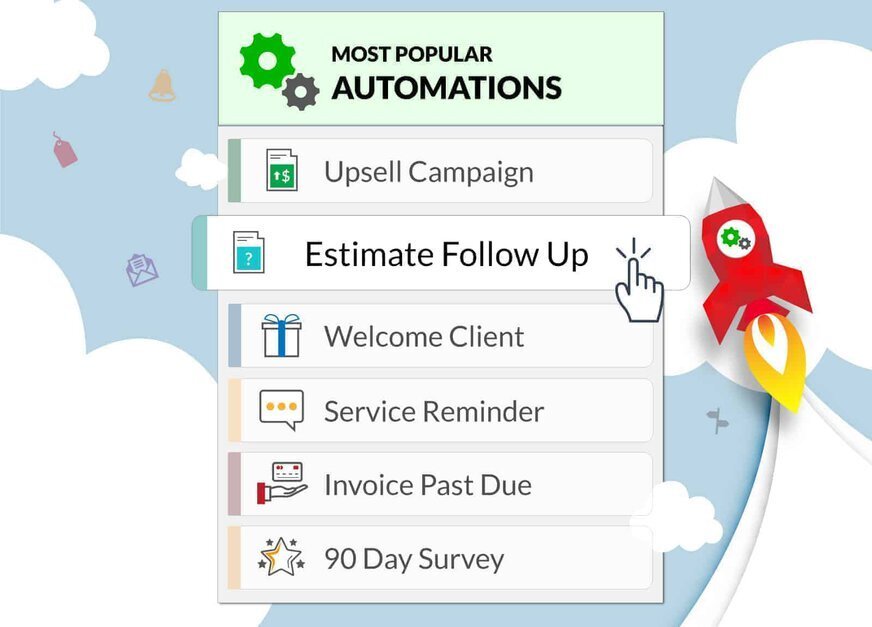
Every workflow below is presented using the same format so you can compare them at a glance: Trigger → Automation → Human Intervention → Outcome. These are illustrative, conceptual examples of how a business might configure these workflows, based on vendor and implementation-partner materials, rather than a guarantee of a particular prebuilt sequence available to every account at every plan tier.
Estimate Follow-Up
- Trigger: Estimate sent, no client response
- Automation: Text and email reminders at 3-day and 7-day intervals
- Human Intervention: Office staff calls after the second automated touch if still unresponsive
- Outcome: Estimate accepted, declined, or escalated to a sales conversation
New Customer Onboarding
- Trigger: First job booked
- Automation: Welcome email, appointment reminder, day-before confirmation text
- Human Intervention: None required unless the client requests a change
- Outcome: Reduced no-shows and a documented first impression
Review Request
- Trigger: Job marked complete
- Automation: Survey or review request sent by email or text within a set window
- Human Intervention: Staff responds personally to any negative feedback flagged by the survey
- Outcome: A steady stream of new reviews and an early warning system for service issues
Customer Reactivation
- Trigger: No booking within a defined period (for example, 90 or 365 days depending on service type)
- Automation: Reactivation email or postcard with a seasonal offer
- Human Intervention: Office follow-up call for high-value former clients
- Outcome: Reopened accounts without a cold outbound sales effort
Upsell/Cross-Sell
- Trigger: Client tagged with an existing service (for example, mowing only)
- Automation: Email or text promoting a complementary service (fertilization, aeration, cleanups)
- Human Intervention: Estimate follow-up if the client responds with interest
- Outcome: Higher average revenue per client without new lead generation cost
Payment Follow-Up
- Trigger: Invoice unpaid past the due date
- Automation: Escalating reminder sequence (friendly, then firmer, then a call-to-action with a payment link)
- Human Intervention: Manual collections call after the automated sequence completes
- Outcome: Faster collections and fewer manual follow-ups from your office team
Marketing Automation and CRM: Customer Data Flow
Marketing automation is only as good as the data feeding it. Based on Service Autopilot’s own product materials, Automations pulls from the same underlying CRM and operations database that runs your scheduling, rather than a separately maintained marketing list. The general data flow looks like this:
Lead → Customer → Property → Estimate → Job → Visit → Payment → Automation
When a lead becomes a customer, their property and service history attach to their record, and estimates, scheduled visits, completed jobs, and payments update that record. Automations appears designed to read those fields to decide who enters a workflow and when.
This is meaningfully different, in concept, from marketing tools that require a manually exported and uploaded list. From an implementation perspective, this native data connection is a reasonable basis to expect stronger operational follow-up than a bolt-on email tool, though we have not independently verified the real-time accuracy or refresh rate of this data connection through a live account test.
Marketing Automation and Scheduling & Jobs
Automations can trigger off several scheduling and job-status events, which is where a lot of the day-to-day value shows up for recurring-service businesses:
- Scheduled visit: Confirmation and reminder messages sent ahead of the appointment
- Completed visit: Review requests, thank-you messages, and upsell prompts
- Cancelled or rescheduled job: Internal to-do creation so office staff can follow up personally rather than let a cancellation go unaddressed
- Recurring service: Ongoing communication cadence tied to your service frequency (weekly mowing, monthly pest treatments, quarterly HVAC checks)
- Seasonal service: Automated seasonal transition messaging, such as moving mowing clients into fall cleanup or snow removal contracts
If you haven’t yet mapped out your dispatching and scheduling workflows in detail, it is worth doing that before you build automations on top of them. Automation amplifies whatever process already exists, good or bad.
Marketing Automation and Invoicing & Payments
This section covers the marketing and communication side only. For the full breakdown of invoicing, payment processing rates, and integrated payments, see our dedicated coverage on Service Autopilot pricing.
On the marketing side, invoicing-triggered automation is Automations functionality specifically, meaning it is associated with the Pro Plus and Elite tiers rather than automatically available on every Service Autopilot plan. Based on vendor materials, this includes:
- Automated invoice delivery notifications
- Pre-due-date friendly reminders
- Past-due escalating reminder sequences
- Payment confirmation and thank-you messages after collection
One issue I commonly see with field service businesses of any size is treating invoice follow-up as a purely accounting function rather than a customer communication function.
A well-timed, professionally worded reminder is marketing in the sense that it protects the customer relationship while still getting you paid. Service Autopilot’s approach of layering this into the same automation engine as other client communication, rather than a separate accounts-receivable tool, is a sound design concept, based on how the feature is described publicly.
What Is Automated vs. Manual? Automation Reality Check
This is the section most competitor content skips, and it matters. “Marketing automation” does not mean hands-off marketing. Someone still has to build strategy, write content, and handle exceptions.
| Task | Automated? | Human Work Required | Notes |
|---|---|---|---|
| Send follow-up message | Yes | None once built | Runs on trigger without daily attention |
| Create campaign/workflow | No | Yes, initial build required | Built during onboarding or via Marketplace templates |
| Set trigger conditions | Partially | Yes, initial configuration | You define the logic; the system executes it |
| Respond to customer replies | No | Yes | Automations send, they don’t hold two-way conversations |
| Handle negative feedback | No | Yes | Survey automation flags it, a person must respond |
| Approve special offers/pricing exceptions | No | Yes | Discounting decisions stay manual |
| Analyze results | Partially | Yes | Automated PDF reports exist, per vendor materials, but strategic analysis is manual |
| Pause, stop, or manually remove a client from a workflow | Not confirmed | Yes, at minimum as a fallback | We could not confirm from public documentation whether Service Autopilot offers a dedicated pause/stop control separate from changing a client’s tag or status; treat this as a question to ask directly during a demo |
The practical takeaway: budget for a real person, even part-time, to own automation strategy, review flagged feedback, and update seasonal workflows. Businesses that expect a fully unattended marketing department are the ones most likely to be disappointed after signing up.
Native vs. Integration vs. Manual: Automation Boundary Check
Vendor marketing pages, including Service Autopilot’s own, tend to blur what’s built into the core platform versus what requires a third-party tool or custom setup. Here’s a clearer classification based on documented functionality:
| Capability | Classification |
|---|---|
| Estimate and invoice follow-up automation | Native Automations feature (associated with Pro Plus and Elite plans, per Service Autopilot’s pricing page) |
| Review and survey request automation | Native Automations feature; direct posting integration with specific platforms like Google or Facebook is not confirmed |
| Email sending | Native Automations feature |
| SMS / texting | Native to Automations for messaging; separate “two-way texting” appears as its own line item (priced as an add-on on Pro Plus, listed as included on Elite) on Service Autopilot’s comparison chart, so confirm which type of texting your plan actually includes |
| Direct mail / postcard automation | Referenced in vendor and implementation-partner materials; whether this runs natively inside Service Autopilot or through a partner integration is not fully confirmed in primary vendor documentation, so verify before assuming |
| Automated PDF reporting | Native Automations feature |
| Advanced list segmentation beyond tags | Requires custom setup |
| Website forms and landing pages | Requires a separate tool or integration |
| Paid ad campaign management (Google, Meta) | Not included; requires a separate platform |
| Multi-touch attribution / revenue tracking across campaigns | Not included |
| Social media campaign management | Not included |
| Custom workflow building beyond prebuilt templates | Appears to require the Special Services onboarding team or Marketplace customization; confirm what self-serve building is possible on your plan |
This is a genuine differentiator worth understanding before you buy: what’s presented above as “not included” is missing specifically, and materially, compared to dedicated marketing platforms: paid advertising management, landing-page creation, advanced attribution, multi-touch revenue tracking, and social-media campaign management. If your business needs any of those as a core function, you will still need a separate marketing partner or tool layered on top of Service Autopilot.
How We Verified This Information
- We verify every tool as a real-life service business would, without any vendor demos or sandbox data
- We pay for the trial and perform an end-to-end job ourselves, from first click to payment
- Each tool is evaluated on eight operational criteria relevant to day-to-day field-service management
And
each review concludes with a ‘who should not buy’ takeaways to help our readers identify the tools that are not suitable for their needs.
- We sign-up as a real business
- We create a trial account using our own company’s information.
- We pay for the trial or the plan with the lowest price and perform as a regular customer would.
- We do not utilize any vendor demos, pre-loaded data, or special access.
- We execute the full field-service workflow
- We perform one complete job lifecycle in each tool, in the following order:
- Create a job (with realistic customer, service, and pricing information),
- dispatch a technician (assign, schedule and notify),
- complete the job in the mobile app (checklists, photos, notes, and signatures),
- generate and send an invoice directly from the job,
and
collect payment (card on file, online payment link or in-app).
- We evaluate each tool on 8 criteria
Each of our reviews covers eight key areas of operation, based on evidence from our trial:
- Scheduling & dispatch – how easy it is to book, assign or change jobs.
- Mobile app – general impressions of the mobile software (ease of use for technicians, speed, offline capabilities, availability of job information)
- Invoicing & payments – the invoicing functionality, customization options and ease of collecting payments.
- Reporting & visibility – the reporting functionality, revenue insights and overall job oversight.
- Integrations – the available third-party applications (accounting, scheduling, payments, etc.)
- Support & onboarding – the support resources (response time, documentation, video tutorials) and general ease of getting started.
- Honesty around pricing – how honest the software is about its costs (no hidden fees, add-ons, or long-term commitments).
- Effort to set up – how much time and effort it takes to configure the software for a specific business (services, pricing, and processes).
Marketing Automation Ease of Use: What Reviews Say
Short answer: Per vendor documentation, Service Autopilot’s automation builder is decidedly not a do-it-yourself, drag and drop workflow tool intended for casual weekend use. Service Autopilot offers initial Automations consultation and assisted training as part of the process – but whether this is considered an absolute prerequisite before you can launch a custom workflow is best confirmed with the vendor.
Based on vendor documentation and third party review analysis, here’s a realistic assessment:
- Setup: Service Autopilot’s own documentation describes an introductory consultation with their Special Services team as the kick-off process for new Automations customers
- Learning curve: Likely moderate to steep for a first-time user based on the onboarding-dependent setup described by the vendor, though possibly less challenging starting from a pre-designed Marketplace template than building from scratch
- Workflow visibility: Automations appear to execute within a visual builder and Marketplace per vendor documentation, though the extent to which active workflows are visible to administrators is not fully described
- Editing: Templates are described by the vendor as customizable to the user’s business
- Training: As described in the Service Autopilot Automations documentation, Marketplace membership includes two one-on-one training sessions and self-paced interactive learning course (documentation reviewed: September 2, 2026)
One common theme in actual user reviews is the perceived asymmetry between the power of the delivered automation and the challenges of the setup process to reach that outcome. One review summary, in this regard, is particularly illustrative: “These automations are powerful and save hours of work once they are set up, but getting them to run smoothly can be quite a task.” This is an observation I would expect to see with a workflow engine that executes complex instructions based on live operational data.
Automation Reliability and Control
Can you test a workflow before deploying it? Can you see who is currently within a sequence? Can you remove a client from a workflow if their circumstances change? These are all control features that determine if automation is an efficiency gain or a distraction.
Based on the documented capabilities:
- Testing workflows: While the vendor documentation implies Marketplace templates can be tweaked before deployment, we could not locate or confirm documentation describing a formal “test” option apart from initiating a send
- Visibility into active sequences: Automations appear to be associated with tags and records, meaning that staff should be able to view a client’s tag and status within their profile, though a specific “who is inside this workflow” view is not something we could confirm from the publicly available documentation
- Pausing or removing a customer from a workflow: This requires explicit confirmation. We did not find public documentation describing a specific pause or removal function, and it is possible that changing a client’s tag might alter workflow status, but this is an assumption, not a documented capability. Ask the vendor this question specifically if this is an important concern
- Troubleshooting: A mixed capability based on the onboarding-dependent nature of the product. You have access to expert guidance to set up workflows, but post-deployment troubleshooting may require returning to the support team rather than diagnosing the issue yourself
A practical strategy is to launch one or two high-value automations (estimate follow-up and past-due invoices are good candidates) rather than attempting to activate all available options at once. This allows the team to become comfortable with the fundamentals of how the system operates before adding additional complexity.
Marketing Automation Use Cases for Lawn Care Businesses
I believe this feature is best suited towards lawn care businesses, and it is not coincidental that Service Autopilot uses this trade as a focal point in their documentation. The logical sales sequence for a lawn care business is Estimate → Follow-up → Recurring Service → Review → Upsell → Seasonal Reactivation.
Use cases include:
- Automated follow-up on mowing and treatment estimates to prevent losing a homeowner to a competitor
- Recurring service notifications to reduce cancellations and rescheduling
- Review requests timed to peak season service quality
- Upselling automations to move mowing-only clients to higher-margin services such as fertilization, aeration, or mosquito control
- Seasonal reactivation to move dormant clients back into a service plan for the upcoming season
According to the U.S. Census Bureau’s County Business Patterns data for 2023, there were 117,969 employer companies in the lawn care industry (NAICS 561730), and another 517,000 or so sole-proprietor firms without employees. This is a highly competitive space with deep owner-operator participation, and the ability to move a homeowner from one provider to another is where estimate follow-up speed and seasonal reactivation fit into the conversation. With no single dominant participant representing a majority of the market, the business that is first and easiest to reach typically wins.
Marketing Automation Use Cases for Landscaping Businesses
Landscaping differs from basic lawn care in ways that change the practical applications:
- Higher-value estimate automation: Design-build and installation projects require a longer sales cycle that can benefit from a more elaborate follow-up sequence
- Longer sales cycle: An automated nurture sequence can help keep a prospective homeowner engaged for several months
- Project follow-up: Checking in after installation completion helps both avoid callback disputes and obtain high-value reviews
- Upsells: Irrigation, lighting, and hardscape features are logical automation triggers based on a current client’s service history
- Seasonal services: Spring cleanup, mulching, and fall planting have clear seasonal automation parallels
For landscaping companies with larger crews and longer projects, automation is most effective when combined with disciplined job cost and crew scheduling practices – a marketing automation system generating leads faster than your crews can handle creates a new constraint rather than an assist.
Marketing Automation Use Cases for Snow Removal Businesses
Snow removal is a seasonal and time-critical business, and automation should reflect both characteristics:
- Pre-season reactivation: Reach out to last season’s clients ahead of the next snowfall to renew contracts
- Seasonal communication: Service-related announcements related to specific weather events
- Service notifications: Confirm that a property has been serviced to reduce inbound “did you come by” calls
- Post-season retention: An off-season check-in to keep snow removal clients “top of mind” for the upcoming winter
The single most common error I observe with seasonal service automation is failing to update the message each year it is used. Snow removal, especially, has changing contract terms and pricing structures that require the message to be revised annually.
Small vs. Growing vs. Multi-Crew Businesses: Scale Test
| Business Type | Automation Need | Fit |
|---|---|---|
| Small / Owner-operated (1-3 crew) | Low to moderate, mostly estimate and payment follow-up | Weak fit on cost basis; $499/mo Pro Plus pricing is a large percentage of revenue at this size |
| Growing / Multi-crew (4-15 crew) | High, follow-up volume exceeds what one office person can manually track | Strong fit, this is the sweet spot |
| Large / High-volume (15+ crew, multi-location) | Very high, but may outgrow native reporting and attribution limits | Good fit for communication automation, but may need to supplement with a dedicated marketing platform for advanced analytics |
Service Autopilot Marketing Automation Strengths
| Strength | Business Impact |
|---|---|
| Automations connects to live job, estimate, and invoice data (per vendor materials) | Fewer missed follow-ups because triggers can reflect what’s actually happening in the field, not a stale list |
| Event-driven workflow concept | Reduces manual admin time spent chasing estimates and past-due invoices |
| Marketplace of prebuilt automation templates | Faster starting point than building every workflow from scratch |
| Email, SMS, and direct mail referenced within one system | Fewer disconnected tools and vendor logins for your office team to manage, if channel availability is confirmed for your plan |
| Built-in review and survey automation | More consistent review and feedback generation without relying on staff to remember to ask |
Service Autopilot Marketing Automation Limitations
| Limitation | Impact | Workaround |
|---|---|---|
| Learning curve | Slower time to value; some reviewers report weeks before their first automation went live | Start with one Marketplace template rather than building custom from day one |
| Setup complexity | Vendor materials describe guided onboarding rather than pure self-serve setup | Budget staff time for the initial consultation and training sessions |
| Higher-tier pricing | Automations is associated with Service Autopilot’s higher-priced plans; confirm the exact tier and cost for your business directly with the vendor | Run the ROI math against your current follow-up workload before upgrading; see our Service Autopilot pricing breakdown |
| Missing standalone marketing capabilities | No paid advertising management, landing-page creation, advanced attribution, multi-touch revenue tracking, or social media campaign management | Pair with a separate marketing tool for top-of-funnel lead generation and campaign analytics |
| Marketing sophistication ceiling | Not built for complex, multi-channel attribution campaigns | Use a dedicated marketing automation platform if this is a core need, not a supporting function |
| Reporting depth | Automated PDF reports, not a full analytics dashboard | Export data to a spreadsheet or BI tool if you need deeper campaign analysis |
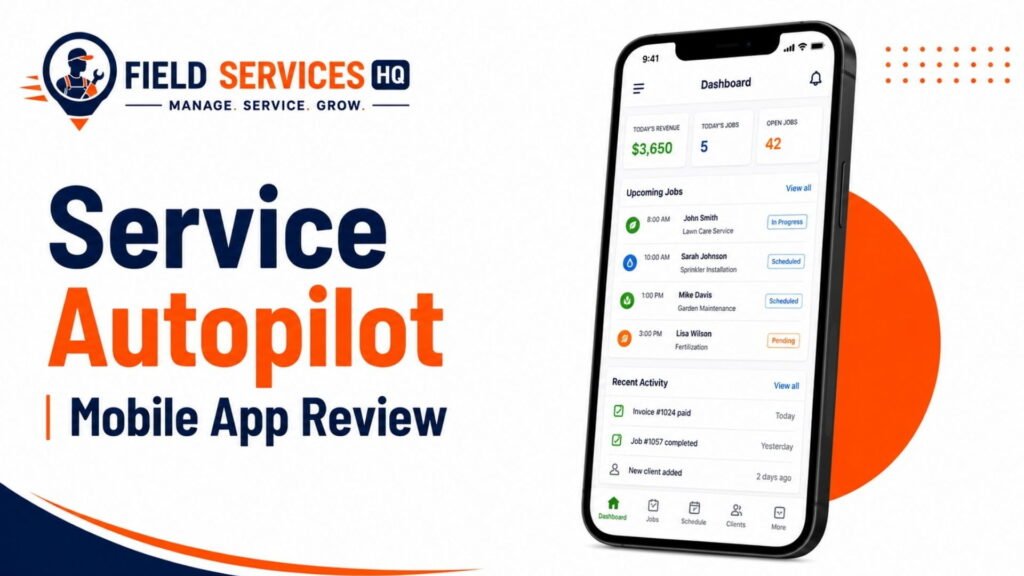
| Mobile app experience | Independent reviews and app store ratings for the mobile app run notably lower than the desktop experience | Read our Service Autopilot Mobile App Review before assuming field-side visibility will match the office experience |
Common Marketing Automation Problems
| Problem | Cause | Solution |
|---|---|---|
| Automation doesn’t trigger | Trigger condition doesn’t match how your team actually tags or updates client records | Audit your tagging discipline before blaming the automation |
| Wrong customers enter a workflow | Conditions are too broad (for example, missing a service-type filter) | Add more specific conditions and test with a small client segment first |
| Duplicate messages | Client qualifies for two overlapping automations simultaneously | Map out all active workflows to check for overlapping trigger conditions |
| Automation doesn’t stop | Exit condition wasn’t defined or doesn’t match how the client actually resolves the situation (paying, booking, responding) | Explicitly define exit conditions for every workflow, not just entry triggers |
| Follow-up happens too late | Wait periods set too long for a time-sensitive situation like an active estimate | Shorten wait intervals for high-urgency workflows like estimate follow-up |
| Too many messages | Multiple automations stacked without a communication frequency cap | Set a maximum touch frequency and consolidate overlapping workflows |
| Staff doesn’t know when to intervene | No clear handoff point from automated to manual communication | Build an internal to-do trigger into the automation at the point a human should step in |
Best Practices for Service Autopilot Marketing
- Start with high-value processes. Follow-up and past-due invoice reminders typically provide the best ROI, fastest results, and easiest implementation.
- Focus on event-based, not schedule-based, triggers. The ability to initiate actions on specific events is the single biggest advantage of your automation platform – and ignoring that fact will hurt your results.
- Build in exit criteria. A process that has no clear end-state is a recipe for dissatisfied clients
- Test automations on a small group of clients before deployment. Not everything you build will work as intended
- Plan for human intervention. A true no-touch process can’t exist, since all automation requires human oversight at some point.
- Audit old automations quarterly. Messaging and offers should be relevant to the time of year
- Take the time to analyze the results of your automation. They’re showing up in those pretty PDF reports you get every month
- Don’t assume that more communication is always better. In some cases, a single conversation may satisfy a client’s needs just as well as a 10-notice automated campaign. Clients who receive multiple unrelated automated messages in the same week are almost certainly getting more than they want.
Service Autopilot Marketing Automation vs. Alternatives: Capability Comparison
This table compares marketing automation specifically, not the full field service management platforms. If you want the complete software comparison, see our Service Autopilot alternatives guide.
| Capability | Service Autopilot | Jobber | Housecall Pro | ServiceTitan |
|---|---|---|---|---|
| Lead follow-up | Not clearly documented as a standard automation; requires confirmation | Native, via Marketing Suite add-on (source: Jobber Help Center, “Campaigns,” 2026) | Native, via Campaigns (source: Housecall Pro Help Center, 2026) | Native, via Marketing Pro (source: servicetitan.com/features/pro/marketing) |
| Estimate follow-up | Documented Automations workflow (source: serviceautopilot.com/automations) | Native, “close on pending quotes” template (source: Jobber Help Center) | Native, via Campaigns | Native, targets unsold estimates (source: ServiceTitan Marketing Pro help documentation) |
| Referenced as an Automations channel | Native, includes an AI-assisted campaign generator (source: Jobber Help Center, August 2026) | Native | Native, template-based | |
| SMS | Referenced as an Automations channel; two-way texting is a separate, tier-dependent line item | Limited; Jobber positions texting mainly for operational updates rather than marketing campaigns (source: getjobber.com/features/marketing-tools/campaigns) | Native, per Housecall Pro’s Campaigns documentation | Native, includes AI-powered SMS agents on Marketing Pro (source: servicetitan.com/features/pro/marketing/ai-powered-agents) |
| Reactivation | Referenced in vendor and partner materials; exact mechanics require confirmation | Native winback email templates (source: getjobber.com/features/marketing-tools/campaigns) | Native, via Campaigns | Native, targets idle accounts and expiring memberships (source: ServiceTitan Marketing Pro documentation) |
| Upsells | Referenced in vendor materials | Native, via segments and templates | Native | Native, targets aging equipment and unsold estimates |
| Trigger-based automation | Associated with Pro Plus and Elite plans | Yes, as a paid Marketing Suite add-on, priced separately from most base plans (source: Jobber Help Center) | Yes, bundled starting at the Essentials tier and above per third-party review coverage | Yes, as a “Pro Products” add-on (source: servicetitan.com/features/pro) |
| Recurring-service focus | Positioned toward lawn care, landscaping, and snow removal | General home-service focus | General home-service focus | Positioned toward higher-volume trades businesses |
A fair reading of this table: all four platforms market real marketing automation capability, and the differences are mostly about depth, pricing structure, and which trade each platform was originally built for. Confirm current plan inclusions directly with each vendor, since marketing-automation features and pricing structures change frequently across this category.
What Does Service Autopilot Marketing Automation Cost?
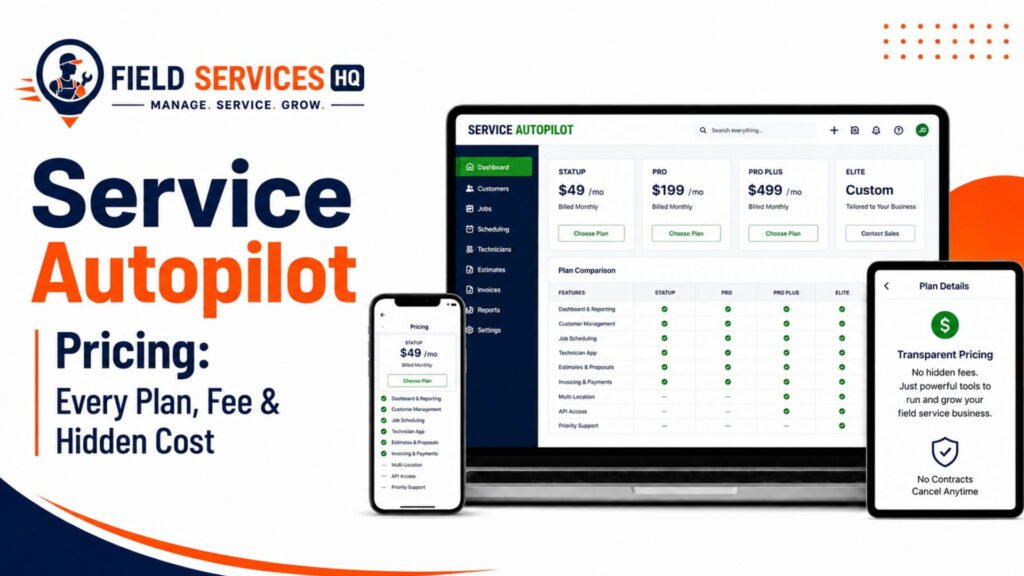
Short answer: Based on Service Autopilot’s published pricing page (as of September 2, 2026), Automations is associated with the Pro Plus plan ($499 per month plus an unpublished sign-up fee) and the custom-priced Elite plan, and is not listed on the Startup ($49/mo) or Pro ($199/mo) tiers. Confirm specific workflow entitlements and current pricing with a Service Autopilot sales representative, as third-party sources note that the company does not publish its sign-up fee amount on its own pricing page.
It’s helpful to break down the various costs that might apply, as they can be easily conflated:
- Base Service Autopilot subscription: $49/mo (Startup), $199/mo (Pro), $499/mo (Pro Plus), or custom (Elite), per the vendor’s published pricing chart plus an unpublished sign-up fee on every tier.
- Automations / Marketplace access: Bundled into the Pro Plus and Elite subscription price per Service Autopilot’s presentation rather than a la carte.
- Onboarding or implementation: The introductory Automations consultation and two training sessions are noted as included with Marketplace membership; no separate fee is indicated for these items.
- SMS / two-way texting: Cited as part of Automations messaging, but “two-way texting” is a separate line item on Service Autopilot’s plan comparison chart as “Call for Pricing” on Pro Plus and included on Elite, per third-party pricing breakdowns of the same document. Confirm which type of texting, and at what cost, is entitles on your plan.
- Email, postcard, and other communication costs: Not clearly itemized in public vendor documentation; inquire as to whether per-message costs or sending limits apply.
- Client Portal and QuickBooks add-ons: Both noted as “Call for Pricing” on Startup, Pro, and Pro Plus, and included on Elite, per Service Autopilot’s own comparison chart.
In practice: For a small operation, the upgrade to Pro Plus represents a meaningful increase in cost over the $199/mo Pro tier, and whether it makes sense depends on the existing follow-up workload rather than any specific rule of thumb. It generally becomes easier to justify once estimate volume, recurring-client count, overdue accounts, or seasonal reactivation opportunities reach a level where manual follow-up is becoming unwieldy.
For a full breakdown of Service Autopilot’s four tiers, including sign-up fees and add-on costs, see our full Service Autopilot pricing guide .
Who Is Service Autopilot Marketing Automation Best For? ICP Fit Matrix
| Business Type | Fit | Why |
|---|---|---|
| Small recurring-service business (1-3 crew) | Weak | Cost is high relative to the manual follow-up volume being replaced |
| Growing lawn care company (4-15 crew) | Strong | High follow-up volume, recurring clients, and a scale where the price becomes justifiable |
| Multi-crew landscaping company | Strong | Longer sales cycles and higher-value estimates benefit from consistent automated nurture |
| Seasonal snow business | Moderate to strong | Seasonal reactivation is a natural fit, though off-season ROI needs to be weighed against year-round subscription cost |
| High-volume recurring business (15+ crew) | Strong | Automation volume justifies the investment, though may need supplemental tools for advanced analytics |
| Advanced marketing-focused business | Weak | Businesses that need sophisticated attribution or paid ad management will outgrow the native toolset |
Who Should Consider an Alternative? Disqualifier Rules
Consider a different platform, or a supplementary marketing tool, if any of the following are true:
- You need a dedicated advanced marketing platform with in-depth campaign analytics
- You require sophisticated multi-touch attribution across both paid and organic channels
- You need highly complex, branching multi-channel campaigns well beyond estimate + invoice + review channel types
- You don’t want to configure workflows yourself and expect a completely done-for-you marketing team
- Your marketing needs are significantly more advanced than your field-service operational needs
- You’re a very small operation where the $499/mo Pro Plus plan doesn’t make sense against your current follow-up workload
Is Service Autopilot Good Enough for Your Business? Marketing Automation Fit Scorecard
Score Your Business on Each Factor (1 to 5)
| Factor | Low Score (1-2) | High Score (4-5) |
| Customer volume | Under 100 active clients | 300+ active clients |
| Lead volume | Fewer than 10 new leads/month | 40+ new leads/month |
| Recurring services | Mostly one-time jobs | Mostly recurring contracts |
| Follow-up workload | Owner handles it personally, manageable | Office staff overwhelmed, things slip through |
| Seasonal demand swings | Steady year-round | Sharp seasonal peaks (lawn care, snow) |
| SMS need | Clients prefer phone calls or email only | Clients respond fastest to text |
| Reactivation need | Low churn, clients rarely lapse | Noticeable seasonal or annual churn |
| Staff capacity | No dedicated office role | At least one office staff member who can own automation |
| Automation sophistication needed | Simple follow-up is enough | Complex, multi-step sequences needed |
Confused About Service Autopilot ? Go Through Our Service Autopilot Hub.
Frequently Asked Questions
What is Service Autopilot Marketing Automation?
Service Autopilot Marketing Automation, branded as “Automations,” is a trigger-based workflow feature that Service Autopilot’s own pricing materials associate with the Pro Plus and Elite plans. Based on vendor documentation, it can send emails, texts, and direct mail, and create internal tasks, tied to client, job, estimate, and invoice data inside the software. Confirm exact workflow and channel availability for your specific plan before purchasing.
What can Service Autopilot automate?
Based on documented and vendor-referenced workflows, it can support estimate follow-up, appointment reminders, post-service communication, review and survey requests, customer reactivation, upsells, past-due invoice reminders, and automated PDF reporting. It does not include paid ad campaign management, landing pages, advanced multi-channel attribution, or social media campaign management.
Does Service Autopilot automate estimate follow-ups?
Yes, this is the most clearly documented Automations workflow on Service Autopilot’s own product pages: scheduled email and text reminders to clients who haven’t responded to a pending estimate, with vendor materials referencing the option to route unresponsive prospects into alternative follow-up timelines.
Can Service Autopilot send automated texts?
Texting is referenced as part of Automations messaging, alongside email and direct mail. However, “two-way texting” appears as a separate, tier-dependent line item on Service Autopilot’s plan comparison chart, so confirm whether the specific type of texting you need (one-way automated messages versus two-way conversations) is included on your plan.
Can Service Autopilot send automated emails?
Yes, automated email is described as core to Automations, used for follow-up sequences, review and survey requests, and seasonal campaigns available through the Marketplace template library. We did not find confirmation that it functions as a full newsletter platform with list management, unsubscribe handling, and newsletter-specific analytics; treat it as an operational and follow-up email tool unless you confirm otherwise.
Can Service Autopilot automate review requests?
Vendor materials describe automated survey and review-request workflows triggered off job completion, intended to support consistent review generation and give staff visibility into negative feedback. We did not find confirmation of a direct, automatic posting integration with a specific platform such as Google or Facebook, so verify this if it’s a specific requirement for your business.
Can Service Autopilot reactivate old customers?
This appears to be available through prebuilt or custom tag-based workflows referenced in vendor and implementation-partner materials, identifying clients who haven’t booked within a set period for a win-back email or direct mail sequence. The exact mechanics are not fully spelled out in primary vendor documentation, so confirm specifics before assuming a particular sequence exists out of the box.
Does Service Autopilot automate payment reminders?
Yes. Past-due invoice reminder automation is described in Service Autopilot’s own materials as one of the platform’s Automations workflows, using an escalating message sequence intended to prompt payment. This is Automations functionality specifically, meaning it’s tied to the plans that include Automations rather than available on every Service Autopilot subscription.
Which Service Autopilot plan includes Automations?
Current Service Autopilot materials associate advanced Automations services with Pro Plus and Elite. Confirm the exact workflow availability for each plan before purchasing.
Is Service Autopilot Marketing Automation worth it?
It depends on your business size and current follow-up workload rather than a fixed answer. It’s a harder case to make for small operators on a tight budget, and an easier one for businesses with high estimate volume, a large recurring-customer base, chronic overdue accounts, or real seasonal reactivation potential. Run the numbers using our Service Autopilot pricing guide before deciding.
Affiliate Disclosure: Field Services HQ may earn a commission if you purchase software through links on this page, at no additional cost to you. This does not influence our evaluation criteria, testing, ratings, or conclusions. We only recommend tools we believe can genuinely benefit field service businesses.