Service Autopilot Reporting & Profitability: Full Breakdown
Yes, Service Autopilot has real reporting and profitability tools, but they are not turned on by default and not evenly available across plans.
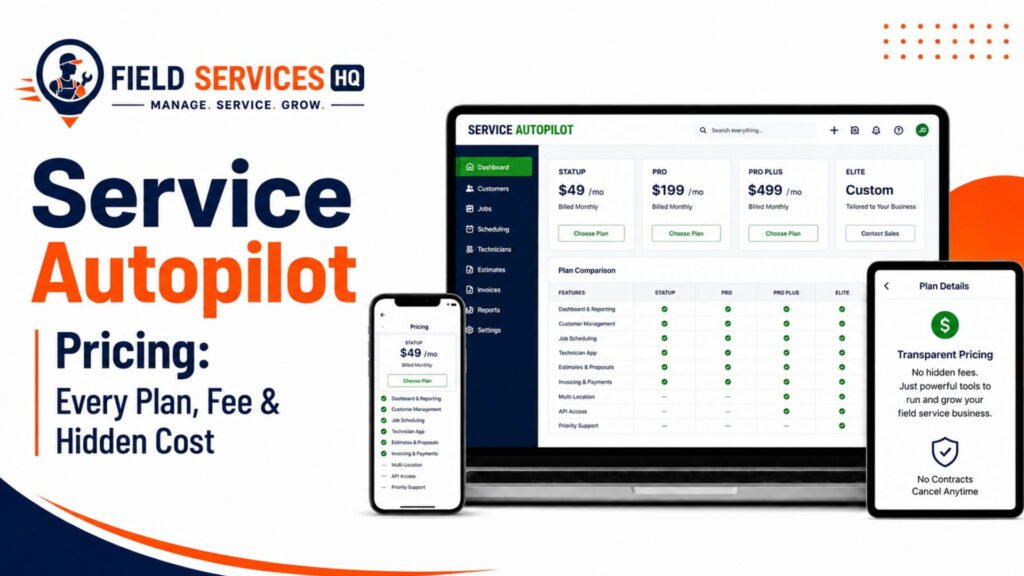
Job costing, budgeted vs. actual hours, and the custom Report Center start on the Pro plan ($199/month). Deeper automation-driven profit tracking sits at Pro Plus ($499/month). QuickBooks Online sync, needed for clean cost-of-goods-sold and cash flow reporting, is a separate paid add-on that third-party pricing pages list at roughly $25 to $29 per month, and it is not available at all on the entry-level Startup plan. The reporting is genuinely strong for recurring-route businesses like lawn care, snow, and cleaning. It is weaker for one-off ticket trades like HVAC repair or electrical service calls, where equipment history and warranty-linked costing matter more than route economics.
If you’re still deciding whether Service Autopilot is the right platform at all, our complete Service Autopilot review covers scheduling, dispatching, and mobile workflows in depth. This article stays narrowly focused on reporting and profitability, the piece of the decision that has the biggest dollar impact.

Service Autopilot Reporting & Profitability Capability Matrix
Before going deep on any single feature, here’s the full picture at a glance. This is the table I wish existed before I had to piece it together from the pricing page, the Report Center user guide, and plan comparison charts.
| Capability | Startup ($49/mo) | Pro ($199/mo) | Pro Plus ($499/mo) | Elite (custom) |
|---|---|---|---|---|
| Daily dashboard | Yes | Yes | Yes | Yes |
| Pre-built reports (P&L, sales, A/R aging) | Limited | Yes | Yes | Yes |
| Job Costing Report | No | Yes | Yes | Yes |
| Budgeted vs. actual hours | No | Yes | Yes | Yes |
| Custom Report Center | No | Yes | Yes | Yes |
| Route/gate rate profitability | No | Yes | Yes | Yes |
| Rule-based profit automations | No | No | Yes | Yes |
| QuickBooks Online two-way sync | Not available | Paid add-on | Paid add-on | Included |
| Two-way texting / client portal | Not available | Paid add-on | Paid add-on | Included |
Pricing and tier gating are current as of this writing, but Service Autopilot has changed its packaging before, so confirm current numbers on our Service Autopilot pricing breakdown before you sign an annual contract.
How Reporting Works in Service Autopilot
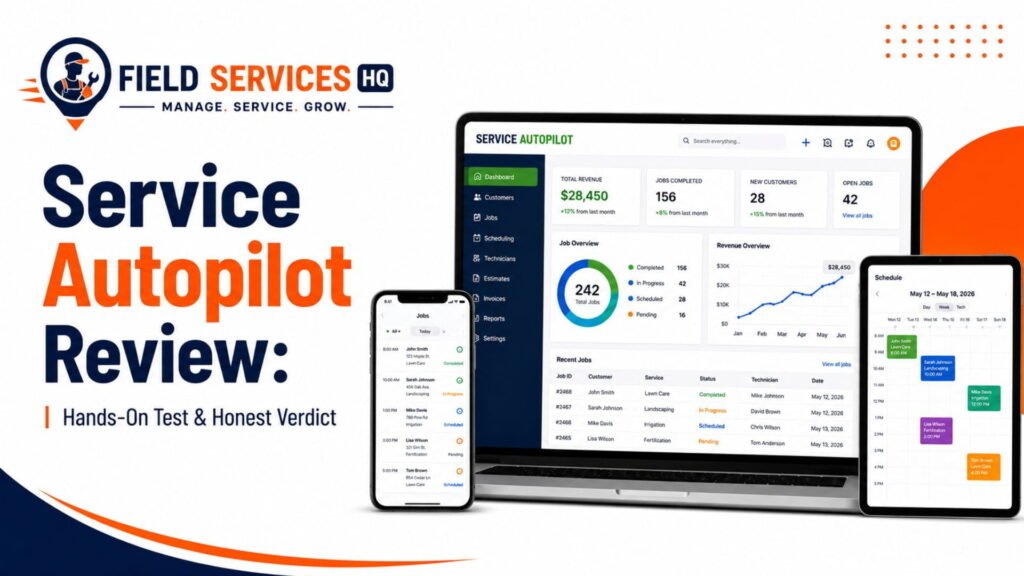
Service Autopilot’s reporting module is split between layers of pre-built reports and a custom reporting designer, which affects how much analysis an office manager can do without support.
Reports fall into two categories: “pre-built”, which include financial summaries, job costing, sales by service, and accounts receivable aging, and a Report Center that lets advanced users build custom dashboards at the intersection of several filters. Based on the Report Center Dashboard User Guide, the second layer includes budgeted vs. actual staff hours (with option to filter by sales rep) and accounts receivable aging with client-specific drill-down view, both of which are strong capabilities at this price point despite the steeper learning curve.
Building a custom report is definitely not a five-minute process for an office administrator, and in my experience this becomes the biggest hurdle for businesses in the first 90 days of implementation as a report is delayed or cancelled due to staff being pulled away to other duties. Someone should always set aside time to learn the basics of custom reporting design, even if it means using the pre-built reports for the first few months.
A Report Center in field service software refers to a reporting layer that allows an organization to build custom views of their data beyond the scope of the vendor’s pre-built reports, usually by allowing filtering on a set of fields and applying the view to a dashboard.
What Service Autopilot Reports On
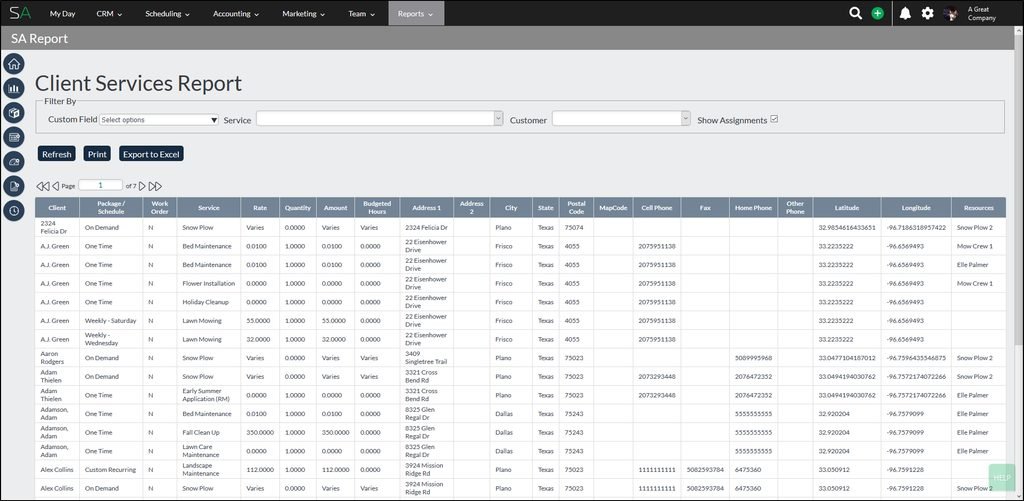
The pre-built and Report Center views cover the following areas of financial reporting:
- Financial reports: Profit and loss statement, revenue by service summary, and sales by rep/tracking
- Job reports: Job costing analysis comparing budgeted and actual revenue and expenses
- Client reports: Accounts receivable aging and lifetime value tracking, service history
- Crew reports: Budgeted vs. actual staff hours, broken down by rep or crew
- Marketing reports: Advertising spend and source tracking, which combines with job-level data to calculate cost of customer acquisition if used in tandem with revenue reporting
This is a broader scope than many lawn care and cleaning software tend to cover, and it’s one of the reasons I recommend Service Autopilot to companies focused on those segments. It does not include workforce utilization tracking and similar features that other field service software report on by default, as those fall under a separate category of workforce management tools.
If analyzing productivity by technician is a priority for your department, I would recommend looking into a tool specifically focused on workforce management rather than trying to track it in Service Autopilot’s reporting center.
Job Costing: The Report Every Service Business Should Use
If I were to recommend one report to start with in Service Autopilot, it would be the job costing report. This is the view that allows a field service company to understand whether an individual job was profitable.
This compares the budgeted hours and revenue for an individual job or visit against the actual hours and revenue, which highlights when a practice may be underpricing a service or experiencing consistently low margins on a particular type of job.
The formula used is generally revenue minus labor, material, and equipment costs, with labor cost defined as hours actually worked on the job multiplied by the employee’s hourly pay rate. Jobs that are consistently under budget or over budget will appear in the reports, although it should be noted that the actual hours worked are only as accurate as the technician’s ability to track time – more on that below.
A nuance of the job costing reports is that they track budgeted hours against actual hours, rather than the number of hours that were originally estimated or quoted for the job.
Technicians should always enter the number of hours actually spent on a job in the field, rather than the number of hours that was negotiated as part of the sales process. This means that a two-hour job that takes three-and-a-half hours to complete will begin to show as lower profitability once those additional hours are logged, assuming technicians are using the time tracking feature.
One item to note for companies that use Service Autopilot for job tracking and another software for payroll purposes is that the time worked will generally need to be exported from Service Autopilot to the payroll software rather than using a direct sync.
This is not an impossible workflow, but it does require a dedicated person to handle payroll and time tracking for a five-vehicle operation, particularly if the payroll software requires time to be entered in a different format. This is a nuance I encountered when budgeting for a company that purchases Service Autopilot, and it informs the overall recommendation to budget for a payroll or time tracking tool in addition to the field service software.
Profitability: By Job, Service, Customer, and Crew
Profitability analysis is generally performed at four levels within Service Autopilot: individual job, service type, customer, and crew or route.
The job-level analysis is covered by the job costing view mentioned above, and can be used to determine whether to continue providing a certain type of service, adjust pricing on similar jobs, or take other measures to improve margins. This report should generally be reviewed on a weekly basis rather than a monthly basis, since it can be sliced and diced to analyze similar jobs.
The next level, profitability by service, is used to determine which services to promote or phase out, and is provided by the Revenue by Service Summary report. This is an important report to review at least once a month, since it surfaces the types of jobs that contribute most to the bottom line.
Service Autopilot’s documentation does not mention a built-in view of profitability by customer, which is a concern for some field service businesses that need to understand the lifetime value of an account or review profitability by client. This would need to be built as a custom report in the Report Center by connecting job-level costs to revenue and payments by customer.
The last profitability view that is relevant to field service businesses is the crew-level or route-level profitability. This is a major strength of Service Autopilot for recurring-service businesses, as the software tracks route costs and allows an operator to determine whether the revenue from a certain route or set of jobs justifies the time spent on it.
This enables a five-vehicle landscaping company to determine that Route 2, which services large properties in the downtown core, is costing them ~$45-per-man-hour route and a $32 per man-hour while generating a healthy margin, versus Route 5 which services smaller jobs in the suburbs and has a much lower margin per hour.
This is one of the few field service software products I’ve reviewed that enables deep profitability analysis by route and crew, and should be used by multi-crew organizations to justify the move from one level to another.
Estimate Versus Actual Hours and Costs
Estimate versus actual hours and costs is the foundation for profitability analysis in Service Autopilot, and it’s a concept that I think every field service organization should understand at a fundamental level. The goal is to identify the difference between how much time and money was budgeted for a job versus how much was actually spent.
This is generally the workflow across field service industries: a job is estimated, scheduled, and performed, and the actual time versus estimated time is compared. Service Autopilot makes it easy to compare actual time and expenses with the budget, once the time has been logged. What it cannot do is recommend that a certain price be increased based on actual costs, or make the change for you.
It requires a person to review the estimate-versus-actual report and make adjustments. In my experience, the businesses that successfully increase their margins do so by reviewing the estimate-versus-actual reports on a weekly basis and adjusting prices and processes accordingly.
Cost of Goods Sold, Cash Flow, and QuickBooks Sync
The ability to track cost of goods sold (COGS) and cash flow depends on how cleanly Service Autopilot’s reports integrate with an organization’s accounting software, which is an area where I would advise particular caution. Service Autopilot allows a two-way sync with QuickBooks Online, which would eliminate any need to enter job costs into the general ledger as well.
This is a huge time saver, but it comes at a cost – based on Service Autopilot’s plan comparison page and reviews from several third-party vendors, the QuickBooks sync is not available on the Startup plan, and is a “call for pricing” add-on for Pro and Pro Plus rather than a built-in feature.
A dedicated page for the QuickBooks add-on shows a recurring fee of approximately $29 per month, on top of the plan price, and is only available on the Pro, Pro Plus, and Elite plans (the latter of which is custom-priced).
While it’s not included on the Startup plan or available on the Standard plan, it is bundled in at no additional cost on the Elite tier. If being able to review COGS reports is a requirement for your organization, confirm availability and cost with the vendor and budget for the add-on cost separately from the software subscription.
The Accounts Receivable Aging report is the complement to the COGS reporting, and is included in the base product. This shows the amount of money that is owed to the business on open invoices, and is grouped by how long the invoices have been outstanding.
This is an area where many small businesses struggle: the 2026 field service industry report on the financial health of small businesses, citing NFIB and QuickBooks research, found that a majority of small businesses report that they are owed money on unpaid invoices at any given time.
Cash Flow, Profitability, and Customers: Three Different Reports
Field service businesses that operate on a recurring billing model will find that the financial reports are sufficient, but organizations in other segments may need to build some custom reporting around unpaid invoices as well.
If there is a significant amount of cash tied up in accounts receivable (invoices that have been sent but not yet paid), it can impact the ability to invest in new equipment or pay employees. This is different from profitability: a job may appear to be profitable on paper, but if the full amount is not received within 30 days, it can strain the finances of the business.
Businesses in the lawn care, residential cleaning, and landscaping segments tended to have the most success with the reporting features. These are recurring-route businesses that perform the same job on a regular basis, and the job costing and route-level budgeting tools are ideal for identifying opportunities to improve profitability on large-volume jobs.
The automation features on the Pro Plus plan allow field service managers to set rules for when profitability should be reviewed, although some businesses only enable automation at the customer level (not the job or route level). This reduces the manual effort needed to review profitability reports, and is particularly useful for businesses that bill customers on a recurring schedule.
The other end of the spectrum are field service businesses that operate on a ticket basis, such as HVAC, plumbing, electrical, and roofing contractors. These tend to have more varied jobs that require tracking equipment and inventory, and the tools for tracking job costs do not integrate as thoroughly with other aspects of the business.
When considering software options for these types of organizations, I would advise reviewing some alternatives to Service Autopilot. Our field service software comparison guide provides more information on the different software options by industry segment.
Pest control is another interesting segment: the recurring nature of the contracts lends itself to the same tools that lawn care companies would use, but there are enough variations in the application process that it’s worth confirming that the reports can be built to meet local regulations before making a final selection.
Reporting Accuracy and Assumptions
The reports discussed in this article are only as accurate as the underlying data, which is why it’s important to review the assumptions and potential issues with the accuracy of the reports.
There are three areas where assumptions can impact the accuracy of the field service software reports, and they affect every segment of the field service industry:
- Technicians clock in and out inconsistently: If a technician forgets to clock out at the end of a workday, the hours worked will not reflect accurately in the job costing reports
- Materials are not tracked at the job site: If a technician or cleaner takes an extra bag of fertilizer or a plumber uses an extra washer without logging it, the materials cost will be inaccurate and appear as an increase in margin
- Overhead allocation was set incorrectly at the start of the year: Insurance, fuel, and other overhead costs were estimated to allocate to jobs, but have increased significantly
Reviewing the assumptions and updating the budget periodically (at least once every three months) is strongly recommended, particularly for organizations that use the job costing report to make pricing decisions.
Automated Versus Manual Processes for Reporting in Service Autopilot
Every field service software has some reports that are completely automated and some that require a human to update, and Service Autopilot is no exception. It’s worth discussing the difference between the two, and how they impact day-to-day operations.
Automated processes in reporting for Service Autopilot:
- Time and expense data flows to the job costing reports once logged
- The budget versus actual hours report updates in real time
- The aging accounts receivable report updates as invoices are paid or become delinquent
- Rules-based profitability alerts at the Pro Plus level (renewals, past-due invoices, etc.)
Manual processes in reporting for Service Autopilot:
- Exporting payroll data from the time tracking reports
- Building custom dashboards in the Report Center
- Linking marketing-spend data to job-level costs for customer acquisition cost analysis
- Reviewing and acting on the estimate versus actual hours reports
The balance between automated and manual reporting is similar across most field service management software at this price point. The ability to make rules-based changes to pricing and budgets is a significant competitive advantage, but the majority of organizations will still find that the biggest productivity gains come from creating views of the data and reviewing them on a regular basis rather than waiting for an automated alert.
Ease of Learning Reporting Tools for Non-Technical Office Managers
The pre-built reporting tools are relatively simple to use, as any person familiar with using drop-down filters can easily access the income statement or job costing reports and understand the data with minimal training.
The Report Center is considerably more involved, and most people will require at least 4-6 weeks of hands-on training to become proficient with the Report Center. It is normal for lawn care companies to dedicate an employee to the task of reviewing the reports, as it is a time-consuming process to determine the root causes of changes in profitability.
This is worth budgeting for in the same way that you would for other aspects of the implementation, as we’ve found that lawn care and landscaping companies tend to have the longest ramp-up time on the reporting features.
Accounting Software and Alternatives to Consider
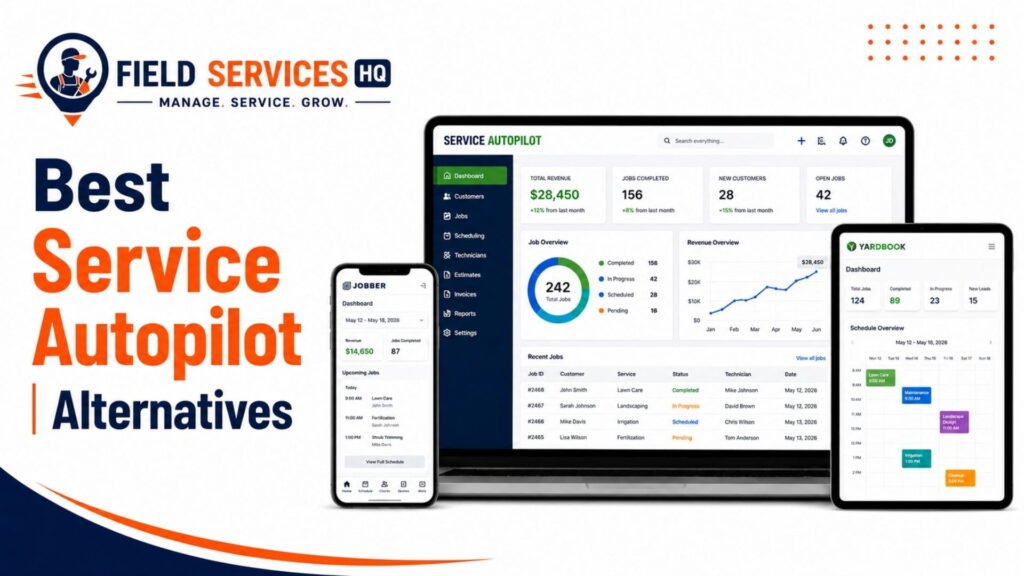
If having seamless accounting software integration at the plan level is a dealbreaker, it’s worth comparing Service Autopilot with some of its competitors that offer QuickBooks Online integration as a standard part of their plans rather than an add-on.
Some competitors in the field service space provide QuickBooks Online sync, route optimization, and unlimited users on their entry-level growth plan at a similar price point to Service Autopilot, which changes the cost equation depending on the size of the organization.
This is the type of analysis I always recommend performing before making a software selection, particularly when considering a long-term contract with an up-front cost. Our Service Autopilot alternatives comparison guide provides additional insight on the software selection process.
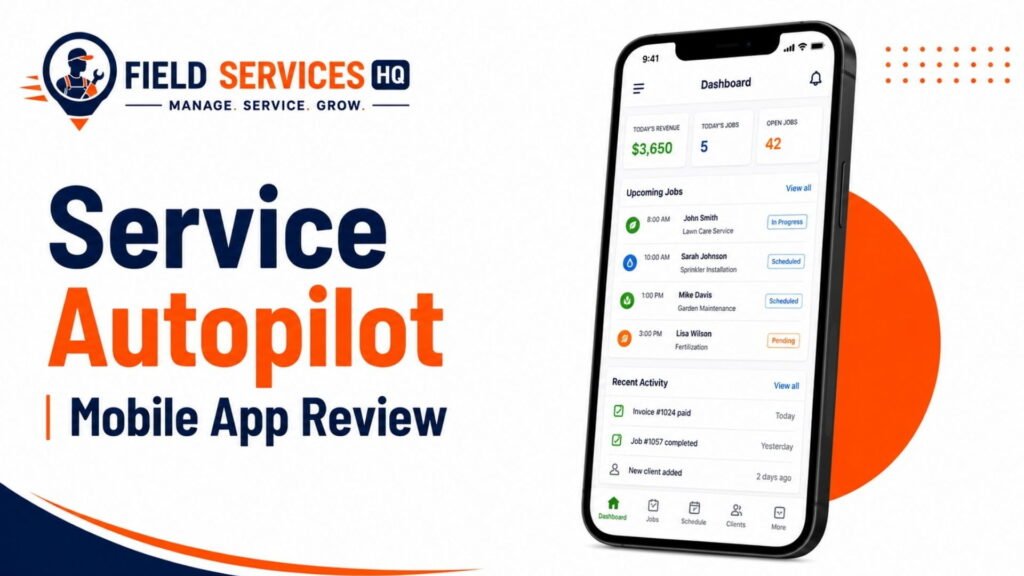
For organizations that plan to use the field service software primarily from a mobile device, it’s worth confirming that reports will be available via the mobile app rather than requiring someone to log in from a desktop computer all the time. Our review of the Service Autopilot mobile application discusses the capabilities and limitations of the mobile version of the software.
What Reporting and Profitability Tools Actually Cost
Figures based on published plan pricing and third-party pricing pages current as of 2026. Confirm current rates directly with Service Autopilot before signing.
Add a one-time sign-up fee (reported around $97 to $247 depending on tier) and the true all-in monthly cost for a mid-size job-costing operation with Report Center and QuickBooks sync comes closer to $230 to $530 per month before processing fees than anywhere near the $49 entry pricing suggestion.
The jump between the base plan’s suggested rate and actual profitability reporting capability is by far the biggest pain point mentioned in reviews we’ve seen. Budget accordingly and confirm all add-ons in writing during your demo, not after signing an annual commitment.
Strengths and Limitations
Strengths:
- Job Costing Report provides valuable budget vs actual comparisons at job level
- Crew and route profitability reporting works well for multi-crew recurring-service operations
- Report Center offers true customization beyond the included library, exceeding many competitors’ capabilities at this price point
- A/R aging and revenue by service reports are strong out-of-the-box options
Limitations:
- Job costing, budgeted hours, and Report Center access are all unavailable on the entry-level Startup plan
- QuickBooks sync requires a separate add-on purchase on most tiers
- Payroll data requires manual export rather than automated import
- Customer-level lifetime value and margin reporting requires manual Report Center configuration rather than a built-in report
- Less ideal for one-off ticket trades requiring equipment and warranty cost tracking
Fit Scorecard
| Business Profile | Reporting Fit |
|---|---|
| Multi-crew lawn care or landscaping (10+ crews) | Strong |
| Residential cleaning or snow removal, recurring contracts | Strong |
| Pest control with recurring service agreements | Good, verify compliance reporting |
| Solo operator or two-truck startup | Weak (Startup plan lacks job costing) |
| HVAC, plumbing, or electrical (ticket-based) | Weak, consider alternatives |
| Roofing or hardscape (phased, project-based work) | Weak, project budgeting is limited |
Decision Rules
Use these as a priority filter before booking a demo:
- If you have 10+ recurring crews or routes, just the job costing and gate rate reporting capabilities would justify the Pro or Pro Plus level.
- If you’re a solo operator or two-truck shop, skip the Startup tier entirely for profitability-focused purposes, you won’t get job costing until Pro anyway – make sure to compare the realistic $199/month vs competitors who include QuickBooks sync
- If you absolutely need QuickBooks sync, make sure to get a firm number on the add-on cost in writing before comparing plan pricing against competitors who tend to bundle it
- If you do more one-off tickets than recurring jobs, you’ll likely want to consider trade-specific competitors before choosing an industry-agnostic platform that has to balance reporting features between job types
- If nobody on your team has the capacity to build custom reports, factor in the cost of a dedicated setup session, the Report Center isn’t intuitive to configure
Final Verdict
Service Autopilot’s reporting tools are a genuine value for the right type of business, representing a meaningful step up from less-configurable competitors, but the configuration requires time and the most valuable features come at a premium. The platform does what it says, provides realistic profitability reporting at the job and crew level that many competitors don’t, but you’ll need to justify the cost of the mid-tier plan to access those features.
QuickBooks sync isn’t included and takes extra configuration, and the Report Center isn’t immediately accessible without proper documentation. If you have a multi-crew recurring service and can spare the budget for mid-range field service software, Service Autopilot is worth pursuing. If you’re a single operator or ticket-based trade company (HVAC, electrician), consider your alternatives.
Confused About Service Autopilot ? Go Through Our Service Autopilot Hub.
FAQ
What’s the realistic total monthly cost to get full profitability reporting in Service Autopilot?
While Service Autopilot advertises a low entry point with its Startup plan ($49/month), this baseline tier completely locks out advanced analytics. Achieving meaningful, automated profitability data requires upgrading to the Pro plan ($199/month) to unlock the core Job Costing features and the custom Report Center, as verified by Service Autopilot’s Official Pricing Guide.
To prevent manual data reentry and accurately track true Cost of Goods Sold (COGS) and cash flow, businesses must also budget for the QuickBooks Online Sync add-on. According to Service Autopilot’s QuickBooks Integration Details, this integration acts as an unbundled premium feature priced at $29 per month.
When combining the $199/month Pro base with the $29/month accounting connector, the true software baseline is $228 per month. Factoring in standard one-time sign-up fees (historically tracked at roughly $97 by user auditing platforms like Capterra), the realistic cost to deploy functional profitability reporting sits between $230 and $250 per month before payment processing fees or additional mobile employee licenses.
Does Service Autopilot have reporting and profitability tools?
Yes. Service Autopilot includes a pre-built report library covering profit and loss, job costing, sales, and accounts receivable aging, plus a custom Report Center for advanced analysis. Job costing and budgeted-vs-actual hours reporting are available starting on the Pro plan ($199/month); they are not included on the entry-level Startup plan.
What is the Service Autopilot Job Costing Report?
The Job Costing Report compares budgeted labor hours and revenue against actual hours and revenue for each job or visit. It calculates labor cost from logged technician hours multiplied by pay rate, which lets you see, job by job, whether a service made or lost money once real time and materials are counted.
Does Service Autopilot integrate with QuickBooks?
Service Autopilot offers a two-way QuickBooks Online sync, but it is a paid add-on on the Pro and Pro Plus plans rather than a bundled feature, reported at roughly $25 to $29 per month on top of your subscription. It is not available on the Startup plan and is only included at no extra cost on the custom-priced Elite tier.
What plan do I need for job costing and profitability reports in Service Autopilot?
You need at least the Pro plan, priced at $199 per month plus a one-time sign-up fee. The Startup plan at $49 per month does not include the Job Costing Report, budgeted-vs-actual hours, or the custom Report Center.
Is Service Autopilot’s reporting good for HVAC or plumbing businesses?
It’s a weaker fit than for recurring-route businesses like lawn care or cleaning. Service Autopilot’s job costing and profitability tools were built around repeat crew and route economics, and the platform lacks the deep equipment and warranty-linked cost tracking that ticket-based trades like HVAC, plumbing, and electrical typically need.
How accurate is Service Autopilot’s job costing data?
Job costing accuracy depends entirely on how consistently technicians log time and materials in the field. If time tracking is inconsistent or materials go unlogged, the report will understate true job costs and overstate margin, regardless of how well the underlying software is built. Accurate data entry in the field is a prerequisite, not optional.
Can I see profit by customer in Service Autopilot?
Not as a single pre-built report. You can see revenue and payment history per client, but a clean customer lifetime value or per-customer margin view typically needs to be built manually in the Report Center by combining job cost data with a client’s full invoice history.
Does Service Autopilot track cash flow, not just profit?
Yes, partially. The Accounts Receivable Aging Report shows outstanding invoices bucketed by how overdue they are, which gives visibility into cash flow separate from job-level profitability. A job can be profitable on paper and still create a cash flow problem if the invoice goes unpaid for weeks.
How long does it take to set up Service Autopilot’s reporting properly?
Realistic onboarding for full reporting fluency across an office team runs four to six weeks, based on typical implementation timelines reported by operators who’ve gone through setup. The pre-built reports are usable immediately; the custom Report Center takes longer to configure well.
Affiliate Disclosure: Field Services HQ may earn a commission if you purchase software through links on this page, at no additional cost to you. This does not influence our evaluation criteria, testing, ratings, or conclusions. We only recommend tools we believe can genuinely benefit field service businesses.