Service Autopilot for Irrigation Services: Is It the Right Fit?
Irrigation contractors have a boom and bust cycle when it comes to the business: If your schedule is green from mid-March to May and then turns mostly repair calls and audits from June until another round of winterization jobs picks up in the fall, you’ve probably concluded that the software you’re using to run your business needs to be able to handle three different kinds of seasonal work within the same interface. Service Autopilot is often discussed on forums for green industry employers, but much of that conversation is about lawn care companies, not specifically irrigation contractors with large recurring customer bases.

Having reviewed a number of field-service scheduling platforms for contractors, from single-vehicle operators to firms with dozens of crews serving hundreds of recurring clients, I can attest that irrigation contractors represent one of the more difficult niches to serve.
Their work cycles are highly seasonal, their jobs often require technical expertise and a large chunk of revenue is generated from repeat customers who merely need to be contacted twice a year to arrange another round of sprinkler maintenance. This guide attempts to explain where Service Autopilot fits into an irrigation contractor’s operation, what limitations the platform has and what factors to consider prior to committing to one particular field-service scheduling solution.
Who Is Service Autopilot Best For?
Not every irrigation business has the same needs. I have seen small contractors waste a lot of money by choosing the wrong software for their particular situation due to the high complexity of the platform and the necessity of third-party tools.
Best Fit
- Lawn care or landscaping companies that added irrigation start-ups, service, and winterization as a secondary revenue line
- Companies managing 10 or more recurring irrigation or combo accounts across multiple technicians
- Businesses that want automated seasonal marketing (start-up reminders, winterization campaigns, review requests) without hiring a marketing coordinator
- Multi-crew operations that need unlimited user access without per-seat pricing eating into margins as they hire
Possible Fit
- Established single-service irrigation companies (5 to 15 employees) that are willing to invest time in setup and training in exchange for long-term automation
- Companies already using QuickBooks and looking for a platform with native accounting sync
Probably Not the Best Fit
- Solo irrigation technicians and owner-operators who primarily need a calendar, an invoice tool, and a means to text customers
- Companies that need to be live and taking payments within a week, as the onboarding curve here runs longer than that
- Businesses that want affordable software under $50/month with no separate sign-up fee, as the entry plan doesn’t include the routing and automation most irrigation companies purchase the platform for
What Does Service Autopilot Actually Do For Irrigation Businesses?
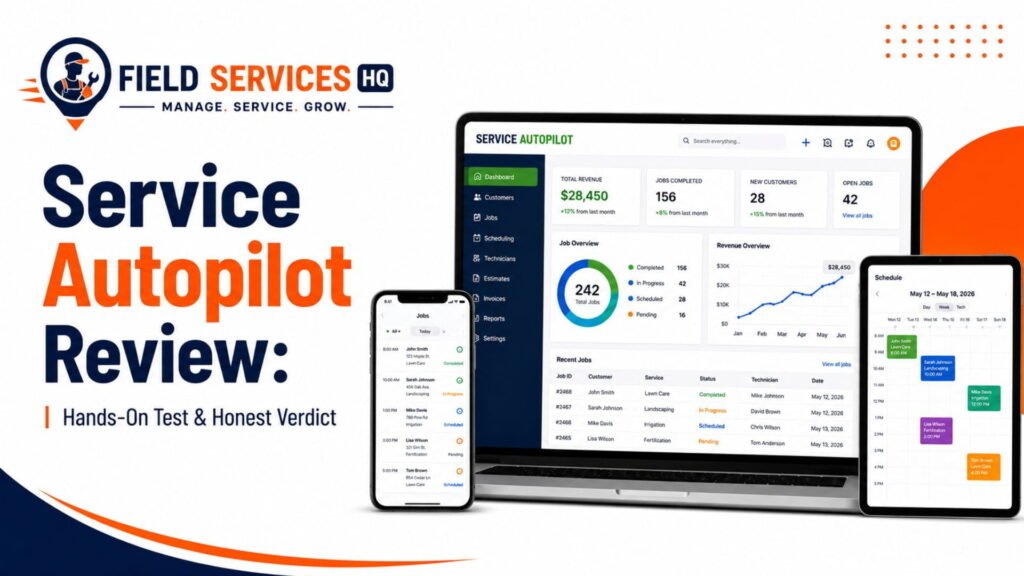
The Service Autopilot software is initially designed as a cloud-based solution to help lawn-care companies streamline their operations and grow their business. Nowadays, it also provides landscaping, cleaning, snow-removal, pest-control, and irrigation service line management tools.
The marketing automation and route optimization capabilities for recurring jobs are more advanced than what competitors like Jobber or Housecall Pro provide for lawn care and irrigation-specific workflows, states FieldServiceSoftware.io’s independent Service Autopilot review.
| Irrigation Need | Service Autopilot Capability | Business Outcome |
|---|---|---|
| Spring start-up rebooking | Recurring service templates with automated scheduling rules | Fewer missed rebookings, less manual calendar rebuilding |
| Technician routing during peak season | Multi-stop route optimization (Pro tier and above) | Reduced windshield time during high-volume weeks |
| Customer and property history | CRM with service history, notes, and account details | Techs arrive knowing zone counts, past repairs, controller type |
| Estimates for repairs and upgrades | Estimate builder with approval workflow | Faster quote-to-job conversion |
| Field documentation | Mobile app for job notes, photos, and time tracking | Better accountability, fewer disputes over completed work |
| Billing for seasonal service plans | Automated recurring invoicing | Predictable cash flow tied to the service calendar |
| Seasonal marketing | Automated email and text campaigns | Rebooking without a dedicated marketing hire |
How Service Autopilot Fits Into an Irrigation Workflow
Before the Visit
Recurring service rules are used to automatically create the job as you set up the schedule (spring start-up, mid-season check, fall winterization). The CRM database will already have property-specific notes and zone counts (if you’ve added them) plus prior service history, providing the technician with relevant context and reducing risk that they’re addressing the wrong issue.
During the Visit
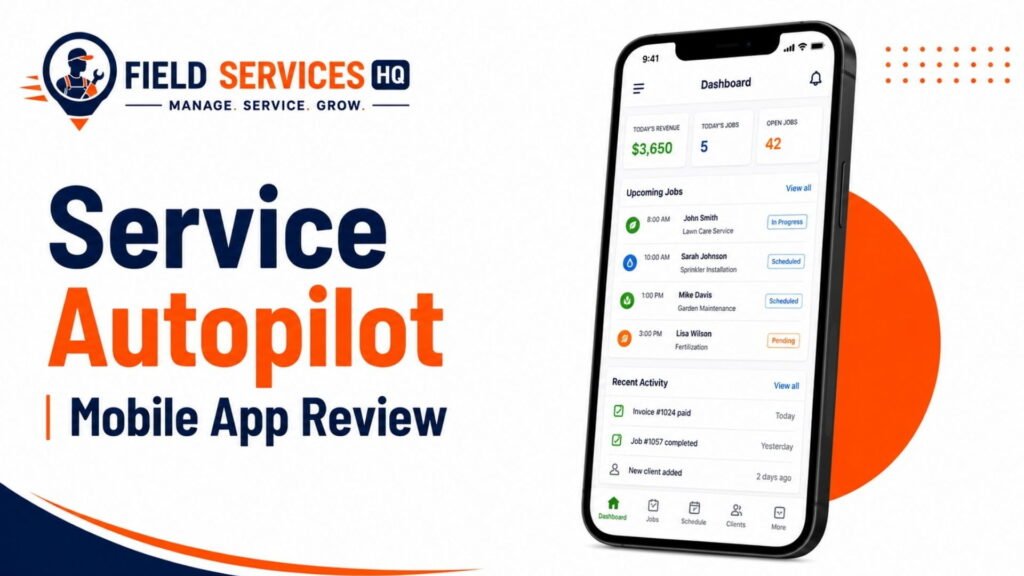
On iOS and Android, the field technician can view the job, take notes and photos, time the service, and (on the higher tiers) take and accept payment signatures. This is critically important for irrigation services, given how often the repair work involves later disputes over what was actually accomplished on the service call; a photo of a damaged lateral or leaking valve that was replaced may be the only documentation needed to justify a customer’s disputed repair charge.
After the Visit
Invoicing can be automated to send as soon as the job is complete plus automated follow-up sequences can request reviews or remind the customer as the next service window opens.
This really is where the platform’s marketing automation tools shine – QuoteIQ’s review of irrigation business software indicates that automated seasonal reminders, review requests, and follow-up sequences dramatically increase the conversion from one-time install customers for recurring start-up and winterization customers, which is the single greatest retention challenge for irrigation companies once the initial neighborhood boom has been completed.
Key Service Autopilot Features for Irrigation Services
Scheduling & Recurring Services
Recurring service rules are the platform’s bread-and-butter feature and its primary advantage over a pure scheduling application: once the technician has created a start-up or winterization job once, it will automatically recur on the same schedule each season.
Dispatch & Route Optimization
Route optimization is only available from the Pro tier upward, a critical consideration for a company with multiple technicians completing winterizations across an entire residential development in the six-week lead-up to first frost.
Customer & Property Management
Client account history aggregates an irrigation company’s service and sales history for a given property, a tremendous time-saver for technicians and the office team when working with residential irrigation service agreements covering dozens or hundreds of properties.
Estimates & Work Orders
Estimates can be created and sent digitally, with electronic approval built into the system rather than requiring back-and-forth email correspondence, dramatically shortening the sales cycle for repair work (valve replacements, controller upgrades) that comprises the bulk of most irrigation contractors’ revenue.
Mobile Field Operations
According to ITQlick’s Service Autopilot review, GPS employee tracking makes it possible for the office team to see where technicians are within the mobile app, a helpful feature when an emergency repair request comes in and the dispatch needs to route the call to the closest available technician.
Irrigation Repairs & Service Calls
According to ITQlick’s Service Autopilot review, irrigation tracking appears on the platform’s capabilities list but in practice functions more as a notes field and service history tracker than a dedicated irrigation-specific asset management tool with zone diagrams or backflow certifications.
Invoicing & Payments
The one-click bulk invoicing function receives consistent praise in Service Autopilot reviews for its value to teams needing to send out dozens of seasonal service invoices at a time, compared to an hourly rate for single-job invoicing.
Reporting & Job Visibility
Custom reporting becomes available at the Pro tier, allowing owners to analyze technician productivity, job profitability, and account-level performance at a level of detail not available on the Startup plan.
Automation
This is the platform’s strongest suite of capabilities. According to GetApp’s aggregated user reviews, reviewers consistently identify Service Autopilot’s automation features as its primary strength, though the most sophisticated tools are only available on the Pro Plus tier.
Where Service Autopilot May Fall Short for Irrigation Services
No platform is perfect for every use case, which is why we ask the hard questions and report on them. Based on aggregated user reviews:
Steep learning curve. According to GetApp’s aggregated user reviews, reviewers note that the software has a steep learning curve and can be time-consuming to implement, representing an opportunity cost for a small irrigation team without an administrator to manage the setup and ongoing maintenance of the system.
Inconsistent support experience. According to FSM Advisor’s 2026 Service Autopilot review, recent user reviews trend negative on the consistency of support and one reviewer found the customer support to be understaffed and with excessive wait time for phone support.
No irrigation-specific asset module. A growing number of green-industry-specific field service tools include backflow certification, zone mapping, and irrigation controller programming logs as first-party modules; Service Autopilot does not have an equivalent asset tracking system, requiring you to configure generic asset fields to track this information.
Pricing transparency. According to Landscapey’s line-by-line review of Service Autopilot’s own pricing page, every published plan is quoted as a base monthly price plus an undisclosed sign-up fee that is not published on either the pricing page or the comparison chart, representing a potential budget risk prior to sales negotiations.
Recurring bugs after updates. According to GetApp’s aggregated user reviews, some users report recurring bugs and glitches after software updates, an important operational risk for invoicing or scheduling automation that goes live mid-season.
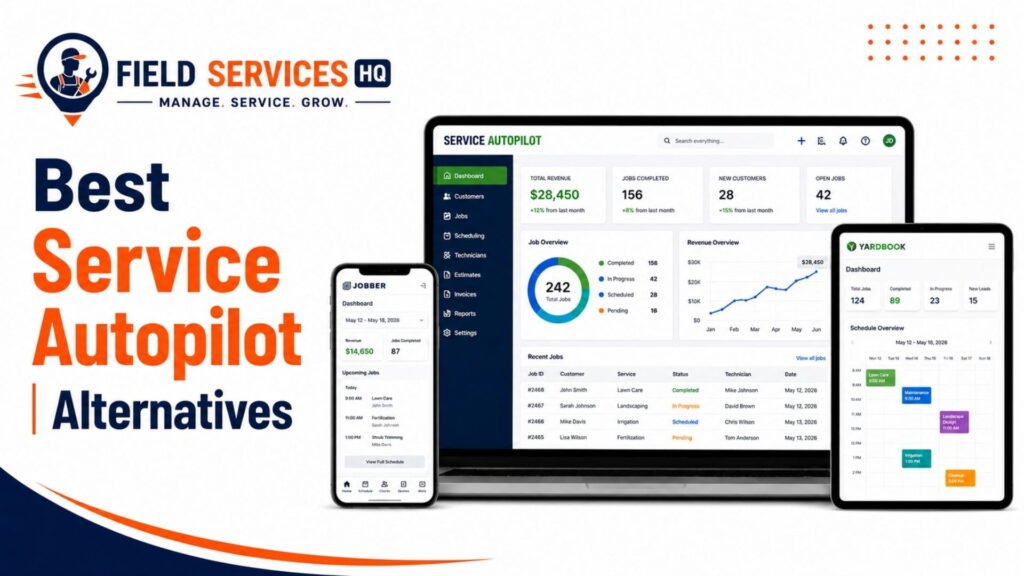
For a side-by-side comparison of how these tradeoffs stack up against other field service automation platforms, our Service Autopilot alternatives guide provides a comprehensive overview based on company size and budget.
Is Service Autopilot Right for Your Business Size?
| Business Size | Fit Assessment | Reasoning |
|---|---|---|
| Solo operator (1 truck) | Weak fit | Setup complexity and cost outweigh benefits at this scale |
| Small team (2 to 5 techs) | Possible fit, with caveats | Entry plan lacks routing; Pro tier may be premature spend |
| Mid-size (6 to 15 techs) | Strong fit | Routing, automation, and reporting begin to pay for themselves |
| Large multi-crew (15+ techs) | Strong fit | Unlimited-user pricing on higher tiers becomes cost-effective at scale |
How Well Does Service Autopilot Handle Common Irrigation Workflows?
Spring Start-Ups
The recurring service rules perform well, but during true rush weeks (usually 3-4 weeks in most U.S. climates), route optimization features on the Pro tier help prevent crews from wasting drive time by looping through the same subdivision multiple times per day.
Recurring Maintenance
Excellent fit for irrigation – mid-season property audits and controller walks can be templated and repeated as needed.
Repairs
Standard work order and estimate processes apply, though there is no built-in irrigation diagnostic checklist, which many companies choose to create manually.
Emergency Service
GPS tracking and mobile dispatching enable same-day emergency routing, but there is no dedicated emergency job function to differentiate them elsewhere in the scheduling system.
Winterization
Same general strengths and weaknesses as spring start-up services, but applicable to fall seasonal “blow-out” service needs.
Residential
Good fit for large residential account bases, which was the original target market for the platform.
Commercial
Functional, but commercial irrigation contracts with nuanced billing requirements or multiple contact points may need to be adapted to fit the software.
Lawn + Irrigation
This is the ideal use case for Service Autopilot. Lawn and irrigation companies that add either service line benefit from the ability to manage both in the same system.
Smart/Connected Irrigation
Service Autopilot has no native integration with smart irrigation controller platforms, so work order notes still need to be recorded manually when these systems are employed.
What Should Irrigation Service Software Handle?
Regardless of which platform you’re considering, use this independent requirements matrix to evaluate any irrigation software, including Service Autopilot, against your needs:
- Recurring seasonal scheduling (start-up, mid-season, winterization)
- Route optimization for multi-stop seasonal routing days
- Property/zone-level customer history
- Mobile access with offline capability for rural service areas
- Digital estimates and approval tracking
- Automated invoicing tied to completed jobs
- Payment collection in the field
- Service agreement/contract tracking
- Reporting on job costing and technician productivity
- Marketing automation for rebooking and reviews
- QuickBooks or accounting software integration
- Reasonable total cost of ownership (including sign-up and training fees, not just monthly cost)
Service Autopilot vs. Alternatives
Service Autopilot is not the only platform that irrigation companies consider, and it is rarely the lowest-cost option at first glance. According to ITQlick’s comparison, Jobber begins at $39 per month, roughly $10 less than Service Autopilot’s entry-level plan, and Housecall Pro begins at approximately $79/month. The important distinction, however, is that Jobber and Housecall Pro are designed for general field service – their strength is breadth across trades rather than depth in any one area.
By contrast, Service Autopilot’s routing algorithms and marketing automation features are engineered specifically for the high-volume, recurring seasonal nature of green industry work. If your business is more comparable to a general home services company that occasionally performs irrigation work, a broader platform may be a better choice. If you have dense seasonal recurring work, Service Autopilot’s automation capabilities provide real value. Our full Service Autopilot alternatives comparison walks through the differences in detail.
Service Autopilot Pricing vs. Value
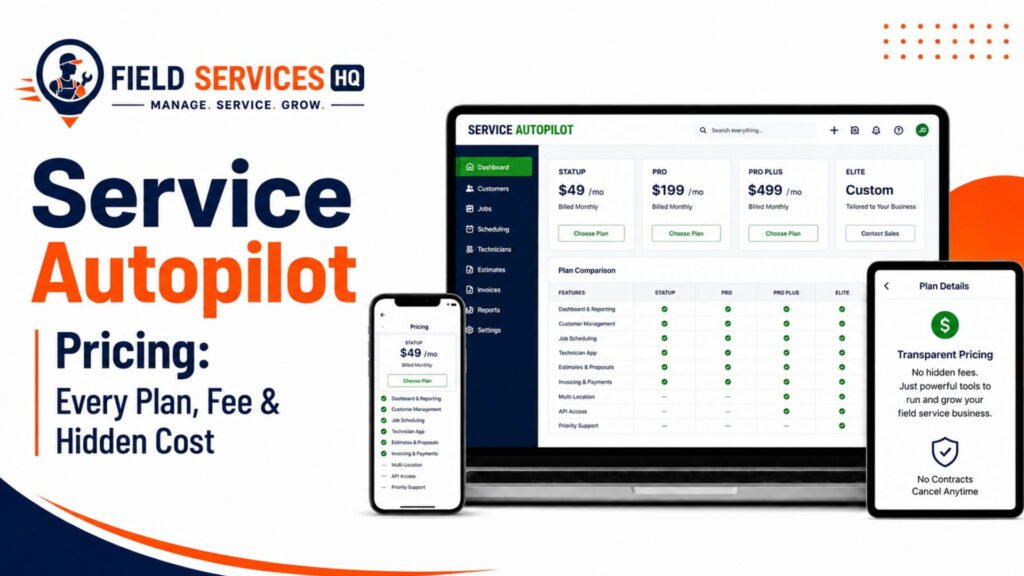
According to Landscapey’s August 2026 review of Service Autopilot’s live pricing page, the platform lists three tiers: Startup at $49 per month, Pro at $199 per month, and Pro Plus at $499 per month, all billed on an annual basis, with a fourth Elite tier available on custom quotes. and according to that review, none of the listed plans show their sign-up fee anywhere on the page or comparison chart, though third-party research and historical information place that fee somewhere in the $92 to $247 range depending on the plan.
The most relevant nuance for irrigation buyers, however, is that according to Landscapey’s plan comparison of that same pricing page, route optimization – the feature most frequently purchased by irrigation and lawn companies – is unavailable on the $49 Startup plan and only unlocks starting at the $199 Pro tier. This means that the real entry cost for a routing-capable irrigation platform is closer to $200/month before fees, not the advertised $49.
Additional costs to consider:
- One-time implementation or sign-up fee (varies by source, approx $93 to $247)
- Add-on costs for features like QuickBooks integration ($25/month ballpark from some sources)
- Training sessions (reviewers generally found these to be valuable, but expensive)
- No free trial (limited ability to test-drive the software)
Compare these costs to what you’re spending to have a dispatcher rebuild seasonal routing plans every year. For companies with 15+ recurring accounts, the time-saving automation of the Pro tier can justify the cost within a season or two, but for smaller operations, it’s worth running the math.
See our full Service Autopilot pricing analysis for a tier comparison and a checklist of hidden costs to be aware of.
Real-World Irrigation Business Scenarios
Solo Operator: A one-person irrigation technician serving 40-60 residential accounts likely doesn’t need the depth of automation that Service Autopilot provides and would be better served by a simpler, lower-cost scheduling/invoicing platform.
Small Residential Company: A 3-5 tech company serving a mix of start-ups, repairs, and winterizations may find the value proposition of the Pro tier appealing when seasonal route density begins to consume drive time, but should carefully weigh the $199/month plus fees against simpler alternatives.
Multi-Crew Company: A 10+ technician irrigation and lawn combination business is the ideal fit for the platform, particularly the Pro and Pro Plus tiers with their unlimited user licensing and seasonal rebooking automation.
Commercial Contractor: Larger commercial contracts with property management companies or HOAs will benefit from the CRM-style account history features, though complex billing may require workarounds.
Lawn + Irrigation: This is the strongest fit for the platform. Lawn and irrigation companies that add either service benefit from the unified system.
Smart/Connected Irrigation: Firms that specialize in weather-based or connected irrigation systems will need to keep records of that information elsewhere, as there is no native integration.
Service Autopilot Pros & Cons
Pros:
- Deep automation for recurring seasonal scheduling and rebooking
- Route optimization for high-density recurring routing (Pro tier and above)
- Bulk invoicing capabilities to save office time
- Unlimited users on higher tiers to support multi-crew operations
- Established player with over a decade in the green industry
Cons:
- Steep learning curve and onboarding requirements
- Sign-up fees are not disclosed anywhere in the sales process
- Route optimization and reporting require higher-priced tiers
- No irrigation-specific asset tracking (zones, backflow, controllers)
- Mixed customer reviews on software stability and support
- No free trial period
Service Autopilot Irrigation Buyer Checklist
- Prior to signing a contract, confirm the following directly with a Service Autopilot sales representative:
- Exact sign-up fee for the plan you’re considering
- Whether route optimization is included at your plan tier or not
- If there is an additional monthly cost for QuickBooks or other accounting software integration
- What onboarding and training options are available (and if they carry an additional cost)
- Data migration support if you’re switching from another platform
- Contract length and cancellation terms (annual billing is standard)
- How irrigation-specific data (zone counts, backflow certifications) will be tracked using available fields
- Mobile app performance in rural areas with spotty cellular reception (if applicable to your territory)
Final Verdict: Should You Choose Service Autopilot for Irrigation?
Service Autopilot earns its reputation as a deep automation platform for green industry businesses, and for the right buyer, that is a significant advantage. In my experience evaluating field service platforms across industries, the companies that derive the most value from Service Autopilot are the ones that already have sufficient recurring volume that manual seasonal rebooking is becoming a meaningful drain on resources.
For solo operators and smaller shops, the entry tier’s lack of route optimization and the onboarding requirements mean that you’re likely to pay for features you don’t need or want. For multi-crew lawn and irrigation companies with dozens or hundreds of recurring seasonal accounts, the automation and routing capabilities on the Pro and Pro Plus tiers can significantly reduce the administrative burden, so long as you understand the true all-in cost (the undisclosed sign-up fee, plus any additional costs for add-ons or training).
Before making a purchase, consider reading our full Service Autopilot review and Service Autopilot Mobile App Review to get a sense of the day-to-day field technician experience, and compare it against other platforms in our Service Autopilot alternatives guide prior to signing an annual contract.
Frequently Asked Questions
Is Service Autopilot good for irrigation companies?
Service Autopilot works well for irrigation companies, particularly those that also offer lawn care or landscaping, because its recurring scheduling and route optimization are built for high-volume seasonal service lines. It’s a stronger fit for companies with 10 or more recurring accounts than for solo operators, since its most useful irrigation features (route optimization, custom reporting) are gated behind higher-priced plans.
How much does Service Autopilot cost for an irrigation business?
According to Landscapey’s review of Service Autopilot’s pricing page, the platform publishes three core plans: Startup at $49/month, Pro at $199/month, and Pro Plus at $499/month, billed annually, plus an undisclosed sign-up fee. Because route optimization only unlocks at the Pro tier, most irrigation companies should budget closer to $200/month plus fees for a functionally useful deployment, not the advertised entry price.
Does Service Autopilot have irrigation-specific features?
Service Autopilot includes general irrigation service tracking through its CRM and custom fields, but it does not have a dedicated irrigation asset module for zone mapping, backflow test scheduling, or controller programming logs. Companies typically adapt the platform’s general work order and client history tools to track irrigation-specific data manually.
What is the biggest weakness of Service Autopilot for irrigation companies?
The most commonly cited weaknesses are a steep learning curve during onboarding, an undisclosed sign-up fee that complicates budgeting, and inconsistent recent user feedback on software stability and customer support response times.
Can a solo irrigation technician use Service Autopilot?
A solo irrigation technician can technically use Service Autopilot’s Startup plan, but the entry tier doesn’t include route optimization or custom reporting, two features most solo operators would need to justify the switch from simpler, lower-cost scheduling tools. Most solo operators are better served by a lighter platform until their account volume grows.
How does Service Autopilot compare to Jobber for irrigation services?
Jobber starts at $39/month, about $10 less than Service Autopilot’s entry plan, and is generally easier to onboard with a broader trade focus. Service Autopilot’s advantage for irrigation specifically is its deeper route optimization and marketing automation built around high-volume recurring seasonal work, which matters more as account volume grows.
Does Service Autopilot offer a free trial?
No. Service Autopilot does not currently offer a self-serve free trial, though billing is month-to-month after the initial sign-up fee is paid, which gives some flexibility to cancel if the platform isn’t a fit.
How long does it take to implement Service Autopilot for an irrigation company?
Implementation timelines vary by company size and data migration needs, but multiple user reviews describe a multi-week learning curve before a team is fully comfortable with the system. Companies switching from another platform should budget additional time for migrating client and service history data.
Why do irrigation businesses need field service software in the first place?
Residential outdoor water use, mostly landscape irrigation, accounts for nearly 8 billion gallons of water per day in the United States, and as much as 50 percent of that water is wasted through overwatering caused by inefficient systems, according to the U.S. Environmental Protection Agency’s WaterSense program. Field service software helps irrigation companies stay on top of the recurring maintenance, audits, and controller upgrades that reduce this waste, while also keeping the seasonal scheduling and billing organized enough to retain those maintenance customers year after year.
What’s the outlook for irrigation and landscaping labor costs?
The median hourly wage for grounds maintenance workers, a category that includes many irrigation technicians, was $18.50 in May 2024, with employment projected to grow 4 percent from 2024 to 2034, according to the U.S. Bureau of Labor Statistics. Rising labor costs make technician efficiency tools like route optimization and automated scheduling increasingly valuable for irrigation companies trying to protect margins.