Service Autopilot CRM: Full Breakdown & Honest Review (2026)
60-Second Answer
Yes, Service Autopilot has a built-in CRM. It is not a standalone or bolt-on module; customer, property, and lead data live natively inside the same system that runs your scheduling, dispatching, and invoicing.
| Best for | Recurring-revenue lawn care, landscaping, and snow removal operations |
| Biggest strength | Deep automation tied directly to customer and property records |
| Biggest limitation | Steep learning curve; automation setup often requires a certified advisor |
| Ease-of-use verdict | Moderate to difficult for a first-time office admin without training |
| Our verdict | A capable CRM for recurring-service businesses, not a general-purpose sales CRM |
If you own a lawn care, landscaping or snow removal company and have done any research into Service Autopilot, you know that most reviews discuss the tools around scheduling, routing, and invoicing, while saying very little about the CRM engine at the core of this field service management platform.
The reason is simple: the CRM is the part of the software that makes it easy or hard for your office manager to find out basic information about a customer within 10 seconds instead of 10 minutes.

I’ve worked with hundreds of field service businesses over the last decade to help them choose and implement software, so I understand the challenge that companies face when they sign up for a field service management platform and gravitate towards the marketing, branding, and scheduling features, only to realize after a year that the tools around CRM do not support their internal processes for keeping track of customers, jobs, and properties.
This article is a detailed look at what Service Autopilot’s CRM is capable of and what it is missing. I’ll also try to highlight whether this particular field service software is right for you based on your business needs.
Service Autopilot CRM at a Glance
Service Autopilot was built specifically for recurring-service field businesses rather than general contracting or one-off project work. Its CRM reflects that focus: almost every feature is organized around a property and a recurring service, not around a generic “deal” the way a traditional sales CRM like Salesforce or HubSpot would structure it.
| CRM Capability | Included in Service Autopilot | Notes |
|---|---|---|
| Customer management | Yes | Centralized profiles, contact info, notes, call logs |
| Property management | Yes | Multiple properties per customer, service-specific details |
| Lead management | Yes | Lead capture forms, sales pipeline, estimate tracking |
| Customer history | Yes | Full job, invoice, and communication history per account |
| Communication | Yes | Email and SMS from desktop and mobile |
| Automation | Plan-dependent | Full automation engine on Pro Plus and Elite plans |
| Scheduling integration | Yes | CRM records feed directly into the job calendar |
| Invoicing/payment integration | Yes | Native, tied to customer and job records |
| Marketing integration | Yes | Built-in email marketing and “Marketing Autopilot” tools |
How Service Autopilot CRM Works
The simplest way to think about the CRM is as a progression of records through the system: Lead → Customer → Property → Service → Job → Communication → Payment → Customer history.
A lead can come in through a web form, phone call, or manually before being marked as qualified and converted into a customer. This is valuable because a customer record can have multiple properties associated with them and relevant information to each property stored alongside the customer record. Information about each property’s level of service, mowing schedules, fertilizer program, snow removal zones, etc., are all stored alongside the job record. Once a job is created against a property, the customer’s preferences, payment history, and job costs are used to generate invoices and payments. When completed, invoices, communications, and job notes are returned to the customer’s history as a reference for future jobs or customers.
In short, the CRM database is not a separate “contacts” module in the software. It is woven throughout the other tools that touch a customer, a property, a job, and a payment. This is a critical difference between a CRM in a purpose-built software versus the loose aggregation of multiple systems. This is also why some operators choose Service Autopilot over less integrated CRM options.
Customer & Contact Management
Customer records store contact info, payment info, communication preferences, notes, and a log of all communication, including calls. An office manager can view a customer’s communication history, notes, job history, and payment history in one place to respond to an inquiry or make a call.
What works well: The ability to store everything in one place makes it easy to retrieve relevant information without digging through an external CRM or job management system. Notes and communication logs are visible to everyone with access to the account, helping prevent the “this customer is only known to Sarah” problem in smaller shops.
What doesn’t: The interface for customer records can be limiting to users who are accustomed to more modern CRMs. Some users have noted that searching through long notes histories can be a time-sinking process before finding relevant information.
Property & Location Management
Storing multiple properties within a single customer record is a huge benefit for lawn and landscape companies. Each property can have its own square footage, access notes, service preferences, history, and more.
Why it’s good for lawn and landscape companies: A property management company with 40 commercial accounts will need to track those as separate properties with potentially different service histories. Same goes for a residential customer with a single-family home and a rental duplex. Service Autopilot’s property management records make it easy to store and recall information about each parcel of land or building.
Lead & Sales Management
Leads are stored as records within the CRM and passed from the sales team through automated follow-up before being converted to a customer. Service Autopilot’s CRM also has several automation packages available within the marketplace. “5-day sales process” is an extremely popular automation that keeps a lead engaged via email and SMS while an estimate is being prepared.
Where the CRM shines or doesn’t shine: The lead-to-customer process is great for recurring-service sales like most lawn and landscape companies use. It does have limitations as a full sales management tool. For companies with complex sales processes or large commercial division that needs to track prospects, budgets, wins, and losses at a granular level, a more robust sales CRM like Salesforce or HubSpot would be a better fit.
Customer History & Service Records
All jobs, notes, invoices, and communications are compiled into a customer or property timeline for easy access. For companies with weekly or biweekly service routes, this timeline is invaluable in keeping track of what has and hasn’t been done at each property.
Customer Communication
Emails and texts can be sent directly from a customer record using templates for common messages. All communication attempts are logged against the customer record for reference.
Communication limitations: SMS and email are the main methods of customer communication within the CRM. If your company uses live chat, social media, or other messaging platforms as a primary method of customer communication, those will need to be handled outside of the core CRM functionality.
CRM Automation
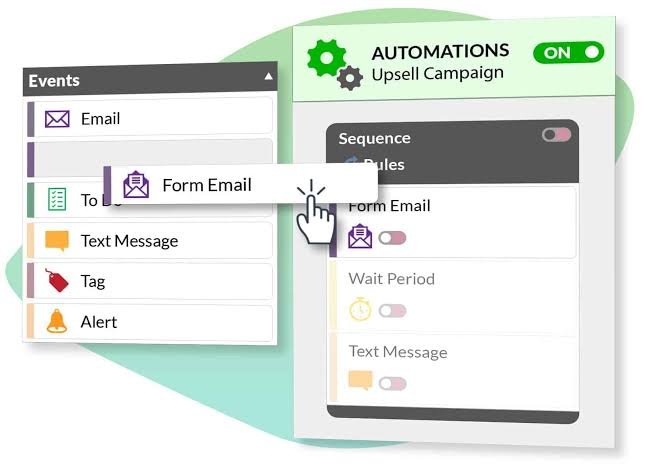
Automations are a huge strength in the Service Autopilot CRM. Most other CRMs require a significant investment in time and money to set up an automation. In Service Autopilot, most automations are a simple point-and-click setup, especially within the CRM. Most notifications or follow-ups can be automated based on a change in customer status, job completion, invoice due date, or lead lifecycle stage.
| Task Category | Automated | Manual |
|---|---|---|
| Customer updates | ❌ | ✅ |
| Lead follow-up (once a sequence is configured) | ✅ | ❌ |
| Scheduling-related tasks | ✅ | ❌ |
| Communication (reminders, confirmations) | ✅ | ❌ |
| Record management (data cleanup, duplicates) | ❌ | ✅ |
| Marketing (campaigns, segmentation) | ✅ | ❌ |
| Billing-related workflow | ✅ | ❌ |
It’s important to be upfront about one common misconception about Service Autopilot, particularly in the context of marketing automation. The software is powerful, but you’re unlikely to get good results right off the bat if you don’t invest significant time in the training courses or with a certified advisor. Even the lead follow-up sequence we’ve mentioned above is barely scratching the surface of the automation potential a proper CRM has to offer.
CRM + Scheduling & Jobs
Because the software has a shared database for customer and property records, job scheduling becomes much simpler. A route which contains dozens of calls can be set up only once, and any following jobs will be scheduled automatically in accordance with the initial setup.
Also, crew rosters can be populated directly using the information from the job record. For some perspective, imagine that a representative has to enter the same customer data 50 times per day – that’s over 2,500 unnecessary keystrokes per week. If you’re interested to explore the inner workings of the job scheduling and route optimization features, we recommend reading our Service Autopilot Route Scheduling & Optimization article.
CRM + Estimates, Invoicing & Payments
The estimate and invoicing modules of the CRM utilize the same database shared between properties and customers. An estimate can be turned into a scheduled or completed job with no extra data entry needed, and all customer or property-specific information will be automatically populated in the invoice.
Additionally, the same screen provides the office with a birds-eye view of the customer’s account balance, along with their service agreement and billing history. We can’t go into detail on the intricacies of the software’s billing process, as that would take another article to detail, but suffice to say that the information is all in one place and is easily accessible. From a CRM perspective, the software’s main advantage over some competitors is that the billing data is not siloed away from the customer relationship data.
CRM + Marketing Automation
The marketing automation tools enable you to send out targeted emails to customers who meet certain criteria (type of service, property type, etc.) and follow up on leads or upsell opportunities.
For a company that primarily offers monthly or yearly contracts, this can be more important than it may seem, as most estimates of customer lifetime value suggest that it’s much easier to retain an existing client than acquire a new one. This is one of the few areas where we feel the Service Autopilot CRM particularly shines, as it’s a great fit for landscape marketing automation. At the same time, it’s important to recognize that the software only has tools as good as the data behind them – it’s crucial to keep the customer and property records up-to-date.
Overview of How We Assessed this CRM
The information in this article comes from Service Autopilot’s website and documentation, third-party review sites, user testimonials, and our conversations with certified implementation partners.
Please note that while we’ve received numerous positive testimonials from users who’ve implemented the software, we did not conduct an extensive enough trial to comment independently on any of the vendor’s claims. In particular, we’ve marked separately statements that appeared in marketing materials of the company or its partners, including third-party review sites. For example, we cannot independently verify the veracity of statements regarding the software’s time-saving potential, and therefore avoid making specific claims about hours spent or money saved.
Ease of Doing Business
Most users we’ve spoken to about their experience with Service Autopilot agree that there is a substantial learning curve. The software has a number of settings that need to be configured for the system to operate as intended, and the sheer breadth of customization options puts it at odds with some competitors such as Jobber in terms of initial setup time.
At the same time, the information architecture is intuitive, and once the user gets past the first impressions, they should have no trouble finding the necessary data or functions. The primary frustration points we’ve heard concern the discoverability of information, particularly customer notes, and the differences between settings at the customer vs. property level. In practice, it means that new office users will need to be trained to use the system rather than learning it on the spot.
Service Autopilot CRM for Lawn Care
As mentioned above, weekly and biweekly mowing accounts are the bread and butter of many lawn care companies. Features such as recurring services, fertilizer reminders, and service history are second nature to Service Autopilot and come directly from the software’s roots in the lawn care industry. As a result, the CRM is perfectly positioned to handle the day-to-day operations for companies with a large customer base.
The property-level organization and automation features reduce the amount of legwork needed to maintain an account, and provide valuable data to the office for further operations. Overall, it’s a great fit for the lawn care industry.
Service Autopilot CRM for Landscaping
Unlike the vertical specialization of the lawn care industry, landscaping involves a variety of job types, from maintenance to hardscape installations or irrigation. The Service Autopilot CRM is well-suited for the former type, which is consistent with the software’s general preference for recurring revenue.
At the same time, it’s unclear how well it would handle a large project with multiple change orders from the perspective of job costing, change order management, and related procedures. In other words, it’s a good fit for landscaping contractors that lean towards maintenance, and a light fit for those that specialize in installations.
Service Autopilot CRM for Snow Removal
Snow removal is a seasonal line of work with its own particular nuances in terms of CRM software. First and foremost, snow removal contractors operate on a per-account basis, meaning that they provide a service (typically plowing) to a residence or business for an extended period of time (the snow season). Second, there’s extreme variability in both scheduling and customer communication, stemming from the weather patterns being outside of human control.
Finally, in terms of actual interactions, a snow removal customer may only deal with the contractor at the time of service – sometimes even in a very brief manner if they’re in a hurry. All three of these factors are addressed well by the Service Autopilot CRM, which has native tools for seasonal account management and automated customer communication. The main potential pitfall is ensuring that seasonal statuses (active/inactive) are correctly maintained so that the account data reflects the current year’s activity.
Snow removal has specific CRM considerations, such as seasonal contracts, schedule changes due to weather, and customers that may only interact with the company a few times per year. Service Autopilot’s communication tools (arrival reminders, weather alerts) and contract organization would be appropriate for this scenario. The user should be cautious not to confuse active/inactive snow removal customers in the CRM, as well as other prospects for the following season. These nuances would be appropriate for the given scenario. Overall, a good fit.
Service Autopilot CRM for Small vs. Growing vs. Multi-Crew Businesses
| Business Size | CRM Fit | Why | Potential Concern |
|---|---|---|---|
| Small operation (1 to 2 crews) | Moderate | Full CRM feature set may be more than needed early on | Cost and setup time relative to a smaller customer base |
| Growing operation (3 to 8 crews) | Strong | Automation and property management start paying off as volume increases | Requires dedicated time to configure automations correctly |
| Multi-crew / multi-location operation | Strong | Centralized customer and property data scales well across teams | Requires disciplined data entry standards to avoid duplicate records |
Service Autopilot CRM: Strengths
Strength: Unified customer and property records with operational data. By tying in operations data directly to the information about the customers and properties, the tool reduces the amount of context-switching between different areas of business that office staff has to perform. Instead of having to switch between a customer contact manager, scheduling system, and billing software to get an end-to-end view of a customer’s history with the company, it is available in one place.
Strength: Multi-property customer support baked into the data model. This is a critical feature for property management companies, HOA managers, or customers who have more than one service location because it prevents the kind of “each customer has one address” myopia that is common in many CRM and scheduling systems.
Strength: Automation driven by actual business processes rather than unsubstantial email templates. The ability to automate specific sequences of communications, service reminders, and lead nurturing based on tangible changes in the workflow is crucial for reducing unnecessary overhead.
Strength: Marketing tools focused on retention, right in the same system. For businesses that rely on recurring revenue from their customers, the ability to identify and target churned or at-risk customers using the same information from the rest of the system is invaluable.
Service Autopilot CRM: Limitations
| Limitation | Who It Affects | Business Impact |
|---|---|---|
| Steep initial learning curve | New office staff, small teams without dedicated admin | Slower onboarding, higher training time investment |
| Automation setup is not plug-and-play | Businesses without a certified advisor | Underutilized automation, features go unused |
| Not designed as a general-purpose sales CRM | Businesses running large commercial bid pipelines | May need a supplementary CRM for complex B2B sales |
| Full automation gated to higher-priced plans | Startup-tier subscribers | Businesses may outgrow the entry plan faster than expected |
| Interface feels dated compared to newer platforms | Teams used to modern SaaS UX | Slightly slower day-to-day navigation |
Being upfront about these tradeoffs matters. No field service software is a perfect fit for every business, and a CRM that’s excellent for a 12-crew lawn care company running tight recurring routes can feel like overkill or underpowered in different ways for a two-truck startup or a commercial landscape contractor running large one-off projects.
What Is Automated vs. Manual?
| Task Category | Automated | Manual | Partially Automated |
|---|---|---|---|
| Customer updates | X | ||
| Lead follow-up | X | ||
| Scheduling-related tasks | X | ||
| Communication (reminders, confirmations) | X | ||
| Record management (data cleanup, duplicates) | X | ||
| Marketing (campaigns, segmentation) | X | ||
| Billing-related workflow | X |
Service Autopilot vs. Alternatives: CRM Capability Comparison
| Capability | Service Autopilot | Jobber | Housecall Pro |
|---|---|---|---|
| Customer management | Strong | Strong | Strong |
| Property management (multi-property per account) | Strong | Moderate | Moderate |
| Lead management | Moderate to strong | Moderate | Strong (via built-in pipeline tool) |
| Customer history | Strong | Strong | Strong |
| Automation depth | Strong, but complex to configure | Moderate, easier to configure | Moderate |
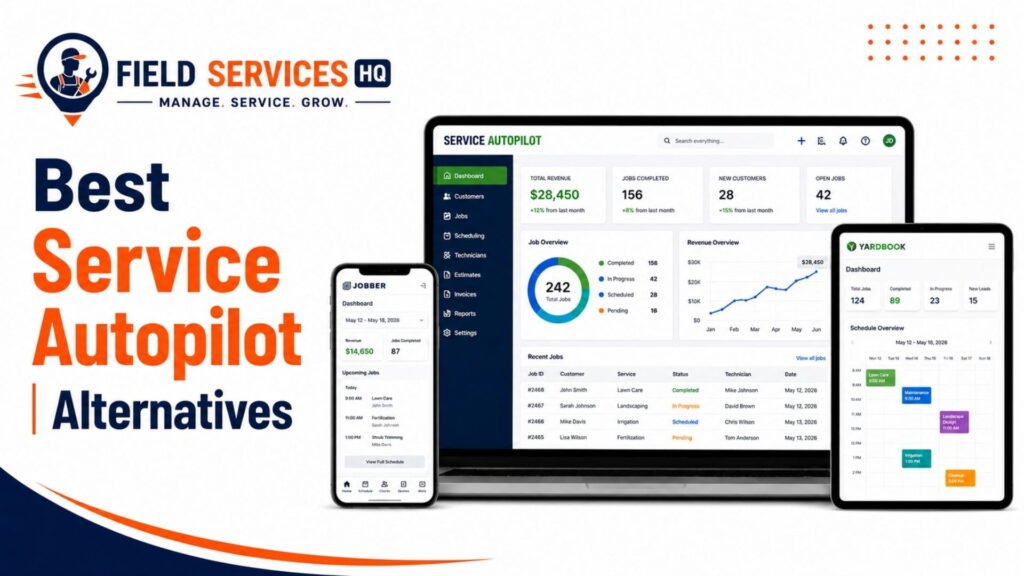
This table focuses strictly on CRM capability, not full feature sets, pricing, or industry fit. For a complete side-by-side comparison across scheduling, invoicing, mobile tools, and pricing, see our full Service Autopilot Alternatives guide.
What Does the CRM Cost?
The CRM (customer relationship management) capabilities are included in every Service Autopilot plan as a basic feature. The difference lies in the extent of automation and reporting tools that come with higher-level plans.
- Customer and property management: available in all plans,
- basic communication tools: available in all plans,
- fully unlocked automation: available in Pro Plus and Elite plans, partially available in Startup,
- additional users: relevant for the CRM as well, as larger office teams will need additional seats to access customer data,
- add-ons: some features, such as accounting software sync or route optimization, are technically “outside” the CRM but are used in conjunction with the same database.
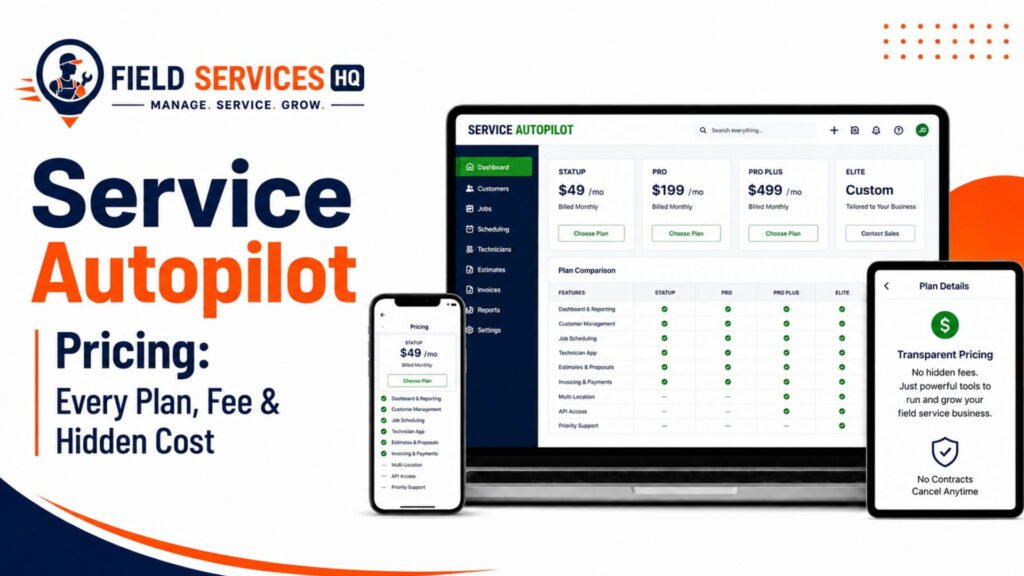
We will not list the exact details for each plan, as pricing and specific details for Service Autopilot may change periodically. Please refer to our Service Autopilot Pricing page for the most up-to-date information, including details about sign-up fees and a breakdown of features included per plan.
Common Service Autopilot CRM Problems
| Problem | Likely Cause | What to Check |
|---|---|---|
| Customer information is hard to find | Notes and history not entered consistently, or search terms too broad | Standardize note formats and use property-level tagging |
| Follow-ups are missed | Automation not configured, or lead stage not updated by staff | Audit automation triggers and confirm staff are moving leads through stages |
| Duplicate customer records | Multiple staff creating new records instead of searching first | Set a mandatory search-before-create policy and run periodic duplicate cleanups |
| Office workflow feels slow | Staff not trained on navigation shortcuts, or too many manual steps | Review workflow with a Service Autopilot certified advisor or the platform’s own training resources |
Best Practices for Using Service Autopilot CRM
Based on a number of observations that reliably distinguish businesses that benefit from the CRM from those that do not:
- Keep customer records clean; enforce a singular naming and formatting convention for addresses, numbers, and notes
- Standardize customer and property information entry across the office staff, not just the person who set up the account
- Use dated notes for every call or site visit for the history to be of any use later
- Make sure service history is properly maintained by confirming job completion notes are filled out, not just marked done
- Configure automation carefully and test it out on a subset of accounts before rolling it out across the company
- Invest in training for office staff early on as that is the single biggest factor in making the CRM actually serve its purpose
- Do regular reviews of customer data (ideally every quarter) to weed out duplicates and dead leads
If your teams are still using spreadsheets and sticky notes to keep track of customers and follow-ups, our field service CRM guide explains how to decide between a dedicated CRM module inside your FSM platform or an integrated ERP + CRM stack is right for the current stage of your growth.
Who Is Service Autopilot CRM Best For?
- Lawn care businesses doing recurring rounds of mowing + fertilizing: great fit
- Landscaping contractors with a large maintenance contract base: great fit
- Snow/removal companies dealing with seasonal contracts + unpredictable weather: great fit
- Small businesses (1-2 crews) just getting started: workable, but may be more system than needed
- Growing businesses (3-8 crews) aiming to scale recurring revenue: great fit
- Multi-crew + multi-location operations: great fit, assuming there’s enforcement of data entry standards
Who Should Consider a CRM Alternative?
Consider another option if your business needs:
- A general-purpose sales CRM optimized for complex B2B deal pipelines instead of recurring residential/light commercial service
- Extensive native support for one-off project-based work with change orders + staged billing, applicable to heavy construction or big roofing jobs
- Very simple, minimally-configured tool for one or two-person operations that have no interest in automating any part of the process
- An omnichannel messaging stack (social DM, live chat, unified inbox) as a substitute for email + SMS
Is Service Autopilot CRM Good Enough for Your Business?
Good fit if: Your business is built on recurring-service contracts (lawn care/landscaping/snow removal), you serve multiple properties for each client, and you can dedicate the time/resources to training to set up the automation correctly.
Possible fit if: You’re a small operation that expects to scale to multiple crews in a year or two and want a CRM that can grow with you rather than having to migrate to a new system
Poor fit if: Your business is focused on one-off project work, has complex commercial bid/fixed-price quoting needs, or you need something very simple with virtually no configuration required.
Our Recommendation
Choose Service Autopilot’s CRM if your business is built on recurring-service contracts, you serve multiple properties for each client, and you have the resources (or budget for a certified advisor) to dedicate to configuring automation rather than leaving it partially set up.
Think twice about it if your office team is small + stretched thin, due to the learning curve and time spent on configuration prior to seeing any benefits.
Consider another option if your business is focused on one-off project work or complex B2B selling, or if you need an omnichannel communication stack as a primary requirement.
Final Verdict
Service Autopilot’s CRM is a genuinely competent, focused tool for businesses that are built on recurring-service contracts, rather than a general-purpose customer database that happens to have a field service module. It serves its purpose best for lawn care, landscaping, and snow-removal contractors that deal with multiple properties + recurring visits, where the integration between customer database records, automation, and scheduling is critical to operations.
Its biggest weakness is the required investment of time+resources to harness the power of its automation engine: businesses that fail to dedicate those resources to the setup + training will find themselves with an expensive digital Rolodex instead of a vertical-specific field service CRM. As a general rule, it’s a good fit for a particular type of business, and not a general type of business: excellent for lawn-care contractors with 10+ customers that need recurring visits, less so for a general contractor that does one-off bids for custom construction.
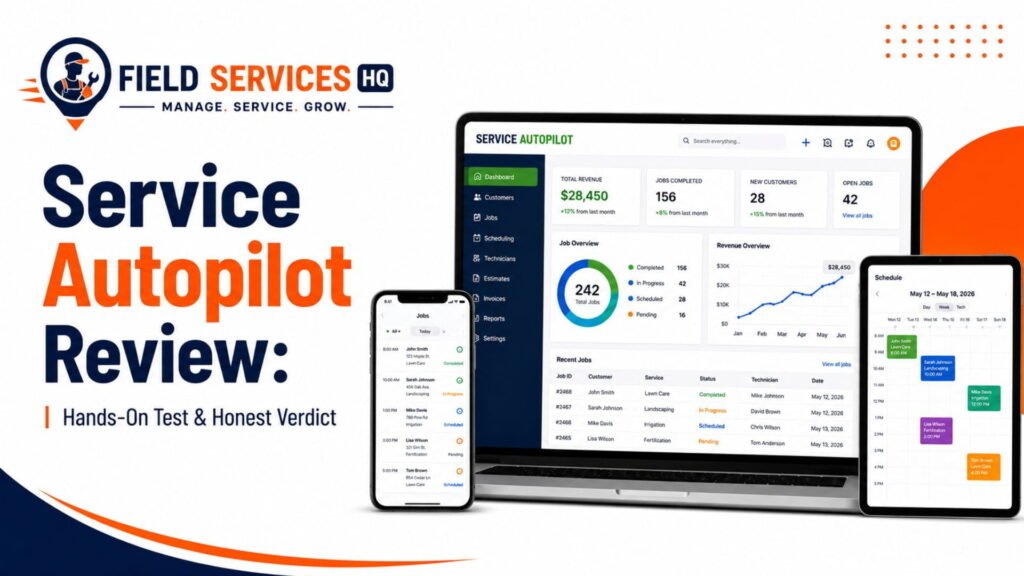
If you’re considering your options, our Service Autopilot Review covers the field service management platform beyond just the CRM, our Service Autopilot Pricing guide can help you understand what each plan entails, and our Service Autopilot Alternatives page can help you compare apples-to-apples if you’re not sold on the idea of a dedicated field service CRM yet.
Frequently Asked Questions
Does Service Autopilot have a CRM?
Yes. Service Autopilot includes a built-in CRM on every plan. Customer, property, and lead data are stored natively inside the platform and connect directly to scheduling, invoicing, and marketing tools, rather than existing as a separate add-on module.
What does Service Autopilot CRM do?
Service Autopilot’s CRM manages customer profiles, service properties, lead capture, sales workflow, communication history, and automation. It follows a lifecycle from lead to customer to property to job to payment, keeping all related data connected under one account.
Does Service Autopilot manage customer information?
Yes. Customer profiles store contact details, billing information, internal notes, call logs, and communication preferences. Office staff can view a customer’s complete account history from one screen without switching to a separate system.
Can Service Autopilot manage properties?
Yes, and this is one of its stronger features. A single customer account can hold multiple properties, each with independent service details, access notes, measurements, and service history. This is particularly useful for property managers, HOAs, and customers with more than one service location.
Does Service Autopilot track customer history?
Yes. Every job, invoice, note, and communication tied to a customer or property is logged automatically, creating a full timeline that office staff and technicians can reference before, during, or after a visit.
Does Service Autopilot have lead management?
Yes. Leads can be captured through embedded web forms, tracked through a sales workflow, and converted into estimates and customer accounts. Pre-built automation packages, such as scheduled follow-up sequences, are available through Service Autopilot’s automation marketplace.
Can Service Autopilot automate customer communication?
Yes. Automated appointment reminders, service notifications, and follow-up messages can be sent by email or text based on job or customer status. Full automation depth is more accessible on the Pro Plus and Elite plans, and initial setup typically requires dedicated configuration time.
Does Service Autopilot CRM work with scheduling?
Yes. Customer and property records feed directly into the scheduling calendar, so recurring services generate jobs automatically without re-entering customer details, and crew assignments pull from the same underlying data.
Is Service Autopilot CRM good for lawn care?
Yes, this is one of its strongest use cases. Recurring mowing and fertilization schedules, property-level service history, and automated reminders are core features that directly support high-volume lawn care operations.
Is Service Autopilot CRM worth it?
For recurring-service businesses like lawn care, landscaping, and snow removal that are willing to invest time in setup and staff training, the CRM is generally worth it because of how tightly it connects to scheduling, billing, and marketing. For businesses running one-off projects or complex B2B sales pipelines, a different CRM may be a better fit. Reviewing our Service Autopilot Pricing guide and comparing against the Service Autopilot Alternatives page is a good next step before deciding.
Affiliate Disclosure: Field Services HQ may earn a commission if you purchase software through links on this page, at no additional cost to you. This does not influence our evaluation criteria, testing, ratings, or conclusions. We only recommend tools we believe can genuinely benefit field service businesses.