Simpro Commercial HVAC Review: Who It Fits, What It Costs, and Where It Falls Short
If you run a commercial HVAC company in the US or Canada, you have probably outgrown the tools that worked when you had four trucks and one dispatcher. Spreadsheets, a basic scheduling app, and QuickBooks can carry a residential service shop a long way. They start to crack when you add multi-site maintenance agreements, chiller replacements, progress billing, and retention claims.
That is the gap Simpro is built for, and it is why “simpro commercial hvac” is a search I see contractors run when they are deciding whether to upgrade. This guide gives you a straight answer on fit, cost drivers, implementation reality, and the situations where a different platform makes more sense. For a shorter product overview, see our Simpro for commercial HVAC overview.

Quick Answer: Is Simpro Good for Commercial HVAC?
Simpro is a strong fit for commercial HVAC contractors who run projects, service work, and planned maintenance in the same business and need real job costing. It is a weaker fit for small residential service shops, because it takes longer to set up and costs more than lightweight tools. Pricing is quote-based, so you need a demo to get a real number.
That is the short version. The rest of this article explains why, and how to test it against your own operation before you sign anything.
Key Takeaways
- Simpro connects quoting, job costing, scheduling, purchasing, timesheets, asset records, and invoicing in one system, which is what commercial work demands.
- It is best for mid-market and growth-stage contractors running service and project work side by side, not for very small residential shops.
- Simpro does not publish pricing. Expect a custom quote based on users, modules, and your setup needs.
- Implementation takes real effort. Plan for data cleanup, training, and a phased rollout rather than a weekend switch.
- Ask any vendor, Simpro included, to demonstrate your actual workflow with your own sample data before you commit.
- The software does not fix broken processes. If your maintenance agreements and pricebook are messy today, they will be messy inside Simpro too.
What Is Simpro?
Simpro is a cloud-based field service management platform for trade contractors in HVAC, electrical, plumbing, fire protection, and security. It covers the job life cycle from quote to invoice, with particular depth in estimating, job costing, maintenance planning, and inventory.
According to the company’s own HVAC software page, the platform covers quoting, real-time job tracking, recurring maintenance, and project management.Simpro says the business began in 2002 and currently serves residential and commercial trades globally. It also maintains operations for customers in the United States and Canada.
One note on sourcing: much of what is published about Simpro comes from Simpro itself or from review sites that earn referral fees. I have tried to separate what the vendor claims from what you should verify in a demo. Where I am relying on vendor material, I say so.
Why Commercial HVAC Needs Different Software Than Residential
Residential HVAC is mostly a volume game. A tech gets a call, arrives, diagnoses, quotes from a flat-rate pricebook, and collects payment. The software needs to be fast, mobile-friendly, and good at dispatch.
Commercial HVAC adds layers:
- Sites and assets, not just customers. A property manager might have 30 buildings, each with dozens of rooftop units, air handlers, and controls. You need an equipment record tied to each location.
- Projects with stages. A retrofit or replacement runs for weeks or months, with purchasing, subcontractors, progress billing, and sometimes retention.
- Contract-driven service. Planned maintenance agreements generate recurring work orders on a schedule, and the customer expects reporting on what you did.
- Margins that move. A job that looks profitable at quote can slip while it is open. If you only find out after invoicing, it is too late to fix.
When I evaluate field service software for a commercial HVAC business, I start with a simple question: can this system tell me, while the job is still open, whether it is tracking to the margin I quoted? If the answer is “not really,” it is a scheduling tool, not a commercial operations platform.
Simpro Commercial HVAC Features That Matter Most
Feature lists are cheap. Here are the areas where I would pressure-test Simpro for a commercial HVAC contractor, and why.
Estimating and Quoting
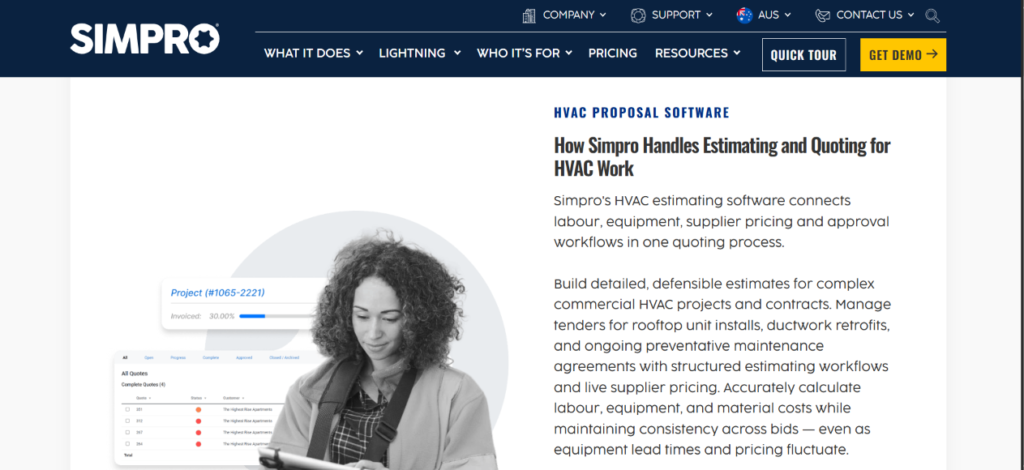
Commercial estimates are rarely a flat-rate lookup. You are pricing equipment, labor, materials, subcontractors, and sometimes plan-based takeoffs. Simpro offers pre-built assemblies and takeoff tools, including plan markup and symbol counting, aimed at repeat job types.
What to test in a demo: build a real quote you have priced before, such as a rooftop unit swap with crane, curb adapter, and controls tie-in. See how long it takes and whether the numbers match your usual method.
Job Costing
This is the reason most commercial contractors look at Simpro at all. The idea is that labor from timesheets, materials from purchasing, and subcontractor costs all post against the job, so you can compare actual to estimated while work is in progress. Simpro’s own commercial HVAC guide describes tracking a large chiller replacement against its expected margin before the invoice goes out.
The catch is discipline. Job costing is only as good as the data going in. If technicians do not enter time against the correct job, or purchasing happens outside the system, the reports will look authoritative and be wrong.
Simpro’s HVAC information describes real-time visibility into estimated versus actual labor, equipment, and job costs, including work-in-progress and margin analysis. This supports the platform’s job-costing use case, but the quality of the result still depends on accurate timesheets, purchasing records, and job allocation.
Scheduling and Dispatch
Simpro includes a scheduling and dispatch board for service calls and project labor. For commercial work, the questions that matter are practical:
- Can you schedule a crew across multiple days on one project without it clogging the service board?
- Can dispatchers see technician certifications and skills before assigning a call?
- How does it handle travel time between sites?
Ask the vendor to show you a busy week, not a clean demo calendar.
Asset Management and Service Agreements
For maintenance-heavy commercial HVAC, this is the second big reason to consider Simpro. Every unit you install or survey can become an asset record tied to a site, and recurring maintenance can be planned against those assets. Simpro describes an asset register that captures equipment data at the point of survey, which lines up with the equipment inventory idea in ANSI/ASHRAE/ACCA Standard 180.
If preventive maintenance is a large share of your revenue, read our guide on Simpro preventive maintenance for a deeper look at how recurring work is set up and where it tends to go wrong.
Inventory and Purchasing
Commercial jobs involve long-lead equipment, purchase orders, and stock split between the warehouse and trucks. Simpro includes inventory and purchasing tools so materials can be allocated to jobs. For HVAC, ask specifically about serialized equipment, returns to vendors, and how van stock is reconciled. Those are the areas where inventory modules tend to look better in a brochure than in practice.
Mobile App and Field Forms
Technicians use the mobile app to update job status, record time, capture signatures, and complete forms. Simpro also offers digital forms with conditional logic, which is useful for commissioning checklists, safety forms, and inspection reports.
Recent third-party reviews show mixed experiences with Simpro’s mobile workflow. Some users find the system useful once they become familiar with it, while others mention concerns around mobile usability, syncing, or the number of steps required for some tasks. Because these are individual user experiences rather than a representative survey, contractors should test the mobile app with their own technicians before making a decision.
Reporting and Integrations
Simpro lists integrations with accounting and productivity tools, including QuickBooks Online, QuickBooks Desktop, Xero, Microsoft Outlook, and Google Calendar, per its Capterra listing. Confirm the specific integration for your accounting package, and ask exactly what syncs: invoices, payments, customers, purchase orders, or only summary journals. A shallow accounting sync creates double entry, and double entry creates errors.
Who Simpro Is Best For (And Who Should Look Elsewhere)
Here is how I frame fit for US and Canadian contractors.
Simpro is likely a good fit if you:
- Run commercial service, installation, and planned maintenance in the same company
- Need real-time job costing against budget
- Manage multi-stage projects with progress billing
- Have several crews or branches and outgrew basic scheduling tools
- Have someone in the office who can own the implementation
Simpro may be more than you need if you:
- Are a small residential service shop with a few trucks
- Mainly need flat-rate quoting, dispatch, and payments
- Have no one available to manage setup and training
- Want to be live in days rather than weeks
For a smaller residential operation, a lighter tool will usually get you running faster and cost less. I would rather tell you that than watch a five-truck shop buy a platform built for a much more complex business.
What Recent Simpro Users Say
Current third-party reviews show a mixed picture of Simpro’s user experience. Capterra’s review page currently lists an overall rating of 4.0, with individual reviewers highlighting both the platform’s broad functionality and the time required to learn and implement it.
Positive feedback commonly mentions the ability to connect quoting, scheduling, job management, and invoicing in one system. Other reviews point to areas such as implementation effort, learning curve, mobile workflows, and support as things businesses should evaluate carefully.
These reviews represent individual customer experiences rather than a controlled survey of all Simpro users. The most useful approach is therefore to use the feedback to create questions for your own demo and testing process rather than treating any single review as a universal result.
Simpro Commercial HVAC Pricing: What to Expect
Simpro does not publish a public price list. You request a demo and receive a quote. That is common for platforms in this category, but it makes budgeting harder, so here is how to think about cost drivers.
Simpro’s pricing approach is quote-based rather than a standard public price list. For that reason, ask for a written breakdown covering licenses, implementation, training, data migration, integrations, add-ons, support, renewal terms, and any future price adjustments before comparing proposals.
| Cost Factor | What to Ask | Why It Matters |
|---|---|---|
| Number of users | Are office and field users priced differently? | Field headcount can drive most of the bill |
| Modules and add-ons | Which features are included, and which cost extra? | Asset management, takeoffs, and forms may be add-ons |
| Implementation and onboarding | Is setup a one-time fee or bundled? | Onboarding can be a meaningful part of first-year cost |
| Training | How much is included, and what does extra cost? | Poor training is the top cause of failed rollouts |
| Data migration | Who cleans and imports customers, sites, and assets? | Messy data creates months of cleanup |
| Integrations | Is the accounting sync included? | Custom or third-party connectors can add cost |
| Support tiers | What does standard support cover? | Response times matter during a busy season |
| Contract terms | Length, renewal terms, and price increases? | Multi-year contracts can lock in or lock you out |
The main takeaway: do not compare monthly subscription price alone. Compare total cost of ownership over the first 12 to 24 months, including implementation time, training hours, and the cost of running two systems during transition. I have seen a cheaper subscription cost more overall because it needed workarounds the more capable platform handled natively.
How to Calculate ROI Before You Buy
Never trust a vendor ROI claim, including generic productivity figures quoted in marketing. Build your own from your numbers. A practical approach is to measure five things:
- Administrative hours. How many hours per week does your office spend re-keying data, chasing timesheets, and building invoices by hand?
- Missed billing. How often do materials, extra labor, or change orders go unbilled because they were not captured on the job?
- Margin visibility. How many jobs finish below their quoted margin, and would you have caught it earlier with live costing?
- Callbacks and rework. Do poor records and missing equipment history cause repeat visits?
- Technician time. How much windshield and paperwork time could be cut with better scheduling and mobile forms?
Also weigh the labor-market context. According to the U.S. Bureau of Labor Statistics, employment of heating, air conditioning, and refrigeration mechanics and installers is projected to grow 11% from 2025 to 2035. The occupation had a median annual wage of $61,010 in May 2025, and BLS projects about 40,600 openings per year over the decade.
These figures do not prove that any particular software will increase technician productivity. They do provide useful context for evaluating how scheduling, documentation, job costing, and administrative efficiency could affect the economics of a commercial HVAC operation.
Implementation: What It Really Takes
From an implementation perspective, the software is rarely the hard part. The hard part is deciding how your business should run, then teaching everyone to do it the same way. Recent third-party reviews also point to implementation and learning time as areas businesses should plan for. Some users describe Simpro as powerful once configured, while others report that setup, data migration, and learning the system required significant time. Because implementation varies by business size and workflow complexity, treat it as a separate project rather than assuming the software can be switched on immediately.
Step 1: Define Your Workflows First
Before you touch any configuration, write down how a service call, a maintenance visit, and a project each move from lead to cash. Identify who does what at each step. Software mirrors your process; it does not invent one.
Step 2: Clean Your Data
Customers, sites, contacts, equipment, and pricebook items need to be in decent shape before migration. Merge duplicates. Standardize site names. Decide what asset history is worth importing and what is better left behind.
Step 3: Start With a Pilot
Roll out to one branch, one crew, or one type of work first. A pilot exposes gaps in your setup while the stakes are low. I have found that companies that skip the pilot spend their first busy season fixing problems in front of customers.
Step 4: Train By Role
Dispatchers, estimators, project managers, technicians, and accounting staff use the system differently. Train them separately, using your real jobs, not generic demo data.
Step 5: Run in Parallel Briefly, Then Cut Over
A short overlap period helps you compare results, but do not run two systems for months. Set a firm cutover date and a rollback plan.
Step 6: Review at 30, 60, and 90 Days
Check adoption, data quality, and the reports you actually use. Adjust forms, templates, and permissions based on what people are really doing.
Simpro vs Other Commercial HVAC Software Options
Different platforms are built for different shapes of business. The table below reflects how each vendor positions itself, so verify details in a demo.
| Platform | Positioning | Typically Best For | Consider Carefully |
|---|---|---|---|
| Simpro | Job costing, projects, service, and maintenance in one system | Mid-market contractors with mixed service and project work | Longer setup, quote-based pricing |
| BuildOps | Built for commercial HVAC and mechanical contractors | Large commercial contractors with multi-site agreements and subcontractors | Not designed for residential work |
| ServiceTrade | Commercial inspections, asset hierarchies, deficiency tracking | Contractors built around recurring commercial inspections | Less focus on project-heavy work |
| FieldEdge | Recurring service agreements for HVAC | Service-focused HVAC companies | Quote-based pricing |
| Service Fusion | Flat platform pricing with unlimited users | Growing service teams that want predictable pricing | Less depth on commercial projects |
| Jobber | Simple quoting, scheduling, invoicing, and payments | Small residential and light commercial teams | Limited asset and project depth |
Notice that several of these descriptions come from Simpro’s own comparison content, so they are useful as a starting point, not as neutral verdicts. Ask each vendor to show your workflow, and ask for references from contractors of similar size and trade mix.
Software Selection Checklist for Commercial HVAC
Use this list in every demo, whether you are looking at Simpro or something else.
- Can it quote a real commercial job, including equipment, labor, and subcontractors?
- Does actual cost post against the job automatically, or do you re-enter it?
- Can it generate recurring maintenance work orders from service agreements?
- Does each piece of equipment have its own record with service history?
- Can technicians use the mobile app reliably with poor signal?
- How does the accounting integration handle invoices, payments, and purchase orders?
- What reports can you build without a consultant?
- Who owns your data if you leave, and how do you export it?
- What does support look like during peak season?
- Can the vendor provide references in the US or Canada with a similar business mix?
Decision Framework: Should You Choose Simpro?
Score each statement from 1 (not true) to 5 (very true):
- More than a third of my revenue comes from projects or installs, not just service calls.
- I have lost margin on jobs I only understood after invoicing.
- Planned maintenance is a meaningful and growing part of my business.
- I have at least one person who can own the rollout.
- My current tools force us to re-enter the same data in multiple places.
- I am willing to invest a few months in setup and training.
Use these answers to identify which workflows you need to test during a software demo. Contractors dealing with complex projects, recurring maintenance, job-cost visibility, multiple crews, and structured implementation should ask vendors to demonstrate those workflows using realistic examples from the business.
If many of these requirements are not relevant to your operation, compare Simpro with simpler FSM platforms and calculate the total cost of ownership before deciding. The right choice depends on the complexity of your workflows, not simply on the number of features listed by a vendor.
Industry-Specific Recommendations for Commercial HVAC
Planned Maintenance and Standards
If you sell commercial maintenance, tie your task lists to a recognized standard where appropriate. ANSI/ASHRAE/ACCA Standard 180-2018 establishes minimum HVAC inspection and maintenance requirements intended to preserve acceptable thermal comfort, energy efficiency, and indoor air quality in commercial buildings.
The standard is a maintenance framework, not a software requirement. Whatever FSM platform you choose, make sure your asset records, inspection checklists, maintenance schedules, and service documentation can support the requirements relevant to the buildings and equipment you maintain.
Refrigerant and Compliance Records
Technicians handling refrigerants must be certified under EPA Section 608. Good software makes it easy to store technician certifications and refrigerant handling records, and to keep them attached to jobs. Ask any vendor how compliance data is captured, and remember that Canadian provinces have their own requirements.
Installation Jobs and Equipment Handoff
Every install becomes a future maintenance customer. The handoff from project to service is where many contractors lose money, because equipment details live in a spreadsheet or a technician’s phone. A connected platform can turn a completed install into asset records that feed the next maintenance agreement, but only if the project team actually completes those records at closeout.
Multi-Trade Businesses
Many commercial contractors do more than HVAC. If your company also handles other trades, it is worth reading how Simpro is positioned for commercial electrical, commercial plumbing, and fire and security work. A single platform across trades can simplify reporting, but it also raises the stakes on getting configuration right.
Common Mistakes When Choosing Commercial HVAC Software
- Buying on features, not workflows. A long feature list does not mean the system handles your process.
- Ignoring the technician experience. If the field team hates the app, data quality collapses.
- Skipping data cleanup. Migrating messy records just moves the mess.
- Underestimating change management. The rollout is a people project as much as a software project.
- Comparing subscription prices only. Total cost includes setup, training, and transition time.
- Skipping references. Talk to contractors of similar size and trade mix before you sign.
- Expecting instant ROI. Productivity gains usually arrive after adoption, not on day one.
Best Practices for Getting Value From Simpro or Any FSM Platform
- Appoint one internal owner with authority to make process decisions.
- Standardize job types, statuses, and naming conventions before configuration.
- Build maintenance templates from real task lists, and update them after each season.
- Require time and materials to be entered against jobs daily, not weekly.
- Review job cost reports on a fixed schedule so problems surface while they can still be fixed.
- Audit permissions and data quality quarterly.
Practical Scenarios
These are illustrative examples, not client results.
Scenario 1: A mixed commercial contractor. A company runs 12 service technicians and two project crews. Service calls flow through one system, and project costing lives in spreadsheets. The owner finds out about margin slippage only after invoices go out. This is the profile where a connected platform is most likely to help, because the pain comes from split systems.
Scenario 2: A growing maintenance-focused business. A contractor signs several multi-building maintenance agreements. Asset lists sit in different formats, and no one can quickly produce a service history for a customer audit. The value here comes from centralized asset records and recurring work order generation.
Scenario 3: A small residential shop considering commercial work. A five-truck company wants to add a few commercial accounts. A full commercial platform may be premature. A simpler tool, plus a plan to revisit software once commercial revenue grows, is usually the more sensible path.
Frequently Asked Questions
Is Simpro good for commercial HVAC contractors?
Yes, for the right business. Simpro suits commercial HVAC contractors who combine service work, projects, and planned maintenance and need job costing and asset records. Smaller residential shops often find it more than they need.
How much does Simpro cost for commercial HVAC?
Simpro does not publish pricing. You request a demo and receive a custom quote based on users, modules, and onboarding needs. Compare total cost of ownership over 12 to 24 months, including implementation and training.
Does Simpro work for residential HVAC too?
Simpro supports both residential and commercial trade businesses, but its depth is aimed at commercial and project-oriented work. If you only run small residential service calls, a lighter platform may be faster to set up and cheaper.
Does Simpro handle HVAC maintenance agreements?
Yes. Simpro includes maintenance planning and asset records so recurring work can be scheduled against customer sites and equipment. Ask for a demo using one of your real agreements to confirm it matches how you bill and report.
Can Simpro track job costs in real time?
Simpro is built to compare actual labor, materials, and subcontractor costs against estimates while a job is open. The accuracy depends on your team entering time and purchases against the correct job consistently.
Does Simpro integrate with QuickBooks?
Simpro lists integrations with QuickBooks Online and QuickBooks Desktop, along with Xero and other tools. Confirm exactly what syncs, such as invoices, payments, and purchase orders, before you buy.
Is Simpro available in the US and Canada?
Yes. Simpro operates in the United States and Canada, along with other regions. Confirm local support hours, payment options, and tax handling for your province or state during evaluation.
How long does Simpro take to implement?
It depends on your data quality, number of users, and how many modules you use. Independent reviewers describe multi-month timelines for larger rollouts. A pilot and phased approach reduces risk.
What are the main drawbacks of Simpro for commercial HVAC?
Common concerns include quote-based pricing, a steeper learning curve, and longer implementation than simpler tools. Some reviewers also rate the mobile app below competitors, so let your technicians test it.
What is a good alternative to Simpro for commercial HVAC?
It depends on your business. BuildOps and ServiceTrade target commercial HVAC and mechanical contractors, FieldEdge focuses on recurring HVAC service, and Jobber or Service Fusion suit smaller teams. Compare options using your own workflows.
Final Thoughts
Simpro is a serious platform for commercial HVAC contractors who have outgrown basic tools and need job costing, maintenance planning, and asset records in one place. It is not the right answer for every HVAC company, and it will not fix weak processes on its own.
The best decision comes from testing software against your real work: a real quote, a real maintenance agreement, a real project. Score your business against the decision framework above, build your own ROI numbers, and talk to contractors who run a business like yours before you sign.
Next Steps With Field Services HQ
If you are comparing platforms, start with our Simpro for commercial HVAC overview, then read the guide on Simpro preventive maintenance if recurring service is a big part of your revenue. Explore the Field Services HQ resource library for comparison guides, calculators, and templates that help you evaluate field service software with clear numbers and clear questions.