Simpro Inventory Management: Features, Pricing & Review
If you have ever sent a technician back to the warehouse for a part that was supposed to be on the truck, you already understand why inventory is one of the most underrated profit levers in field service. Simpro inventory management is built to close that gap: it gives office staff and technicians a shared, real-time view of stock across warehouses, trucks, and job sites.
In my experience working with trade businesses that adopt platforms like Simpro, inventory rarely gets the attention it deserves until a stockout delays a job or a stocktake turns up thousands of dollars in unexplained shrinkage. This guide breaks down exactly how Simpro inventory management works, what it does well, where it falls short, and how it stacks up against the alternatives, so you can decide whether it fits your operation.

Quick Answer: Does Simpro Have Inventory Management?
Yes. Simpro includes real-time inventory management as a core module, not an add-on. It supports multiple warehouses, truck stock, barcode scanning, automated reorder alerts, and vendor catalog syncing, and it connects stock movements directly to job costing, purchasing, and invoicing so material costs flow through to accounting without manual re-entry.
Key Takeaways
- Simpro’s inventory module tracks stock across multiple warehouses and vehicles in real time, with visibility for both office staff and field technicians.
- Low-stock alerts and reorder points help reduce emergency wholesaler runs, though they require disciplined setup to work well.
- Barcode scanning through the Barcoding Portal speeds up stocktakes and stock transfers compared to manual counts.
- Inventory data connects to purchasing, job costing, and accounting integrations such as QuickBooks, Xero, and Sage, so material costs stay accurate on every job.
- Simpro does not publish list pricing; most businesses need a custom quote, and the learning curve is steeper than lighter-weight competitors like Jobber.
- It is generally a better fit for established trade businesses with real inventory complexity than for solo operators or very small crews.
What Is Simpro Inventory Management?
Simpro inventory management is the module inside the Simpro field service and job management platform that tracks the materials, parts, and equipment a trade business buys, stores, and consumes on jobs. Rather than functioning as a standalone stock system, it is woven into quoting, purchasing, scheduling, and invoicing, so a part pulled for a job automatically updates stock counts, job costs, and (eventually) the customer invoice.
Core Inventory Features
At a foundational level, Simpro’s inventory tools let a business:
- Track stock quantities, cost, and supplier information for every item, from small consumables to high-value equipment
- Manage inventory across multiple physical warehouses as well as individual technician vehicles
- Set minimum and maximum stock levels that trigger alerts or automatic purchase orders when stock runs low
- Transfer stock between locations, including from a warehouse to a specific job or truck
- Scan barcodes to receive, transfer, and count stock using a tablet or handheld scanner
How It Fits Into the Simpro Platform
Where Simpro’s inventory management earns its keep is integration. A technician who uses a part on a job can log it against that job in the field, which updates stock levels, pulls the material cost into job costing, and feeds the reporting dashboards that ownership uses to track profitability. When a purchase order is received, stock updates automatically and the corresponding supplier invoice and payment details can push into your accounting package. For businesses that want a deeper look at how this fits into daily operations, our Simpro inventory guide walks through the setup process in more detail.
Simpro Inventory Management Features Explained
Real-Time Stock Visibility
Office staff and technicians see the same live stock data: what is on hand, where it is located, and when it is running low. This matters more than it might sound. In a lot of shops I have seen, the office thinks there is stock because a spreadsheet says so, while the truck that actually has it is three jobs away. Real-time visibility does not eliminate human error, but it removes the lag between what is physically true and what the system shows.
Simpro gives businesses a centralized view of inventory across warehouses and other stock locations, helping office staff track what is available and where it is held. Its inventory tools are designed to connect stock information with purchasing and job workflows, so inventory movements can be recorded as part of day-to-day field service operations.
This visibility is particularly useful for businesses managing stock across multiple locations or technician vehicles. Instead of relying on separate spreadsheets or manual updates, teams can use the same system to check inventory information and make decisions about purchasing, stock transfers, and job requirements. However, the accuracy of the data still depends on technicians and office staff recording stock movements correctly and consistently.
Multi-Warehouse and Truck Stock Tracking
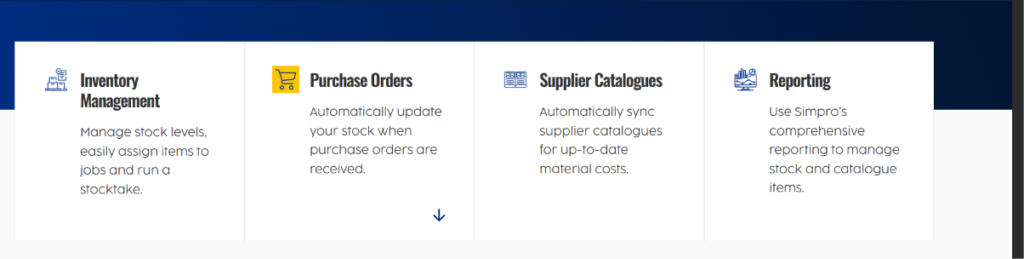
Simpro supports multiple warehouses and treats each technician’s vehicle as its own stock location. This is particularly useful for businesses with more than one branch or yard, or for larger electrical and HVAC contractors running dozens of trucks. You can see exactly which van has which parts, which matters when dispatch needs to assign the closest technician who also happens to be carrying the right materials.
Multi-Warehouse and Truck Stock Tracking
Simpro allows businesses to manage inventory across multiple stock locations, including warehouses and technician vehicles. This gives office teams greater visibility into where materials are stored and helps them coordinate stock movements between locations.
For businesses operating multiple branches or a fleet of service vehicles, this can make inventory control more practical. Technicians can work with stock assigned to their vehicles, while office staff can monitor inventory and manage transfers as materials move between warehouses, trucks, and jobs. The benefit is greater visibility across the operation without relying on separate manual stock records.
Barcode Scanning and Stocktakes
Simpro’s Barcoding Portal provides a way to use barcode scanning for inventory tasks such as receiving stock, transferring items between locations, and completing stocktakes. Instead of recording every item manually, staff can scan barcoded products and update inventory records through the system.
This can make regular stock checks more structured, particularly for businesses managing a large number of parts across warehouses and technician vehicles. Barcode-based processes can also help reduce manual data entry, although businesses still need consistent scanning and stocktake procedures to keep inventory records accurate.
Purchase Orders and Automated Reordering
Simpro connects inventory levels with purchasing workflows, allowing businesses to set stock controls and identify items that need to be reordered. When inventory reaches a defined minimum level, teams can use this information to create or manage purchase orders rather than discovering a shortage only when a technician needs the item.
This connection between inventory and purchasing is particularly useful for businesses that regularly order materials from suppliers. Keeping reorder levels updated based on actual usage can help reduce unnecessary emergency purchases while maintaining the stock needed for scheduled and ongoing jobs.
Vendor Catalog Sync
Simpro supports supplier and catalog management as part of its broader purchasing and inventory workflow. Businesses can maintain supplier information and product details in the system, helping keep material information connected to estimating, purchasing, and inventory activities.
This is particularly useful when a business works with a large number of products and suppliers. Keeping supplier and product information organized in one system can reduce the need to maintain separate records and makes it easier for office staff to use consistent material information when preparing quotes and managing purchases.
Mobile Inventory Access for Technicians
Simpro’s mobile tools allow technicians to access job information and record materials used while working in the field. Materials can be added to jobs from the mobile workflow, helping keep job records connected with the inventory and costing information maintained in Simpro.
For businesses where technicians regularly use parts and materials from vehicle stock, recording usage from the field can reduce the need for separate paper records or later manual updates. The effectiveness of this approach depends on technicians consistently recording materials as they are used, because delayed or missing updates can affect the accuracy of inventory and job-cost information.
Simpro Inventory Review: Strengths and Limitations
What Users Like
Independent review data shows that Simpro is particularly valued for its broad feature set and integration across field service operations. Capterra currently rates Simpro 4.0 out of 5 based on 148 reviews, giving prospective buyers a useful snapshot of overall user experience.
Reviewers also highlight inventory-related capabilities, including inventory management, purchase orders, vendor receipts, vendor invoices, and visibility into on-hand stock. These features are useful for businesses that want purchasing, inventory, and job management connected rather than handled through separate systems.
Other reviewers mention the ability to maintain vendor products in the catalog and manage inventory alongside estimating and other operational workflows. This supports Simpro’s positioning as a more comprehensive field service platform for businesses with complex material and inventory requirements.
Common Complaints and Limitations
The same review platforms surface a fairly consistent set of criticisms worth weighing honestly:
- A steep learning curve, with new users describing the interface as click-heavy and, at times, clunky or outdated in places
- Implementation and configuration take real time and effort to set up correctly for a specific business’s workflows
- Reporting customization and complex regional or multi-company setups can be more difficult than expected
- Data import processes are sometimes described as adding extra steps that slow down onboarding
- Pricing is not transparent; some advanced features are locked behind higher-priced tiers
None of this makes Simpro a bad product. It reflects a common tradeoff in field service software: the platforms with the deepest feature sets and the tightest integrations tend to ask more of you during setup and training. A practical approach is to budget real implementation time, ideally with a dedicated internal champion, rather than expecting an out-of-the-box fit in week one.
Simpro Inventory Management Pricing
Simpro does not publish a fixed public list price for its software. Its official pricing page directs businesses to request a personalized quote, with pricing tailored to factors such as team size and the add-ons required. The base plan includes real-time inventory management and purchasing alongside quoting, scheduling, field operations, invoicing, accounting, and reporting.
Capterra also currently lists Simpro’s plans as custom quote rather than showing a fixed starting price. Its current listing shows three plan options: SIMPRO Premium, SIMPRO Premium & Digital Forms, and SIMPRO Premium & Data Feeds. Capterra’s current Simpro listing also reports a 3.7/5 value-for-money rating from 138 reviews.
For businesses budgeting for Simpro, the official pricing information also states that an initial setup fee applies for onboarding, training, and data migration, with the amount depending on business complexity and the level of customization and support required.
How Simpro Inventory Compares to Alternatives
No platform is the right fit for every business. Here is how Simpro’s approach to inventory and overall field service management compares to a few common alternatives.
| Platform | Inventory Depth | Best Fit | Pricing Approach |
|---|---|---|---|
| Simpro | Multi-warehouse, truck stock, barcode scanning, automated purchase orders | Established trade businesses with real inventory and job-costing complexity | Custom quote, contact required |
| Jobber | Lighter inventory and product tracking, focused more on scheduling and client management | Small to mid-size service businesses wanting simplicity | Published plans starting around $39/month |
| Housecall Pro | Basic inventory and pricebook features | Small residential service businesses | Published plans starting around $79/month |
| ERPNext | Full open-source inventory and warehouse management module as part of a broader ERP | Businesses wanting an affordable, customizable ERP with strong inventory controls | Free open-source core, paid cloud hosting available; see the ERPNext inventory documentation |
| Odoo | Modular inventory management app within a wider business suite | Growing businesses that want to add inventory, accounting, and CRM modules independently | Per-app pricing, published rates |
If your business is still deciding between a dedicated FSM platform and a broader ERP approach, our breakdown of Simpro reporting and business intelligence is a useful next read, since reporting depth is often the deciding factor once inventory and job costing are already in place.
Simpro Inventory Management for HVAC, Electrical, and Other Trades
HVAC
HVAC contractors typically juggle a wide mix of parts inventory, from common filters and capacitors to expensive compressors and full system units that may need to be special-ordered per job. Simpro’s ability to track minimum stock levels per item helps prevent a technician from arriving at a maintenance call without a part that should have been standard stock. For preventive maintenance agreements specifically, where recurring visits depend on predictable parts availability, our guide to Simpro for commercial HVAC covers how inventory ties into service agreement scheduling.
Electrical
Electrical contractors often carry a high volume of relatively low-cost consumables (wire, breakers, conduit, fittings) alongside occasional big-ticket items like panels or switchgear. The truck stock tracking in Simpro is particularly relevant here, since electricians frequently complete work directly from van stock rather than returning to a warehouse. For commercial electrical work specifically, where panel upgrades and larger installations depend on accurate material forecasting, see our dedicated page on Simpro for commercial electrical.
Plumbing and Other Trades
Plumbing businesses benefit from the same truck stock visibility, particularly for emergency calls where a technician needs to know, in real time, whether their van is carrying the right water heater parts or drain cleaning equipment before dispatch sends them across town. Roofing, fencing, and landscaping businesses tend to use inventory tracking more for material planning on larger jobs and less for high-frequency small-parts management, but the same core reorder-point logic applies.
How to Set Up Inventory Management in Simpro
Getting inventory management right in Simpro is less about the software and more about the discipline of the setup process. A practical rollout generally follows these steps:
- Audit your current stock. Before entering anything into Simpro, do a physical count of warehouse and truck stock so your starting numbers are accurate. Garbage in, garbage out applies directly here.
- Build your item catalog. Create item records with accurate cost, supplier, and description data. If you sync a vendor catalog, verify pricing against a recent invoice rather than assuming the sync is perfect on day one.
- Set minimum and maximum stock levels. Base these on actual usage patterns, not guesses. Items you use weekly need tighter thresholds than items you stock for occasional larger jobs.
- Assign stock locations. Set up your warehouses and, separately, each technician vehicle as its own trackable location.
- Train technicians on mobile logging. The system only stays accurate if field staff log materials used on each job in real time, not at the end of the week.
- Run a barcode-assisted stocktake. Once data is entered, do a full count using the Barcoding Portal to catch discrepancies early, while they are still small and easy to trace.
- Review reorder alerts monthly. Thresholds that made sense at launch often need adjusting as job volume or seasonality changes.
Common Mistakes to Avoid With Simpro Inventory Management
- Skipping the initial physical count. Starting with inaccurate stock data undermines every reorder alert and job cost figure that follows.
- Setting reorder points too low or too high. Too low invites stockouts; too high ties up working capital in stock you do not need yet.
- Letting technicians log materials after the fact. Delayed logging is one of the biggest reasons inventory data drifts from reality.
- Ignoring vendor catalog discrepancies. A stale sync can quietly undercost your quotes for months before anyone notices the margin erosion.
- Underestimating training time. Given the learning curve reviewers consistently mention, rushing technician onboarding tends to create workarounds (like tracking stock on paper “just in case”) that defeat the purpose of the system.
Best Practices for Getting the Most From Simpro Inventory
- Reconcile stock counts on a regular cadence, not just once a year during a formal audit
- Use ABC-style prioritization, focusing tighter controls and more frequent counts on your highest-value or highest-turnover items
- Connect inventory data to job costing reports regularly so material cost overruns get caught while a job is still active, not after it closes
- Assign clear ownership for inventory accuracy, whether that is a warehouse manager, office admin, or rotating technician responsibility
- Revisit reorder thresholds seasonally, especially for trades like HVAC or landscaping where demand for certain parts or materials shifts throughout the year
Does Simpro Integrate Inventory With Accounting and Reporting?
Accounting Integrations
Accounting Integrations
Simpro connects field service operations with accounting workflows through integrations with accounting platforms such as QuickBooks Online, Xero, MYOB, and Sage. This allows information from areas such as purchasing, invoicing, and job costing to be connected with the accounting system instead of requiring all information to be entered separately.
For inventory management, this connection is useful because material purchases and job-related costs can remain linked to the wider financial workflow. Simpro’s accounting integrations are designed to reduce duplicate data entry, but businesses should confirm the specific integration and data mapping available for their accounting platform before implementation.
Reporting and Business Intelligence
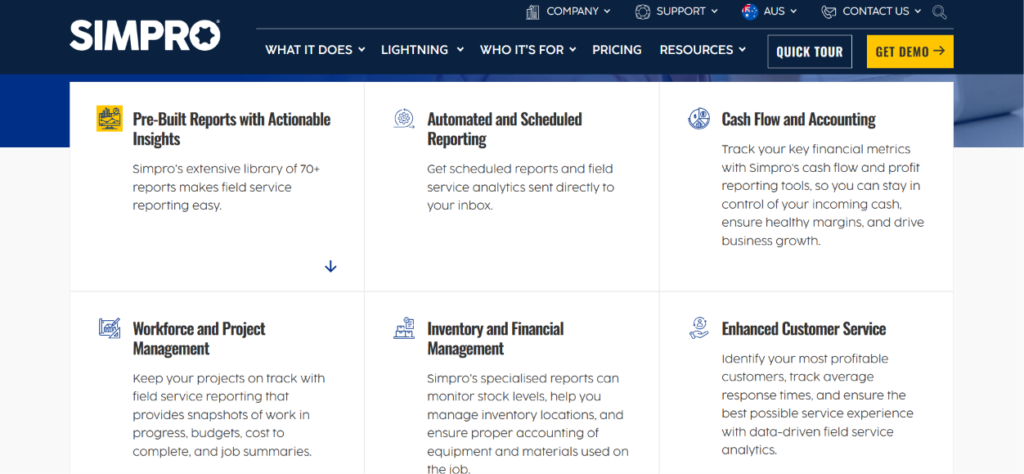
Simpro connects inventory information with its wider reporting and business intelligence tools. Its reporting features can help businesses monitor stock levels, inventory locations, stock value, and materials required for jobs. This gives teams a clearer view of current inventory and upcoming material requirements.
Simpro also provides more than 70 pre-built reports, with options to create customized reports, dashboards, and data visualizations. For inventory management, this allows businesses to review stock information alongside purchasing, job costs, and other operational data instead of relying only on separate spreadsheets.
For a deeper look at these reporting tools, our guide on Simpro reporting and business intelligence covers report configuration in more detail. Inventory can also be relevant to recurring service work, so businesses using maintenance agreements can review our Simpro preventive maintenance resource when planning predictable material requirements.
Why Inventory Accuracy Matters More Than Most Contractors Realize
Inventory accuracy matters because inventory carrying costs include more than the purchase price of the parts themselves. APQC identifies costs such as capital tied up in inventory, storage, insurance, taxes, handling, shrinkage, and obsolescence as part of inventory carrying costs. This means inaccurate stock records can affect more than day-to-day availability; they can also make it harder for a business to understand how much money is tied up in inventory.
The scale of the trade-services industry also shows why inventory management can matter across a large number of businesses. The U.S. Bureau of Labor Statistics reports that specialty trade contractors employed about 5.28 million people in August 2026. This industry category includes businesses involved in areas such as electrical, plumbing, and other specialty trades. For these businesses, keeping materials accurately recorded across warehouses, vehicles, and jobs can support better purchasing and stock control.
Is Simpro Inventory Management Right for Your Business?
Simpro’s inventory management is designed for trade businesses that need to manage stock, purchasing, jobs, and field operations in one system. Its inventory tools support live stock tracking, minimum stock levels, stock transfers, stocktakes, supplier catalogs, and materials assigned to jobs.
Simpro can be particularly relevant for businesses managing inventory across multiple storage locations or vehicles, where keeping stock information updated manually can become difficult. Its wider platform also connects inventory with job costing, purchasing, reporting, and field workflows.
Simpro may be less suitable for businesses that only need basic stock tracking and do not require a broader field service management system. The amount of setup, training, and ongoing data maintenance required will depend on the complexity of the business and how the system is configured.
The key question is therefore not simply how many inventory features Simpro has, but whether your business needs inventory management connected with its wider field service operations.
Frequently Asked Questions
Does Simpro have inventory management?
Yes. Simpro includes a built-in, real-time inventory management module that tracks stock across multiple warehouses and technician vehicles, integrates with purchasing and job costing, and supports barcode scanning for stocktakes and stock transfers.
What is Simpro inventory management used for?
It is used to track material and equipment stock levels, automate reordering when stock runs low, manage stock across multiple locations including trucks, and connect material costs directly to job costing and customer invoices so field service businesses maintain accurate profitability data.
Does Simpro support multiple warehouses?
Yes, Simpro supports multiple warehouse locations and treats each technician vehicle as its own trackable stock location, giving office staff visibility into exactly where every item is at any given time.
Can technicians access inventory from the field?
Yes. Simpro’s mobile app lets technicians view stock levels and log materials used on a job directly from the field, which updates job costing and inventory counts in real time rather than requiring end-of-day paperwork.
Does Simpro integrate with accounting software for inventory purchases?
Yes. Simpro integrates with accounting platforms including QuickBooks, Xero, MYOB, and Sage, allowing purchase orders, supplier invoices, and payment details tied to inventory to sync automatically and reduce duplicate data entry.
How much does Simpro inventory management cost?
Simpro does not publish public pricing. It uses custom, quote-based pricing based on team size, modules selected, and business complexity, so you will need to contact Simpro directly for an accurate quote.
Is Simpro good for small businesses?
Simpro can work for small businesses, but its depth of features and learning curve are generally better suited to established trade businesses with more complex inventory, multiple technicians, or multiple locations. Very small crews may find lighter platforms easier to adopt.
Does Simpro support barcode scanning for inventory?
Yes. Simpro’s Barcoding Portal works with a barcode scanner and tablet to receive stock, transfer it between locations, and complete full physical stocktakes more efficiently than manual counting methods.
What trades commonly use Simpro for inventory management?
Simpro is commonly used by electrical, plumbing, HVAC, security, and fire protection contractors, along with other specialty trade businesses that manage significant parts and materials inventory across multiple jobs and locations.
What is the biggest challenge with Simpro inventory management?
Based on independent user reviews, the most commonly cited challenges are a steep learning curve, a click-heavy interface for some day-to-day tasks, and the time investment required for proper initial setup and technician training. Businesses that budget for this upfront tend to see better long-term results.
Final Thoughts
Simpro inventory management is a genuinely capable system for trade businesses that have outgrown spreadsheets and disconnected tools. Its real strength is not any single feature but how tightly inventory connects to purchasing, job costing, and accounting, which is exactly where a lot of field service businesses lose visibility into their actual profitability. The tradeoff is a real learning curve and a pricing model that requires a conversation with sales before you know what it will cost.
If you are evaluating Simpro or already using it and want to get more value from the inventory module specifically, start with the fundamentals: an accurate opening stock count, realistic reorder thresholds, and consistent technician logging in the field. The software can only be as accurate as the habits built around it.
For related reading, explore our resources on Simpro inventory setup, Simpro reporting and business intelligence, and Simpro preventive maintenance to see how inventory fits into the wider picture of running a profitable field service operation.