Simpro Job Costing: Features, Costs & Complete Review
Job costing is one of those things that separates profitable field service businesses from ones that are just staying busy. You can have a full schedule and happy customers and still lose money on every third job if you don’t know your real costs. This is the problem a job costing system like Simpro is designed to address: helping field service businesses track job-level costs and understand profitability.
Job costing can be an important consideration when businesses evaluate field service software because it connects job costs with profitability and financial reporting. Simpro sits in an interesting spot here. It’s one of the more capable job costing tools built specifically for trades like HVAC, plumbing, electrical, and fire and security, but it’s not simple, and it’s not free of tradeoffs.
This guide breaks down exactly how Simpro job costing works, what it does well, where it falls short, how it compares to other field service management software, and how to actually set it up so it gives you numbers you can trust.

Quick Answer: Does Simpro Have Job Costing?
Yes. Simpro includes job costing and reporting tools that help businesses track job costs and analyse profitability. Its Profit/Loss Job Report can show material cost, resource cost, Gross P/L, Gross Margin, Overhead, Net P/L and Net Margin. The report can also provide a breakdown of material and resource costs at the cost-centre level.
The report can also provide a breakdown of material and resource costs at the cost-centre level. It tracks labor, materials, subcontractor costs, and other job-related expenses against a budget in real time, then compares actual costs to estimated costs so you can see job profitability while the work is still in progress, not just after invoicing. This makes it a genuine job costing system rather than a simple estimating or invoicing tool with cost fields bolted on.
Key Takeaways
- Simpro’s job costing and reporting tools help businesses track material and resource costs and analyse job profitability against estimated costs.
- Cost centers let you break a single job into multiple trackable segments, which matters for larger commercial or multi-phase jobs.
- Job costing accuracy depends heavily on setup quality: labor rates, catalog pricing, and timesheet discipline all affect the numbers.
- Simpro’s job costing reporting is a strength, but the learning curve and setup time are real limitations worth planning for.
- Businesses running simple, single-visit residential service calls may find Simpro’s job costing more robust than they actually need.
What Is Job Costing in Field Service Software?
Job costing is the process of tracking every cost associated with a specific job, labor, materials, equipment, subcontractors, and overhead, then comparing that total against what you quoted or budgeted. The goal is simple: know whether a job actually made money, and know it in enough detail to see why.
This is different from basic profit and loss reporting, which tells you whether your business made money overall. Job costing tells you whether the roof replacement on Maple Street made money, or whether it ate its margin because the crew spent an extra four hours on site and nobody adjusted the invoice.
For field service businesses specifically, job costing needs to account for a few things general accounting software usually isn’t built for: technician travel time, service vehicle and equipment costs, material markup versus actual material cost, and the difference between billable and non-billable hours. Simpro’s reporting is designed to break job profitability down into actual cost components. Its Profit/Loss Job Report separates material costs from resource costs, with resource cost including labour costs, and can also show gross and net profit and margin.
How Simpro’s Job Costing System Works
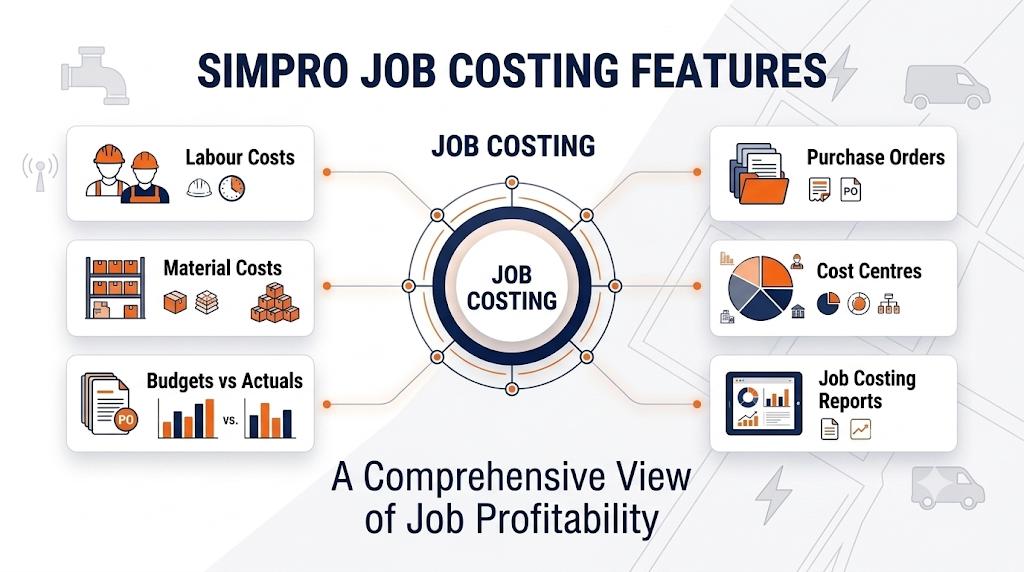
Simpro structures job costing around a few core components that work together: cost centers, real-time cost tracking, and budget-versus-actual comparisons.
Job Cost Centers
A cost center in Simpro is essentially a way to break a single job into smaller, trackable pieces. For a straightforward service call, you might only need one cost center. For a larger commercial project, say a multi-stage electrical fit-out, you can split the job into cost centers for each phase or each section of the building.Simpro’s reporting documentation confirms that profit and loss can also be viewed at the cost-centre level, with separate material and resource breakdowns for each cost centre.
This matters because it lets you see profitability at a granular level instead of only at the whole-job level. If a job has five cost centers and one of them is consistently running over budget, you can catch that pattern early instead of discovering it after the final invoice goes out.
Real-Time Cost Tracking
As job-related materials and resources are recorded in Simpro, those costs can be reflected in job profitability reporting. Simpro’s Profit/Loss Job Report provides visibility into material costs, resource costs, gross profit or loss, gross margin, overhead, net profit or loss, and net margin. This gives businesses a clearer view of how actual job costs are affecting profitability.
Labor Cost Tracking
Labor is usually the single largest cost on a field service job, and it’s also the easiest one to get wrong. Simpro pulls labor costs from technician timesheets and applies configured labor rates, including overtime rules where they’re set up. Simpro allows different labour rates to be configured, including cost rates and sell rates, so labour costs can be reflected in job estimates and profitability calculations. If labor rates, overtime multipliers, or technician cost rates aren’t configured accurately from the start, every job costing report built on top of that data will be off, sometimes significantly.
Material and Inventory Costs
Simpro connects job costing with its inventory management system, while its Profit/Loss Job Report defines Material Cost as the actual cost of materials assigned from stock or added to purchase orders, rather than their sell price. Simpro connects job costing to its inventory management system, which matters because it lets you compare actual material cost against the material cost you quoted, and it flags when technicians are using more materials than estimated. Businesses that skip proper inventory setup tend to see the least accurate job costing data, since the numbers are only as good as the catalog and stock records behind them.
Subcontractor and Purchase Order Costs
For businesses that regularly use subcontractors or need to purchase specialty materials per job, Simpro’s job costing supports tracking costs associated with contractors, while purchase orders can also contribute actual material costs to job reporting. Simpro lets you track purchase orders and subcontractor invoices against the specific job they relate to. This is a detail that a lot of simpler field service tools miss, and it’s genuinely useful for trades like roofing, fencing, and general contracting that lean more heavily on subcontracted labor.
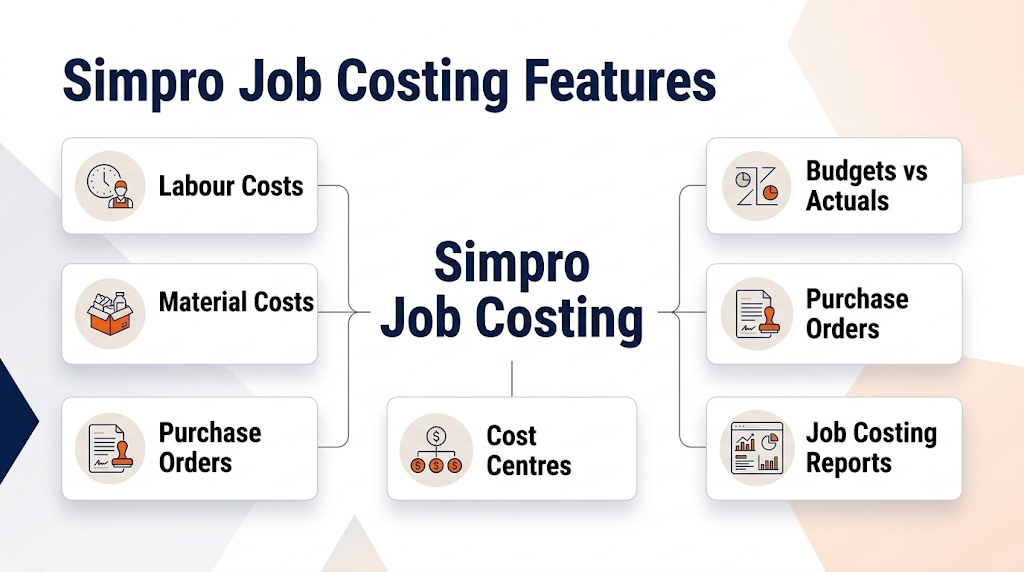
Simpro Job Costing Features Breakdown
Budgets vs Actuals
Simpro allows businesses to compare estimated costs with actual costs as a job progresses. Its documentation distinguishes estimated costs from actual costs captured through areas such as Stock and Schedule, helping businesses assess how spending is tracking against the original estimate. This comparison can also be used alongside profitability reporting to identify cost variances.
Job Costing Reports
Simpro’s Profit/Loss Job Report provides Summary, Breakdown and Cost Centre Breakdown reports. It can show material cost, resource cost, Gross P/L, Gross Margin, Overhead, Nett P/L and Nett Margin. The report can also be filtered by factors such as job type, project manager and assigned technician.
Catalog and Pricing Integration
Simpro’s estimating tools can use current labour and material pricing to calculate estimated costs and show their impact on gross margin, net margin and profit or loss. Simpro also allows vendor catalogues to be synced and catalogue items to be assigned to jobs. This connects directly to Simpro’s quoting functionality, since a poorly maintained catalog produces inaccurate quotes, which then produces inaccurate budgets, which then makes every job costing report less trustworthy. One issue I commonly see is businesses setting up their catalog once during onboarding and never revisiting it as supplier prices change.
Does Simpro Have Job Costing? A Closer Look at the Review Question
Simpro includes job costing as part of its job management and reporting capabilities, with tools for tracking job-related costs and analysing profitability. The direct answer is yes, and it’s not a surface-level feature. Simpro’s job costing is embedded throughout the platform, connecting quoting, scheduling, inventory, timesheets, and invoicing into a single cost trail for each job.
What makes this worth clarifying is that “having job costing” and “having job costing that’s easy to use out of the box” are two different things. Simpro has the depth. Getting clean, reliable numbers out of it requires proper setup of labor rates, catalog pricing, and consistent technician timesheet habits. Businesses that treat setup as a one-time task rather than ongoing maintenance tend to be the ones asking whether Simpro’s job costing “actually works,” when the real issue is usually incomplete configuration.
Simpro Job Costing Review: Strengths and Limitations
Strengths
- Simpro provides job-cost and profitability reporting that shows actual material and resource costs as part of job performance analysis.
- Cost centers allow granular tracking on complex or multi-phase jobs
- Strong integration between quoting, inventory, timesheets, and job costs
- Detailed reporting that supports profitability analysis across the whole business, not just individual jobs
- Simpro supports tracking contractor-related costs and material costs associated with purchase orders as part of job costing and profitability reporting.
Limitations
- Steeper learning curve than simpler field service platforms, particularly for smaller teams
- Accuracy depends heavily on disciplined data entry: labor rates, catalog maintenance, and timesheet completion
- Simpro’s implementation process includes configuring items such as labour rates, cost centres, overhead rates and catalog information before the system is fully operational.
- Can feel like more system than necessary for businesses that primarily run simple, single-visit residential service calls
- Reporting depth is a strength, but it also means a learning curve to build the dashboards that matter most to your business
Simpro Job Costing vs Other Field Service Platforms
| Feature | Simpro | ServiceTitan | Jobber | Generic ERP (e.g. ERPNext) |
|---|---|---|---|---|
| Real-time job costing | Yes, built-in | Yes, built-in | Basic, limited depth | Yes, but requires FSM module or customization |
| Cost centers for multi-phase jobs | Yes | Limited | No | Yes, with configuration |
| Best suited for | Mid-size to larger commercial and residential trades | Larger residential and commercial service businesses | Small to mid-size service businesses | Businesses wanting full ERP integration beyond field service |
| Setup complexity | Moderate to high | Moderate to high | Low | High |
| Reporting depth on job profitability | Strong | Strong | Basic | Strong, but requires configuration |
This comparison isn’t about declaring a single winner. In my experience, the right choice depends on job complexity and team size more than on any single feature list. A two-technician plumbing outfit running mostly emergency calls usually doesn’t need Simpro’s full cost center structure. A commercial electrical contractor running multi-stage fit-outs often does.
Setting Up Job Costing in Simpro: Step-by-Step
- Configure labor rates and cost rates for every technician. This includes regular rates, overtime rules, and any cost differences between technician levels. Accurate labour-rate configuration helps ensure that estimated and actual resource costs are reflected correctly in job profitability reporting.
- Build and maintain your catalog with accurate, current pricing. Material costs and markups need to reflect actual supplier pricing, not what was entered during initial onboarding months or years ago.
- Set a budget at quoting stage for every job, and break larger jobs into cost centers so you can track profitability by phase, not just by whole job.
- Enforce timesheet discipline. Technicians need to log time accurately and promptly against the correct job and cost center. Accurate and timely labour entries help ensure that resource costs are recorded against the appropriate job.
- Track materials through inventory rather than manual entry wherever possible, so actual material usage posts automatically instead of relying on someone remembering to log it later.
- Review budget-versus-actual reports weekly, not just at job close. Catching a job that’s trending over budget while it’s still in progress gives you a chance to address it, whether that’s a change order conversation with the customer or a scheduling adjustment.
- Audit your catalog and labor rates on a set schedule, Audit your catalog and labour rates regularly, since supplier price changes and wage adjustments can affect the accuracy of estimated and actual job costs.
Common Job Costing Mistakes Field Service Businesses Make
- Setting a budget once at quoting and never comparing it to actuals until the job is already closed
- Letting technicians log time in batches at the end of the week instead of daily, which introduces guesswork into labor costs
- Treating catalog maintenance as a one-time setup task rather than ongoing business maintenance
- Not accounting for travel time and non-billable hours as real costs against the job
- Ignoring small cost overruns because “the job still made money overall,” which hides patterns that add up across dozens of jobs
- Failing to separate labor cost rate from labor bill rate, which makes margin calculations inaccurate
Best Practices for Accurate Job Costing
A practical approach is to treat job costing as a daily operational habit rather than a monthly accounting exercise. That means technicians logging time same-day, dispatchers and office staff reviewing job budgets mid-job on anything running longer than expected, and someone owning catalog and rate maintenance as a recurring responsibility, not a leftover task from onboarding.
It also helps to connect job costing conversations to scheduling and dispatch decisions. If a job is consistently running over its labor budget, that’s often a scheduling or estimating issue as much as a field execution issue. Reviewing job costing alongside scheduling and dispatch data tends to surface patterns that job costing reports alone won’t show, like certain technicians consistently taking longer on specific job types, or certain job types being systematically underestimated at the quoting stage.
Industry-Specific Job Costing Considerations
HVAC: Job costing needs to separate installation jobs from service calls and maintenance agreement visits, since these have very different cost structures. Equipment costs on installation jobs can dwarf labor costs, while service calls are usually labor-dominant.
Plumbing: Emergency and same-day calls often carry different labor cost structures (overtime, after-hours rates) than scheduled work. Job costing should reflect that difference rather than applying a flat labor rate across all call types.
Electrical: Panel upgrades and larger installation projects benefit most from cost center breakdowns, since these jobs often span multiple days or phases with different material and labor needs at each stage.
Roofing: Material cost accuracy is critical, since materials often represent the largest cost category on a roofing job. Job costing needs tight integration with inventory and purchase order tracking to stay accurate.
Landscaping: Recurring maintenance contracts need a different job costing approach than one-time installation projects, since recurring work is typically evaluated on cost-per-visit profitability rather than single-job margin.
Job Costing and Profitability: Why This Actually Matters
It’s worth stepping back from the feature list to explain why this matters at all. A service business can be fully booked and still be unprofitable if certain job types or certain technicians are consistently running over budget without anyone noticing. Job costing is what turns “we’re busy” into “we’re busy and profitable,” and it’s what lets an owner make confident decisions about pricing, staffing, and which job types to pursue more of.
The U.S. Small Business Administration provides guidance on understanding and managing business costs, which is important when evaluating profitability. For field service businesses, Simpro’s Profit/Loss Job Report provides job-level information such as material cost, resource cost, Gross P/L, Gross Margin, Overhead, Nett P/L and Nett Margin. Reviewing these figures can help businesses understand how individual job costs affect profitability.
Simpro Pricing
Simpro does not publish flat, one-size-fits-all pricing publicly, since cost typically depends on team size, modules selected, and implementation needs. Businesses evaluating Simpro should expect to go through a sales consultation for an accurate quote rather than a self-serve pricing page.
| Consideration | Notes |
|---|---|
| Pricing model | Custom quote based on business size and modules |
| Implementation | Often includes a guided onboarding process given system complexity |
| Best fit | Mid-size to larger field service businesses with multi-technician teams |
| Less ideal fit | Very small teams running simple, single-visit service calls only |
The main takeaway on pricing is that Simpro is generally positioned toward businesses with enough job complexity and team size to justify its depth. Smaller operations should weigh the cost and setup time against how much of that depth they’ll actually use.
Is Simpro Job Costing Right for Your Business?
If your business regularly runs larger commercial jobs, multi-phase projects, or work involving subcontractors and purchase orders, Simpro’s job costing depth is likely worth the setup investment. The cost center structure and real-time tracking genuinely solve problems that simpler platforms can’t.
If your business is mostly single-visit residential service calls with straightforward pricing, you may find Simpro’s job costing more robust than you need, and a simpler platform might get you adequate cost visibility with far less setup overhead.
Before deciding, it’s worth reading our full breakdown of Simpro job costing alongside your own job complexity, team size, and how much time you’re realistically able to commit to proper setup and ongoing catalog maintenance.
Frequently Asked Questions
Does Simpro have job costing built in?
Yes. Job costing is a core part of Simpro, not an add-on. It tracks labor, materials, subcontractor costs, and other job expenses against a budget in real time, giving businesses visibility into job profitability while work is still in progress.
How accurate is Simpro’s job costing?
Accuracy depends almost entirely on setup quality. When labor rates, catalog pricing, and technician timesheets are maintained correctly and consistently, Simpro’s job costing is quite accurate. When any of those inputs are outdated or inconsistently entered, the reports will reflect that inaccuracy.
What is a cost center in Simpro?
A cost center is a way to break a single job into smaller, separately trackable segments. It’s most useful for larger or multi-phase jobs, where tracking profitability at the whole-job level would hide problems happening in one specific phase or section of the work.
Can Simpro track subcontractor costs on a job?
Yes. Simpro allows subcontractor invoices and purchase orders to be tracked against the specific job they relate to, which supports more accurate job costing for businesses that regularly use subcontracted labor.
Is Simpro job costing better than ServiceTitan?
Both platforms offer real-time job costing with strong reporting. The better fit depends on business size, job complexity, and existing workflows rather than one platform being universally superior. Businesses running complex, multi-phase commercial work often find Simpro’s cost center structure well suited to that complexity.
Does Simpro job costing work for small service businesses?
It can, but small businesses running mostly simple, single-visit service calls may find the setup and ongoing catalog maintenance more than they need. Simpro tends to deliver the most value for mid-size to larger teams handling more complex job types.
How does Simpro job costing connect to inventory management?
Simpro’s Profit/Loss Job Report defines Material Cost as the actual cost of materials assigned from stock or added to purchase orders, rather than their sell price. This connects material-cost reporting with the stock and purchasing information recorded for a job.
What causes inaccurate job costing data in Simpro?
The most common causes are outdated labor rates, an unmaintained catalog with old material pricing, and inconsistent or delayed technician timesheet entry. Since job costing pulls from all three sources, an issue in any one of them will affect the accuracy of the final numbers.
Can Simpro compare budgeted costs to actual costs in real time?
Yes. As costs post against a job, whether from timesheets, inventory, or purchase orders, Simpro compares them to the original budget so managers can see variance while the job is still active, rather than only after it closes.
How long does it take to set up job costing properly in Simpro?
Setup time varies by business size and complexity, but it typically involves more than a quick configuration pass. Establishing accurate labor rates, building out the catalog, and training technicians on timesheet habits usually takes meaningful time upfront, and ongoing maintenance is required to keep the data reliable.
Final Thoughts
Simpro’s job costing system is genuinely capable, arguably one of the stronger job costing tools available in field service management software, but its value depends almost entirely on how well it’s set up and maintained. The businesses that get the most out of it treat labor rates, catalog pricing, and timesheet discipline as ongoing responsibilities rather than one-time onboarding tasks.
For field service businesses weighing whether that depth and setup commitment is worth it, the right next step is usually comparing your actual job complexity and team size against what Simpro is built to handle, then exploring Field Services HQ’s broader resources on FSM software, scheduling, and quoting to see how job costing fits into the rest of your operational workflow.