Best HVAC Scheduling Software in 2026
What Is the Best HVAC Scheduling Software?
The best HVAC scheduling software depends on team size. Housecall Pro is the strongest all-around pick for residential HVAC, Jobber suits solo operators and small crews, and ServiceTitan fits large, multi-crew operations that can justify custom pricing and a longer rollout. FieldEdge is worth a close look if QuickBooks is central to your workflow.
| If you are… | Start with | Why |
|---|---|---|
| A residential HVAC company with 2 to 15 techs | Housecall Pro | Online booking, dispatch, and mobile workflows in one place |
| A solo tech or a crew of 1 to 5 | Jobber | Lower entry price and simple scheduling |
| A large or multi-crew operation | ServiceTitan | Deep dispatch visibility and reporting |
| A QuickBooks-centered established shop | FieldEdge | HVAC-oriented workflows with QuickBooks integration |
| A phone-heavy shop | Workiz | Emphasis on call handling and communication |
A note on how I’m using the word “best”: it means best fit for the reader described, not best for everyone. Pricing comes from vendor pages or, where marked reported, from third-party comparisons. Always confirm current pricing before you commit, because plans, promotions, and add-ons change often.
How I Evaluated These Platforms
The generic checklist doesn’t take into consideration the specifics of HVAC. We’ve weighted the following criteria:
- Emergency rescheduling – How quickly can you reschedule jobs, reassign technicians and communicate with customers?
- Drag and drop dispatch board – Can you easily see technician availability, skill set and location?
- Recurring maintenance – Can you manage recurring visits and service contracts?
- Equipment and customer history – Can a technician easily see what equipment has been fitted, when and what was done last time?
- Mobile application – Can a technician use it easily whilst up on the roof with one hand and poor signal?
- Estimates, invoicing and payments – Can you easily add it to your invoicing process?
- Accounting integration – Is it well documented that it integrates with QuickBooks (Online/Desktop)?
- Cost of ownership – User, add-ons, payment fees, set up, training and migration.
This is an editorial opinion based on the vendor information and comparisons available. I haven’t undertaken any lab testing on all 15 products.
What Is HVAC Scheduling Software?
HVAC scheduling software is a digital solution used by heating, ventilation and air conditioning companies to schedule appointments, assign engineers, and manage their workload. Many tools will also allow you to manage dispatch, customer information, quotations, invoicing, payments and automated customer communications.
As the terminology can be confusing, here is how we break down the differences between:
- Scheduling – When to do the job.
- Dispatch – Who to send, in what order and can be adjusted throughout the day.
- Job Management – Notes, photos, parts, equipment and invoicing.
Basic calendar tools will only allow you to schedule. A full field service management (FSM) tool will allow you to manage all 3. This is where most people are surprised when purchasing.
Why HVAC Businesses Need It
Why HVAC Businesses Need Scheduling Software
HVAC jobs can involve reactive repairs, preventive maintenance, new installations, and customer callbacks. Each type of job varies in duration, required technical expertise, and urgency. During extreme hot or cold weather, demand can increase significantly, making it even more difficult for businesses to manage appointments and allocate technicians efficiently. Relying on manual scheduling during these busy periods can lead to operational problems, often when businesses can least afford them.
What Does Industry Research Tell Us?
Recent industry surveys highlight several challenges and priorities among HVAC and other service contractors:
1. 2025 HVAC Contractor Survey (April 2025)
This survey examines HVAC contractors’ business performance, operational practices, and barriers to growth. Since it focuses specifically on the HVAC industry, it provides relevant insights into the challenges contractors face and their business priorities.
2. 2025 Residential Services Report (Thrive Analytics)
Based on responses from more than 1,000 contractors, the report found that:
- 64% primarily relied on telephone calls to communicate with customers.
- 63% described their businesses as thriving or experiencing consistent growth.
- Among businesses generating more than $10 million in annual revenue, 47% reported that following up on unsold estimates accounted for 11–15% of their income.
These findings highlight the importance of effective customer communication, lead management, and follow-up processes.
3. 2025 Commercial Specialty Contractor Report (April 2025)
This report, also based on responses from more than 1,000 contractors, identified several important business priorities:
- 59% prioritized improving project execution.
- 51% focused on improving internal business processes.
- 64% expected material costs to increase.
These findings demonstrate why contractors need better operational coordination, efficient resource allocation, and improved cost management.
Research note: The ServiceTitan reports cover multiple trades rather than HVAC businesses exclusively, and they were commissioned by a software provider. Although they offer useful insights into contractor priorities and industry challenges, they do not establish that scheduling software directly causes business growth. Claims about productivity or revenue improvements should therefore be supported by additional evidence.
Common Scheduling Problems in HVAC Businesses
Without an effective scheduling system, HVAC companies may experience several recurring operational challenges:
- Missed or double-booked appointments: Manual scheduling can result in overlapping bookings, incorrect appointment details, and missed service visits.
- Time wasted on phone calls: Dispatchers often spend considerable time contacting technicians, confirming availability, and rearranging appointments.
- Uncertain customer arrival times: Without real-time scheduling updates, customers may not know when technicians will arrive, leading to frustration and missed appointments.
- Delayed payments: When job completion records, invoices, and payment processes are disconnected, technicians may complete their work but the business can take several days to issue invoices and collect payments.
These challenges can affect customer satisfaction, technician productivity, cash flow, and overall business performance. HVAC scheduling software helps address these issues by centralizing appointments, improving dispatch coordination, automating customer notifications, and connecting completed jobs with invoicing and payment workflows.
What Are The Benefits?
| Benefit | Practical business value |
|---|---|
| Centralized scheduling | Fewer conflicting appointments and fragmented calendars |
| Faster dispatching | Easier to put the closest or best-qualified tech on an urgent job |
| Route planning | Can reduce unnecessary drive time between calls |
| Automated reminders | Customers prepare for visits, which helps protect appointments |
| Recurring maintenance | Supports repeat visits and service agreements |
| Mobile job updates | Office sees progress without calling the tech |
| Integrated invoicing | Shortens the gap between job completion and billing |
These are potential benefits, not guaranteed outcomes. Results depend on the platform and on how consistently your team actually uses it. I’ve found that the shops that get value are the ones where dispatchers and techs both treat the software as the single source of truth.
How Scheduling Software Connects to Revenue
How HVAC Scheduling Software Contributes to Revenue
Whilst it will not generate revenue directly, it can improve processes around revenue, such as:
- Improved technician allocations can allow more jobs to be completed.
- Online bookings and reminders can reduce lost leads and no-shows.
- And connected estimates & invoicing can reduce the time taken from quotation to payment.
Let’s take a very simple example:
- 5 Technicians
- 2 more jobs completed per technician per month
- $450 average per job
This would give you 10 more jobs giving an extra $4500 in revenue per month. However, whilst the figures can look good on paper (a few hundred dollars for the subscription), this is revenue not profit. Once you take away labour, materials, fuel, payment processing and onboarding time you start to see the true picture.
Want to see what it could do for you? Try our HVAC Revenue Calculator to see how many more jobs you could complete, average ticket value and potential monthly revenue.
To understand if your software is making a difference track how many jobs per technician are being completed, average ticket, conversion rate from bookings, no-shows and drive time for a few similar weeks before and after. Make sure you factor in the seasonality of your business.
15 Best HVAC Scheduling Software Platforms Reviewed
1. Housecall Pro: Best Overall for Residential HVAC
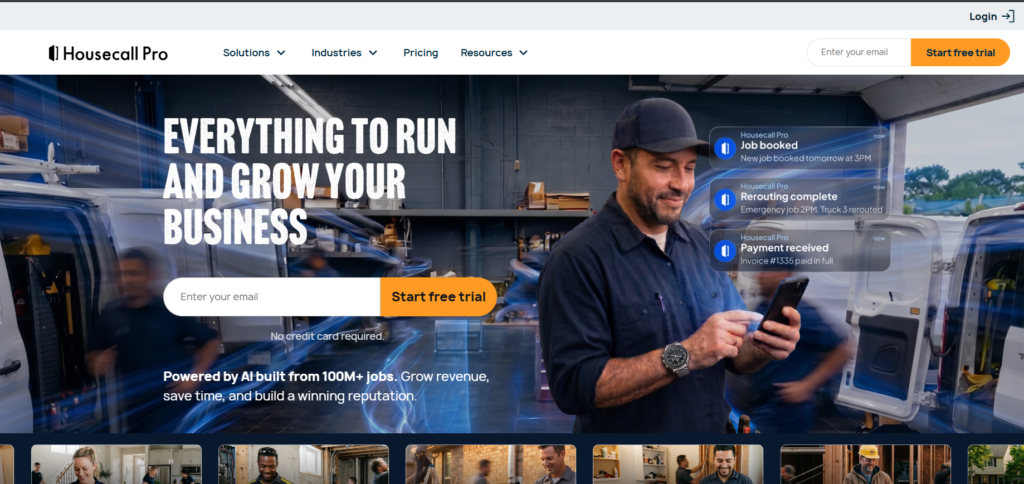
Overview: An all-in-one platform for online booking, dispatching, estimates, payments, and customer communication.
What it does well: Pairs customer-facing online booking with a mobile tech workflow, and offers optional advanced route optimization.
Pricing: From $59/month billed annually for one user; Essentials from $149/month for five users. Confirm on the official pricing page.
Best for: Residential HVAC teams that want booking, dispatch, and billing in one place.
Limitations: Advanced routing, service plans, and some integrations sit in higher tiers or add-on packages.
Why it ranks first: The balance of usability, price entry point, and breadth fits the largest group of HVAC readers. It is best overall for this audience, not universally.
2. Jobber: Best for Solo Contractors and Small Teams
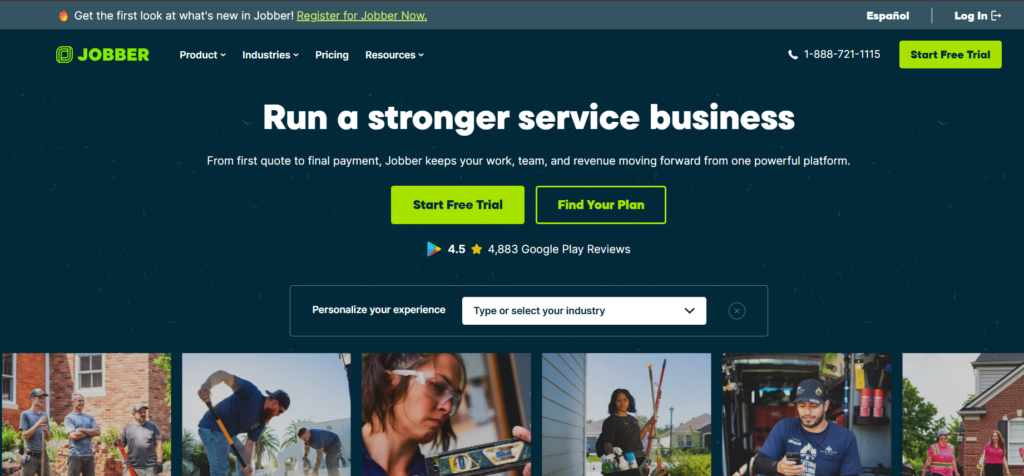
Overview: Online booking, scheduling, customer records, quoting, invoicing, and payments.
What it does well: Straightforward scheduling without an enterprise learning curve.
Pricing: Core from $29/month billed annually for one user; team plans cost more. Check the official pricing.
Best for: One-truck operators and crews of a few techs.
Limitations: Automations, GPS functions, job costing, and crew scheduling depend on the plan. Not built specifically around HVAC equipment records.
3. ServiceTitan: Best for Large and Multi-Crew HVAC Companies
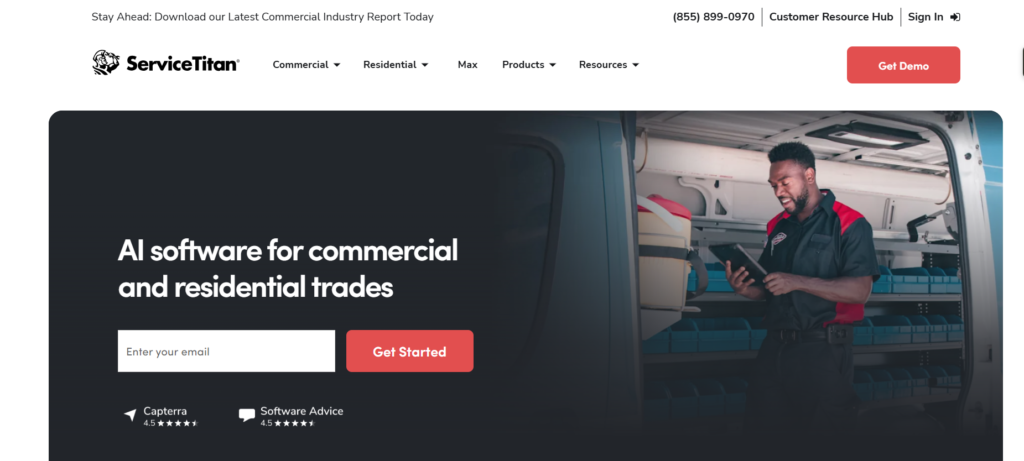
Overview: A broad platform covering dispatch, scheduling, sales workflows, customer management, and reporting.
What it does well: Visibility across large operations, with performance reporting across techs and departments.
Pricing: Custom quote. See the official site.
Best for: Established companies with dedicated office staff and the bandwidth for a structured rollout.
Limitations: Heavier implementation and training demands, and likely more than a one- or two-person shop needs.
4. FieldEdge: Best for Established HVAC Shops Using QuickBooks
Overview: HVAC-oriented dispatch and service management with customer history, pricebooks, and accounting workflows.
What it does well: Lists integration with both QuickBooks Online and Desktop alongside HVAC-specific service workflows.
Pricing: Custom quote. See the official site.
Best for: Companies where accounting sync is a top priority.
Limitations: Limited pricing transparency; ask about mobile licenses and add-on modules.
5. Workiz: Best for Call-Heavy Service Businesses
Overview: Job scheduling, dispatching, estimates, and customer communication.
What it does well: Emphasis on call handling and communication automation around incoming requests.
Pricing: Contact sales for paid plans; verify any free-plan eligibility and limits. See the official site.
Best for: Shops where most leads arrive by phone.
Limitations: Advanced communication and automation features can raise total cost.
6. Service Fusion: Best for Growing Businesses with Many Users
Overview: Scheduling, dispatching, estimates, invoicing, customer records, and QuickBooks integration.
What it does well: Unlimited users across plans, which helps when headcount is growing.
Pricing: Vendor material I reviewed lists Starter at $220/month billed annually or $259 month-to-month, but its pricing page also shows older, conflicting figures. Confirm a current quote on the official pricing page.
Best for: Crews expanding past what basic solo tools handle.
Limitations: Higher entry commitment than solo-focused tools; GPS tracking and some advanced functions are add-ons.
7. ServiceM8: Best Low-Cost Option for Apple-Focused Teams
Overview: Job scheduling, mobile notifications, quotes, invoices, and customer management.
What it does well: Job-volume pricing and an entry-level free plan.
Pricing: Published regional plans include a free tier with 30 new jobs/month and a $29/month Starter tier with 50 jobs. Verify regional currency on the plan comparison.
Best for: Small Apple-device teams watching every dollar.
Limitations: Apple-centered workflow may not suit Android users, and job caps matter as you grow.
8. FieldPulse: Best for Configurable Field Workflows
Overview: Scheduling, dispatch, customer management, work orders, and mobile documentation.
What it does well: Flexible workflows and job documentation for teams that need more than a calendar.
Pricing: Request a current quote; pricing may vary by users and modules. See the official site.
Best for: Teams with specific documentation or workflow requirements.
Limitations: Customization takes planning compared with simpler tools.
9. Simpro: Best for Complex Commercial Service Operations
Overview: Scheduling combined with project management, asset records, and job costing.
What it does well: Handles installs, planned maintenance, and multi-stage jobs.
Pricing: Custom quote. See the official site.
Best for: Commercial HVAC contractors with project-style work.
Limitations: More configuration and training than lightweight schedulers.
10. Kickserv: Best for Smaller Teams Needing Essentials
Overview: Appointments, dispatch, customers, estimates, and invoices.
What it does well: A simpler small-team approach to job management.
Pricing: A November 2026 comparison reported a $75/month entry plan; verify with the vendor.
Best for: Small shops that want essentials without complexity.
Limitations: Less suited to sophisticated multi-branch operations.
11. RazorSync: Best for Mobile-Focused Coordination
Overview: Field scheduling, customer records, job updates, estimates, and invoicing.
What it does well: Mobile-first communication between office and field.
Pricing: A third-party comparison reported $90/month as a starting price; confirm with the vendor.
Best for: Teams whose techs live in the mobile app.
Limitations: Test the mobile experience and check whether reporting depth meets your needs.
12. Service Autopilot: Best for Recurring Route-Based Work
Overview: Scheduling, route management, customer records, and recurring service automation.
What it does well: Repeat-visit routing.
Pricing: A 2026 comparison reported plans from $49/month; verify on the official site.
Best for: HVAC companies where maintenance agreements drive a large share of visits.
Limitations: Not HVAC-specialized, so check equipment history, service agreements, and install workflows.
13. mHelpDesk: Best for General-Purpose Field Service
Overview: Scheduling, work orders, customer management, estimates, and billing.
What it does well: Broad field service functionality in an established job-management system.
Pricing: Custom quote. See the official site.
Best for: Shops wanting general work-order management.
Limitations: Verify the current roadmap, integrations, and mobile capabilities before committing.
14. ServiceWorks: Best for Equipment-Oriented Service Businesses
Overview: Work orders, dispatching, inventory-related workflows, and administration.
What it does well: Equipment and service operations management alongside scheduling.
Pricing: Confirm with the vendor.
Best for: Businesses that track a lot of customer equipment.
Limitations: Overkill if you only need a booking calendar.
15. Tradify: Best for Trade Contractors with Varied Jobs
Overview: Job scheduling, estimates, timesheets, invoicing, and field job management.
What it does well: A trade-focused path from job admin to scheduling to billing.
Pricing: Varies by region and plan; check the vendor.
Best for: Contractors handling mixed job types.
Limitations: Not exclusively HVAC; validate maintenance contracts, equipment records, and local integrations.
HVAC Scheduling Software Comparison Table
| Software | Best for | Key strength | Starting price | Main limitation |
|---|---|---|---|---|
| Housecall Pro | Residential HVAC | Booking and dispatch | $59/mo annual | Advanced features cost more |
| Jobber | Small businesses | Simple scheduling | $29/mo annual | Plan-dependent features |
| ServiceTitan | Large HVAC firms | Comprehensive management | Quote | Complex implementation |
| FieldEdge | Established teams | HVAC and QuickBooks | Quote | Limited pricing transparency |
| Workiz | Phone-heavy teams | Calls and automation | Contact sales | Add-on costs |
| Service Fusion | Growing crews | Unlimited users | Confirm current price | Higher entry cost |
| ServiceM8 | Small Apple-focused teams | Job-volume plans | Free tier | Job limits |
| FieldPulse | Custom workflows | Job documentation | Quote | Configuration effort |
| Simpro | Commercial operations | Projects and assets | Quote | Learning curve |
| Kickserv | Small teams | Core service workflow | Reported $75/mo | Less enterprise depth |
| RazorSync | Mobile teams | Field coordination | Reported $90/mo | Verify reporting |
| Service Autopilot | Recurring service | Routes and repeat jobs | Reported $49/mo | Not HVAC-specific |
| mHelpDesk | General field service | Work orders | Quote | Verify integrations |
| ServiceWorks | Equipment service | Service administration | Confirm with vendor | Potential complexity |
| Tradify | Trade contractors | Job-to-invoice workflow | Regional | HVAC specialization varies |
HVAC Scheduling Software Comparison Table
- Solo: Focus on low cost and ease of use. Jobber and ServiceM8 will be your go to’s.
- 2-5 Technicians: Look for systems that offer dispatching and customer alerts. Housecall Pro, Jobber and Kickserv are worth looking into.
- 5-10 Technicians: User cost is now a factor. Mobile is also important. Housecall Pro, Service Fusion, Workiz and FieldPulse are all worth comparing.
- 10-50 Technicians: Reporting, accounting and service contracts start to become a key factor. ServiceTitan, FieldEdge, Service Fusion and Simpro are all worth considering.
- 50+ Technicians or multiple locations: You’ll likely have a more structured process. Data migration will be considered and bespoke pricing will apply. ServiceTitan and Simpro are typical. Ask for references from each vendor at this scale.
Common Mistakes to Avoid
- Don’t be tempted to go for the cheapest option – it may not include regular maintenance, advanced dispatch and GPS.
- Don’t forget the total number of users. What seems like a cheap option for one tech may become expensive when you add in dispatchers and managers.
- Don’t forget your emergency rescheduling. During the demonstration have a full day of pretend no cool calls. If the dispatcher is struggling then you will struggle in August.
- Don’t forget your technicians. The software may seem great in the office but frustrating for the techs on the phone in the attic.
- Don’t forget to check if it integrates with your accounting. Check that you know exactly what version of QuickBooks you have and how your invoicing, payments and taxes will integrate.
- Don’t underestimate the time it takes to migrate and train. Your customer history, equipment and current bookings will need to be migrated accurately. If possible try and block some time in your slow season for training.
- Don’t fall into the trap of buying based on revenue. Ask for proof and work out your own ROI.
FAQs
What is the best HVAC scheduling software for a small company?
Jobber and Housecall Pro are common starting points for small HVAC companies. Jobber has a lower published entry price, while Housecall Pro is broader for residential booking and dispatch. Demo both against your actual workflow.
Does HVAC scheduling software work with QuickBooks Desktop?
Some do, but others emphasize QuickBooks Online. FieldEdge and Service Fusion list Desktop integration. Confirm supported versions, sync behavior, and any added cost before buying.
Is ServiceTitan worth it for a small HVAC company?
It depends on complexity, job volume, and reporting needs. A small shop may not need the full platform, while a larger operation may benefit from its integrated capabilities. Compare total cost against measurable gains.
Can scheduling software prevent technicians from being overbooked?
It can flag overlaps and availability conflicts, but dispatchers still need realistic job durations, travel allowances, and emergency buffers.
Do I need an all-in-one CRM for HVAC scheduling?
No. A small business can combine a calendar, accounting software, and communication tools. As you grow, separate systems tend to create duplicate entries and sync problems.
How do I handle jobs that run long?
Use flexible durations, hold capacity for emergencies, and update schedules as jobs progress. Your software should support quick reassignment and customer notifications.
Is there free HVAC scheduling software?
ServiceM8 offers a limited free tier in supported regions. Free calendars also exist but usually lack dispatch, customer history, and invoicing.
Can it handle recurring maintenance agreements?
Many platforms support recurring appointments or service plans, but a repeating calendar entry is not the same as a managed agreement. Verify renewals, equipment tracking, reminders, and contract billing.
How do I know if it is increasing revenue?
Compare completed jobs per technician, average ticket, booking conversion, missed appointments, travel time, and gross profit before and after implementation.