Simpro vs Commusoft: Which Trade Software Suits a Growing Contractor?
Simpro and Commusoft are two trade-focused platforms that tend to appear together when a plumbing, heating, electrical or maintenance company wants more than a basic scheduling app. Neither publishes prices. Both sell on a quote, and both are priced per user in the listings reviewers read. Beyond that, they are built for different shapes of business.
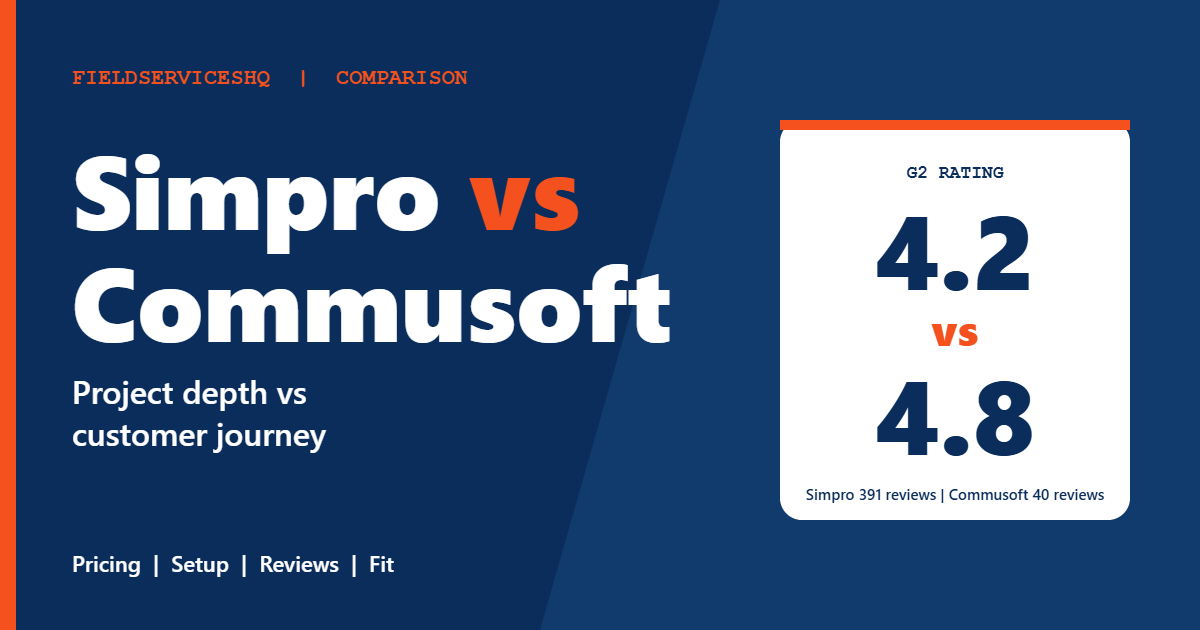
Simpro positions itself for firms from about five to 200 staff that handle service, project and maintenance work, with inventory, job costing and a long integration list. Commusoft centers on the customer journey, from first contact through booking, job and payment, with automation and a monthly-billed plan structure. On G2, Commusoft scores far higher (4.8 from 40 reviews against 4.2 from 391 for Simpro), but the gap in review volume matters as much as the gap in score. This guide lays out what is verifiable, where the data is thin and how to choose.
Simpro vs Commusoft at a glance
| Factor | Simpro | Commusoft |
|---|---|---|
| Pricing | Quote only, per user per month | Quote only, three plans, billed monthly |
| Published prices | None | None |
| Free trial | None listed on G2 | Listed on G2; one outside source says 14 days |
| G2 rating | 4.2 (391 reviews) | 4.8 (40 reviews) |
| Capterra rating | 4.0 (147 reviews) | 4.7 (209 reviews) |
| Small-business share of G2 reviewers | 75.4 percent | 97.4 percent |
| Time to implement (G2) | About 6 months | About 6 months |
| Support | 24/6 live support per the vendor | Reviewers split between praise and complaints |
| Accounting integrations | QuickBooks, Xero, Sage, NetSuite, MYOB | Xero highlighted on G2 |
| Stated focus | Service, project and maintenance trades, about 5 to 200 staff | Customer journey and automation for service businesses |
What each vendor publishes
Simpro
The Simpro pricing page lists no prices, trial terms or contract lengths and offers a pricing request form instead. It describes three tiers. The base plan, referred to as Simpro Premium, covers quoting and estimating, field and contractor scheduling and dispatch, real-time inventory and purchasing, invoicing, payments and accounting, job, timesheet and task management, lead, customer and site management, and reporting that includes profit and loss, technician activity, stock value and work in progress. A mid tier adds a drag-and-drop digital forms builder, workflow automation and on-site data capture. The top tier adds data feeds that extract information from email attachments and digital files and apply rules-based workflow triggers.
Add-ons include Simtrac GPS fleet tracking, Takeoffs, Maintenance Planner, SMS, VoIP, IoT and Digital Forms. The listed integrations cover accounting (QuickBooks, Xero, Sage, NetSuite, MYOB), Square payments, Outlook and Gmail, Podium, HubSpot, Mailchimp, Zapier and an open API. The vendor mentions custom training and implementation, an online learning library, 24/6 live support and professional services.
Commusoft
We could not retrieve Commusoft’s own pricing page for this review, so the following comes from G2 and Capterra listings and should be confirmed with the vendor. G2 shows three plans, Customer Journey, Automation and All-in-One, all priced on request and billed monthly, with a free trial available. G2’s entry plan description mentions route optimization to help scheduling teams book more jobs. Directory listings describe a per-user model, and one lists a starting figure of $100 per user per month. That number is a directory listing, not a verified quote.
One outside comparison site describes a 14-day trial and a focus on UK and US plumbing and heating businesses. Treat both as unverified until the vendor confirms them.
The cost question
Neither vendor gives you a number to compare. G2 rates both at the top of its perceived-cost scale, and both sit in the quote-only group, so the realistic approach is to ask for the same scenario from each. Define the number of office users, field users, the plan level you need, add-ons such as fleet tracking and payments, onboarding or implementation fees, and the contract term. Then compare the twelve-month total.
Simpro’s own comparison page describes its pricing as straightforward. That is the vendor’s marketing claim, not independent evidence. G2 reports an average discount of 10 percent for Simpro and not enough data to say for Commusoft, which suggests there may be room to negotiate with Simpro. Treat that as a prompt to ask, not a promise.
Both products show about six months to implement on G2, which is long compared with simpler tools. Budget for the time cost of that period, not only the subscription.
Features compared
Scheduling and dispatch
Both include scheduling and dispatch. Commusoft’s entry plan highlights route optimization for scheduling teams. Simpro covers field and contractor scheduling and dispatch in its base plan. Ask each vendor to show a day with emergency jobs, split visits and a contractor crew.
Quoting and the customer journey
Commusoft’s plan names (Customer Journey, Automation, All-in-One) point to a focus on the path from enquiry to payment, and its G2 reviewers praise ease of use. Simpro offers lead management, estimating and quoting in its base plan. If your sales process is the bottleneck, request a demo of each from enquiry to signed quote.
Inventory and purchasing
Simpro lists real-time inventory and purchasing in its base plan, and its reports include stock value. This is a clear strength for contractors that carry stock or buy for projects. We could not confirm Commusoft’s inventory depth from the sources we used, so ask for a demonstration of purchase orders, van stock and supplier price updates.
Project work and job costing
Simpro’s description covers project, maintenance and service work together, with work-in-progress reporting. That is the reason many commercial contractors shortlist it. Commusoft’s positioning leans toward service work, so confirm how it handles multi-stage projects and retentions if you take on larger jobs.
Digital forms and automation
Simpro’s mid and top tiers add digital forms, workflow automation and data feeds. Commusoft’s Automation plan targets repetitive tasks. Compare the exact automations you want, such as reminders, follow-ups and compliance paperwork.
Accounting
Simpro lists QuickBooks, Xero, Sage, NetSuite and MYOB. Commusoft’s G2 page highlights Xero, and we did not confirm the full accounting list. If you use anything other than Xero, check this before you invest time.
What reviewers say
G2’s side-by-side page gives these scores, with the number of responses in brackets.
| Category | Commusoft | Simpro |
|---|---|---|
| Meets requirements | 9.1 (38) | 7.9 (402) |
| Ease of use | 9.1 (39) | 7.7 (410) |
| Ease of setup | 9.3 (25) | 6.6 (296) |
| Ease of admin | 9.4 (21) | 7.6 (242) |
| Quality of support | 9.4 (38) | 7.7 (392) |
| Good business partner | 9.8 (21) | 7.9 (239) |
| Product direction | 9.7 (35) | 8.1 (372) |
Commusoft’s scores are excellent, and G2 itself notes that its themes are based on very few reviews. Its tags show ease of use and customer support as positives and poor support once as a negative. Simpro’s tags show ease of use as the top positive (8 mentions), with data management (5), complexity (4) and complex setup (3) as the most common concerns.
Capterra tells a similar story: Commusoft at 4.7 from 209 reviews, with customer service scored 4.8, and Simpro at 4.0 from 147 reviews, with customer service scored 3.8. Directory pages report value for money near 3.8 for Simpro.
The review base is the key limit. Roughly 40 G2 reviews of Commusoft are a thin sample, and 97.4 percent come from small businesses. Simpro’s 391 reviews include more mid-sized firms and more complex use cases, which probably explains part of its lower scores. A tool that handles complex jobs tends to attract more setup complaints.
Which one fits which business
Simpro tends to fit when
- You run service, project and maintenance work under one roof and need job costing and work-in-progress reporting.
- You carry stock and want real-time inventory and purchasing.
- You use an accounting package beyond Xero and QuickBooks, or need an open API.
- You can budget for an implementation that takes months.
Commusoft tends to fit when
- Your work is mostly service and repair, and a smooth path from enquiry to payment is your priority.
- You want a lighter-touch system and high reviewer scores on ease of use and setup matter to you.
- You use Xero and a monthly-billed plan structure suits your cash flow.
Three examples
A twelve-person heating and plumbing company with mostly service calls. Commusoft is worth a trial. Test the customer journey and automations, and confirm the cost of the plan that includes everything you need.
A thirty-person electrical contractor with maintenance contracts and fit-out projects. Simpro’s project, job costing and inventory tools fit better. Ask for a written implementation plan with dates.
A six-person firm that wants to start small. Both are quote-only and neither is the cheapest route. If budget is the constraint, compare a simpler tool as a baseline, such as Jobber vs ServiceM8.
A practical evaluation plan
- List your job types and mark which need project tracking, inventory or compliance forms.
- Ask each vendor for a written quote for the same user counts and plan level, including onboarding and add-ons.
- Ask for the implementation timeline and who does the data migration.
- Run one complete job through each demo, from enquiry to paid invoice.
- Ask for references from a company of your size and trade, and speak to them.
- Confirm contract term, renewal and how to export your data.
For related reading, see ServiceTitan vs Simpro, ServiceTitan vs BuildOps and Housecall Pro vs FieldEdge.
Mistakes to avoid
Do not read Commusoft’s higher scores as proof it is better. They come from a small sample, mostly small businesses.
Do not skip the implementation conversation. Both show about six months on G2, which affects your first year’s real cost.
Do not trust directory prices. Listings range widely and neither vendor publishes a rate.
Do not forget the accounting link. Confirm that your package is supported before you commit.
Simpro vs Commusoft FAQ
Is Simpro or Commusoft cheaper?
Neither publishes prices, so you need written quotes. Both are quote-only and G2 rates both at its highest perceived-cost level. A directory lists Commusoft from $100 per user per month, which is unverified.
Does Simpro offer a free trial?
Its pricing page lists none, and G2 shows no trial information. Ask for a sandbox or extended demo.
Does Commusoft offer a free trial?
G2 says a free trial is available, and one outside source says 14 days. Confirm the length and limits with the vendor.
Which has better reviews?
Commusoft scores 4.8 on G2 from 40 reviews and 4.7 on Capterra from 209. Simpro scores 4.2 from 391 on G2 and 4.0 from 147 on Capterra. Commusoft leads on score, Simpro on volume.
Which is easier to set up?
G2 scores Commusoft 9.3 for ease of setup against 6.6 for Simpro. Both report about six months to implement.
Which is better for project work?
Simpro’s description covers project, maintenance and service work with job costing and work-in-progress reporting, so it is the safer shortlist choice for project-heavy firms. Ask Commusoft to demonstrate projects if you need them.
Do they work with Xero and QuickBooks?
Simpro lists QuickBooks, Xero, Sage, NetSuite and MYOB. Commusoft’s G2 page highlights Xero. Confirm the connection for your accounting package.
Is either aimed at HVAC only?
No. Both serve several trades. Simpro names electrical, communications and general contracting firms in its testimonials, and an outside source describes Commusoft as aimed at plumbing and heating.
The bottom line
Commusoft looks easier and better loved on the evidence available, but that evidence is thin and skewed toward small businesses. Simpro has a bigger, more mixed review base and a broader toolset for inventory, projects and job costing, at the price of a heavier setup. Ask both for written quotes, insist on an implementation timeline and speak to a reference of your size before you decide.
Sources: Simpro pricing, G2 comparison of Commusoft and Simpro, Commusoft on Capterra, Simpro on Capterra.