
FieldEdge vs Service Fusion: Which Fits an HVAC, Plumbing or Electrical Shop?
FieldEdge and Service Fusion often land on the same shortlist when a small or mid-sized trades company outgrows spreadsheets and a basic scheduling app. They look similar in a demo: a dispatch board, work orders, invoicing, payments and a QuickBooks connection. The differences show up in how you buy them, how many people you can put on them and how much trade-specific depth you get.
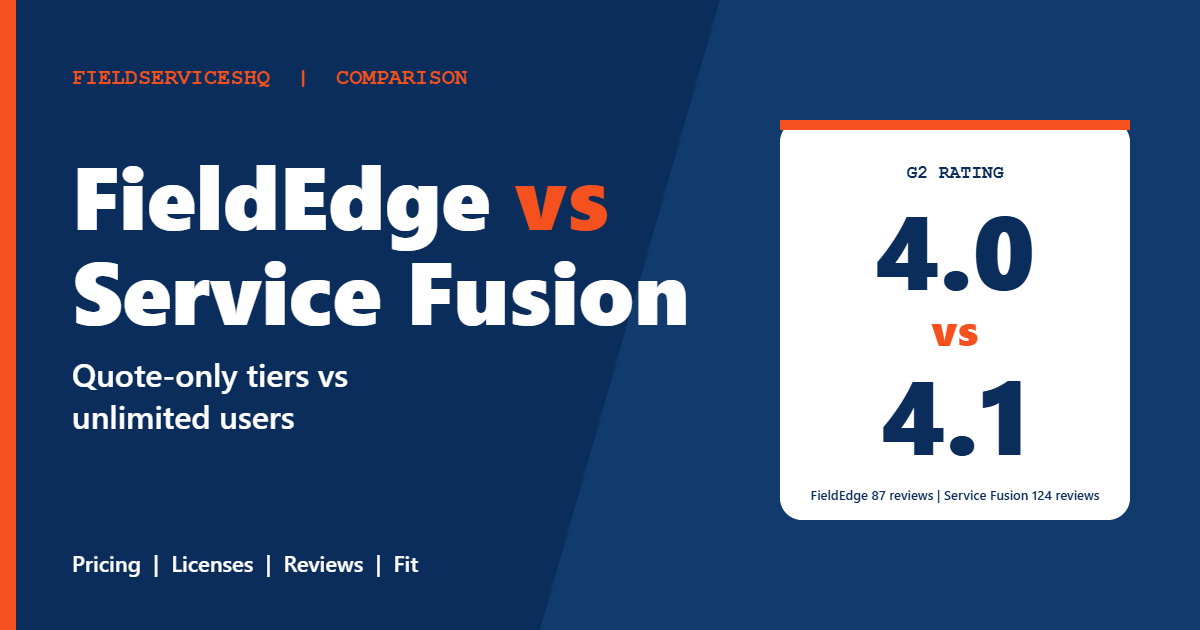
FieldEdge is built around HVAC, plumbing, electrical, locksmith and appliance repair, sells three quote-only plans and tiers its mobile licenses. Service Fusion publishes three plans with unlimited users and a wider range of industries. G2 puts them close on overall rating (4.0 for FieldEdge from 87 reviews, 4.1 for Service Fusion from 124), but Service Fusion edges ahead on every category score where the two differ. This guide covers what each vendor publishes, how the buying models compare, what reviewers praise and criticize, and which kind of shop each one tends to suit.
FieldEdge vs Service Fusion at a glance
| Factor | FieldEdge | Service Fusion |
|---|---|---|
| Pricing model | Three quote-only plans (Select, Premier, Elite) | Three published plans, unlimited users |
| Published prices | None | $208, $325, $533 a month (annual billing) |
| Mobile app access | 2, 4 or 6 licenses included by tier | Unlimited users on every plan |
| Free trial | None stated; free demo | None; free demo |
| Contract | Annual per promotion terms; Capterra lists a monthly subscription | Month to month, no contract requirements stated |
| Onboarding | Onboarding specialist on every plan | Personalized onboarding included |
| G2 rating | 4.0 (87 reviews) | 4.1 (124 reviews) |
| Capterra rating | About 4.2 (308 reviews) | 4.3 (308 reviews) |
| G2 ease of use | 7.9 | 8.6 |
| G2 ease of setup | 7.2 | 7.9 |
| Stated industries | HVAC, plumbing, electrical, locksmith, appliance repair | Broad home and field service |
What each vendor publishes
FieldEdge
The FieldEdge pricing page lists no dollar amounts. It says price can vary with the number of technicians or employees and the add-ons you choose, and quotes come through a free demo. There are three plans.
- Select covers essential operations: basic dispatching, single-option quotes, basic service agreements and 2 mobile app licenses.
- Premier, labeled most popular, adds advanced dispatching, multi-option quotes, advanced service agreements, 10 saved reports, performance and commission tracking, prospect tracking and 4 mobile app licenses.
- Elite adds unlimited saved reports, outbound call recording, warehouse inventory management, Proposal Pro, MarketingEdge with two-way texting, a customer management portal and 6 mobile app licenses.
Every plan includes a dashboard, call booking, scheduling, work orders, reporting, tech time tracking, invoicing, a pricebook with flat-rate pricing, purchasing, integrated payments, customer history, SMS texting, custom forms and lead tracking. QuickBooks Online and Desktop are listed as included. Support differs by plan: chat on Select, email or phone on Premier and a dedicated customer success representative on Elite. The page states there is no free trial and that every plan includes an onboarding specialist.
On contract terms, the pricing page references annual memberships in its promotion terms and says downgrades take effect at the end of the current contract period. A Capterra listing describes a contract-free monthly subscription. Those two descriptions do not match, so ask for the term in writing.
Service Fusion
The Service Fusion pricing page lists Starter at $208 a month on annual billing, Plus at $325 and Pro at $533, or $245, $382 and $627 billed monthly. All plans include unlimited users, customer management, estimates and jobs, scheduling and dispatching, integrated payments, QuickBooks integration, invoicing, project management, reporting and text alerts. Plus adds job photos, inventory management, job costing and integrated voice and text. Pro adds an open API, custom documents, e-sign, a customer web portal, and progress billing with recurring invoicing. GPS fleet tracking and ServiceCall.ai are add-ons on every plan.
The vendor states plans are month to month with no contract requirements, offers a 15 percent discount for annual billing and includes personalized onboarding.
Older figures of $259, $399 and $649 still appear on G2 and Capterra, so confirm against the vendor’s page.
The cost question
FieldEdge does not publish a price, so every number you find is a reconstruction. The spread is wide. One outside review describes FieldEdge pricing as costly next to Housecall Pro and Service Fusion. Another source cites the per-user figures above, and some report one-time onboarding fees between $500 and $2,000. None of that comes from FieldEdge, and it may not reflect the quote you receive.
What the vendor does confirm shapes the cost. Mobile license counts are tied to the tier (2, 4 or 6), so a larger field team means a higher tier or extra licenses. Features such as Proposal Pro, MarketingEdge and the customer portal sit in Elite or cost extra on lower tiers. Service Fusion gives you unlimited users, so growth changes your plan tier only when you need Plus or Pro features.
Reviewers raise cost on both sides. G2 tags FieldEdge as expensive once and Service Fusion four times. A quote-only price is not automatically higher, but it is harder to budget, and a flat published price is easier to compare.
Features compared
Dispatching and scheduling
Both include scheduling and dispatching on every plan. FieldEdge splits basic and advanced dispatching between Select and Premier, so confirm which board you will actually get. Reviewers highlight dispatching as a FieldEdge strength.
Flat-rate pricing and the pricebook
FieldEdge lists a pricebook with flat-rate pricing on every plan, and that is a real strength for HVAC and plumbing shops that sell by task instead of by hour. Service Fusion lists estimate options and integrated payments but the pricing page does not describe a flat-rate pricebook, so ask for a demo of how it handles menu pricing.
Service agreements
FieldEdge lists basic service agreements on Select and advanced ones on Premier and above. Service Fusion’s page mentions progress billing and recurring invoicing on Pro, and does not describe a dedicated agreement module. If recurring maintenance revenue drives your business, ask each vendor to walk through a full agreement from sale to renewal.
Inventory
FieldEdge offers warehouse inventory management on Elite. Service Fusion includes inventory management on Plus and Pro. Compare how each handles truck stock, not only the warehouse.
Quoting and proposals
FieldEdge allows single-option quotes on Select and multi-option quotes from Premier. Proposal Pro is an Elite feature or an add-on. Service Fusion includes estimate options on every plan.
Reporting
FieldEdge limits saved reports to 10 on Premier and unlimited on Elite, and reviewers list reporting limitations among the trade-offs. Service Fusion reviewers also mention inaccurate reporting a few times, so check the exact reports you rely on.
Integrations
Both connect to QuickBooks Online and Desktop. G2 lists FieldEdge with Podium and Service Fusion with ZyraTalk. Reviewers call FieldEdge integrations limited, so confirm anything beyond QuickBooks before you sign.
What reviewers say
G2’s side-by-side page gives these category scores for FieldEdge and Service Fusion.
| Category | FieldEdge | Service Fusion |
|---|---|---|
| Meets requirements | 7.8 | 8.2 |
| Ease of use | 7.9 | 8.6 |
| Ease of setup | 7.2 | 7.9 |
| Ease of admin | 8.2 | 8.2 |
| Quality of support | 8.2 | 8.4 |
| Good business partner | 8.3 | 8.5 |
| Product direction | 7.6 | 8.2 |
Reported time to implement is about 2 months for both. Return on investment is reported at 16 months for FieldEdge and 11 months for Service Fusion.
FieldEdge reviewers praise workflow efficiency, a user-friendly interface, easy setup and dispatching. They criticize slow load speeds, limited integrations, reporting limitations and inconsistent support. Capterra shows efficient dispatching and responsive support as pros, and recurring bugs and glitches as the main con.
Service Fusion reviewers praise ease of use, customer support, invoicing, scheduling and customization. They cite data management, integration and invoicing issues, app limitations, complex setup and inaccurate reporting.
Smaller review sites are harsher on FieldEdge. Its Trustpilot rating sits near 1.9 from a handful of reviews, with complaints about support, data not saving and automatic renewals. That sample is tiny and Trustpilot attracts unhappy customers, so weigh it lightly, but it is a reason to ask about renewal terms and support response before you commit.
Which one fits which business
FieldEdge tends to fit when
- You are an established multi-truck HVAC, plumbing or electrical company that wants trade-specific tools such as a flat-rate pricebook and advanced service agreements.
- You are comfortable negotiating a quote and a contract.
- Your field team is small enough that the tier’s mobile license count covers you.
Service Fusion tends to fit when
- You want published pricing and the freedom to add technicians without per-seat costs.
- You work across several trades or services, not only HVAC.
- You value ease of use and faster setup, which G2 scores favor.
Three examples
A six-truck HVAC company with a maintenance agreement base. FieldEdge Premier is worth a serious quote because of advanced service agreements and the pricebook. Compare it against Service Fusion Pro at $533 and ask both vendors to demonstrate agreement renewals.
A fifteen-person plumbing and drain company with mixed office and field staff. Mobile license limits become relevant. Ask FieldEdge what it costs to give every technician a license, then compare with Service Fusion Plus at $325.
A five-person electrical contractor that wants predictable software costs. Service Fusion Starter at $208 is easy to budget. A quote-only system may add negotiation time without a clear advantage.
A practical evaluation plan
- List every person who needs access, including dispatchers, owners and technicians.
- Ask FieldEdge for a written quote that names the tier, license count, add-ons, onboarding fee, payment processing rates and contract length.
- Price Service Fusion with every feature you need, including add-ons.
- Run the same job through both demos: call, quote, schedule, dispatch, invoice, payment and a maintenance agreement renewal.
- Contact each vendor’s support with a real question before you buy.
- Ask both how to export your data and what notice cancellation requires.
For related reading, see ServiceTitan vs FieldEdge, Housecall Pro vs FieldEdge and Housecall Pro vs Service Fusion.
Mistakes to avoid
Do not rely on third-party price estimates for FieldEdge. They vary and none is an official figure.
Do not assume the Elite feature list applies to the plan you buy. Several FieldEdge features are tier-gated.
Do not skip the contract details. FieldEdge’s own page and a directory listing describe its terms differently, so get the term, renewal and cancellation rules in writing.
Do not buy on a demo alone. Ask each vendor for customer references in your trade and size.
FieldEdge vs Service Fusion FAQ
Is FieldEdge or Service Fusion cheaper?
Service Fusion publishes $208 to $533 a month with unlimited users. FieldEdge publishes no prices, so you need a written quote. Outside estimates suggest FieldEdge can cost more for larger teams, but they are unverified.
Does FieldEdge publish its pricing?
No. Its pricing page lists three plans, Select, Premier and Elite, with no dollar amounts. Quotes come through a free demo.
Does Service Fusion charge per user?
No. Every plan includes unlimited users.
Does FieldEdge have a free trial?
Its pricing page says there is no free trial and recommends the onboarding process. Service Fusion also offers a free demo rather than a trial.
Which has better reviews?
Service Fusion scores 4.1 on G2 from 124 reviews against 4.0 from 87 for FieldEdge, and it leads on ease of use, setup, support and product direction scores. FieldEdge ties on ease of admin.
Is FieldEdge only for HVAC?
No. Its page lists HVAC, plumbing, electrical, locksmith and appliance repair.
Do both work with QuickBooks?
Yes. Both list QuickBooks Online and Desktop. Test the sync with your own chart of accounts.
Which is better for a growing team?
Service Fusion’s unlimited users make growth easier to budget. FieldEdge may suit a growing multi-truck shop that needs its trade-specific tools, but ask what additional mobile licenses cost.
The bottom line
FieldEdge is the more trade-specific option, with a flat-rate pricebook, tiered service agreements and onboarding on every plan, but it hides its price, ties mobile licenses to tiers and draws weaker satisfaction scores. Service Fusion is simpler to buy and easier to grow with, and it scores higher on most of G2’s categories. If you run an established multi-truck HVAC or plumbing business with a large agreement base, get a FieldEdge quote and compare it side by side. Otherwise start with Service Fusion’s published plans and check that its feature set covers your trade.
Sources: FieldEdge pricing, Service Fusion pricing, G2 comparison of FieldEdge and Service Fusion, FieldEdge on Capterra, FieldEdge review by Connecteam.



