Jobber vs Housecall Pro (2026): Pricing, Features and Which One Fits Your Crew
Plenty of comparisons end with “it depends” and a free-trial button. This one ends in a decision, with the math behind it.
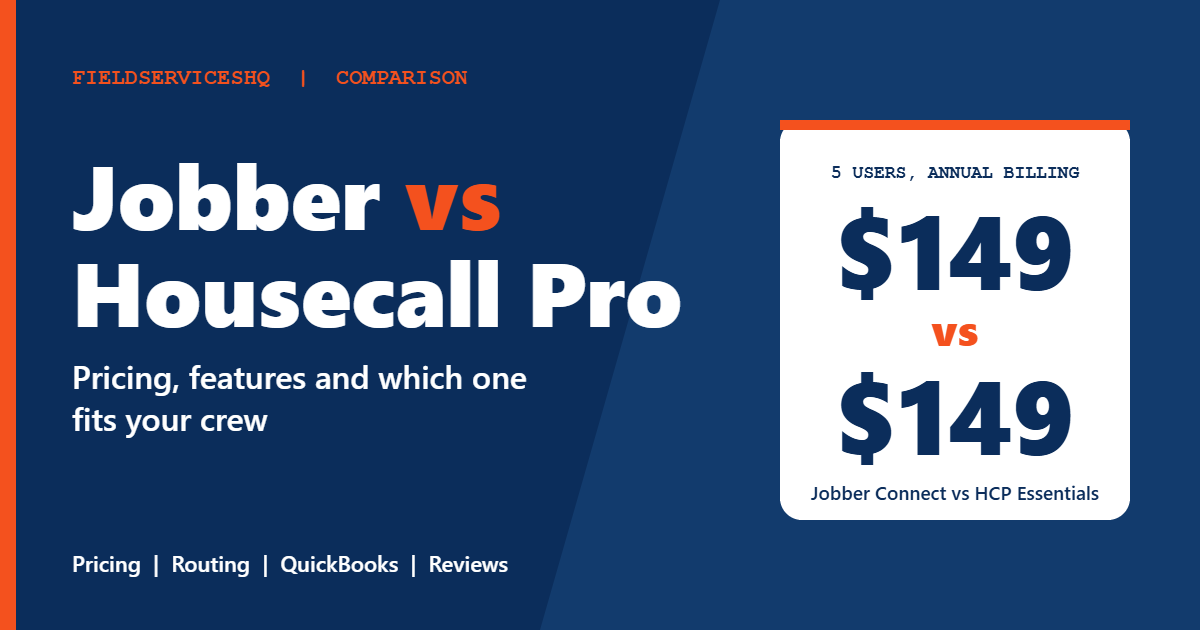
The short version: Jobber is the better pick for solo operators and for crews of ten or more, mainly because its seat bands get cheaper per head and routing is built into the app. Housecall Pro is the better pick if your bookkeeper lives in QuickBooks Desktop, you sell from a flat-rate price book, or you want recurring service plans and sales proposals inside the same tool. At five users on annual billing the two cost exactly the same, $149 a month, so at that size you are choosing on features, not price.
Every plan price below comes from each vendor’s own pricing page, checked on November 11, 2026. Ratings come from the G2 and Capterra head-to-head pages, checked the same day.
Verified November 11, 2026
Jobber vs Housecall Pro: the four numbers that matter first
Solo price, annual billing
$29 vs $59
Jobber Core vs Housecall Pro Basic, per month
Five users, annual billing
$149 vs $149
Jobber Connect vs Housecall Pro Essentials, per month
G2 rating
4.6 vs 4.3
526 Jobber reviews vs 205 Housecall Pro reviews
Capterra rating
4.6 vs 4.7
1,490 Jobber reviews vs 2,749 Housecall Pro reviews
Bottom line: Jobber for built-in routing and cheaper seats past ten users. Housecall Pro for QuickBooks Desktop, flat-rate selling and recurring service plans.
Which is better, Jobber or Housecall Pro?
Neither wins outright. The right answer turns on three things: how many people you pay, which version of QuickBooks your books live in, and whether you price jobs from a flat-rate book. Here is how those play out.
| If this is you | Better fit | Why |
|---|---|---|
| Solo owner-operator on QuickBooks Online | Jobber | Core starts at $29 a month on annual billing, against $59 for Housecall Pro Basic |
| Two to five people, tight budget | Either | Five users cost $149 a month annual on both (Jobber Connect, Housecall Pro Essentials). On month-to-month billing Housecall Pro is $10 cheaper |
| Five to eight people who want job costing, GPS and a price book | Housecall Pro | Basic carries job costing and a price book, Essentials adds routes and employee GPS, and Max includes eight seats |
| Ten to fifteen people | Jobber | Connect for 15 users is $299 a month annual and Grow is $399. Housecall Pro Max with 12 users works out to $439 |
| Your accountant uses QuickBooks Desktop | Housecall Pro | Jobber syncs with QuickBooks Online only |
| Multi-day routes for recurring lawn or cleaning work | Jobber | Routing is built into the app and plans a day, several days or a week |
| Maintenance agreements and memberships (HVAC, plumbing) | Housecall Pro | Recurring service plans and the sales proposal tool come with Max |
Jobber vs Housecall Pro at a glance
| Jobber | Housecall Pro | |
|---|---|---|
| Plan names | Core, Connect, Grow, Plus | Basic, Essentials, Max |
| Entry price (1 user) | $29 a month annual, $49 no commitment | $59 a month annual, $79 monthly |
| Five-user price | Connect $149 annual, $199 no commitment | Essentials $149 annual, $189 monthly |
| Top tier, 8 to 10 users | Plus (10 users) $449 annual, $599 no commitment | Max (8 users) $299 annual, $329 monthly |
| Extra user | $29 a month on every plan | $35 a month on Max |
| Card processing | 2.9% + 30 cents (Tap to Pay 2.7% + 30 cents) | From 2.59% |
| Bank (ACH) payments | 1% | 1% |
| Free trial | 14 days, Grow features, no card | 14 days, Max features, no card |
| QuickBooks | QuickBooks Online, from Connect | QuickBooks Online sync from Essentials, Desktop also supported |
| Route optimization | Built in | Listed on Max |
| G2 rating | 4.6 (526 reviews) | 4.3 (205 reviews) |
| Capterra rating | 4.6 (1,490 reviews) | 4.7 (2,749 reviews) |
Jobber vs Housecall Pro pricing: how much do they cost?
List prices only tell half the story, because both vendors price differently. Jobber sells bands of included users. Housecall Pro sells three plans with fixed seats. The cost-by-team-size table further down is where the real gap shows up.
Jobber plans and prices
Jobber’s pricing page offers three ways to pay: no commitment, a one-year commitment billed monthly, or annual prepayment. The annual payment is non-refundable, which is worth knowing before you click.
| Plan | Users | No commitment | 1-year commitment | Billed annually |
|---|---|---|---|---|
| Core | 1 | $49 | $39 | $29 |
| Connect | 1 | $139 | $119 | $99 |
| Connect | 5 | $199 | $169 | $149 |
| Connect | 10 | $299 | $259 | $229 |
| Connect | 15 | $399 | $339 | $299 |
| Grow | 1 | $199 | $169 | $149 |
| Grow | 5 | $299 | $259 | $229 |
| Grow | 10 | $399 | $349 | $299 |
| Grow | 15 | $499 | $429 | $399 |
| Plus | 5 | $499 | $439 | $399 |
| Plus | 10 | $599 | $499 | $449 |
| Plus | 15 | $699 | $599 | $529 |
All prices are per month in US dollars. Each plan includes everything in the one below it:
- Core: online booking and scheduling, quotes, invoicing with online payments, a website builder, built-in reporting and 100+ marketplace integrations
- Connect: automated client reminders, automatic payment collection, job checklists, quote and invoice follow-ups, QuickBooks Online sync, time and expense tracking
- Grow: richer quotes with visuals and optional upsell line items, automatic time tracking, job costing, two-way texting, custom workflow automations
- Plus: unlimited photos and video, crew scheduling with @mentions, automated expense capture with profit alerts, custom reports, Pipeline, Marketing Suite, the AI Receptionist and dedicated onboarding with Premium Support
Teams past 15 users get a custom quote.
Housecall Pro plans and prices
Housecall Pro’s pricing page is simpler: three plans, two billing options, fixed seats.
| Plan | Annual billing | Monthly billing | Users included | Extra users |
|---|---|---|---|---|
| Basic | $59 | $79 | 1 | Not listed |
| Essentials | $149 | $189 | 5 | Not listed |
| Max | $299 | $329 | 8 | $35 a month each |
What each plan adds:
- Basic: online booking, scheduling and dispatch, estimates and invoicing, payments and consumer financing, a price book, job costing and review management
- Essentials: everything in Basic plus routes, flat-rate pricing, checklist automations, photo reports, employee GPS tracking, commissions and QuickBooks Online sync
- Max: everything in Essentials plus the sales proposal tool, recurring service plans, route optimization, open API access, a dedicated onboarding specialist and escalated phone support
Live phone and chat support, the mobile app and AI team members come with every plan.
What you will actually pay by team size
This table is list-price arithmetic from the two pricing pages above, on annual billing. For Jobber it picks the smallest user band that covers the team. Confirm the final number at checkout, because vendors adjust pricing and promotions.
| Team size | Jobber Connect | Jobber Grow | Housecall Pro |
|---|---|---|---|
| 1 user | $99 | $149 | $59 (Basic) |
| 2 users | $128 (1-user plan plus one extra seat) | $178 | $149 (Essentials) |
| 5 users | $149 | $229 | $149 (Essentials) |
| 8 users | $229 (10-user band) | $299 (10-user band) | $299 (Max) |
| 12 users | $299 (15-user band) | $399 (15-user band) | $439 (Max plus four extra seats) |
Four things jump out.
Housecall Pro Basic is a one-user plan. The day you hire your first employee, Housecall Pro moves you to Essentials at $149 a month. On Jobber, a two-person team on Connect works out to about $128.
At five users the price gap disappears. Both land at $149 a month on annual billing, or $1,788 a year. On month-to-month billing Housecall Pro is actually cheaper, $189 against Jobber’s $199. Some comparison articles still say Jobber is $50 a month cheaper at this size. That does not match what the two pricing pages show today.
The matched-feature comparison is not Connect against Essentials. Housecall Pro includes job costing from Basic. On Jobber, job costing arrives with Grow. If job costing matters to you, compare Housecall Pro Essentials at $149 with Jobber Grow at $229 for five users, a gap of $80 a month or $960 a year.
Jobber gets cheaper per head as you grow. A 15-user Jobber Grow plan is $399 a month. Twelve users on Housecall Pro Max comes to $439. The difference is $480 a year, and Housecall Pro Max includes a sales proposal tool, open API access and a dedicated onboarding specialist in that price.
Payment processing fees
Neither tool makes its money only on subscriptions. Both take a cut of card payments, and the rates differ.
Jobber charges 2.9% plus 30 cents per card payment, 2.7% plus 30 cents for Tap to Pay, and 1% for US bank payments. Instant payouts add another 1%. Housecall Pro lists card rates “as low as” 2.59% and 1% for bank payments, and deposits checks through the mobile app with no fee.
That 0.31 percentage point difference is $31 for every $10,000 you collect by card. A shop collecting $25,000 a month on cards would pay about $77 a month, or roughly $930 a year, less at 2.59%, before any fixed per-transaction fee. Housecall Pro’s rate is a floor, not a guarantee, so ask what rate you would actually be quoted. Jobber’s fee schedule is published in full.
Three costs that catch buyers out
Feature gating. QuickBooks sync starts on Jobber Connect and Housecall Pro Essentials. Two-way texting and job costing sit on Jobber Grow. Routing and recurring service plans are Max features on Housecall Pro. The plan you want is often one tier above the plan you were quoted.
Trial tiers. Jobber’s 14-day trial gives you Grow features. Housecall Pro’s 14-day trial gives you Max features. Both are generous, and both can leave you used to tools you will not keep on the cheaper plan you buy.
Add-ons. Jobber sells Marketing Suite, Receptionist and Pipeline separately below Plus. Housecall Pro lists a long set of optional extras, most without a published price. Total them before you compare.
Housecall Pro vs Jobber: how do the features compare?
Scheduling and dispatch
Both give you drag-and-drop calendars, crew scheduling and automatic customer notifications. Housecall Pro puts scheduling and dispatch on every plan, and its On My Way texts tell customers when a tech is headed over. Jobber’s Plus tier adds crew scheduling with @mentions. For a deeper look at how the category breaks down, see our guide to the best scheduling software for small service businesses and the best dispatch software for small service businesses.
Route optimization
This is where older articles are most likely to be wrong, so it is worth being precise.
Jobber’s route optimization page says the tool builds routes in seconds for one person or a whole crew, for a single day, several days or a full week. You can set each person’s start and end point, re-optimize when a job cancels or runs long, and send turn-by-turn directions to a driver’s phone.
Housecall Pro’s route page describes routes reordered around real drive times and live traffic, with the option to lock fixed appointments so other stops rebuild around them. Its pricing page lists route optimization as a Max feature, and Essentials as having “routes.” Jobber’s own comparison page says Housecall Pro needs a third-party tool for route optimization, and some independent reviewers mention add-on routing apps. Sources disagree, and vendors change this stuff often.
The practical move: take tomorrow’s real schedule, ten stops spread across your service area, and ask each vendor to optimize it on a call. Whoever does it without a workaround on the plan you would actually buy has answered the question. Our roundup of the best route optimization software for small service businesses goes further into how routing tools differ.
Quotes and proposals
Jobber’s Core plan covers professional quotes. Grow adds visuals, reviews and optional line items for upselling. Housecall Pro covers estimates on Basic, a price book from Basic, flat-rate pricing from Essentials, and a sales proposal tool on Max that it values at $40 a month.
Jobber’s own comparison page concedes flat-rate pricing integrations as a Housecall Pro strength. If you quote from a flat-rate book, that is the strongest sign you belong on Housecall Pro. If you quote custom jobs from a service list, Jobber is simpler. More options are covered in best estimating and quoting software for small service businesses.
Invoicing and payments
Both tools invoice from the job, collect online payments, take cards and bank payments, and offer consumer financing, based on the vendors’ own pages. Jobber adds automatic payment collection on Connect. Housecall Pro includes mobile check deposit. The fee math above matters more than any feature difference here. If payments are a big part of your decision, read our breakdown of the best payments software for field service teams.
Client messaging and marketing
Jobber’s Connect plan adds automated reminders and quote and invoice follow-ups. Two-way texting arrives on Grow, and Marketing Suite, Pipeline and the AI Receptionist sit in Plus. Jobber also builds a website into every plan, which Housecall Pro treats as an add-on according to Jobber’s comparison page.
Housecall Pro puts review management on Basic. Jobber’s comparison page concedes mass texting and payment through online booking as Housecall Pro strengths. If you want more review requests on autopilot, Housecall Pro gets you there sooner on its price ladder. If you want a basic web presence included, Jobber does.
QuickBooks and accounting
This is often the single deciding factor, so read it carefully.
Housecall Pro’s QuickBooks page says it integrates with both QuickBooks Online and Desktop, pushing invoices, customers, line items and payments into QuickBooks. The pricing page puts QuickBooks Online sync on Essentials and above. Jobber syncs with QuickBooks Online on Connect and above. Independent integration guides, such as this QuickBooks field service integration guide from FieldPro Max, note that Jobber does not integrate with QuickBooks Desktop at all.
So if your accountant is on Desktop and will not move, the shortlist is one name long. If you are on Online, both work, and the real question is which one you trust with the sync. Check the sync direction and what data moves during the trial, because user reports about the quality of the QuickBooks sync show up in reviews for both tools.
Mobile apps
Both have iOS and Android apps in English and Spanish. Housecall Pro lists offline viewing on every plan. Jobber’s iPhone app sits around 4.8 stars across roughly 18,000 to 20,000 ratings according to app-store trackers, and Jobber’s own comparison page reports Android ratings of 4.4 for Jobber and 4.5 for Housecall Pro. Treat the vendor-reported figures as a starting point and check the current store pages before you decide. See also our guide to the best mobile apps for field service teams.
GPS and vehicle tracking
Housecall Pro puts employee GPS tracking on Essentials, working within the business hours you set. Vehicle tracking needs a plug-in GPS device you install yourself, and dashcam monitoring is an optional extra. Jobber’s comparison page describes its GPS tracking as built in. Compare the details on our page for GPS and fleet tracking software.
AI tools
Both include built-in AI features. Housecall Pro lists AI team members on every plan. Jobber’s AI Receptionist, which answers and books jobs around the clock, is an add-on below Plus and included in Plus. Jobber’s comparison page says Housecall Pro’s AI call answering is a paid add-on. Expect this area to keep shifting.
Support and onboarding
Housecall Pro includes live phone and chat support on every plan, and Max adds a dedicated onboarding specialist and escalated phone support. Jobber’s Plus plan includes dedicated onboarding with Premium Support. On G2, reviewers score Jobber’s quality of support at 9.1 and Housecall Pro’s at 8.7. On Capterra the order flips, with customer service at 4.7 for Housecall Pro and 4.6 for Jobber.
What do G2 and Capterra reviewers say?
The two review sites disagree, and the reason is partly sample size.
| Measure | Jobber | Housecall Pro |
|---|---|---|
| G2 overall | 4.6 (526 reviews) | 4.3 (205 reviews) |
| G2 ease of use | 9.0 | 8.9 |
| G2 quality of support | 9.1 | 8.7 |
| G2 ease of setup | 8.9 | 8.7 |
| G2 meets requirements | 8.6 | 8.6 |
| Capterra overall | 4.6 (1,490 reviews) | 4.7 (2,749 reviews) |
| Capterra value for money | 4.4 | 4.6 |
| Capterra functionality | 4.4 | 4.5 |
| Capterra ease of use | 4.6 | 4.6 |
| Capterra customer service | 4.6 | 4.7 |
On G2, Jobber leads on overall rating, support and setup, and the two tie on meeting requirements. On Capterra, Housecall Pro edges ahead on every category except ease of use, where they tie, with nearly twice as many reviews behind it. The honest reading: both are well liked, neither is a clear winner on user satisfaction, and a 0.1 to 0.3 gap should not decide a purchase worth thousands of dollars a year. Your own trial will tell you more.
Which one fits your trade?
HVAC, plumbing and electrical. Housecall Pro’s price book on Basic, flat-rate pricing on Essentials and recurring service plans on Max line up with how these trades often sell. If your workflow runs on membership agreements and tiered flat-rate quotes, start there. If you are a small shop that quotes by the job, Jobber is simpler and cheaper. Our best job costing software for field service teams guide covers what to look for either way.
Cleaning, lawn care and landscaping. Recurring visits and tight routes are the daily grind. Jobber’s multi-day route building and included website fit that pattern. Housecall Pro handles these trades too, but its membership-style service plans and route optimization sit on Max.
Handyman and solo trades. The entry price and the one-user cliff decide this one. Jobber Core at $29 a month annual, or $49 with no commitment, is the cheapest way in. Housecall Pro Basic is $59 annual.
Growing crews of 10 to 15. Jobber’s band pricing gets cheaper per head. Housecall Pro’s Max plan adds API access and onboarding, which matters if you plan to connect other systems.
If neither tool fits your trade, start from our best field service management software page, or read the Jobber review and the FieldPulse review for other options.
How hard is it to switch between them?
Jobber says it has moved thousands of teams over from other tools and that data migration takes about five business days, with full go-live in around ten after running both systems side by side for a week. That is a vendor claim, so treat it as a best case, but the sequence is sensible regardless of which direction you move.
Before you switch, export your customer list, open jobs, price book and recurring schedules. Decide which QuickBooks company file the new tool will connect to, and clean up duplicate customers first, since duplicates are what usually break a sync. Run both tools in parallel for a week, then pick a quiet day to cut over. Tell customers about any change to how they will receive quotes and invoices.
How to use the free trials to settle it
Both vendors give 14 days with no credit card, and both unlock a higher tier than you would likely buy. Use the time deliberately.
- Load your real customers and 20 real jobs, not demo data.
- Build tomorrow’s actual schedule and run route optimization on it.
- Send yourself a quote, approve it, convert it to a job and invoice it.
- Connect QuickBooks and check one invoice end to end, including payment and customer match.
- Have a technician complete a job from their own phone, on their own network.
- Open a support chat with a real question and note how long it takes to get a person.
- Check which of the features you used remain on the plan you would actually pay for.
Step seven is the one people skip. It is where a $149 plan turns into a $229 plan.
Final verdict
Choose Jobber if
You want routing and seat pricing that scales
- You work solo or run 10 to 15 people, where Jobber’s pricing is lowest
- You need multi-day routes built into the app
- You are on QuickBooks Online and want the lowest entry price, $29 a month annual
- You run recurring residential work and like a website included on every plan
Choose Housecall Pro if
You sell flat-rate work or live in QuickBooks Desktop
- Your accountant uses QuickBooks Desktop
- You quote from a price book and want flat-rate pricing
- You want recurring service plans and proposals on one plan, Max
- You run five to eight people and a fixed $149 or $299 fits your budget
If you want one sentence: pick Jobber unless you have a specific reason on the Housecall Pro list, because it is cheaper at the small and large ends and its routing is easier to confirm. If any one of those Housecall Pro reasons is true for you, it is the better tool and the extra cost is justified. Either way, run the trial checklist above before you pay, and check the reviews hub for the rest of the field. If you are weighing how much time the wrong tool costs you, try the revenue leak calculator.
Jobber vs Housecall Pro FAQs
Is Jobber or Housecall Pro cheaper?
Jobber is cheaper for one user and for teams of ten or more. Core is $29 a month on annual billing against $59 for Housecall Pro Basic. At five users both are $149 a month annual, and Housecall Pro is $10 cheaper on monthly billing. At 12 users Jobber Grow is $399 against about $439 for Housecall Pro Max.
Which is better for a solo operator?
Jobber, in most cases. Core starts at $29 a month on annual billing and $49 with no commitment, while Housecall Pro Basic is $59 annual and $79 monthly. Housecall Pro Basic does include job costing and a price book, which Jobber puts on higher plans, so price book users may still prefer it.
Does Housecall Pro have route optimization?
Housecall Pro’s pricing page lists route optimization as a Max plan feature, and its route page describes reordering stops around drive time and live traffic. Jobber’s comparison page says Housecall Pro needs a third-party tool. Because sources conflict, ask for a live demo on your own schedule.
Which works with QuickBooks Desktop?
Housecall Pro. Its QuickBooks page says it integrates with both QuickBooks Online and Desktop. Jobber syncs with QuickBooks Online only. If you use Desktop and do not want to migrate, Housecall Pro is the choice between these two.
Do Jobber or Housecall Pro have a free plan?
Neither has a permanent free plan. Both offer a 14-day free trial with no credit card. Jobber’s trial gives full access to Grow features, and Housecall Pro’s gives full access to Max features, so confirm what you keep on the plan you buy.
Which is better for HVAC or plumbing?
Housecall Pro often fits better. It includes a price book on every plan, flat-rate pricing from Essentials, and recurring service plans and sales proposals on Max. Jobber works well for smaller HVAC and plumbing shops that quote job by job and want a lower price.
Which has better reviews, Jobber or Housecall Pro?
It depends on the site. On G2, Jobber scores 4.6 from 526 reviews and Housecall Pro 4.3 from 205. On Capterra, Housecall Pro scores 4.7 from 2,749 reviews and Jobber 4.6 from 1,490. Both are well rated, and the differences are small.
How much are payment processing fees?
Jobber charges 2.9% plus 30 cents for cards, 2.7% plus 30 cents for Tap to Pay and 1% for US bank payments. Housecall Pro lists card rates from 2.59% and 1% for bank payments. The gap is about $31 per $10,000 in card volume, before fixed fees.
Can I switch from Housecall Pro to Jobber, or the other way around?
Yes. Jobber says migration takes about five business days and go-live about ten, which is a vendor estimate. Export customers, open jobs, your price book and recurring schedules first, clean up duplicates before reconnecting QuickBooks, and run both tools in parallel for a week.
Is Jobber more expensive than Housecall Pro for multiple users?
Not always. At five users on annual billing both cost $149 a month (Jobber Connect, Housecall Pro Essentials), and Housecall Pro is $10 cheaper month to month. Jobber costs more if you need its Grow tier, which is $229 for five users. Past eight users Jobber’s bands usually win: Connect for 10 users is $229 a month annual, against $299 for Housecall Pro Max, which includes 8.
Why does Jobber get so expensive, and can I keep only the features I need?
Jobber’s bill climbs because features move up the tiers and seats are sold in bands. Five users run $149 on Connect, $229 on Grow and $399 on Plus with annual billing. One long-time customer wrote in a YouTube comment that dropping a tier means losing the few features they actually use. Three levers help: pay annually or on the one-year commitment (Connect for five drops from $199 to $169 or $149), buy the smallest user band that covers your team, and price the add-ons (Pipeline, Marketing Suite, Receptionist) against a full tier jump.
Does route optimization work when every tech has different skills and most calls are emergencies?
Auto-routing works best on planned, repeatable work such as lawn care, cleaning and scheduled maintenance. Jobber’s page says routes can be re-optimized when jobs cancel or new ones arrive and lets you set each person’s start and end point, but it does not describe matching jobs by technician skill. Housecall Pro’s page describes matching jobs to nearby techs on a shared dispatch calendar with mid-day reassignment. If your day is mostly emergencies, judge each tool on its dispatch board and how fast you can put a call on the right tech, not on routing.
Which mobile app is faster for quoting and invoicing in the field?
Neither vendor publishes speed figures, and independent benchmarks are scarce. Both list quoting, invoicing, photos and payments from the phone, and Housecall Pro includes mobile check deposit and offline viewing on every plan. Jobber’s iPhone app rates about 4.8 on the App Store. The only test that counts is giving a tech the trial on their own phone, having them quote and invoice a real job, and comparing the time to how they do it today.
Is Jobber or Housecall Pro easier to learn?
Review data gives Jobber a small edge. On G2, Jobber scores 9.0 for ease of use and 8.9 for ease of setup, against 8.9 and 8.7 for Housecall Pro. On Capterra both score 4.6 for ease of use. One owner who ran both trials said Housecall Pro felt overly packed and Jobber easier to navigate. That is one opinion, and navigation is a matter of taste you can judge in the trial.
Is Jobber or Housecall Pro better for commercial clients?
Both vendors describe their products in terms of home service businesses, and neither markets itself around large multi-site commercial contracts. If commercial accounts are the plan, look at tools built for them. Our guides to Simpro and Simpro for commercial HVAC are a good place to start.
Which is better for a cleaning business, Jobber or Housecall Pro?
Jobber for most cleaning companies. Recurring visits, multi-day routing and an included website suit it, and it costs less at one user and at ten or more. Housecall Pro handles cleaning too, but its recurring service plans and route optimization sit on Max at $299 a month annual.
Can Housecall Pro handle scheduling, dispatching and team management?
Yes. Scheduling and dispatch are on every plan, including Basic, with a shared dispatch calendar for reassigning jobs mid-day and On My Way texts for customers. Essentials adds employee GPS tracking and commissions. Basic is a one-user plan, so team management really starts on Essentials, which includes five users.
Sources
- Jobber pricing, checked November 11, 2026
- Housecall Pro pricing, checked November 11, 2026
- Jobber route optimization
- Housecall Pro route optimization
- Housecall Pro QuickBooks integration
- Jobber vs Housecall Pro comparison page (Jobber), vendor-reported claims are labeled as such
- G2: Housecall Pro vs Jobber
- Capterra: Jobber vs Housecall Pro
- FieldPro Max: QuickBooks integration for field service
- Jobber on the Apple App Store
- Viewer comments on Crewmatic’s Jobber vs Housecall Pro video (YouTube), a source of reader questions answered above
- Quora: Can Housecall Pro help with scheduling, dispatching and team management?