Jobber vs Workiz (2026): Phones, Pricing, Reviews and Which Crew Each Fits
Jobber vs Workiz comes down to one question more than any other: do you want a calm, well-reviewed business system with a published price, or a dispatch-first tool with a phone system built in and a price you have to ask for? Both handle scheduling, quoting, invoicing and payments for home service crews. They differ in how they charge, how they handle calls, how reviewers rate the day-to-day experience, and which kinds of businesses they were shaped around.
This comparison uses each vendor’s own pricing and feature pages, G2 and Capterra review data, and the claims each side makes about the other. Where a figure is a vendor claim, we label it. Where a vendor does not publish a number, we say so instead of guessing.
Jobber vs Workiz at a glance
| Factor | Jobber | Workiz |
|---|---|---|
| Positioning | General service businesses, 18 listed industries | Dispatch and call-driven service, strong in locksmith, garage door and on-demand work |
| Pricing | Published tiers from $29 per month billed annually | Request pricing for Standard, Pro and Ultimate |
| Free trial | 14 days, no card | 7 days, no card |
| Built-in phone system | AI Receptionist add-on, two-way texting included | Integrated phone system, with some pieces sold separately |
| QuickBooks Online sync | Starts on Connect | Included on all three plans |
| G2 overall | 4.6 out of 5 | 4.5 out of 5 |
| Capterra overall | 4.6 from 1,456 reviews | 4.4 from 218 reviews |
| Strongest area | Support, ease of use, value | Calling, dispatch control, product direction |
Who each product is really built for
Jobber targets service businesses that want to quote, schedule, invoice and get paid without a heavy rollout. Its comparison page lists 18 industries, including lawn care, cleaning, pest control, window cleaning and handyman work, alongside HVAC, plumbing and electrical. It is a general-purpose tool that stays simple. Our Jobber review goes through the full feature set.
Workiz grew around a different center of gravity. Third-party analysis describes it as built for locksmiths, garage door companies and other on-demand trades where the phone rings, a dispatcher picks the nearest qualified technician and the job happens within hours. That explains its map-based dispatch tools, team location tracking and the way it ties calling to the job record. If your revenue starts with an inbound call, that origin story matters more than a feature checklist.
Pricing: published vs request-only
Jobber’s published prices
Jobber’s pricing page lists every tier with three billing options. These are the one-year and annual columns:
| Plan | Users included | Per month, 1-year commitment | Per month, billed annually |
|---|---|---|---|
| Core | 1 | $39 | $29 |
| Connect | 1 | $119 | $99 |
| Connect | 5 | $169 | $149 |
| Grow | 1 | $169 | $149 |
| Grow | 5 | $259 | $229 |
| Plus | 5 | $439 | $399 |
| Plus | 10 | $499 | $449 |
Additional users cost $29 per month on every plan, a 14-day trial gives full Grow access without a card, and payments run 2.9% plus 30 cents on cards. Add-ons include the AI Receptionist at $29 per month, Pipeline at $49 and the Marketing Suite at $99.
What Workiz publishes
The current Workiz pricing page shows three plans, Standard, Pro and Ultimate, each with a “Request pricing” button. It does not state monthly prices, annual prices, users included or the cost of extra users. It does say annual plans are discounted and that a 7-day trial with no credit card is available.
Third-party sources disagree on the numbers. Capterra lists a starting price of $187 per month, while other roundups cite $225 per month for a small team on an older plan structure, and Jobber’s comparison page cites per-user pricing starting at $46 per month. Those figures conflict because the plan structure has changed and the vendor does not publish a grid. The only number you can rely on is a written quote.
What each plan holds back
Workiz structures its tiers around automations and operational depth. According to its pricing page, Standard includes 5 automations, scheduling, invoices, estimates, online payments, QuickBooks sync and fleet and team location tracking. Pro raises that to 10 automations and adds multi-location management, roles and permissions, Genius Leads, Genius Scheduling, performance pay and custom reports. Ultimate allows 30 automations and adds service plans, flat rate pricing, multi-day jobs, inventory, franchise management, an open API, equipment tracking, purchase orders, checklists and sales proposals.
Jobber’s tiers hold things back differently. Connect adds client reminders, automatic payment collection and QuickBooks Online sync. Grow adds job costing, two-way SMS and custom workflow automations. Plus adds crew scheduling, custom reports, Pipeline, the Marketing Suite, the AI Receptionist and Premium Support.
The practical lesson: with Workiz you decide how many automations and which operational modules you need, and you negotiate the price. With Jobber you read the table and pick.
Phones, texting and the AI layer
This is Workiz’s headline difference, so it deserves precision.
Workiz’s pricing FAQ says an integrated phone system is available on all plans, while its comparison table lists Genius Phone as sold separately. Genius Leads and Genius Scheduling arrive on Pro and Ultimate, and Genius Phone, Genius Answering and Genius Marketing are add-ons without published prices. Jobber’s comparison page claims the Workiz phone system is a paid add-on starting at $99 per month and that two-way texting requires it. Because those two statements conflict, confirm in writing which phone features are included in your plan and what the monthly cost is.
Jobber includes two-way texting from the Grow plan and offers an AI Receptionist that answers calls and texts and books jobs. It is an add-on at $29 per month and is included in Plus. Jobber does not own a phone system the way Workiz does, so you usually keep your existing business line and connect around it.
If your front office is one owner with a cell phone, Jobber’s approach is enough. If you run a dispatcher or CSR who lives in the phone, call tracking and the customer record opening automatically on an inbound call is a real time saver, and Workiz was designed with that in mind.
Scheduling, dispatch and GPS
Both platforms give you a calendar, recurring jobs and technician tracking. Workiz’s pricing page lists fleet tracking and team location tracking on all three plans, and independent coverage points to a dispatch board that filters by technician skills and live location so a dispatcher can assign the nearest qualified person. It does not list route optimization as a plan feature, so ask about it if you run dense multi-stop days.
Jobber lists route optimization and GPS tracking as features, though its pricing page does not map them to a plan, so confirm which tier carries them before you buy. Its Plus plan adds crew scheduling. Jobber is stronger when the day is planned the night before. Workiz is stronger when the day is rewritten every hour.
Quoting, job costing and invoicing
Both products create estimates, convert them to jobs, send invoices and collect online payments. Jobber adds line item upsells, richer quotes with reviews on Grow, and job costing that tracks labor, materials and expenses per job. Workiz positions inventory, purchase orders, sales proposals and flat rate pricing in its Ultimate plan.
One point of confusion deserves a flag. Jobber’s comparison page says in one place that Workiz has no job costing on any plan and in another lists it as “Limited,” covering job margins from technician labor and job-linked expenses. Treat Workiz job costing as basic and ask for a demo of the exact report you need.
Accounting and QuickBooks
Workiz includes QuickBooks Online sync on every plan. Jobber includes QuickBooks Online sync starting on Connect. Neither product’s pricing page promises two-way sync with QuickBooks Desktop, so if you run Desktop, confirm the exact behavior in writing and test one invoice end to end before you migrate your history.
What reviewers say on G2 and Capterra
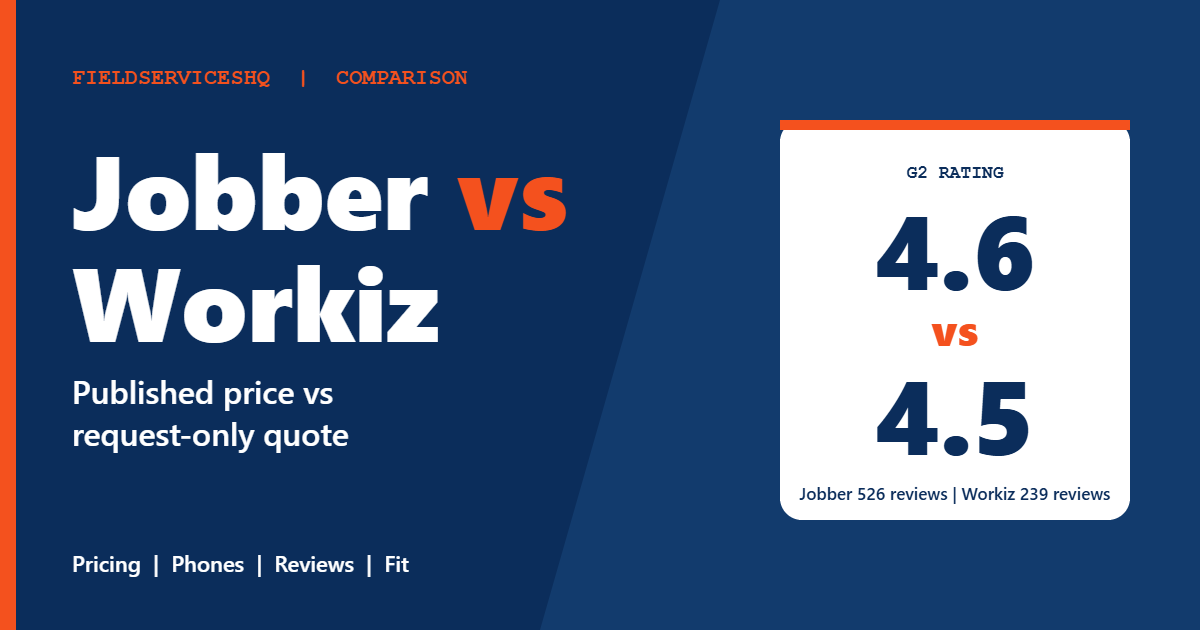
G2 rates Jobber 4.6 out of 5 from 526 reviews and Workiz 4.5 from 239. The category scores show where the gaps sit.
| G2 category | Jobber | Workiz |
|---|---|---|
| Meets requirements | 8.6 | 8.7 |
| Ease of use | 9.0 | 8.8 |
| Ease of setup | 8.9 | 8.7 |
| Ease of admin | 9.1 | 9.1 |
| Quality of support | 9.1 | 8.7 |
| Good business partner | 9.2 | 9.0 |
| Product direction | 8.9 | 9.1 |
These two are closer than most pairs. Jobber’s biggest lead is support, at 0.4 points. Workiz edges Jobber on meeting requirements and on product direction, which fits a tool that keeps adding AI and call features. Ease of admin is tied at 9.1. G2’s own summary notes that reviewers rate Jobber higher for value and cite Workiz pricing as a drawback, including per-user costs and extra charges for automations and phone plans.
Capterra shows a wider gap: Jobber at 4.6 from 1,456 reviews against Workiz at 4.4 from 218. On Capterra’s sub-scores, Jobber lists ease of use 4.6, customer support 4.6, value for money 4.4 and functionality 4.3.
On mobile, Jobber’s own comparison page cites app ratings of 4.8 on the App Store and 4.4 on Google Play, against 4.6 and 2.4 for Workiz. Those are Jobber’s cited figures, so check the live store pages, but an Android gap matters if your crews use Android phones.
Support and onboarding
Jobber scores 9.1 for support on G2 and offers phone, chat and email help. Jobber claims about 50 minutes to set up and data migration in 3 to 5 business days, which are vendor claims. Workiz scores 8.7 for support, still high. Third-party commentary flags more inconsistency in Workiz support and some complaints from owners moving off other platforms, so ask what onboarding help is included before you commit. Also confirm cancellation terms and how a phone number can be ported out if you ever leave.
When to pick each
Choose Jobber when:
- You want to see a price today and start a trial without a sales call.
- Your work is repeatable visits like lawn, cleaning, pest or maintenance routes.
- Support quality and ease of use matter more than a native phone system.
- You want job costing, automations and two-way texting without stacking add-ons.
Choose Workiz when:
- Inbound calls convert to booked jobs and a dispatcher handles most of them.
- You dispatch by skill and proximity, often on the same day.
- You work in locksmith, garage door or similar on-demand trades.
- You want AI lead, scheduling and call tools designed around the phone.
If neither fits, compare Jobber vs Housecall Pro, look at how Jobber compares with ServiceTitan at larger sizes, or browse FieldPulse. Our best field service management software ranking covers the wider market, and the reviews hub explains how we weigh evidence.
A 15 minute checklist before you pay
- Ask Workiz for a written quote naming the plan, number of users, automation limit and monthly price.
- Ask which phone features are included and which are sold separately, with prices.
- Confirm route optimization, job costing depth and QuickBooks behavior for your setup.
- Start both trials and run the same three real jobs through each.
- Read recent G2 reviews filtered to your company size.
FAQs
Is Jobber or Workiz better for a small business?
Jobber is easier to evaluate for a small business because it publishes prices and offers a 14-day trial, and G2 gives it a 4.6 rating versus 4.5 for Workiz. Workiz can fit a small business that lives on the phone and dispatches same-day work.
How much does Workiz cost compared to Jobber?
Jobber publishes plans from $29 per month billed annually for one user and team plans from $99 per month. Workiz does not publish prices for Standard, Pro or Ultimate, so third-party numbers vary widely. Request a written quote that lists users, automations and phone features.
Does Workiz have a free trial?
Yes. Workiz’s pricing page says a 7-day free trial is available with no credit card required. Jobber offers 14 days with full access to its Grow plan.
Does Workiz include a phone system?
Workiz offers an integrated phone system, but its own pricing page is not consistent about which parts are included and which are sold separately. Genius Phone, Genius Answering and Genius Marketing appear as add-ons. Confirm the details in your quote.
Does Jobber have a phone system?
Jobber includes two-way texting from the Grow plan and offers an AI Receptionist add-on that answers calls and texts and books jobs, included in Plus. It does not run its own business phone line, so most users keep their existing number.
Which has better reviews, Jobber or Workiz?
On G2, Jobber scores 4.6 from 526 reviews and Workiz 4.5 from 239. On Capterra, Jobber scores 4.6 from 1,456 reviews and Workiz 4.4 from 218. Jobber leads on support and ease of use, while Workiz leads slightly on meets requirements and product direction.
Does Workiz work with QuickBooks?
Yes, Workiz includes QuickBooks Online sync on all three plans. Jobber includes QuickBooks Online sync starting on its Connect plan. Confirm Desktop support in writing if you do not use QuickBooks Online.
Is Workiz good for HVAC or plumbing companies?
Workiz serves many trades and has dispatch and call tools that suit service companies with active phones. It was shaped by on-demand work like locksmith and garage door service. HVAC and plumbing teams that want deep pricebooks and memberships may prefer larger platforms.
Does Workiz have job costing?
Workiz has limited job costing, covering job margins from technician labor and job-linked expenses. Jobber’s comparison page is inconsistent on this point, so ask for a demo of the exact margin report you need.
Can I switch from Workiz to Jobber?
Yes, but plan the exit. Export customers and job history, confirm how your phone number can be ported if it lives in Workiz, and check cancellation and billing terms. Jobber says migration is typically done in 3 to 5 business days, which is a vendor claim.
Sources
- Jobber pricing
- Jobber vs Workiz comparison (vendor)
- Workiz pricing
- G2 Jobber vs Workiz
- Capterra Jobber vs Workiz