Jobber vs FieldPulse (2026): Published Price vs Custom Quote, and What Reviewers Actually Say
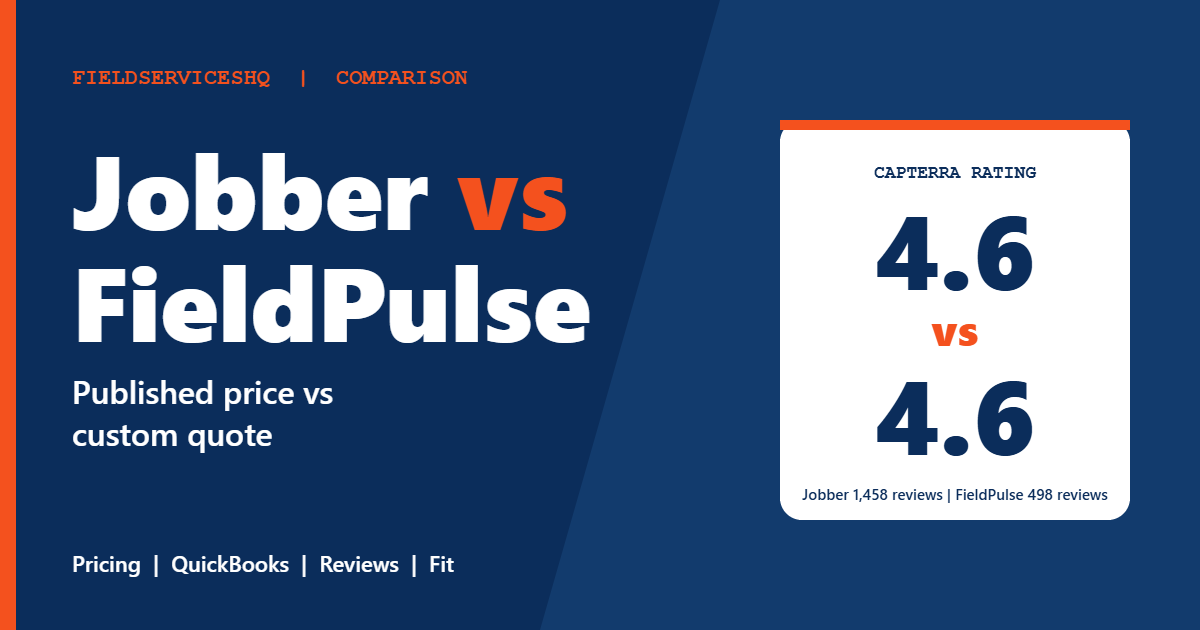
Jobber vs FieldPulse is a closer fight than most comparisons admit. On Capterra the two sit at the same 4.6 overall rating. Both schedule jobs, send quotes, invoice and take payments. The real differences are how you buy them, how fast you get going, which accounting setups they support, and where each one runs into limits as the business grows.
This guide uses each vendor’s own pricing pages, G2 and Capterra data, and the claims each side makes about the other, labeled as claims. Where FieldPulse does not publish something, we say that plainly instead of filling in a number.
Jobber vs FieldPulse at a glance
| Factor | Jobber | FieldPulse |
|---|---|---|
| Pricing | Published tiers from $29 per month billed annually | Custom quote, seat-based, no public grid |
| Free trial | 14 days, no card | Demo offered, no trial listed on its pricing page |
| Plan structure | Core, Connect, Grow, Plus | One core platform plus optional premium products |
| QuickBooks | QuickBooks Online sync from Connect | QuickBooks Online and Desktop |
| Capterra overall | 4.6 from 1,458 reviews | 4.6 from 498 reviews |
| G2 overall | 4.6 from 526 reviews | 4.7 from 370 reviews |
| Common complaint | Subscription cost, limited customization | Bugs and glitches, data management, integrations |
| Typical sizes | Solo operators to about 15 users and beyond | Small to mid-sized crews, 5 to 200 plus employees per FieldPulse |
How the two products are positioned
Jobber presents itself as a simple, fast system for service businesses across many trades. Its comparison page lists 18 industries and promotes a short setup. Our Jobber review covers it end to end.
FieldPulse is aimed at trade contractors in HVAC, plumbing, electrical and general contracting, and its public positioning talks about scaling from small crews to larger ones. If you want the full picture, we cover it in our FieldPulse overview and FieldPulse review. The short version: FieldPulse leans a little more toward trade contractors who need inventory, assets and accounting flexibility, while Jobber leans toward speed and breadth.
Pricing: what you can see and what you cannot
Jobber
Jobber’s pricing page lists every plan. These are the one-year commitment and annual columns:
| Plan | Users included | Per month, 1-year commitment | Per month, billed annually |
|---|---|---|---|
| Core | 1 | $39 | $29 |
| Connect | 1 | $119 | $99 |
| Connect | 5 | $169 | $149 |
| Grow | 1 | $169 | $149 |
| Grow | 5 | $259 | $229 |
| Grow | 10 | $349 | $299 |
| Plus | 5 | $439 | $399 |
| Plus | 10 | $499 | $449 |
Extra users are $29 per month, the trial is 14 days with full Grow access and no card, and online card payments cost 2.9% plus 30 cents.
FieldPulse
The FieldPulse pricing page does not publish plan names, monthly prices, users included, extra seat costs, onboarding fees or contract terms. It describes pricing as seat-based and routes visitors to a custom quote and a free demo. Optional premium products include Engage, Operator AI, Chat AI, Pricebook, FieldPulse Payments, FieldPulse Financing, Fleet Tracking and Custom Forms, and only Engage mentions how it is priced, which is line and license based.
Third-party roundups cite a starting point around $89 per month for the first user plus about $30 per additional user, and some claim a 14-day trial. Treat those as unverified, since Capterra lists a free trial as not available and the vendor does not confirm the numbers. The only reliable approach is to ask for a written quote that names the seats, every add-on and the contract length. We keep a separate FieldPulse pricing guide with what we can verify.
A realistic way to compare cost
Because FieldPulse publishes no grid, you cannot build a year-one table from public data. Instead, price the same five-user setup on both sides:
- Count every person who needs a login, including office staff.
- Write down which add-ons you would actually use: payments, financing, fleet tracking, a pricebook, marketing.
- Get Jobber’s cost from the table above: for five users on Grow at the one-year rate, that is $259 per month, or $3,108 a year.
- Ask FieldPulse for the same five seats with the same add-ons, in writing.
- Add card processing costs on both sides, since both take a percentage of payments.
Features that decide the daily workflow
Scheduling, dispatch and routes
Both products offer a drag and drop calendar, crew scheduling and route tools according to Jobber’s table. Jobber describes its GPS as coming through third-party integrations, while FieldPulse lists fleet tracking as an add-on. If live vehicle tracking matters, confirm how each one delivers it and what it costs.
Quoting, invoicing and payments
Jobber claims one tap quote to job conversion, batch invoicing and instant payouts, and says FieldPulse offers next-day payouts only. Those are Jobber’s claims about a competitor, so ask FieldPulse how payouts work on your account. FieldPulse routes payments through FieldPulse Payments and Square-style paths, which can matter if you already have a merchant account.
Job costing, inventory and assets
Jobber includes job costing starting on Grow. FieldPulse is positioned for contractors who also want inventory and asset tracking, and Jobber’s own page concedes that FieldPulse has inventory, asset management and a built-in phone system that Jobber lacks. If you stock trucks or track equipment at customer sites, put that near the top of your list.
Accounting
Jobber syncs with QuickBooks Online from the Connect plan. FieldPulse lists QuickBooks Online and QuickBooks Desktop. If you run Desktop, that single fact can end the debate, although independent reviews do mention sync issues such as duplicates or failures with Desktop, so test with real invoices before you migrate.
Marketing and customer experience
Jobber bundles a website builder, Google profile tools, referral features and email add-ons, plus a client hub. FieldPulse lists Engage for customer communications and a Mailchimp based approach for email. These are different philosophies: Jobber packages more into one subscription, FieldPulse sells more as separate products.
What reviewers say
The review picture is unusually even.
| Source | Jobber | FieldPulse |
|---|---|---|
| Capterra overall | 4.6 (1,458 reviews) | 4.6 (498 reviews) |
| Capterra ease of use | 4.6 | 4.5 |
| G2 overall | 4.6 (526 reviews) | 4.7 (370 reviews) |
| Capterra customer service | 4.6 | 4.7 |
On G2, the side by side page shows Jobber’s category scores, including ease of use at 9.0, ease of setup at 8.9 and quality of support at 9.1, but lists FieldPulse as not having enough data for a direct comparison. FieldPulse’s own G2 page shows a 4.7 average with users praising support, ease of use, invoicing and client management, and calling out integration limits and lack of customization.
Capterra’s summary of FieldPulse reviews highlights a streamlined, intuitive platform and responsive in-app chat help as positives, with frequent bugs and glitches and cumbersome data management processes as the recurring negatives. Jobber’s G2 reviewers praise ease of use and a unified platform, and their common complaints are subscription cost and limited customization.
Jobber’s comparison page cites app ratings of 4.8 on the App Store and 4.3 on Google Play for Jobber, against 4.0 and 3.3 for FieldPulse. Those are vendor cited figures, so verify the live listings, but they point at a mobile experience gap worth checking with your own crew.
Setup and onboarding
Jobber claims setup in about two hours, which is a vendor claim, and its G2 ease of setup score of 8.9 is consistent with a light rollout. Jobber’s page puts FieldPulse at two to six weeks, which is again the competitor’s characterization. FieldPulse markets fast onboarding and implementation, and Capterra reviewers frequently mention helpful onboarding, including help importing data from a previous system. G2 shows a six month time to implement and reach return for both products based on 100 responses each, so do not assume either one is instant for a full migration.
Plan your own timeline by listing what must move: customers, price lists, recurring jobs and open invoices. The faster tool is the one with fewer decisions to make, and the smoother migration is the one where one person owns the project.
Which trades fit
Jobber covers a wide range, from lawn care and cleaning to HVAC and plumbing, so it suits mixed or seasonal businesses. FieldPulse reads best for HVAC, plumbing, electrical and general contracting teams that care about estimates, inventory and accounting detail. Our guides for FieldPulse for HVAC and the other trade pages go deeper on those workflows.
When to pick each
Choose Jobber when:
- A published price and trial matter before a sales call.
- You run recurring visits or multi-trade work.
- You want marketing and client tools bundled in.
- You use QuickBooks Online.
Choose FieldPulse when:
- You use QuickBooks Desktop.
- You manage inventory or assets as part of the job.
- You want a sales-led onboarding with a guided data import.
- You are comfortable negotiating a quote and want to add modules over time.
If neither feels right, see Jobber vs ServiceTitan for the heavier end, Jobber vs Workiz for the call-centered option, Jobber vs Housecall Pro for the most common rival, or the full best field service management software ranking.
FAQs
Is Jobber or FieldPulse better for a small business?
Jobber is easier for a small business to evaluate because it publishes prices from $29 per month and offers a 14-day trial. FieldPulse can fit a small trade contractor that needs QuickBooks Desktop or inventory, but you have to request a quote to see the cost.
How much does FieldPulse cost compared to Jobber?
Jobber lists plans from $29 per month billed annually for one user and from $99 per month for Connect. FieldPulse does not publish prices and sells seat based plans by custom quote with optional add-on products. Third-party estimates vary, so get a written quote.
Does FieldPulse have a free trial?
FieldPulse’s pricing page offers a free demo and does not list a free trial. Some third-party sources claim a 14-day trial, but Capterra lists a free trial as not available. Jobber offers 14 days with full Grow access and no credit card.
Does FieldPulse work with QuickBooks Desktop?
Yes, FieldPulse lists both QuickBooks Online and QuickBooks Desktop. Jobber’s QuickBooks sync is for QuickBooks Online. Some independent reviews mention Desktop sync issues, so test a few invoices first.
Which has better reviews, Jobber or FieldPulse?
They are close. Capterra rates both at 4.6 overall, with Jobber at 1,458 reviews and FieldPulse at 498. On G2, Jobber holds 4.6 from 526 reviews and FieldPulse 4.7 from 370 reviews.
Does FieldPulse have inventory management?
Jobber’s own comparison page concedes that FieldPulse offers inventory and asset management, plus a built-in phone system. Confirm which of those are included in your quote or sold as add-ons.
What are the most common FieldPulse complaints?
Capterra summaries point to frequent bugs and glitches and cumbersome data management processes. G2 reviewers mention integration limits and a lack of customization. Praise centers on support, ease of use and invoicing.
What are the most common Jobber complaints?
G2 reviewers most often cite high subscription costs and limited customization, while praising ease of use and a unified platform. Pricing grows as you add users and plan tiers.
Which is faster to set up?
Jobber claims about two hours and scores 8.9 for setup on G2. FieldPulse emphasizes fast onboarding, and Jobber’s page claims two to six weeks for it. Both are vendor claims, so ask each for a written migration plan.
Is FieldPulse good for HVAC and plumbing?
Yes, FieldPulse is aimed at HVAC, plumbing, electrical and general contractors. Jobber also serves those trades but is a more general platform. See our trade pages for FieldPulse for a deeper look.
Sources
- Jobber pricing
- Jobber vs FieldPulse comparison (vendor)
- FieldPulse pricing
- G2 Jobber vs FieldPulse
- FieldPulse on Capterra