Jobber vs ServiceTitan (2026): Real Cost, Real Fit, and When Each One Pays Off
Jobber vs ServiceTitan is one of the most searched matchups in field service software, and it is also one of the most misunderstood. The two products do not really compete for the same buyer. Jobber is built to get a small or growing crew organized quickly at a published price. ServiceTitan is built to run a larger trades company with a dispatcher, call center staff and a structured sales process, at a price you only learn after a demo.
This guide puts the two side by side on what actually decides the purchase: price you can verify, what the price does not cover, setup effort, review data from G2 and Capterra, trade fit, and the point at which moving from one to the other makes sense. Where a number comes from the vendor, we say so. Where a number is a third-party estimate because the vendor does not publish it, we say that too.
Jobber vs ServiceTitan at a glance
| Factor | Jobber | ServiceTitan |
|---|---|---|
| Built for | Solo operators and multi-crew service businesses | Larger residential and commercial trades companies |
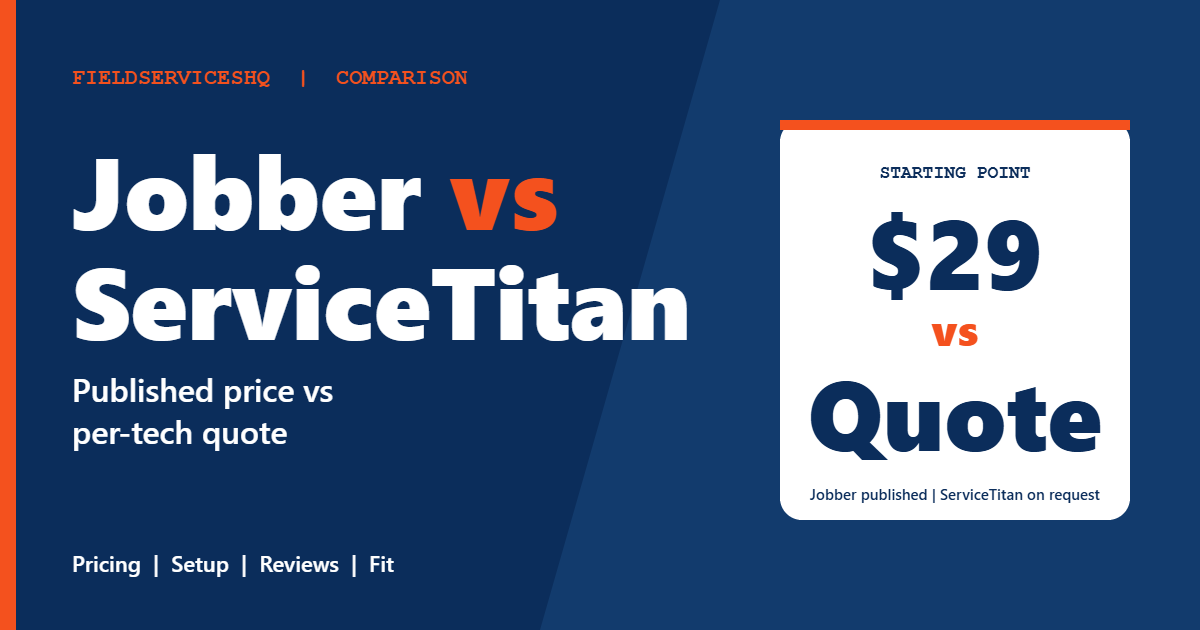
| Pricing | Published tiers, from $29 per month billed annually | Per technician, request pricing only |
| Plan names | Core, Connect, Grow, Plus | Starter, Essentials, The Works |
| Free trial | 14 days, full Grow access, no card | Demo-based, no standard trial |
| Onboarding fee | Not listed on its pricing page | Not published, third-party reports range widely |
| G2 ease of setup | 8.9 out of 10 | 6.7 out of 10 |
| G2 quality of support | 9.1 out of 10 | 7.7 out of 10 |
| G2 meets requirements | 8.6 out of 10 | 8.7 out of 10 |
| Strongest area | Speed, simplicity, mobile app | Dispatch depth, pricebook, reporting, marketing tie-in |
What each product is actually built to do
Jobber describes itself as software for service businesses that want quoting, scheduling, invoicing and payments in one place. Its own comparison page lists 18 industries, from HVAC and plumbing to lawn care, cleaning, pest control and window cleaning. That breadth is the clue: Jobber is a general-purpose system that bends to many trades instead of going deep on one.
ServiceTitan goes the other way. Its features page centers on dispatching and optimized routing, a maintained pricebook, memberships, call booking with call recording, real-time KPI dashboards, payroll with commission tracking, customer financing, marketing tools and an open API. It lists residential trades such as HVAC, plumbing, electrical, roofing, garage door, septic and pest control, plus commercial work like mechanical, refrigeration, fire and life safety and dock and door.
Put simply, Jobber asks, “How do we get this crew running smoothly?” ServiceTitan asks, “How do we run a department of dispatchers, CSRs, estimators and technicians as one revenue machine?” Those are different questions, and which one you are asking decides most of the outcome. If you want the full picture of the first product, our Jobber review and the Jobber overview cover it in depth.
Pricing: published numbers vs a quote
This is where the Jobber or ServiceTitan decision usually starts, so it deserves a careful look.
What Jobber publishes
Jobber’s pricing page lists three billing options for every plan: no commitment, a one-year commitment, and billed annually. The ranges below use the one-year and annual columns.
| Plan | Users included | Per month, 1-year commitment | Per month, billed annually |
|---|---|---|---|
| Core | 1 | $39 | $29 |
| Connect | 1 | $119 | $99 |
| Connect | 5 | $169 | $149 |
| Connect | 10 | $259 | $229 |
| Grow | 5 | $259 | $229 |
| Grow | 15 | $429 | $399 |
| Plus | 5 | $439 | $399 |
| Plus | 15 | $599 | $529 |
Extra users are $29 per month each on every plan. Card payments run 2.9% plus 30 cents, Tap to Pay 2.7% plus 30 cents, and ACH bank payments 1%. Optional add-ons include the Receptionist at $29 per month, Pipeline at $49 and the Marketing Suite at $99. The page lists white glove onboarding with a stated $599 value for unlimited sessions, but it does not list a mandatory onboarding fee.
What ServiceTitan publishes
ServiceTitan’s pricing page shows three packages, Starter, Essentials and The Works, and every one routes to “Request Pricing.” The page describes the model as per technician and gives no rates. It also does not state onboarding fees or contract terms. Add-ons such as Marketing Pro, Dispatch Pro, Fleet Pro, Pricebook Pro, Scheduling Pro and a Contact Center product are listed without prices.
Because the vendor does not publish a figure, anything you read elsewhere is an estimate. Third-party roundups commonly cite roughly $245 to $500 per technician per month, with a 12-month minimum contract and a one-time implementation fee reported anywhere from $5,000 to $50,000. Treat those as directional, not official. Your own quote can land above or below them, and the only reliable number is the one in writing.
Year-one cost, side by side
Using Jobber’s published prices and the third-party ServiceTitan range above, here is what the first year looks like for three team sizes. The ServiceTitan figures count technicians only, before add-ons and before implementation, so they are a floor, not a quote.
| Team | Jobber plan | Jobber year one | ServiceTitan software only (estimate) |
|---|---|---|---|
| 5 users | Connect, 5 users at $169 | $2,028 | $14,700 to $30,000 |
| 5 users | Grow, 5 users at $259 | $3,108 | $14,700 to $30,000 |
| 10 users | Plus, 10 users at $499 | $5,988 | $29,400 to $60,000 |
The ServiceTitan numbers come from 245 and 500 dollars multiplied by headcount and 12 months. They exclude the implementation fee and add-ons, both of which push the real first-year total higher. They also compare technicians to users, and Jobber’s user count includes office staff while ServiceTitan’s count may not, so the gap is real but not perfectly apples to apples.
The point is not that cheaper always wins. A company running 25 trucks and 4 dispatchers can earn back a large software bill if it improves close rates and average tickets. The point is that the two price structures reward different companies. Jobber stays gentle as you add people. ServiceTitan expects a business that already has the volume to justify the spend.
Features that matter in daily work
Scheduling and dispatch
Jobber gives you a drag-and-drop calendar, recurring jobs, route optimization and GPS tracking, and its Plus tier adds crew scheduling. For crews that plan their day the night before and adjust a few jobs, that is enough. ServiceTitan treats dispatch as its own discipline, with a dispatch board, optimized routing, a scheduling assistant and Pro versions of dispatch and scheduling for teams that want automation on top. When you have multiple dispatchers moving techs around in real time against capacity, ServiceTitan is the deeper tool. If you want to understand what that depth involves, our explainer on dispatch in field service walks through it.
Quoting, pricebook and selling
Jobber builds quotes with line items, optional upsells and, from Grow, richer quotes with reviews. ServiceTitan builds quoting around a maintained pricebook with client-specific pricing, mobile estimates and customer financing. For a company that sells equipment replacements and wants a technician to present good, better and best options with financing from a tablet, ServiceTitan is built around that motion. Jobber covers the basics well and supports financing on its side, but the pricebook discipline is lighter.
Memberships and recurring revenue
ServiceTitan’s customizable memberships sit in The Works package. Jobber handles recurring jobs and recurring billing across its plans, which suits lawn care, cleaning and maintenance routes well, but it is not a dedicated membership program engine in the way an HVAC maintenance club needs.
Call handling and marketing
ServiceTitan includes call booking, call tracking and recording, and sells marketing tools and a contact center product separately. Jobber leans on an AI Receptionist add-on, a Marketing Suite add-on, a website builder and Google profile tools. According to Jobber’s own comparison page, a website builder and Google profile management are included on its side, while ServiceTitan lists listings management as an add-on. That claim comes from Jobber, so verify it against what ServiceTitan quotes you.
Reporting
Jobber includes built-in reports and adds custom reports on Plus. ServiceTitan’s real-time KPI dashboards and work-in-progress reporting are a headline feature, and The Works includes advanced reporting. If your owner wants revenue per technician, close rate and marketing cost per lead on a screen every morning, this is a genuine advantage for ServiceTitan.
Payroll and commissions
ServiceTitan offers payroll tools and automated commission tracking, with the fuller configurable version in The Works. Jobber integrates with payroll providers such as Gusto through its marketplace instead of running payroll itself.
Mobile app
Jobber’s own comparison page cites mobile app ratings of 4.8 on iOS and 4.4 on Android for Jobber, against 3.5 and 3.2 for ServiceTitan. Those are the vendor’s cited figures, so check the current store ratings before you rely on them. Still, the direction matches what review sites say about field simplicity.
What reviewers say on G2 and Capterra
G2’s side-by-side data is the cleanest public signal. Jobber holds 4.6 out of 5 across 526 reviews and ServiceTitan 4.4 across 375. The category scores are more useful than the overall number.
| G2 category | Jobber | ServiceTitan |
|---|---|---|
| Meets requirements | 8.6 | 8.7 |
| Ease of use | 9.0 | 8.3 |
| Ease of setup | 8.9 | 6.7 |
| Ease of admin | 9.1 | 8.0 |
| Quality of support | 9.1 | 7.7 |
| Good business partner | 9.2 | 8.6 |
| Product direction | 8.9 | 8.9 |
Read the pattern. ServiceTitan edges Jobber on meeting requirements, which fits a product with more modules. Jobber wins by a wide margin on setup, support and admin. The 2.2 point gap on setup is the biggest number in the table, and it matches the common reviewer theme of a steep learning curve and complex onboarding at ServiceTitan. G2 also notes that ServiceTitan reviews on support are mixed, with some praising customer success managers and others describing inconsistent help.
Capterra tells a similar story. Jobber’s comparison page cites Capterra ease of use at 4.6 for Jobber and 4.1 for ServiceTitan. For a wider look at how we weigh review data across vendors, see our reviews hub.
Setup, onboarding and time to first invoice
Jobber claims about 50 minutes to set up, many customers running within two hours, and data migration typically finished in 3 to 5 business days, with a switch to full use in around 10 business days. Jobber also lists no onboarding fee. Those are vendor claims, but the G2 setup score of 8.9 supports the general picture.
Jobber’s page describes a 12 to 16 week implementation for ServiceTitan. That is Jobber’s characterization of a competitor, so treat it as a competitor’s claim. Third-party reviews do describe multi-month rollouts, and some report delays longer than that. The practical advice holds either way: if you buy ServiceTitan, assign one owner inside your company to run the project, because the work is configuration of a pricebook, call flows, job types, memberships and reporting, not just importing customers.
Which trades fit which product
Jobber works across a wide spread of home service trades, and it is a natural fit for lawn care, cleaning, pest control, landscaping, window cleaning, pressure washing and handyman work, where the job is a repeatable visit and the office is small. It also serves HVAC, plumbing and electrical contractors who are not yet running the volume that justifies a heavier system.
ServiceTitan’s roots are in HVAC, plumbing and electrical, and its depth in call booking, pricebooks, memberships and financing is tuned to those trades. If you are in one of them, run a real dispatch desk and sell replacement equipment or repiping jobs, you are inside ServiceTitan’s design center. If you run lawn routes or cleaning crews, you are paying for a lot you will not use.
When moving from Jobber to ServiceTitan makes sense
Plenty of businesses start on Jobber and later outgrow it. The signals are usually operational, not emotional:
- You have more than one dispatcher and the shared calendar has become the bottleneck.
- You sell equipment replacements and need a pricebook, financing and good, better, best options on every estimate.
- You want call recording, booking-to-job reporting and marketing cost per lead tied together.
- Your owner needs live KPI dashboards by technician, not monthly exports.
- You run commercial service agreements and memberships at volume.
If two or more of these are true today, ask ServiceTitan for a written quote. If none are true, the extra cost and setup effort are unlikely to pay back. Owners who want to understand what unseen revenue loss looks like before spending can run the revenue leak calculator.
Alternatives worth a look
If neither fits, a few other systems sit between them. Housecall Pro is the most common head-to-head for small crews, and we compare it to Jobber in detail. Simpro targets trade contractors with project and job costing needs. FieldPulse is another mid-market option. Our ranked best field service management software guide lays out the wider field.
How to decide in 15 minutes
- Count users, including office staff, and compare them to Jobber’s published tiers.
- Ask ServiceTitan for a written quote that itemizes the per-technician rate, the implementation fee, every add-on and the contract length.
- List the three workflows that make you money and check each one in both systems.
- Open each product’s G2 reviews and filter for companies at your size.
- Decide who inside your company owns setup, because that choice predicts success better than the software does.
FAQs
Is Jobber or ServiceTitan better for a small business?
Jobber is the better fit for most small businesses. It publishes its prices, offers a 14-day free trial, and G2 reviewers rate its setup at 8.9 out of 10 versus 6.7 for ServiceTitan. ServiceTitan is designed for larger operations with dedicated office staff.
How much does ServiceTitan cost compared to Jobber?
Jobber publishes prices from $29 per month billed annually for one user, and team plans from $99 per month. ServiceTitan does not publish prices and charges per technician. Third-party estimates run from roughly $245 to $500 per technician per month, plus an implementation fee, so confirm with a written quote.
Does ServiceTitan have a free trial?
Jobber’s comparison page says ServiceTitan offers demo-only access with no standard free trial. Jobber offers 14 days with full Grow plan access and no credit card required.
Is ServiceTitan worth it for a 5 truck HVAC company?
Often not, because per-technician pricing, implementation and a multi-month rollout can outweigh the benefit at that size. It can be worth it if you already have a dispatcher, sell equipment replacements and need pricebook and financing tools. Get a written quote and compare it to Jobber’s published cost first.
Can Jobber handle HVAC, plumbing and electrical work?
Yes. Jobber lists HVAC, plumbing and electrical among its 18 industries and handles quoting, scheduling, invoicing and payments. It is a general-purpose tool, so it lacks the deep pricebook and membership engine ServiceTitan builds for those trades.
Which has better reviews, Jobber or ServiceTitan?
On G2, Jobber holds 4.6 out of 5 from 526 reviews and ServiceTitan holds 4.4 from 375 reviews. Jobber leads on ease of use, setup, admin and support. ServiceTitan scores slightly higher on meets requirements, 8.7 versus 8.6.
How long does it take to set up each system?
Jobber says setup takes about 50 minutes and that data migration is typically done in 3 to 5 business days. Jobber’s comparison page cites a 12 to 16 week implementation for ServiceTitan, which is a competitor’s claim, but multi-month rollouts are widely described in reviews.
Does ServiceTitan require a long contract?
ServiceTitan’s pricing page does not state contract terms. Third-party sources commonly report a 12-month minimum. Ask for the exact term, renewal rules and cancellation language in writing before you sign.
Does Jobber work with QuickBooks?
Yes. Jobber lists QuickBooks Online sync starting on its Connect plan. ServiceTitan lists a QuickBooks export and accounting integrations including Sage Intacct. Check which QuickBooks version you use, since support differs between Online and Desktop.
When should I switch from Jobber to ServiceTitan?
Switch when the calendar becomes a bottleneck, you need a pricebook and financing for equipment sales, you want call tracking tied to booked revenue, or you need live KPI dashboards. Many contractors weigh this around 15 to 25 trucks.
What is the best alternative to both?
It depends on size and trade. Housecall Pro is the closest rival to Jobber for small crews, while Simpro and FieldPulse suit contractors who need more job costing or mid-market depth. See our best field service management software guide for the full ranking.
Sources
- Jobber pricing
- Jobber vs ServiceTitan comparison (vendor)
- ServiceTitan pricing
- ServiceTitan features
- G2 Jobber vs ServiceTitan