Simpro vs BuildOps: Mixed-Trade Flexibility or Commercial Specialist?
Simpro and BuildOps both target contractors whose work goes beyond a single service call: maintenance contracts, multi-visit jobs, projects with costs to track by phase. They overlap enough that a commercial HVAC, plumbing or electrical firm may well evaluate both. They differ in who they are built for and in how much of the picture you can see before you talk to sales.
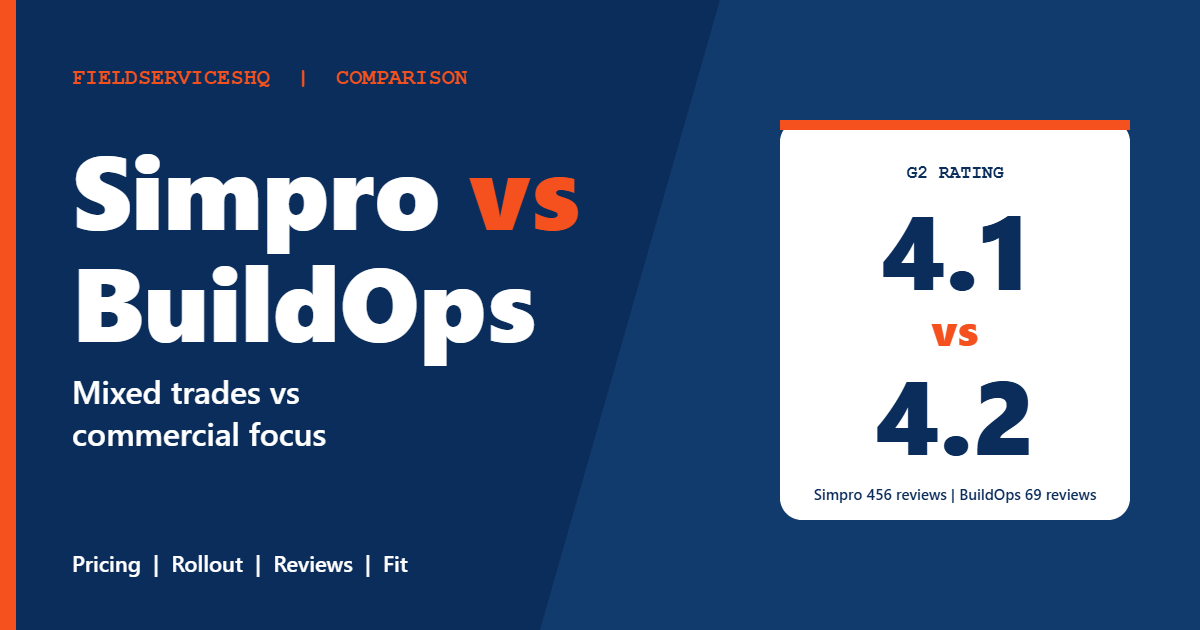
BuildOps describes itself as purpose-built for commercial contractors, with service-only and service-plus-projects configurations. Simpro serves a wider mix of trades and sizes, from about five to 200 staff, with tiers that add digital forms and automated data feeds. On G2 they sit close together: 4.2 from 69 reviews for BuildOps and 4.1 from 456 for Simpro. This guide covers what each vendor publishes, how the category scores compare, what reviewers criticize and which type of business each tends to suit.
Simpro vs BuildOps at a glance
| Factor | Simpro | BuildOps |
|---|---|---|
| Pricing | Quote only, per user | Quote only, per field and office user |
| Published prices | None | None |
| Free trial | None listed | None stated |
| G2 rating | 4.1 (456 reviews) | 4.2 (69 reviews) |
| Time to implement (G2) | About 6 months | About 6 months |
| Return on investment (G2) | About 6 months | About 6 months |
| Typical focus | Service, project and maintenance trades, 5 to 200 staff | Commercial HVAC, plumbing, electrical, fire and refrigeration contractors |
| Subcontractor licenses | Not stated | Subcontractors do not need their own licenses |
| Accounting integrations | QuickBooks, Xero, Sage, NetSuite, MYOB | NetSuite, QuickBooks, Sage Intacct, Viewpoint Vista and Spectrum |
| Onboarding | Custom training, 24/6 live support | Included with every plan |
What each vendor publishes
BuildOps
The BuildOps pricing page lists no prices. It says pricing is custom and depends on crew size, trades and needs, with cost based on the number of field and office users and the plan and features included. It states there are no hidden platform fees but gives no figures.
The structure is clearer than the cost. Core features on all plans cover dispatching, scheduling, quoting, invoicing, reporting and mobile access. A service-only configuration adds maintenance agreements. A service-plus-projects configuration adds submittals, RFIs, change orders, daily reports and job costing, and customers can start with one and add the other later. Add-on modules are Fleet+, Payments+ and CRM+, with no prices listed, and the page describes built-in AI agents for daily recaps and risk alerts. Subcontractors do not need their own licenses, because project managers and accounting staff handle subcontract workflows from existing seats.
The page does not state contract length, billing frequency or cancellation terms. Implementation and onboarding support is included, but it does not say whether setup fees apply. BuildOps says it serves commercial contractors across North America and cites more than 1,500 customers, plus claimed results such as shorter receivables times. Those results are the vendor’s own and it notes they vary by operation.
Simpro
The Simpro pricing page lists no prices, trial terms or contract lengths. Its base plan, called Simpro Premium, includes quoting and estimating, field and contractor scheduling and dispatch, real-time inventory and purchasing, invoicing, payments and accounting, job, timesheet and task management, and reporting for profit and loss, technician activity, stock value and work in progress. Higher tiers add digital forms and automated data feeds. Add-ons include fleet tracking, Takeoffs, Maintenance Planner, SMS, VoIP, IoT and Digital Forms. The vendor offers custom training and implementation and 24/6 live support, and lists accounting integrations for QuickBooks, Xero, Sage, NetSuite and MYOB, plus an open API.
The cost question
Neither vendor gives a rate. G2 rates both at its highest perceived-cost level, with an average discount of 6 percent reported for BuildOps and 10 percent for Simpro. Those discount figures are small samples and not a promise.
The cost drivers are visible even without numbers. For BuildOps, the number of field and office users and the plan matter, and add-ons such as Fleet+, Payments+ and CRM+ are priced separately. For Simpro, the number of users, the tier (forms or data feeds) and add-ons such as GPS and SMS matter. Outside reviews call BuildOps expensive relative to alternatives and mention annual contracts and implementation effort. Treat these as a prompt to ask about term and renewal, not as established fact.
Because both report about six months to implement, the real cost includes months of reduced productivity during rollout. Ask each vendor who does the data migration, how many hours of training are included and what happens if go-live slips.
Features compared
Dispatch and scheduling
Both include dispatch and scheduling in their base offering. BuildOps highlights multi-day and commercial work, and Simpro covers field and contractor scheduling. Ask to see a multi-day job with several technicians and a subcontractor.
Maintenance agreements
BuildOps lists maintenance agreements in its service configuration. Simpro offers a Maintenance Planner add-on. Compare how each generates recurring visits, invoices and renewals.
Projects and job costing
BuildOps adds submittals, RFIs, change orders, daily reports and job costing in its service-plus-projects configuration. Simpro includes job and task management and work-in-progress reporting, and one outside comparison says to choose Simpro when project costing and profitability by phase matter equally to service. Test both with a real project: a quoted job with change orders, materials and labor.
Inventory
Simpro lists real-time inventory and purchasing in its base plan, which suits contractors that carry stock. We did not find BuildOps inventory detail on its pricing page, so ask for van stock, purchase orders and supplier handling.
Forms and automation
Simpro’s mid tier adds a form builder, and the top tier adds automated extraction from email attachments and files. BuildOps promotes built-in AI agents. Ask what each automates today and what is on a roadmap.
Accounting
BuildOps lists NetSuite, QuickBooks, Sage Intacct, Viewpoint Vista and Spectrum. Simpro lists QuickBooks, Xero, Sage, NetSuite and MYOB. If you run a construction ERP, check Viewpoint support carefully, and if you use Xero or MYOB, Simpro is the one that lists them.
What reviewers say
G2’s side-by-side page gives these scores, with response counts in brackets.
| Category | BuildOps | Simpro |
|---|---|---|
| Meets requirements | 7.7 (51) | 7.9 (402) |
| Ease of use | 7.8 (136) | 7.7 (410) |
| Ease of setup | 6.8 (126) | 6.6 (296) |
| Ease of admin | 7.8 (30) | 7.6 (242) |
| Quality of support | 8.1 (50) | 7.7 (392) |
| Good business partner | 8.4 (31) | 7.9 (239) |
| Product direction | 8.0 (46) | 8.1 (372) |
The scores are close. BuildOps leads on support and partner scores, and Simpro leads slightly on requirements and direction. Both score low on setup compared with simpler tools, which fits the six-month implementation figure.
BuildOps reviewers cite ease of use (21 tags), customer support (16), improvement needed (13) and learning curve (9). Their strengths include features, centralization and efficiency, and their trade-offs include update issues and limited customization. Simpro reviewers cite ease of use (8), data management (5), complexity (4) and complex setup (3), and recent reviews mention cost and licensing complexity.
Review volume differs sharply. Simpro has 456 G2 reviews and BuildOps 69, so BuildOps’ rating is a less stable estimate. G2 lists small business as the largest segment for both, which is notable for a platform that markets to mid-market and enterprise commercial contractors.
Which one fits which business
BuildOps tends to fit when
- Your revenue is mostly commercial service, maintenance agreements and project work.
- You want a service-only start with the option to add projects later.
- You use NetSuite, Sage Intacct or Viewpoint and want the integration listed.
Simpro tends to fit when
- You mix residential, commercial, service and project work across trades.
- You carry inventory and want real-time stock and purchasing in the base plan.
- You use Xero or MYOB, or need an open API and a wide integration list.
Three examples
A forty-technician commercial mechanical contractor with agreements and projects. Shortlist BuildOps and ask for the service-plus-projects configuration quote. Compare against ServiceTitan vs BuildOps before deciding.
A twenty-person contractor doing residential service and light commercial fit-out. Simpro’s mixed audience fits better. Ask for a written implementation plan.
A ten-person electrical company with growing commercial work. Both may be heavy. Get quotes, but also check whether the complexity is justified at your size.
A practical evaluation plan
- Split your revenue into residential, commercial service, agreements and projects.
- Request written, itemized quotes with users, plan, add-ons, onboarding and term.
- Ask about implementation timeline, data migration and the training hours included.
- Run one project with change orders through each demo, and one maintenance agreement renewal.
- Confirm your accounting system integration in a live sync, not a slide.
- Speak to a reference of your size and trade at each vendor.
For related reading, see ServiceTitan vs Simpro, Simpro vs Commusoft and ServiceTitan vs Salesforce Field Service.
Mistakes to avoid
Do not rely on the rating alone. BuildOps’ 4.2 comes from 69 reviews and Simpro’s 4.1 from 456.
Do not assume the base plan includes projects. BuildOps separates service-only from service-plus-projects.
Do not budget only for the subscription. Implementation and training can be a large part of year one.
Do not skip contract terms. Neither pricing page states them.
Simpro vs BuildOps FAQ
Is Simpro or BuildOps cheaper?
Neither publishes prices, so you need written quotes for the same scenario. Both are rated at the top of G2’s perceived-cost scale.
Is BuildOps only for commercial contractors?
It describes itself as purpose-built for commercial contractors across HVAC, plumbing, electrical, fire and life safety and refrigeration.
Does Simpro work for commercial contractors?
Yes. Simpro serves service, project and maintenance trades, and its testimonials include electrical and general contracting firms. It also serves residential work.
How long does implementation take?
G2 shows about six months for both. Ask each vendor for a dated plan for your size.
Which has better support?
BuildOps scores 8.1 for quality of support on G2 and Simpro 7.7. BuildOps support consistency is also a recurring complaint in outside reviews, so ask about escalation.
Do both include job costing?
BuildOps includes it in the service-plus-projects configuration. Simpro covers job management and work-in-progress reporting in its base plan. Test both with a real job.
Do they integrate with accounting systems?
Yes. BuildOps lists NetSuite, QuickBooks, Sage Intacct and Viewpoint. Simpro lists QuickBooks, Xero, Sage, NetSuite and MYOB.
Which is better for a small company?
Both are heavier than simple scheduling tools. If you have fewer than ten technicians, check whether a lighter system would cover your needs before paying for either.
The bottom line
BuildOps is the specialist for commercial contractors and offers a clear service-versus-projects structure. Simpro is the broader, older platform with a much bigger review base and a wider integration list. Their scores are close, their prices are hidden and their rollouts are long, so the decision rests on your work mix, your accounting stack and what the written quotes say. Get both quotes in writing, ask for a dated implementation plan and speak to a reference before you commit.
Sources: BuildOps pricing, Simpro pricing, G2 comparison of BuildOps and Simpro.