Service Autopilot Hub: Everything You Need to Know About Service Autopilot
Quick Answer
Service Autopilot is a field service management (FSM) platform built for lawn care, landscaping, snow removal, and cleaning businesses that manage large volumes of recurring residential accounts. It combines scheduling, route optimization, CRM, invoicing, and marketing automation in one system, and it’s owned by Xplor. It is not designed for HVAC, plumbing, electrical, or general construction trades.
If you own a lawn care company, landscaping business, snow removal service or residential cleaning company, you might have come across the name Service Autopilot in a Facebook group, at a trade association conference, or in a Google search for “field service software.” This is a hub page I keep up to date with all of the research, testing, and reviews I’ve done on Service Autopilot; meant to save you time by consolidating all my findings in one place.

I’ve spent over ten years helping field service contractors with their business software and have learned that most people who research Service Autopilot do so with one of these five questions in mind: Is it worth the money? How much does it cost? How does it compare to Jobber or Real Green? Is it right for my type of business? And will it be easy to implement?
This page serves as a sort of directory to the information I’ve compiled on Service Autopilot. You’ll find brief answers to these common questions, along with links to my full reviews and comparisons, including a detailed cost breakdown and side-by-side comparisons of similar field service management softwares. Think of this page as a launching point and if you’d like to learn more about Service Autopilot, click on any link or keep reading below!
Key Takeaways
- Service Autopilot is a field service management platform built for recurring-service businesses: lawn care, landscaping, snow removal, pest control, and residential cleaning.
- It is owned by Xplor and was originally founded in 2009.
- Pricing is tiered and can include a base subscription plus add-on costs; exact rates aren’t always published, so a live quote is the most reliable way to confirm current pricing.
- Its strongest features are recurring billing, route optimization, CRM, and marketing automation, including automated email/text drip and win-back campaigns.
- Pest control companies benefit from built-in chemical and asset tracking that supports state compliance recordkeeping.
- It is not designed for HVAC, plumbing, electrical, or general contracting trades, which typically need stronger project-based estimating and job costing.
- Common alternatives worth comparing include Jobber, Real Green Systems, FieldRoutes, LMN, and Yardbook, depending on your trade and business size.
- Setup and migration can take several weeks to a couple of months, and cleaning up your data before migration makes onboarding smoother.
Explore Service Autopilot
Use this section to jump straight to the topic you need:
- Service Autopilot Review
- Service Autopilot Pricing
- Service Autopilot Alternatives
- Service Autopilot Features
- Service Autopilot by Industry
- Service Autopilot Setup and Migration
- Service Autopilot Integrations
- Service Autopilot Resources
- FAQ
Service Autopilot Review
Short answer: Service Autopilot is a great choice for lawn care, landscaping, and snow removal companies with $500K to $5M+ in yearly revenue who are managing hundreds of recurring accounts and outgrowing a basic scheduling app. It isn’t designed for solo operators or those in the verticals beyond its core focus areas.
Service Autopilot was founded in 2009 and acquired by Xplor, the parent company of FieldEdge, Booker, and other vertical SaaS companies. In comparison to the competition, it has one of the most feature-dense reputation in the green industry niche, particularly surrounding marketing automation, recurring billing, and chemical application tracking for pest control or lawn treatment companies.
In my experience in reviewing FSM platforms, the companies that benefit most from Service Autopilot are those with more established process and looking to automate their service delivery; companies at earlier stages often find the onboarding to be overwhelming due to the software’s extensive functionality.
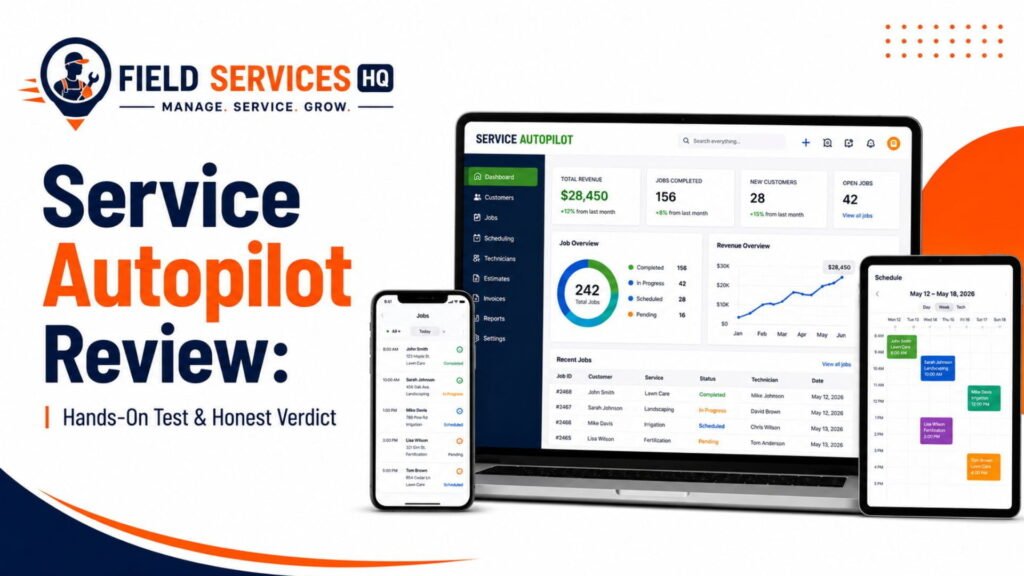
For an in-depth discussion of Service Autopilot’s features, as well as our thoughts on its’ strengths’, weaknesses, and overall review and feedback, check out our full Service Autopilot review.
Service Autopilot Pricing
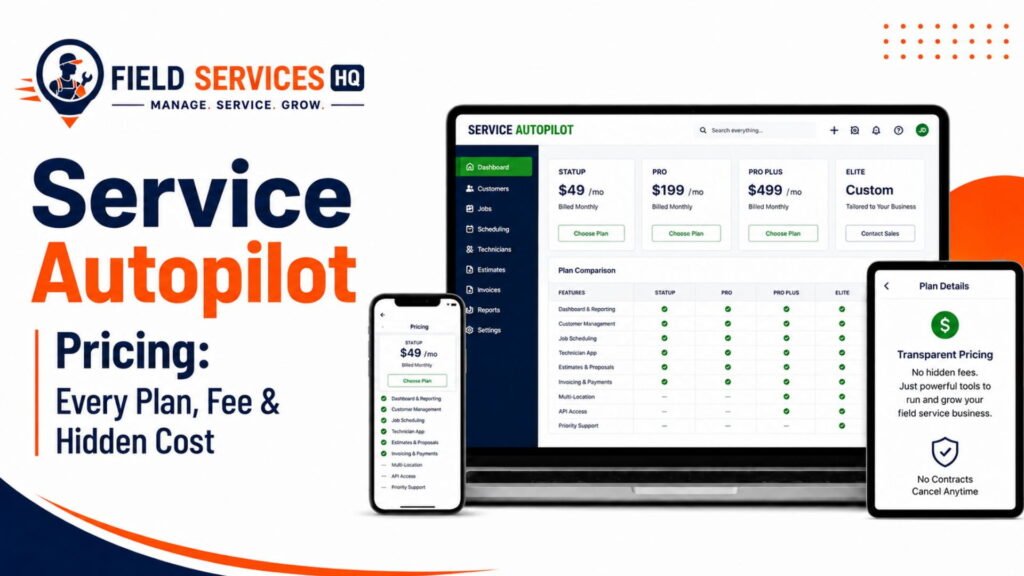
Short answer: Service Autopilot software pricing has traditionally consisted of a subscription-based fee (usually somewhere in the ballpark of roughly $49 to $199 per month on entry-level plans) with additional fees depending on features, users, or company size, although some sources point to flat, unlimited user plans on higher tiers. Because software as a service is a volatile market and Service Autopilot sometimes keeps its pricing private, the only reliable way to get an exact figure for your company is to request a callback.
What we can say for certain is the following:
- Pricing is typically done on a per-plan level (startup, pro, pro plus, elite) and not as a flat-rate for everyone
- Additional features, add-ons, and modules (marketing automation, extra user seats, etc.) will increase the price per month
- Setup, migrations, and training can potentially have additional one-time costs, depending on how much historical information needs to be ported over into the system
- Annual billing is common for Field Service Management software and can bring down the price per month
Before requesting a demo, it’s important to have a general idea of how much you’re likely to spend in terms of Software as a Service: a rough calculation based on how much you pay for other software, employee count (technicians + management), and average job value can give you a good baseline to work with. Our field service software cost calculator is a great tool for estimating your budget in this stage.
For a deep dive on Service Autopilot’s pricing structure and how it compares to the competition on a per-technician-and-month basis, check out our Service Autopilot pricing.
Service Autopilot Alternatives
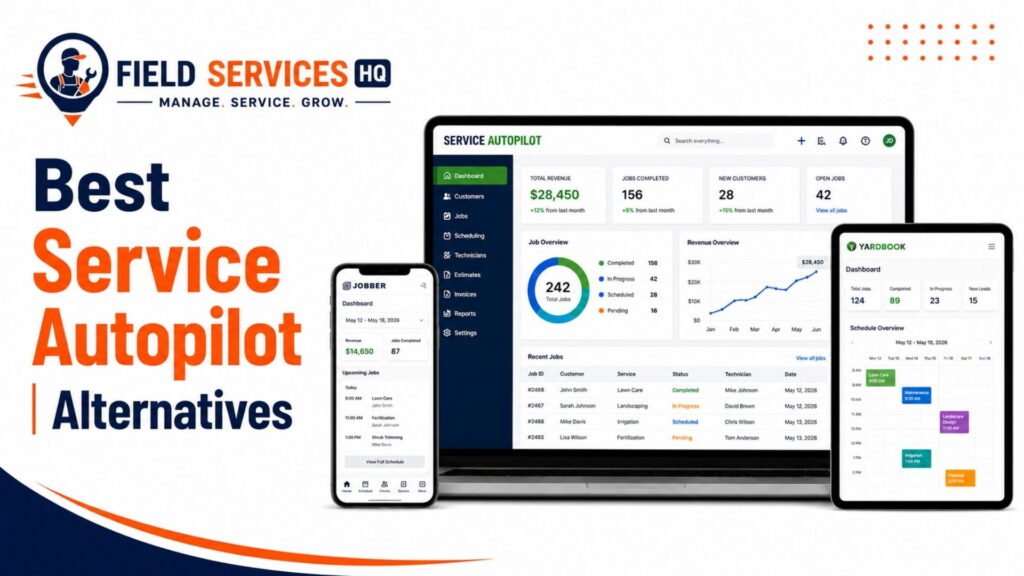
Short answer: The main competitors of Service Autopilot are Jobber, Real Green Systems, FieldRoutes, LMN, and Yardbook, with the general consensus being that they’re all built to serve slightly different markets within the lawn care and field service management space.
There is no software that can serve every company’s needs, and Service Autopilot is no different. Here’s an overview of the main competitors and how they compare to Service Autopilot:
| Software | Best Fit | How It Differs From Service Autopilot |
|---|---|---|
| Jobber | Small to mid-size home service businesses across multiple trades | Simpler interface, broader trade support, less marketing automation depth |
| Real Green Systems | Established lawn care and pest control companies | Deeper chemical tracking and route density tools, steeper learning curve |
| FieldRoutes | Pest control and lawn care companies scaling rapidly | Stronger call center and lead-routing tools for high call volume operations |
| LMN | Landscaping and design-build companies | Built around job costing and estimating rather than recurring service billing |
| Yardbook | Solo operators and very small lawn care crews | Free or low-cost entry tier, far less automation and reporting depth |
If you’re actively comparing options, our Service Autopilot alternatives guide walks through each competitor in more depth, including who should choose which platform based on crew size, trade, and growth stage.
Service Autopilot Features
Service Autopilot compiles a variety of operational functions into one suite. Here’s a snapshot of the major areas, with links to our more detailed explorations of each.
Route Scheduling and Dispatching
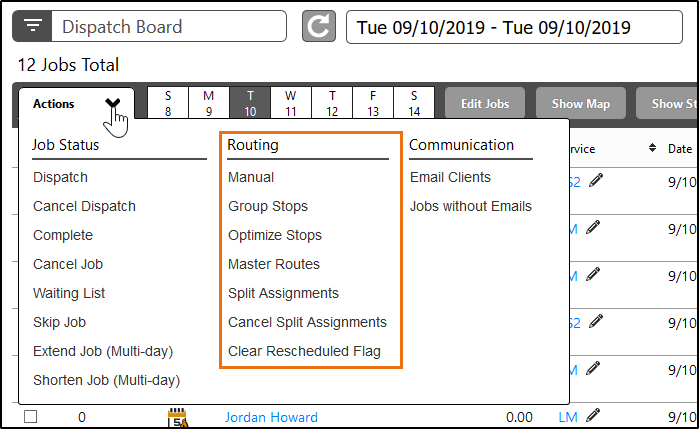
Service Autopilot’s scheduling module accommodates recurring cadences (weekly, biweekly, monthly), drag-and-drop calendar management, and route optimization features that cut down on time between stops. For lawn care and landscaping crews with dozens of stops per day, this has a direct effect on fuel cost and labor hours. Read more in our guide to route optimization software for field service.
CRM and Customer Management
The CRM module tracks customer history, service agreements, lead status, and communication logs in one record for each client. Service Autopilot’s CRM tools are generally more developed than those found in lighter scheduling applications, which is an important consideration for businesses that rely heavily on repeat and referral business. See our guide to CRM for field service businesses for a closer look at what sets them apart.
Invoicing and Payments
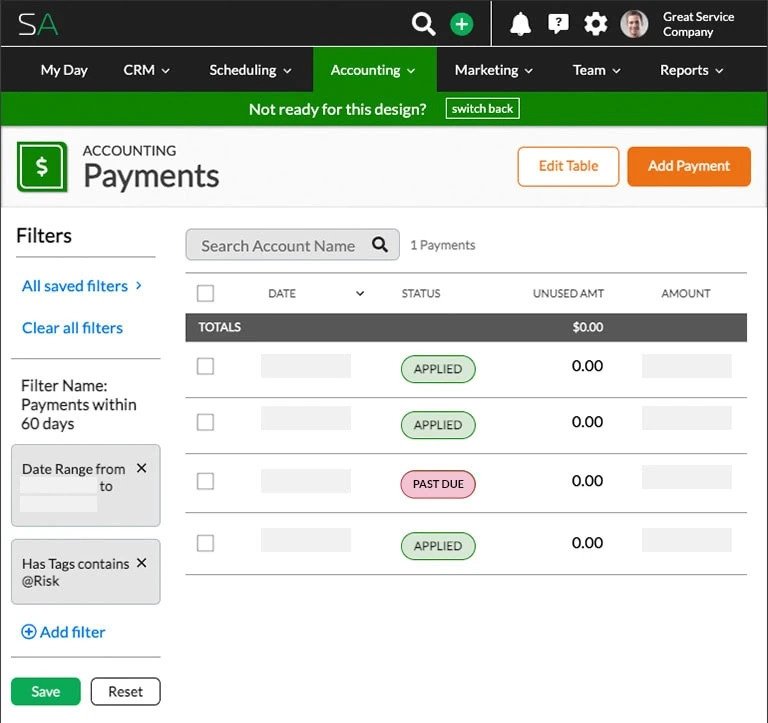
The platform supports automated invoicing, credit card automatic charging for recurring accounts, and a two-way QuickBooks sync so office staff aren’t re-typing financial data by hand. For businesses billing hundreds of recurring accounts monthly, this has the effect of reducing office staff administrative load and accelerating collections processes.
Marketing Automation
This is one of Service Autopilot’s differentiating areas. The platform includes automated email/text drip campaigns, win-back routines for lapsed customers, and review request automation. Businesses evaluating marketing automation as a growth lever should also evaluate our guide to contractor marketing and lead generation for a look beyond features to the role of marketing automation in a field service business.
Reporting and Profitability
Dashboards and reporting cover job costing, technician productivity, and revenue by service type. In my experience, reporting is one of the areas businesses love or hate with a field service management platform based on their level of need. If a report isn’t answering the question you actually need answered, it doesn’t matter how many dashboards the platform has. We have more to say on this tradeoff in our field service reporting and analytics guide.
Mobile App
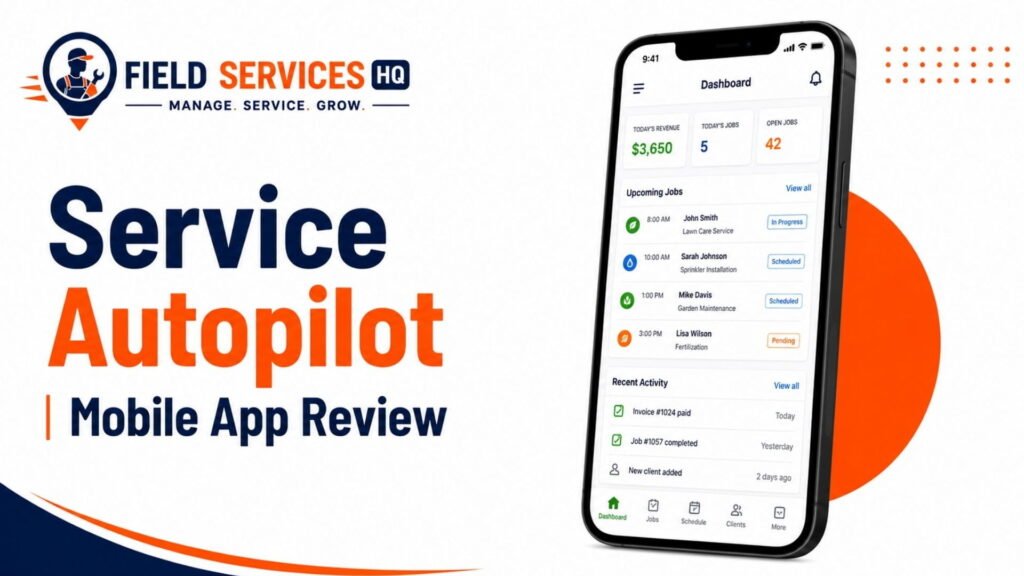
The mobile app supports viewing schedules, updating job status, taking photos, logging time and materials, and communicating with the office. Some third-party reviews note that the technician-facing mobile experience feels less modern than newer, mobile-first competitors, so this is a point worth testing with your own crew.
For a complete features walkthrough with our testing notes, visit the Service Autopilot review.
Service Autopilot by Industry
Service Autopilot was built around a certain set of recurring-service trades. Here’s how it fits (or doesn’t fit) each one.
Lawn Care
Lawn care is Service Autopilot’s forte. Recurring visit scheduling, route density optimization, and automated seasonal billing are all baked into the platform with lawn care operations in mind. This is generally considered the platform’s best industry fit.
Landscape Maintenance
For landscape maintenance companies that do both recurring maintenance contracts and one-off installation or design/build projects, Service Autopilot’s ability to handle recurring visits is a strong fit but may benefit from pairing with a dedicated job-costing tool like LMN for more complex installation projects. Our landscaping business software guide dives into this tradeoff.
Snow Removal
Snow removal has unique scheduling needs, such as event-based dispatch which is dictated by weather rather than a fixed calendar. Service Autopilot has seasonal route adjustment tools built to work with this type of on-demand dispatching model.
Irrigation
Irrigation companies that also operate lawn care or landscaping divisions can use Service Autopilot’s service agreement and recurring billing tools to manage seasonal startup, mid-season check-ins, and winterization visits to clients under one record.
Pest Control
Pest control services are a good second option given Service Autopilot’s chemical and asset tracking tools, which track product, quantity, and area applied per job. This supports state-level chemical application compliance recordkeeping, which is a necessity in most states that regulate pesticide application. Businesses in regulated trades should confirm specific state requirements with their local regulatory body, since this varies; learn more about the US Environmental Protection Agency’s pesticide regulations for background.
Service Autopilot is not recommended for HVAC, plumbing, electrical, or general contracting businesses, since these industries typically require stronger project-based job costing and permitting tools that are more purpose-built by platforms like ServiceTitan or Housecall Pro.
Service Autopilot Setup and Migration
Short answer: Setting up Service Autopilot typically involves data migration from your previous system, configuration of service plans and pricing, automation workflow set-up, and training for your office staff and technicians. This can take anywhere from a few weeks to a couple of months depending on the size of your customer base and data cleanup.
Onboarding
Most FSM platforms in this price range, Service Autopilot included, offer some form of guided onboarding or paid implementation support. In my experience, businesses have the smoothest onboarding when they clean up their customer and pricing data before migrating rather than trying to fix it while migrating. Garbage data in means garbage data out, regardless of the software’s capabilities.
Migration
If you’re coming from spreadsheets, QuickBooks-only invoicing, or a lighter scheduling tool, expect to spend real time mapping your existing customer list, service history, and pricing structure into Service Autopilot’s data model. Large customer bases with inconsistent historical records take longer to clean and migrate. Our field service software migration checklist goes through the steps most businesses miss.
Service Autopilot Integrations
Short answer: Service Autopilot integrates with QuickBooks for two-way accounting sync, as well as additional integrations for payment processing, mapping and routing tools (such as NextBillion.ai), and various marketing and communication platforms, though the exact list is updated frequently as the platform evolves.
For businesses that are running a bigger tech stack, such as a dedicated accounting system, a separate marketing platform, and an ERP for inventory and purchasing, it’s worth confirming current integration support with Service Autopilot directly before switching, since this is one of the more frequently updated aspects of any SaaS platform. If you’re evaluating how field service software should connect to your broader business systems, our guide on ERP and CRM integration for field service businesses covers the tradeoffs of syncing versus consolidating systems.
Service Autopilot Resources
Explore our full library of Service Autopilot and field service management content, organized by what you’re trying to do:
Buying Decisions
Features
- Route Optimization Software Guide
- CRM for Field Service Businesses
- Field Service Reporting and Analytics
Industries
Comparisons
Before You Book a Demo
Write down your current monthly software spend, your technician headcount, and your top three operational frustrations before your Service Autopilot demo call. Sales demos move fast, and going in with clear numbers keeps the conversation focused on whether the platform solves your actual problems, not just the features on the slide deck.
Frequently Asked Questions
What is Service Autopilot used for?
Service Autopilot is used to manage scheduling, route optimization, customer relationships, invoicing, and marketing automation for recurring-service field businesses, primarily in lawn care, landscaping, snow removal, and cleaning. It’s designed for companies managing large volumes of repeat customer visits rather than one-off project work.
Is Service Autopilot good for small businesses?
Service Autopilot can work for smaller operations, but it’s generally better suited to businesses that have already outgrown a basic scheduling app and are managing at least dozens to hundreds of recurring accounts. Very small or solo operators sometimes find the platform more feature-dense (and priced accordingly) than they need, and may be better served initially by a lighter tool.
How much does Service Autopilot cost?
Service Autopilot’s pricing is tiered and can include a base subscription fee plus additional costs for users or add-on features, though exact rates change over time and aren’t always published publicly. The most reliable way to get accurate current pricing for your business size is to request a live quote directly from Service Autopilot or review our detailed pricing breakdown.
Does Service Autopilot work for HVAC or plumbing companies?
No, Service Autopilot is not generally recommended for HVAC, plumbing, electrical, or general contracting businesses. It’s purpose-built around recurring residential service models like lawn care and cleaning, whereas trades like HVAC and plumbing typically need stronger project-based estimating, job costing, and permitting features found in platforms like ServiceTitan or Housecall Pro.
What is the difference between Service Autopilot and Jobber?
Service Autopilot generally offers deeper marketing automation and recurring billing tools built specifically for lawn care and landscaping, while Jobber offers a simpler interface with broader support across many home service trades beyond just recurring-service businesses. The right choice depends on your trade, your growth stage, and how much you rely on marketing automation versus ease of use.
Can I use Service Autopilot for free?
No, Service Autopilot does not offer a permanent free plan, and industry sources disagree on whether a free trial is currently available at all. Historically, the more common path has been a guided demo with a sales representative rather than self-serve trial access, so confirm directly with Service Autopilot whether a trial period applies to the plan you’re considering before you budget around one.
Can I make money on Service Autopilot?
Not directly through the software itself, but Service Autopilot does run a referral partner program that pays existing members an account credit when a business they refer signs an annual contract and stays active for at least 90 days. That’s a credit toward your own subscription rather than cash income, and terms and exclusions apply, so review the current referral program details on Service Autopilot’s site before counting on it as a revenue source. The bigger opportunity for “making money” with the platform comes indirectly, through automation and marketing tools that help you win back lapsed customers, reduce missed billing, and free up office hours you can redirect toward sales.
What are Service Autopilot’s app fees?
The Service Autopilot mobile app itself is included with your subscription at no separate download or licensing fee for Apple or Android devices. Where extra costs can show up is in add-on modules and processing fees, such as payment processing fees on credit card transactions, premium automation or texting features, and per-user costs on certain plan tiers, so it’s worth asking your sales rep for an itemized breakdown of what’s bundled into the base subscription versus billed separately.
How do I use Service Autopilot’s Android app?
To use the Service Autopilot Android app, download it from the Google Play Store, sign in with your existing Service Autopilot company credentials, and you’ll land on a technician-facing view of your assigned jobs for the day. From there, technicians can view their route and schedule, update job status as work is completed, capture before-and-after photos, log time and materials used, and message the office directly, all of which sync back to the main office dashboard in real time. If you’re rolling this out to a crew for the first time, it helps to run a short in-person training session on the app before their first solo route, since field staff adopt mobile tools faster when they’ve practiced the core actions (starting a job, marking it complete, adding a photo) at least once with a supervisor nearby.
Does Service Autopilot offer a free trial or demo?
Service Autopilot typically doesn’t offer an open self-serve free trial; instead, it uses a guided demo model where a sales representative walks you through the platform based on your business size and trade. If you want to see the software in action before committing, come to that call prepared with your technician count, current software costs, and specific workflow questions so the demo actually addresses your business rather than a generic feature tour.
Affiliate Disclosure: Field Services HQ may earn a commission if you purchase software through links on this page, at no additional cost to you. This does not influence our evaluation criteria, testing, ratings, or conclusions. We only recommend tools we believe can genuinely benefit field service businesses.