Cleaning Business Software: Jobber or Housecall Pro?
Both handle the core of a cleaning business: recurring visits, online booking, card-on-file billing and crew scheduling. Jobber’s cleaning page lists checklists, time tracking and batch invoicing, and it costs less at most team sizes. Housecall Pro’s cleaning page stresses ACH and tipping, Reserve with Google, and its AI call answering, but does not mention checklists. Small crews with many cleaners tend to do better on Jobber’s pricing. Teams that want built-in marketing and booking from Google should demo Housecall Pro.
A cleaning company runs on repetition. The same client every second Tuesday, the same crew, the same checklist, the same card charged on completion. Software that was designed for one-off repair calls can feel awkward for that rhythm. Jobber and Housecall Pro are the two published-price tools most small cleaning businesses shortlist, and both position themselves for cleaning. This guide looks at the questions a cleaning owner asks: how recurring visits work, how payments run, what checklists and photos look like, and what the bill looks like when you have eight part-time cleaners instead of two plumbers.
Our all-trades Jobber vs Housecall Pro comparison covers the general picture. Here we stay with cleaning.
On evidence: roundups of cleaning software disagree with each other. Some name Jobber the best pick for cleaning, others pick Housecall Pro, and several come from companies that sell competing tools. We rely on each vendor’s own cleaning and pricing pages for what a product does, note when a vendor is describing itself, and use directory ratings only for customer opinion.
Jobber vs Housecall Pro for cleaning at a glance
| Cleaning need | Jobber | Housecall Pro |
|---|---|---|
| Recurring visits | You set a cadence and Jobber creates visits automatically | One-time, weekly, biweekly or recurring visits; daily, weekly or monthly schedules with automated invoices, payments and reminders |
| Online booking | Request forms and booking links for your site and social media; requests arrive with service details and payment information | 24/7 booking for residential or commercial cleans using your pricing and availability; Reserve with Google; CSR AI to answer calls and chats |
| Card on file | Recurring clients can save a card and pay automatically | Payment at booking, saved cards charged for scheduled services, payment links, tipping, customer payment portal, ACH and digital wallets |
| Checklists | Cleaners access checklists, job details, notes and photos in the mobile app | Not mentioned on the cleaning page |
| Crew scheduling | Find a Time shows openings by team availability and drive time; reassign and notify crews and clients | Dispatch to cleaners and crews by location; color-coded calendars; mapped routes |
| Time tracking | Hours, breaks and drive time | Not described on the cleaning page |
| Batch invoicing | Invoices for multiple visits, clients or services in a few clicks | Invoice reminders and receipts sent automatically |
| Client portal | Client hub: request work, approve quotes, view visits, pay | Customer payment portal |
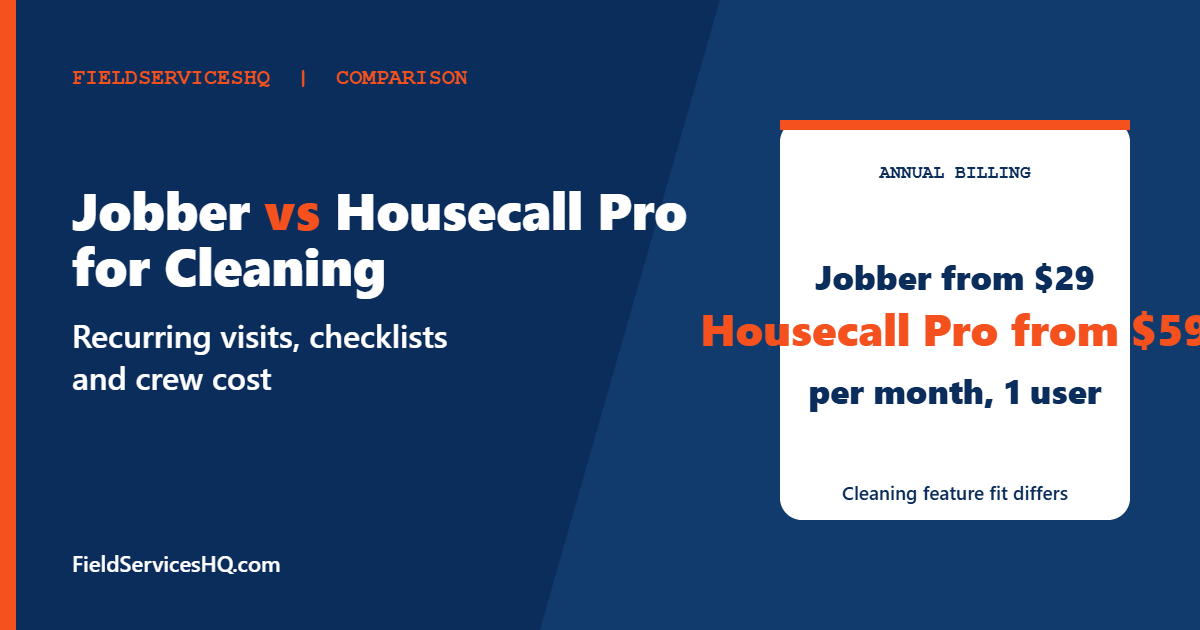
| Entry price, annual billing | Core $29 for 1 user | Basic $59 for 1 user |
Feature descriptions come from the vendors’ own cleaning pages, read in November 2026. A blank in this table means the page did not mention it, not that the product lacks it, so confirm in a demo.
How recurring cleans work in each tool
Recurring work is the heart of cleaning, so look closely here.
Jobber says you set a cadence and it creates visits automatically. The client hub lets customers see upcoming visits, request changes and pay online. For cleaners, the mobile app shows checklists, notes and photos. Jobber’s academy article on cleaning scheduling also lists recurring jobs, checklists, crew dispatch and time tracking as core features, and admits that Jobber lacks a dedicated time-off request workflow for cleaners. That article is Jobber’s own marketing, so read it as the vendor’s description.
Housecall Pro says you can schedule one-time, weekly, biweekly or recurring visits, and its FAQ says recurring jobs can run daily, weekly or monthly with automated invoices, payments and reminders per contract. Calendars can be color-coded by team, and routes can be mapped. The page does not mention checklists, so if your quality control depends on a room-by-room checklist and photos, ask for a demonstration.
What to ask in a demo for either tool: how do you skip one visit without breaking the series, how do you move a client from biweekly to weekly, and how does a new price apply to future visits only?
Payments: where cleaning differs from repair work
Cleaning payments are small, frequent and recurring. Chasing invoices is a poor use of an owner’s time, so card-on-file matters more than almost any other feature.
Jobber lets recurring clients save a card and pay automatically, sends automated texts and emails for upcoming visits and unpaid invoices, and supports batch invoicing for multiple visits or clients. Housecall Pro lists several ways to collect: payment at booking, saved cards charged for scheduled services, payment links in invoices, customer tipping and a payment portal. It accepts cards, ACH bank transfers and digital wallets, and mentions Instapay for faster card payments. Tipping is a real consideration if your cleaners rely on tips, since it keeps the money flowing through the same system.
Processing fees apply in both cases. Ask each vendor for the exact card, ACH and instant-payout rates, and whether surcharging is permitted in your state.
Booking and getting found
For residential cleaning, a lot of new work arrives from search and referrals. Housecall Pro’s cleaning page highlights Reserve with Google, which lets customers book from Google, and CSR AI that answers calls and chats and books jobs. It also offers automatic review requests. Jobber’s page highlights request forms and booking links for your website and social channels, and the page lists 100+ integrations through its app marketplace.
Neither page publishes how many bookings these tools generate, so judge them on setup effort and cost. If online booking is the main reason you are buying software, run a booking from a phone on each tool and see how many steps a customer faces.
What it costs with a part-time crew
Cleaning teams often have more users than other trades because cleaners work part time or in pairs. Here are annual-billing prices from each vendor’s published pricing, per month. The arithmetic is ours and excludes card fees and add-ons.
| Users | Jobber Connect | Jobber Grow | Housecall Pro |
|---|---|---|---|
| 1 | $99 (Core is $29) | $149 | Basic $59 |
| 5 | $149 | $229 | Essentials $149 |
| 10 | $229 | $299 | Max $299 plus 2 extra users at $35, so $369 |
| 15 | $299 | $399 | Max $299 plus 7 extra users at $35, so $544 |
Jobber’s academy article lists Core at $29, Connect at $99 and Grow at $149 per month billed annually, and Housecall Pro at $59, $149 and $299 with 1, 5 and 8 users. Those match the vendor pricing pages. Two things matter beyond the sticker price.
First, ask whether every cleaner needs a paid user seat. Some tools charge for office users only, others for every person who logs in. The answer changes your bill more than any plan tier.
Second, ask which plan includes the features you plan to use, such as recurring jobs and online booking. Jobber’s cleaning page does not tie its listed features to plans, and Housecall Pro’s cleaning page names no plans at all. Get it in writing.
A worked example: a six-cleaner residential company
Picture a company with six cleaners working in three pairs, about 90 recurring clients and a handful of one-off deep cleans each week. The owner spends Sunday evening checking next week’s schedule, and a part-time office manager handles billing on Fridays.
The scheduling task is to keep each pair’s clients consistent, because clients want the same faces and the same routine. Both tools describe assigning visits to crews and color-coding or reassigning them, so the question is how quickly you can move one pair’s Tuesday route when a cleaner calls in sick. Jobber’s Find a Time looks at team availability and drive time, while Housecall Pro maps routes and color-codes by team.
The billing task is where the office manager’s Friday goes. With card-on-file billing, a recurring clean is charged when it is completed, and the manager only deals with exceptions: declined cards, extra charges for pets, discounts for referrals. Ask each vendor how a declined card is flagged, whether clients get an automatic retry, and where you see the list of unpaid invoices. Batch invoicing, which Jobber lists, matters most for commercial accounts billed monthly for many visits.
The quality task is where checklists come in. A checklist with photos on completion protects you when a client says a room was missed, and it protects the cleaner who did the job. If you promise a specific scope per visit, the tool should show it to the cleaner on the phone.
With six users, the published annual-billing math in the table above puts Jobber Connect or Grow in the low hundreds per month and Housecall Pro Max above that once you pass the five seats in Essentials. That gap is worth about the cost of one extra recurring client a month, so the cheaper tool does not need to be better, only adequate. The more expensive tool needs to earn its premium through bookings or marketing you would actually use.
What customers say
| Source | Jobber | Housecall Pro |
|---|---|---|
| G2 | 4.6 from 526 reviews | 4.3 from 205 reviews |
| Capterra | 4.6 from 1,463 reviews | 4.7 from 2,748 reviews |
| App stores | Jobber says 4.8 from 13,861 App Store reviews and 4.5 from 4,883 Google Play reviews | Not stated on the cleaning page |
The app store figures are Jobber’s own claim on its page. None of these ratings is limited to cleaning companies. When you trial the tools, ask a cleaner, not only the owner, to use the app. A cleaner who finds the checklist confusing will stop using it.
When a cleaning-specific tool beats both
Some cleaning owners find that general field service software carries features they never touch. Purpose-built cleaning products exist, and third-party roundups regularly name ZenMaid and a few others, usually citing narrower interfaces built around recurring frequency. Jobber’s own article notes that Housecall Pro can be more software than a business needs if it only wants recurring scheduling and online booking, which is a vendor talking about a competitor, but the point holds in general: do not pay for tools you will not use.
On the other side, a cleaning-only tool becomes limiting if you add services such as window washing, pressure washing, or lawn care. If you serve more than one trade, a general platform keeps everything in one place. If you also run a field team that is mostly time tracking and communication, see our Jobber vs Connecteam comparison.
Which cleaning business should pick which
- Solo cleaner or a two-person team: Jobber Core or Connect for lowest cost, with card-on-file billing.
- Five to ten cleaners, recurring residential clients: compare Jobber Connect or Grow with Housecall Pro Essentials. Decide on checklists, tipping and online booking.
- Commercial cleaning with several sites per client: Jobber’s client hub lets clients view past invoices and approve work. Check multi-property handling on both.
- Heavy reliance on Google and online reviews: Housecall Pro’s Reserve with Google and automatic review requests are built for that.
- Flat monthly price with unlimited users: look at Jobber vs Service Fusion or the per-job pricing of ServiceM8.
- Considering a third tool: our Housecall Pro vs Jobber vs FieldPulse guide compares reviews.
A two-week trial plan
Run both trial accounts against your real week. Enter ten recurring clients with different frequencies, two commercial sites, a deep-clean quote and a move-out clean with an add-on. Have one cleaner follow a checklist on the mobile app and attach photos. Ask three questions at the end: how long to book a new weekly client, how clearly the customer sees the next visit date, and what a missed payment looks like for you. Pick the tool the cleaner prefers if the owner is undecided, since adoption in the field decides whether the data is any good.
Features come from Jobber’s and Housecall Pro’s own cleaning pages, read in November 2026, and Jobber’s academy article, which is vendor marketing. Prices are annual-billing figures from vendor pricing. Ratings are from G2 and Capterra. Cost rows are our own arithmetic. A blank in a feature row means the page did not mention it.
Mistakes to avoid
- Counting every part-time cleaner as free. Check how each vendor defines a user.
- Choosing on checklists alone without checking that cleaners will actually use them.
- Forgetting payment fees on small recurring charges, which add up across many visits.
- Skipping the skip-a-visit test. Real life breaks recurring series every week.
- Buying a multi-year plan before you have run a full month of billing.
Jobber vs Housecall Pro for Cleaning FAQ
Which is better for a cleaning business, Jobber or Housecall Pro?
Both support recurring cleans and card-on-file billing. Jobber lists checklists, time tracking and batch invoicing and costs less at most sizes. Housecall Pro highlights Reserve with Google, tipping and AI call answering.
Does Jobber have cleaning checklists?
Yes. Jobber’s cleaning page says cleaners can access checklists, job details, notes and photos through the mobile app.
Does Housecall Pro have checklists for cleaners?
Its cleaning page does not mention checklists. Ask Housecall Pro to demonstrate how crews follow a room-by-room list.
Can clients be charged automatically for each clean?
Both say yes. Jobber lets recurring clients save a card and pay automatically. Housecall Pro lists saved cards charged for scheduled services.
How much does each cost for a small cleaning crew?
On annual billing, Jobber Core is $29 for one user and Connect is $99. Housecall Pro Basic is $59 for one user and Essentials is $149 for five users.
Can customers tip through the software?
Housecall Pro’s cleaning page lists customer tipping. Jobber’s cleaning page does not mention tipping.
Do I need a cleaning-specific tool instead?
Not always. Cleaning-specific tools focus on recurring frequency and can be simpler, while Jobber and Housecall Pro suit businesses that add other services or want more features.
Which has better reviews?
Jobber has 4.6 on G2 from 526 reviews and Housecall Pro 4.3 from 205. On Capterra, Housecall Pro shows 4.7 from 2,748 and Jobber 4.6 from 1,463.
Sources
- Jobber cleaning business software
- Jobber academy: best scheduling software for cleaning
- Housecall Pro cleaning software
- Housecall Pro pricing
- Jobber pricing
- Jobber on Capterra