Small HVAC Shop Software: Jobber or Housecall Pro?
For HVAC, Housecall Pro lists more trade-specific tools on its own pages: flat-rate pricing with margins, good-better-best proposals, equipment history and recurring service plans. Jobber is cheaper at most team sizes and strong on quotes with optional packages and recurring maintenance visits, but its HVAC pages do not describe a flat-rate pricebook or equipment tracking. Shops that sell memberships should lean Housecall Pro. Shops that mainly need simple, low-cost scheduling and quoting can start with Jobber.
Most HVAC companies with fewer than 15 trucks do not need an enterprise platform. They need to dispatch quickly in the first heat wave, quote repairs consistently, and keep maintenance customers coming back every spring and fall. Jobber and Housecall Pro are the two published-price tools most small shops compare first. Our general Jobber vs Housecall Pro comparison covers all trades. This guide narrows to the questions an HVAC owner actually asks.
One note on evidence before the details. Competitor roundups contradict each other on this exact matchup. Some say neither tool has a flat-rate pricebook, others say Housecall Pro does, and others say Jobber wins HVAC outright. Because the claims conflict, we rely on each vendor’s own pages for what a product does, flag where those pages disagree with each other, and use directory ratings only for what customers say.
Jobber vs Housecall Pro for HVAC at a glance
| HVAC need | Jobber | Housecall Pro |
|---|---|---|
| Quote options | Optional line items and tiered packages with photos | Good-better-best proposal tool with images and side-by-side comparison (Essentials and Max) |
| Flat-rate pricing | Markups and estimated margin on quotes; a flat-rate pricebook is not described on the HVAC pages we read | Flat-rate pricing with profit margins (Essentials and Max) |
| Maintenance plans | Recurring maintenance jobs scheduled and invoiced automatically | Recurring service plans; plan tier differs between the vendor’s pages |
| Equipment history | Not described on the HVAC pages we read | Service and equipment history per property (HVAC page) |
| Dispatch | Drag-and-drop calendar and route tools | Live map, on-my-way texts, route optimization on Max |
| Accounting | QuickBooks Online | Check current integrations with the vendor |
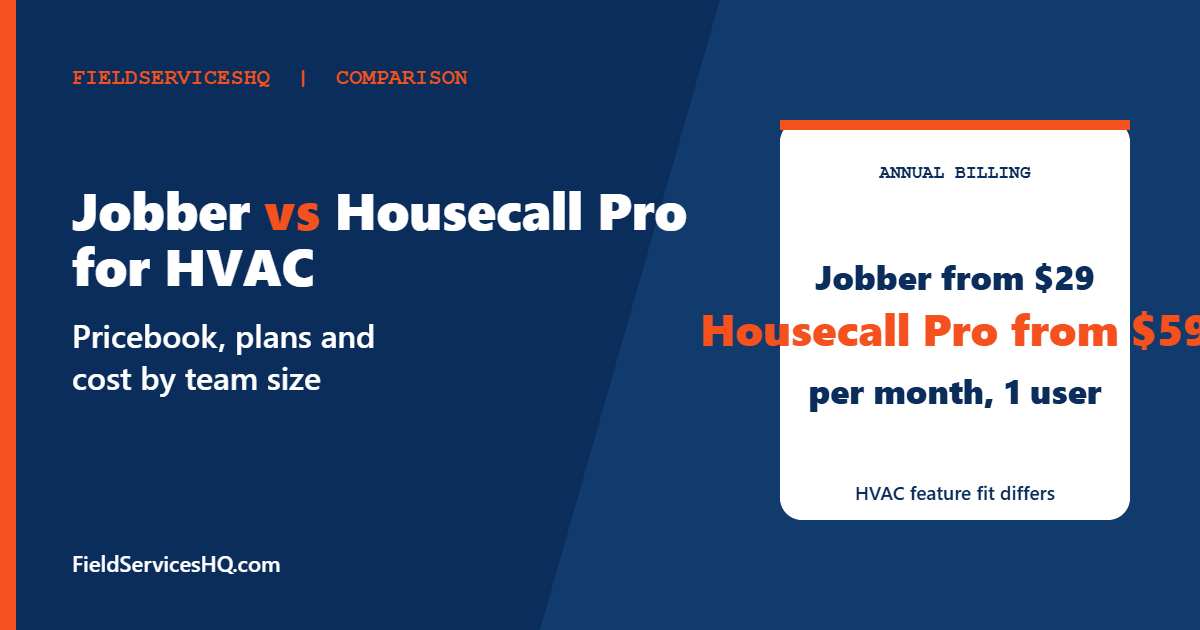
| Entry price (annual billing) | Core $29 for 1 user | Basic $59 for 1 user |
| G2 rating | 4.6 from 526 reviews | 4.3 from 205 reviews |
Prices and ratings were read in November 2026. Feature rows describe vendor claims, so ask for a live demo of anything that decides your purchase.
What Jobber offers HVAC shops
Jobber’s HVAC page frames the product around quotes, scheduling, dispatch and payments. Three features matter most to an HVAC shop.
Quotes with optional packages. Jobber lets you offer tiered packages or optional add-ons on a quote, with photos, and customers can approve and request changes online through its client hub. Its HVAC estimating page gives examples such as suggesting maintenance contracts, ductwork or duct cleaning inside the estimate. Jobber says quotes with optional add-ons see an average 35 percent increase in revenue. That is Jobber’s own marketing figure, not an independent result, so treat it as a claim.
Margins on quotes. You can set markups and view the estimated margin on a quote. This is not the same as a standardized flat-rate book that a technician browses by repair code, and Jobber’s HVAC pages do not describe such a book.
Recurring maintenance. Jobber says recurring maintenance jobs are scheduled and invoiced without extra paperwork, and reminders, confirmations and follow-ups send automatically. For a shop running twice-a-year tune-ups, that covers the core loop.
Jobber also lists one-click dispatch, route generation, a customer portal where clients approve estimates and pay, and syncing with QuickBooks Online.
What Housecall Pro offers HVAC shops
Housecall Pro publishes a dedicated HVAC page. It says flat-rate pricing is included in Essentials and Max, with profit margins built into service prices, so technicians quote consistently. Essentials and Max also include a sales proposal tool for good-better-best options with images, estimates by text or email, digital signatures and instant financing for large installs. The page describes equipment tracking that keeps a service and equipment history for each property, including system age.
Dispatch is available from Basic. The page lists a live map for sending the nearest technician to an emergency and on-my-way texts with GPS tracking. Route optimization, which reorders jobs by drive time, is listed under Max. Payments are available from Basic, including card, Tap to Pay and mobile check.
A conflict to resolve in your demo. Housecall Pro’s HVAC page says membership plans are included in Essentials and Max. Its pricing page lists Recurring Service Plans under Max only. The two pages also show different dollar figures for the same plans. Until Housecall Pro confirms in writing which plan includes recurring service plans, assume you need Max for that feature and verify before you buy. This matters because it changes the monthly bill substantially.
What it costs by team size
All figures below are annual billing, per month, from each vendor’s published pricing pages. The multiplication is ours.
| Team size | Jobber Connect | Jobber Grow | Housecall Pro |
|---|---|---|---|
| 1 user | $99 (Core is $29) | $149 | Basic $59 |
| 5 users | $149 | $229 | Essentials $149 |
| 10 users | $229 | $299 | Max $299 plus 2 extra users at $35, so $369 |
| 15 users | $299 | $399 | Max $299 plus 7 extra users at $35, so $544 |
Housecall Pro’s pricing page states Basic at $59 on annual billing and $79 monthly, Essentials at $149 or $189, and Max at $299 or $329 with 8 users included. Jobber’s plans scale by user bands, with extra users at $29. The HVAC page on Housecall Pro’s own site shows different team prices from its pricing page, so confirm your quote.
Two takeaways. First, at five users Jobber Connect and Housecall Pro Essentials cost the same $149, so the decision there is features, not price. Second, if you need Max-only features such as recurring service plans or route optimization, Housecall Pro costs more than Jobber at 10 and 15 users. Whether the extra cost pays back depends on how many agreements you sell. Run the number with your own average agreement value: divide the monthly price gap by what one agreement earns per month, and that is how many extra agreements you need to break even.
What HVAC owners keep asking
Owner questions on forums and in review roundups cluster around a few themes. Here is what the evidence says about each.
Is Housecall Pro too expensive for a small shop? Opinion is split. One HVAC software roundup quotes a forum user saying they use Housecall Pro and do not think it is too expensive. Price is mostly a function of plan tier. At five users it ties with Jobber Connect on published annual prices, and it pulls ahead on cost only if you do not need Max.
Do I need a flat-rate book or are optional packages enough? If your technicians quote by repair code and you want margin built into every price, a flat-rate tool matters. If you build custom quotes and want to upsell add-ons, Jobber’s packages and markups may be enough. Many shops start with packages and move to a pricebook once they have 8 to 10 technicians.
Which handles seasonal peaks better? Both offer drag-and-drop or map-based dispatch. Housecall Pro lists route optimization on Max and a live map for emergencies. Jobber lists route generation. Test both on a bad Monday: five emergencies, two techs, one already running late.
Which is faster to set up? Competitor sources generally say Housecall Pro gets owners live quickly and Jobber takes slightly longer but has a cleaner data structure as you grow. Those are opinions, not measured results, so judge by your own pilot.
A worked example: a five-truck shop in July
Take a shop with five technicians, one dispatcher and about 300 active customers, 120 of them on a spring and fall tune-up. On a July morning the phone rings with six no-cooling calls before 9am. What matters in that moment is not the feature list but three small things: how fast the dispatcher can see who is closest, whether the technician can quote a repair in under a minute, and whether the customer gets a text with an arrival window so they stop calling back.
On that day Housecall Pro’s listed live map and on-my-way texts speak directly to the first and third problems, while Jobber’s drag-and-drop calendar and automatic reminders cover similar ground. The second problem, quoting quickly, is where the pricebook question bites. A technician choosing from a good-better-best menu is faster than one typing line items, which is why Housecall Pro’s flat-rate listing matters for shops that quote many repairs a day. A shop that mostly sells larger installs may prefer Jobber’s packages with photos, since each quote is a custom job anyway.
The same shop in October cares about something different: scheduling 120 tune-ups without a dispatcher losing a week to it. Both tools describe recurring maintenance scheduling. The difference to check in a demo is how each handles the exception, such as a customer who cancels the April visit, or a second system added mid-year with a different renewal date.
What customers say
| Source | Jobber | Housecall Pro |
|---|---|---|
| G2 | 4.6 from 526 reviews | 4.3 from 205 reviews |
| Capterra | 4.6 from 1,463 reviews | 4.7 from 2,748 reviews |
Directories disagree on which product edges ahead, which usually means both have a loyal base. Jobber reviewers on GetApp mention easy recurring jobs and fast quoting, with requests for more flexible scheduling and richer line items. Neither source is HVAC-specific, so ask vendors for HVAC references of your size.
Which HVAC shop should choose which
- One to three technicians, mostly repairs and tune-ups, tight budget: Jobber Core or Connect keeps costs low and covers quotes, scheduling and invoicing.
- You sell maintenance memberships and want them managed in one place: Housecall Pro, once the plan tier is confirmed in writing.
- You want a standardized flat-rate book in the truck: Housecall Pro lists flat-rate pricing. If you need a deep pricebook with thousands of items, also look at the specialist tools in our ServiceTitan vs FieldEdge for HVAC guide.
- You expect to pass 20 trucks: compare Jobber vs ServiceTitan and Housecall Pro vs ServiceTitan before committing.
- Three-way shortlist: see Jobber vs Housecall Pro vs ServiceTitan.
A seasonal rollout plan
HVAC cutovers fail when they land in peak season. Start the evaluation eight to twelve weeks before your busy window. Clean your customer list and agreement dates, import them during a trial period if the vendor offers one, and run a pilot with two technicians and one dispatcher on real jobs. Train every technician on the phone workflow they will use daily: open a job, present options, take payment and close out. Freeze configuration changes during peak weeks, and name one person who owns the system.
For refrigerant-related record keeping, the EPA’s Section 608 program sets rules for technician certification and refrigerant management. Ask both vendors how equipment notes and service history are stored and exported so your compliance records are not trapped in one tool.
Questions to ask each vendor
- Which plan includes recurring service plans, and what is the price for my user count in writing?
- Can technicians choose repairs from a flat-rate price book, and who maintains it?
- How is equipment history stored and can I export it?
- What are the card processing rates and any minimums?
- How do you handle a customer with two systems and two different maintenance dates?
- Is there a contract, and how do I cancel?
Feature claims come from Jobber’s and Housecall Pro’s own HVAC and pricing pages, read in November 2026. Housecall Pro’s pages conflict on plan placement and team prices, which we flag. Ratings come from G2 and Capterra. Cost rows are our own arithmetic on published annual-billing prices.
Mistakes to avoid
- Assuming a feature is on the cheapest plan. Check the plan tier in writing.
- Believing third-party blogs over vendor pages for feature claims, or the reverse. Verify in a demo.
- Cutting over in July or January.
- Comparing a one-user price when you will have eight users.
- Forgetting to price card processing, which can outweigh a small subscription gap.
Jobber vs Housecall Pro for HVAC FAQ
Which is better for HVAC, Jobber or Housecall Pro?
Housecall Pro lists more HVAC-specific tools: flat-rate pricing, good-better-best proposals and equipment history. Jobber costs less at most sizes and handles quotes with optional packages and recurring jobs well.
Does Jobber have a flat-rate pricebook?
Jobber’s HVAC pages describe optional line items, packages and markups with estimated margin, but we did not find a flat-rate pricebook described. Ask Jobber to demonstrate your workflow.
Does Housecall Pro include service plans on Essentials?
Its HVAC page says memberships are in Essentials and Max, while its pricing page lists Recurring Service Plans under Max only. Confirm with sales before you buy.
How much does Housecall Pro cost for HVAC?
Published annual-billing prices are Basic $59 for 1 user, Essentials $149 for 5 users and Max $299 for 8 users with extra users at $35. Monthly billing is $79, $189 and $329.
How much does Jobber cost?
Core is $29 for one user on annual billing. Connect and Grow scale by user band, for example $149 and $229 for five users, and extra users cost $29.
Do both work with QuickBooks?
Jobber lists QuickBooks Online. Check Housecall Pro’s current integration list for the version you use.
Can I track equipment history?
Housecall Pro’s HVAC page describes service and equipment history per property. Jobber’s HVAC pages we read did not describe equipment tracking.
Which has better reviews?
Jobber has 4.6 on G2 from 526 reviews and Housecall Pro 4.3 from 205. On Capterra, Housecall Pro shows 4.7 from 2,748 and Jobber 4.6 from 1,463.
Sources
- Housecall Pro HVAC software
- Housecall Pro pricing
- Jobber HVAC software
- Jobber HVAC estimating software
- Jobber pricing
- Jobber on Capterra
- EPA Section 608