Simpro, ServiceTitan or BuildOps: Which Platform Fits a Contractor Who Has Outgrown the Basics?
If you have already tried a small-business field service app and hit its limits, you are probably looking at this group. Simpro, ServiceTitan and BuildOps are all sold through demos and quotes, all target contractors with serious operations, and all take real effort to set up. They are built with different customers in mind.
ServiceTitan grew up in residential home services, where call booking, memberships and technician sales matter. Simpro was built for trade contractors who run service calls and larger projects together, with job costing across both. BuildOps focuses on commercial contractors, with work orders, projects and the back-office detail that commercial customers expect.
This guide compares them using the vendors’ own pages and G2’s side-by-side data, and it is upfront about where the numbers are missing. Pairwise views are in ServiceTitan vs Simpro, ServiceTitan vs BuildOps and Simpro vs BuildOps.
None of the three publishes prices, so this is a fit decision first and a cost decision second. ServiceTitan has the strongest G2 scores for meeting requirements and product direction and leans residential and service-heavy. Simpro is the long-standing choice for mixed service and project work with a modular add-on model. BuildOps is the newer, commercial-contractor-focused platform with a smaller review base. Setup is hard for all three, with G2 ease of setup scores between 6.6 and 6.8.
Simpro vs ServiceTitan vs BuildOps at a glance
| Factor | Simpro | ServiceTitan | BuildOps |
|---|---|---|---|
| G2 rating | 4.1 (456 reviews) | 4.4 (375 reviews) | 4.2 (69 reviews) |
| Pricing | Per user per month, quote only | Per technician, quote only | Custom quote |
| Plan names | Premium and higher tiers | Starter, Essentials, The Works | Not published |
| Strongest fit | Mixed service and project trades | Residential and service-heavy | Commercial contractors |
| G2 ease of setup | 6.6 | 6.7 | 6.7 to 6.8 |
| G2 quality of support | 7.7 | 7.7 | 8.1 |
| Average discount reported | 10 percent | 9 percent | 6 to 7 percent |
| Support hours stated | 24/6 live support | Not stated on pricing page | Not stated |
What each vendor publishes
G2 pages for these products sometimes show two versions of the same score, for example BuildOps ease of use at 7.8 in one table and 8.2 in an FAQ box. We use the main ratings table and flag where the pages disagree. BuildOps has only 69 reviews, so its scores move easily.
Simpro
Simpro’s pricing page publishes no figures. It describes a base plan called Simpro Premium and two higher tiers that add features, and directs buyers to request pricing or a demo. G2 lists pricing as per user per month with tiers Premium, Premium and Digital Forms, and Premium and Data Feeds, but marks the amounts as contact vendor.
The modules show where Simpro is strongest. Core areas are service, project and maintenance jobs, customer and staff management, materials and purchasing, invoicing and payments, and business reporting. Add-ons available to purchase include a data feed, GPS fleet tracking, takeoffs, a maintenance planner, SMS, VoIP, IoT and digital forms. None are priced on the page. Custom training, implementation and professional services are listed, along with 24/6 live customer support, with no fees given.
ServiceTitan
ServiceTitan states that pricing is per technician and shows Starter, Essentials and The Works with request pricing buttons. Starter covers dispatching, scheduling, call booking, invoicing and a pricebook. Essentials adds mobile estimates and payroll management. The Works adds configurable payroll. The page does not list onboarding fees, contract terms or user minimums.
BuildOps
BuildOps does not publish pricing and G2 lists it as a custom quote. Its integration list on G2 includes names such as Azuga Fleet, hh2, Microsoft 365 and Payabli. For anything beyond that, expect to rely on a demo, and compare your needs against our ServiceTrade vs BuildOps guide if inspection-based commercial work is your focus.
What G2 reviewers say
| G2 category | Simpro | ServiceTitan | BuildOps |
|---|---|---|---|
| Meets Requirements | 7.9 | 8.7 | 7.7 |
| Ease of Use | 7.7 | 8.3 | 7.8 |
| Ease of Setup | 6.6 | 6.7 | 6.8 |
| Ease of Admin | 7.6 | 8.0 | 7.8 |
| Quality of Support | 7.7 | 7.7 | 8.1 |
| Good Business Partner | 7.9 | 8.6 | 8.4 |
| Product Direction | 8.1 | 8.9 | 8.0 |
Scores are out of 10. Simpro’s and ServiceTitan’s come from their side-by-side page, with 208 to 410 responses per line. BuildOps comes from its page with Simpro, where its response counts are much thinner, between 30 and 136, and some categories rest on about 30 responses.
Reading the table honestly:
- ServiceTitan leads on requirements and product direction. Reviewers feel it meets their needs and has a clear future.
- BuildOps leads on support and partnership. That fits a smaller vendor with a close customer relationship, but the sample is small.
- Simpro sits in the middle or low on most lines. Its large review base, 456 reviews, makes the numbers steadier.
- Setup is a shared weakness. All three score between 6.6 and 6.8, so plan for a project, not a switch.
Time to value
G2’s pages disagree on timing, which is a good reminder to ask for references. The Simpro and ServiceTitan page lists 6 months to implement and 6 to ROI for both. A BuildOps and ServiceTitan page lists 3 months to implement for both, with ROI at 11 months for BuildOps and 15 for ServiceTitan, but those figures rest on only 16 responses for BuildOps. Treat all of them as rough.
What reviewers praise and criticize
- Simpro: Praise for ease of use, data management, features, centralization and project management. Complaints about complexity, complex setup and, in recent reviews, cost and licensing complexity.
- ServiceTitan: Praise for ease of use and customer support. Complaints about the learning curve and a sense that improvement is needed.
- BuildOps: Praise for ease of use, features, customer support and centralization. Complaints about update issues, a learning curve, limited features and limited customization.
Who each platform is built for
Simpro
Simpro suits contractors who run both service calls and larger jobs and need costs, materials and purchasing tied together. The add-on structure, with takeoffs, a maintenance planner and digital forms, reflects that. If you do electrical, plumbing, HVAC, security or fire work that blends maintenance with installation projects, it belongs on your list.
ServiceTitan
ServiceTitan suits shops with heavy inbound call volume, technician-driven sales and a structured pricebook. Starter lists call booking, a pricebook and dispatch as base capabilities. Payroll tools arrive in the upper tiers. See our ServiceTitan vs Salesforce Field Service comparison if your needs lean more enterprise.
BuildOps
BuildOps suits commercial service and construction contractors, where work orders, projects and customer-specific billing matter. It is the newest of the three and its review base is the smallest, so ask for references from firms of your size and trade.
Questions to ask each vendor
- What is the price per user or technician at our headcount, with all modules we need?
- Which add-ons are required for our workflows and what do they cost?
- What are implementation fees, timeline and our team’s required time?
- How do you handle both service and project work in the same job costing?
- What does support include, and what are hours and response targets?
- Which customers of our size and trade can we call?
- What is the contract term, renewal uplift and exit process?
A fair way to run demos
Prepare three scenarios from your own business and give each vendor the same ones:
- A service call: A customer calls in, you book it, dispatch it, complete it, invoice it and sync to accounting.
- A multi-visit project: A job with phases, materials ordered, labor tracked and progress billed.
- A recurring maintenance contract: A set of equipment visited quarterly with checklists and reminders.
Score each vendor on how many clicks, how much re-entry and how clearly costs are tracked. This will show differences that a feature list hides.
Building a business case before you sign
Quote-only software invites a gut-feel purchase. A simple model keeps the decision honest, and it works the same way for all three vendors.
Start with the cost you can already measure
Write down what you spend today on administration that software should absorb: office hours spent re-keying jobs, time chasing paper timesheets, invoices that go out days late, parts bought twice because nobody could see stock, and callbacks caused by missing job history. You do not need precise numbers. A reasonable estimate in hours per week multiplied by a loaded hourly cost is enough to size the prize.
Then add the cost you cannot see yet
Every implementation has a second bill: your own team’s time. Plan for a project owner to spend meaningful hours per week during rollout, for office staff to be partly unavailable during training, and for a dip in productivity in the first weeks. G2’s setup scores of 6.6 to 6.8 across all three vendors suggest that reviewers felt this cost, so assume it applies to you.
Convert quotes to the same basis
When quotes arrive, rebuild them in one spreadsheet using the same columns:
| Line | What to capture |
|---|---|
| Licenses | Per user or per technician rate, number of seats, billing period |
| Modules and add-ons | Every item you need, named, with its price |
| Implementation | Fixed fee or estimate, what is in scope, what is not |
| Training | Hours included, format, extra cost |
| Integrations | Accounting, payroll, fleet, forms, and who builds them |
| Support | Hours, channels and escalation, plus cost if premium |
| Term and renewal | Contract length, uplift cap, exit terms |
Do this for three years, not one. A low first-year price can hide a renewal uplift or add-on costs that arrive later.
Stress-test the assumptions
Ask what happens if headcount grows by half, if you win a large project that needs a new module, or if you lose your project owner mid-rollout. The vendor whose model absorbs those surprises most gracefully is often the better long-term fit even when the sticker price looks higher.
Decide what would change your mind
Before demos, write down two or three things that would rule a vendor out. Examples: job costing that cannot split labor between service and project work, a mobile app that fails offline, or an accounting integration that needs manual fixes every month. Having these in writing prevents a polished demo from rewriting your criteria.
Mistakes to avoid
- Treating setup as a formality. All three score under 7 for ease of setup.
- Buying the broadest tier. Start with the modules you will use in year one.
- Ignoring the add-on list. Simpro lists SMS, VoIP and digital forms as add-ons.
- Taking blog prices as fact. None of the three publish figures.
- Choosing on star ratings. BuildOps’ 69 reviews carry far less weight than Simpro’s 456.
Simpro vs ServiceTitan vs BuildOps FAQ
Which is best for commercial contractors?
BuildOps is built specifically for commercial contractors, and Simpro handles commercial and project work well. ServiceTitan can serve commercial service, but its center of gravity is residential home services. Ask each vendor for commercial references.
How much do they cost?
None of them publish prices. Simpro is priced per user per month, ServiceTitan per technician and BuildOps by custom quote. Any specific number online is an estimate.
Which has the best reviews?
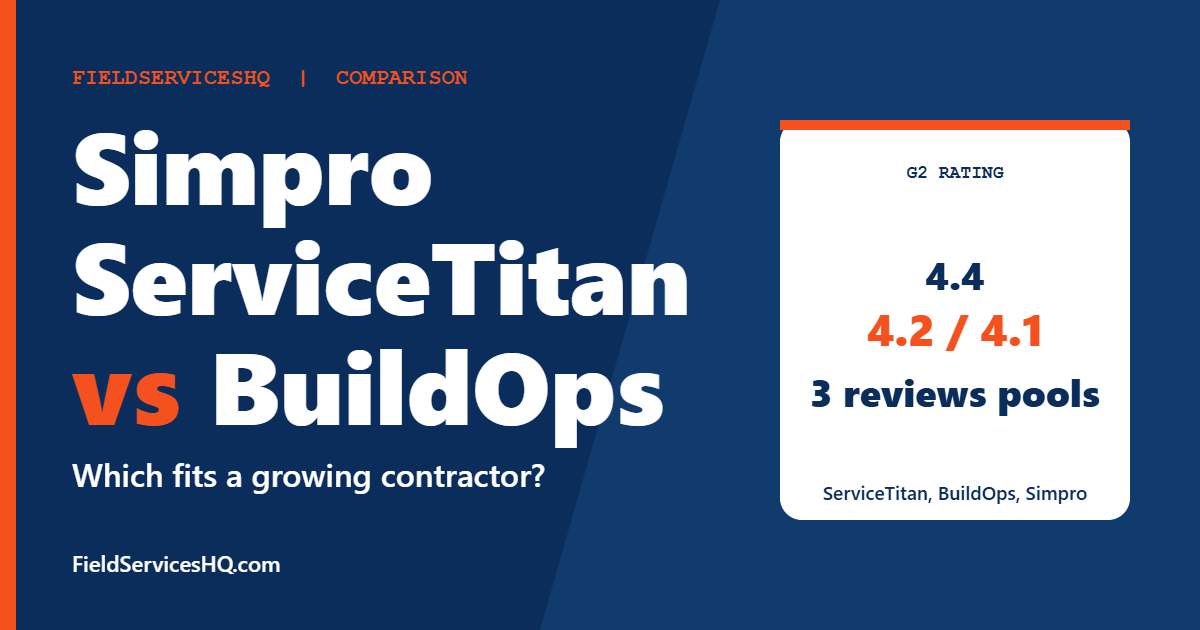
On G2, ServiceTitan scores 4.4 from 375 reviews, BuildOps 4.2 from 69 and Simpro 4.1 from 456. The number of reviews matters as much as the score.
Which is easiest to set up?
None of them is easy. G2 ease of setup scores are 6.6 for Simpro, 6.7 for ServiceTitan and 6.7 to 6.8 for BuildOps.
Does Simpro offer support outside business hours?
Its pricing page lists 24/6 live customer support. Confirm what that covers in your region and plan.
Which handles projects and service together?
Simpro lists service, project and maintenance jobs as core areas, which makes it a natural fit for mixed work. BuildOps targets commercial contractors who do both. ServiceTitan’s published plan descriptions focus on dispatch, call booking, invoicing, estimates and payroll.
Can a small contractor use any of these?
They can, but all three are built for operations with office staff and a defined process. Smaller teams often do better with lighter tools such as those in our Jobber vs Housecall Pro vs ServiceTitan guide.
What should I ask before signing?
Total cost over three years, implementation scope, support hours, data export rights and a reference of your size and trade.
Sources and method note
Vendor details come from the Simpro pricing page and the ServiceTitan pricing page, neither of which lists dollar figures. Ratings and category scores come from G2 side-by-side pages for Simpro, ServiceTitan and BuildOps, where scores for the same product sometimes differ between sections. BuildOps does not publish prices on the pages we reviewed. Plans change, so confirm details with each vendor.