
ServiceTitan, FieldEdge or Housecall Pro: Which Suits an HVAC and Home Service Shop?
HVAC and plumbing shop owners tend to compare these three because they sit at three different points on the same road. Housecall Pro is the easy, posted-price entry. FieldEdge is the trade-focused middle, long associated with HVAC and often paired with QuickBooks Desktop. ServiceTitan is the large platform aimed at shops that want dispatch, call booking, payroll and a structured pricebook.
The trouble is that two of the three keep prices behind a request form, so most online comparisons fill the gap with guesses. This guide sticks to what the vendors publish and what G2 reviewers report, and it marks where the data runs out.
Pairwise detail is in our guides to ServiceTitan vs FieldEdge, Housecall Pro vs FieldEdge and Housecall Pro vs ServiceTitan.
Housecall Pro is the only one of the three with a published price, and G2 reviewers score it highest on ease of use and setup. ServiceTitan scores best on meeting requirements and product direction but worst on setup and support. FieldEdge sits in the middle on setup and trails on product direction. Both ServiceTitan and FieldEdge are quote-only, so for a small HVAC shop the practical question is whether you want to start with a posted price or go through two sales processes.
ServiceTitan vs FieldEdge vs Housecall Pro at a glance
| Factor | ServiceTitan | FieldEdge | Housecall Pro |
|---|---|---|---|
| G2 rating | 4.4 (375 reviews) | 4.0 (87 reviews) | 4.3 (205 reviews) |
| Pricing | Per technician, quote only | Quote only | Posted, from 59 dollars |
| Plan names | Starter, Essentials, The Works | Select, Premier, Elite | Basic, Essentials, Max |
| Free trial | Not stated on pricing page | None | 14 days, no card |
| G2 ease of setup | 6.7 | 7.2 | 8.7 |
| G2 quality of support | 7.7 | 8.2 | 8.7 |
| G2 product direction | 8.9 | 7.6 | 8.9 |
| Typical fit | Larger shops | Established trade shops | Small to mid shops |
Pricing: what each vendor publishes
FieldEdge and ServiceTitan publish no dollar figures, no onboarding fees and no contract length. Only Housecall Pro posts prices. A true cost comparison needs written quotes from all three for the same technicians, add-ons and term.
Housecall Pro
Annual billing, per month:
| Plan | Price | Users included | Extra users |
|---|---|---|---|
| Basic | 59 dollars | 1 | Not listed |
| Essentials | 149 dollars | 5 | Not listed |
| Max | 299 dollars | 8 | 35 dollars each |
Monthly billing is 79, 189 and 329 dollars. Basic includes online booking, estimates, invoicing, scheduling and dispatch, payments and consumer financing, a price book, job costing and review management. Essentials adds routes, flat-rate pricing, checklist automations, photo reports, employee GPS tracking, commissions and QuickBooks Online sync. Max adds a sales proposal tool, recurring service plans, route optimization with live traffic, open API access and escalated phone support. Card processing starts at 2.59 percent, and every plan lists live phone and chat support.
For HVAC shops specifically, flat-rate pricing arrives at Essentials, recurring service plans (the basis of maintenance agreements) arrive at Max, and a price book is included from Basic.
FieldEdge
FieldEdge’s pricing page shows three tiers, Select, Premier (marked most popular) and Elite, each with a request pricing button. It publishes no dollar amounts, onboarding fees or contract length. What it does publish:
| Item | Select | Premier | Elite |
|---|---|---|---|
| Mobile app licenses included | 2 | 4 | 6 |
| Saved reports | None | 10 | Unlimited |
| Quotes | Single option | Multi-option | Multi-option |
| Support | Chat | Email or phone | Dedicated customer success rep |
| Proposal Pro, MarketingEdge, Academy, Consumer Portal | Call for pricing | Call for pricing | Included |
Elite also adds outbound call recording and warehouse inventory management, and the inventory feature is only for QuickBooks Desktop Enterprise with Advanced Inventory. All plans include an onboarding specialist. There is no free trial, upgrades can happen at any time, and downgrades take effect at the end of the contract period.
ServiceTitan
ServiceTitan says its pricing is per technician, then lists Starter, Essentials and The Works with request pricing buttons. Starter covers dispatching, scheduling, call booking, invoicing and a pricebook. Essentials adds mobile estimates and payroll management. The Works adds configurable payroll. Onboarding fees, contract length and user minimums are not stated.
What G2 reviewers say
| G2 category | ServiceTitan | FieldEdge | Housecall Pro |
|---|---|---|---|
| Meets Requirements | 8.7 | 7.8 | 8.6 |
| Ease of Use | 8.3 | 7.9 | 8.9 |
| Ease of Setup | 6.7 | 7.2 | 8.7 |
| Ease of Admin | 8.0 | 8.2 | 9.0 |
| Quality of Support | 7.7 | 8.2 | 8.7 |
| Good Business Partner | 8.6 | 8.3 | 8.8 |
| Product Direction | 8.9 | 7.6 | 8.8 |
Scores are out of 10. ServiceTitan’s rest on 208 to 319 responses, FieldEdge’s on 49 to 77 and Housecall Pro’s on 117 to 174. FieldEdge’s pool is the smallest, so its scores move more with each new review.
The shape is useful. Housecall Pro leads on ease. ServiceTitan leads on how fully reviewers feel it meets their requirements and where the product is heading. FieldEdge does not lead any category on this table, but it beats ServiceTitan on setup and support, which suggests an easier road than ServiceTitan for shops that do not want the largest platform.
Dispatch and billing details
G2 also reports field service sub-scores comparing FieldEdge with Housecall Pro: dispatch 8.5 against 8.8, billing and invoicing 8.1 against 9.2, client notifications 7.1 against 8.7 and field sales 6.7 against 8.3. The FieldEdge samples are small, between 17 and 55 responses, so treat these as directional.
Common themes
- ServiceTitan: Reviewers praise ease of use and customer support, but the most common complaints are a steep learning curve, high cost, complex onboarding and inconsistent support.
- FieldEdge: Themes include connectivity issues, limited reporting, slow load speeds, limited integrations and mixed support, though G2’s tagged sample is tiny.
- Housecall Pro: Reviewers praise ease of use and setup, and cite missing features and cost, with add-ons raising the price.
G2 rates all three at its highest perceived-cost level. Average discounts reported by users are 9 percent for ServiceTitan, 7 percent for FieldEdge and 13 percent for Housecall Pro.
HVAC-specific questions to ask
HVAC shops live on recurring revenue and equipment history, so look past the sales deck:
- Maintenance agreements. How are recurring visits created, billed and renewed? Housecall Pro lists recurring service plans on Max. Ask the others where it sits in their tiers.
- Flat-rate pricing. Where does the pricebook live, and who can edit it? Housecall Pro lists flat-rate pricing from Essentials and a price book from Basic. ServiceTitan lists a pricebook on Starter.
- Proposals. Good-better-best quotes help close bigger replacements. FieldEdge shows multi-option quotes from Premier. Housecall Pro offers a sales proposal tool at Max.
- Equipment history. Ask each vendor to show a customer with three units and ten years of service history.
- Accounting. FieldEdge’s inventory feature depends on QuickBooks Desktop Enterprise. Housecall Pro lists QuickBooks Online sync from Essentials. Match this to your books.
- Phones and call booking. ServiceTitan lists call booking on Starter. Confirm how calls get logged on the other two.
Setup effort and timeline
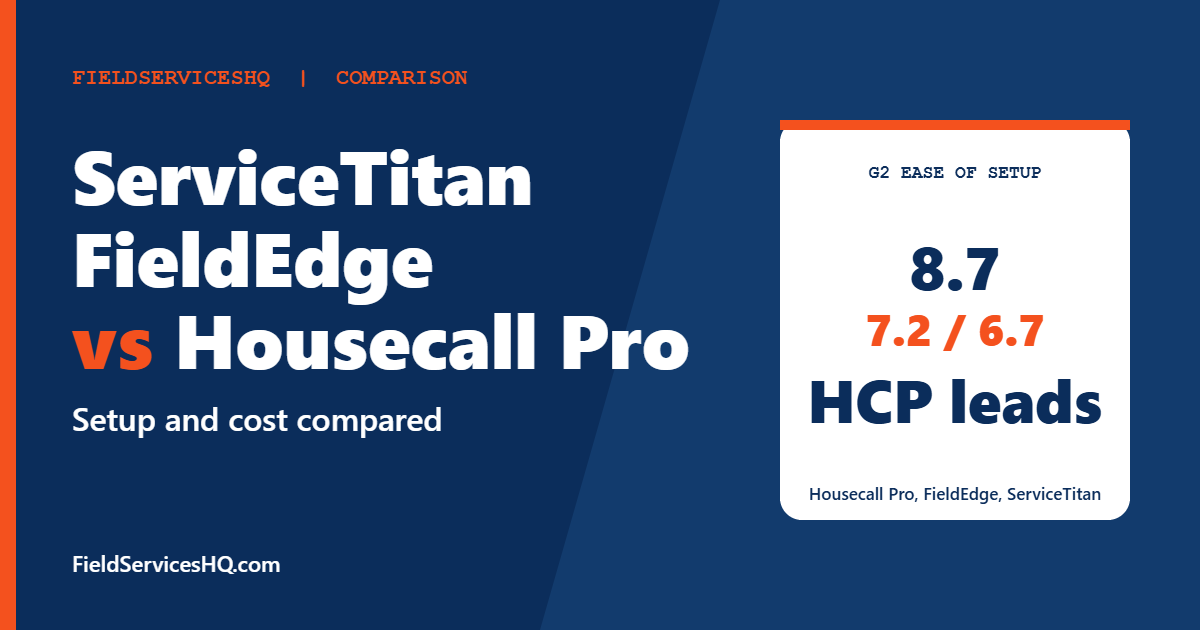
G2 shows 6 months to implement for ServiceTitan and FieldEdge, from user responses, and no specific timeframe for Housecall Pro, where reviewers describe quicker setup. The setup scores echo that: 8.7 for Housecall Pro, 7.2 for FieldEdge, 6.7 for ServiceTitan.
If you run a busy season, schedule the switch in your slow months. A rollout in July will cost you more than one in October.
Which one for which shop
| If your shop is | Look first at |
|---|---|
| Two to eight users, wants a known price | Housecall Pro |
| Established trade shop on QuickBooks Desktop | FieldEdge |
| Growing past ten technicians with office staff and heavy call volume | ServiceTitan |
| Unsure | Start with a Housecall Pro trial, then get two written quotes to compare |
If you want a three-way view of the easier tools, our Jobber vs Housecall Pro vs ServiceTitan guide covers growth and scaling.
How to run a fair comparison
- Ask each vendor for a written quote for the same number of technicians, the same modules and a three-year term.
- Request the onboarding scope and fee in writing.
- Give each a real service call, a real maintenance agreement and a real replacement quote to build.
- Talk to a reference of your size and trade.
- Check what happens to your data if you leave.
A realistic season plan for switching software
Most HVAC and plumbing owners delay a switch because the busy season never ends. Whichever of the three you pick, a planned cutover is cheaper than a rushed one.
Four to six weeks before go-live
Clean your customer list first. Merge duplicates, standardize addresses and decide how you will name service types. Export your price list and your open maintenance agreements into a spreadsheet, because every platform will ask for them in a different format. If you use QuickBooks, confirm which version you run, since that decides which integration you need.
Two to three weeks before go-live
Build the pricebook, service types, tax settings and technician profiles in the new system. Enter five real jobs, including one replacement quote and one maintenance visit, and walk them from booking to payment. Train office staff first and technicians second, because office staff will field the questions.
The week of go-live
Run the old and new systems side by side for a few days if you can. Have technicians complete jobs in the new app, and have the office reconcile payments against your bank deposits. Expect small surprises with notifications, tax and deposits, and keep a shared list of fixes.
The month after
Review reports against your old numbers: revenue by technician, average ticket, callbacks and accounts receivable. If numbers disagree, find out why before you trust the new report. Ask your vendor what support level you are entitled to during this window, since FieldEdge ties support type to plan (chat on Select, email or phone on Premier, a dedicated customer success representative on Elite), while Housecall Pro lists live phone and chat support on every plan.
A simple scorecard
Rate each vendor from one to five on these eight items after your trial or demos, and weight them by what matters to your shop:
- Booking a call in under two minutes.
- Building a good-better-best quote on a phone.
- Creating and renewing a maintenance agreement.
- Dispatching around a late job.
- Taking a card payment on site.
- Getting a clean month-end sync into your accounting tool.
- Finding a customer’s equipment history in seconds.
- Reaching a human at the vendor when something breaks.
The scorecard keeps the conversation anchored on your workflows, not on whichever demo was more polished.
Mistakes to avoid
- Choosing on a demo alone. Demos use clean data. Bring a messy real customer.
- Ignoring setup scores. A 6.7 usually means real project work.
- Forgetting add-ons. FieldEdge lists marketing and proposal tools as call-for-pricing on lower tiers.
- Assuming trade focus equals fit. Check that your specific workflows work.
- Comparing posted prices to estimates. Estimates from blogs are unverified.
ServiceTitan vs FieldEdge vs Housecall Pro FAQ
Which is best for a small HVAC company?
For a small shop, Housecall Pro is usually the easiest start: it posts prices, offers a 14-day trial and scores highest on G2 for setup and ease. FieldEdge and ServiceTitan suit shops that want deeper trade or dispatch structure and can invest in onboarding.
How much does ServiceTitan cost?
ServiceTitan does not publish prices. Its pricing page says it is per technician and lists three plans with request pricing buttons. Any figure online is an unverified estimate.
How much does FieldEdge cost?
FieldEdge does not publish prices either. Its Select, Premier and Elite tiers all require a pricing request, and add-ons such as Proposal Pro and MarketingEdge are call for pricing on the lower two tiers.
Does FieldEdge offer a free trial?
Its pricing page states that no free trial is offered. Housecall Pro offers a 14-day free trial with no credit card required.
Which has better reviews on G2?
ServiceTitan scores 4.4 from 375 reviews, Housecall Pro 4.3 from 205 and FieldEdge 4.0 from 87. The differences are modest, and the categories tell a more useful story than the overall number.
Which is easiest to set up?
Housecall Pro, at 8.7 on G2, followed by FieldEdge at 7.2 and ServiceTitan at 6.7.
Can I use QuickBooks with all three?
Housecall Pro lists QuickBooks Online sync from Essentials. FieldEdge references QuickBooks Desktop Enterprise for its inventory feature. ServiceTitan’s pricing page does not detail accounting integrations, so ask in a demo.
Is there a cheaper way to start?
Starting on Housecall Pro Basic at 59 dollars a month (annual billing) is the lowest posted entry of the three. Check that the features you need are on that plan before assuming it is enough.
Sources and method note
Housecall Pro pricing comes from its pricing page. FieldEdge details come from its pricing page and ServiceTitan details from its pricing page, neither of which lists dollar figures. Ratings and sub-scores come from G2 side-by-side pages for FieldEdge, ServiceTitan and Housecall Pro. Vendors change plans and prices often, so confirm current figures before buying.



