
AccuLynx vs JobNimbus: Which Roofing CRM Gives You More Control?
AccuLynx and JobNimbus are the two names roofing contractors hear most often when they look for a CRM that handles the whole job: lead, inspection, estimate, contract, production and invoice. They look alike on a feature list, and each vendor claims to be the better fit for a growing roofer. The real differences are in how flexible the workflow is, how estimating works, how each company prices and how long you are committed.
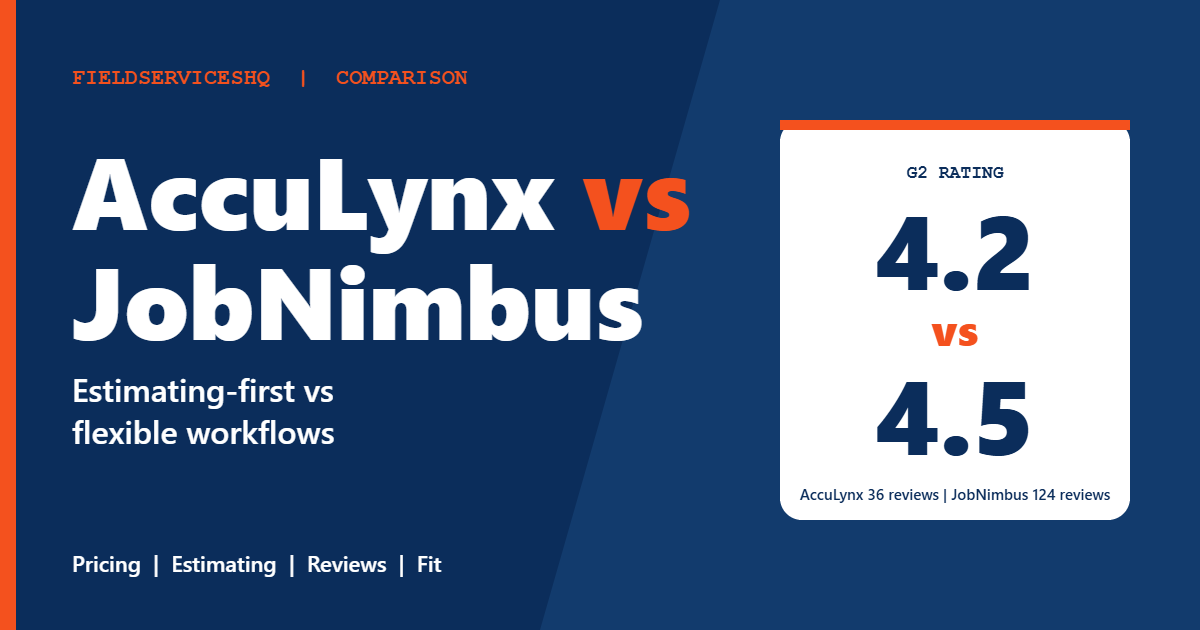
On G2, JobNimbus holds the higher overall rating (about 4.5 from 124 reviews against 4.2 from 36 for AccuLynx), but AccuLynx scores higher on six of seven category scores, including ease of use and support. The two views are not contradictory. A small overall review count can pull a rating around, while category scores come from larger response counts. This guide explains what each vendor publishes, where the pricing questions are, what reviewers praise and criticize and which kind of roofing company each tends to suit.
AccuLynx vs JobNimbus at a glance
| Factor | AccuLynx | JobNimbus |
|---|---|---|
| Pricing | Custom quote | Request pricing; plans tiered by user count |
| Published dollar prices | None | None |
| Free trial | Not advertised | 14 days, no credit card |
| Contract | Not stated; outside reviews report annual commitments | No long-term contract; monthly or annual terms |
| G2 rating | About 4.2 (36 reviews) | About 4.5 (124 reviews) |
| G2 ease of use | 9.1 | 8.5 |
| G2 ease of setup | 9.0 | 7.9 |
| G2 quality of support | 9.2 | 8.6 |
| G2 product direction | 8.7 | 9.0 |
| Time to implement (G2) | About 6 months | About 6 months |
| Focus | Roofing, all-in-one | Roofing and exterior contractors, plus other trades |
What each vendor publishes
AccuLynx
The AccuLynx pricing page is a request form for a custom quote. It lists no plans, prices, per-user model, trial terms, contract terms or onboarding details, and points to plan options and add-ons without showing them. It describes the product as all-in-one roofing software with core modules for sales and CRM, production management, finance and business management, plus a field app. Additional features include document automation, text messaging, a customer portal, payments, crew management, an App Connector for integrated apps and an API, financing through AccuFi, custom reporting, a data mart and solutions for portfolio companies owned by investors.
The page quotes a customer who says the software let the company handle five million dollars in business, which is a testimonial, not independent evidence.
JobNimbus
The JobNimbus pricing page lists no dollar amounts either, but it publishes the structure. Four plans are tiered by user count:
| Essentials | Pro | Premium | Enterprise | |
|---|---|---|---|---|
| Users | Up to 3 | Up to 10 | Up to 19 | 20 or more (contact sales) |
| Project boards | 3 | 5 | Unlimited | Unlimited |
| Active automations a month | 10 | 30 | 100 | Unlimited |
| Integrations | 2 | 5 | Unlimited | Unlimited |
| Multi-location | Not supported | Up to 2 | Up to 5 | Unlimited |
Contacts, reports, analytics, estimates, the mobile app, invoices, payments, financing, supplier integrations, QuickBooks integration and API and webhooks are listed as unlimited on all plans. The FAQ describes an account-based CRM price plus role-specific pricing for admin, sales and field members. There is a 14-day free trial without a credit card, no long-term contract, no setup or onboarding fees and optional paid professional services for data migration and custom workflows. Add-ons include a marketing bundle and a texting tool called Engage.
The cost question
Neither vendor gives you a number, so the useful comparison is the shape of the quote.
JobNimbus tiers by user count, so cost steps up as you cross 3, 10 and 19 users and as you add roles, add-ons or professional services. Unlimited contacts, reports, estimates and integrations on QuickBooks and payments are included in the structure. Ask what each role (admin, sales, field) costs, because the FAQ describes role-specific pricing on top of the account fee.
AccuLynx prices by custom quote with modules and add-ons you cannot see in advance. An outside review reports annual commitments, complaints about inactive-user charges and questions about data access after cancellation. Those are one reviewer’s claims, not confirmed terms, but they are the right questions to put to any roofing CRM: what happens to unused seats, what is the renewal price and how do I get my data out if I leave?
Both are rated at the top perceived-cost level on G2, with average discounts of 8 percent for AccuLynx and 9 percent for JobNimbus. G2 also shows about six months to implement for both, so budget for a rollout period in which your crews and office learn a new system.
Features compared
Estimating and measurements
AccuLynx is described in reviews and outside analysis as an estimating-first platform, with a chain from aerial measurement through estimate and contract to material order. G2 themes call out robust reporting and estimating. JobNimbus includes unlimited estimates on every plan and integrates with EagleView. Ask each vendor to take a real roof from measurement report to signed contract in front of you.
Workflow and customization
JobNimbus limits project boards and active automations by plan (3, 5 or unlimited boards, 10, 30, 100 or unlimited automations). Reviewers praise its customization and ease of use. AccuLynx reviewers praise a strong guided workflow and note limited integrations. If you want to shape workflows as your business evolves, count the automations you expect to need and check the plan limit.
Integrations
JobNimbus reviewers mention integrations such as Make and CompanyCam, and the plans cap integrations at 2, 5 or unlimited. AccuLynx lists CompanyCam, EagleView, Google and Hatch on G2 and offers an App Connector with an API, though reviewers note limited integrations and no Zapier support. Confirm that the tools you rely on are supported before choosing.
Mobile app
Both receive mixed mobile app feedback in G2 themes. JobNimbus promotes a high App Store rating on its own page, which is a vendor claim. Test the app on a real job site with weak signal.
Production, crews and payments
AccuLynx lists crew management, production management, payments and financing on its site. JobNimbus lists payments, financing and invoices on every plan, with a customer-facing texting add-on. Compare how each handles material orders, crew scheduling and supplement tracking if you work insurance claims.
Marketing and communications
JobNimbus sells a marketing bundle and the Engage texting tool as add-ons. AccuLynx lists text messaging among its features. Ask what is included and what is extra.
What reviewers say
G2’s side-by-side page gives these scores, with response counts.
| Category | AccuLynx | JobNimbus |
|---|---|---|
| Meets requirements | 8.9 (118) | 8.6 (138) |
| Ease of use | 9.1 (120) | 8.5 (138) |
| Ease of setup | 9.0 (100) | 7.9 (109) |
| Ease of admin | 9.2 (75) | 8.5 (78) |
| Quality of support | 9.2 (113) | 8.6 (133) |
| Good business partner | 9.1 (73) | 8.7 (78) |
| Product direction | 8.7 (99) | 9.0 (121) |
AccuLynx leads six of seven categories, with solid response counts. JobNimbus leads on product direction. G2’s overall rating counts (36 and 124) differ from the category response counts, so treat the star ratings as a rough guide and the category scores as the more detailed view.
AccuLynx reviewers praise customer support, reporting and estimating, and mention limited integrations and a learning curve. JobNimbus reviewers praise ease of use, customization and integrations, and mention reporting limitations. On Capterra, JobNimbus has a broad review base, and one AccuLynx reviewer left a one-star review about customer service, a reminder to ask about support before you commit.
Which one fits which business
AccuLynx tends to fit when
- You are a roofing-first company that wants a guided, all-in-one workflow with strong estimating and reporting.
- You value the support and ease-of-use scores, and accept a quote-led purchase.
- You are comfortable with an annual agreement once you have confirmed the terms.
JobNimbus tends to fit when
- You want to try the product for 14 days before talking to sales.
- You want flexible workflows, automation and integrations that you can shape, and may add a second trade later.
- You prefer no long-term contract and published plan limits.
Three examples
A six-person retail roofing company. JobNimbus Pro (up to 10 users) fits the size, and the free trial lets you test. Compare against an AccuLynx quote before you decide.
A storm restoration contractor with insurance supplements. Ask both vendors to demonstrate supplement tracking, aerial measurements and material orders. AccuLynx’s estimating chain and JobNimbus’s workflow automation are both worth testing against a live claim.
A twenty-person exterior company adding gutters and siding. JobNimbus Enterprise or Premium handles multi-location and unlimited boards and automations. Ask AccuLynx how it handles non-roofing trades. For general home service tools, see Jobber vs Housecall Pro.
A practical evaluation plan
- List your lead sources, inspection steps, estimate types, supplier orders and crew schedules.
- Start the JobNimbus trial and build one real job from lead to invoice.
- Ask AccuLynx for an itemized written quote with modules, users, add-ons, term and renewal pricing.
- Take the same roof through both, from measurement to signed contract and material order.
- Test the mobile app on a job site.
- Ask both for references from roofers of your size and for data export terms.
For broader context on larger field service systems, see Housecall Pro vs ServiceTitan.
Mistakes to avoid
Do not rely on outside price figures. G2, reviews and blogs disagree with the vendors and each other.
Do not skip the user and role rules. Ask what an inactive, field or part-time user costs.
Do not assume the star rating tells the whole story. G2’s AccuLynx rating rests on 36 reviews.
Do not forget exit terms. Ask how you get your customer, job and photo data out.
AccuLynx vs JobNimbus FAQ
Is AccuLynx or JobNimbus cheaper?
Neither publishes dollar prices. JobNimbus publishes plan tiers by user count, and AccuLynx quotes custom. Outside figures are unverified, so get written quotes for the same team size.
Does JobNimbus have a free trial?
Yes. Its pricing page describes a 14-day free trial with no credit card required. AccuLynx does not advertise one.
Does either require a long-term contract?
JobNimbus says no long-term contract is required, with monthly or annual terms. AccuLynx does not state terms, and an outside review reports annual commitments, so ask in writing.
Which has better reviews?
JobNimbus has the higher overall G2 rating (about 4.5 against 4.2). AccuLynx leads six of seven G2 category scores. Both samples are modest.
Which is better for estimating?
AccuLynx is widely described as estimating-first, with measurement-to-order workflows. JobNimbus includes unlimited estimates and integrates with EagleView. Test both with a real roof.
Which is more customizable?
JobNimbus reviewers praise customization, and the plans publish limits on boards and automations. AccuLynx reviewers note a guided workflow and limited integrations.
Do both work with QuickBooks?
JobNimbus lists QuickBooks integration on all plans. Confirm AccuLynx’s accounting integration in a demo with your books.
Are they only for roofing?
Both are roofing-focused. JobNimbus also serves other exterior and construction trades, and AccuLynx describes itself as roofing software.
The bottom line
AccuLynx and JobNimbus solve the same roofing problem with different philosophies. AccuLynx is the guided, estimating-first system with strong support scores and a quote-only price. JobNimbus is the flexible one, with published plan limits, a free trial and no long-term contract. Neither shows a dollar figure, so the decision rests on a trial, a written quote and a real roof taken from lead to invoice in both.
Sources: AccuLynx pricing, JobNimbus pricing, G2 comparison of AccuLynx and JobNimbus, Contractor ToolStack AccuLynx alternatives.



