
Housecall Pro vs FieldPulse: A Plain-English Comparison for Small Service Teams
Housecall Pro and FieldPulse both promise to run a home service business from one app: scheduling, dispatch, estimates, invoices, payments and customer communication. They also share a pricing mystery of a different kind. Housecall Pro publishes its plans. FieldPulse does not, and its own pricing page says pricing is custom and built around what your team needs.
That makes this a comparison about trust and total cost as much as features. Below you will find what each vendor actually publishes, what independent review sites say, where the data runs thin, and the questions to ask before you sign anything. We use vendor pages and public review platforms, and we label anything that comes from a third party.
Housecall Pro vs FieldPulse at a glance
| Factor | Housecall Pro | FieldPulse |
|---|---|---|
| Published pricing | Yes: $59, $149, $299 a month (annual billing) | No, custom quote |
| Pricing model | Plan with included users (1, 5 or 8) | Seat-based, per the vendor |
| Free trial | 14 days | Not confirmed on the pricing page, free demo offered |
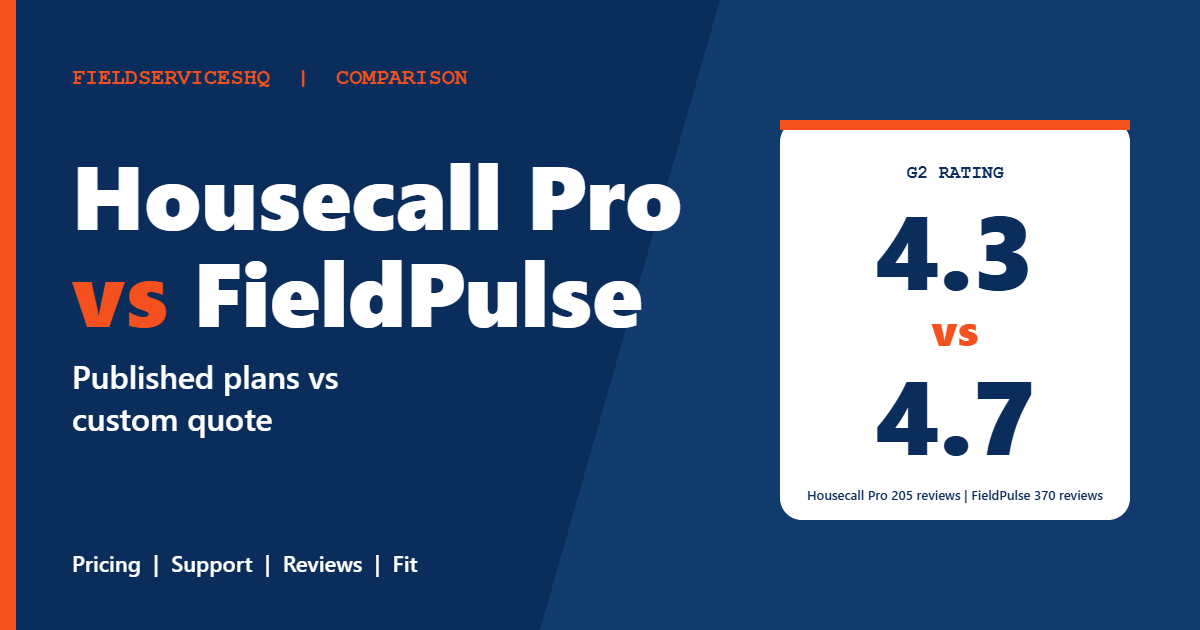
| G2 rating | 4.3 out of 5 (205 reviews) | 4.7 out of 5 (370 reviews) |
| Capterra | 4.7 (about 2,750 reviews) | 4.6 (about 500 reviews) |
| Top praise | Ease of use, easy setup | Customer support, ease of use |
| Top complaints | Missing features, cost | Limited customization, bugs, per-user cost |
| Maintenance agreements | Recurring Service Plans on MAX | Listed as a feature, no tier details |
Pricing: what is actually published
Housecall Pro
The Housecall Pro pricing page lists Basic at $59 a month billed annually ($79 monthly) for one user, Essentials at $149 ($189 monthly) for five users and MAX at $299 ($329 monthly) for eight users. Extra MAX users are $35 each. Card processing starts at 2.59 percent, and bank payments carry a 1 percent fee.
The tiers are gated by feature. Flat-rate pricing, routes, phone-based GPS tracking, QuickBooks Online sync and commissions begin on Essentials. Recurring Service Plans, open API access, a dedicated onboarding specialist, route optimization and a sales proposal tool arrive on MAX.
FieldPulse
The FieldPulse pricing page lists no plans, prices or included users. It says FieldPulse is seat-based and that pricing is built around what your team needs, and it points you to a custom quote and a free demo. Maintenance agreements, inventory management, dashboards and reporting, and QuickBooks are listed as features, with no tier information. An AI assistant is described as included on all plans.
Several items are sold separately according to the page: the Engage phone system (line and license-based pricing), Operator AI, Chat AI, Pricebook, FieldPulse Payments, FieldPulse Financing, Fleet Tracking and Custom Forms. If you need a pricebook or custom forms, ask whether they are in your quote.
What third parties report about FieldPulse pricing
Because FieldPulse does not publish a price list, outside reviewers have tried to reconstruct it. LawnStarter’s review describes a base fee plus a per-user charge, and FieldCamp’s review cites a starting figure of roughly $89 a month for the first user plus about $30 per additional user, with fleet tracking around $30 per vehicle. These are third-party estimates, not FieldPulse figures, so treat them as a rough yardstick and ask for a written quote.
Features that matter day to day
Scheduling, dispatch and routing
Both tools cover scheduling and dispatch. Housecall Pro includes it on every plan, adds routes on Essentials and route optimization on MAX. FieldPulse reviewers on Capterra highlight centralized scheduling and dispatch among the platform’s strengths.
Quotes, pricebook and flat rate
Housecall Pro includes a price book and job costing on every plan and flat-rate pricing from Essentials. FieldPulse lists Pricebook as an optional premium product, so confirm whether you would pay extra for it.
Maintenance agreements
Housecall Pro lists Recurring Service Plans on MAX only. FieldPulse lists Maintenance Agreements as a feature without saying which tier carries it. If recurring revenue is central, ask each vendor to show you how an agreement is created, billed and renewed.
Phone, texting and payments
FieldPulse sells its Engage phone system separately. Housecall Pro includes live phone and chat support, a mobile app, financing access and offline viewing on every plan. FieldPulse offers FieldPulse Payments and Financing as premium products.
AI features
FieldPulse markets an AI assistant as included, with Operator AI and Chat AI as add-ons. Housecall Pro’s pricing page does not highlight AI. If AI call handling matters to you, ask for a live demonstration instead of relying on marketing language.
QuickBooks
Both list QuickBooks integration. Housecall Pro’s sync is QuickBooks Online and starts on Essentials. Several reviewers on third-party sites mention sync as an area to check on any tool, so confirm it with your own accounting setup during the trial.
What reviewers say
G2
On G2, FieldPulse holds 4.7 out of 5 from 370 reviews and Housecall Pro 4.3 from 205. G2’s head-to-head page has category scores for Housecall Pro only (meets requirements 8.6, ease of use 8.9, ease of setup 8.7, ease of admin 9.0, quality of support 8.7, good business partner 8.8, product direction 8.9), because it did not show comparable scores for FieldPulse, so a score-for-score comparison is not possible there.
The themes still tell a story. FieldPulse reviewers on G2 most often praise customer support (51 reviews) and ease of use (47), and their most common concerns are improvement needed (14) and limited customization (13). Housecall Pro reviewers praise ease of use and easy setup, and their most common complaints are missing features and cost.
Capterra
Capterra’s listing shows FieldPulse at 4.6 from roughly 500 reviews, with about 92 percent positive sentiment. The summarized strengths are a streamlined, intuitive platform and responsive in-app chat help. The summarized weaknesses are frequent bugs and software glitches, and cumbersome data management processes. Capterra lists Housecall Pro at 4.7 from about 2,750 reviews, a far larger base.
Complaints worth taking seriously
Individual FieldPulse reviews on Capterra mention per-user cost for part-time staff, price increases that were not negotiated, forms that became a separate fee, and being locked into a multi-year contract. One reviewer said a base fee plus a per-user fee adds up quickly with multiple users. These are individual experiences, not the whole picture, but they point to the same questions: how pricing changes over time and how contracts work.
For Housecall Pro, the recurring concerns are missing features and cost rising as a business adds add-ons or moves up a tier.
Which one fits which business
Housecall Pro tends to fit when
- You want to compare prices before talking to sales.
- You have one to eight people and can stay within the plan caps.
- You value a large review base and a quick, self-serve start.
- You are comfortable moving up to MAX if you need Recurring Service Plans or the API.
FieldPulse tends to fit when
- Customer support quality is your top criterion and the G2 praise matches what you want.
- You are willing to book a demo and negotiate a written quote.
- You want a seat-based model, where a small group of heavy users matters more than a plan cap.
- You want optional AI, phone or fleet products and are ready to price them.
A decision checklist
- Write down every person who needs a login and how often each uses it. Part-time staff can matter in a per-seat model.
- Request the FieldPulse quote and ask for contract length, renewal terms, price-change policy and seat add-on pricing in writing.
- Start the Housecall Pro trial and enter your real price book, one customer and one recurring job.
- Compare total monthly cost on the plan that includes every feature on your list.
- Contact each vendor’s support with a real question before you buy, and see how fast and clear the answer is.
For related reading, see Housecall Pro vs Service Fusion, Jobber vs FieldPulse and Housecall Pro vs FieldEdge.
Mistakes to avoid
Do not treat a third-party price estimate as a quote. The $89 plus $30 per user figure circulating online is a reviewer’s reconstruction, not a FieldPulse price list.
Do not compare plan names. Housecall Pro Basic is very different from Essentials or MAX, and FieldPulse does not publish tiers, so compare by the feature list that you need.
Do not skip the contract conversation. Ask how long the term is and what happens if your headcount changes mid-term.
Housecall Pro vs FieldPulse FAQ
Is FieldPulse more expensive than Housecall Pro?
FieldPulse does not publish prices, so there is no verified comparison. Housecall Pro lists $59, $149 and $299 a month on annual billing. Third-party reviewers estimate FieldPulse at a base fee plus roughly $30 per user, but get a written quote before concluding anything.
Does FieldPulse offer a free trial?
FieldPulse’s pricing page offers a free demo, and its free trial answer is not shown on the page. Some third-party reviews mention a 14-day trial, so ask the vendor directly. Housecall Pro offers a 14-day trial.
Which has better reviews?
FieldPulse leads on G2 with 4.7 from 370 reviews against 4.3 from 205 for Housecall Pro. On Capterra, Housecall Pro has 4.7 from roughly 2,750 reviews and FieldPulse 4.6 from roughly 500. Both are well reviewed.
Which has better customer support?
FieldPulse reviewers on G2 cite customer support as their top strength. Housecall Pro G2 support scores 8.7 out of 10, and reviewers cite support as both a strength and a complaint. Test each vendor’s support with a real question before you buy.
Does FieldPulse have maintenance agreements?
Its pricing page lists Maintenance Agreements as a feature without naming the plan. Housecall Pro lists Recurring Service Plans on MAX. Ask both for a demo of the full agreement workflow.
What are the biggest complaints about FieldPulse?
On G2, the most common concerns are improvement needed and limited customization. On Capterra, the summary points to bugs and cumbersome data management, and individual reviewers mention per-user cost and contract terms.
What are the biggest complaints about Housecall Pro?
G2 reviewers most often cite missing features and cost, and note that costs can rise with add-ons as a business grows.
Which is better for a small HVAC or plumbing company?
Either can work. Choose Housecall Pro if you want published pricing and a quick start, and FieldPulse if support quality and a quote-based seat model suit you. Compare written totals and run your real jobs through each.
The bottom line
Housecall Pro is the easier product to evaluate because its prices and tiers are public and its review base is large. FieldPulse has a stronger G2 rating and excellent support feedback, but you will need a demo, a written quote and a clear answer on contract terms before you can judge its cost. Decide by comparing total monthly cost at your real headcount, and ask both vendors to put terms in writing.
Sources: Housecall Pro pricing, FieldPulse pricing, G2 comparison of FieldPulse and Housecall Pro, FieldPulse on Capterra, FieldPulse review by LawnStarter, FieldPulse review by FieldCamp.



