Jobber, ServiceM8 or Fergus: Which Pricing Model Suits a Small Trades Business?
Plumbers, electricians, HVAC techs and other trades owners tend to hit the same fork when they leave paper behind. One road leads to a tool that charges per user, the next to a tool that charges per job, and the third to a tool that charges a base fee plus staff. Jobber, ServiceM8 and Fergus each take a different road, and the right pick depends heavily on how many jobs you run and how many people are on your team.
This guide compares the three on what they publish, what reviewers say and how the cost behaves as you grow. It also covers an important detail: ServiceM8 and Fergus are strong in Australia, New Zealand and the UK, while Jobber has a larger US footprint, so review volume and currency can differ.
For deeper pairwise reading, see our guide to Jobber vs ServiceM8.
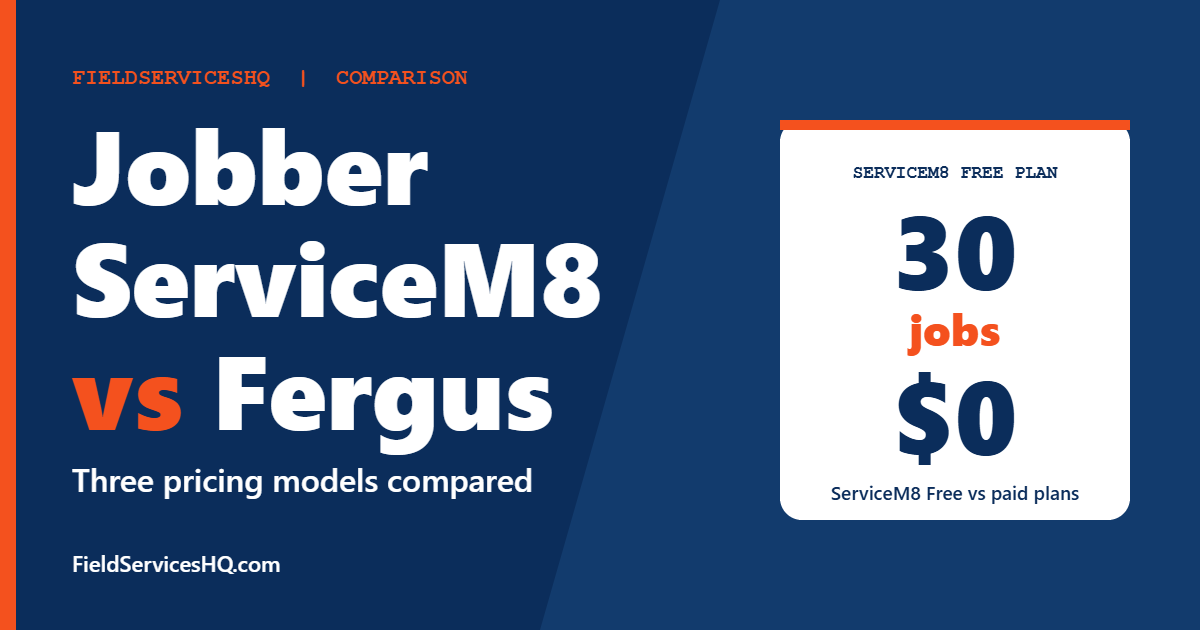
The three charge in three different ways. ServiceM8 charges by jobs per month with unlimited users, Jobber by plan and users included, and Fergus from a base price plus extra staff, billed monthly with no annual option. A solo trade doing under 30 jobs a month can run ServiceM8 free. A five-person crew doing around 150 jobs pays 79 dollars on ServiceM8 against 149 on Jobber Connect. Fergus suits trades that want estimating, price books and compliance forms and are comfortable with a start-from price.
Jobber vs ServiceM8 vs Fergus at a glance
| Factor | Jobber | ServiceM8 | Fergus |
|---|---|---|---|
| Pricing model | Plan plus users included | By jobs per month, unlimited users | Base price plus extra staff, monthly only |
| Cheapest published | Core 29 dollars (annual) | Free, 1 user, 30 jobs | From 53 dollars |
| Free plan | No | Yes | No |
| Free trial | Yes | Yes | 14 days, no card |
| Capterra rating | About 4.6 (1,400 plus reviews) | 4.5 (311 reviews) | 4.6 (155 reviews) |
| G2 category data | Strong (266 to 452 responses) | Thin (5 to 12 responses) | None |
| Best known for | Ease of use, US small business | Simple job app, per-job pricing | Quoting, price books, trades compliance |
G2 shows no usable category scores for Fergus, and ServiceM8 has only 5 to 12 responses per category there. For these two, Capterra has the larger samples (ServiceM8 4.5 from 311 reviews, Fergus 4.6 from 155), so we use it as a second source and say so.
Published pricing in detail
ServiceM8
ServiceM8 prices by jobs created per month, and users are unlimited on every paid plan:
| Plan | Monthly price | Users | Jobs per month |
|---|---|---|---|
| Free | 0 dollars | 1 | 30 |
| Starter | 29 dollars | Unlimited | 50 |
| Growing | 79 dollars | Unlimited | 150 |
| Premium | 149 dollars | Unlimited | 500 |
| Premium Plus | 349 dollars | Unlimited | 1,500 plus, 20 cents per additional job |
SMS is free on Starter and higher plans. An Office Agent Pro add-on is 39 dollars a month on every plan, and ServiceM8 Phone starts from 19 dollars a month. The page lists the phone free trial as both one month and three months, so confirm which applies.
What each plan adds: Free has the essentials with recurring jobs and deposits. Starter adds unlimited AI writing assists, partial and progress invoices, supplier invoice importing and the standard office agent. Growing adds asset management, forms and certificates, proposals, bundles and an inbox. Premium adds job costing, markup billing and a knowledge feature.
Jobber
Jobber’s published ladder, annual billing per month:
| Plan | 1 user | 5 users | 10 users | 15 users |
|---|---|---|---|---|
| Core | 29 dollars | Contact sales | Contact sales | Contact sales |
| Connect | 99 dollars | 149 dollars | 229 dollars | 299 dollars |
| Grow | 149 dollars | 229 dollars | 299 dollars | 399 dollars |
| Plus | Not listed | 399 dollars | 449 dollars | 529 dollars |
Extra users are 29 dollars a month each. Jobber does not cap the number of jobs. Core covers booking, scheduling, quotes, invoicing with online payments and reporting. Connect adds reminders, automatic payment collection, checklists, QuickBooks Online sync and time and expense tracking. Grow adds job costing, two-way SMS and automations.
Fergus
Fergus bills monthly only, with no annual plans:
| Plan | Price | Notes |
|---|---|---|
| Basic | From 53 dollars per month | Email and chat support |
| Professional | From 75 dollars per month | Adds phone support, GPS tracking, checklists, job phases, purchase orders, tiered pricing, hazards, SWMS and extra reports |
| Enterprise | Custom, for 10 or more staff | Contact sales |
Additional timesheet users start from 26 dollars a month and contractor users are 4 dollars per user per day. Certificates are 30 dollars for 1 to 9 staff and 80 for 10 or more. SMS alerts are 15 dollars per 100 texts and card payments are 2.95 percent plus 30 cents. Setup and training start from 0 dollars. A 14-day free trial needs no card, though the FAQ calls the trial plan Essentials while the pricing page calls it Basic.
The page shows a dollar sign without a currency code, and it does not state how many users each plan includes. Capterra shows the same entry price as A$53, which suggests Australian dollars, so check your currency and seat count in a quote. G2 describes Fergus pricing as per user, which conflicts with the vendor page’s wording, so ask directly.
What a team costs under each model
The key variable is jobs per month, so here are five common profiles:
| Profile | ServiceM8 | Jobber | Fergus |
|---|---|---|---|
| Solo, 25 jobs a month | Free, 0 | Core 29 | From 53 |
| Solo, 45 jobs a month | Starter 29 | Core 29 | From 53 |
| Three people, 120 jobs | Growing 79 | Connect for 5 users 149 | From 53 plus extra staff |
| Eight people, 400 jobs | Premium 149 | Connect 229 (10 users) | Quote likely, from 75 plus staff |
| Fifteen people, 1,600 jobs | Premium Plus 349 plus 20 cents per job over 1,500 | Connect 299 or Grow 399 | Enterprise, custom |
Reading it: ServiceM8 is cheapest while job counts stay modest and teams are large. Jobber is steadier if you run a high job count with few people, and it avoids the job cap anxiety. Fergus is hardest to model without a quote. Add the 39 dollar Office Agent Pro on ServiceM8 if you want it, and add payment processing everywhere.
One more trap: ServiceM8’s Premium tier is the first to include job costing, while Jobber puts job costing on Grow. If you rely on job costing, compare ServiceM8 Premium at 149 dollars with Jobber Grow at your user count, not the entry plans.
What reviewers say
Jobber
G2 scores Jobber 4.6 from 526 reviews with ease of use at 9.0, ease of setup at 8.9, ease of admin at 9.1 and quality of support at 9.1. Reviewers praise ease of use and a unified platform, and complain about subscription cost and limited customization.
ServiceM8
G2’s page shows ServiceM8 with ease of use at 8.8 but only 12 responses, and several categories rest on 5 to 11 responses, so the lower scores for support at 6.8 and product direction at 6.5 are not reliable. Capterra, with 311 reviews and a 4.5 rating, is a better guide. Capterra summaries describe ServiceM8 as making quoting and invoicing fast, especially for small trades teams and sole operators.
Fergus
G2 says there is not enough data for any Fergus category. On Capterra it scores 4.6 from 155 reviews, with ease of use 4.5, customer service 4.6 and value for money 4.5, and the platform page reports a heavily positive review sentiment.
Where each one fits best
Jobber
Best when you want a clear price ladder, strong G2 support and ease-of-use scores, and a US-oriented ecosystem. It is also the safest choice if your job count could spike, because there is no job limit. See our Jobber vs Housecall Pro vs Workiz guide for the US peers.
ServiceM8
Best when you are small or mid-sized, your job volume is predictable and you want unlimited users for a low price. It is popular with trades and sole operators. Its per-job model punishes you if your volume grows quickly or if you create many tiny jobs.
Fergus
Best when your trade needs structured quoting, price books, job phases, purchase orders and safety documents such as hazards and SWMS. Those features sit on its Professional plan. The monthly-only billing and from-pricing mean you should get a written quote.
A simple way to pick: count your jobs for one month
The single most useful thing you can do before choosing is to pull one busy month from your calendar, invoices or phone and count three numbers: how many jobs you created, how many different people touched them and how many of those jobs were repeats or follow-ups.
If most of your work is one-off call-outs
A plumber or electrician who books one-off call-outs usually creates one job per visit. A busy month of 150 visits across five people lands on ServiceM8 Growing at 79 dollars, with unlimited users. The same business on Jobber would be on Connect for five users at 149 dollars or Grow at 229 dollars. If you need job costing, ServiceM8 moves you to Premium at 149 dollars, which narrows the gap with Jobber Grow.
If you run recurring or multi-visit jobs
Recurring jobs, call-backs and multi-day installs can multiply job counts if the platform treats each visit as a job. Ask ServiceM8 exactly how a recurring job and a return visit are counted against your monthly allowance. On Jobber, where there is no job cap, the question disappears and the user count becomes the cost driver.
If your team is about to grow
Jobber charges 29 dollars for each extra user beyond the plan bundle, and ServiceM8 charges nothing for extra users but moves you up a tier as jobs grow. A business planning to double its crew in a year should model both numbers at twice the current headcount and twice the job volume before choosing.
If paperwork and compliance drive your day
Trades that must keep hazard records, safe work method statements or certificates often prefer Fergus, which lists hazards, SWMS and certificate options on its Professional plan. The trade-off is that its pricing is the hardest to model, so request a written quote with your staff count, timesheet users and any contractor days.
A one-page scorecard
Rate each product from one to five after a trial:
- Time to create a quote on a phone.
- Time to turn a quote into a job and invoice.
- Clarity of the monthly bill at your volume.
- Accounting sync with your tool.
- Customer notifications and reminders.
- Quality of the answer when you contact support.
Weight each line by what your business cares about. A tool that wins on cost but loses on quote speed may cost you more in missed sales than it saves.
Questions to ask in demos
- How many jobs will I create in a normal month and in a peak month?
- What counts as a job or a user, and what happens when I go over?
- Which plan do I need for QuickBooks, Xero or MYOB, job costing and forms?
- What are payment processing and SMS fees?
- What currency am I billed in, and are there taxes on top?
- How do I export my data if I leave?
- What support hours apply in my time zone?
Mistakes to avoid
- Counting jobs wrong. If a visit, a call-back or a follow-up creates a job, your count rises quickly.
- Comparing prices in different currencies. Fergus and ServiceM8 pricing may not be in US dollars for your region.
- Missing add-ons. ServiceM8 sells Office Agent Pro and Phone separately.
- Trusting thin G2 scores. ServiceM8’s lower G2 numbers come from a handful of responses.
- Ignoring support time zones. A great support team is less useful if it is asleep when your crew is working.
Jobber vs ServiceM8 vs Fergus FAQ
Which is cheapest?
For a solo trade with 30 or fewer jobs a month, ServiceM8’s Free plan is zero cost. For growing teams with moderate job counts, ServiceM8 Growing at 79 dollars with unlimited users is the lowest published figure. Fergus starts from 53 dollars, and Jobber Core is 29 dollars for one user on annual billing.
Does ServiceM8 charge per user?
No. Paid plans include unlimited users and charge by jobs per month instead.
Does Jobber limit the number of jobs?
Its pricing page limits users per plan and does not cap jobs.
How much does Fergus cost?
The pricing page lists Basic from 53 dollars and Professional from 75 dollars a month, monthly billing only, with extra staff charged separately. Currency and seats included are not stated, so request a quote.
Which has the best reviews?
On Capterra, Fergus scores 4.6 from 155 reviews, Jobber about 4.6 from over 1,400 and ServiceM8 4.5 from 311. G2 has strong data for Jobber only.
Which works with Xero or MYOB?
Fergus lists Xero, QuickBooks and MYOB integrations on both its plans. Jobber lists QuickBooks Online sync from Connect. Check ServiceM8’s integrations for your accounting tool in a demo.
Is there a free option?
ServiceM8 has a Free plan for one user and 30 jobs a month. Jobber and Fergus offer trials, not free plans.
Can I switch later?
Yes. Export customers and job history regularly, and ask the new vendor what it can import.
Sources and method note
Prices come from the ServiceM8 pricing page, the Fergus pricing page and the Jobber pricing page. Ratings come from G2 side-by-side pages and from Capterra listings for ServiceM8 and Fergus. Vendors change plans often, so confirm current figures and currency before buying.