
Aspire, Service Autopilot or LMN: Which Landscaping Software Fits Your Company?
Landscape and lawn care companies run on routes, crews, material takeoffs, seasonal work and snow plans, and they live or die on whether the job was priced correctly before the crew ever arrives. That is why software built for generic home services often feels thin to a landscaper, and why three names keep appearing on shortlists: Aspire, Service Autopilot and LMN.
They overlap on the basics, such as scheduling, invoicing, route planning and customer records. They differ on where they put the emphasis. LMN is built around estimating, job costing and production rates, and is known in the industry for its cost-based approach to pricing jobs. Service Autopilot started with recurring lawn and snow service and is sold in tiers that add route optimization, job costing and automations. Aspire is a broader business management platform, aimed at landscape companies with larger operations and more back-office needs.
This guide compares the three using the vendors’ own pages and Capterra and G2 data. It shows what is published, what is not and what to ask for in a written quote. If you want a deeper pairwise view, our Aspire vs Service Autopilot guide covers that matchup.
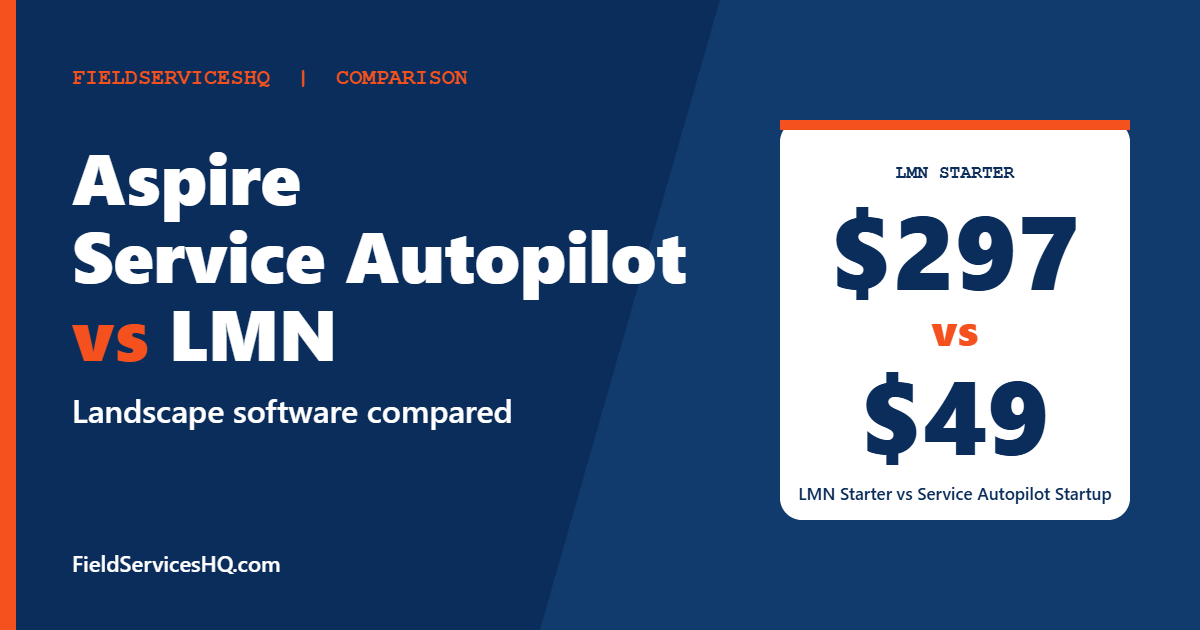
LMN publishes the clearest numbers: 297 dollars a month for Starter and 648 for Professional, with crew licenses included. Service Autopilot publishes monthly prices from 49 dollars but adds a sign-up fee whose amount is not shown and caps business users at one on most plans. Aspire does not publish prices and is aimed at larger landscape businesses. Capterra scores are close: LMN 4.6, Aspire 4.4, with G2 data too thin to lean on for any of the three.
Aspire vs Service Autopilot vs LMN at a glance
| Factor | Aspire | Service Autopilot | LMN |
|---|---|---|---|
| Pricing | Not published | Published monthly, plus sign-up fee | Published monthly |
| Entry price | Quote | Startup 49 dollars | Starter 297 dollars |
| Capterra rating | 4.4 (362 reviews) | Not checked | 4.6 (about 84 reviews) |
| Free trial | Not stated | Button, terms not shown | Not stated |
| Built for | Larger landscape and snow businesses | Recurring lawn and route services | Estimating and production-rate driven landscapers |
| Business users included | Quote | 1 (Elite 2) | 1 office or crew lead on Starter, 3 on Professional |
| Crew or mobile licenses | Quote | 1, 2, 5 or 8 by plan | 5 on Starter, 15 on Professional |
| Contract | Ask | Annual subscription rates | Billed monthly |
G2 has no usable page for Aspire, and its LMN and Service Autopilot scores come from 7 to 14 responses each. We rely on Capterra for review volume and on vendor pages for prices. Aspire pricing is quote only, and neither LMN nor Service Autopilot publishes its onboarding or sign-up fee.
Published pricing in detail
LMN
LMN’s pricing page lists:
| Plan | Price per month | Users included |
|---|---|---|
| Starter | 297 dollars, billed monthly | 1 office or crew lead plus 5 crew member licenses |
| Professional | 648 dollars, billed monthly | 3 office or crew lead plus 15 crew member licenses |
| Enterprise | Contact sales | Starts at 100 users |
Professional adds real-time job costing, Zapier integrations, files and photos on documents, and equipment and material costing. QuickBooks integration is Online only on Starter and Online plus Desktop on Professional and Enterprise, and dashboards are basic on Starter and advanced above. Additional licenses are available for a fee that is not published, and the page notes a one-time onboarding fee whose amount is not shown. Greenius, LMN’s learning add-on, is available on all plans. The page also advertises a Black Friday promotion that ends on November 30, which will change.
Service Autopilot
Service Autopilot’s pricing page lists these monthly prices, each with a sign-up fee:
| Plan | Price per month | Business users | Mobile licenses |
|---|---|---|---|
| Startup | 49 dollars | 1 | 1 |
| Pro | 199 dollars | 1 | 2 |
| Pro Plus | 499 dollars | 1 | 5 |
| Elite | Contact for pricing | 2 | 8 |
Startup covers scheduling and dispatch, invoicing with integrated payments, expense tracking and customer and lead management. Pro adds multi-day job management, route optimization, a dispatch calendar, job costing and analysis, asset, expense and employee tracking and customized reporting. Pro Plus adds automations, marketplace access and training content. Elite adds two-way texting, Accelerate, email integration, Smart Maps, a client portal, QuickBooks integration, onboarding specialists and multi-location management.
Several items, including QuickBooks Online two-way sync, the client portal and Smart Maps, are described as add-ons or call-for-pricing items in some tiers. All pricing is based on annual subscription rates, upgrades can happen at any time and downgrades take effect at the end of the contract period. The sign-up fee amount, the exact Elite price, add-on prices, contract length and trial terms are not published.
The first thing to notice is how few business users are included: one on three of the four plans. If you have two or three office staff, ask what additional business users cost.
Aspire
Aspire does not publish pricing, and Capterra lists its starting price as contact vendor. Capterra describes it as a cloud-based business management platform for landscape companies, with a large share of reviewers from smaller businesses, and one Capterra comparison page lists it for businesses with 1 million dollars or more in sales. Request a written proposal that lists users, modules, onboarding, support level and contract length.
What a mid-size crew pays on published prices
Suppose you have three office staff and fifteen crew members:
| Item | LMN | Service Autopilot | Aspire |
|---|---|---|---|
| Plan that fits | Professional, 648 dollars | Pro Plus 499 dollars plus extra business users and mobile licenses | Quote |
| Included | 3 office and 15 crew licenses | 1 business user, 5 mobile licenses | Quote |
| Extras to price | Onboarding fee | Sign-up fee, extra users and mobile licenses, add-ons | Everything |
LMN’s Professional bundle covers that team on paper. Service Autopilot’s price is lower on the page but covers fewer users, so the real cost depends on how extra business and mobile licenses are priced. Aspire needs a quote. In every case, ask for the all-in monthly cost, the one-time cost and the first-year total.
What reviewers say
Capterra
Capterra shows LMN at 4.6 from 83 to 84 reviews and Aspire at 4.4 from 362 reviews on one page, and 4.5 from 238 on another, which suggests different regional counts. Capterra lists Aspire’s best-rated features as job management, billing and invoicing, and job costing at 4.3 to 4.4. Its lowest-rated Aspire features are landscape design at 2.9, mobile access at 3.8 and accounting integration at 3.9, though sample sizes for those feature scores are not shown. LMN’s most popular Capterra integrations include Stripe, Zapier and QuickBooks Online Advanced.
G2
G2’s pair page for LMN and Service Autopilot is thin, with 7 to 14 responses per score. For what it is worth:
| G2 category | LMN | Service Autopilot |
|---|---|---|
| Meets Requirements | 7.3 (8 responses) | 8.7 (14) |
| Ease of Use | 8.1 (8) | 7.4 (14) |
| Ease of Setup | Not enough data | 6.4 (11) |
| Quality of Support | 7.5 (8) | 9.0 (14) |
| Product Direction | 8.3 (7) | 8.1 (12) |
G2’s own summary says reviewers felt Service Autopilot better meets business needs and offers better ongoing support, while they preferred LMN’s roadmap direction. With samples this small, that is a hint, not a conclusion. G2’s listed prices for LMN and Service Autopilot also differ from the vendor pages: it shows LMN Professional at 598 dollars against 648 on LMN’s site, and Service Autopilot Pro Plus and Pro “per feature”, so use the vendor pages.
Where each product tends to fit
LMN
LMN suits landscape companies that want to price jobs from real costs: labor rates, production rates, materials and overhead. Its Professional plan adds real-time job costing and equipment and material costing, which are the features estimators care about. Its limits are the user bundles and the one-time onboarding fee, so confirm both.
Service Autopilot
Service Autopilot suits companies built on recurring maintenance and snow routes. Its higher plans add route optimization, multi-day jobs and automations. The low entry price of 49 dollars is attractive, but features that landscapers often need, such as QuickBooks sync, can sit behind add-ons or higher tiers, so read the chart carefully.
Aspire
Aspire suits larger landscape and snow operations that want estimating, production tracking, equipment and finances in one platform and have the staff to run it. Capterra reviewers describe it as comprehensive, but the lack of public pricing and a lower mobile feature rating mean you should test field workflows closely.
For companies that also do general home service work, our Jobber vs Housecall Pro vs ServiceTitan guide covers the broader tools.
Questions to ask each vendor
- What is the total first-year cost, including onboarding, sign-up fees and add-ons?
- How many office users and crew licenses are included, and what does each extra cost?
- How does the system handle estimating from production rates, and can I import my own numbers?
- How do recurring routes, rain delays and snow events work in the scheduler?
- What accounting integration is included, and which QuickBooks version does it support?
- How does the mobile app work in poor coverage, and how do crews clock in and out?
- What does onboarding involve, how long does it take and what do you need from us?
- What is the contract length and what happens at renewal?
A seasonal rollout plan
Landscape software is hard to switch in the middle of a season. A workable pattern is to choose in late fall or winter, migrate customer and property data in the slow months, build estimating templates and production rates, train crew leads before spring and go live with a small set of routes first. Keep your old system read-only until the first month of invoices reconciles.
Mistakes to avoid
- Buying on entry price. Service Autopilot’s 49 dollars is not a full-company price once users, sign-up fees and add-ons are included.
- Ignoring the onboarding fee. LMN and Service Autopilot both mention one without a published amount.
- Skipping the estimating test. Give each vendor a real property with real measurements and compare the quote to your actual costs.
- Assuming mobile quality. Capterra’s mobile feature rating for Aspire is among its lowest, so test your crews.
- Using G2 prices. They differ from vendor pages.
Aspire vs Service Autopilot vs LMN FAQ
Which is cheapest?
On published prices, Service Autopilot Startup at 49 dollars a month is the lowest, but it adds a sign-up fee and includes one business user and one mobile license. LMN Starter is 297 dollars with crew licenses included. Aspire does not publish a price.
How much does LMN cost?
LMN lists Starter at 297 dollars a month and Professional at 648 dollars, billed monthly, plus a one-time onboarding fee whose amount is not published.
How much does Aspire cost?
Aspire does not publish pricing. Capterra shows contact vendor for pricing.
Which has the best reviews?
On Capterra, LMN scores 4.6 and Aspire 4.4, with Aspire having more reviews. G2 has too little data to rank them.
Which is best for recurring lawn care routes?
Service Autopilot is built around recurring service and adds route optimization on Pro. LMN and Aspire handle recurring work too, so test your own route.
Which is best for estimating?
LMN is known for cost-based estimating and adds real-time job costing and equipment and material costing on Professional. Aspire lists job costing among its stronger Capterra features. Ask each to price a sample property.
Do any of them work with QuickBooks?
LMN supports QuickBooks Online on Starter and Online plus Desktop on Professional. Service Autopilot lists QuickBooks Online two-way sync as an add-on and QuickBooks integration on Elite. Aspire lists QuickBooks Online as an integration on Capterra.
Can I switch software mid-season?
You can, but it is risky. Plan the cutover for your slow months and run the old and new systems in parallel for a billing cycle.
Sources and method note
Prices come from the LMN pricing page and the Service Autopilot pricing page. Ratings come from Capterra listings for LMN and Aspire and from G2’s side-by-side page for LMN and Service Autopilot. Aspire does not publish prices. Vendors change plans and promotions, so confirm current figures before buying.



