
Housecall Pro vs Kickserv: What the Price Gap Really Buys You
Kickserv lists a plan for five users at $60 a month. Housecall Pro’s five-user plan is $149 a month on annual billing and $189 month to month. On a pricing grid, that looks like a landslide. Whether it is one depends on what you do with the software all day, which is the part pricing pages leave out.
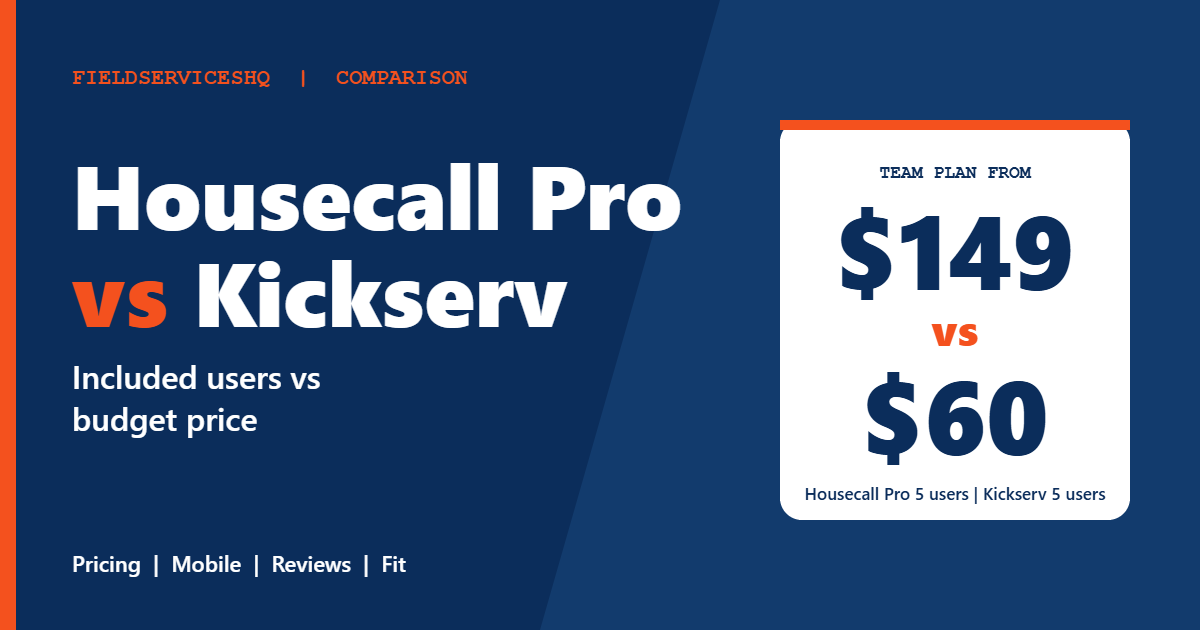
This comparison puts the two side by side using each vendor’s pricing page, G2’s head-to-head data and Capterra listings. We call out where the data is thin, show the math at several team sizes, and flag the questions most buyers forget to ask. The goal is a decision you will still be happy with six months from now, not just a lower number this week.
Housecall Pro vs Kickserv at a glance
| Factor | Housecall Pro | Kickserv |
|---|---|---|
| Plans | Basic, Essentials, MAX | Start, Run, Scale |
| Users included | 1, 5, 8 | 5, 10, 20 |
| Monthly billing | $79, $189, $329 | $60, $119, $199 |
| Annual billing | $59, $149, $299 per month | 20 percent off (about $48, $95, $159) |
| Free trial | 14 days | 30 days |
| QuickBooks | QuickBooks Online from Essentials | Online on all plans, Desktop at +$50 a month on Run |
| G2 rating | 4.3 out of 5 (205 reviews) | 4.5 out of 5 (181 reviews) |
| Capterra rating | 4.7 (about 2,740 reviews) | 4.4 (387 reviews) |
| Time to implement (G2) | 1 month | 1 month |
Pricing, plan by plan
Housecall Pro
The Housecall Pro pricing page lists Basic at $59 a month billed annually ($79 monthly) for one user, Essentials at $149 ($189 monthly) for five users, and MAX at $299 ($329 monthly) for eight users, with extra MAX users at $35 each. Flat-rate pricing, routes, phone-based GPS tracking, QuickBooks Online sync, commissions and checklists begin on Essentials. Recurring Service Plans, open API access, route optimization, a dedicated onboarding specialist and escalated phone support belong to MAX.
Kickserv
The Kickserv pricing page lists Start at $60 a month for five users, Run at $119 for ten users and Scale at $199 for twenty users, each with a 30-day free trial. An annual subscription saves 20 percent, though the page does not print the annual figures, so our $48, $95 and $159 numbers are our own arithmetic.
Start includes an embeddable contact form, automated email and text reminders, over 20 business reports, time tracking, expense tracking and QuickBooks Online integration. Run adds dispatch mapping, GPS check-ins, custom data fields and custom reports, plus QuickBooks Desktop integration at an extra $50 a month. Scale adds custom templates. The page also describes Kickserv Kickback, a 5 percent discount on monthly fees that requires minimum monthly online payment volume ($1,000 on Start, $2,000 on Run, $3,000 on Scale).
The page does not state recurring jobs, inventory or online booking, and no API is listed in any plan. If you rely on those, ask.
What the price difference means in practice
At five users, monthly billing, Kickserv Start is $60 and Housecall Pro Essentials is $189, a gap of $129 a month or $1,548 a year. At ten users, Kickserv Run is $119 while Housecall Pro MAX with two extra users is $299 plus $70, which comes to $399 at monthly rates. A mid-sized company would save thousands of dollars a year on list price alone.
The honest caveat is that the plans are not identical. Housecall Pro’s Essentials plan includes flat-rate pricing and phone-based GPS tracking, and MAX adds Recurring Service Plans and an open API. Kickserv’s pricing page does not list flat-rate pricing or recurring service agreements. If those two items are central to how you sell, the price gap is partly a feature gap.
Features compared
Scheduling and dispatch
Housecall Pro includes scheduling and dispatch on every plan, routes from Essentials and route optimization on MAX. Kickserv offers dispatch mapping and GPS check-ins from Run. G2 reviewers praise Kickserv’s scheduling management (5 mentions), but also cite scheduling issues (3) and calendar functionality (2) as concerns.
Mobile experience
This is the clearest weak spot in the Kickserv data. G2 lists mobile limitations as its most-cited downside (3 mentions), and Capterra’s summary of reviews highlights unreliable mobile functionality among the cons. Housecall Pro’s G2 data does not show mobile as a recurring complaint, and its pricing page lists a free mobile app with offline viewing on every plan. If your technicians live in the app, test Kickserv’s mobile experience during the 30-day trial before you commit.
Reporting
Kickserv includes over 20 business reports on Start and custom reports on Run. One Capterra reviewer, a facilities services founder with more than two years of use, called out some limits on reports but said they always found a workaround. Housecall Pro G2 reviewers also mention reporting limits, with no count given.
Payments
Housecall Pro lists card processing from 2.59 percent and 1 percent for bank payments. Kickserv’s page ties its Kickback discount to payment volume, so if you plan to process payments through it, ask for the exact rates in writing.
Integrations
Both integrate with QuickBooks. G2 lists Kickserv’s integrations as a strength (3 mentions). Housecall Pro’s strengths include payment processing and integrations.
What reviewers say
On G2, Kickserv scores 4.5 from 181 reviews and Housecall Pro 4.3 from 205. The category scores are close, with a few real gaps.
| Category (out of 10) | Housecall Pro | Kickserv |
|---|---|---|
| Meets requirements | 8.6 | 8.5 |
| Ease of use | 8.9 | 8.9 |
| Ease of setup | 8.7 | 8.9 |
| Ease of admin | 9.0 | 9.1 |
| Quality of support | 8.7 | 9.2 |
| Good business partner | 8.8 | 9.1 |
| Product direction | 8.9 | 8.9 |
Kickserv leads on support (9.2 against 8.7) and on being a good business partner (9.1 against 8.8). Everything else is within a few tenths. Both show about one month to implement, with return on investment at seven months for Housecall Pro and eight for Kickserv.
On Capterra, Housecall Pro carries 4.7 from roughly 2,740 reviews, while Kickserv has 4.4 from 387. The larger sample makes the Housecall Pro figure more stable, but both are well reviewed.
The G2 themes confirm the pattern. Kickserv reviewers cite ease of use (8), scheduling management (5), customer support (4) and affordable pricing (2) as positives, with mobile limitations, scheduling issues, calendar functionality and limited functionality as concerns. Housecall Pro reviewers cite ease of use (16), easy setup (10) and payment processing (7), with missing features (7) and cost (4) as concerns. G2 notes that costs for Housecall Pro can rise because many features are add-ons.
Which one fits which business
Kickserv tends to fit when
- Your budget is tight and you have between two and twenty users.
- Support responsiveness matters more than a big app ecosystem.
- Your work is mostly office-based scheduling, with technicians who use the mobile app lightly.
- You can live without built-in flat-rate pricing and recurring service plans, or confirm they meet your needs in a demo.
Housecall Pro tends to fit when
- Your technicians depend on a polished mobile app.
- You want flat-rate pricing, GPS tracking and routes in one plan, and you are comfortable paying for the tier that has them.
- You prefer the larger review base and wider payment and integration options.
- You want a self-serve trial and published pricing.
Three examples
A two-person handyman team. You want invoices, reminders and card payments. Kickserv Start at $60 for five users has room to grow. Housecall Pro Basic is $59 on annual billing for a single user, so you would need Essentials ($149) for two or more users.
A seven-person HVAC shop. Five office and field staff are on the system, with maintenance agreements as key revenue. Check whether Kickserv can handle your recurring work, because Housecall Pro includes Recurring Service Plans only on MAX at $299 annual or $329 monthly. A real demonstration will settle it quicker than any comparison page.
A twelve-person cleaning company. Run at $119 covers ten users, Scale at $199 covers twenty. Housecall Pro would require MAX plus extra users. Kickserv is the clear budget winner on paper, so spend your effort on testing mobile and scheduling.
A short buying process
- Count the users and note how heavily your technicians rely on the mobile app.
- Run the Kickserv 30-day trial and the Housecall Pro 14-day trial at the same time, using the same real jobs.
- Have a technician complete a full day in each app, then ask what annoyed them.
- Ask each vendor for a written total including payment processing.
- Choose by the one issue you cannot live with, not the longest feature list.
For more matchups, read Housecall Pro vs FieldPulse, Jobber vs Kickserv and Housecall Pro vs Service Fusion.
Mistakes to avoid
Do not compare monthly Kickserv prices with annual Housecall Pro prices without noting it. Kickserv’s page shows monthly prices and a 20 percent annual discount, while Housecall Pro’s annual figures are its headline numbers.
Do not ignore the QuickBooks version. Kickserv’s Desktop integration costs $50 a month extra on Run, and Housecall Pro lists QuickBooks Online sync only.
Do not assume a cheaper tool will have every feature. Confirm recurring jobs, inventory and online booking directly with Kickserv, since its pricing page does not state them.
Housecall Pro vs Kickserv FAQ
Is Kickserv cheaper than Housecall Pro?
Yes on list price. Kickserv starts at $60 a month for five users, while Housecall Pro’s five-user Essentials plan is $149 a month on annual billing or $189 monthly. The plans are not identical, so compare the features you need.
Does Kickserv have a free trial?
Yes, the pricing page lists a 30-day free trial on all three plans. Housecall Pro offers a 14-day trial.
Which has better reviews?
G2 gives Kickserv 4.5 from 181 reviews and Housecall Pro 4.3 from 205. Capterra gives Housecall Pro 4.7 from about 2,740 reviews and Kickserv 4.4 from 387.
Which has better support?
On G2, Kickserv scores 9.2 for quality of support and Housecall Pro 8.7. Both vendors list live support options, so try each with a real question during your trial.
Does Kickserv integrate with QuickBooks?
Yes. QuickBooks Online integration is included with Start, and QuickBooks Desktop integration costs an extra $50 a month on Run.
What are the main complaints about Kickserv?
On G2, mobile limitations, scheduling issues, calendar functionality and limited functionality. Capterra’s summary points to unreliable mobile functionality.
What are the main complaints about Housecall Pro?
Missing features and cost, plus the note that costs can rise because many features are add-ons.
Which is better for a small plumbing or HVAC company?
Either can work. Kickserv wins on price and support scores, Housecall Pro on mobile polish and review volume. Run both trials with your real jobs.
The bottom line
Kickserv gives a small team a lot of room for the money and earns excellent support scores. Housecall Pro costs more but brings a bigger review base, a polished mobile app and a clearer path from solo operator to larger crew. Use both trials, push the mobile app hard, and decide on the one weakness you can least afford.
Sources: Housecall Pro pricing, Kickserv pricing, G2 comparison of Housecall Pro and Kickserv, Kickserv on Capterra.



