
ServiceTitan vs Service Fusion: Paying Per Technician or Paying a Flat Rate for Everyone
The biggest difference between ServiceTitan and Service Fusion is not a feature. It is how the bill grows. ServiceTitan prices per technician and asks you to request a quote. Service Fusion publishes three plans, gives every plan unlimited users and charges a flat monthly rate. Add a technician, a dispatcher and an office manager at ServiceTitan and the software cost moves. Add the same three people at Service Fusion and it does not.
That pricing logic matters most to shops with five to twenty-five employees, where headcount changes with the season and every software seat feels like a decision. But cost is only half of it. ServiceTitan scores higher on meeting requirements, dispatch depth and product direction, while Service Fusion scores higher on ease of use, setup and support. Here is the full picture from the vendors’ own pages and G2.
ServiceTitan vs Service Fusion at a glance
| Factor | ServiceTitan | Service Fusion |
|---|---|---|
| Pricing model | Per technician, quote only | Flat monthly plan, unlimited users |
| Published prices | None | $208, $325, $533 a month (annual billing) |
| Month-to-month price | Not published | $245, $382, $627 |
| Contract | Not stated on pricing page | No contract requirements stated |
| Free trial | None advertised | None, free demo |
| G2 rating | 4.4 out of 5 (375 reviews) | 4.1 out of 5 (124 reviews) |
| Ease of setup (G2) | 6.7 | 7.9 |
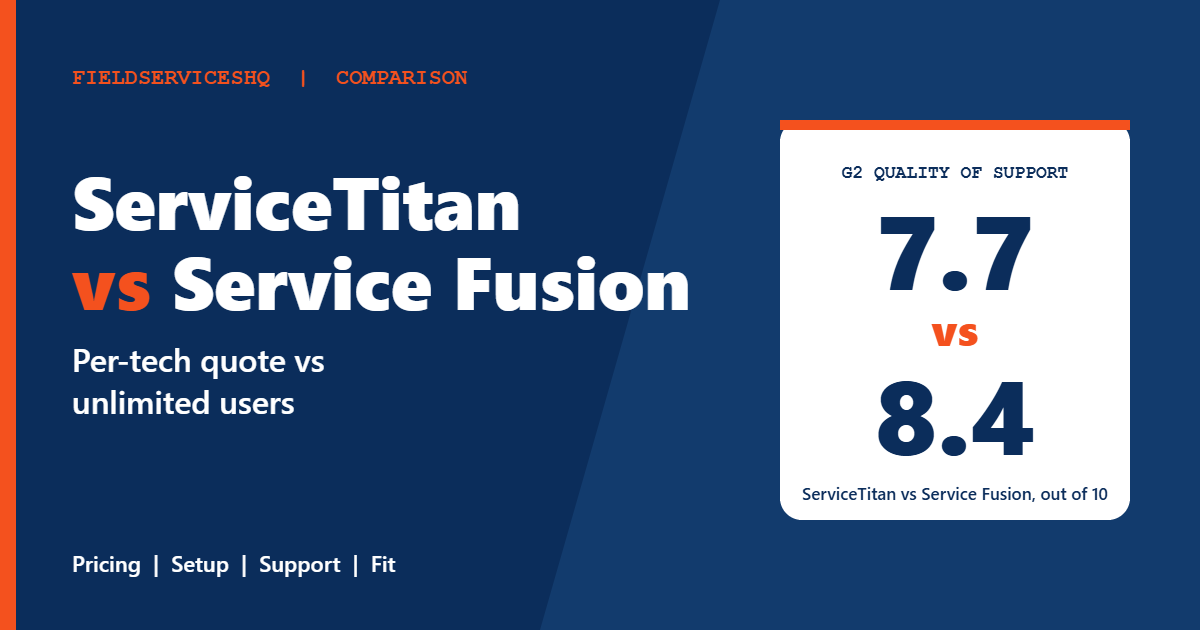
| Quality of support (G2) | 7.7 | 8.4 |
| Dispatch mentions (G2) | 15 | 4 |
What each vendor publishes
ServiceTitan
The ServiceTitan pricing page describes per-technician pricing and shows no dollar amounts. Starter includes dispatching, scheduling, call booking, invoicing and a pricebook. Essentials adds mobile estimates and payroll management. The Works adds configurable payroll, advanced reporting, commission tracking and customizable memberships. Pro products and payments are listed without prices, and the page states no contract terms.
Service Fusion
The Service Fusion pricing page lists Starter at $208 a month on annual billing ($245 monthly), Plus at $325 ($382) and Pro at $533 ($627), all with unlimited users. Every plan includes customer management, estimates and jobs, scheduling and dispatching, integrated payments, QuickBooks integration, invoicing, project management, reporting, text messaging alerts and estimate options. Plus adds job photo uploads, inventory management, job costing, and integrated voice and text. Pro adds open API integration, custom documents, e-sign documents, a customer web portal, and progress billing with recurring invoicing. On Starter, several of those are paid add-ons, and GPS fleet tracking is an add-on on every plan.
Service Fusion says there are no contract requirements, plans are month to month, and annual billing saves 15 percent. It offers a free demo, not a free trial, and personalized onboarding on all plans.
If you have seen older prices on third-party sites, note that G2 lists $259, $399 and $649, which do not match the vendor’s current page. Always use the vendor’s page.
The cost question
Service Fusion’s model is easy to forecast, because you know the plan price and the add-ons you need. A shop that grows from six to sixteen people sees the same plan price. Its own comparison page frames this as every new hire making ServiceTitan more expensive, which is a vendor claim but follows logically from per-technician pricing.
ServiceTitan’s cost is a negotiation. G2 reviewers cite high costs, expensive add-ons and contract rigidity. Outside sites publish a range of per-technician figures, from about $200 up to $500 and more, with implementation fees quoted in the thousands to tens of thousands, but those are third-party estimates, not ServiceTitan numbers, and they vary widely. The only number that counts is the one on your quote.
One more point on fairness. A flat rate with unlimited users is attractive, but it does not automatically mean lower total cost than a product you will use more deeply. If ServiceTitan’s reporting or call booking helps you win more revenue, its higher price may pay back. The way to judge is to model your own jobs.
Features compared
Dispatch and scheduling
G2 reviewers mention dispatch 15 times for ServiceTitan and 4 times for Service Fusion. Both offer scheduling and dispatching on every plan. ServiceTitan adds Scheduling Pro and Dispatch Pro as extras. Service Fusion’s own materials note that very large teams with heavy daily volume may find manual dispatch harder, so test your busiest day in a demo.
Reporting and analytics
ServiceTitan has 13 reporting mentions on G2 against 3 for Service Fusion, and its Works plan includes advanced reporting. Service Fusion includes reporting on all plans and open API on Pro.
Inventory, job costing and projects
Service Fusion includes inventory management and job costing in Plus and Pro, and project management on all plans. ServiceTitan lists pricebook on every plan and payroll from Essentials, with advanced reporting and memberships at The Works.
Memberships and recurring work
ServiceTitan highlights customizable memberships. Service Fusion’s pricing page lists progress billing and recurring invoicing on Pro but does not mention service agreements, so ask for a demonstration if you sell maintenance plans.
Phones and GPS
Service Fusion lists integrated voice and text in Plus and Pro, and GPS fleet tracking as an add-on. ServiceTitan sells Contact Center Pro and Fleet Pro as separate products.
Integrations
Service Fusion includes QuickBooks integration on every plan. G2 reviewers mention integrations 12 times for ServiceTitan and 4 for Service Fusion.
What reviewers say on G2
| Category (out of 10) | ServiceTitan | Service Fusion |
|---|---|---|
| Meets requirements | 8.7 | 8.2 |
| Ease of use | 8.3 | 8.6 |
| Ease of setup | 6.7 | 7.9 |
| Ease of admin | 8.0 | 8.2 |
| Quality of support | 7.7 | 8.4 |
| Good business partner | 8.6 | 8.5 |
| Product direction | 8.9 | 8.2 |
Service Fusion leads on ease of use, setup, admin and support. ServiceTitan leads on meeting requirements and product direction, and is roughly tied as a business partner. The pattern is the familiar one: the bigger platform does more, and the smaller one is easier to live with.
Written themes agree. ServiceTitan reviewers praise ease of use (35) and customer support (27) and cite a learning curve (20) and improvement needed (19). Service Fusion reviewers praise ease of use (12) and customer support (7), and cite data management issues (4) and cost (4). Service Fusion’s counts are small, so treat them as hints.
G2 shows six months to implement and six months to return on investment for both, but the page notes the figures look identical and may be duplicated, so we would not lean on them.
Which one fits which business
Service Fusion tends to fit when
- You have roughly five to twenty-five people and want to add staff without adding software cost.
- You prefer month-to-month terms and predictable monthly spending.
- You want a quicker setup and a support team that reviewers rate highly.
- You can live without the deepest reporting and marketing tools.
ServiceTitan tends to fit when
- You want a deep platform for call booking, pricebook, memberships, payroll and advanced reporting.
- You have staff to configure and manage the system.
- You plan to scale to a larger, more complex operation.
Three examples
A nine-person plumbing shop. Three technicians, two apprentices, a dispatcher, an office manager and two owners. At Service Fusion, all nine can log in at the same plan price. At ServiceTitan, the quote depends on technicians, and you should ask how office users are treated.
A twenty-technician HVAC company. Reporting, marketing tracking and memberships start to matter, and ServiceTitan’s depth may justify its quote. Service Fusion’s Pro plan with unlimited users is still worth pricing as a baseline.
A seasonal contractor that hires temporary crews in summer. Seat-based costs can spike when you add and remove people. Service Fusion’s flat rate removes that variable. Ask ServiceTitan how mid-term changes in technician count are handled.
A practical evaluation plan
- Count everyone who will log in, now and at your busiest season.
- Ask ServiceTitan for a written quote with licenses, onboarding, add-ons, processing and renewal terms.
- Price the Service Fusion plan that includes your must-have features, including add-ons such as GPS.
- Run your busiest day, your most complicated job and a maintenance contract through both demos.
- Compare year-one and year-three costs, and check references from companies your size.
For related reading, see Housecall Pro vs Service Fusion, Jobber vs Service Fusion and ServiceTitan vs Workiz.
Thinking about growth before you sign
The right software at ten people is not always the right software at forty. Because ServiceTitan and Service Fusion charge in different ways, growth changes their economics in different directions, and it is worth sketching your next two years before you decide.
If you plan to add technicians steadily, a flat plan with unlimited users keeps the software line item steady while your revenue rises. If you plan to add office staff, dispatchers or part-time helpers, the same is true. The tradeoff is that you may eventually want deeper reporting, marketing tracking or call-center tools that a smaller platform does not offer, at which point you would be migrating, which is a project in its own right.
If you plan to build a larger operation, a deeper platform may save you a migration later. Paying for depth you do not use today is a cost, but so is outgrowing a tool in eighteen months. Ask each vendor three questions:
- What does a customer twice my size pay and use? This tells you how pricing scales and what features you would grow into.
- What happens if I shrink? Seasonal businesses cut back in winter, and contracts that lock in a seat count can be costly.
- How hard is it to leave? Ask for the data export format and timeline in writing. A vendor confident in its product is rarely nervous about the answer.
Write down the answers, put them next to your quotes and decide with the whole picture. A software choice that looks cheaper this quarter can cost more across three years, and the reverse is just as common.
Mistakes to avoid
Do not compare Service Fusion’s Starter plan to ServiceTitan’s Works plan. The features differ enormously, so match by what you need.
Do not forget add-ons. Service Fusion’s GPS fleet tracking and several Starter features cost extra, and ServiceTitan’s Pro products do too.
Do not assume that unlimited users means unlimited capability. Test the limits that matter to you: dispatch volume, reporting and integrations.
ServiceTitan vs Service Fusion FAQ
Which is cheaper, ServiceTitan or Service Fusion?
Service Fusion publishes plans from $208 a month with unlimited users. ServiceTitan does not publish prices, so get a written quote. Outside reviewers generally describe ServiceTitan as the more expensive option for small teams.
Does Service Fusion charge per user?
No. Every Service Fusion plan lists unlimited users. ServiceTitan prices per technician.
Does Service Fusion require a contract?
Its pricing page says there are no contract requirements, and its FAQ describes month-to-month plans with a 15 percent discount for annual billing.
Which is easier to set up?
Service Fusion, according to G2: 7.9 for ease of setup against 6.7 for ServiceTitan.
Which has better support?
Service Fusion scores 8.4 for quality of support on G2 and ServiceTitan 7.7. ServiceTitan reviewers still mention customer support as a strength, so check references.
Which is better for a small HVAC or plumbing company?
For small to mid-sized teams that value predictable cost, Service Fusion is often the natural starting point. ServiceTitan suits companies that want deeper reporting, call booking and memberships and can staff the rollout.
Do both integrate with QuickBooks?
Service Fusion includes QuickBooks integration on all plans. Confirm ServiceTitan’s accounting integration for your setup in a demo.
Does either offer a free trial?
Neither advertises a free trial. Service Fusion offers a free demo, and ServiceTitan offers a pricing request.
The bottom line
Service Fusion is the better fit when predictable cost, quick setup and unlimited users matter most. ServiceTitan is the better fit when you need the deepest dispatch, reporting and memberships and have the team and budget to run a bigger platform. Get ServiceTitan’s quote in writing, price the Service Fusion plan with every add-on you need, and decide on year-one and year-three cost, not the headline.
Sources: ServiceTitan pricing, Service Fusion pricing, Service Fusion comparison page, G2 comparison of Service Fusion and ServiceTitan.



