
Kickserv, mHelpDesk or RazorSync: Which Small Team Tool Fits?
Kickserv is the cheapest published option at $60, $119 or $199 per month by user band. RazorSync publishes a flat monthly price per plan, from $85 to $360 on annual billing, and charges $50 for each extra user. mHelpDesk does not publish prices, and its review average on G2 is the lowest of the three. For most crews under 20 users, Kickserv or RazorSync is the safer shortlist.
Kickserv, mHelpDesk and RazorSync belong to an older generation of field service software. They were built for small and mid-sized service businesses that wanted scheduling, invoicing and a mobile app without paying enterprise prices. All three still sell, but the market around them has changed. Newer tools get more attention and review volume, while these three keep serving loyal customers in trades such as HVAC, cleaning, lawn care and repair.
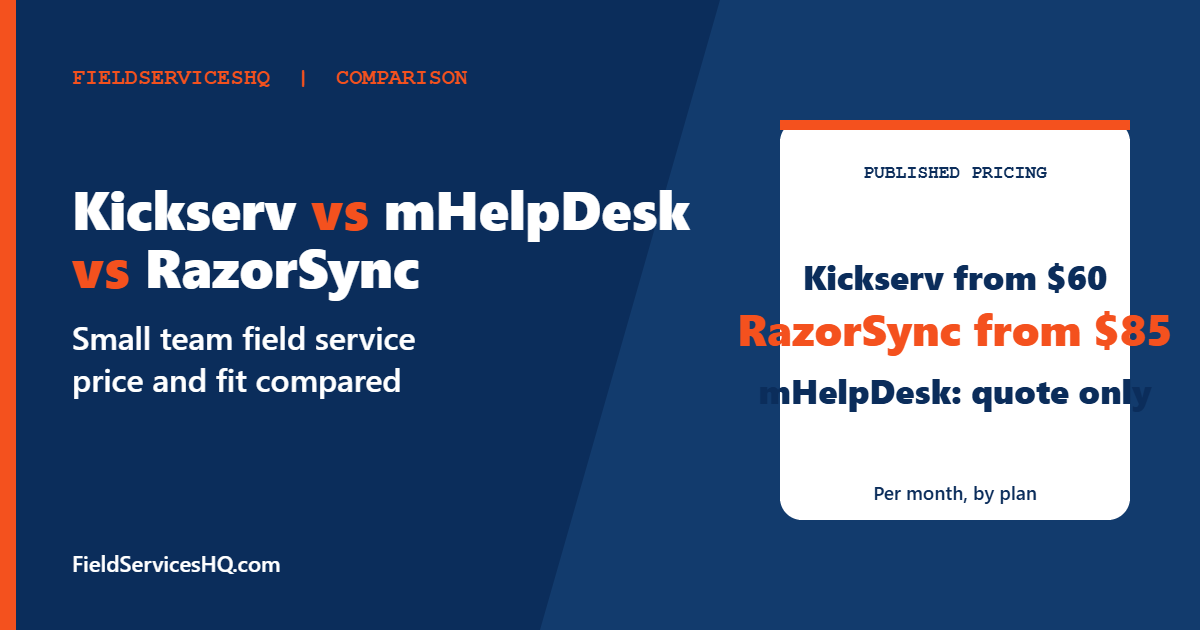
This guide compares them on the things that decide a purchase: published price, how pricing scales as you add technicians, what review sites say, and where the evidence is thin. Wherever a price is not published by the vendor, we say so instead of filling the gap with a guess.
Kickserv vs mHelpDesk vs RazorSync at a glance
| Factor | Kickserv | mHelpDesk | RazorSync |
|---|---|---|---|
| Published pricing | Yes: $60, $119, $199 per month | No, quote based | Yes: from $85 per month, annual billing |
| How pricing scales | Plan bands of 5, 10 and 20 users | Reported as tiers; third-party figures conflict | Flat price per plan with user caps of 2, 7 and 15, then unlimited on Enterprise |
| Extra users | Move up a plan | Confirm with sales | $50 per user beyond the plan allotment |
| Annual discount | 20 percent | Not published | Up to 15 percent on average, per vendor help page |
| G2 rating | 4.5 from about 180 reviews | 4.0 from 131 reviews | Not captured in this research |
| Software Advice | Not captured | 4.3 | 4.3 from 487 reviews |
| QuickBooks | Online on Start; Desktop is a paid add-on on Run | Check with vendor | QuickBooks sync listed as an add-on on entry plans |
Ratings were read in November 2026 and move as reviews come in. Directories do not always agree, which we flag below.
Kickserv: transparent bands and a payment rebate
Kickserv is the easiest of the three to price. Its pricing page lists three plans:
| Plan | Users | Monthly price | What changes |
|---|---|---|---|
| Start | 5 | $60 | Contact form, email and text reminders, over 20 business reports, time and expense tracking, QuickBooks Online integration |
| Run | 10 | $119 | Adds dispatch mapping, GPS check-ins, custom data fields, custom reports; QuickBooks Desktop integration costs $50 per month extra |
| Scale | 20 | $199 | Adds custom templates |
Annual subscriptions save 20 percent on each plan, according to the vendor. Kickserv also runs a rebate it calls Kickback: Start, Run and Scale customers get 5 percent off monthly fees when they process a minimum of $1,000, $2,000 or $3,000 per month in online payments. If you take card payments through Kickserv anyway, that is worth modelling. If you do not, ignore it.
On G2 the product shows 4.5 across roughly 180 reviews. Reviewers of Kickserv mention mobile app limitations and the cost of a higher tier when customers want to pay online, according to the G2 comparison page. That second point matters because the rebate and the payment features interact with your plan choice.
Kickserv is built for small teams. Pricing tops out at 20 users on Scale, so a growing company will eventually look elsewhere. For a head-to-head against a better known rival, see our Jobber vs Kickserv comparison and the Housecall Pro vs Kickserv guide.
RazorSync: flat plan prices with user caps
RazorSync prices by plan rather than by seat. Directories that quote the vendor’s tiers show the following annual-billing prices, with monthly billing slightly higher:
| Plan | Included users | Annual billing, per month | Monthly billing, per month |
|---|---|---|---|
| Solo | Up to 2 | $85 | $90 |
| Team | Up to 7 | $175 | $205 |
| Pro | Up to 15 | $360 | $420 |
| Enterprise | Unlimited | Custom | Custom |
RazorSync’s own help page confirms two details: additional users can be added to any plan for $50 per user beyond the included allotment, and annual billing saves up to 15 percent on average. The same page lists Solo at $1,020 per year, which matches $85 times twelve.
Be careful with add-ons. Directory listings show optional paid extras such as QuickBooks sync and advanced notifications at $20 per month each, route optimization at $50 and templates at $30. Which of these are bundled on a given plan appears to vary by tier and by source, so ask for a line-by-line quote. Older pages still show entry prices of $55 to $65, which reflects earlier pricing and should not be relied on.
Software Advice shows 4.3 from 487 verified reviews, with sub-scores of 4.13 for ease of use, 4.32 for value, 4.50 for support and 4.01 for functionality. That profile is clear: reviewers like the support and the price, and rate the feature depth and the interface a little lower. Reviewers also say that per-user limits and add-ons can raise costs, which fits the plan structure above.
mHelpDesk: the pricing question mark
mHelpDesk does not publish pricing. Third-party sources fill the gap with inconsistent numbers. TrustRadius lists a $169 per month cloud plan with a starting price of $49. One independent write-up says entry plans commonly sit near $169 per month and reports per-user estimates from roughly $55 to $169. An older directory entry listed a $99 plan with two logins and 50 jobs per month, a $249 plan with unlimited users and a $499 top tier. These cannot all be current, which is the point: treat every figure as unverified and get a written quote.
On reviews, G2 shows 4.0 from 131 reviews, the lowest of the three, and notes that reviewers cite integration problems and weak support. Software Advice reports 4.3 and analyzed 824 verified reviews. Its summary says many users feel the pricing is high relative to features, and that manual updates and limited reporting make invoicing less efficient. Other GetApp reviewers call pricing affordable and flexible, so opinions split. Construction professionals make up 30 percent of GetApp reviewers, and scheduling is the most cited use case at 28 percent.
If you are already an mHelpDesk customer, compare your renewal quote against the published alternatives. If you are evaluating it fresh, our Jobber vs mHelpDesk comparison shows how a published-price competitor stacks up.
What the cost looks like at different team sizes
This is our own arithmetic on published vendor numbers. It excludes taxes, payment processing, onboarding and add-ons.
| Team size | Kickserv (monthly billing) | RazorSync (annual billing) | mHelpDesk |
|---|---|---|---|
| 2 users | Start, $60 | Solo, $85 | Quote needed |
| 5 users | Start, $60 | Team, $175 | Quote needed |
| 7 users | Run, $119 | Team, $175 | Quote needed |
| 10 users | Run, $119 | Team plus 3 extra users, $325 | Quote needed |
| 15 users | Scale, $199 | Pro, $360 | Quote needed |
| 20 users | Scale, $199 | Pro plus 5 extra users, $610 | Quote needed |
Kickserv’s annual discount of 20 percent would bring Run to about $95 per month and Scale to about $159 per month, which is our calculation from the vendor’s stated discount. At every size in the table, Kickserv’s published price is lower than RazorSync’s. That does not make it the better product for you, because feature coverage, mobile experience and reporting differ. It does mean RazorSync must earn its premium on features you will actually use.
Where each tool tends to fit
- Solo owner or two-person crew: Kickserv Start at $60 for up to 5 users is hard to beat on price. RazorSync Solo at $85 includes one-on-one training, which some new users value.
- Five to ten technicians who need dispatch mapping: Kickserv Run adds mapping and GPS check-ins. RazorSync Team covers up to 7 users, and route optimization appears on its higher tiers.
- Growing past 15 users: Kickserv stops at 20 users. RazorSync Enterprise offers unlimited users on custom pricing. Past this point most buyers should also read about Jobber, FieldPulse and Kickserv and other tools built to scale.
- Existing mHelpDesk user: staying may be fine, but price the alternatives before renewing, and ask what is included in your plan.
Questions to ask before you sign
- What is the exact monthly price for our user count, billed monthly and annually?
- Which features are add-ons, and what do they cost?
- What are the card processing rates and any minimums?
- Does the QuickBooks integration match the version we use?
- Can we export customers, jobs and invoices if we leave?
- How is support delivered, and is training included?
- What happens to the price when we add a technician?
Kickserv prices come from its pricing page. RazorSync plan prices come from directory listings of the vendor’s tiers plus its help page for extra users and annual savings. mHelpDesk prices are third-party estimates and are labeled unverified. Cost tables are our own arithmetic. Ratings were read in November 2026.
How to run a fair trial of all three
Free trials are where a decision is really made, so structure them. Pick one real week of work, then enter the same ten jobs into each tool: two recurring customers, one multi-visit job, one estimate that converts to an invoice, and one job that needs a deposit. Have a technician complete them on a phone, not at a desk. Then compare three numbers: minutes spent in the office per job, number of taps for a technician to close a job, and how clearly the customer-facing quote and invoice read.
Write down what each product made harder than it should be. Reviewers on Software Advice and G2 repeatedly point at the same friction areas for this group of tools: reporting depth, manual updates, mobile app limits and add-on costs. If a trial exposes one of those, ask the salesperson directly how it is handled and whether it costs extra.
Switching costs worth pricing in
Moving between field service tools is rarely free. Customer lists and job history usually export as spreadsheets, but recurring schedules, price books and saved templates often need to be rebuilt by hand. Plan for a slow week to run the new system alongside the old one, and tell regular customers about any change to how reminders or invoices arrive. If you use QuickBooks, confirm whether the integration reconnects to the same company file, since duplicated customers are a common cleanup chore.
None of that is a reason to stay in a tool that no longer fits. It is a reason to choose carefully the first time, read the contract for cancellation and data export terms, and avoid multi-year commitments until you have run the tool through a full busy season.
Mistakes to avoid
- Budgeting from an old directory price. Several pages still show RazorSync entry prices that predate current plans.
- Treating mHelpDesk estimates as a quote.
- Ignoring the $50 per extra user charge at RazorSync when your crew is just above a plan cap.
- Overlooking that Kickserv’s QuickBooks Desktop integration costs extra.
- Choosing on price alone when a better mobile app or reporting would save office hours.
Kickserv vs mHelpDesk vs RazorSync FAQ
Which is cheapest, Kickserv, mHelpDesk or RazorSync?
Kickserv has the lowest published price, starting at $60 per month for up to 5 users. RazorSync starts at $85 per month on annual billing. mHelpDesk does not publish prices, so it cannot be ranked fairly without a quote.
Does RazorSync charge per user?
Not in the usual way. Each plan has a flat price and an included user cap of 2, 7 or 15. Extra users cost $50 each beyond the allotment, according to RazorSync’s help page.
Does Kickserv offer an annual discount?
Yes. The vendor says annual subscriptions save 20 percent on each plan.
How much does mHelpDesk cost?
The vendor does not publish a price list. Third-party sources cite entry figures such as $169 per month, but they conflict, so request a written quote.
Which has better reviews?
On the pages we read, Kickserv shows 4.5 on G2 from about 180 reviews, RazorSync shows 4.3 on Software Advice from 487 reviews, and mHelpDesk shows 4.0 on G2 from 131 reviews and 4.3 on Software Advice. Different sites and review pools make exact ranking unreliable.
Do these tools integrate with QuickBooks?
Kickserv lists QuickBooks Online on all plans and charges $50 per month for QuickBooks Desktop on Run. RazorSync lists QuickBooks sync as a paid add-on on entry plans according to directories. Confirm the version you use before buying.
Which is best for a growing business?
None of the three is aimed at large operations. Kickserv caps pricing at 20 users, and RazorSync’s Enterprise tier is custom. Growing companies often compare Jobber and FieldPulse alongside them.
Is there a free trial?
Software Advice lists a 14 day free trial for RazorSync. Trial terms change, so confirm directly with each vendor.
Sources
- Kickserv pricing
- Kickserv vs RazorSync on G2
- RazorSync pricing FAQ
- RazorSync on Software Advice
- RazorSync on GetApp
- mHelpDesk on Software Advice
- mHelpDesk pricing on TrustRadius



