Lawn Care Software: Jobber or Service Autopilot?
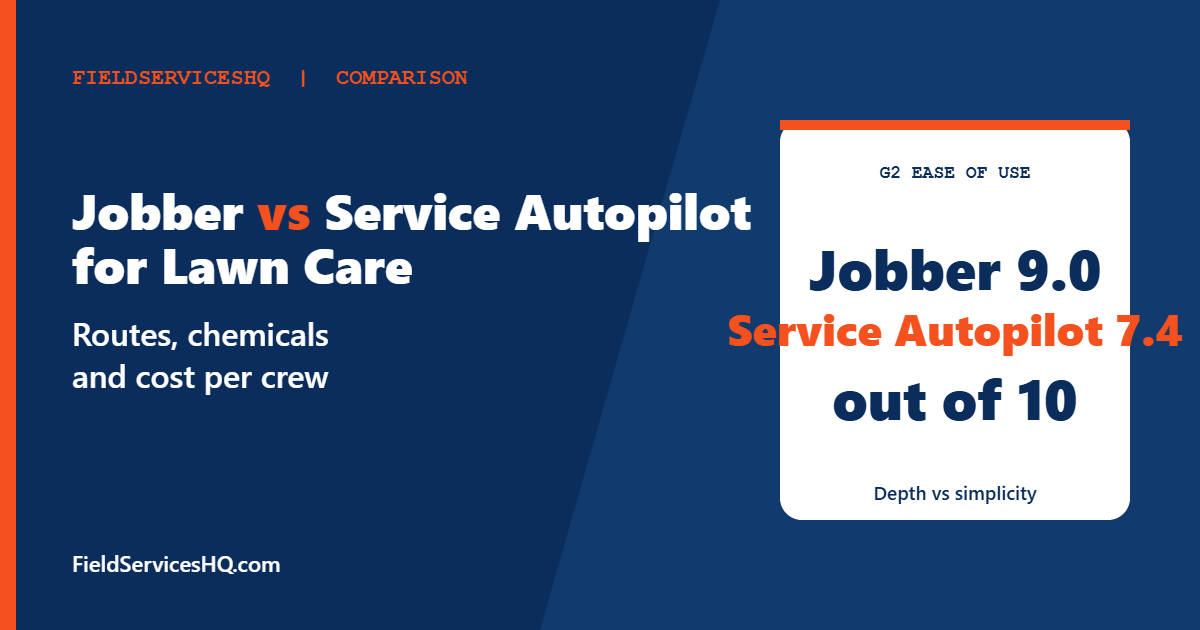
Jobber is easier to learn and cheaper for most lawn crews: G2 reviewers rate it 9.0 for ease of use against 7.4 for Service Autopilot, and 8.9 against 6.4 for setup. Service Autopilot is built around lawn, landscape and snow routes, with route optimization, job costing and chemical tracking starting on its $199 Pro plan, but its prices rise with each plan and mobile license. Small crews should start with Jobber. Chemical-heavy, high-route-density operations should demo Service Autopilot.
Lawn care software has to do three things well: build efficient routes, handle seasonal recurring work without constant babysitting, and bill hundreds of small visits without hours of office time. Jobber and Service Autopilot approach those problems from opposite ends. Jobber is a general home service tool that many lawn companies adopt because it is simple. Service Autopilot is a specialist platform with versions for lawn care, cleaning, snow removal and landscaping, and it brings more depth along with more complexity.
If you are weighing landscaping design and bigger jobs, our Aspire vs Service Autopilot guide covers that end of the market. This one focuses on lawn maintenance: routes, recurring visits, chemical applications and what the software costs per crew.
On evidence: third-party reviews of Service Autopilot are mixed, and some come from competing vendors. We use the vendors’ own pages for features and prices, G2’s comparison data for ratings (noting its small sample for Service Autopilot), and we flag where figures conflict.
Jobber vs Service Autopilot for lawn care at a glance
| Lawn care need | Jobber | Service Autopilot |
|---|---|---|
| Recurring visits | Generates visits automatically; maintenance contracts; reschedule upcoming visits | Recurring appointments, invoicing and orders listed by reviewers; multi-day jobs from Pro |
| Route planning | Route optimization and route density to fit more jobs per neighborhood | Route optimization from Pro; Smart Maps on Elite (priced separately) |
| Chemical tracking | Not described on the lawn care page | Chemical tracking listed on Pro (per Software Advice) |
| Batch invoicing | Invoice multiple jobs or customers at once | Recurring invoicing; integrated payments from Startup |
| Quotes | Property measurements, photos, optional add-ons, templates | Estimating and proposals listed on Pro |
| Client portal | Client Hub from the standard plans | Client portal on Elite, priced by call |
| Payments | Cards and ACH; card on file for recurring jobs | Integrated payments from Startup |
| QuickBooks | QuickBooks Online timesheet sync | QuickBooks integration listed on Elite on the pricing page; reviewers list QuickBooks Online |
| Entry price | Core $29 per month, annual billing | Startup $49 per month, plus a sign-up fee |
| G2 rating | 4.6 from 526 reviews | 3.7 from 21 reviews |
Feature rows reflect vendor and directory pages read in November 2026. Where a page does not mention something, confirm in a demo.
What Jobber offers lawn care crews
Jobber’s lawn care page highlights five things. First, recurring jobs: visits generate automatically, can be set up as maintenance contracts, and can be rescheduled if plans change. Second, route work: a customer says the app plots an efficient route for crews, and the page says route density can be increased to fit more jobs into each neighborhood. Third, batch invoicing: crews can invoice multiple jobs or customers at once, with job details and service history on the invoice. Fourth, quotes that can include property measurements, photos of past work, optional add-ons and reusable templates, with seasonal cleanups suggested as add-ons. Fifth, a Client Hub where customers request work, approve quotes, check upcoming visits and pay.
Payments run by credit card and ACH, with card on file for recurring jobs. Email marketing supports seasonal campaigns to reconnect with past customers, which helps in spring when you are filling routes. Jobber syncs approved timesheets to QuickBooks Online for payroll.
What the page does not describe is chemical or product application tracking, which matters if you run fertilizer and weed-control programs with reporting requirements.
What Service Autopilot offers lawn care crews
Service Autopilot publishes tiered plans. Prices are annual-subscription rates per month, and each paid plan lists a sign-up fee whose amount the pricing page does not state:
| Plan | Price per month | Business users | Mobile licenses | What it adds |
|---|---|---|---|---|
| Startup | $49 | 1 | 1 | Scheduling and dispatch, invoicing with integrated payments, expense tracking, customer and lead management |
| Pro | $199 | 1 | 2 | Multi-day jobs, route optimization, dispatch calendar, job costing, asset, expense and employee tracking, custom reporting |
| Pro Plus | $499 | 1 | 5 | Automations and workflows, marketplace access, training content |
| Elite | Contact vendor | 2 | 8 | Two-way texting, Smart Maps, client portal, QuickBooks integration, onboarding specialists, multi-location management |
Software Advice lists chemical tracking and snow dispatch among the Pro plan features. A third-party review mentions an initial setup fee of $92, which we cannot confirm on the vendor page, so ask for the sign-up fee in writing. Several items, including the client portal and Smart Maps, are listed as call-for-pricing.
Reviewers on GetApp say Service Autopilot offers extensive features, strong automation and customizable tools, especially for lawn care. G2 reviewers highlight its scheduling and routing for maintenance services, while also calling its integration options limited.
What G2 reviewers say
| G2 category (out of 10) | Jobber | Service Autopilot |
|---|---|---|
| Meets requirements | 8.6 (439 responses) | 8.7 (14) |
| Ease of use | 9.0 (452) | 7.4 (14) |
| Ease of setup | 8.9 (346) | 6.4 (11) |
| Ease of admin | 9.1 (266) | 7.5 (12) |
| Quality of support | 9.1 (430) | 9.0 (14) |
| Good business partner | 9.2 (266) | 9.0 (12) |
| Product direction | 8.9 (442) | 8.1 (12) |
Overall, Jobber holds 4.6 from 526 reviews and Service Autopilot 3.7 from 21. The sample for Service Autopilot is small, so treat it as a signal, not a verdict. Both products show roughly six months to implement and return on investment in G2’s data, and reviewers call Service Autopilot’s costs rising, especially as mobile users are added. On requirements fit the two are effectively tied, which is the important insight: Service Autopilot does what lawn companies need, at a higher learning cost.
G2’s page lists Jobber’s range as $39 to $599 per month, while Jobber’s own pricing shows Core at $29 on annual billing. The difference is monthly versus annual billing and plan tiers, so use the vendor page for your quote.
What the cost looks like per crew
Service Autopilot prices by plan and mobile licenses. Jobber prices by plan and users. Here is a comparison using published annual-billing prices, per month. The arithmetic is ours and excludes sign-up fees, card fees and add-ons.
| Crew setup | Jobber | Service Autopilot |
|---|---|---|
| Owner-operator, 1 phone | Core $29 | Startup $49 plus sign-up fee |
| 2 crews with route optimization | Connect $149 for 5 users, or Grow $229 | Pro $199 (2 mobile licenses) |
| 5 mobile users with automations | Connect $149 or Grow $229 | Pro Plus $499 (5 mobile licenses) |
| 8 mobile users | Connect $229 for 10 users | Elite, quote |
At every size we can compare, Jobber’s published price is lower, by roughly $50 at the two-crew level and by $270 to $350 per month at five users. That does not make Jobber better. If Service Autopilot’s chemical tracking, job costing and automation replace work you pay staff to do, the premium can pay for itself. If they do not, you are paying for depth you will not use. Ask Jobber which plan includes route optimization before you compare these figures, since the lawn care page does not say.
Where lawn care software earns its keep
Route density. Lawn companies make money by minimizing drive time between stops. Jobber promotes route density to fit more jobs into each neighborhood, and Service Autopilot lists route optimization on Pro. Compare how each tool handles a new customer: does it suggest a day that fits your existing route, or do you place it by hand?
Seasonal swings. Lawns stop growing in winter in much of the country. Ask how each tool pauses a client for the season, how it restarts them in spring, and whether it handles snow removal if you add it. Service Autopilot lists snow dispatch among features, and has a snow-removal version. Jobber’s page mentions seasonal email campaigns and cleanups.
Product applications. If you apply fertilizer or herbicide, record keeping rules vary by state. Service Autopilot lists chemical tracking. If you need to log product, rate and target for each visit, make that the first thing you ask in the demo. Jobber’s lawn page does not describe it.
Billing at scale. A lawn route can mean hundreds of monthly invoices. Jobber’s batch invoicing and card on file reduce manual work. Service Autopilot lists recurring invoicing and integrated payments.
A worked example: a three-crew lawn company in April
Take a company with three mowing crews, 220 weekly accounts, a small fertilization program and a part-time office manager. In April the owner needs to restart 60 accounts that were paused for winter, add 25 new spring customers, and quote mulch and cleanup jobs on top of the weekly routes.
The restart is the first test. A tool that lets you reactivate a batch of paused accounts in one step saves the office manager hours. Ask both vendors to show it live, not just describe it. The new customers are the second test: where does each tool place a Thursday customer in a neighborhood where you already run Thursday routes? Jobber’s page talks about route density, and Service Autopilot lists route optimization on Pro. Watch how many clicks the placement takes and whether the result is sensible.
The upsells are the third test. Jobber’s quotes can include property measurements, photos and optional add-ons such as seasonal cleanups, so a crew lead can offer mulch from a phone while standing in the yard. Service Autopilot lists estimating and proposals on Pro. In both cases, the question is how fast an estimate goes from a lead to a signed quote, since slow quotes lose spring work.
Finally, the fertilization program is the fourth test. If three crews apply product on a 6-week cycle, the office needs a record of what went where. That is the one area where the published feature lists differ most clearly, with Service Autopilot listing chemical tracking and Jobber’s lawn page silent on it. For a company like this one, the shortlist should include both tools, and the decision usually comes down to whether product records are a legal and operational necessity or a nice-to-have.
At the prices above, that company would pay a few hundred dollars a month for Jobber on three or four users, and roughly $199 to $499 a month for Service Autopilot depending on mobile licenses and plan, plus any sign-up fee. Compare that against what the office manager’s time costs, the number of invoices sent per month, and how much of the route planning is done by hand today.
Which lawn care business should pick which
- Solo or one-crew mowing business: Jobber Core or Connect.
- Two to five crews with route and job costing needs: compare Jobber Grow with Service Autopilot Pro.
- Fertilization and weed-control programs with product records: put Service Autopilot’s chemical tracking on the demo agenda, and also look at GorillaDesk, which targets lawn and pest routes.
- Landscape design plus maintenance: read Aspire vs Service Autopilot vs LMN.
- Unlimited users at a flat rate: see Jobber vs Service Fusion.
A trial plan before you commit
Load fifty real customers into each trial with their frequency, price and day of week. Build one route of twelve stops and let the tool optimize it. Add a new customer and see how the tool places them. Pause five customers for winter and reactivate them. Send a batch of ten invoices. If you apply chemicals, record one application with product and rate. Time each step, and have the crew lead complete one job on the phone. The tool that makes the crew lead’s day easier will get used, and the data from a tool that is used is worth far more than the data in a tool that is not.
Features and prices come from Jobber’s lawn care and pricing pages and Service Autopilot’s pricing page, read in November 2026. Ratings come from G2’s comparison page, where Service Autopilot’s sample is small. Chemical tracking placement comes from Software Advice. Cost rows are our own arithmetic. Third-party fee claims are labeled unverified.
Mistakes to avoid
- Comparing sticker prices without counting mobile licenses and sign-up fees.
- Assuming Service Autopilot’s depth is free. It costs setup time as well as dollars.
- Forgetting to ask which Jobber plan includes route optimization.
- Skipping the winter pause test.
- Ignoring state record-keeping rules for product applications.
Jobber vs Service Autopilot for Lawn Care FAQ
Which is better for lawn care, Jobber or Service Autopilot?
Jobber is easier to learn and cheaper for small crews. Service Autopilot offers more lawn-specific depth, including chemical tracking and job costing from its Pro plan.
How much does Service Autopilot cost?
Published plans are Startup at $49 per month, Pro at $199, Pro Plus at $499 and Elite by quote, each with a sign-up fee the pricing page does not quantify. Prices are annual-subscription rates.
How much does Jobber cost?
Core is $29 per month on annual billing for one user, with Connect and Grow plans scaling by user band. Check Jobber’s pricing page for current monthly rates.
Does Service Autopilot track chemicals?
Software Advice lists chemical tracking among Pro plan features. Confirm the exact fields and reports in a demo.
Does Jobber have route optimization?
Jobber’s lawn care page describes efficient routes for crews and route density. Ask which plan includes it.
Is Service Autopilot hard to learn?
G2 reviewers score its ease of use at 7.4 and setup at 6.4, against 9.0 and 8.9 for Jobber, though its sample is small.
Does either handle snow removal?
Service Autopilot lists snow dispatch among features and has a snow-removal version. Jobber’s lawn page does not describe snow work.
Which has better reviews?
Jobber holds 4.6 on G2 from 526 reviews. Service Autopilot holds 3.7 from 21 reviews.
Sources
- Jobber lawn care software
- Jobber pricing
- Service Autopilot pricing
- Jobber vs Service Autopilot on G2
- Service Autopilot on Software Advice
- Service Autopilot on GetApp