Industry-Specific or General Field Service Software? A Decision Guide
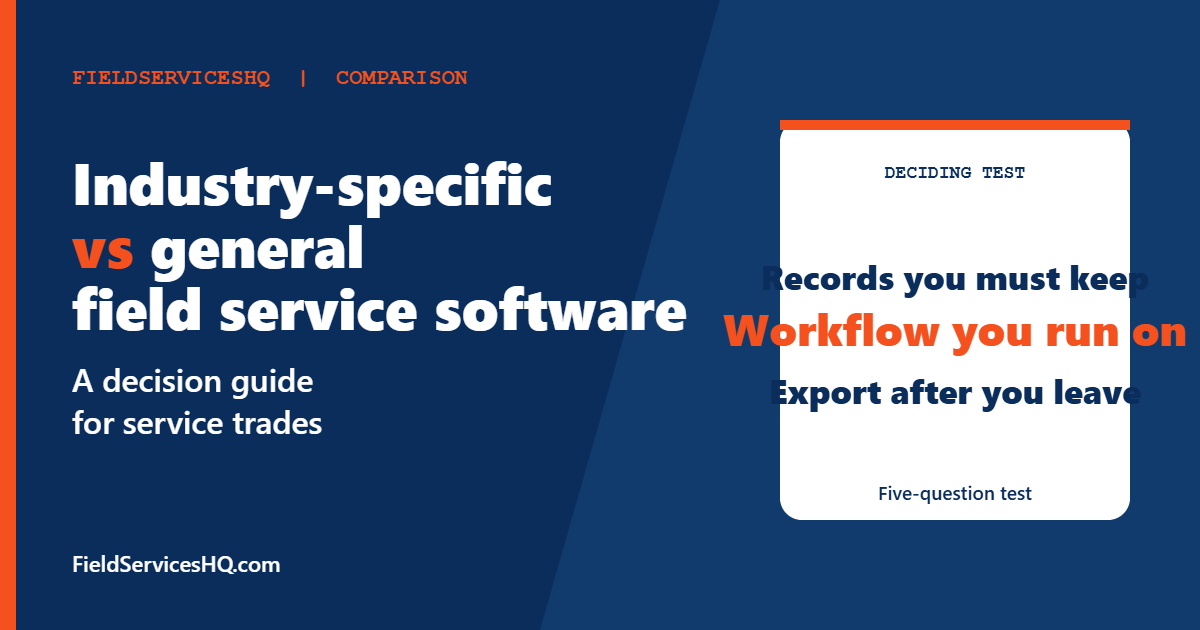
Choose industry-specific software when your trade has records you must produce for a regulator, an insurer or a contract, or when your revenue runs on a workflow general tools treat as an extra, such as recurring routes or insurance claims. Choose general software when you work across several trades, want a low entry price and a wide integration marketplace, and your records are simple. The deciding test is not features. It is whether the tool can hand an inspector or adjuster exactly what they ask for, and whether you can still produce it years after you cancel.
Every trade has a software vendor that says it is built for you, and every general platform says it fits everyone. Both can be true and both can be wrong for your business. This guide gives you a way to decide using evidence you can check: what regulators require, what vendors actually claim on their own pages, and what the trade-offs look like when something goes wrong.
We lean on primary sources for the regulatory points (EPA, USDA, state agencies) and on vendor pages for product claims. Where a statement comes from a competitor’s marketing, we label it. This is not legal advice. Your state and your license category decide what you must keep.
For head-to-head comparisons inside a trade, see our pest control guides (GorillaDesk vs FieldRoutes and FieldRoutes vs PestPac), our roofing comparison (AccuLynx vs JobNimbus), and our landscaping comparison (Aspire vs Service Autopilot).
Where the line falls
| Kind | Examples | Built around |
|---|---|---|
| General field service | Jobber, Housecall Pro, Workiz, Service Fusion | Jobs, scheduling, quotes, invoices, payments for many trades |
| Trade-leaning platforms | ServiceTitan, FieldEdge | Home service and HVAC, plumbing and electrical workflows with deep pricing and reporting |
| Vertical specialists | PestPac, FieldRoutes, GorillaDesk (pest and lawn), Skimmer (pool), AccuLynx and JobNimbus (roofing), Aspire and LMN (landscaping) | One trade’s workflow, records and sales process |
The labels blur, since a general tool can add trade pages and a specialist can add more trades. Judge by what the product does for your daily work, not by what the homepage says.
The deciding test: what you must be able to produce
Features are easy to compare. Obligations are not, and they are where the wrong choice gets expensive.
Example 1: pesticide application records
Pest control and lawn care operators who apply pesticides face recordkeeping rules from federal and state agencies. The details vary, and the range is wider than most people expect:
| Source | What it says |
|---|---|
| Federal restricted use pesticide rules (USDA AMS) | Records must be made within 14 days of an application and kept for two years |
| Florida (UF/IFAS guidance on restricted use pesticides) | Required information recorded no later than two working days after application |
| Illinois (restricted use pesticides, per University of Illinois) | Records within 14 days and kept two years; the same source says federal rules require commercial applicators to give the customer a copy within 30 days |
| Colorado (state extension fact sheet) | Records kept for three years from the date of application |
| Oregon (Department of Agriculture) | Records kept at least three years |
| Iowa (administrative code) | Records kept for three years |
| Washington (WAC 16-228-1320) | Application records kept for seven years |
The pesticide stewardship program also notes that most states require records for any pesticide applied, not only restricted use products, and that states generally require more items than the federal minimum. Typical fields include the product name and EPA registration number, date, amount applied, the site treated and the applicator’s name and certification number.
Two things follow for software:
- The tool needs fields that capture those items, in a structured way, not a free-text note.
- The records must be retrievable for years. If your state requires three to seven years, you need an export path that outlasts your subscription.
Jobber’s pest control page is a useful example of how to read a claim. It says you can record the chemicals applied, applicator license numbers and other on-site actions, filter by date, client or applicator, and capture registration numbers and target pests. Those are marketing claims on a vendor page. The page does not describe state-specific report formats or say whether records can be exported in a layout a regulator asks for, and the documentation is only as complete as the forms your team sets up. That does not make Jobber the wrong choice for a small pest operator, and a pest control vendor blog describes it as popular with small pest providers. It means you should test the exact export you would hand an inspector before you commit.
A competing vendor’s blog goes further and says Jobber has no EPA compliance fields at all. That is a competitor’s claim and conflicts with Jobber’s own page, so do not rely on either. Check in a trial.
Example 2: refrigerant records for HVAC
EPA’s Section 608 rules include recordkeeping for technicians and owners. According to EPA, technicians servicing appliances that contain 50 or more pounds of ozone-depleting refrigerant must give the owner an invoice showing the amount of refrigerant added, owners of those appliances must keep servicing records with the date, type of service and quantity added, and technicians disposing of appliances with between 5 and 50 pounds of refrigerant must keep disposal records. EPA has also changed which rules apply to substitute refrigerants, so check EPA’s current pages for your equipment. For software, the practical question is whether invoices and service records capture refrigerant type and quantity cleanly.
Example 3: insurance claim work
Roofing businesses that do storm restoration work with adjusters, supplements and measurement reports. Roofing-focused vendors say that workflow is native to their products, while general tools treat it as notes and attachments. Most of what we found on this point is from vendors and affiliate-style comparison sites, so we treat it as direction, not proof. The practical test is simple: if insurance supplements are a large share of your revenue, run one through the tool during the trial. A third-party roundup puts the switch point at roughly when supplementing becomes more than 40 percent of the book. That is one writer’s rule of thumb, not a measurement.
What industry-specific software gets right
- Your vocabulary and workflow. Recurring routes, treatment programs, pool chemistry, estimate to claim, crew production boards.
- Records that match your obligations, when the vendor actually built them for your state.
- Trade benchmarks and community. Training, templates and peers who use the same tool.
- Less setup. You configure less, because the defaults are already your trade.
What it costs you
- Narrower fit if you grow sideways. If you add a second trade, a tool tied to one workflow may not follow you. A WennSoft executive argued in a trade publication that some field service applications are so tied to one industry that they cannot work in others, which is a vendor opinion but a fair warning to check.
- Vendor risk in small niches. ServiceTrade has written that applications aimed at very small industries risk not surviving in such a niche. A consultant’s overview likewise warns of dependence on a single vendor, and suggests checking the vendor’s financial health and commitment to ongoing development.
- Integration friction. Preconfigured workflows can make connecting to accounting and other tools harder, according to the same consulting firm.
- Price and contracts. Some specialists publish prices and some do not. When pricing is quote-only, you cannot compare easily, so ask early.
- Switching cost. Years of records live in the tool. Migration is harder when the data model is specialized.
What general software gets right
- Low entry price. Jobber lists Core at $29 per month on annual billing for one user, $39 with a one-year commitment billed monthly and $49 with no commitment, per its pricing page when we read it.
- Multi-trade flexibility. One system for HVAC, plumbing and landscaping lines, or for a handyman business with changing work.
- A broad integration marketplace. Jobber announced in May 2026 that its marketplace passed 100 integrations, a vendor figure.
- Easier to leave. Simpler data models usually mean easier exports.
What it costs you
- Depth. You may build custom forms and fields, and keep them current. If your records matter, that is audit risk every time a field changes.
- Workarounds. Insurance claims, route density and chemical inventory may live in spreadsheets or add-on tools.
- Per-user pricing. Plans that charge per user can climb as your crew grows. Gartner Digital Markets’ Software Advice analysis puts the top five buyer segments for field service software at roughly $85 to $111 per user per month, with an average near $94, which shows how far real spend can run above entry prices. Check your own quote.
A five-question test
| Question | If yes | If no |
|---|---|---|
| 1. Must you keep structured records for a regulator or contract for years? | Lean specialist, or verify the export path | General is fine |
| 2. Is most of your revenue recurring, route-based service? | Lean specialist or a strong route-capable generalist | General is fine |
| 3. Do you sell through insurance claims or supplements? | Lean specialist | General is fine |
| 4. Do you run more than one trade or plan to? | Lean general or a multi-trade platform | Either |
| 5. Is your budget tight and your crew under about five? | Lean general, add records manually if needed | Either |
If your answers split, rank them by cost of failure. Missing a regulatory record costs more than a clumsy schedule.
A trial checklist: run these before you buy
- Create a recurring job that matches your real service plan, then check that it schedules and bills correctly.
- Record a regulated application or service with every required field, then pull the report.
- Export the record the way you would hand it to an inspector, in the format they ask for.
- Ask what happens to your data if you cancel, and how long exports stay available.
- Create an estimate that follows your real sales process, including insurance steps if you use them.
- Check the QuickBooks sync for the specific records you need.
- Add a second trade or service line and see how much reconfiguring it takes.
- Have one technician use it for a day on a real route.
Regulatory points come from EPA, USDA AMS, state agencies and university extension publications. Product claims come from vendor pages, labeled as claims. Statements from competitors, affiliate comparison sites and consultants are labeled as such. Retention periods differ by state, and this guide is not legal advice, so confirm with your state’s lead pesticide agency or EPA.
Mistakes to avoid
- Choosing by feature list instead of by the records you must produce.
- Trusting a vendor’s compliance claim without exporting a real record.
- Assuming general software cannot handle your trade, or that a specialist always can.
- Forgetting that retention periods can outlast your subscription.
- Picking a tiny-niche vendor without checking how long it has operated.
- Buying a specialist for one line of business and then adding another.
Industry-specific vs general field service software FAQ
Is industry-specific field service software worth it?
When your trade has regulated records, recurring route economics or an insurance sales process, often yes. For simple one-off service work, general software usually costs less and does enough.
Can Jobber handle pest control records?
Jobber’s own page says it can record chemicals, applicator license numbers, registration numbers and target pests. It does not describe state report formats, so test the export you would give an inspector.
How long must pesticide application records be kept?
It depends on the state and on whether the product is restricted use. The sources we reviewed range from two years federally to three years in several states and seven years in Washington. Check your state agency.
What does EPA require for HVAC refrigerant records?
For appliances with 50 or more pounds of ozone-depleting refrigerant, technicians must give the owner an invoice showing refrigerant added, and owners must keep servicing records. Disposal records apply to appliances with 5 to 50 pounds. Check EPA for your refrigerant type.
Is general software cheaper?
Usually at entry level. Jobber’s Core plan is $29 per month on annual billing, but costs rise with users and add-ons, and some specialists publish no prices, so ask for a written quote.
What if I run multiple trades?
A general or multi-trade platform is usually safer. A single-trade tool may not follow you into a second line of business.
How do I reduce risk with a niche vendor?
Ask how long it has operated, how many customers it has in your trade, what you can export and what happens to your data if the vendor is sold or closes.
Can I start general and switch to a specialist later?
Yes, and many do. Keep clean exports from the start so migration stays possible.
Sources
- EPA: Section 608 recordkeeping requirements for stationary refrigeration
- EPA: refrigerant management requirements for technicians
- USDA AMS: federal pesticide recordkeeping brochure
- USDA AMS: understanding federal pesticide recordkeeping
- University of Florida IFAS: pesticide recordkeeping
- University of Illinois: restricted use pesticide records
- Oregon Department of Agriculture: record keeping
- Washington WAC 16-228-1320
- Pesticide Stewardship: requirements for non-private applicators
- Jobber: pest control software
- Jobber pricing
- Panorama Consulting: sector-specific software
- Gartner Digital Markets: stand out in field service management