AccuLynx, JobNimbus or Roofr: Which Roofing Software Fits Your Crew?
Roofing contractors do not run on the same workflow as an HVAC or plumbing shop. A roofer measures a roof, quotes a replacement, waits on an insurance adjuster or a financing approval, orders materials, schedules a crew for one or two days, and collects a large payment, sometimes in stages. The software they need looks more like a sales pipeline with production tools attached than a dispatch board.
AccuLynx, JobNimbus and Roofr all serve that workflow, but from different starting points. AccuLynx is a roofing-specific production and sales platform. JobNimbus is a configurable CRM and project management tool used by roofers and other exterior contractors. Roofr began with measurement reports and instant estimates and has grown into a CRM.
This comparison is based on the vendors’ pricing pages and G2 data, and it points out where the information is thin. Our earlier AccuLynx vs JobNimbus guide goes deeper on those two.
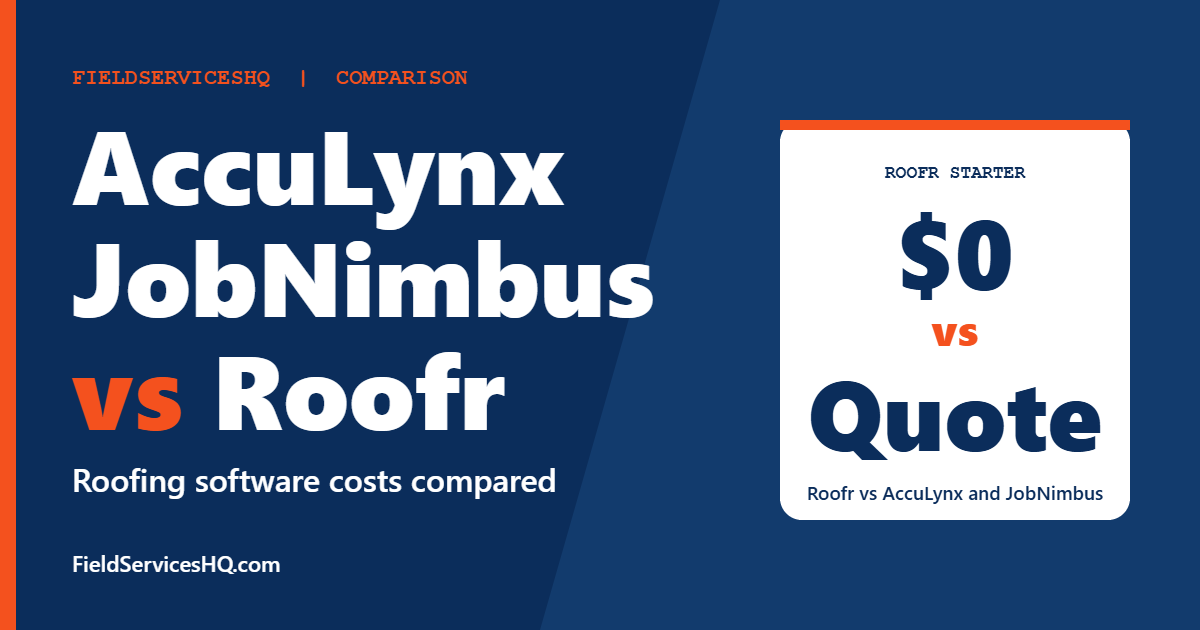
Roofr is the only one of the three with a free plan and fully published prices, plus unlimited users on every plan, but you pay per measurement report on top. JobNimbus sells by user bundle through a quote and is the most flexible CRM of the three for contractors who want to configure their own pipeline. AccuLynx is quote-only, priced per user, and aims at roofing companies that want an all-in-one production system. G2 scores favor Roofr and AccuLynx for ease, with JobNimbus close behind, though the samples are small.
AccuLynx vs JobNimbus vs Roofr at a glance
| Factor | AccuLynx | JobNimbus | Roofr |
|---|---|---|---|
| Pricing model | Per user per month, quote only | User bundle by plan, quote only | Flat plan, unlimited users, published |
| Cheapest published | Not published | Not published | Starter, 0 dollars |
| Free trial | Not stated | 14 days, no card | Free Starter plan |
| G2 rating | 4.2 (36 reviews) | 4.5 (124 reviews) | Small base, high scores |
| G2 ease of setup | 9.0 | 7.9 | 9.5 |
| G2 quality of support | 9.2 | 8.6 | 9.8 |
| Onboarding fees | Ask | None required, per FAQ | Not stated |
| Best known for | Roofing production and sales | Configurable CRM | Measurements and estimates |
The AccuLynx rating and review count come from the FAQ section of G2’s comparison page, which that page labels as AI-generated and which does not match its own rating table in places. Check the live G2 listing before quoting it.
These review pools are small. G2 shows Roofr category scores from 15 to 43 responses and AccuLynx overall reviews in the dozens. JobNimbus has the largest base of the three. A 9.8 from 41 people is encouraging, but it does not prove the product is better than an 8.6 from 133.
Published pricing in detail
Roofr
Roofr publishes its plans and says it does not charge per seat, so every plan includes unlimited users:
| Plan | Monthly billing | Annual billing |
|---|---|---|
| Starter | 0 dollars | 0 dollars |
| Measure+ | 109 dollars | Page shows conflicting figures |
| Essentials | 249 dollars | 209 dollars |
| Scale | 349 dollars | 299 dollars |
Annual billing saves up to 15 percent. The Measure+ annual price appears as 209 dollars on the plan card and 169 dollars in the comparison table, so confirm it. Add-ons include Instant Estimator at 125 to 149 dollars a month, and beta products for sites and an AI receptionist at 85 to 99 dollars a month, with some labels ambiguous on the page.
What the plans add:
- Starter: one basic job board, ten trial proposals, invoices and work orders, five automated actions, material ordering and supplier integrations.
- Measure+: cheaper reports, faster delivery guarantees, material calculations and branding.
- Essentials: unlimited proposals, invoices and work orders, ten automated actions, credit card and ACH payments, signable contracts, unlimited e-signatures and SMS texting.
- Scale: seven customizable job boards, crew management, 25 or more automated actions, a performance dashboard, profit margins and job costs, QuickBooks integration and role-based permissions.
The per-report cost you must model
Measurement reports are pay-as-you-go on every plan, with no bulk packages:
| Plan | Measurement report | Report plus ESX bundle | Delivery |
|---|---|---|---|
| Starter | 19 dollars | 31 dollars | 24 hours |
| Measure+ | 13 dollars | 23 dollars | 6 or 2 hours |
| Essentials | 13 dollars | 23 dollars | 2 hours |
| Scale | 13 dollars | 23 dollars | 2 hours |
This changes the math. At 20 reports a month, Starter costs 380 dollars in reports (20 x 19). Measure+ costs 109 plus 260 for reports, which is 369 dollars. Essentials on annual billing costs 209 plus 260, which is 469 dollars, but it also unlocks unlimited proposals, payments and texting. The cheapest plan depends on how many roofs you measure, so count your monthly reports before choosing.
JobNimbus
JobNimbus does not publish prices. It lists four plans with a request pricing button:
| Plan | Users | Project boards | Automations per month | Integrations | Multi-location |
|---|---|---|---|---|---|
| Essentials | Up to 3 | 3 | 10 | 2 | No |
| Pro | Up to 10 | 5 | 30 | 5 | Up to 2 |
| Premium | Up to 19 | Unlimited | 100 | Unlimited | Up to 5 |
| Enterprise | 20 or more | Unlimited | Unlimited | Unlimited | Unlimited |
All plans include a mobile app, contacts, estimates, reports, analytics, invoices, payments, financing, supplier integrations, QuickBooks integration and unlimited API and webhook usage. Professional services are an add-on, there are no required setup or onboarding fees, plans run on monthly or annual agreements and a 14-day free trial needs no credit card. Premium and Enterprise add a technical account manager and faster response times.
G2 lists a JobNimbus basic tier at 300 dollars per user per month, which looks wrong against a plan structure built on user bundles. Do not rely on it.
AccuLynx
AccuLynx is quote only. G2 describes it as per user per month for Pro and Elite tiers, with no figures published. Request a written proposal that lists seats, tiers, onboarding, integrations and contract length.
What G2 reviewers say
| G2 category | AccuLynx | JobNimbus | Roofr |
|---|---|---|---|
| Meets Requirements | 8.9 | 8.6 | 9.4 |
| Ease of Use | 9.1 | 8.5 | 9.5 |
| Ease of Setup | 9.0 | 7.9 | 9.5 |
| Ease of Admin | 9.2 | 8.5 | 9.6 |
| Quality of Support | 9.2 | 8.6 | 9.8 |
| Good Business Partner | 9.1 | 8.7 | 9.4 |
| Product Direction | 8.7 | 9.0 | 9.7 |
Scores are out of 10. AccuLynx’s are drawn from 73 to 120 responses and JobNimbus’s from 78 to 138, both from their pair page. Roofr’s come from a different pair page and rest on only 15 to 43 responses.
Three observations:
- AccuLynx beats JobNimbus on every line except product direction. The largest gaps are ease of setup (9.0 against 7.9) and ease of use (9.1 against 8.5).
- JobNimbus leads AccuLynx on product direction, 9.0 against 8.7, which fits its reputation for fast-moving features and integrations.
- Roofr scores highest everywhere, but with the smallest samples. Its support and ease of use are the most frequently cited positives, with integration issues and missing features mentioned by a few reviewers.
G2 reports about 6 months to implement for each product, but the same template number appears across many G2 pages, so ask the vendors for realistic timelines and references.
Themes from reviewers
- AccuLynx: Strengths include customer support, reporting and estimating. Trade-offs include cost, limited integrations such as no Zapier support, and a steeper learning curve.
- JobNimbus: Strengths include ease of use, customization and integrations with tools such as Make and CompanyCam. Trade-offs include reporting limitations, occasional support delays and mobile app gaps.
- Roofr: Strengths are ease of use and customer support. Reviewers mention a few integration issues and missing features.
Average discounts reported on G2 are 8 percent for AccuLynx and 9 percent for JobNimbus, with too few Roofr reviews to report one.
The workflow questions that decide it
Measurements and estimates
Roofr started here and prices reports openly. AccuLynx lists integrations with EagleView and CompanyCam on G2. JobNimbus integrates with CompanyCam. Ask each vendor how you order a measurement, how long it takes and how it flows into an estimate with your materials and waste factor.
Insurance and financing jobs
Insurance work adds supplements, adjuster communication and staged payments. JobNimbus lists financing and payments on all plans. Ask all three how they track a claim from inspection to final payment.
Production and crew scheduling
Roofr Scale lists crew management and job costs. AccuLynx is built around production workflows. JobNimbus relies on boards and automations. Ask for a live walkthrough of scheduling two crews across three jobs with a material delivery.
Material ordering
Roofr lists supplier integrations from Starter, and JobNimbus lists supplier integrations on all plans. Ask AccuLynx for the same detail.
Reporting
Reporting is a common complaint for JobNimbus and a strength mentioned for AccuLynx. Ask each vendor to show profit by job, lead source performance and sales rep performance using your sample data.
Who should choose which
| If you are | Look first at |
|---|---|
| A new or small roofing company watching cash | Roofr Starter or Measure+ |
| A company that sells lots of insurance and retail jobs and wants a configurable pipeline | JobNimbus |
| A roofing contractor that wants an all-in-one production system and has a budget | AccuLynx, after a written quote |
| A team with ten or more users | Compare Roofr unlimited users with JobNimbus Pro and Premium bundles |
How to compare fairly
- Count your monthly measurement reports, quotes and active jobs.
- Ask for a written all-in price for each vendor at your user count.
- Build one real job in each system: lead, inspection, estimate, contract, material order, production, invoice.
- Check how each exports your data.
- Talk to a reference who has used it for at least a year.
Mistakes to avoid
- Ignoring report costs. Roofr’s low plan price can be overtaken by report fees at high volume.
- Choosing on small-sample scores. A few dozen reviews can swing quickly.
- Trusting directory prices. G2’s 300 dollar JobNimbus figure does not fit its published structure.
- Skipping integration checks. Confirm QuickBooks, supplier and measurement tools before you commit.
- Underestimating training. Roofers who dislike software will not use a system that is hard to learn.
AccuLynx vs JobNimbus vs Roofr FAQ
Which is cheapest?
Roofr, because Starter is free and paid plans start at 109 dollars a month with unlimited users, though you pay per measurement report. JobNimbus and AccuLynx do not publish prices.
Does Roofr charge per user?
No. Roofr states that all plans include unlimited users and it does not charge per seat.
How much does JobNimbus cost?
JobNimbus does not publish prices. Its plans are Essentials, Pro, Premium and Enterprise with user limits of 3, 10, 19 and 20 or more. A 14-day free trial is available with no credit card.
How much does AccuLynx cost?
AccuLynx does not publish prices. G2 describes per user per month pricing for Pro and Elite tiers. Request a written quote.
Which has the best reviews?
Roofr scores highest on G2 category lines, but from small samples. JobNimbus scores 4.5 from 124 reviews, and AccuLynx 4.2 from 36 by G2’s FAQ figure. Treat all three as promising but check recent reviews from firms like yours.
Which is easiest to set up?
On G2, Roofr scores 9.5 for ease of setup, AccuLynx 9.0 and JobNimbus 7.9.
Do these work with QuickBooks?
JobNimbus lists QuickBooks integration on all plans. Roofr lists it on Scale. Ask AccuLynx for details in your quote.
Can I switch later?
Yes, but plan for effort. Export customers, jobs, estimates and documents regularly, and ask the new vendor what it can import.
Sources and method note
Roofr details come from its pricing page and JobNimbus details from its pricing page. Ratings and category scores come from G2 side-by-side pages for AccuLynx, JobNimbus and Roofr, where several sections disagree with each other and are noted above. AccuLynx does not publish prices. Vendors change plans often, so confirm current figures before buying.