
ServiceTrade vs BuildOps: Inspections and Service, or Projects and Job Costing?
ServiceTrade and BuildOps both sell to commercial service contractors: mechanical, HVAC, fire protection, electrical, refrigeration. They get compared constantly, and each vendor publishes a page arguing it is the better choice. Those pages are marketing, and they point in opposite directions. ServiceTrade says it was built for commercial service, inspections and recurring maintenance. BuildOps says it covers service and the project side too, with RFIs, change orders and job costing.
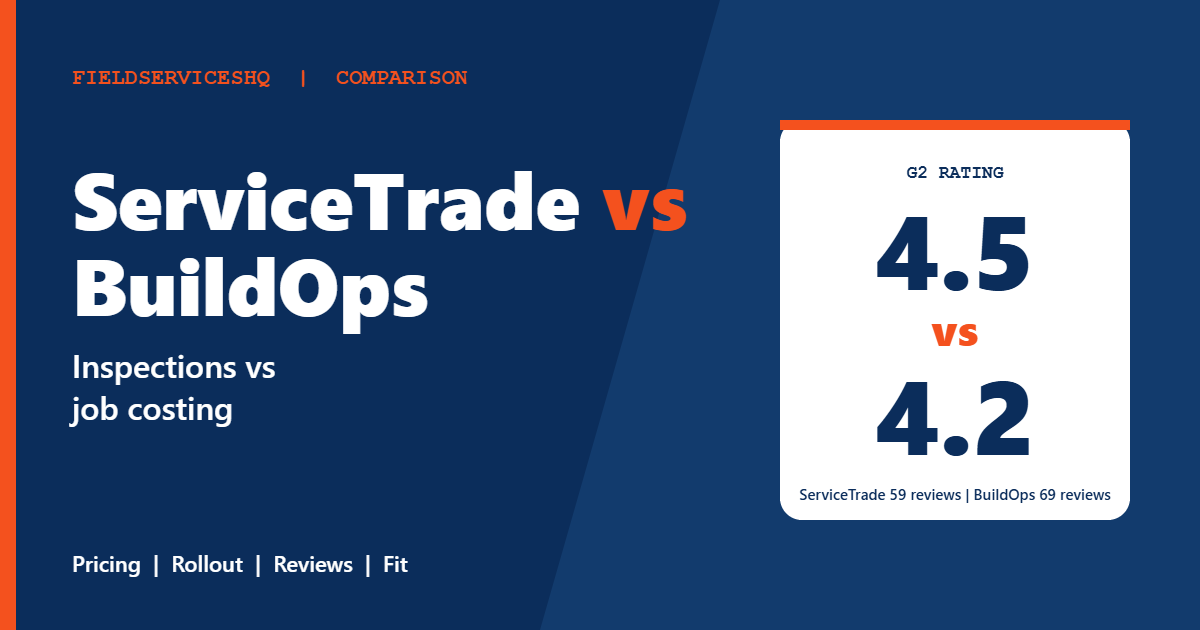
The independent scores are less dramatic than either pitch. On G2, ServiceTrade holds 4.5 from 59 reviews and BuildOps 4.2 from 69, with ServiceTrade ahead on every category score. Both are quote-only, both show about six months to implement and both are listed at the top perceived-cost level. This guide sets out what each vendor publishes, where their own claims should be discounted and how to pick based on your work mix.
ServiceTrade vs BuildOps at a glance
| Factor | ServiceTrade | BuildOps |
|---|---|---|
| Pricing | Quote only, by technician count and suite | Quote only, by field and office users |
| Published prices | None | None |
| Plans | Select, Premium, Enterprise | Core, service-only, service plus projects, add-on modules |
| G2 rating | 4.5 (59 reviews) | 4.2 (69 reviews) |
| Time to implement (G2) | About 6 months | About 6 months |
| Office users | Unlimited on Select | Priced by user |
| Projects and job costing | Project management and budgets from Premium | Submittals, RFIs, change orders, job costing in service-plus-projects |
| Inspections and compliance | Deficiency capture on Select; compliance workflows in fire protection version | Not a stated focus on the pricing page |
| Accounting integrations | QuickBooks, Sage Intacct, Dynamics 365, Acumatica, ComputerEase, Vista, Trimble Spectrum | NetSuite, QuickBooks, Sage Intacct, Viewpoint Vista and Spectrum |
What each vendor publishes
ServiceTrade
The ServiceTrade pricing page lists no prices. It says pricing depends on the size of your team, mainly the number of technicians supported, plus the suite you choose. There are three suites.
- Select, marked most popular, includes unlimited office users, a technician mobile app, a dispatch board and map scheduler, job tracking, equipment history, deficiency capture, online quotes, live support, a certification program and QuickBooks integration.
- Premium adds AI-powered features, business insights, technician timecards and job tasking, subcontract management, project management and budgets, advanced quoting and invoicing, a customer portal and support for custom integrations. The fire protection version also lists integrated inspection and compliance workflows, compliance reporting and a Brycer integration.
- Enterprise adds a technician capacity planner, multi-brand and multi-region operations, advanced sales pipeline workflows, recurring contract pricing and proposals, and parts and inventory management.
The page does not state contract length, billing cycles or cancellation terms. It links to onboarding, training through ServiceTrade Academy and a technical account manager without saying which suites include them. ServiceTrade says it serves more than 1,300 customers across mechanical service, fire protection and life safety, commercial HVAC, electrical, refrigeration and kitchen exhaust cleaning.
BuildOps
The BuildOps pricing page lists no prices either. It says cost is based on the number of field and office users, with the per-user rate depending on plan and features, and it states there are no hidden platform fees without giving figures. Core features on every plan cover dispatching, scheduling, quoting, invoicing, reporting and mobile access. A service-only configuration adds maintenance agreements. A service-plus-projects configuration adds submittals, RFIs, change orders, daily reports and job costing. Add-on modules are Fleet+, Payments+ and CRM+, and the page mentions built-in AI agents. Subcontractors do not need their own licenses.
Onboarding is included with every plan, but the page does not state whether setup fees apply or what the contract terms are. BuildOps cites more than 1,500 customers across commercial HVAC, mechanical, electrical, plumbing, fire and life safety, and refrigeration.
The cost question
Neither company gives a rate, and G2 shows both at its top perceived-cost level, with average discounts of 7 percent for ServiceTrade and 6 percent for BuildOps. Those discounts come from small samples and are not guarantees.
The pricing logic differs in a way that can matter. ServiceTrade prices mainly by technician count and suite, and includes unlimited office users on Select. BuildOps prices by field and office users. If your office staff outnumber your technicians, which is common for contractors with heavy dispatch, billing and project teams, ask each vendor to price office seats explicitly.
Ask for the same scenario from both: your technician count, office and project staff, the suite or configuration you need, add-ons, onboarding, training, payment processing and contract term. Outside articles give implementation cost ranges, but they conflict with one another and neither vendor confirms them, so do not budget from them.
Features compared
Dispatch and scheduling
Both include a dispatch board. ServiceTrade lists a dispatch board and map scheduler on Select and a technician capacity planner on Enterprise. BuildOps lists dispatching and scheduling on every plan. Ask to see a day with emergencies, multi-day jobs and a subcontractor crew.
Inspections and deficiencies
This is ServiceTrade’s home ground. Its Select suite includes equipment history and deficiency capture, and the fire protection version of Premium lists integrated inspection and compliance workflows and reporting. ServiceTrade also claims inspection-to-quote workflows and NFPA and AES report delivery, which are vendor claims you should verify in a demo. BuildOps’ pricing page does not describe inspection workflows, so ask what it offers if inspections drive your revenue.
Projects and job costing
BuildOps lists submittals, RFIs, change orders, daily reports and job costing in its service-plus-projects configuration. ServiceTrade lists project management and budgets from Premium, and its own materials position projects as special projects or service projects, not full construction management. The right test is a real job: a quoted project with change orders, materials and subcontractors.
Maintenance agreements
BuildOps lists maintenance agreements in its service configuration. ServiceTrade lists recurring contract pricing and proposals on Enterprise. Compare how each creates recurring visits, invoices and renewals, and which suite you need to get them.
Quoting and sales
ServiceTrade lists online quotes on Select and advanced quoting on Premium, and its Enterprise suite adds sales pipeline workflows. BuildOps includes quoting in the core plan. Check the deficiency-to-quote path if repairs are a major revenue source.
Accounting
Both list QuickBooks and Sage Intacct. ServiceTrade adds Dynamics 365, Acumatica, ComputerEase, Vista and Trimble Spectrum. BuildOps lists NetSuite and Viewpoint. Confirm your system with a live sync, because G2 reviewers of ServiceTrade mention integration challenges.
What reviewers say
G2’s side-by-side page gives these scores, with response counts in brackets.
| Category | ServiceTrade | BuildOps |
|---|---|---|
| Meets requirements | 8.7 (48) | 7.7 (51) |
| Ease of use | 8.9 (48) | 7.8 (136) |
| Ease of setup | 8.5 (33) | 6.8 (126) |
| Ease of admin | 9.1 (34) | 7.8 (30) |
| Quality of support | 9.2 (48) | 8.1 (50) |
| Good business partner | 9.4 (34) | 8.4 (31) |
| Product direction | 9.5 (45) | 8.0 (46) |
ServiceTrade leads in every category. G2’s pros and cons section for ServiceTrade says there is not enough data, while its summary points to streamlined scheduling and dispatch, adaptability, responsive support, occasional bugs, integration challenges and a learning curve. BuildOps reviewers cite ease of use (21 tags), customer support (16), improvement needed (13) and learning curve (9), and mention update issues and limited customization.
Two cautions apply. The sample sizes are small, with fewer than 50 responses on most ServiceTrade categories. And G2’s own page shows slightly different figures for some categories between its ratings table and its summary, so treat the scores as directional.
Which one fits which business
ServiceTrade tends to fit when
- Your revenue comes mostly from inspections, preventive maintenance, service agreements and the repairs that follow deficiencies.
- You are a fire protection or mechanical contractor with compliance reporting needs.
- You want unlimited office users on the entry suite.
BuildOps tends to fit when
- You run commercial service and projects side by side and need submittals, RFIs, change orders and job costing.
- You want to begin with service only and add projects later.
- You use NetSuite or Viewpoint and want it listed.
Three examples
A fire protection contractor with annual inspections across hundreds of sites. ServiceTrade’s deficiency capture and compliance workflows fit directly. Ask BuildOps how it handles inspection schedules and reports before including it.
A mechanical contractor with a steady project pipeline and a service department. BuildOps’ service-plus-projects configuration is worth a quote. Ask ServiceTrade how Premium project management and budgets handle change orders. For a wider view, compare with ServiceTitan vs BuildOps.
A growing commercial HVAC firm with 25 technicians and a large office team. Seat pricing could differ sharply. Get both quotes with every office and project seat priced.
A practical evaluation plan
- Split your revenue into inspections, agreements, repairs and projects.
- Ask both vendors for written quotes for the same technician and office counts.
- Ask for the implementation timeline, data migration plan and training hours.
- Run an inspection with a deficiency, a quote and a repair through each demo, then a project with a change order.
- Verify your accounting integration in a live sync.
- Speak to a customer of your size and trade at each vendor.
For related reading, see Simpro vs BuildOps, ServiceTitan vs Salesforce Field Service and ServiceTitan vs Simpro.
Mistakes to avoid
Do not decide from either vendor’s comparison page. Each describes the other unfavorably, and neither is independent.
Do not forget office seats. They can change the totals more than technician counts.
Do not assume the entry suite covers your needs. Project management, advanced quoting and recurring contract pricing sit in higher ServiceTrade suites.
Do not skip references. Ask for a customer who migrated from a system like yours.
ServiceTrade vs BuildOps FAQ
Is ServiceTrade or BuildOps cheaper?
Neither publishes prices, so you need written quotes. Both are rated at the top of G2’s perceived-cost scale.
Which has better reviews?
ServiceTrade scores 4.5 on G2 from 59 reviews and BuildOps 4.2 from 69. ServiceTrade also leads on every category score, though samples are small.
Which is better for inspections?
ServiceTrade lists deficiency capture and, in its fire protection version, compliance workflows and reporting. BuildOps’ pricing page does not describe inspection workflows, so ask for a demonstration.
Which is better for projects?
BuildOps lists submittals, RFIs, change orders and job costing. ServiceTrade lists project management and budgets from Premium, positioned for service projects.
How long does implementation take?
G2 shows about six months for both. Ask each vendor for a dated plan.
Do both work with QuickBooks?
Yes. ServiceTrade includes it in Select, and BuildOps lists it among its integrations.
Do they charge per user?
BuildOps says cost is based on field and office users. ServiceTrade says pricing is based mainly on technician count and suite, and Select includes unlimited office users.
Can small contractors use them?
Both are aimed at commercial contractors and G2 lists small business as the largest reviewer segment for each. Confirm the minimum team size and total cost before committing.
The bottom line
ServiceTrade has the stronger independent scores and the clearer fit for inspection-led, agreement-heavy service work. BuildOps has the more explicit project toolkit, with change orders and job costing alongside service. Both hide their prices and take months to roll out, so the deciding evidence is a written quote, a dated implementation plan and a reference from a contractor like you.
Sources: ServiceTrade pricing, BuildOps pricing, G2 comparison of ServiceTrade and BuildOps.



