
Dynamics 365 Field Service vs Oracle Field Service: Microsoft Stack or Oracle Stack?
Dynamics 365 Field Service and Oracle Field Service are the two enterprise field service platforms most closely tied to a parent software stack. Dynamics 365 sits inside Microsoft’s business applications, Power Platform, Teams and Azure. Oracle Field Service sits inside Oracle’s customer experience and Fusion applications. For many buyers this comparison is less about features and more about which ecosystem they have already committed to.
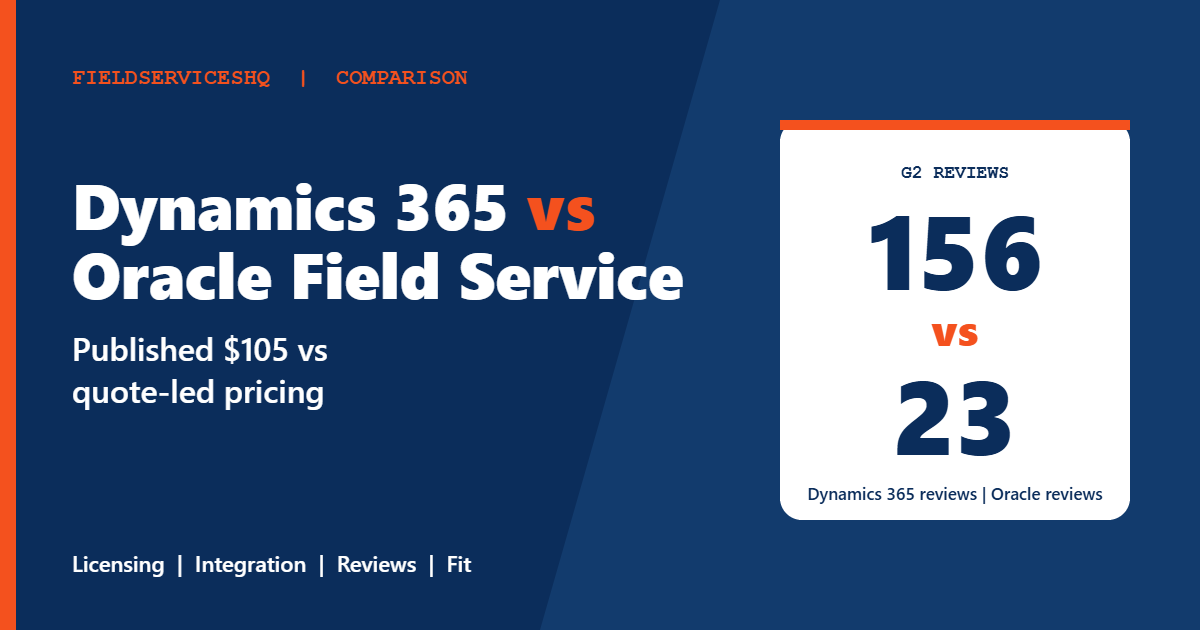
The public data is lopsided. Microsoft publishes $105 per user per month for its Field Service plan, with a $50 contractor plan and a $30 per resource scheduling add-on. Oracle’s own price could not be retrieved for this review, G2 lists none and outside estimates conflict. G2 scores Dynamics 365 at 3.9 from 156 reviews and Oracle at 3.9 from 23. This guide sets out what is verifiable, flags what is not and offers a way to decide that does not depend on star ratings.
Dynamics 365 Field Service vs Oracle Field Service at a glance
| Factor | Dynamics 365 Field Service | Oracle Field Service |
|---|---|---|
| Published pricing | $105 per user per month; $50 contractor plan | None retrieved; outside estimates unverified |
| Scheduling add-on | $30 per resource per month | Not retrieved |
| Billing | Billed yearly | Not retrieved |
| Free trial | Free trial, length not stated | None listed on G2 |
| G2 rating | 3.9 (156 reviews) | 3.9 (23 reviews) |
| G2 ease of use | 8.3 | 7.6 |
| G2 quality of support | 8.3 | 7.6 |
| Time to implement (G2) | About 6 months | About 6 months |
| Perceived cost (G2) | Highest level | Highest level |
| Ecosystem | Dynamics 365, Power BI, Business Central, Teams | Oracle Fusion applications, Oracle CX |
What each vendor publishes
Dynamics 365 Field Service
The Microsoft pricing page lists two base plans, both paid yearly:
| Plan | Price per user per month | What is included |
|---|---|---|
| Field Service | $105 | Full app access, Guides, Remote Assist, vendor and contractor management, scheduling and dispatch, planned maintenance agreements, returns processing, Copilot assistance, technician performance analysis |
| Field Service Contractor | $50 | App access with limited Guides, Remote Assist, vendor management and scheduling |
A scheduling add-on costs $30 per resource per month and automatically creates optimized schedules. Copilot assistance is included in the base plan for work order creation, scheduling and summarization. Agents built through Microsoft Copilot Studio run on Copilot Credits, either prepaid or pay-as-you-go, and need an Azure subscription. The page refers to a separate licensing guide for prerequisite or attach licenses and notes that actual prices appear at checkout and vary by region.
Oracle Field Service
We could not retrieve Oracle’s own pricing page, and G2 lists no entry price. The safest reading is that Oracle sells on a quote. Outside sources give conflicting ranges. SelectHub puts it at roughly $100 to $200 per user per month on annual billing, and ERP Research lists $300 per user per month as a list rate. A directory shows the starting price as contact vendor. None of these is an Oracle statement.
On G2, Oracle Field Service reviewers praise customer support and real-time data, and mention a steep learning curve for non-technical users, customization difficulties and implementation cost that is high for small companies. A Capterra reviewer noted that installation and configuration need dedicated resources. Vendor-neutral directories describe Oracle’s strength as native integration with Oracle Fusion applications and its shared data model with Fusion Cloud ERP. That is a directory’s summary, so verify it in a demo with your own ERP version.
The cost question
Microsoft’s list price is easy to read but incomplete. A team of 20 technicians and 3 dispatchers on the base plan would list at $2,415 a month before the scheduling add-on, which at $30 for each of 20 resources adds $600. Agents need Copilot Credits and an Azure subscription. Prerequisite licenses may apply, and the licensing guide is where many surprises appear. Gartner reviewers have noted that licensing and total cost are hard to understand at scale.
Oracle’s cost cannot be modeled from public data. Ask for the pricing metric (user, resource or transaction), the modules included, the minimum commitment and whether the platform is sold stand-alone or inside a broader Oracle agreement. Ask what discounts apply when it is bundled with other Oracle Cloud products.
For both, the largest line is usually implementation. G2 shows about six months for each on its standard scale, though Oracle’s sample is small. Some outside sources claim much larger figures for large deployments, but they are not verified and vary with scope. Ask at least two implementation partners for fixed-scope estimates with timelines and a list of assumptions.
Average discounts on G2 are 15 percent for Dynamics 365 and not enough data for Oracle, which is another reason to negotiate on list.
Features compared
Scheduling and optimization
Microsoft sells optimized scheduling as a $30 per resource add-on to the base Field Service plan. Oracle is positioned around complex dispatching and field resource coordination at large scale, with machine learning for scheduling. Give each your real constraints: skills, certifications, parts availability, time windows and travel.
Mobile work and guidance
Microsoft includes Guides and Remote Assist in the base plan, with limited versions in the Contractor plan. Oracle’s mobile and guidance capabilities are less documented in public sources, so ask for a live field demonstration, including offline behavior.
Maintenance and assets
Microsoft lists planned maintenance agreements and returns processing in the base plan. Oracle’s strength is described as tight links to its supply chain and inventory applications. Compare how each handles parts, returns and asset history for your business.
AI and automation
Microsoft includes Copilot assistance and offers prebuilt agents through Copilot Studio, billed by credits. Oracle describes data-driven scheduling and routing. Ask each to show AI features on your data and to state exactly what is included in the base price.
Integration
Dynamics integrates with Power BI, Business Central, Teams and Dataverse. G2 reviewers mention integration with Microsoft products as a strength. Oracle integrates natively with Oracle Fusion applications, according to directories, and both list SAP integration. If your ERP is neither, the integration effort and partner quality matter more than the vendor.
What reviewers say
G2’s side-by-side page gives these scores, with response counts in brackets.
| Category | Dynamics 365 | Oracle |
|---|---|---|
| Meets requirements | 8.6 (133) | 8.2 (19) |
| Ease of use | 8.3 (135) | 7.6 (19) |
| Ease of setup | 8.0 (50) | 7.9 (11) |
| Ease of admin | 8.3 (49) | 7.9 (8) |
| Quality of support | 8.3 (130) | 7.6 (17) |
| Good business partner | 8.4 (47) | 7.5 (8) |
| Product direction | 7.6 (129) | 7.5 (19) |
Dynamics leads every row, with margins that are small on setup and direction. Oracle’s response counts are low, so treat its numbers as indicative.
Dynamics reviewers praise integration and scheduling in a small number of mentions, and criticize time-consuming setup, customization difficulties, expensive licensing, slow performance and reporting challenges. Oracle reviewers praise customer support, ease of use and real-time data, and cite a learning curve and customization difficulties.
The reviewer mix differs. A G2 snapshot shows Dynamics 365 reviews split roughly evenly across small business, mid-market and enterprise, while Oracle skews toward enterprise at close to half. That fits Oracle’s positioning at large organizations, though the snapshot is older and may have changed.
Which one fits which business
Dynamics 365 Field Service tends to fit when
- You already run Dynamics 365, Business Central, Power BI or Teams and want field service in the same environment.
- You want a published price, Copilot assistance and Remote Assist in the base plan.
- You have access to a certified Dynamics partner.
Oracle Field Service tends to fit when
- Your ERP, supply chain and customer experience stack are Oracle Fusion.
- You manage a very large, distributed workforce and can resource a long implementation.
- You prefer an enterprise agreement with one vendor for several applications.
Three examples
A mid-market equipment service company on Business Central. Dynamics 365 Field Service is the natural first quote. Price the scheduling add-on for every resource and ask the partner about prerequisite licenses.
A global manufacturer on Oracle Fusion ERP. Oracle’s integration with parts and inventory is worth a full demonstration. Ask how Dynamics would connect to Oracle ERP and who maintains the integration.
A utilities contractor with no strong ecosystem tie. Run a proof of concept on both with real work orders, and also compare against Salesforce vs Dynamics 365 Field Service and Salesforce vs Oracle Field Service.
A practical evaluation plan
- Map every role that needs a login and which systems hold your customers, assets and orders.
- Ask both vendors for a written license map with pricing metric, prerequisites, add-ons, credits and contract term.
- Ask at least two implementation partners for fixed-scope estimates.
- Run a proof of concept on your real work orders, including an emergency dispatch and an offline job.
- Test the ERP integration with your ERP version, not a generic one.
- Request two references of similar scale from each vendor and ask what went wrong.
Mistakes to avoid
Do not compare Microsoft’s list price with a guessed Oracle price. One is published and the other is not.
Do not rely on a 23-review score. Ask for references instead.
Do not forget licensing prerequisites and credits. They can change a Microsoft quote more than the per-user rate.
Do not skip integration testing. The difficulty of the link to your ERP is a major cost driver.
Dynamics 365 Field Service vs Oracle Field Service FAQ
Which is cheaper, Dynamics 365 Field Service or Oracle Field Service?
Microsoft lists $105 per user per month, plus $30 per resource for optimized scheduling. Oracle’s price was not available from the vendor, and outside estimates conflict. Get written quotes for the same scope.
Does Dynamics 365 Field Service include AI?
Copilot assistance for work orders, scheduling and summaries is included in the base plan. Agents run on Copilot Credits and require an Azure subscription.
Which has better reviews?
Both show 3.9 on G2, from 156 reviews for Dynamics and 23 for Oracle. Dynamics leads all seven category scores.
How long does implementation take?
G2 shows about six months for both. Oracle’s sample is small, so ask partners for scoped timelines.
Is there a free trial?
Microsoft offers a free trial without stating its length. G2 lists no trial information for Oracle.
Which is better for Oracle ERP customers?
Directories describe Oracle Field Service as natively integrated with Oracle Fusion applications. Verify this with a reference on your ERP version.
Which is better for Microsoft customers?
Dynamics 365 Field Service integrates with Dynamics 365, Power BI, Business Central and Teams, and G2 reviewers cite Microsoft integration as a strength.
Can small businesses use either?
Both are heavy for small teams. Reviewers cite expensive licensing for Dynamics and high implementation cost for small companies on Oracle.
The bottom line
Dynamics 365 Field Service offers a visible price, bundled AI assistance and slightly stronger review scores, and it fits Microsoft-based organizations naturally. Oracle Field Service offers an enterprise platform tied to Oracle’s applications, with a quote-led process and thin public evidence. Your existing stack should drive the shortlist, and a proof of concept with your own data should drive the decision. Insist on written license maps, partner estimates and references before you sign either.
Sources: Microsoft Dynamics 365 Field Service pricing, G2 comparison of Dynamics 365 and Oracle Field Service, Oracle Field Service on Capterra, ERP Research comparison.



