
ServiceMax or Salesforce Field Service: Which Fits Equipment-Heavy Service Teams?
If you service machines that cost real money to be down, such as medical devices, telecom gear, industrial equipment or utility assets, you have probably ended up with two names on a shortlist: ServiceMax and Salesforce Field Service. They look like competitors on a comparison grid, but they are closer to cousins. ServiceMax is owned by PTC and its Asset 360 product is built to sit on Salesforce, while Salesforce Field Service is the native module inside Service Cloud.
That relationship is the first thing most buyers miss, and it changes the question. You are rarely choosing between two unrelated systems. You are deciding how much asset-centric depth you need on top of a Salesforce foundation, and whether that depth is worth the extra licensing, implementation and admin effort.
This guide pulls together the public review data, the pricing that vendors actually publish, and the buying questions that matter, so you can walk into demos knowing what to press on.
Pick ServiceMax when your business is built around installed equipment, serial numbers, warranties and service contracts, and you can fund a Salesforce-based rollout. Pick Salesforce Field Service when you want scheduling, dispatch and a mobile app on the same platform as your CRM, with published per-user prices and a simpler starting point. ServiceMax Asset 360 runs on top of Salesforce, so this is often an “add depth or not” decision rather than a clean either/or.
ServiceMax vs Salesforce Field Service at a glance
| Factor | ServiceMax (PTC) | Salesforce Field Service |
|---|---|---|
| Core idea | Asset-centric field service built around installed base | Field service module inside Service Cloud |
| Owner | PTC | Salesforce |
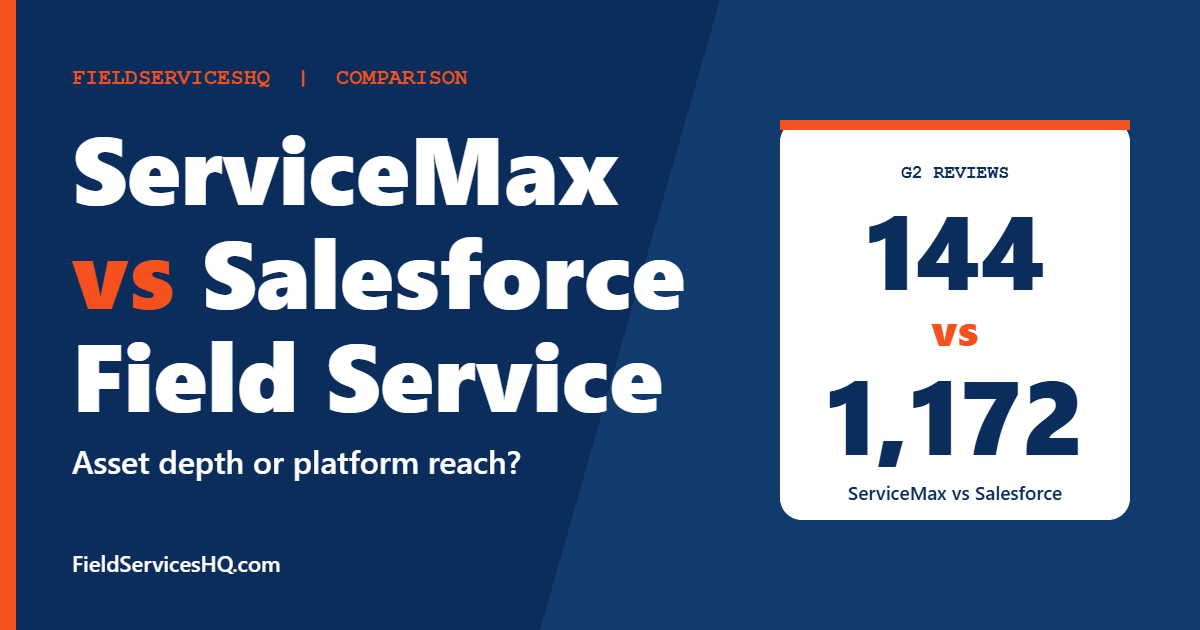
| G2 rating | 4.2 from 144 reviews | 4.3 from 1,172 reviews |
| Published pricing | No, quote only | Yes, per-user list prices |
| Salesforce required | Asset 360 needs Service Cloud plus a Field Service license | It is Salesforce |
| Strongest at | Installed base, entitlements, maintenance plans, service contracts | Scheduling, dispatch, CRM tie-in, ecosystem breadth |
| Typical buyer | Asset-heavy enterprises with IT and admin resources | Companies already on Salesforce, mid-size to large |
| Common complaint | Cost, complexity, admin dependence | Licensing complexity, learning curve, setup effort |
The review figures come from G2 product pages. The Salesforce page shows 1,172 reviews in one place and 1,253 in its category table, so treat the exact count as approximate. The ServiceMax figure is from the G2 product page with a July 2026 modification date.
What each product actually is
ServiceMax
ServiceMax describes itself as asset-centric field service management software. Everything is organized around the equipment: installed base records, bill-of-materials hierarchies, entitlement logic and maintenance plans. A work order is not just a job, it is an event in the life of a specific asset, with its configuration history attached.
PTC sells it as three suites, Core, Asset 360 and FieldFX, along with optional add-ons that include Schedule Optimization, Engage, Sandbox and ServiceMax AI. Third-party reporting puts the 2022 PTC acquisition at about 1.46 billion dollars, which signals how seriously the parent treats the enterprise end of this market.
Salesforce Field Service
Salesforce Field Service handles work orders, scheduling, dispatch, mobile work and appointment management as part of the broader Salesforce platform. Its pull is the platform itself. Your sales, service and field data live in one place, and the integration ecosystem is wide.
G2 reviewers credit it with ease of use, smart scheduling, real-time visibility and integrations. The same reviewers flag licensing complexity, high cost, a steep learning curve and setup difficulty. G2 lists 41 percent of reviewers as medium-sized companies and 35 percent as large, with information technology and manufacturing the top industries.
The relationship that confuses buyers
PTC’s own offer documents, as summarized by a third-party review aggregator, state that Asset 360 requires an active Salesforce Service Cloud subscription and at least one Salesforce Field Service license. In plain terms, you pay Salesforce for the platform and PTC for the asset layer.
That has three practical effects:
- Your total cost has two vendors in it. A ServiceMax quote on its own is not the full number.
- Your admin skills matter more. Advanced reporting and customization on this stack often lean on Salesforce expertise.
- The comparison is really base versus base plus depth. If native Salesforce Field Service already covers your asset needs, the extra layer may not earn its keep.
Not every ServiceMax deployment follows this model. The Core and FieldFX suites are separate products with their own architecture, so confirm which suite a rep is actually quoting before you compare anything.
Pricing: what is published and what is not
Salesforce Field Service
Salesforce publishes list prices on its field service pricing page. At the time of writing, the page shows these entries, with an annual contract required for per-user products:
| Product | Listed price |
|---|---|
| Frontline Workforce Management | 30 dollars |
| Dispatcher | 175 dollars |
| Technician | 175 dollars |
| Contractor Plus | 80 dollars, or 32 dollars per login |
| Field Service+ Core | 250 dollars |
| Field Service+ Advanced | 450 dollars |
| Field Service+ Max | 650 dollars |
Check the page for the current billing unit and terms before you build a model, because Salesforce changes packaging often. Some G2 content still shows an older 165 dollar figure, which is a good reminder to trust the vendor page over a review site.
ServiceMax
ServiceMax does not publish prices. Billing is subscription based and sales led, and buyers are told to request a PTC quote. The outside estimates you will find do not agree with each other:
- One review site estimates 59 to 125 dollars or more per user per month, with implementation of 5,000 to 50,000 dollars or more.
- Another puts it at 100 to 300 dollars per user per month.
- A competitor’s comparison page claims 165 to 300 dollars or more per user per month with setup of 50,000 to 500,000 dollars or more, and that page is marketing, so weigh it accordingly.
None of these are vendor figures and they cannot all be right. The honest takeaway is that the spread itself tells you how much depends on suite, seat count, add-ons and negotiation. Use them only to sense the order of magnitude, never to budget.
ServiceMax does not publish prices, and its Asset 360 suite needs an active Salesforce Service Cloud subscription plus at least one Salesforce Field Service license. Always ask for one quote that covers both vendors, plus implementation, so you compare the real total and not half of it.
What the reviews say
| Signal | ServiceMax | Salesforce Field Service |
|---|---|---|
| G2 overall | 4.2 (144 reviews) | 4.3 (1,172 reviews) |
| Other sites | Software Advice 4.3 (43), Gartner Peer Insights 4.2 (52), as reported by a third-party aggregator | Higher volume across review sites |
| Praised for | Installed base tracking, preventive and predictive maintenance, IoT links | Ease of use, smart scheduling, visibility, integrations |
| Criticized for | Cost, slow dispatch console and mobile reports, admin dependence for reporting | Licensing complexity, learning curve, setup, map loading |
Two cautions. First, the review pools are very different in size, so a 0.1 gap between 4.2 and 4.3 means almost nothing. Second, the Salesforce number covers a product used by far more varied companies, while ServiceMax reviewers skew toward asset-heavy enterprises. They are not rating the same job.
If you want to read raw reviews yourself, start with the ServiceMax reviews on G2 and filter by company size and industry that matches yours.
Asset and installed base depth
This is the heart of the decision. ServiceMax tracks the as-maintained configuration of each asset: serial numbers, sub-component hierarchies, maintenance history and configuration changes since installation. It also treats entitlements and service contracts as first-class objects, so a technician can see at a glance whether a repair is covered.
Salesforce Field Service can model assets too, and many companies run it that way. The difference is how much of the asset logic you must build and maintain yourself. If your equipment has deep bill-of-materials structures, regulated service histories or warranty rules that vary by contract, the pre-built structure in ServiceMax can save design time. If your assets are simple or your service is mostly time-and-materials, that extra structure may sit unused.
A useful test is to write down five questions your service desk asks about an asset every week, such as “is this unit under warranty,” “what parts were swapped last year,” and “which contracts cover this site.” Then ask each vendor to answer them live, with your sample data, in the demo.
Scheduling and dispatch
Salesforce Field Service is known for scheduling. Reviewers highlight smart scheduling and routing based on skills, location and urgency, and real-time visibility for the back office. ServiceMax offers Schedule Optimization as an add-on, which tells you scheduling depth is something you may buy separately.
If your biggest pain is moving a large mobile workforce efficiently, put scheduling at the top of your scorecard and make both vendors prove it with a realistic day of jobs. If your biggest pain is knowing exactly what is installed where, the order of your priorities flips.
Mobile and offline work
Technicians in basements, plants and remote sites need the app to work without a signal. A third-party review site lists limited offline behavior as a ServiceMax complaint, while a reviewer on another platform recalled that ServiceMax was, at the time of their purchase, the option with mobile offline capability that integrated with Salesforce at their scale. Those accounts conflict and both are secondhand, so treat offline behavior as something to verify.
Ask for a pilot or a sandbox where your technicians run real jobs in your real dead zones. Pay attention to sync conflicts, photo uploads and what happens when two people edit the same work order.
Implementation and admin burden
Both products reward companies with a strong admin team and punish those without one. G2 reviewers of Salesforce call out setup and customization difficulty. Third-party sources describe ServiceMax as needing dedicated IT staff and a larger budget for rollout. Plan for:
- A named internal owner with time to configure and test workflows.
- A partner or professional services budget, which both vendors typically expect.
- A data migration plan for assets, contracts and parts, since poor asset data undermines the whole point of an asset-centric tool.
- A realistic training schedule for technicians who just want the app to be quick.
If a vendor promises a go-live in weeks for a complex asset base, ask for references with a similar equipment count and contract structure.
Who should pick ServiceMax
ServiceMax tends to fit when most of these are true:
- You service installed equipment where the asset record is the center of the business.
- Service contracts, entitlements and warranty rules drive revenue and margin.
- You already run Salesforce or are committed to it.
- You have admin and IT capacity, plus budget for a phased rollout.
- You run 50 or more technicians, where small efficiency gains compound.
Who should pick Salesforce Field Service
Salesforce Field Service tends to fit when most of these are true:
- You want field service on the same platform as your CRM and customer service.
- Scheduling and dispatch are your main pain, and assets are relatively simple.
- You want published pricing so you can model cost before talking to sales.
- You can start with a defined scope and grow, rather than commit to a deep asset build on day one.
If neither feels right, the same class of buyer often compares other enterprise tools. Our guides on Salesforce Field Service vs Dynamics 365 Field Service and Salesforce Field Service vs Oracle Field Service cover the other big platforms.
Questions to ask in demos
Use the same script with each vendor so the answers line up:
- Which exact suite and Salesforce licenses does this quote include, and what is missing?
- What are the first-year and third-year totals, including add-ons, sandboxes and renewals uplift?
- How is an asset hierarchy modeled, and can you show one built from our data?
- How does the technician app behave offline, and what happens on sync conflict?
- What reporting is available out of the box, and what needs an admin to build?
- Which customers with our equipment type and size can we call?
- Who does implementation, and what is the typical timeline for a deployment like ours?
Mistakes to avoid
- Comparing a ServiceMax quote to a Salesforce list price. One includes platform costs you still owe, the other may not.
- Trusting estimates from competitor pages. They are written to sell something else.
- Buying asset depth you will not use. Complexity you never configure is cost without return.
- Ignoring data quality. An asset-centric tool is only as good as the asset records you load.
- Skipping a field pilot. Offline and speed problems show up in real conditions, not in a conference room.
ServiceMax vs Salesforce Field Service FAQ
Is ServiceMax built on Salesforce?
Its Asset 360 product is. PTC’s offer documents, as summarized by a third-party aggregator, say it needs an active Salesforce Service Cloud subscription plus at least one Salesforce Field Service license. Other ServiceMax suites, such as Core and FieldFX, are separate products, so confirm which one you are being sold.
Which one is cheaper?
Salesforce is easier to price because it publishes list prices. ServiceMax does not, and for Asset 360 you pay for both vendors. For many buyers the combined stack costs more than native Salesforce Field Service alone, but only a written quote for your seat count and scope can confirm that.
Which has better reviews?
On G2, Salesforce Field Service scores 4.3 from 1,172 reviews and ServiceMax scores 4.2 from 144. The gap is small and the review pools differ a lot in size, so it should not decide the purchase.
Is ServiceMax good for small businesses?
Generally no. Third-party sources describe it as aimed at asset-heavy enterprises with dedicated IT staff, and the quote-only pricing and implementation effort do not suit small teams. Smaller contractors are usually better served by lighter tools, and our ServiceTitan vs Salesforce Field Service guide shows where a mid-market platform starts to make sense.
What does ServiceMax do better than Salesforce Field Service?
Its pre-built asset structure is the main advantage: installed base records, configuration history, entitlements and maintenance plans. Salesforce can model assets too, but you may need to design and maintain more of that logic yourself.
What does Salesforce Field Service do better?
Reviewers praise ease of use, smart scheduling, real-time visibility and integrations, and the pricing is public. It is also the simpler starting point if you already use Salesforce for customer data.
How long does implementation take?
Neither vendor publishes a standard timeline, and third-party figures vary widely. Complexity depends on asset count, integrations and data quality. Ask each vendor for references that match your size and equipment type.
Can I start with Salesforce Field Service and add ServiceMax later?
Because Asset 360 sits on Salesforce, that path is technically natural, and some teams phase their rollout that way. Confirm licensing, data model and migration implications with both vendors before committing, so an early design choice does not box you in.
Sources and method note
Ratings come from G2 product pages, and Salesforce prices come from the Salesforce field service pricing page. ServiceMax product details are from PTC and third-party review sites. The G2 side-by-side page did not return ServiceMax data, so ServiceMax figures were taken from its own product page and outside summaries, which is why third-party numbers are labeled as such. ServiceMax pricing is quote only, so no price is stated for it here.



