Housecall Pro, Jobber or FieldPulse: What Do Real Reviews Say About Each?
Most comparison pages for these three tools stop at price and features. This one looks harder at what reviewers actually complain about, because for a small service business the cost of a tool is rarely the monthly fee. It is the hour lost to a sync failure, the technician who cannot find a job on a bad signal, or the invoice that has to be fixed by hand.
Housecall Pro, Jobber and FieldPulse all serve small home service and construction trades. They overlap on scheduling, dispatch, estimates, invoicing and a mobile app. They differ in how they price, how many people have reviewed them, and which problems come up most.
This guide pulls the published prices, G2 category scores and Capterra summaries into one place, and it explains what to test in a trial for each. Our other three-way guides cover pricing in more depth: Jobber vs Housecall Pro vs Workiz and Jobber vs FieldPulse vs Kickserv.
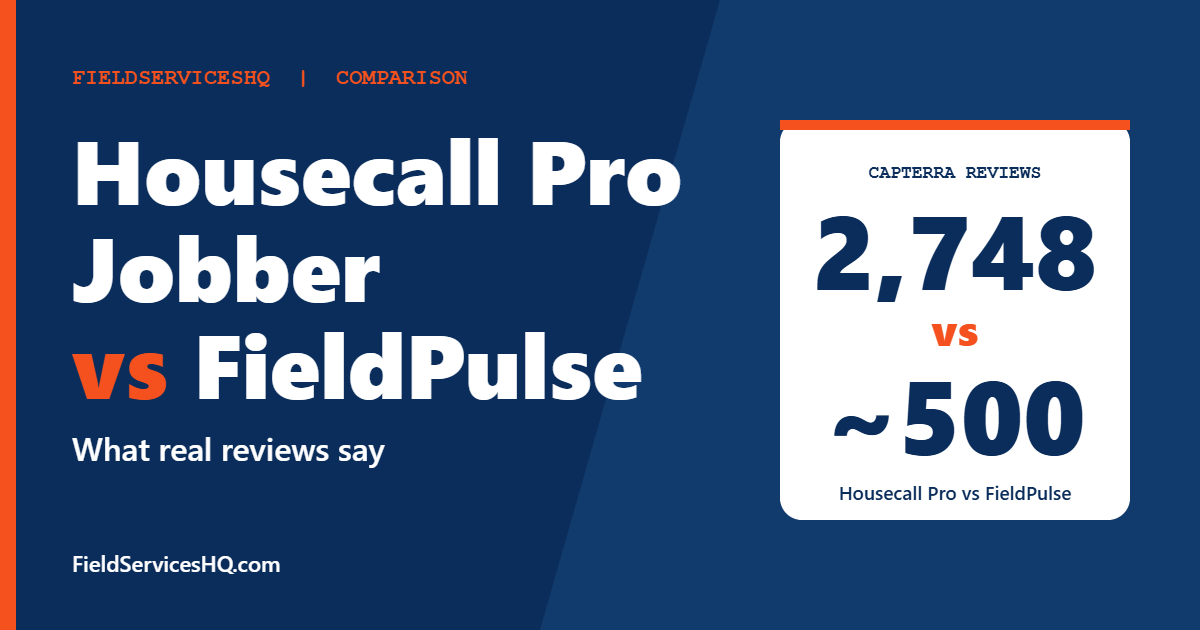
Housecall Pro has the largest Capterra review base of the three (4.7 from 2,748 reviews) and posts its prices. Jobber has the strongest and best-documented G2 scores. FieldPulse scores well with small construction teams on Capterra, praised for dispatch tools and chat support, but 91 reviewers flagged bugs and 32 flagged unreliable syncing, and it publishes no prices. Pick on your tolerance for glitches, your need for a posted price and how your crew works offline.
Housecall Pro vs Jobber vs FieldPulse at a glance
| Factor | Housecall Pro | Jobber | FieldPulse |
|---|---|---|---|
| Capterra rating | 4.7 (2,748 reviews) | About 4.6 (1,400 plus reviews) | 4.4 to 4.6 (about 500 reviews, page inconsistent) |
| G2 rating | 4.3 (205 reviews) | 4.6 (526 reviews) | No usable field service listing |
| Pricing | Posted, from 59 dollars | Posted, from 29 dollars | Quote only, seat based |
| Free trial | 14 days, no card | Yes | Capterra page says none; confirm |
| Reviewer base | 97 percent small business | Small business | 97 percent small business, 49 percent construction |
| Top praise | Easy to learn, organized job info | Ease of use, unified platform | Dispatch tools, chat support, onboarding |
| Top complaints | Invoicing limits, bugs, email flexibility | Subscription cost, limited customization | Bugs, syncing and connectivity, data management |
The percentages below are Capterra’s own summaries of review text, for example 61 percent negative among the 197 reviews that mention bugs. They describe how reviewers who mentioned a topic felt, not how often the problem happens across all customers. Use them to decide what to test, not to rank the products.
Prices, briefly
Housecall Pro and Jobber post prices, and FieldPulse does not.
| Plan | Housecall Pro (annual, per month) | Jobber (annual, per month) |
|---|---|---|
| Entry | Basic 59 dollars, 1 user | Core 29 dollars, 1 user |
| Mid | Essentials 149 dollars, 5 users | Connect 149 dollars for 5 users |
| Upper | Max 299 dollars, 8 users, extra 35 each | Grow 229 dollars for 5 users, Plus 399 dollars for 5 users |
Jobber charges 29 dollars for each extra user. FieldPulse says pricing is seat based and built around what your team needs, with optional premium products such as Operator AI, ClearPath, Custom Forms, Pricebook, Engage and Fleet Tracking priced separately. For a fuller cost breakdown, see our guides to Jobber vs Housecall Pro and Housecall Pro vs FieldPulse.
Housecall Pro: what reviewers say
Capterra shows Housecall Pro at 4.7 from 2,748 reviews, with 2,118 five-star ratings. Category scores are features 4.5, value for money 4.6 and customer service 4.7. About 97 percent of reviewers are small businesses, and construction firms are the biggest group at 39 percent, followed by consumer services at 23 percent.
What they like
- The platform is intuitive and easy to learn: 96 percent positive among 523 reviews that mention it.
- It supports business growth: 94 percent positive among 202 reviews.
- It keeps client and job information organized in one place: 100 percent positive among 79 reviews.
What they dislike
- Invoicing feels cumbersome and limited: 37 percent negative among 229 reviews, with difficulty managing recurring or multiple jobs.
- Frequent bugs disrupt workflow: 61 percent negative among 197 reviews.
- Email features lack flexibility: 43 percent negative among 114 reviews.
Other themes in Capterra’s summary include pricing jumps beyond five users, add-on costs, limited job costing and reporting, layout changes that disrupt staff, requests for more granular permissions, and QuickBooks sync issues that need manual invoice pushes. Support gets mixed notes: many praise helpful chat staff, while others describe slow responses, long chats on complex problems or reliance on chatbots.
On G2, Housecall Pro scores 4.3 from 205 reviews with ease of use at 8.9, ease of setup at 8.7 and quality of support at 8.7. Common G2 themes are ease of use and customer support on the positive side, and missing features and cost on the negative.
Jobber: what reviewers say
G2 scores Jobber 4.6 from 526 reviews. Category scores include ease of use 9.0, ease of setup 8.9, ease of admin 9.1, quality of support 9.1 and good business partner 9.2, each backed by 266 to 452 responses. Reviewers most often praise ease of use, with 75 mentions on one G2 page, and a unified business platform with 53 mentions. The most common complaints are high subscription costs with 29 mentions and limited customization with 18. Capterra lists Jobber at about 4.6 with more than 1,400 reviews.
G2 reports about one month to implement for Jobber on its Kickserv and Service Fusion pair pages and 6 months on others, so ask for a realistic timeline.
FieldPulse: what reviewers say
Capterra’s page shows FieldPulse at 4.4 from 508 reviews, while the reviews section on the same page shows 4.6, so the page is inconsistent. Sentiment is 93 percent positive, 4 percent neutral and 4 percent negative. Value for money is rated 4.4 and customer service 4.7. About 97 percent of reviewers are small businesses and 49 percent are in construction.
What they like
- Centralized scheduling and dispatch tools: 94 percent positive among 77 reviews.
- Responsive chat support: 94 percent positive among 51 reviews.
- Onboarding and guidance: 93 percent positive among 30 reviews.
What they dislike
- Frequent bugs and glitches: 44 percent negative among 91 reviews.
- Cumbersome data management: 69 percent negative among 32 reviews.
- Unreliable syncing and connectivity: 81 percent negative among 32 reviews.
Capterra lists support through email, phone, chat and a 24/7 live rep, with in-person and live online training. Built-in items include customer management, scheduling and dispatching, work orders, estimates and invoices, workflow automation, project management, QuickBooks sync, multi-location management and an open API. G2 has no usable field service data for FieldPulse, so there are no category scores to compare.
What the complaint patterns suggest
All three products draw complaints about bugs, and none is immune. The useful question is which kind of problem could hurt your business most:
| If this would hurt you most | Test this | Where reviewers raised flags |
|---|---|---|
| Invoices that need hand fixes | Recurring jobs, multi-job invoices, partial payments | Housecall Pro invoicing |
| Crew in poor coverage | Clock in, update a job and add photos with airplane mode on, then sync | FieldPulse syncing and connectivity |
| Accounting mismatches | Push 20 invoices to QuickBooks and reconcile | Housecall Pro QuickBooks sync notes |
| Costs rising with headcount | Price at 8 and 15 users | Housecall Pro pricing beyond five users, Jobber cost |
| Customizing forms and workflows | Add a custom field and a custom form | Jobber limited customization |
| Support when it breaks | Open a real support request in the trial | All three |
Features to compare in the trial
Scheduling and dispatch
FieldPulse reviewers praise centralized scheduling and dispatch. Housecall Pro includes scheduling and dispatch from Basic and adds routes at Essentials. Jobber includes scheduling from Core and adds crew scheduling tools at Plus. Create a week with 30 jobs, move three of them and confirm technicians see the change instantly.
Estimates and invoices
Build a good-better-best estimate, convert it to a job, invoice a deposit and collect a payment. Housecall Pro reviewers flag invoicing limits, so repeat this with your most complicated job type.
Payments and fees
Housecall Pro lists card processing from 2.59 percent and a 1 percent bank payment fee. Jobber lists online payments from Core. FieldPulse does not publish processing rates. Calculate what a month of your actual payments would cost.
Accounting
All three list QuickBooks. Run a sample month, reconcile totals and confirm how refunds, discounts and taxes appear.
Phones and messaging
Jobber lists two-way SMS from Grow. FieldPulse reviewers have mentioned an integrated phone system, though that is a single review comment and not a product claim, so verify. Housecall Pro lists live phone and chat support for customers, not a business phone system.
Who should choose which
| If you are | Look first at |
|---|---|
| A new business that wants the lowest posted price | Jobber Core |
| A five-person crew that wants a posted price and strong review volume | Housecall Pro Essentials or Jobber Connect |
| A construction trade that wants dispatch and responsive chat support | FieldPulse, after a written quote and a connectivity test |
| A business with complex recurring jobs | Test all three on invoicing before choosing |
| A business that expects to grow past 10 users | Price all three at 15 users |
Questions to ask in demos
- What is my all-in monthly cost at my headcount and at 1.5 times my headcount?
- What happens when a technician loses signal mid-job?
- How do you handle recurring jobs and multi-visit invoices?
- What are your support hours and how fast do you respond to a real issue?
- Which known bugs are being worked on, and how often do you release changes that affect layouts?
- What do I lose if I leave, and how do I export my data?
Mistakes to avoid
- Treating star ratings as the whole story. A 4.7 from 2,748 reviews still contains hundreds of complaints.
- Skipping the offline test. Connectivity is where field tools fail first.
- Ignoring support in the trial. Open a ticket early and judge the answer.
- Trusting percentages without sample sizes. 81 percent negative among 32 reviews is a signal, not a rate.
- Forgetting to price extras. Housecall Pro add-ons, Jobber add-ons and FieldPulse premium products all raise the bill.
Housecall Pro vs Jobber vs FieldPulse FAQ
Which has the best reviews?
Housecall Pro has the highest Capterra rating at 4.7 and the largest review base at 2,748. Jobber has the strongest G2 scores at 4.6 from 526 reviews. FieldPulse scores 4.4 to 4.6 on Capterra, and G2 has no usable listing.
Which is cheapest?
Jobber Core at 29 dollars a month on annual billing is the lowest published figure. Housecall Pro starts at 59 dollars. FieldPulse does not publish prices.
Does FieldPulse have bugs?
Capterra reviewers who mention bugs and glitches are 44 percent negative, across 91 reviews, and 81 percent of the 32 reviews mentioning syncing and connectivity are negative. Housecall Pro has a similar pattern, with 61 percent negative among 197 reviews that mention bugs. Test your own workflow in a trial.
Which has the best support?
Jobber has the highest G2 support score at 9.1 against 8.7 for Housecall Pro. FieldPulse reviewers rate customer service at 4.7 on Capterra, and Housecall Pro reviewers rate it 4.7 as well, so the difference is small.
Which is best for construction trades?
Both Housecall Pro and FieldPulse have large construction reviewer bases, at 39 and 49 percent respectively. Jobber serves a wider mix of home services. Test your trade’s workflow on each.
Which integrates with QuickBooks?
All three list QuickBooks. Housecall Pro lists QuickBooks Online sync from Essentials and Jobber from Connect. Reviewers report sync issues for Housecall Pro that require manual invoice pushes, so reconcile a sample month during your trial.
Can I switch if I choose wrong?
Yes, but plan for work. Export customers and job history regularly and ask the new vendor what it can import.
Is there a free trial?
Housecall Pro offers 14 days with no credit card. Jobber offers a free trial. Capterra’s FieldPulse page says no free trial, so confirm with the vendor.
Sources and method note
Prices come from the Housecall Pro pricing page, the Jobber pricing page and the FieldPulse pricing page, which publishes no dollar figures. Reviews and sentiment percentages come from Capterra listings for Housecall Pro and FieldPulse, and from G2 side-by-side pages. Review counts shift daily, so check the live listings. Vendors change plans often, so confirm current figures before buying.