
HVAC Software Showdown: ServiceTitan or FieldEdge for Your Shop
For HVAC, FieldEdge is the more natural fit for shops of roughly 5 to 30 trucks that want a flat-rate pricebook, service agreements and QuickBooks sync without a long rollout. ServiceTitan fits larger or fast-growing operations that will use its customer engagement, reporting and multi-team tools. Neither publishes prices, so the deciding step is a written quote for your headcount.
HVAC is a different business from general home services. Demand arrives in two violent seasons, the sale often happens at the kitchen table or the furnace, and a big share of long-term revenue comes from maintenance agreements that renew every year. Software that handles a plumber’s one-off drain call can still struggle with that rhythm. That is why this comparison looks at ServiceTitan and FieldEdge through an HVAC lens instead of repeating a general feature list. If you want the all-trades version, our main ServiceTitan vs FieldEdge comparison covers depth, setup pain and cost.
Every number below is attributed. Where a vendor does not publish a price, we say so, and where we use a third-party estimate we label it unverified.
ServiceTitan vs FieldEdge for HVAC at a glance
| HVAC need | ServiceTitan | FieldEdge |
|---|---|---|
| Price transparency | Not published | Not published |
| Flat-rate pricebook | Part of the platform | Pricebook with good, better, best options; Coolfront database |
| Service agreements | Supported | Highlighted by reviewers and directories as a strength |
| Customer engagement | Two-way texting, customer portal, online self-scheduling cited by reviewers | Mobile invoicing and payments, fewer customer-facing tools cited |
| QuickBooks | Integration available | Real-time two-way sync is a frequently cited strength |
| G2 rating | 4.4 from 375 reviews | 4.0 from 87 reviews |
| Typical size | Mid to large home and commercial contractors | Small to mid-size HVAC, plumbing and electrical shops |
Ratings and category scores were read from G2 in November 2026. Feature descriptions come from vendor and directory listings, so confirm anything critical in a demo.
What the reviews say
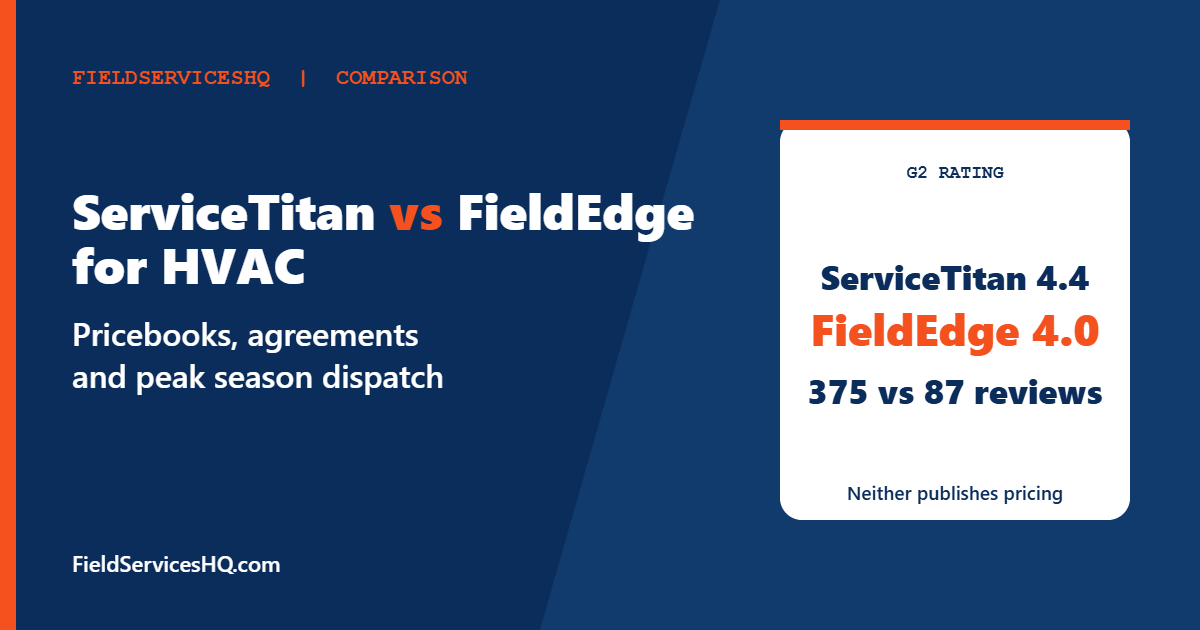
G2 puts the two products side by side on its comparison page. ServiceTitan holds 4.4 from 375 reviews and FieldEdge holds 4.0 from 87 reviews. Both show the highest perceived cost band, an average discount of 7 percent for FieldEdge and 9 percent for ServiceTitan, and an average of about 6 months to implement and reach return on investment.
| G2 category (out of 10) | FieldEdge | ServiceTitan |
|---|---|---|
| Meets requirements | 7.8 | 8.7 |
| Ease of use | 7.9 | 8.3 |
| Ease of setup | 7.2 | 6.7 |
| Ease of admin | 8.2 | 8.0 |
| Quality of support | 8.2 | 7.7 |
| Good partner in business | 8.3 | 8.6 |
| Product direction | 7.6 | 8.9 |
Read this table the way an HVAC owner should. ServiceTitan wins on fit with requirements and product direction, and it has far more reviews behind those scores. FieldEdge edges ahead on setup and support, though its sample is much smaller. ServiceTitan reviewers praise ease of use, support and features, and complain about a steep learning curve and high cost. FieldEdge reviewers mention ease of use and setup as positives and connectivity issues and cost as concerns. G2’s page does not break results out by trade, so it cannot tell you which tool HVAC reviewers specifically prefer.
The HVAC workflow test: five things to check
1. Flat-rate pricing and the pricebook
Flat-rate pricing means a technician quotes a fixed price for a repair from a standard book instead of billing time and materials. Good, better, best presentation is a common way to raise the average ticket. FieldEdge’s pricebook is a headline feature. Its Flat Rate Mobile listing on Capterra describes a database of over 30,000 repairs and 16,000 parts, and calls the flat rate app zero cost with QuickBooks integration. That is vendor-written copy, so treat the numbers as a claim to verify.
ServiceTitan also builds pricing and proposals into its platform. Whichever you choose, ask who keeps the book current. Material costs shift, and a stale book quietly erodes margin.
2. Maintenance agreements
Recurring agreements turn a seasonal business into a steadier one. Directory commentary singles out FieldEdge’s service agreement workflow, including renewal tracking and billing. ServiceTitan supports memberships too, and its broader reporting helps owners see agreement growth over time. In a demo, ask each vendor to show a customer with two systems, an agreement that renews in March, and a tune-up visit generated automatically.
3. Peak-season dispatch
Summer and winter surges overwhelm dispatch queues. Look at how each tool shows technician locations, skills and truck stock on a dispatch board, and how quickly a dispatcher can reassign a call. ServiceTitan reviewers cite live tracking and a deep feature set. FieldEdge covers scheduling, dispatch and mobile invoicing for residential and light commercial work. Ask each vendor for a reference HVAC customer of your size and talk to their dispatcher, not just the owner.
4. Equipment history and refrigerant records
HVAC techs need to see what is installed at the property. Both products track customer and equipment history according to their listings. Because refrigerant handling is regulated, with the EPA’s Section 608 program covering technician certification and refrigerant management, ask how each system stores equipment details, service notes and compliance-related records, and what reports you can pull.
5. Accounting and payments
FieldEdge is often chosen for its QuickBooks connection, which directories describe as real-time and two-way. ServiceTitan integrates with accounting tools as well, and its reviewers mention financing and payment options. Ask each vendor for the exact QuickBooks edition supported, card processing rates and who owns the merchant relationship.
What it costs: what we know and do not know
Neither company publishes prices. G2 shows no entry-level pricing for either, and both land at the top perceived-cost band.
FieldEdge pricing is quote-based. Third-party aggregators report roughly $100 per month for an office user and $125 for a field technician, plus $500 to $2,000 or more in setup, but those numbers are unverified. Using them purely as a planning illustration:
| Shop | Users | Estimated monthly software (unverified) |
|---|---|---|
| Small shop | 1 office + 3 techs | $475 |
| Mid-size shop | 2 office + 8 techs | $1,200 |
That is our arithmetic on third-party figures, not a quote. We will not put a price on ServiceTitan because we found no verifiable source. Competitor blogs publish per-technician ranges for it, but those pages sell competing products, and ServiceTitan itself directs buyers to sales. Ask for both quotes in writing, with implementation, training, payments and add-ons itemized.
Setup time and the busy-season trap
G2 shows about 6 months to implement for both products. Whether that matches your reality depends on data volume, number of trades, and how many integrations you need. The practical rule for HVAC is to avoid launching in peak season. Aim to go live in spring or fall shoulder months, import your customer and agreement data early, and run a pilot with two technicians first.
G2 reviewers rate FieldEdge slightly higher on ease of setup at 7.2 versus 6.7. The gap is small and the samples are uneven, so use it as a prompt to ask each vendor for a realistic project plan, not as a verdict.
Which shop should pick which
- Five to fifteen trucks, owner-led, QuickBooks at the center: FieldEdge deserves the first demo.
- Fifteen to thirty trucks with a call center or multiple dispatchers: run both. Compare reporting and customer engagement in particular.
- Thirty-plus trucks or several locations: ServiceTitan is built for that scale, and its higher perceived value in G2 category scores reflects larger customers.
- Under five trucks: neither may be the right size. Compare lighter, published-price tools such as Housecall Pro against FieldEdge and our three-way ServiceTitan, FieldEdge and Housecall Pro guide.
- You want unlimited users at a flat rate: see FieldEdge vs Service Fusion.
Demo script for HVAC buyers
- Show a tune-up agreement from signup to automatic renewal invoice.
- Quote a repair using a good, better, best pricebook on a phone.
- Dispatch three emergency calls to a board with two techs already booked.
- Look up a customer’s equipment history on a mobile device.
- Sync an invoice to QuickBooks and show the entry.
- Run the agreement renewal report and the revenue by technician report.
Ratings and category scores come from G2’s FieldEdge and ServiceTitan comparison. Feature notes come from vendor and directory listings. Neither vendor publishes prices; FieldEdge figures are third-party estimates and are unverified. Cost tables are our own arithmetic.
A seasonal planning calendar for the switch
Timing matters more for HVAC than for most trades. A workable calendar looks like this, and it applies whichever product you pick.
| Window | What to do |
|---|---|
| Eight to twelve weeks before peak | Shortlist two vendors, request written quotes and book reference calls with HVAC customers of your size |
| Six to eight weeks before peak | Clean your customer list, equipment records and agreement dates in your current system so the import is accurate |
| Four to six weeks before peak | Run a pilot with two technicians and one dispatcher, using real jobs in parallel with the old process |
| Two weeks before peak | Train every technician on the phone workflow they will use daily: open job, add pricebook items, take payment, close job |
| Peak season | Freeze changes unless something is broken, and keep one person responsible for fixing small configuration issues quickly |
| After peak | Review reports, adjust the pricebook, and plan phase two features such as marketing or call tracking |
If your busy season is already underway, delay cutover. A half-learned system during a heat wave costs more in missed calls and rushed invoices than another month on the old tool.
Technician adoption: the part owners underestimate
Software succeeds or fails in the truck. G2 reviewers of ServiceTitan mention a steep learning curve, while FieldEdge reviewers mention connectivity issues, and both are reminders that field conditions are rough: basements, attics and rural job sites with weak signal. During evaluation, ask whether the mobile app works offline, how it syncs when the signal returns, and what happens if a tech closes a job without a connection.
Involve your best and your most skeptical technicians in the pilot. The skeptic will find the friction that a demo hides, such as too many taps to add a part or a pricebook search that is slow with gloves on. Ask technicians to rate each tool on three simple questions: can I find the right repair quickly, can I show the customer options without fumbling, and can I collect payment on the spot. If the answer is no for one of them, fix it before launch or choose differently.
Finally, decide who owns the system after go-live. In small shops that is often the owner or an office manager. In larger shops it should be a named administrator with time set aside each week. Both vendors charge for services and training beyond the base subscription according to their sales processes, so clarify what support is included and what is billed separately.
Mistakes to avoid
- Going live in July or January. Choose a shoulder month for cutover.
- Skipping reference calls with HVAC customers of your size.
- Letting the pricebook go stale after launch.
- Ignoring implementation fees when comparing monthly prices.
- Treating G2 averages as HVAC-specific. The comparison page does not segment by trade.
ServiceTitan vs FieldEdge for HVAC FAQ
Is FieldEdge or ServiceTitan better for HVAC?
It depends on size. FieldEdge targets small to mid-size HVAC, plumbing and electrical shops with a flat-rate pricebook and QuickBooks focus. ServiceTitan suits larger operations that will use its reporting and customer engagement tools.
Does either publish pricing?
No. G2 lists no entry-level pricing for either product, and both are quote-based.
How long does implementation take?
G2 shows about 6 months on average for both products to implement and to reach return on investment, though your project depends on data volume and integrations.
Which has better reviews?
ServiceTitan scores 4.4 from 375 G2 reviews and FieldEdge scores 4.0 from 87. FieldEdge scores higher on setup and support, ServiceTitan on requirements fit and product direction.
Does FieldEdge have a flat-rate pricebook?
Yes. FieldEdge Flat Rate Mobile is described on Capterra as a flat rate app with over 30,000 repairs and 16,000 parts and QuickBooks integration. Verify current coverage with the vendor.
Can I manage maintenance agreements in both?
Both list service agreement or membership management. Ask for a live demo of renewal billing and automated visit scheduling.
What does FieldEdge cost?
The vendor does not publish a price list. Third-party sources suggest around $100 to $125 per user per month plus setup fees, but these are unverified.
Are there cheaper options for a small HVAC business?
Yes. Published-price tools such as Housecall Pro and Jobber target smaller crews. See our Housecall Pro vs ServiceTitan guide for a cost view.
Sources
- FieldEdge vs ServiceTitan on G2
- FieldEdge Flat Rate Mobile on Capterra
- ServiceTitan vs FieldEdge comparison on Capterra
- EPA Section 608 refrigerant management
- FieldPulse comparison blog on FieldEdge vs ServiceTitan



